Daniel Broadway
Member
- Joined
- Jul 13, 2007
- Messages
- 19
- Reaction score
- 0
- Points
- 0
Hey guys. I am having some trouble with a recent greenscreen shoot we did on a RED One-MX. We shot at 4K, and I am not using any OLPF Compensation or sharpening of any kind, nor scaling. However, I'm getting artifacts that are very reminiscent of edge enhancement on other camcorders. Now, as I understand it, RED does not edge enhancement.
I have posted examples below to illustrate our problem, as well as a frame of the R3D in hopes someone can give me a clue as to what is going on. Luckily for this shot, the talent will be composited over a light background, and so the edge problems will be hidden, but if I had wanted to composite this shot against a starfield, I would have been out of luck. The shot used a Zeiss Super Speed Mark III, if that makes any difference.
EDIT: Please Right Click and open Images in a New Tab to view at Full Resolution.
Original Plate

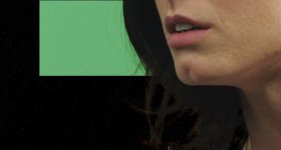
Keyed Against Black. Note the horrible artifacts around the hair, which reminds me of keying edge enhancement artifacts.

1:1 Crop of the key.

The Alpha Channel, which looks pretty good.

Red and Blue channels at 1:1 crop of the original 4K (Saturation boosted to 1.7 to view problem easier)

Red channel with a Miminum De-Noise/De-moire which really shows the problem on the hair. (Saturation boosted to 1.7 to view problem easier)

EDIT: Please Right Click and open Images in a New Tab to view at Full Resolution.
Here is a link to the R3D for download. Please offer any advice you can on the matter. Thank you.
http://www.makevisual.com/download/L_r3d.zip
I have posted examples below to illustrate our problem, as well as a frame of the R3D in hopes someone can give me a clue as to what is going on. Luckily for this shot, the talent will be composited over a light background, and so the edge problems will be hidden, but if I had wanted to composite this shot against a starfield, I would have been out of luck. The shot used a Zeiss Super Speed Mark III, if that makes any difference.
EDIT: Please Right Click and open Images in a New Tab to view at Full Resolution.
Original Plate
Keyed Against Black. Note the horrible artifacts around the hair, which reminds me of keying edge enhancement artifacts.
1:1 Crop of the key.
The Alpha Channel, which looks pretty good.
Red and Blue channels at 1:1 crop of the original 4K (Saturation boosted to 1.7 to view problem easier)
Red channel with a Miminum De-Noise/De-moire which really shows the problem on the hair. (Saturation boosted to 1.7 to view problem easier)
EDIT: Please Right Click and open Images in a New Tab to view at Full Resolution.
Here is a link to the R3D for download. Please offer any advice you can on the matter. Thank you.
http://www.makevisual.com/download/L_r3d.zip