Welcome to our community

Be a part of something great, join today!

  • Hey all, just changed over the backend after 15 years I figured time to give it a bit of an update, its probably gonna be a bit weird for most of you and i am sure there is a few bugs to work out but it should kinda work the same as before... hopefully :)

Phil Holland's PhilmColor Creative 3D Luts for IPP2

Thought about doing a sample pack, but honestly I've put a couple thousand sample images online and I think you'll end up missing the full tool kit here. The difficulty is how to handle that when updates come and all that. There should be an impressive update in July/August and that is what you don't want to miss out on.

No problem, Phil.
I think I will give it a go.
 
Phil,

With your ghostStocks, I really can't see any Red owners needing to use power windows to adjust skin tone and skin brightness ever again.
 
Thank you guys. I'm certainly feeling the love this weekend. Lots of positive feedback and images being sent my way.


Phil,

With your ghostStocks, I really can't see any Red owners needing to use power windows to adjust skin tone and skin brightness ever again.

Well there's always going to be a reason :) But you're on the right path of what the ghostStocks are all about. They are rather subtle takes on transforming specific tonal zones and colors. Many of them increase "density" in skin and transform the general flesh tones to each ghostStock's unique flavor.
There's a lot going on in philmColor. I want people to really browse through the looks and see what each does to their shots. I probably should right up a really detailed document behind each specific LUTs design and/or inspiration. For the time being, I'm cranking away on the upcoming update, which will be a notable one.


Just wanted to share a few interesting examples.

So the "bulk" of philmColor are these baseStocks. These represent so many things. Film inspired, stock emulations, processing emulations, emulations of different cameras even. There's a few helpers in there too. Some are even more subtle in some ways and are just good for general shooting without transforming things to far from the camera's color response.

A few baseStocks I'd like to show here:
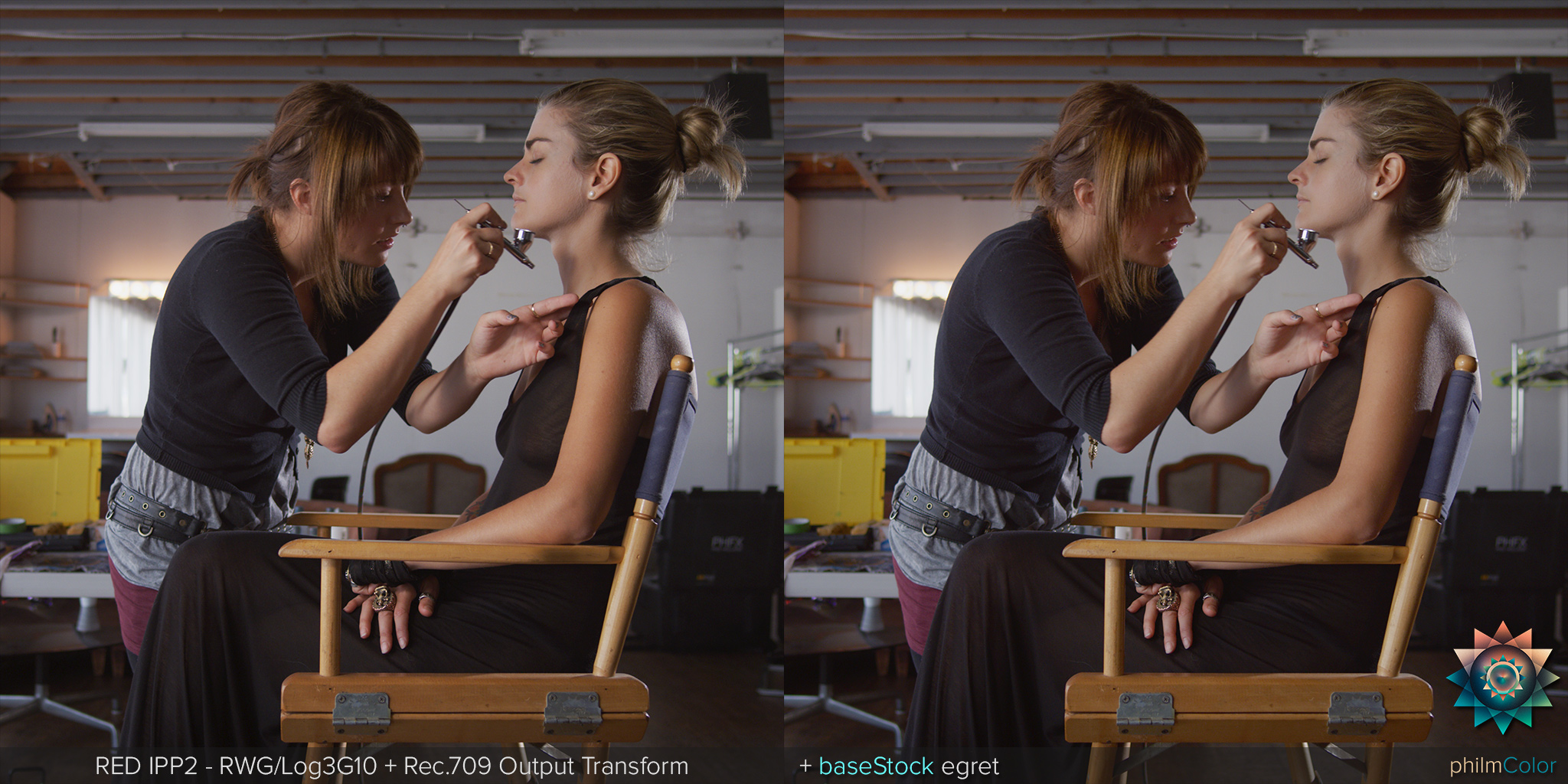
phfx_philmColorRUS_baseStock_egret.jpg


baseStock:egret is designed to be really subtle. Does things to skin, subtle general things to specific hues, and tampers a bit with the highlight roll-off to provide a meatier feeling up there. It's a great "always on" look.


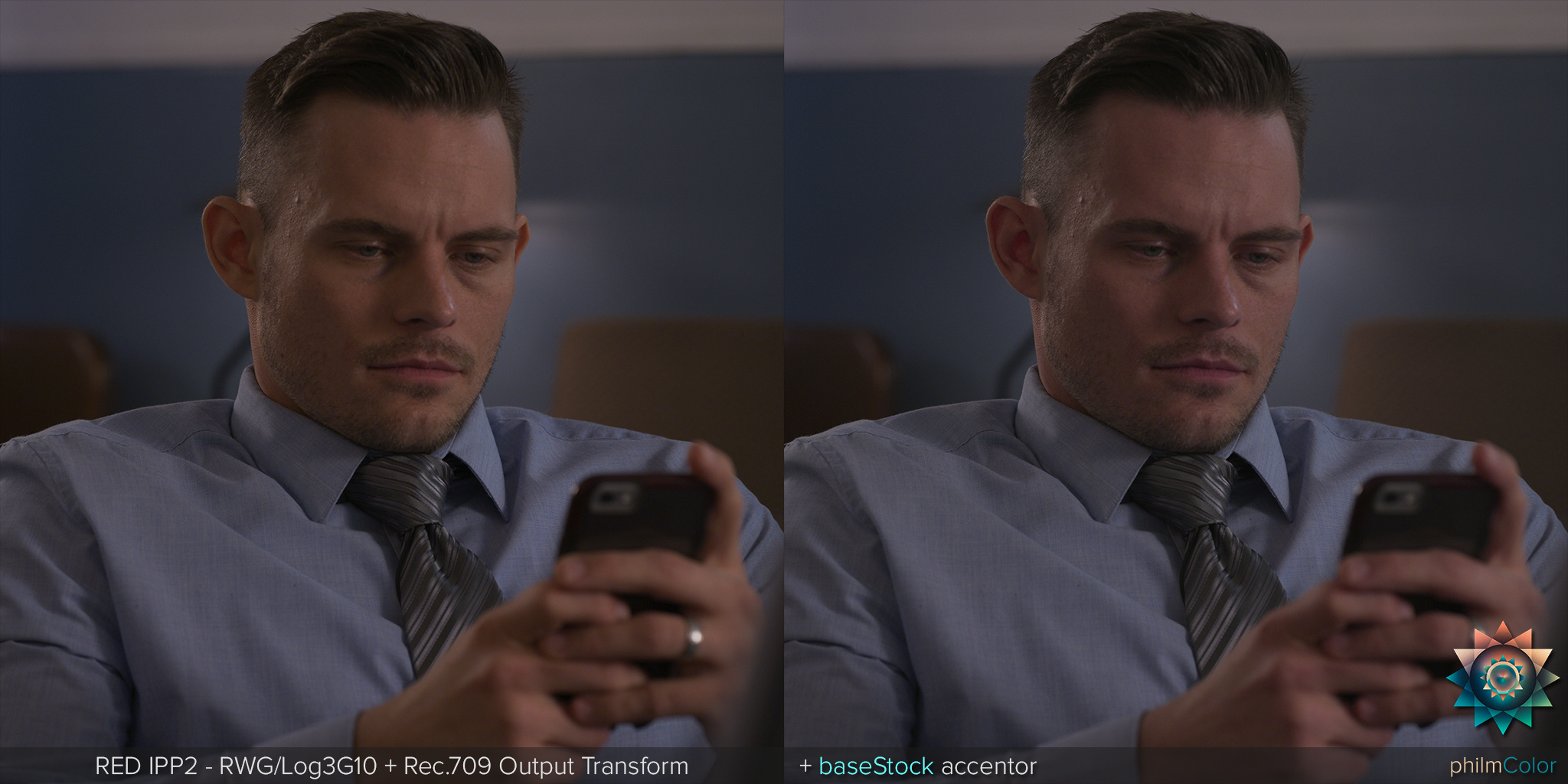
phfx_philmColorRUS_baseStock_accentor.jpg


baseStock:accentor is designed to look like a specific "other camera" in many ways.


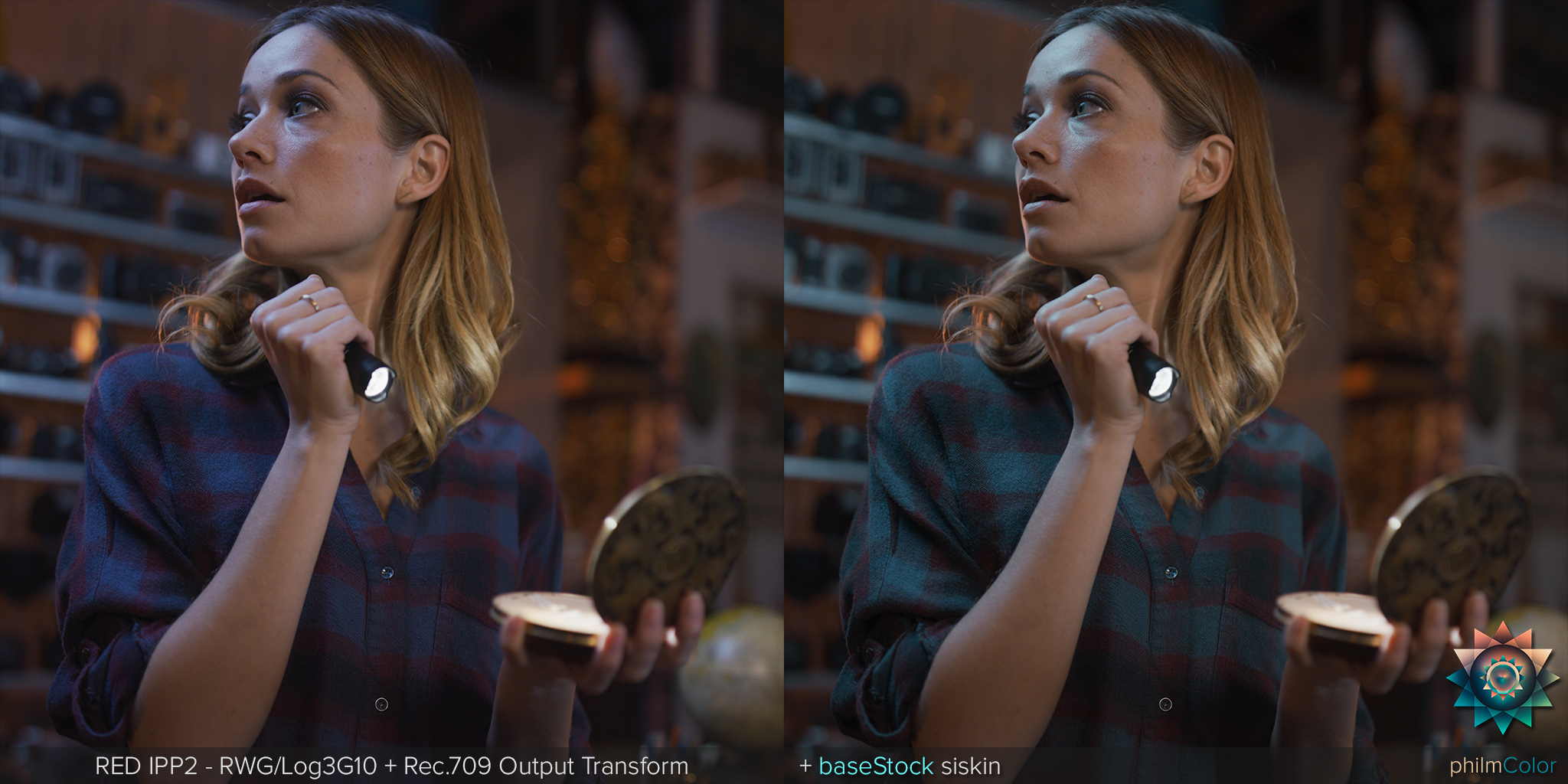
phfx_philmColorRUS_baseStock_siskin.jpg


A good deal of the baseStocks are also designed to transform colors in a more dramatic way. baseStock:siskin for instance clearly effects cooler colors as well as slightly effecting skin tones.


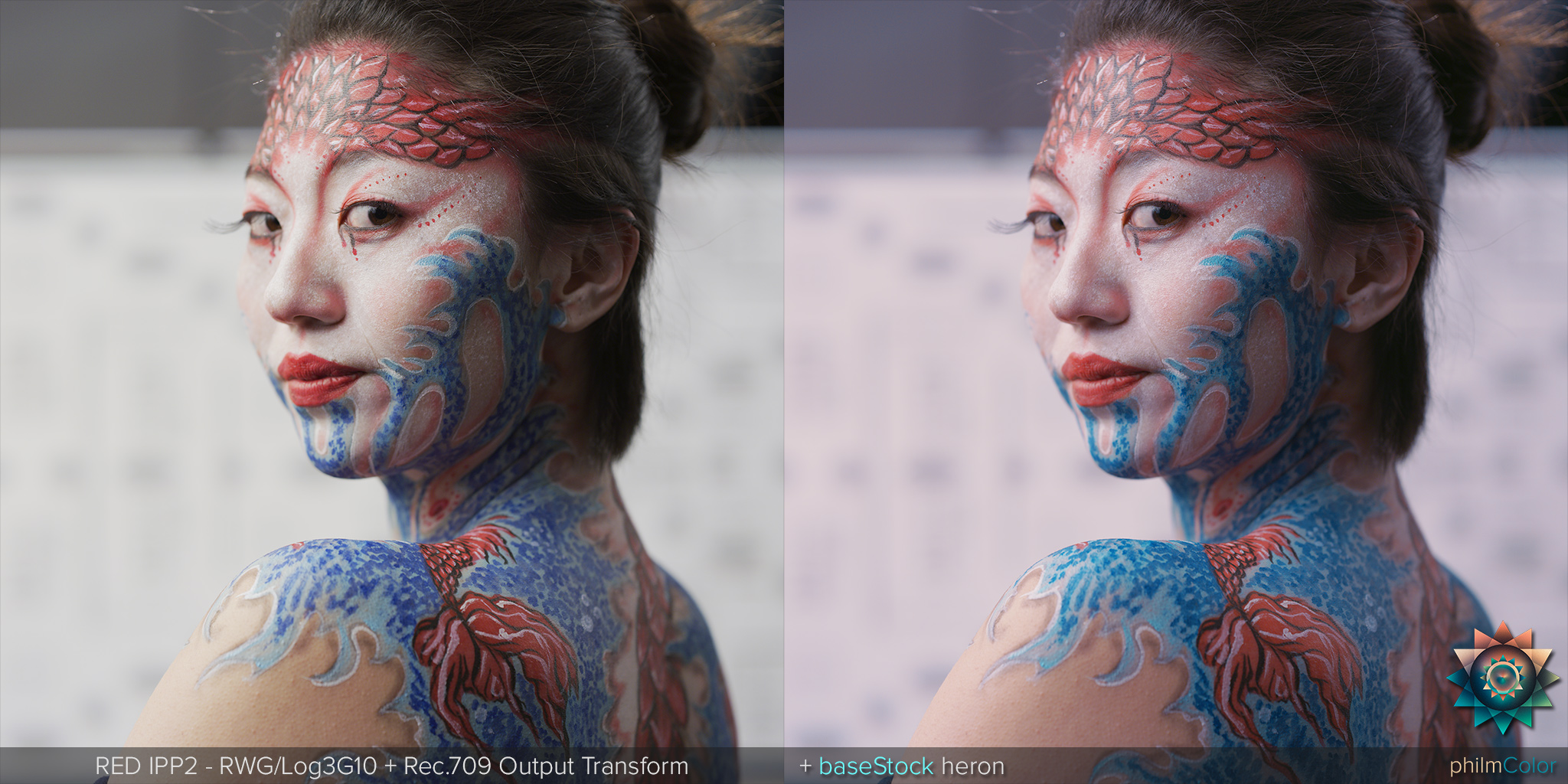
phfx_philmColorRUS_baseStock_heron.jpg


Or similarly, something like baseStock:heron clearly does a lot. It's actually based on a film stock, but also slightly tuned to deal with footage commonly shot with LED lighting. Remember you can adjust the Color Temperature to get what you want out of these.


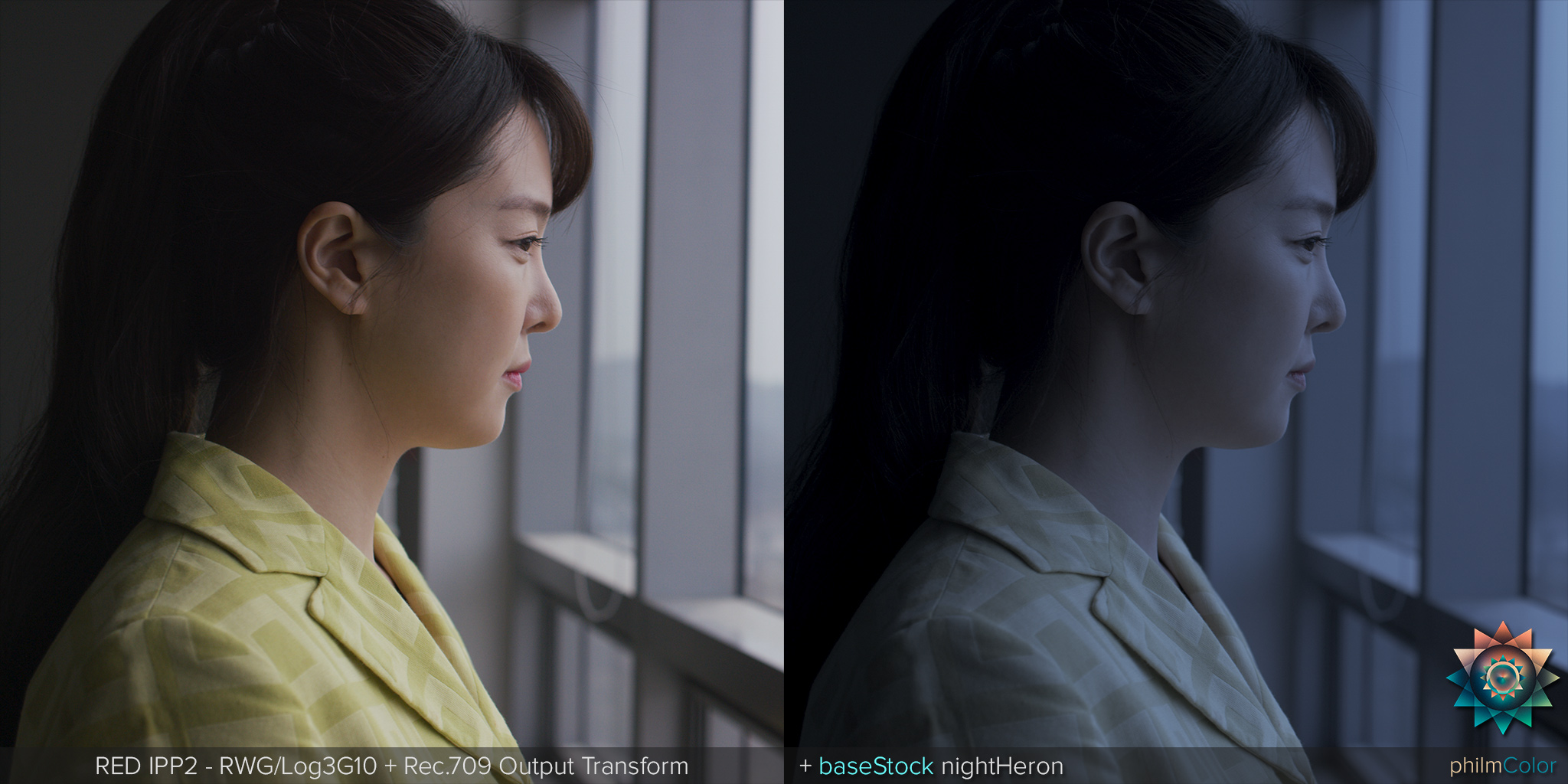
phfx_philmColorRUS_baseStock_nightHeron.jpg


One thing that is pretty common we have to deal with is Day For Night. There are a few DFN helpers in there, but baseStock:nightHeron mimics the traditional pulled exposure and transforming warmer colors to simiulate evening light.


As for the rest, as mentioned, ghostStocks are essentially subtle takes on color science really with a focus on transforming the density and color found in mainly midtones and flesh tones.

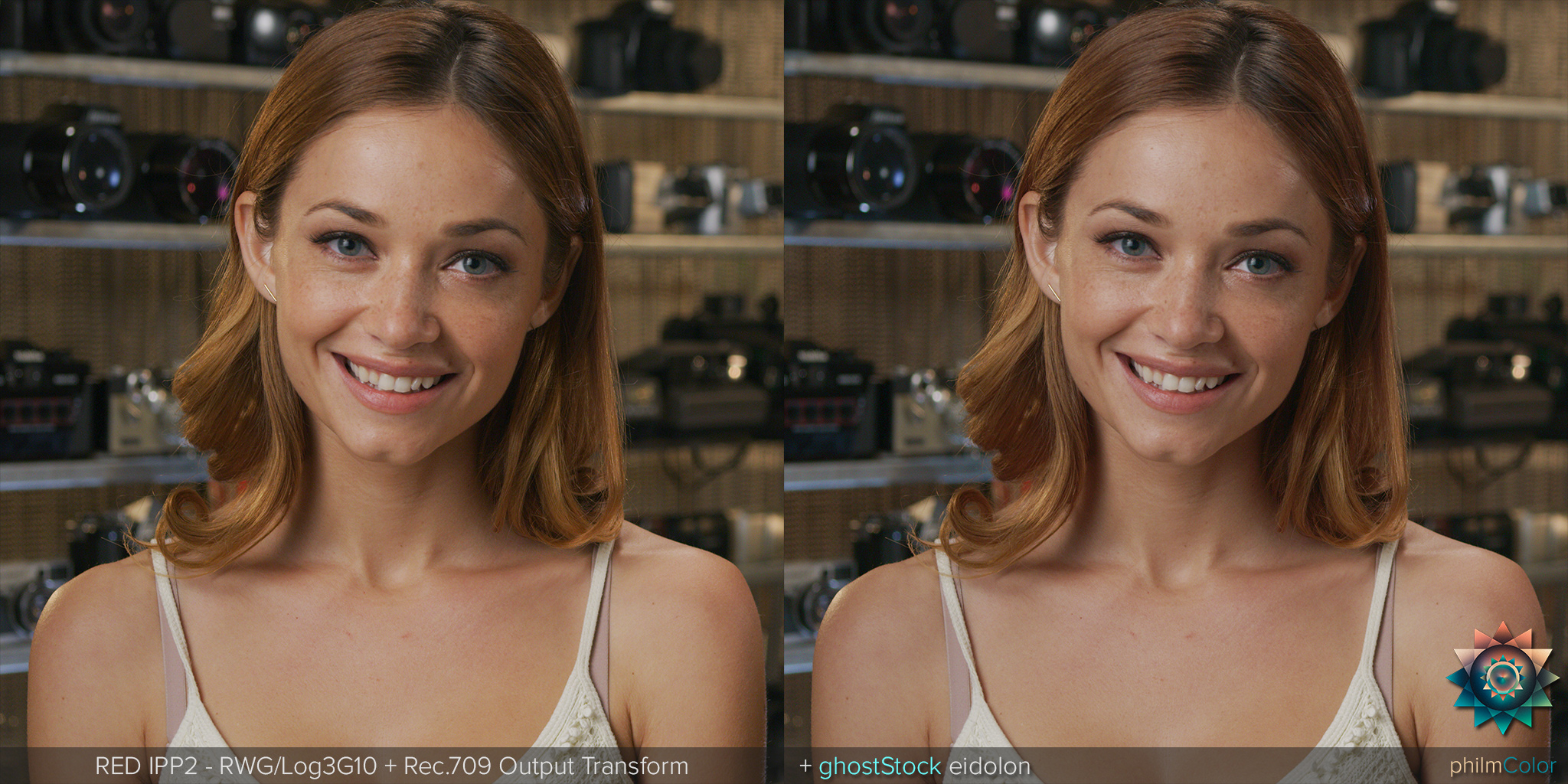
phfx_philmColorRUS_ghostStock_eidolon.jpg


One of my favorites on Helium footage has been ghostStock:eidolon for instance. It's a subtle adjustment, but very noticeable. I recommend browsing through all of the ghostStocks whenever you can. You might find a pleasing starting point there for your final image.


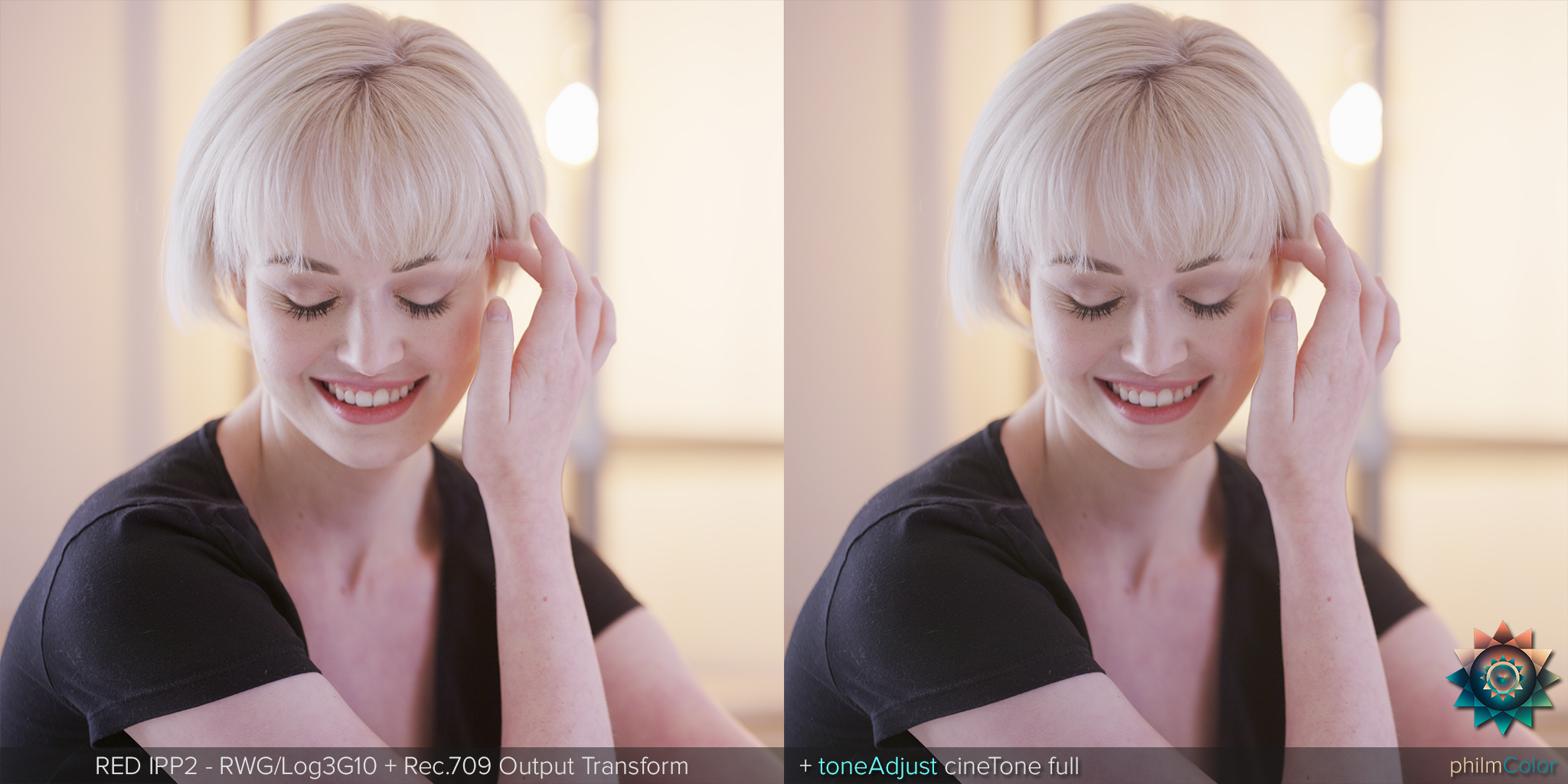
phfx_philmColorRUS_toneAdjust_cineToneFull.jpg


The toneAdjusts are indeed helpers, but they also contain subtle looks that keep the chromatic response of the camera in tact while transforming the tonal response to a different flavor. Check out all of the toneAdjust:cineTone variants for instance. Also, if you ever finder yourself thinking I need to "pull the highlights down" or "push the midtones up" there are LUTs here for that. That push/pull mentality is extremely film based in terms of what you could request a LAB to do.


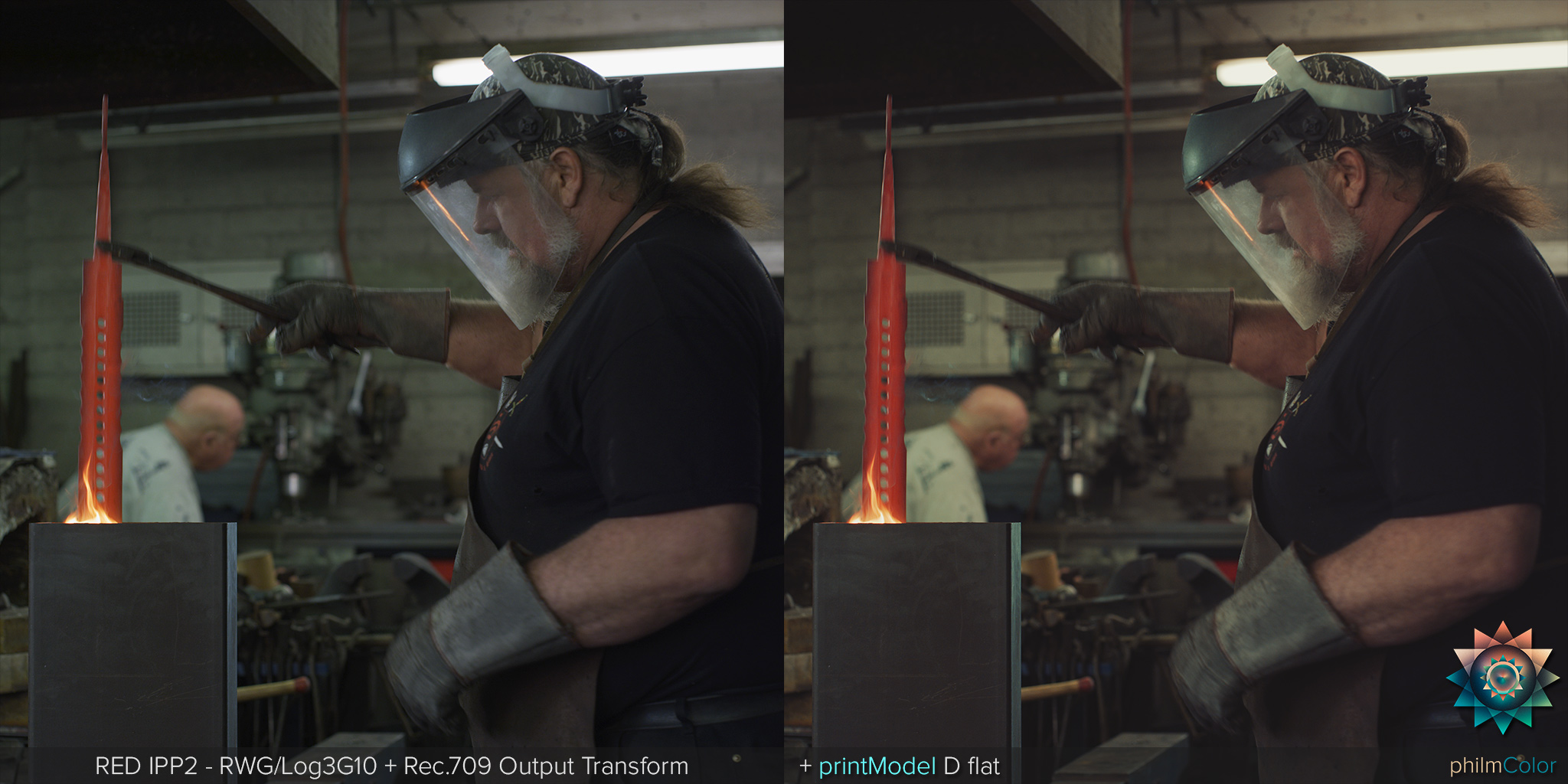
phfx_philmColorRUS_printModel_Dflat.jpg


The printModels are different takes on providing that filmed out print appeal. A, B, C, and D have different strengths of "punchiness" through "flatness". I truly enjoy these and something you can do to help carve out your own uniqueness is to get into the Curves, CDL, and Contrast controls. Using a soft touch you'll find that these are pretty powerful. Also adjusting your Color Temperature can be real fun with these.


I'm hard at work on the next update. It's going to take some time, but it should be out in July if all goes well.
 
Phil, I've been following these LUTs with great thirst. Any chance you can share more about the little discount for early birds? No doubt your work deserves double this rate. But for those of us who are driving 20-year old Honda Civics and eating beans and rice to make Red cameras part of our lives, it would be a great help. And thank you!

Sean
The hardest part would be for him to figure out which ones to include in a lower priced pack. No two people would agree on which ones they want. :)
 
The hardest part would be for him to figure out which ones to include in a lower priced pack. No two people would agree on which ones they want. :)

I respect and like what Phil had done and his contribution to the RED community. And I agree with what Stacey suggested 100%.
 
The hardest part would be for him to figure out which ones to include in a lower priced pack. No two people would agree on which ones they want. :)

I guess if Phil were so inclined there could be an option of splitting the existing pack into 4 or something?

Pack 1: Base Stocks
Pack 2: Ghost Stocks
Pack 3: Print Models
Pack 4: Tone Adjusts
 
Man I can't thank you Phil enough, you have made all our lives easier and for free with all you info and test and post.
Thank you, and can't wait for the down load to stop so I can start playing with these as soon as I can.
I don't think Im going to get a lot of sleep tonight even though I got a 4 am call.
Cheers
 
Phil,

Very cool. Can't wait to buy and try....

About time you got something back from this community. Many thanks my friend...

Cheers,

Peter
 
I guess if Phil were so inclined there could be an option of splitting the existing pack into 4 or something?

Pack 1: Base Stocks
Pack 2: Ghost Stocks
Pack 3: Print Models
Pack 4: Tone Adjusts

I'll think more about splitting up, but honestly I don't think I'm going to do it. Especially since I have an update coming that will include more of each of those and something new. I'd like to keep it the way it is so it makes sense in terms of "free updates". If it does make sense.


Phil.

I'm kind of loving "Robin" BaseStock now

Robin is indeed based on film :)


Phil,

Very cool. Can't wait to buy and try....

About time you got something back from this community. Many thanks my friend...

Cheers,

Peter

Thank you Peter! And here I was thinking I was doing something for this community :) Seriously though, IPP2 is pretty mind blowing on it's own. I'm hoping this projects inspires a bit of creativity from the get go on the color side of things while bringing a bit of the film world back into digital. Next update will be even more film-centric.


Man I can't thank you Phil enough, you have made all our lives easier and for free with all you info and test and post.
Thank you, and can't wait for the down load to stop so I can start playing with these as soon as I can.
I don't think Im going to get a lot of sleep tonight even though I got a 4 am call.
Cheers

Thanks Russ. So far the feedback has been overwhelmingly positive. I think there's at least a "few" in there you'll like!
 
I'll think more about splitting up, but honestly I don't think I'm going to do it. Especially since I have an update coming that will include more of each of those and something new. I'd like to keep it the way it is so it makes sense in terms of "free updates". If it does make sense.

Fair enough and makes complete sense. Keep up the good work and congrats on the reception to them.
 
I guess that now with Phil's PhilmColor LUTs, Hervoje's Primers, and the new IPP2 - every RED owner should be able to bring out the best of his/her camera.
Good times ahead...
 
While I fully appreciate supporting Phil, I'm in no position to just throw $ away. Prior to purchasing, I was a little leary of the price, having just fallen head over heals for Contax Zeiss lenses (can't have enough!). But having faith in Phil from his incredible knowledge on RU, I figured it was good karma to purchase these.

Now, I'm in awe. This wasn't expensive: IT"S A STEAL.

Takes my S-W to a whole new level. The skin tones are strikingly beautiful. The detail is almost too good. The process is so simple it saves me tons of time to get what I'm after. I've never used LUTs that are perfectly subtle, yet so powerful. Many LUTs I've used look like a full grade, and very aggressive. These tend to be more like the perfect base. You can happily leave it as is, or dig even deeper if you wish.

It fully leverages the versatility of the RAW codec, yet makes it simple for a novice like me to bring the best out of my imagery.

Thanks Phil!
 
Excuse my ignorance, exactly how do I import these into a Creative 3D LUT Manager in the beta Cine-x Pro? I can't even find the Manager.
 
Back
Top