rand thompson
Well-known member
- Joined
- Aug 9, 2011
- Messages
- 18,999
- Reaction score
- 622
- Points
- 113
Tarak,
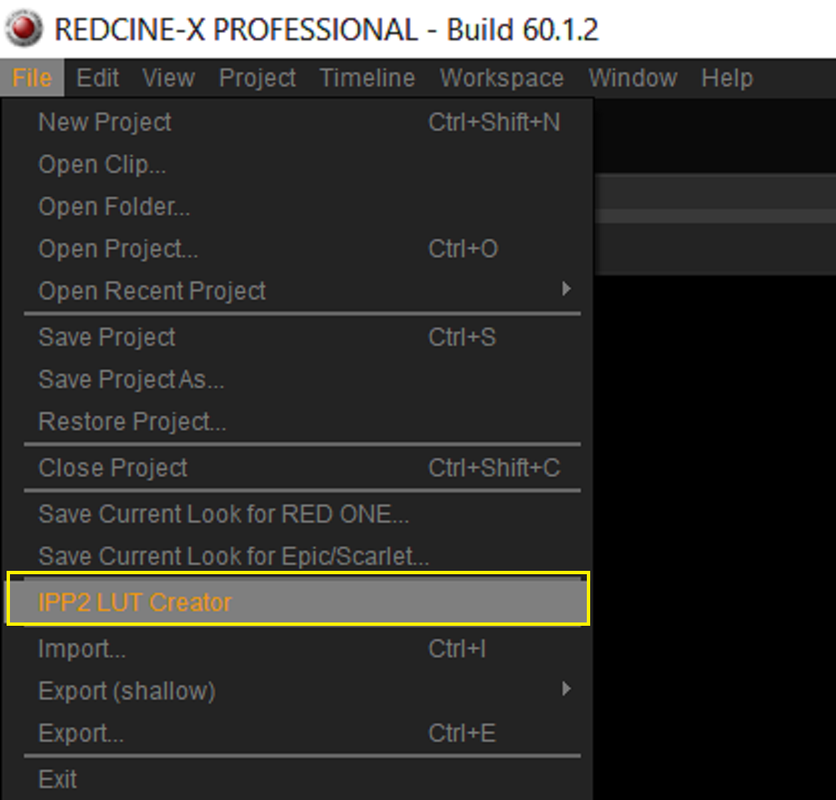
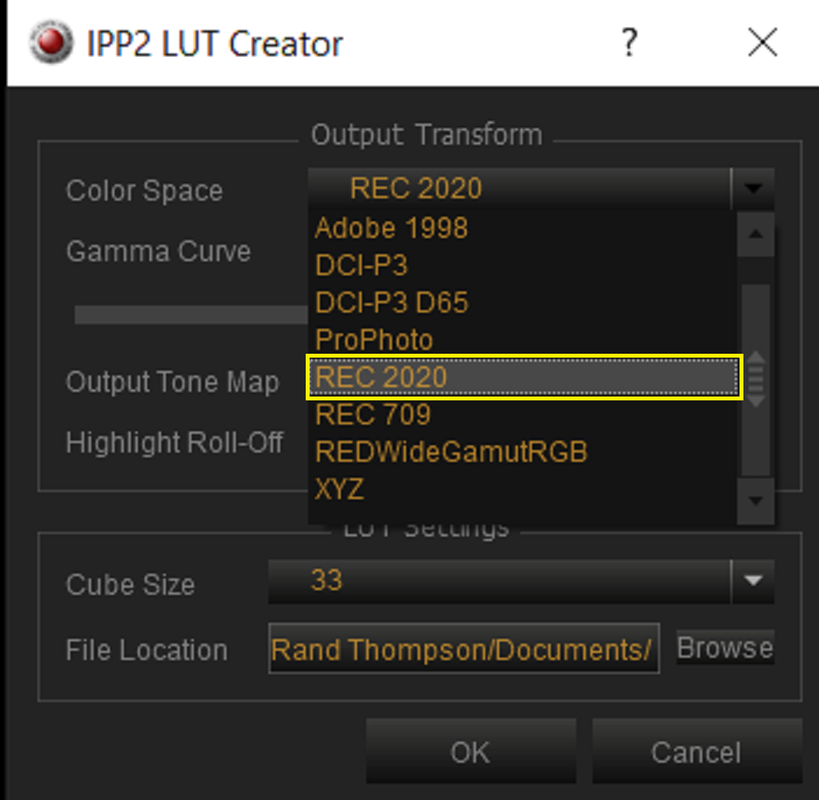
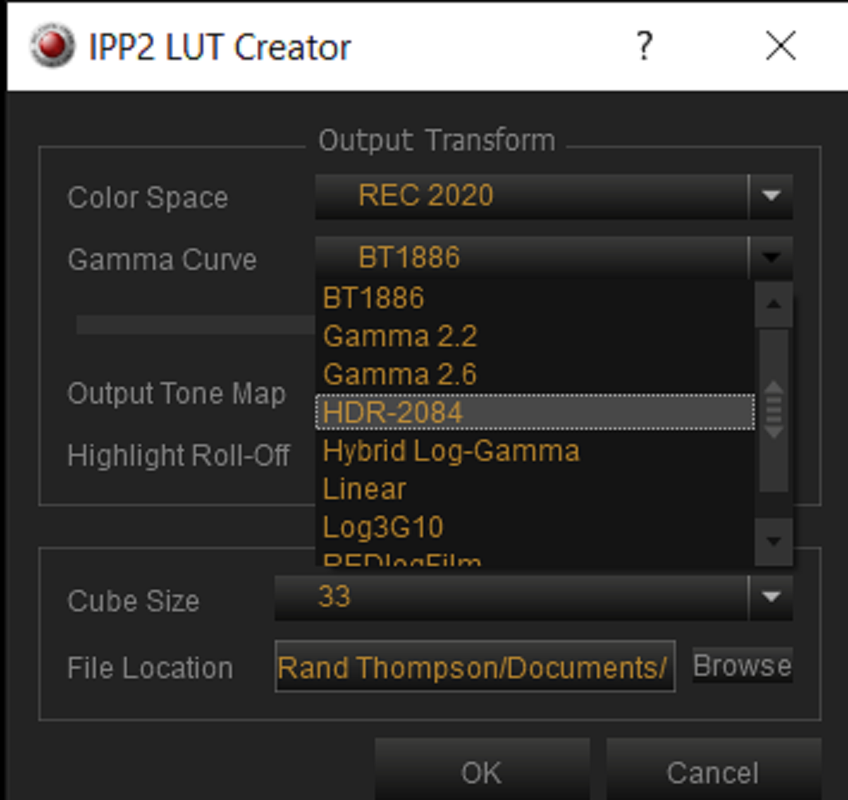
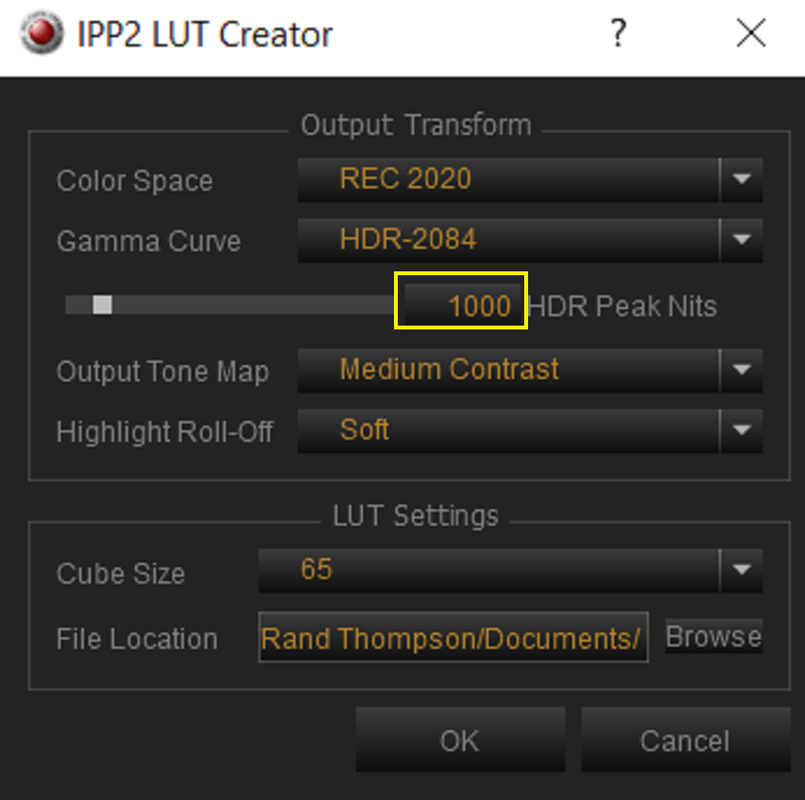
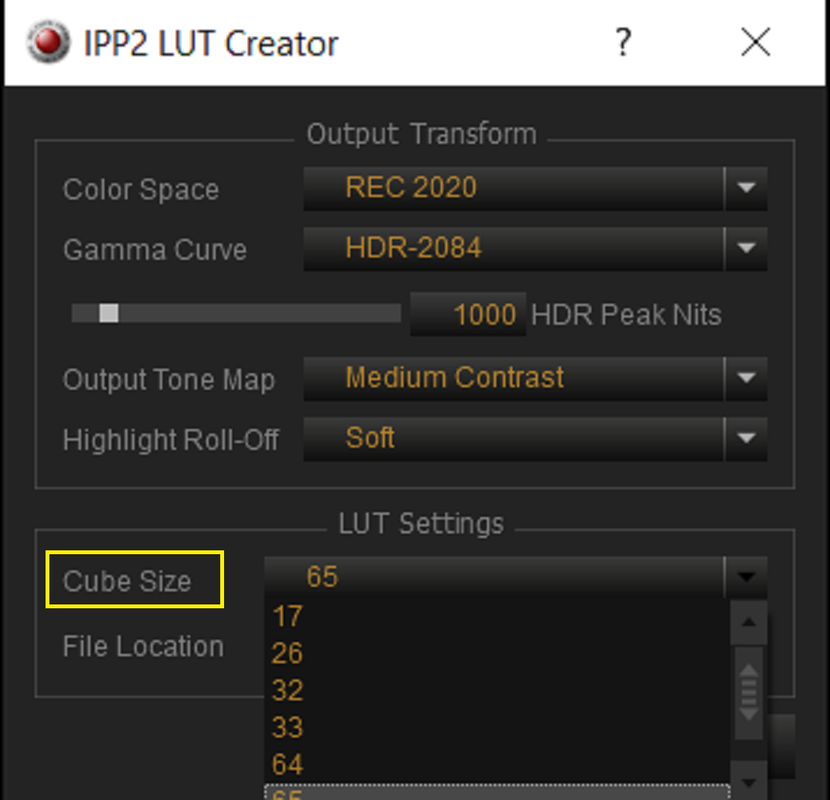
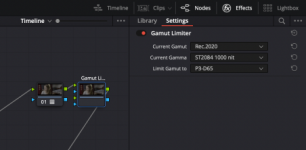
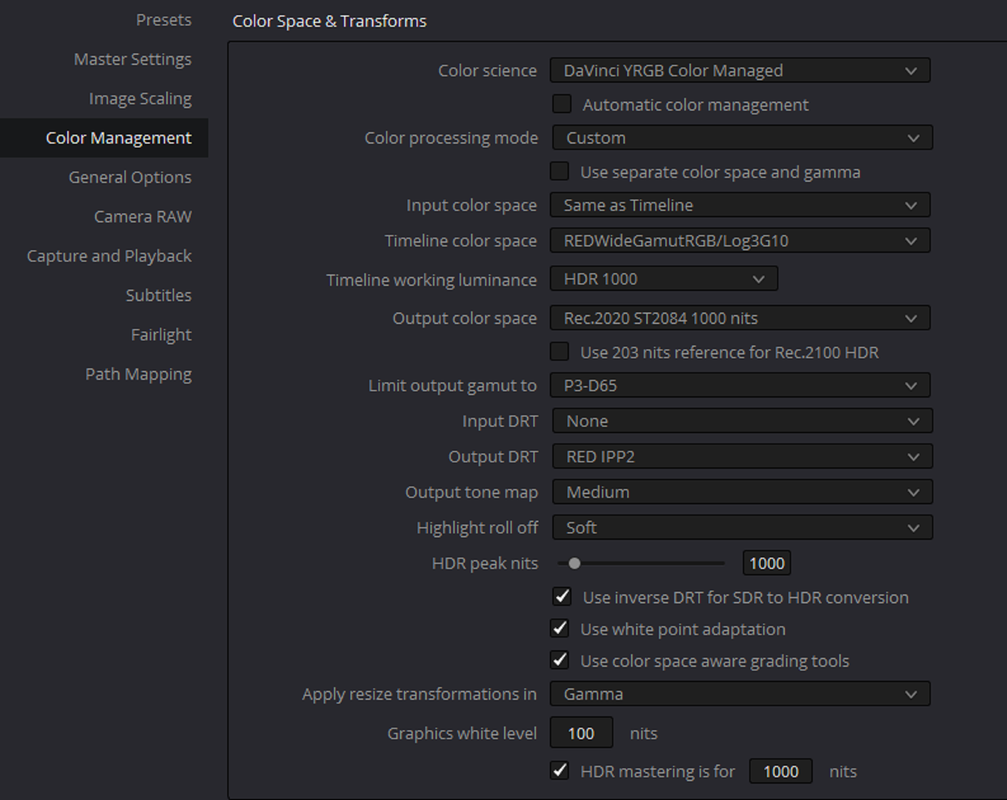
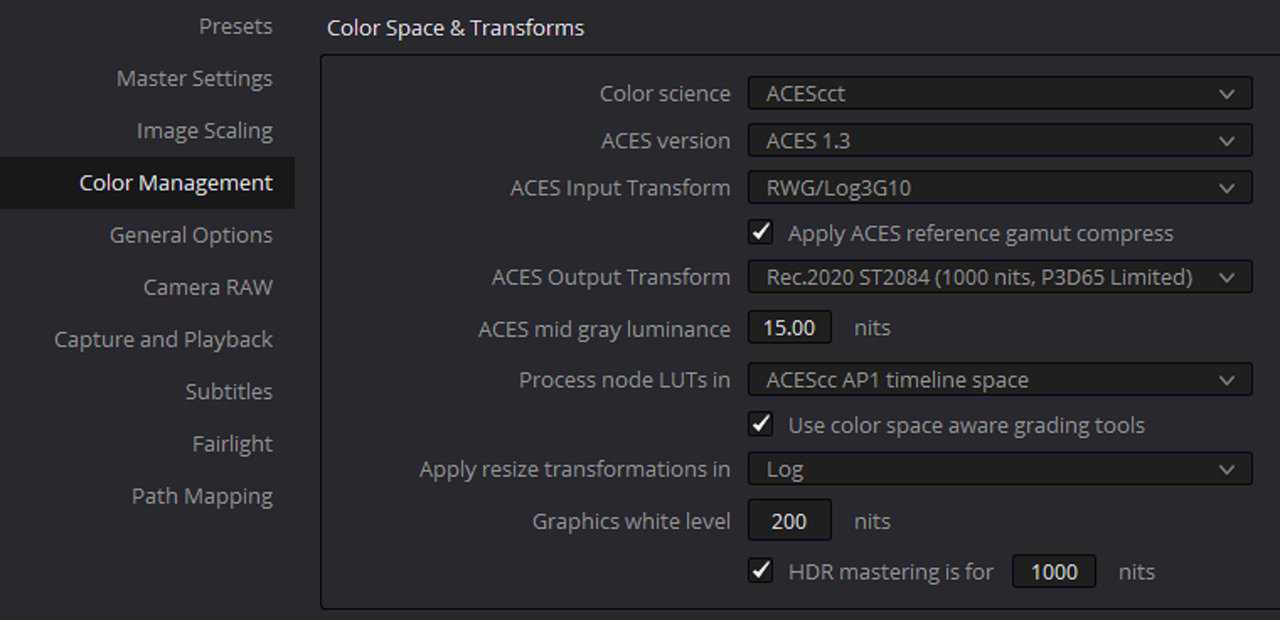
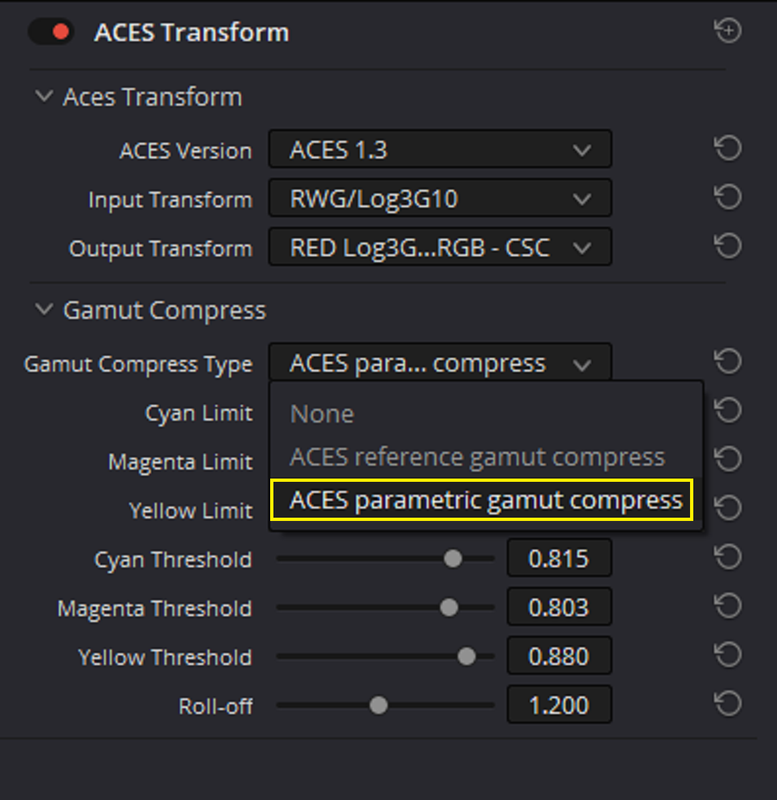
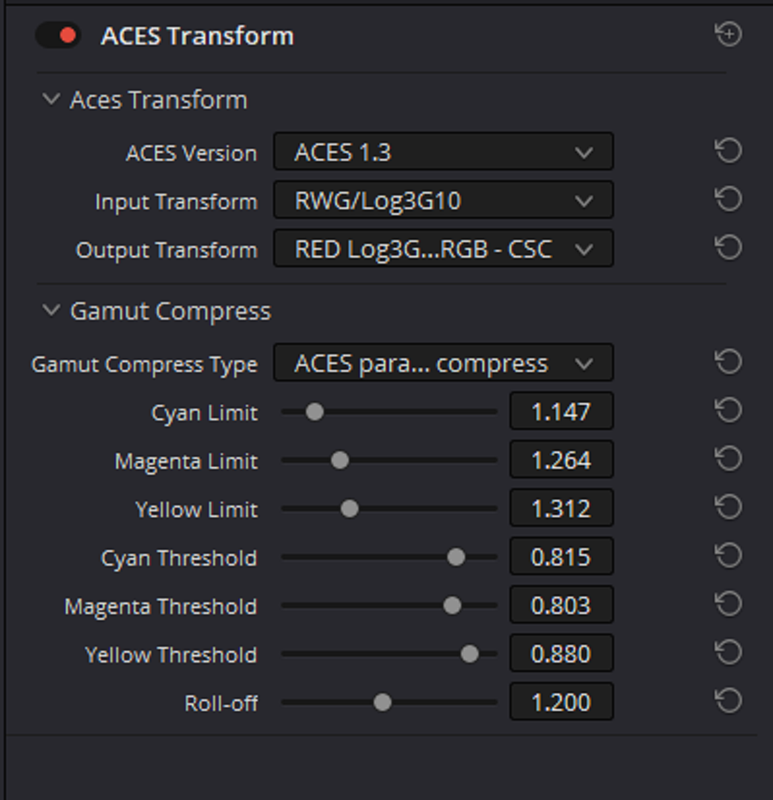
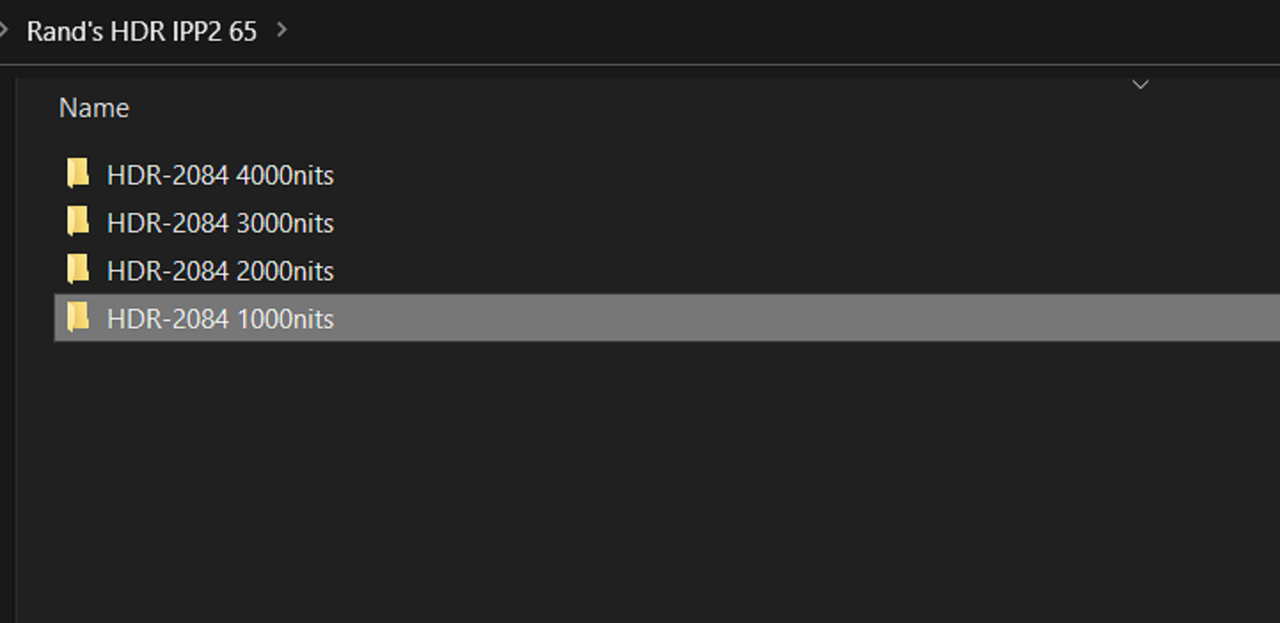
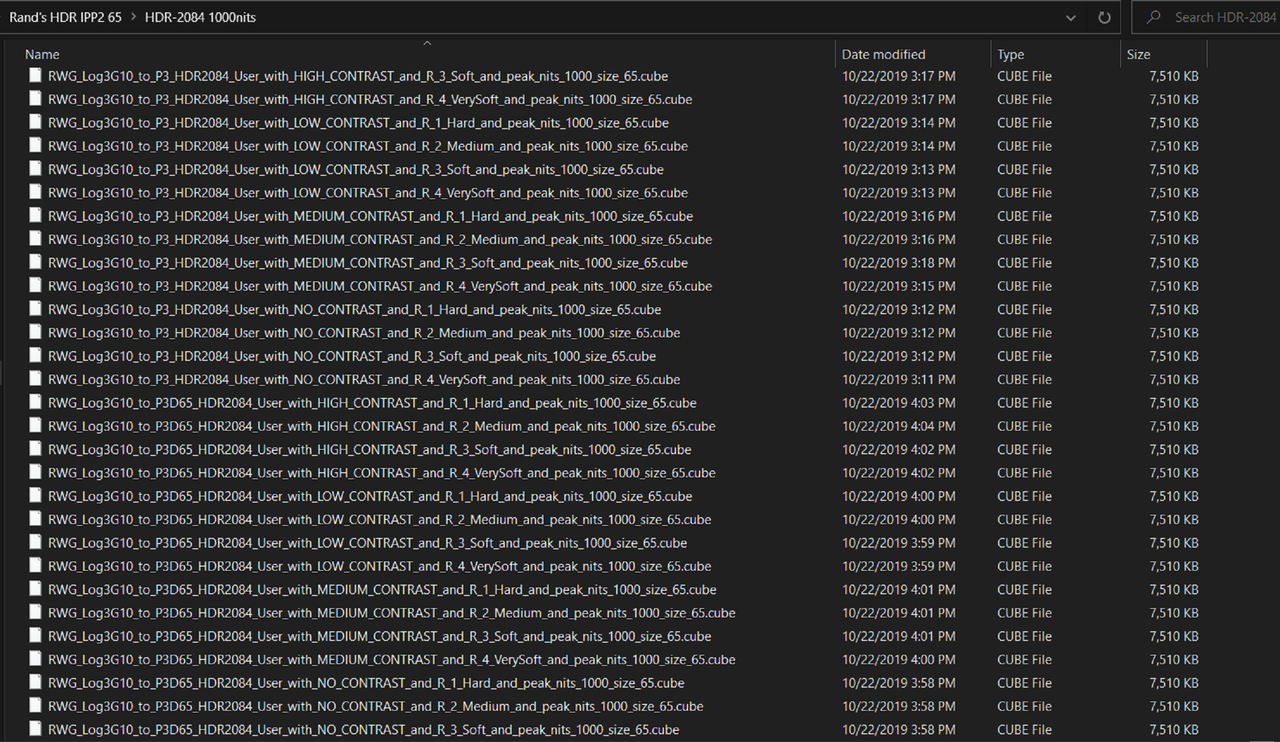
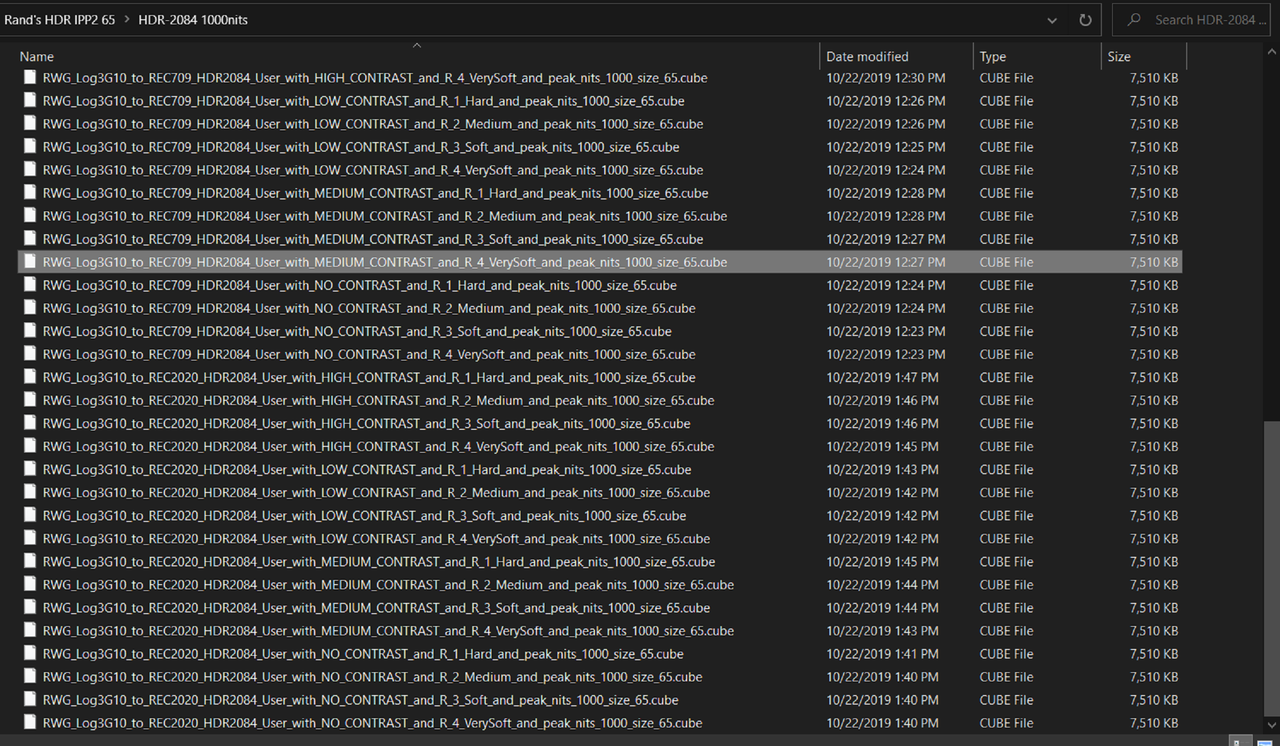
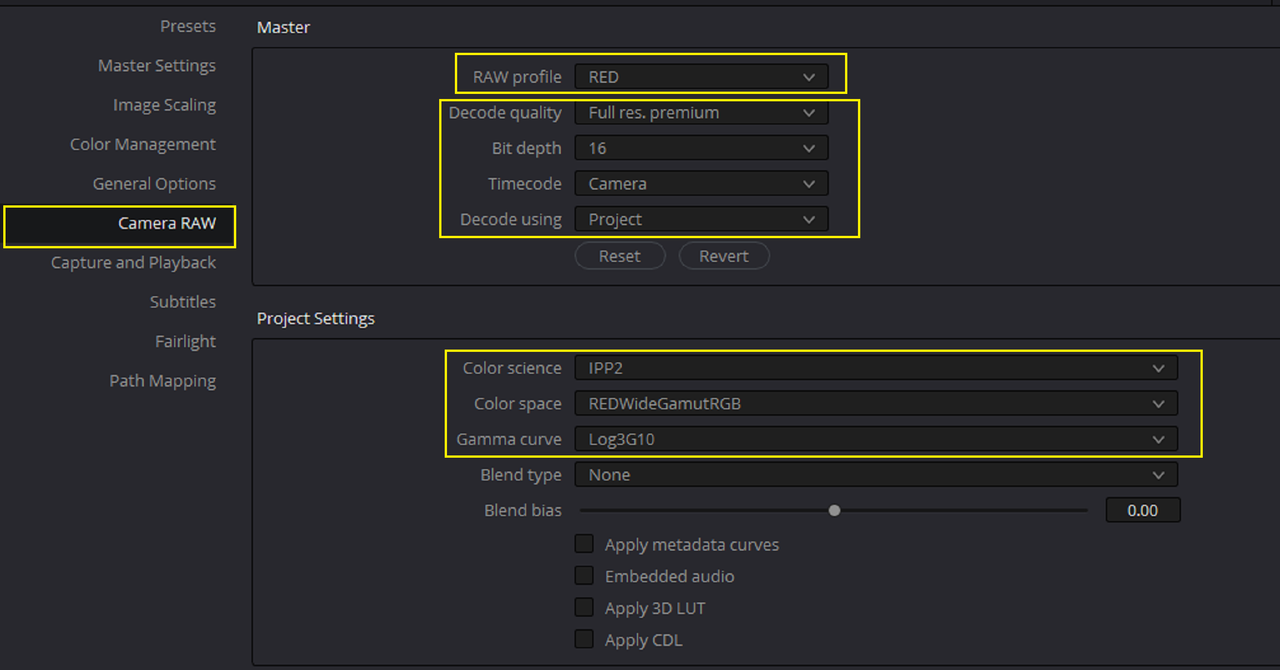
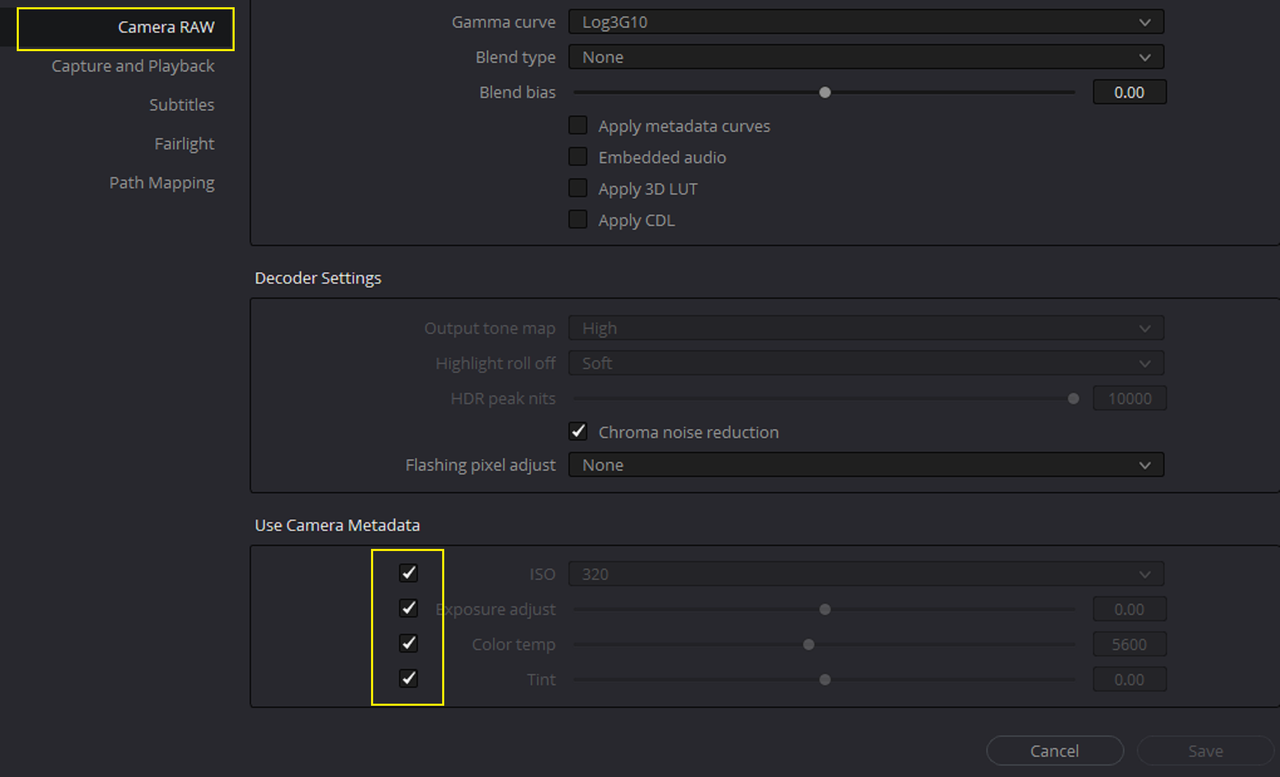
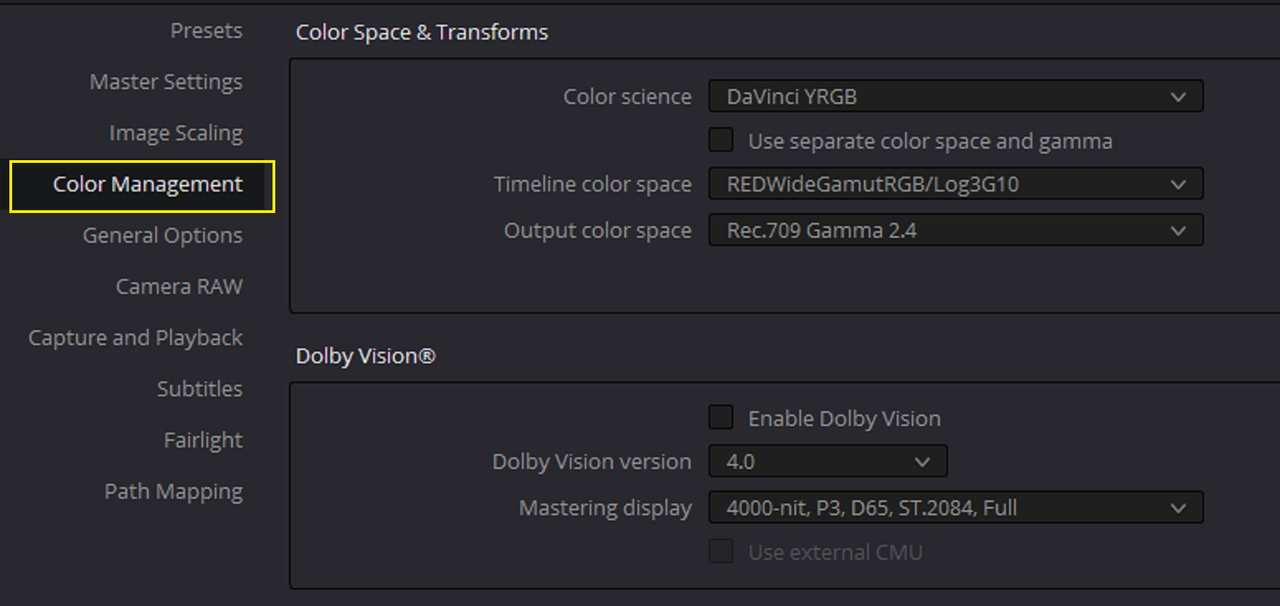
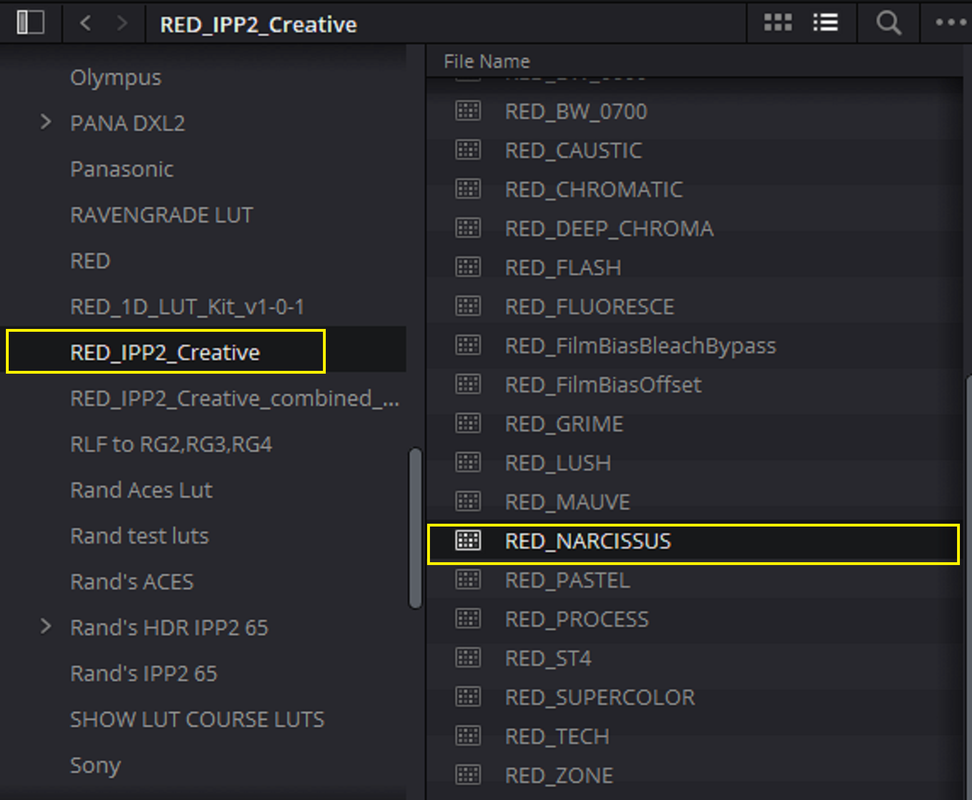
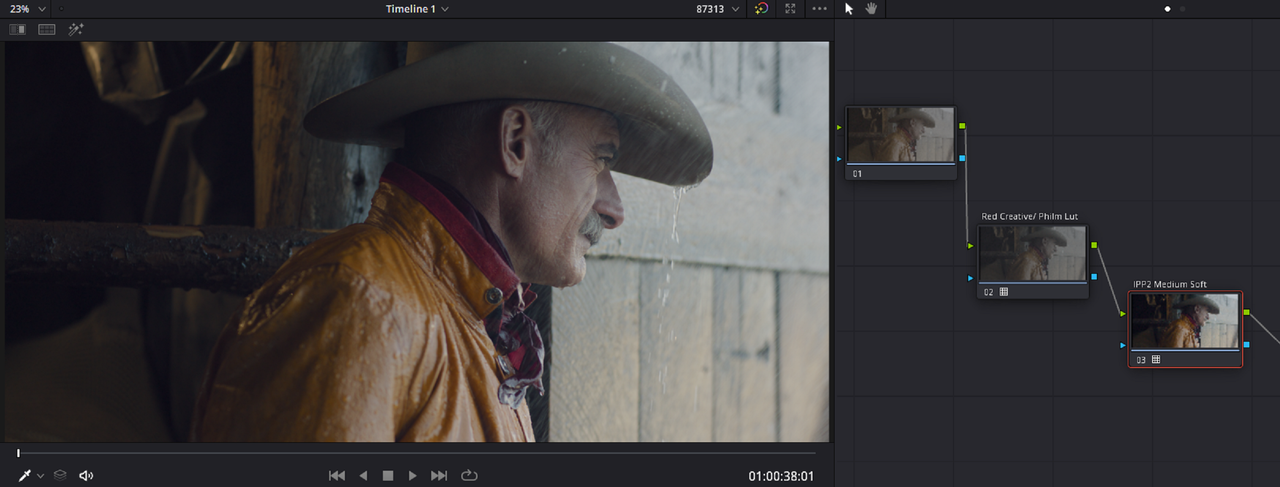
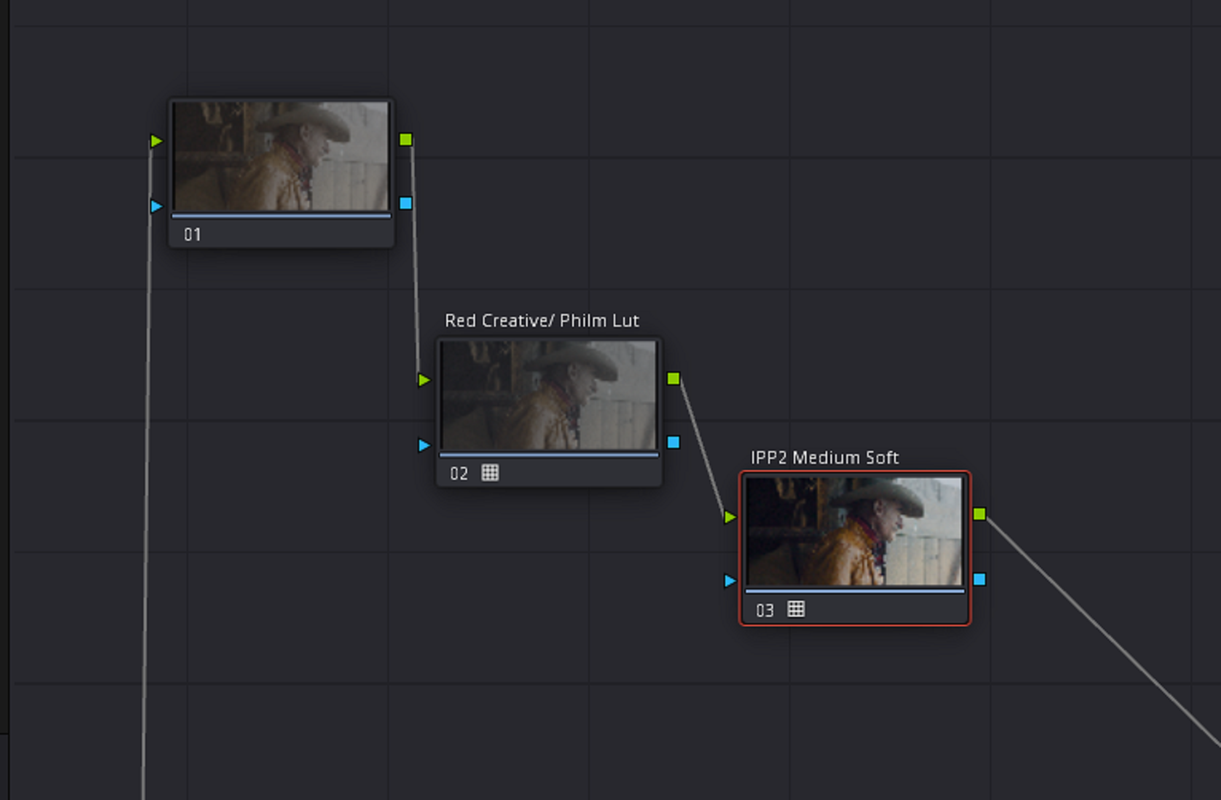
For Phil's PhilmColor Luts to work correctly, they require that the RED.R3D file be in the "RWG/LOG3G10" Color Space. The settings below sets that up properly. Then once you get to the "Color Page" all you have to do is make sure that the very Last node of your Node Tree Grade contains the Red "MEDIUM/SOFT" IPP2 Output Transform Lut and that the PhilmColor Lut or any other Lut designed for the RWG/LOG3G10 Color Space is added before the IPP2 Output Transform Lut as demonstrated below. I believe as you mention that the only way to change the Output Tone-Mapping and the Hightlight Roll-Off is to change the workflow from RWG/LOG3G10 to REC709/BT1886. However that would be "INCORRECT" because again Phil's Luts are designed for the RWG/LOG3G10 Color Space and they would not look correct if they were added to a REC709/BT1886 Color Space workflow.
For Phil's PhilmColor Luts to work correctly, they require that the RED.R3D file be in the "RWG/LOG3G10" Color Space. The settings below sets that up properly. Then once you get to the "Color Page" all you have to do is make sure that the very Last node of your Node Tree Grade contains the Red "MEDIUM/SOFT" IPP2 Output Transform Lut and that the PhilmColor Lut or any other Lut designed for the RWG/LOG3G10 Color Space is added before the IPP2 Output Transform Lut as demonstrated below. I believe as you mention that the only way to change the Output Tone-Mapping and the Hightlight Roll-Off is to change the workflow from RWG/LOG3G10 to REC709/BT1886. However that would be "INCORRECT" because again Phil's Luts are designed for the RWG/LOG3G10 Color Space and they would not look correct if they were added to a REC709/BT1886 Color Space workflow.