Welcome to our community

Be a part of something great, join today!

  • Hey all, just changed over the backend after 15 years I figured time to give it a bit of an update, its probably gonna be a bit weird for most of you and i am sure there is a few bugs to work out but it should kinda work the same as before... hopefully :)

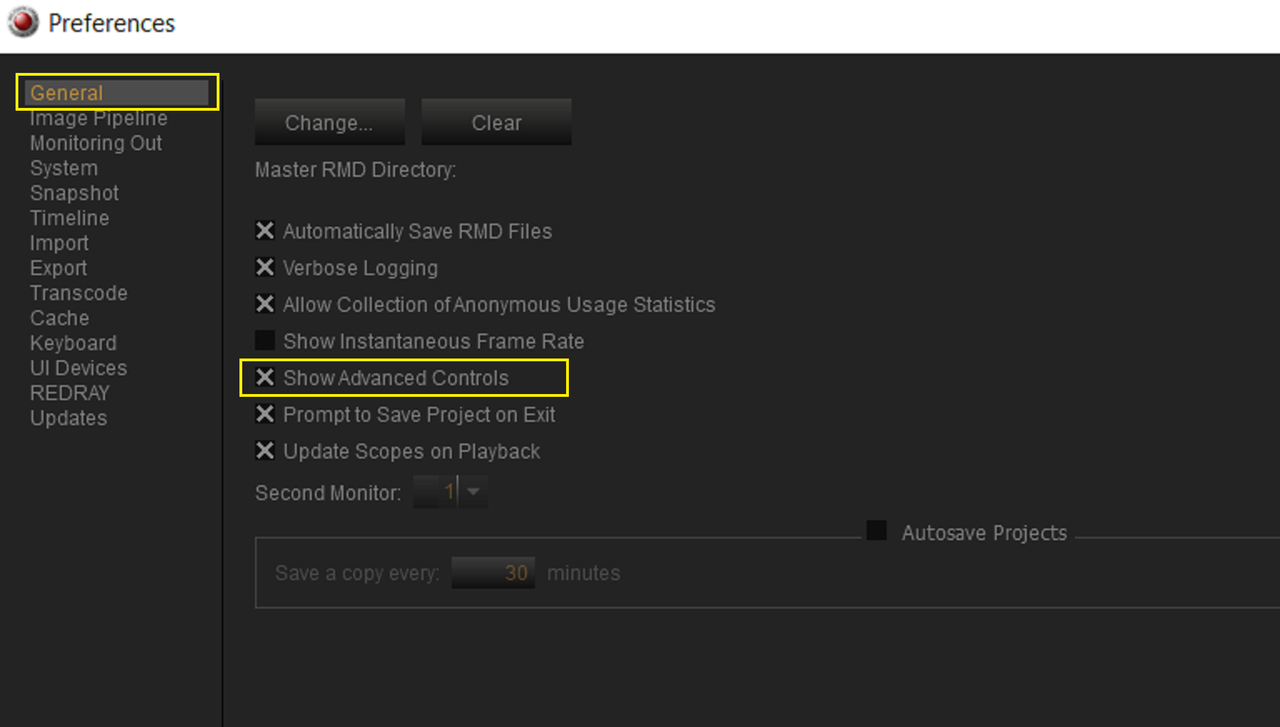
Output Transform is not available for my Komodo Footage

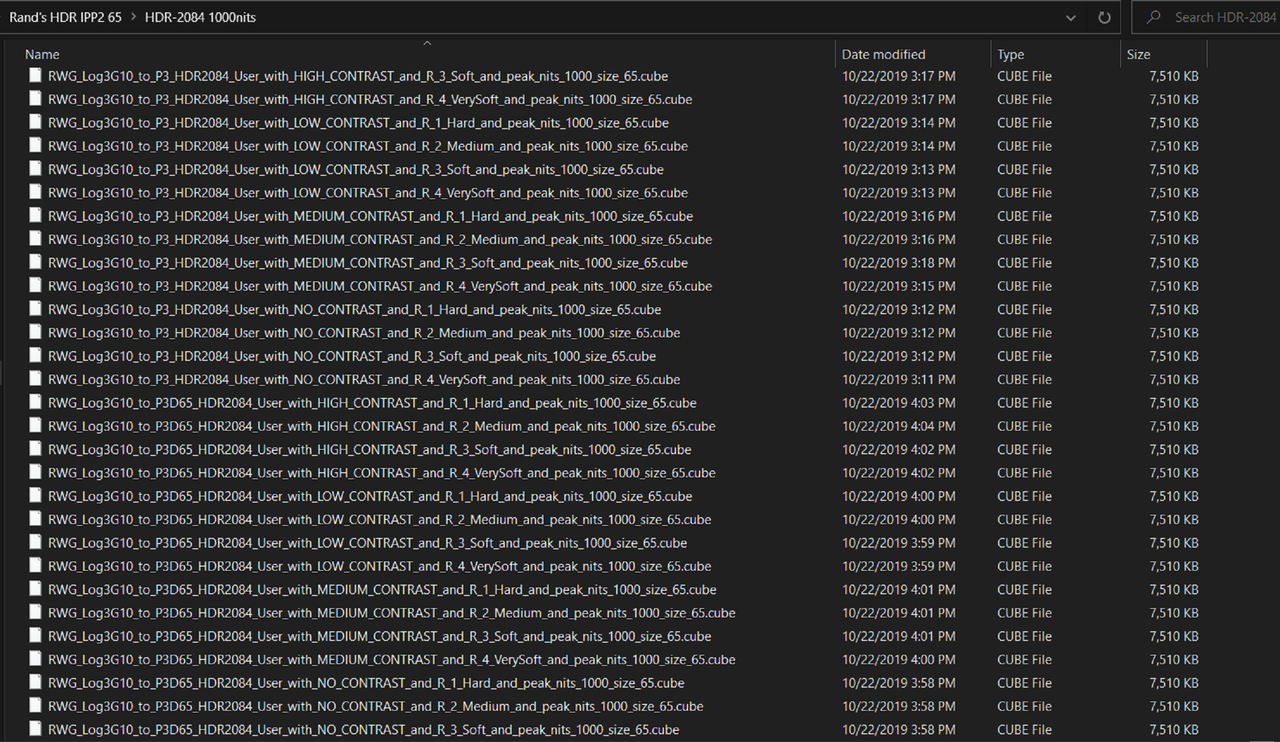
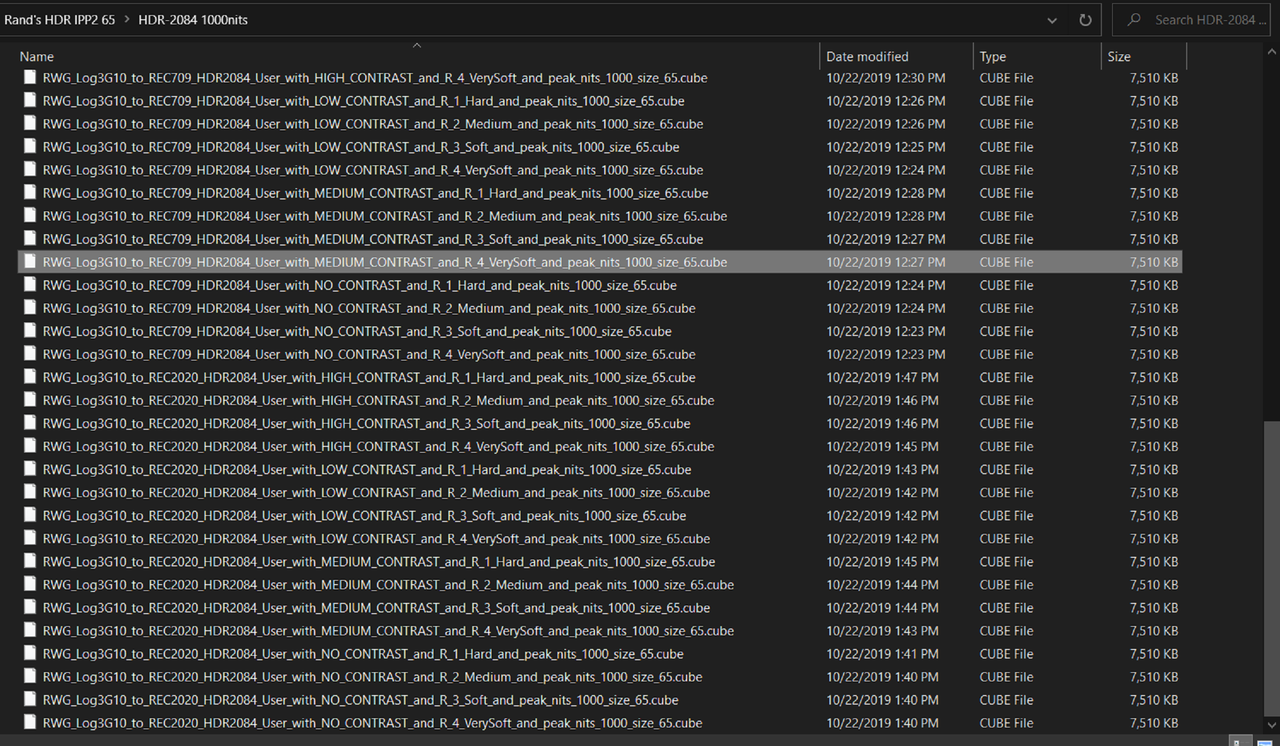
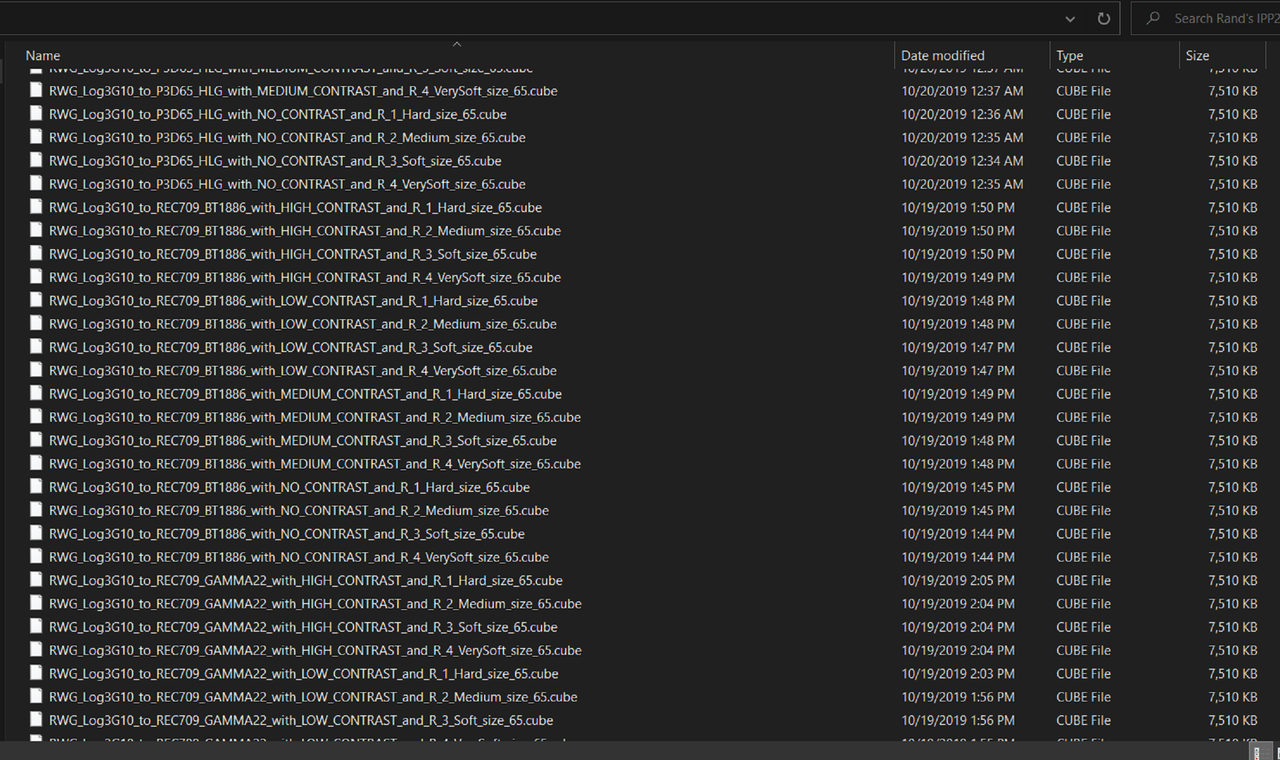
Then Here's every other combination available oriented towards video other than the HDR-2084


Link To-1.8GB Rand's IPP2 65(256 Luts in all)
https://www.jetdrop.net/FDmZI6iUEz5#...AJgDMA5toAS0oA

Good For 7 Days
Screenshot-7271.png
 
Last edited:
Jon,

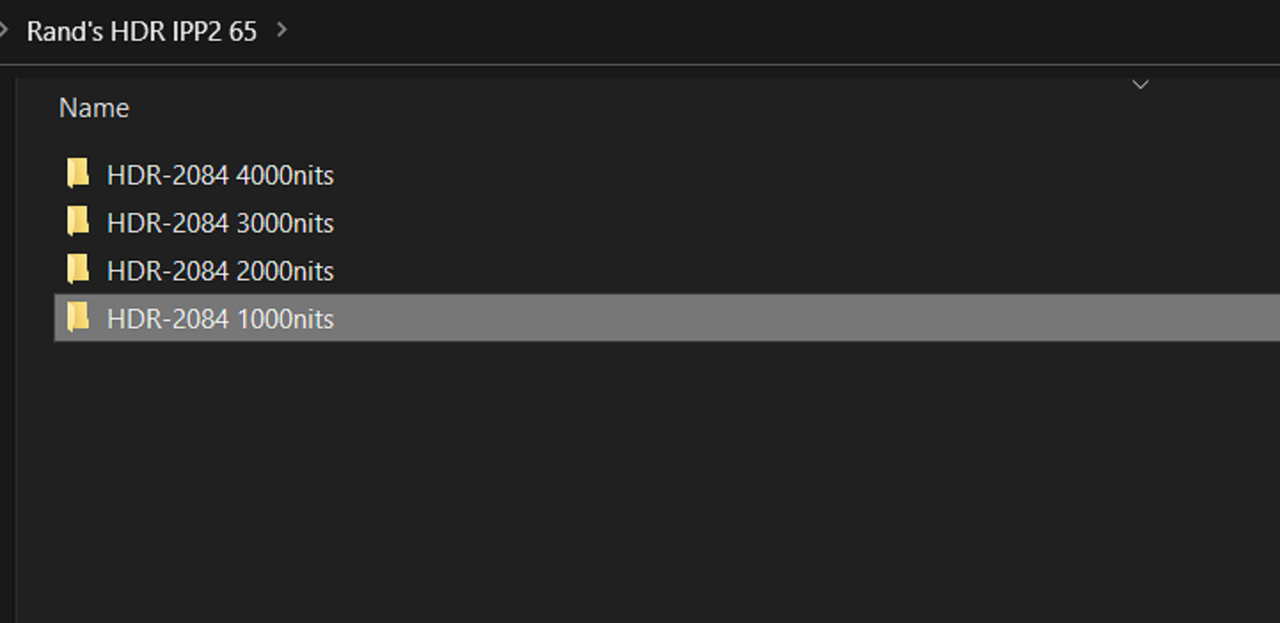
Here are a few Red IPP2 HDR Output Transform Luts in 1000Nits, 2000Nits, 3000Nits and 4000Nits I made one Saturday a couple years ago when I thought I was going to a full HDR Workflow. Just thought it may save you some time in having to make them yourself. The Rec709 versions I don't believe are useable but I was on a roll so......


Link to - 1.8GB Rand's HDR IPP2 65 Luts(256 Luts in all)
Rand's HDR IPP2 65.zip - Jetdrop: Free Secure File Transfer

Good for 7 Days


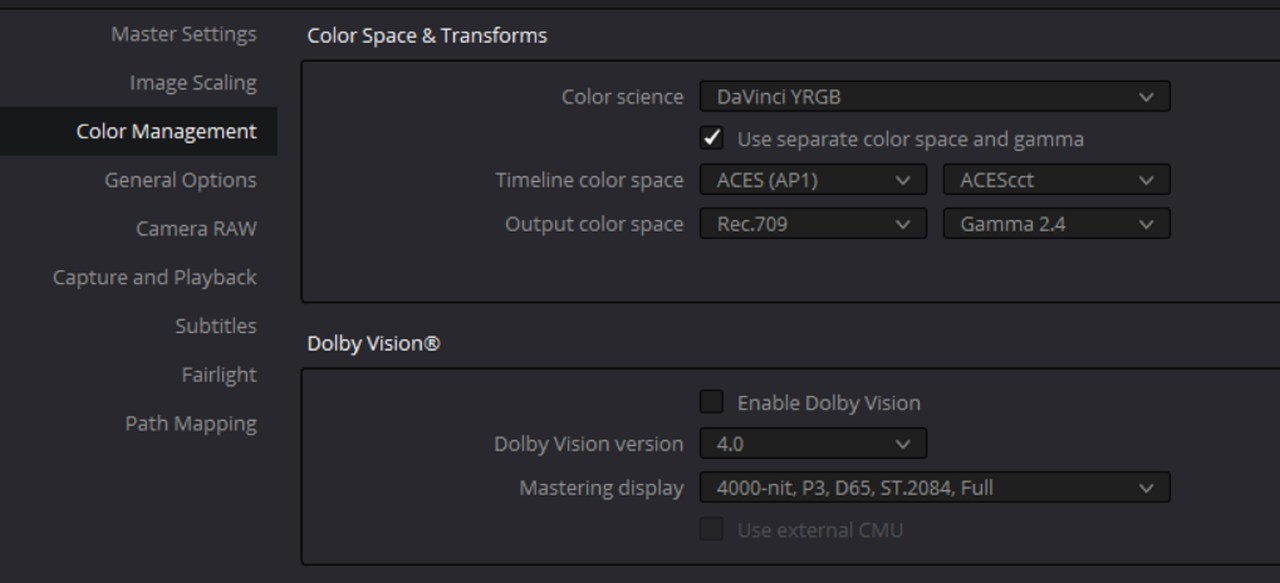
Thanks, Rand. When mastering in HDR, it’s probably a good idea to not exceed the capabilities of the display, so if I’m grading on my MBP with display reference mode HDR (P3-ST 2084), peak luminance is 1,000 nits, and I can confidently increase specular highlights to that level. When an LG OLED TV was my primary mastering display, I set “HDR mastering is for” to 700-800 nits on the Color Management page of Resolve and restricted specular highlights to that value. Not only that, but HDR10 spec is 1,000 nits.
 
Thanks, Rand. When mastering in HDR, it’s probably a good idea to not exceed the capabilities of the display, so if I’m grading on my MBP with display reference mode HDR (P3-ST 2084), peak luminance is 1,000 nits, and I can confidently increase specular highlights to that level. When an LG OLED TV was my primary mastering display, I set “HDR mastering is for” to 700-800 nits on the Color Management page of Resolve and restricted specular highlights to that value. Not only that, but HDR10 spec is 1,000 nits.

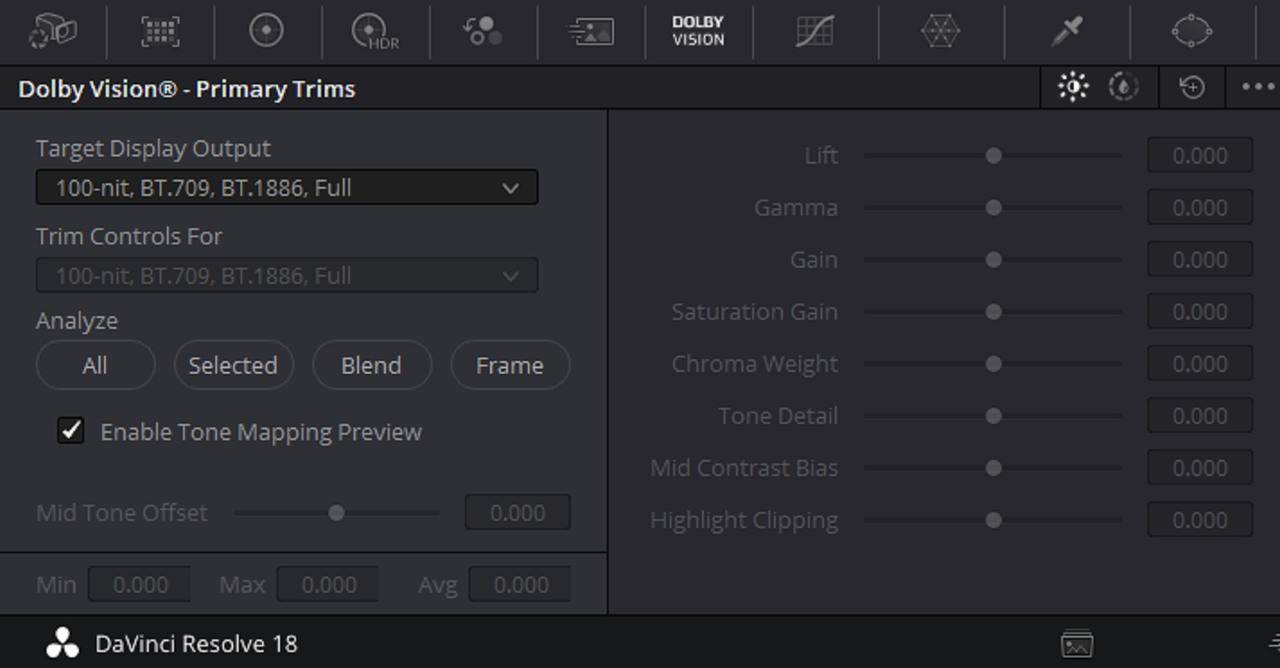
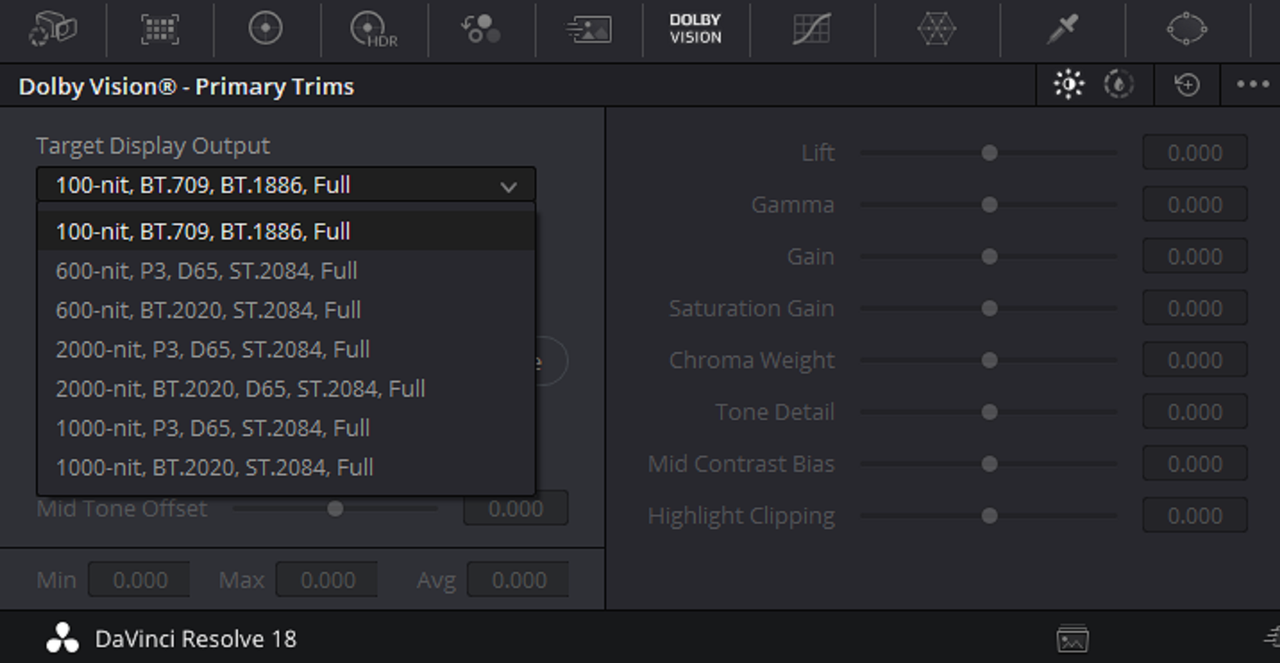
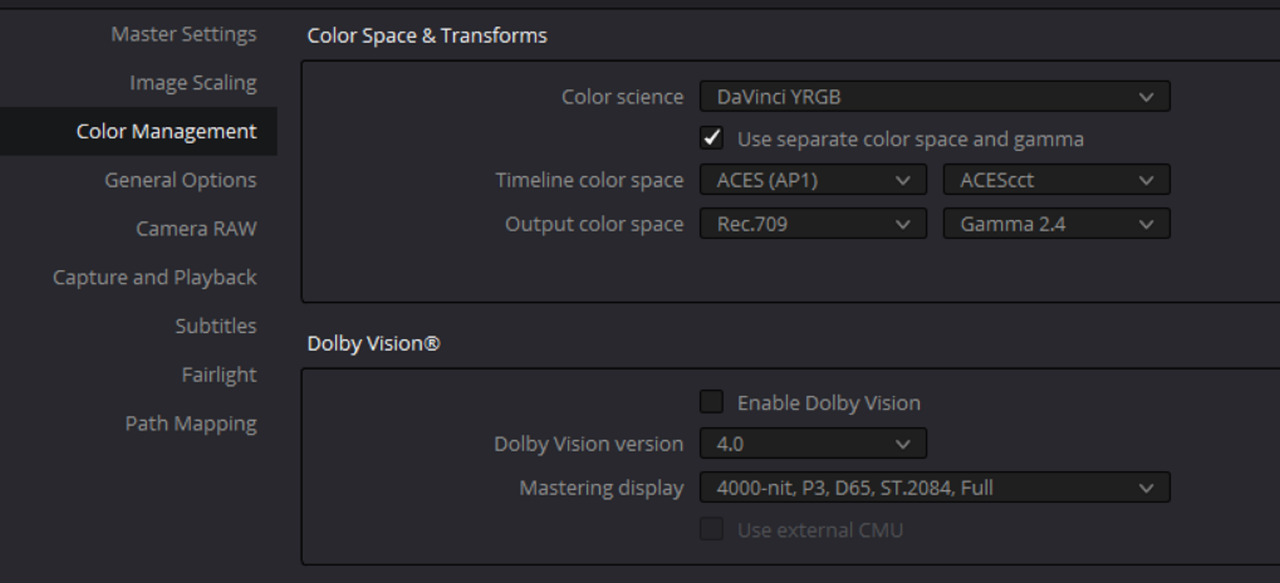
Yeah, I remember you said your LG CX was I believe was capable of 800nits. These luts were made for the 1000nit Monitor I was going to get and for any other monitors I might use with other common Nit levels for Dolby Vision.I believe mostly all of the HDR formats like HLG, HDR10 where around 1000nits. I believe HDR10+ was suppose to gain Dynamic Metadata like Dolby Vision so as to control the look of a Group of clips or a single clip. Correct me if I'm wrong but HLG and HDR10 are "One Size Fits All" for all the clips within the timeline, no trimming. Plus with Dolby Vision, you could embed HDR metadata for up to three brightness levels like100Nits (standard) ,600nits and 1000 or 2000nits.

Screenshot-7273.png


Screenshot-7272.png
 
Last edited:
Yeah, I remember you said your LG CX was I believe was capable of 800nits. These luts were made for the 1000nit Monitor I was going to get and for any other monitors I might use with other common Nit levels for Dolby Vision.I believe mostly all of the HDR formats like HLG, HDR10 where around 1000nits. I believe HDR10+ was suppose to gain Dynamic Metadata like Dolby Vision so as to control the look of a Group of clips or a single clip. Correct me if I'm wrong but HLG and HDR10 are "One Size Fits All" for all the clips within the timeline, no trimming. Plus with Dolby Vision, you could embed HDR metadata for up to three brightness levels like100Nits (standard) ,600nits and 1000 or 2000nits.

Screenshot-7273.png


Screenshot-7272.png

That sounds about right!
 
Yeah, I remember you said your LG CX was I believe was capable of 800nits. These luts were made for the 1000nit Monitor I was going to get and for any other monitors I might use with other common Nit levels for Dolby Vision.I believe mostly all of the HDR formats like HLG, HDR10 where around 1000nits. I believe HDR10+ was suppose to gain Dynamic Metadata like Dolby Vision so as to control the look of a Group of clips or a single clip. Correct me if I'm wrong but HLG and HDR10 are "One Size Fits All" for all the clips within the timeline, no trimming. Plus with Dolby Vision, you could embed HDR metadata for up to three brightness levels like100Nits (standard) ,600nits and 1000 or 2000nits.

Screenshot-7273.png


Screenshot-7272.png

You can create 600-nit and 1,000-nit trims from a 2,000 nit or 4,000 nit master, but you can't make a 2,000 or 4,000 nit trim from a 1,000 nit master.
 
You can create 600-nit and 1,000-nit trims from a 2,000 nit or 4,000 nit master, but you can't make a 2,000 or 4,000 nit trim from a 1,000 nit master.

You are correct. However some are repurposing Rec709 mastered video for HDR. Joey D' Anna on Mixinglight.com does a tutorial on it to take Rec709 to Dolby Vision.

https://mixinglight.com/
 
Jon,


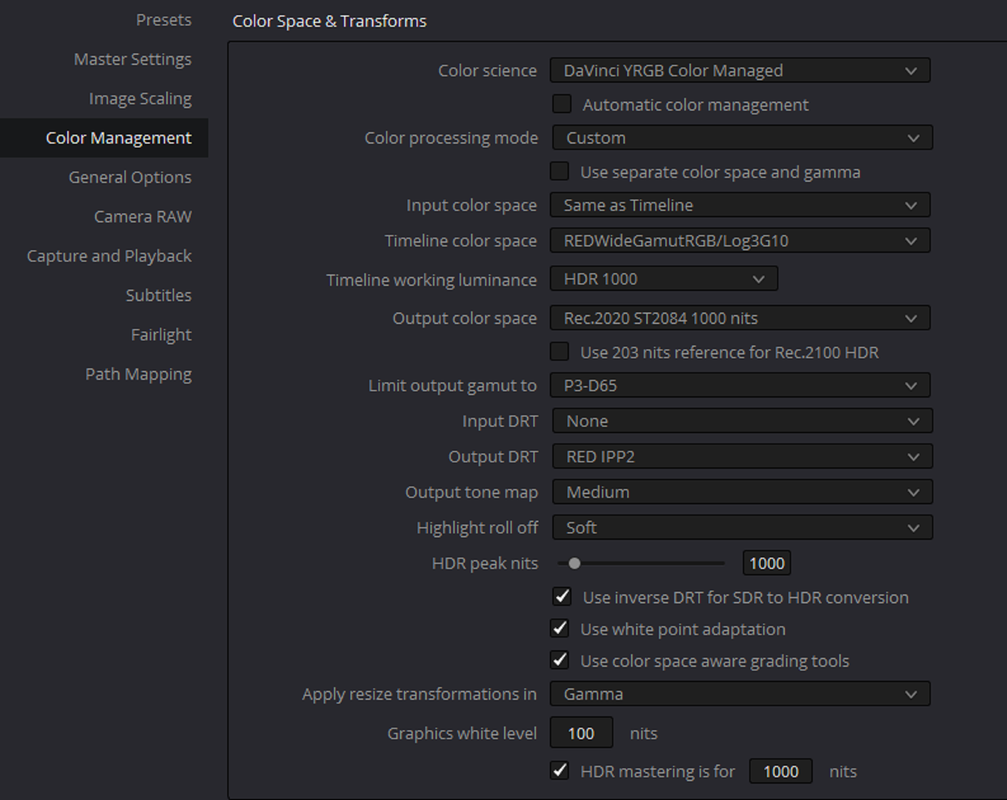
I don't have a Monitor currently that can display P3-D65 so I can't check to see how the below "Davinci Resolve Color Managed" settings look. It's just another option to what you presented above. I'm kinda not too keen on anything that "HARD CLIPS" Out Of Gamut Colors like the "Gamut Limiter" I would really like more manual control over the specific colors that are going out of gamut like I do in ACES. But yours might work just fine.

Screenshot-7215.png

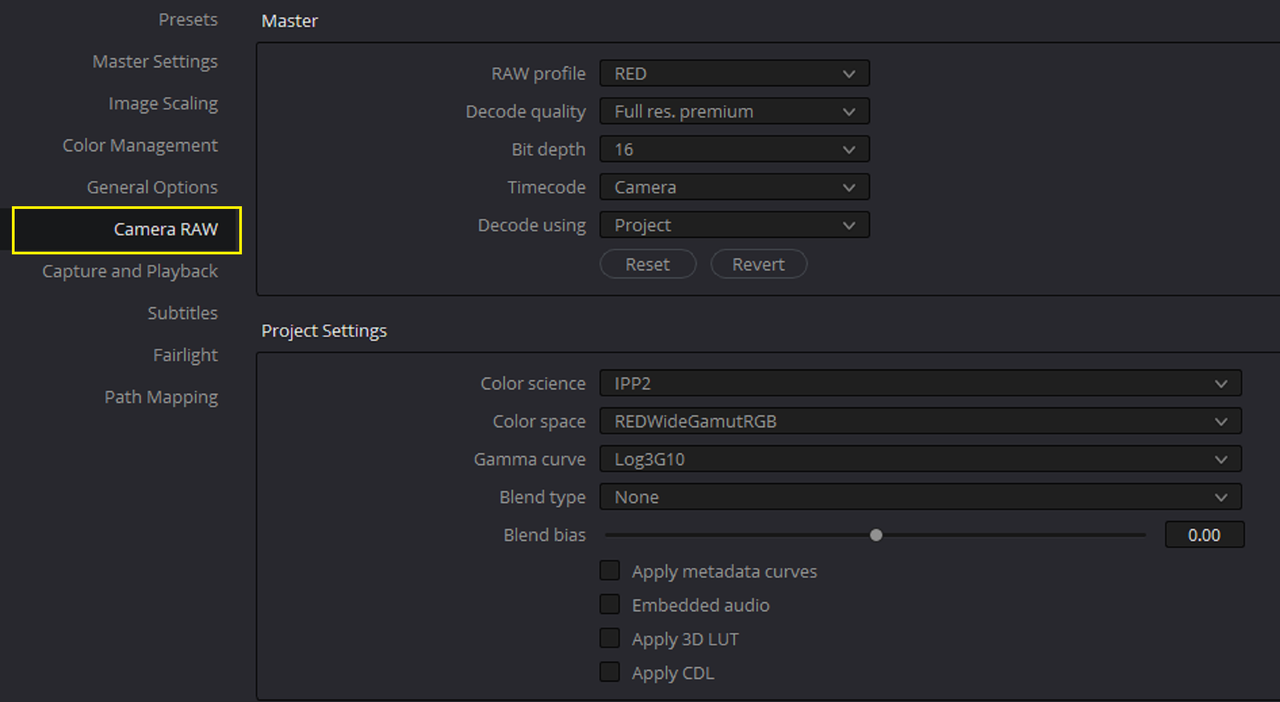
I forgot to mention that the reason I switched to a node based workflow using the RED output transform LUT from RCM is that it appears the DRT is causing lifted blacks. I started a ticket with Blackmagic a while ago, was told they sent my info over to the engineers.
 
I forgot to mention that the reason I switched to a node based workflow using the RED output transform LUT from RCM is that it appears the DRT is causing lifted blacks. I started a ticket with Blackmagic a while ago, was told they sent my info over to the engineers.

Jon,

Yeah, I'm only using an ACES Node Based workflow because when I do help individuals with very small projects, I mainly work with all types of cameras and never RED cameras because in my area nobodies has one. I think a lot people who what to have better control over their Color management in Resolve seem to have also chosen a Node based Workflow over a Davinci Color Managed workflow for most tasks but not all. However I have tried to learn every workflow that I can think of to process Red.R3D files.


1.png


Screenshot-7595.png


Screenshot-7596.png


Screenshot-7597.png


4a.jpg
 
Last edited:
I might give ACES a shot myself. I like getting acquainted with all the resources available; and color.io is supposed to be releasing Impulz 2.0 which is ACES HDR compliant any time soon, which I'm really excited about!
 
I might give ACES a shot myself. I like getting acquainted with all the resources available; and color.io is supposed to be releasing Impulz 2.0 which is ACES HDR compliant any time soon, which I'm really excited about!

Jon,

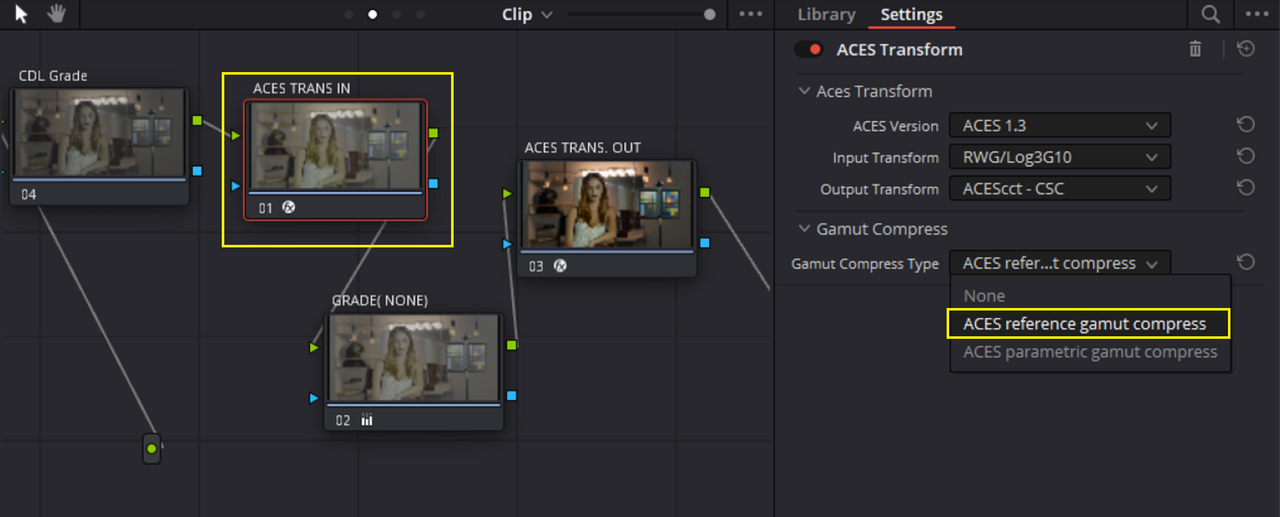
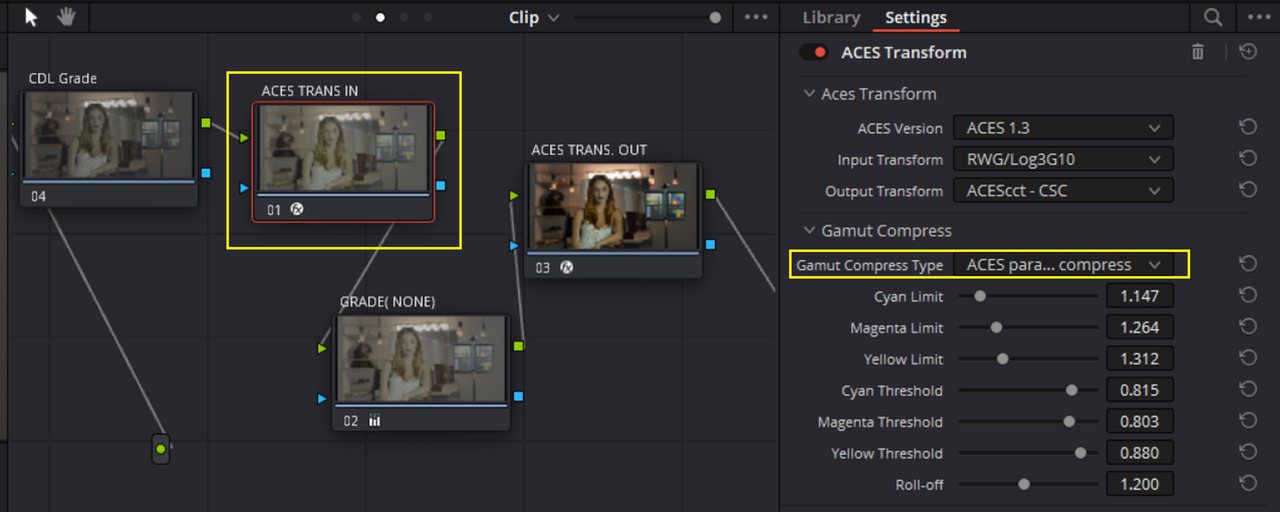
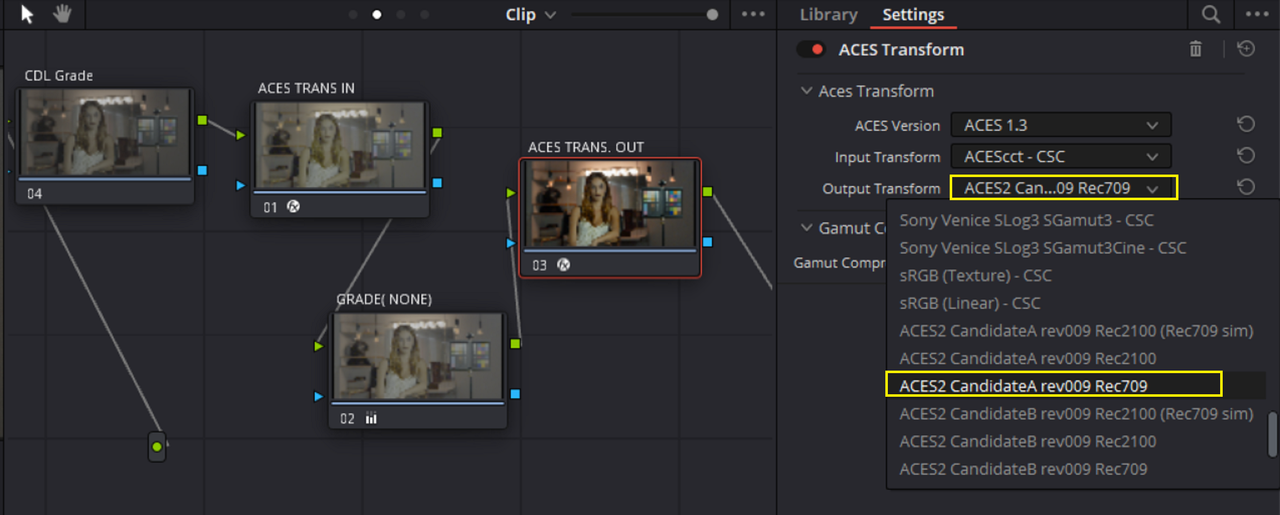
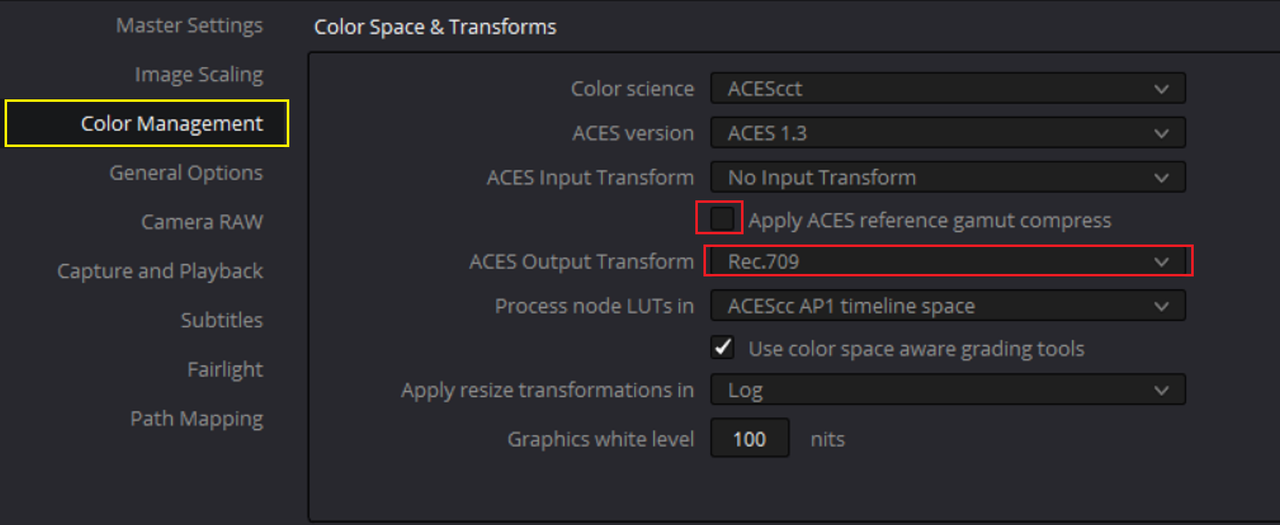
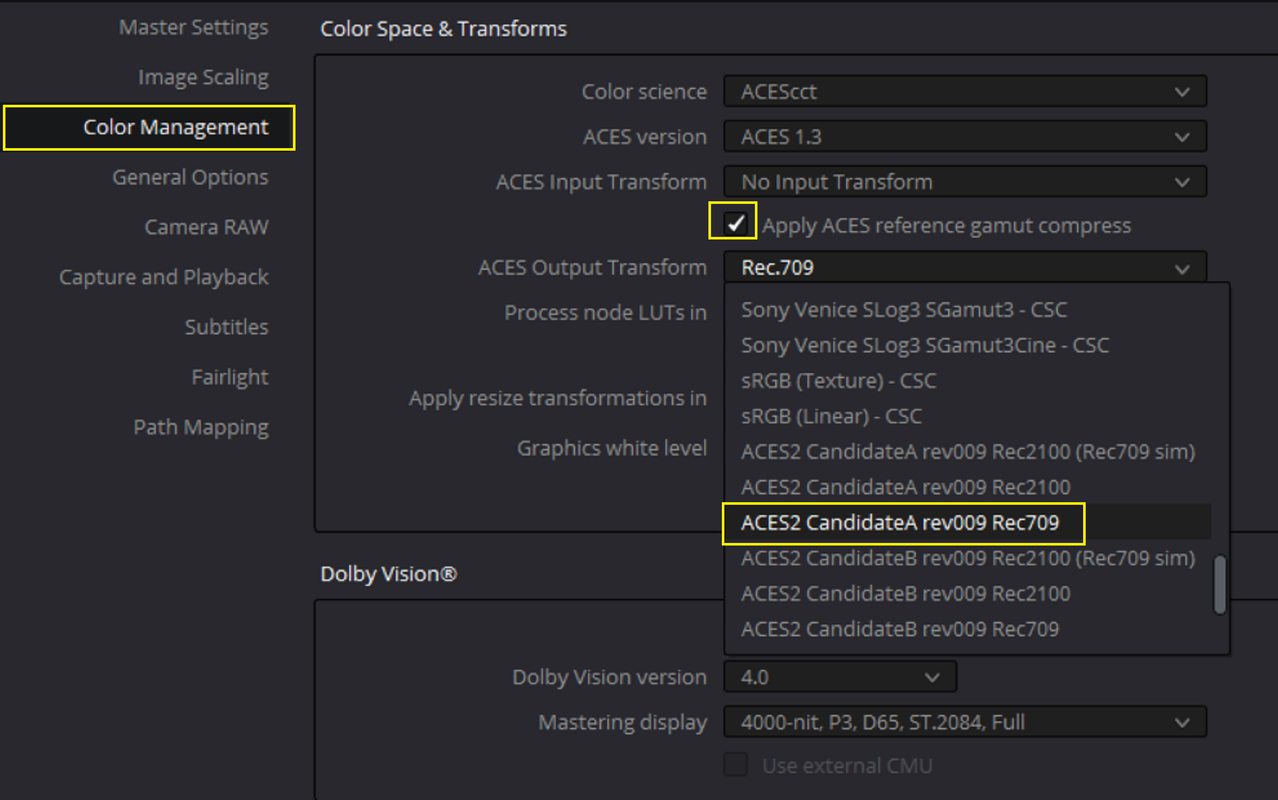
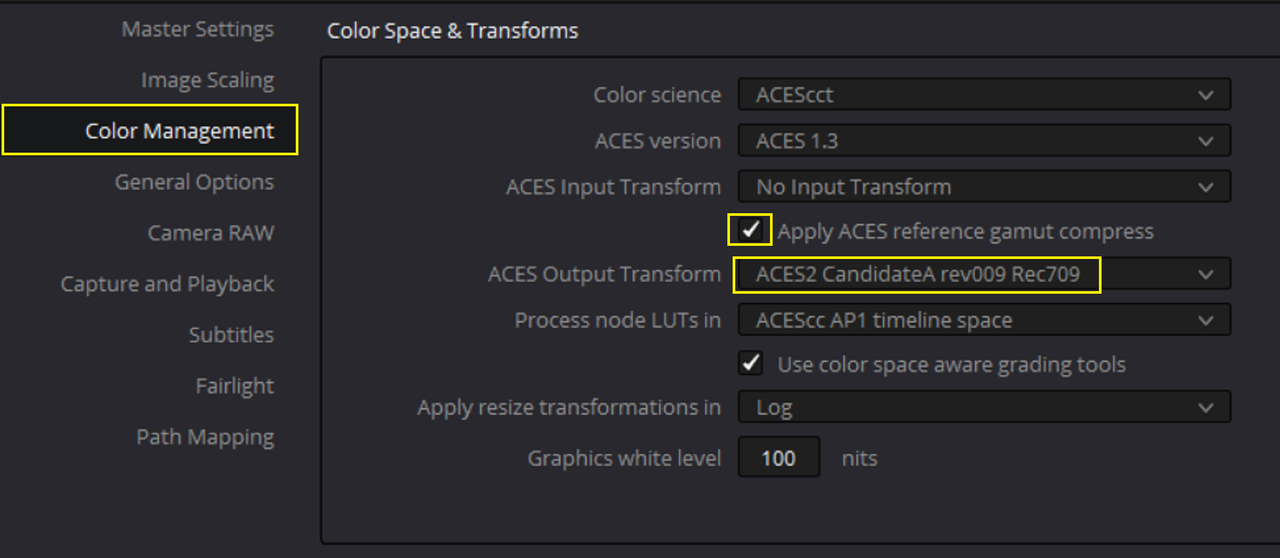
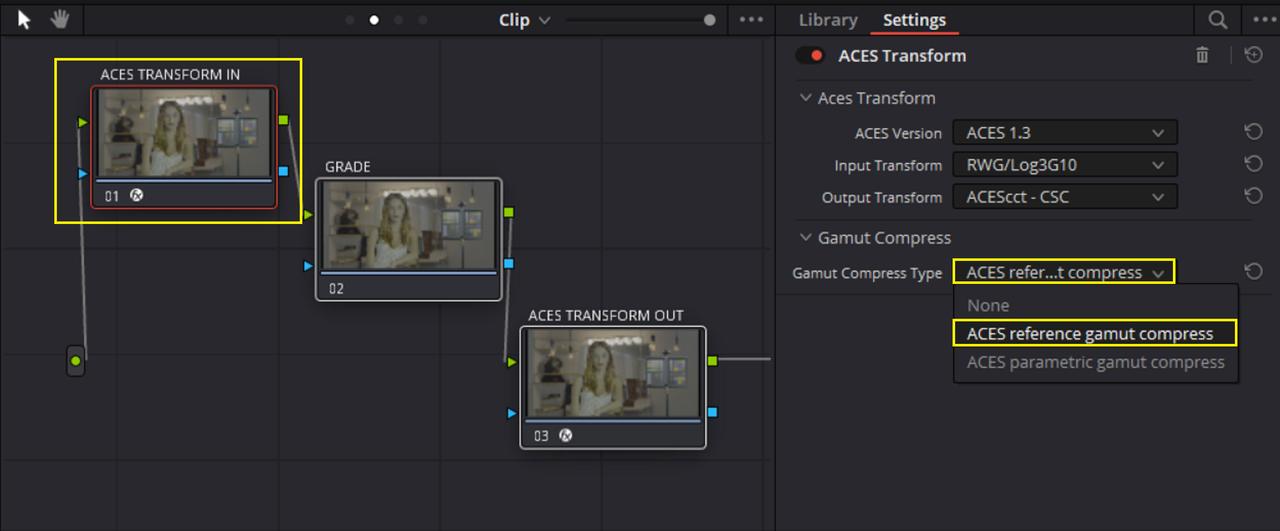
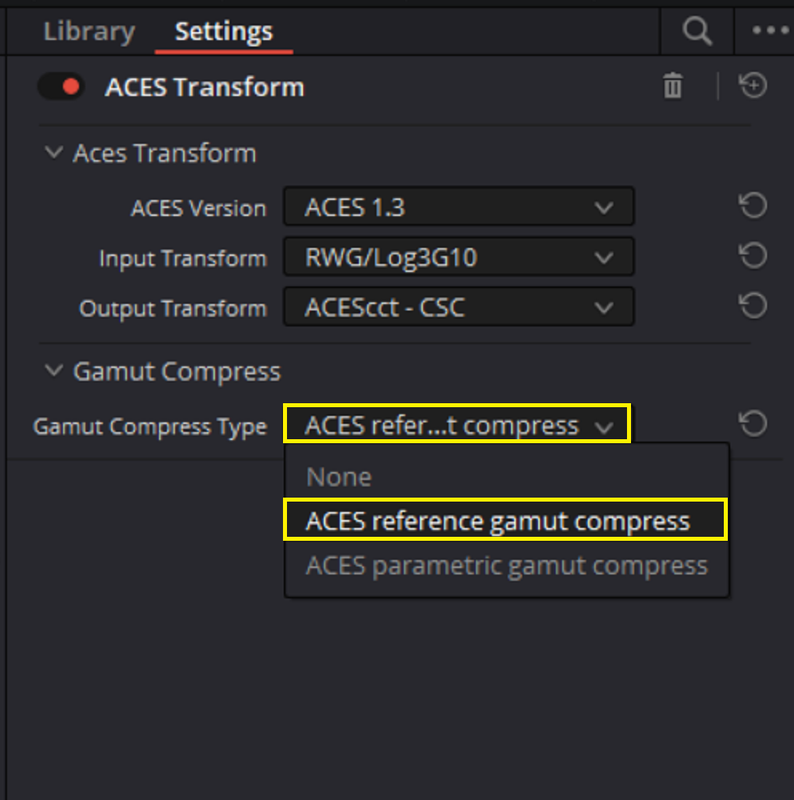
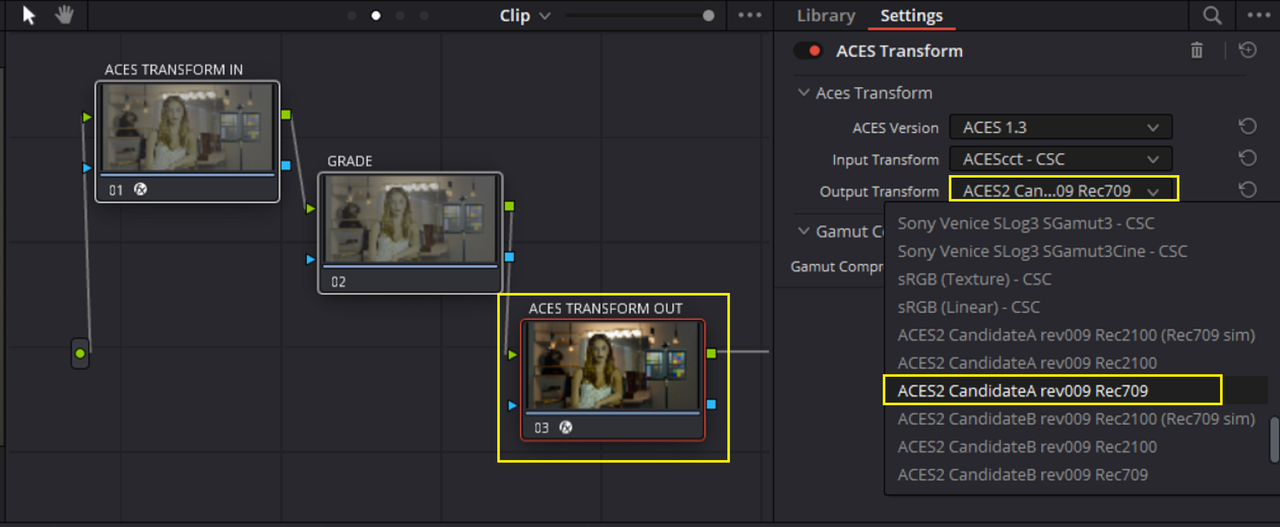
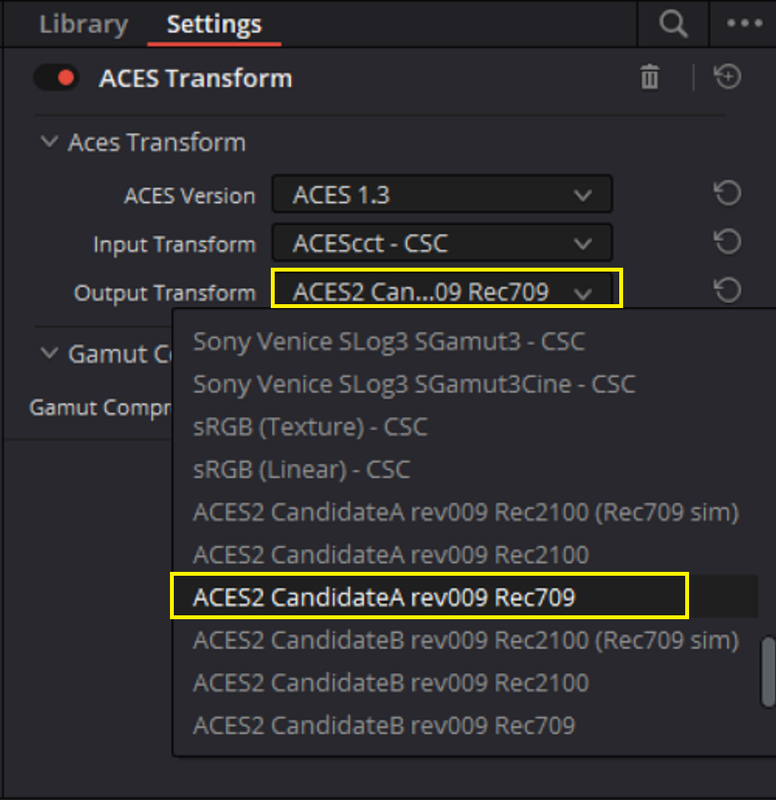
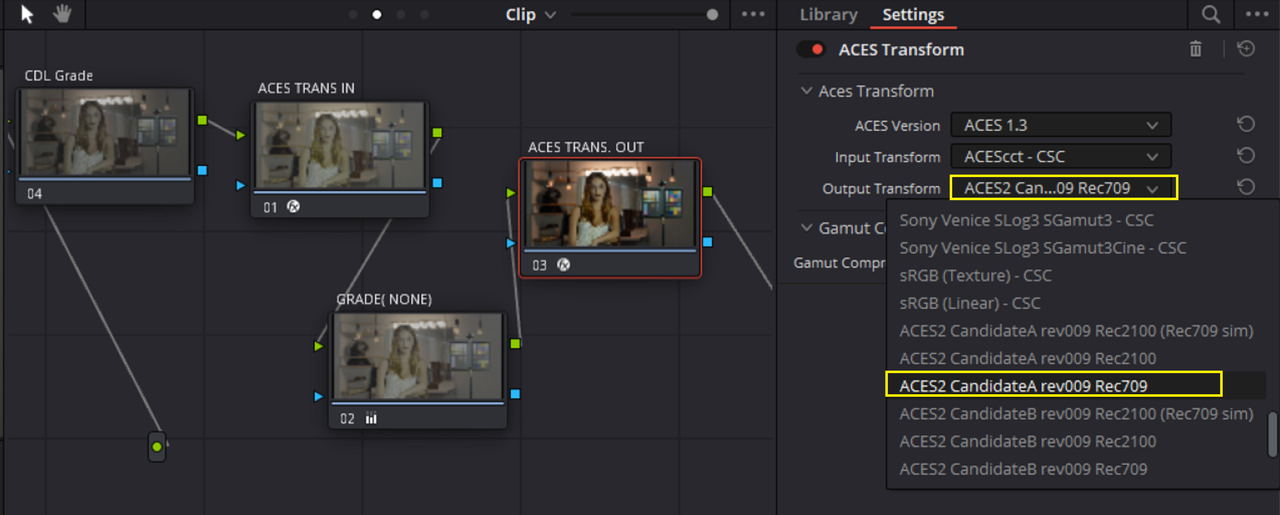
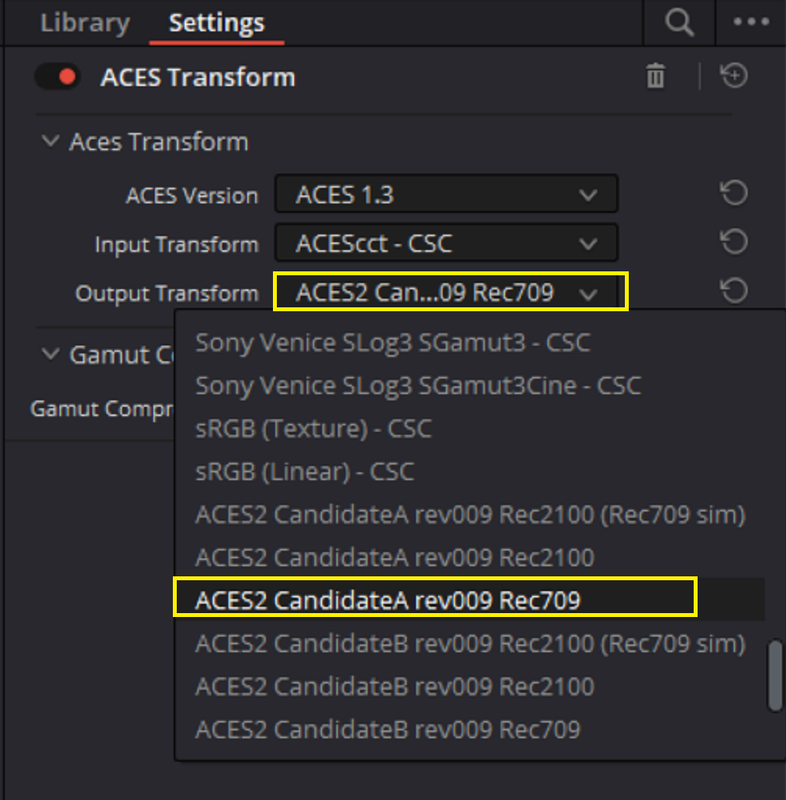
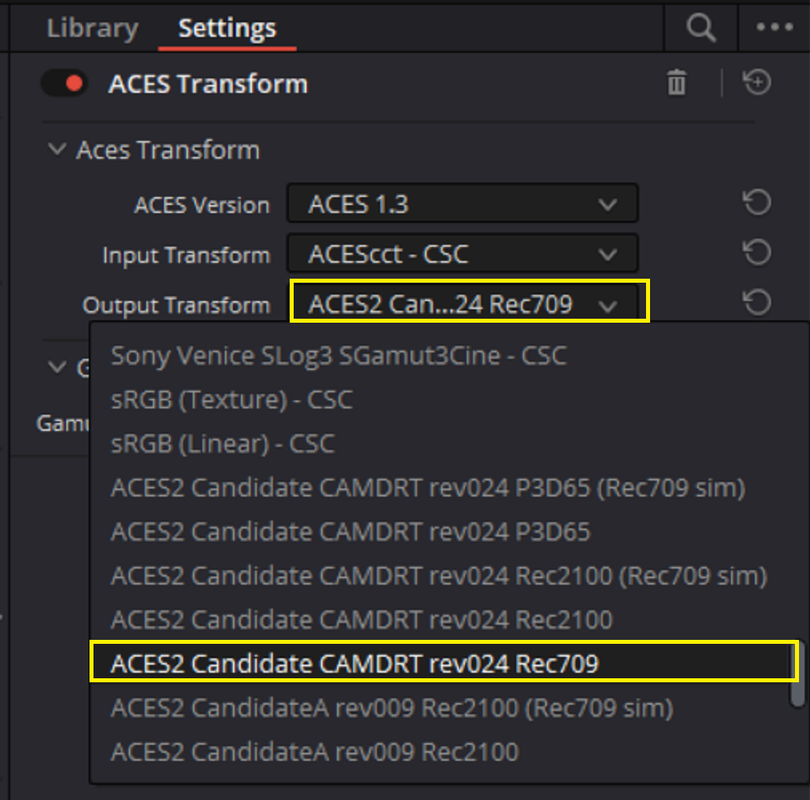
I think once you get to know ACES like myself and others have come to know and love ACES, I don't think you will go back to anything else. It has it's pluses and minuses like anything else and the default ACES workflow in Resolve Project and Node based is kinda Crap, which is why I'm using the ACES Central ACES 2.0 Candidate REC709 ODT which is a sample of a "Fix" in ACES 2.0 for "OUT OF GAMUT" colors that the current standard REC709 ODT in ACES in Resolve has a problem with.


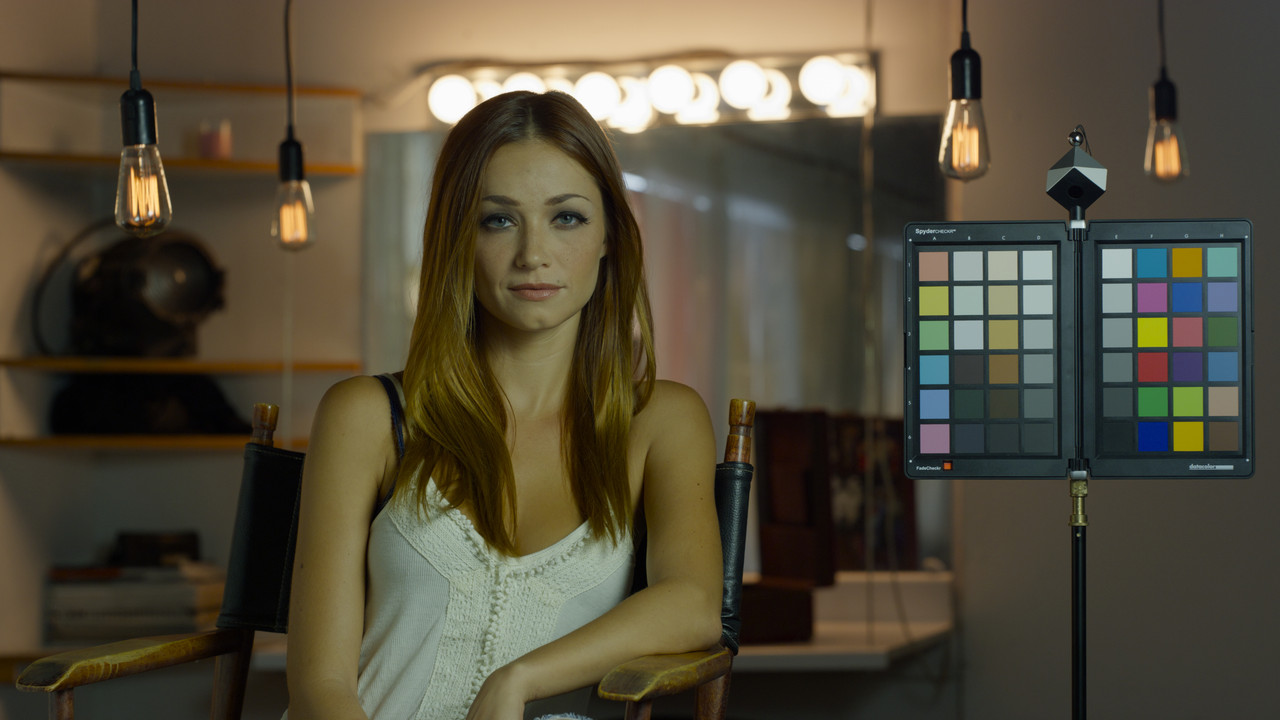
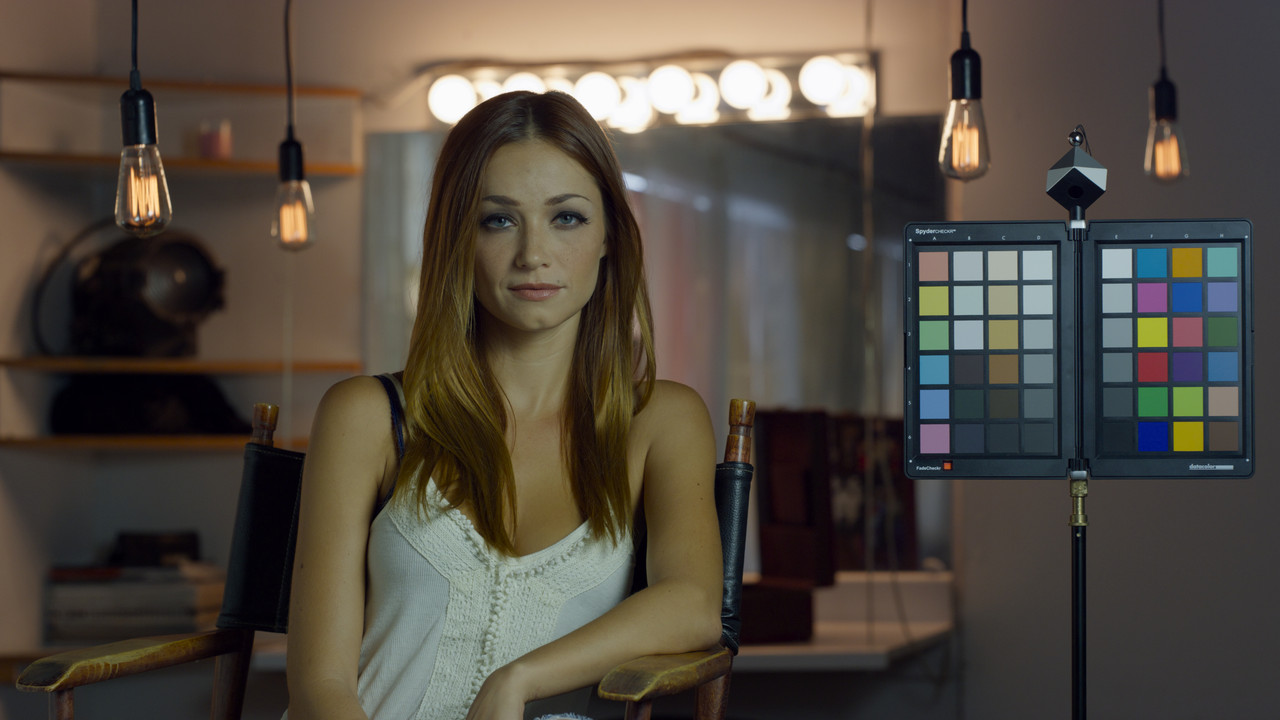
ACES without the "ACES REFERENCE GAMUT COMPRESSOR" and with the Standard REC709 ODT

Screenshot-7605.png


W001-C005-1014-V3-001-R3-D-1-1-8.jpg

Screenshot-7603.png


ACES with the "ACES REFERENCE GAMUT COMPRESSOR" and with the ACES 2.0 CANDIDATE A REC709 ODT

Screenshot-7606.png

Screenshot-7607.png


W001-C005-1014-V3-001-R3-D-1-1-9.jpg


Screenshot-7604.png


Here's where to get the ACES 2.0 Candidates A, B, and C (I think A is the best) along with a thread I started on REDUSER on how and where to install them and a discussion on which I believed was better.

GitHub - ampas/ACES_ODT_Candidates


Thread I started and discussed them in also

ACES ODT Candidates for ACES 2.0 - REDUSER.net
 
Last edited:
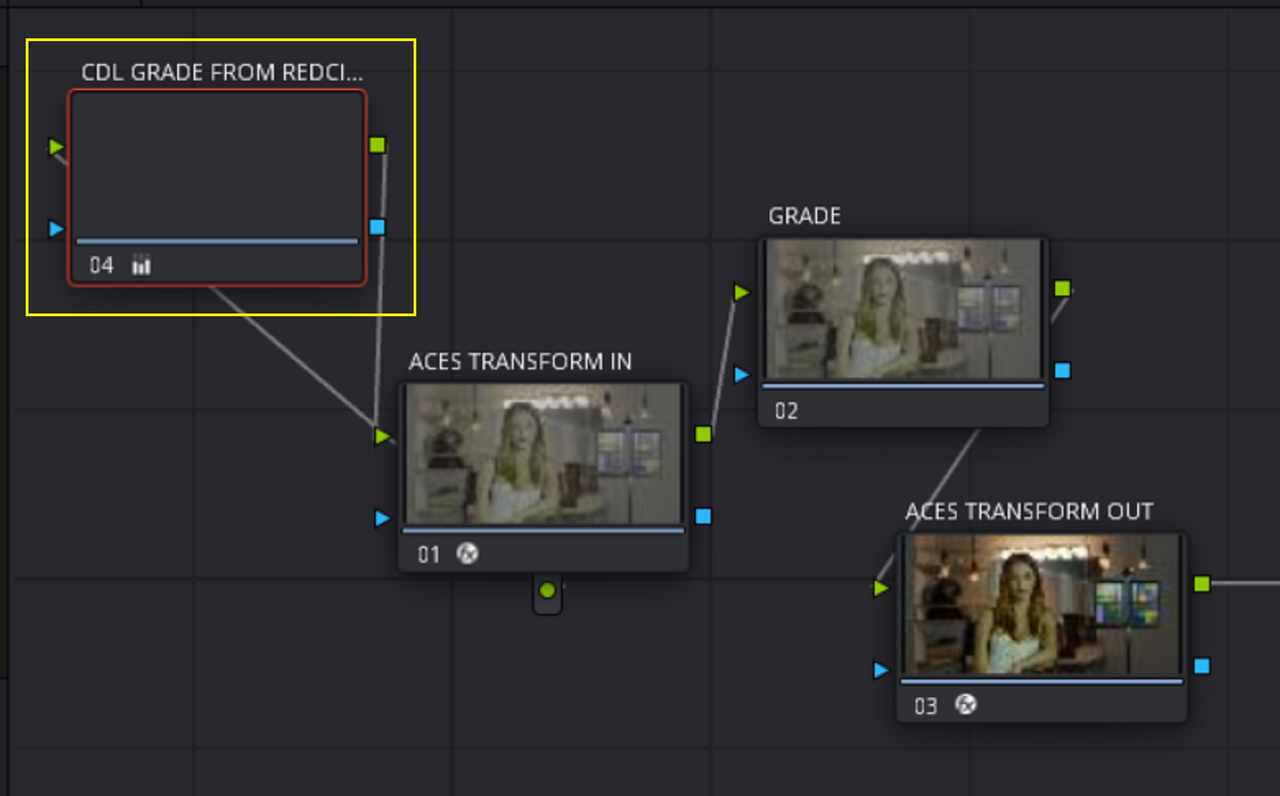
Here's how you could Monitor out in the field for this ACES workflow in an IPP2 Compatible Red camera like the KOMODO. The problem with using ACES is how would you ensure what you shot out in the field would match what you would see back in the ACES workflow. You would normally shoot with a RED IPP2 OUTPUT TRANSFORM out in the field and have a DIT or a DAILIES person make CDLs corrections for what would be a "SHOWLUT", in this case a Showlut made for an IPP2 workflow. However the CDL grade made for an IPP2 workflow wouldn't look the same in an ACES worflow.

Here is what is going to be a "LONG" workflow for an ACES Workflow turned into a LUT and used to monitor in an IPP2 compatible RED camera. Let me know if you need me to explain better any part of it.


PART 1-RESOLVE to REDCINE-X

IN RESOLVE

01.png

01A.png


1.png


2.png


222.png


3.png


333.png


4.jpg


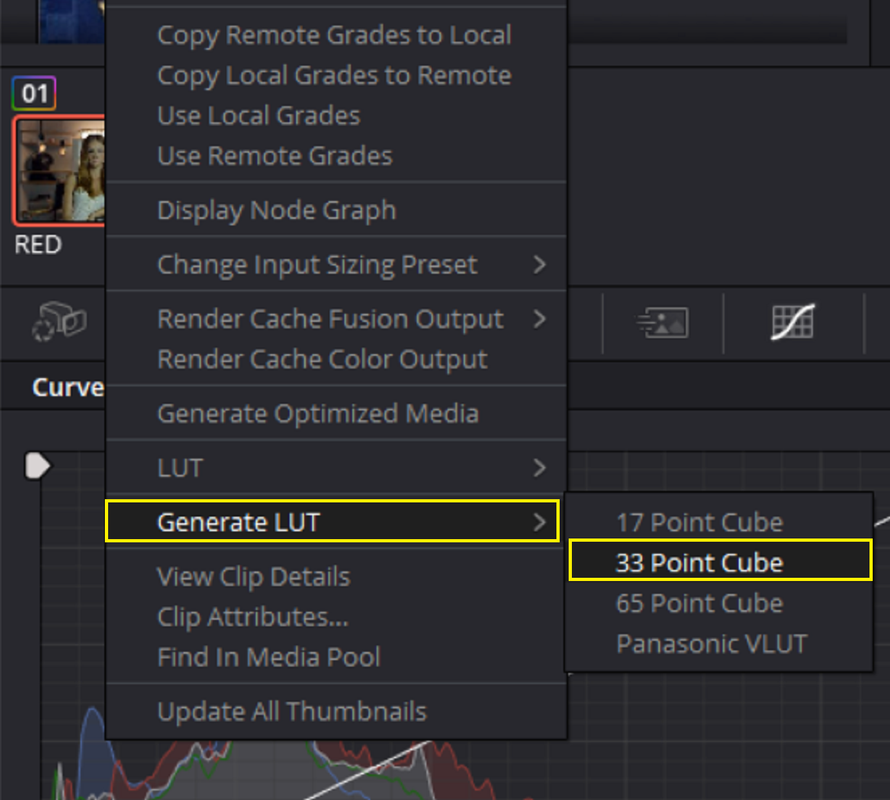
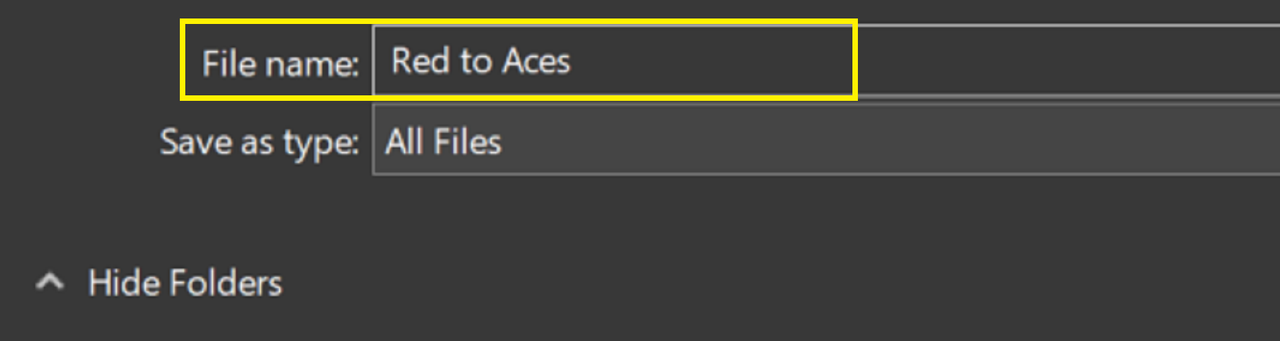
Right-Click on the clip with the Red to ACES Workflow and save it as a Lut


5.png


6.png


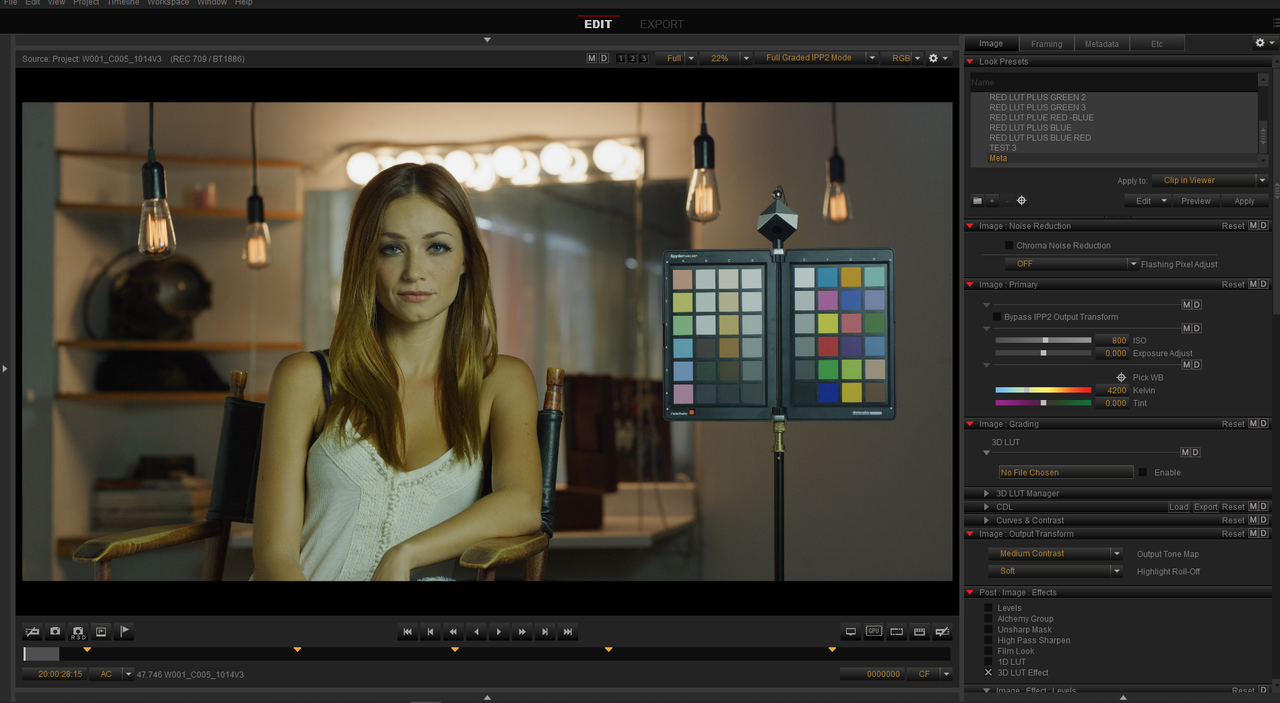
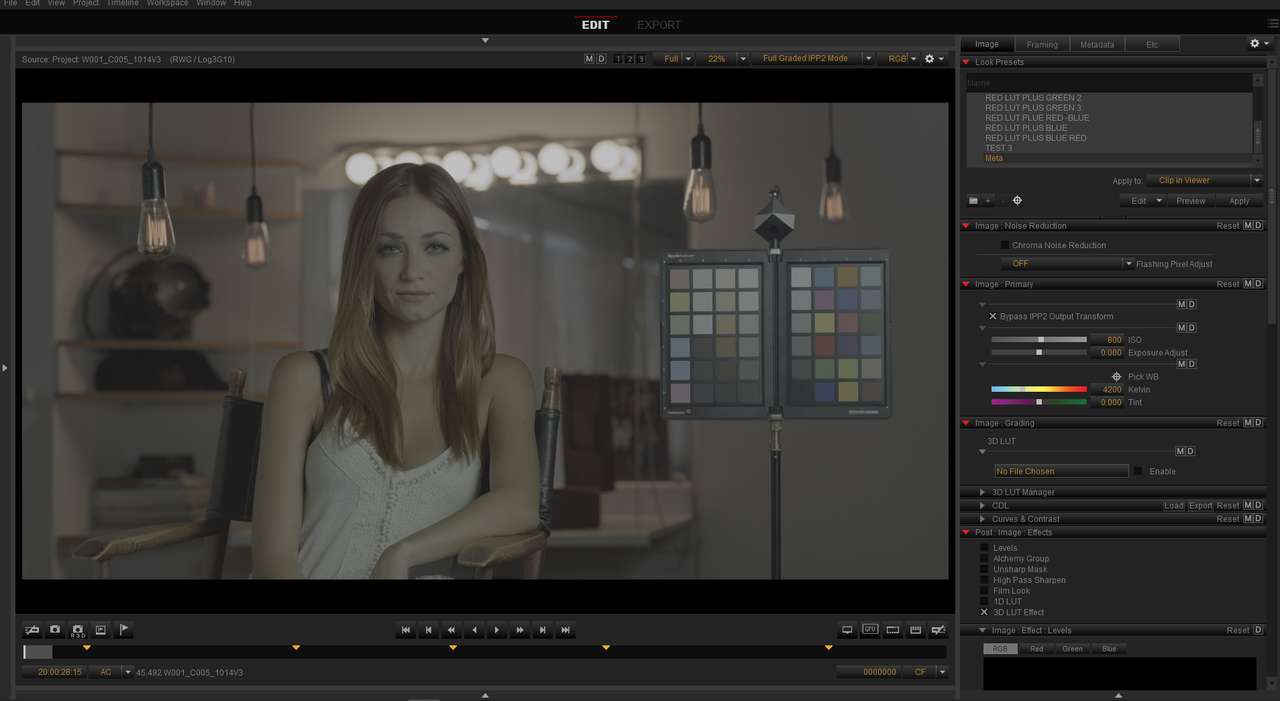
IN REDCINE-X( Simulate being inside of a RED IPP2 Compatible camera)

7.png


8.png


9.png


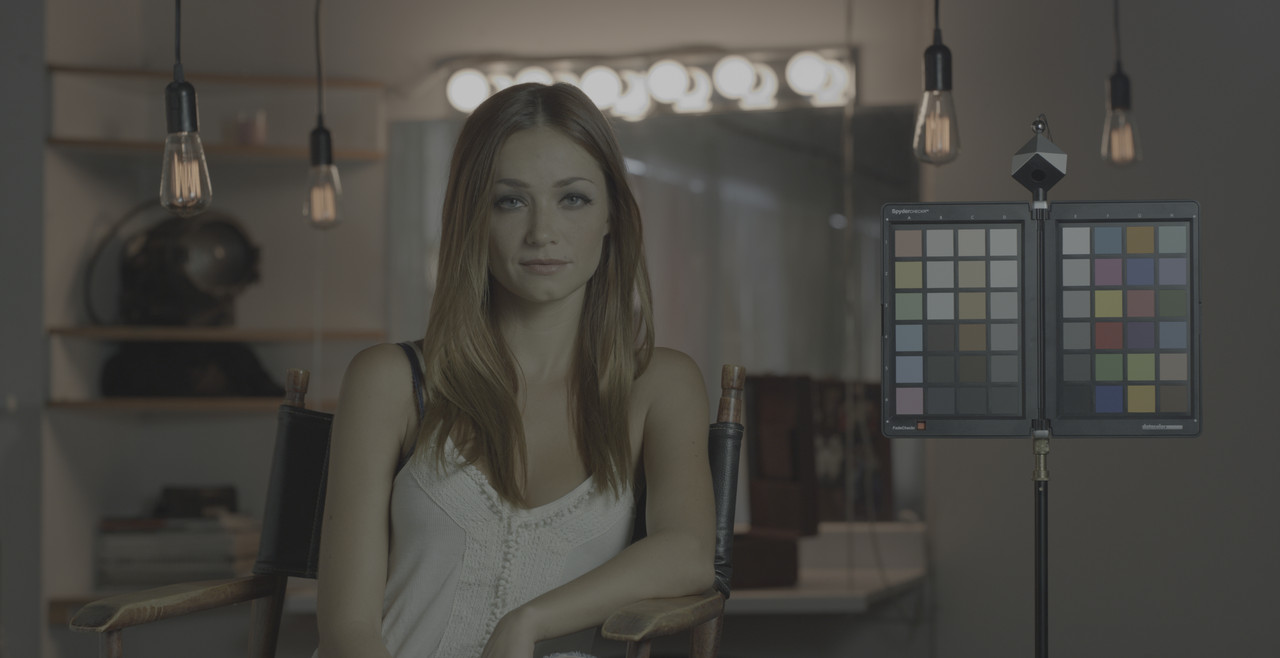
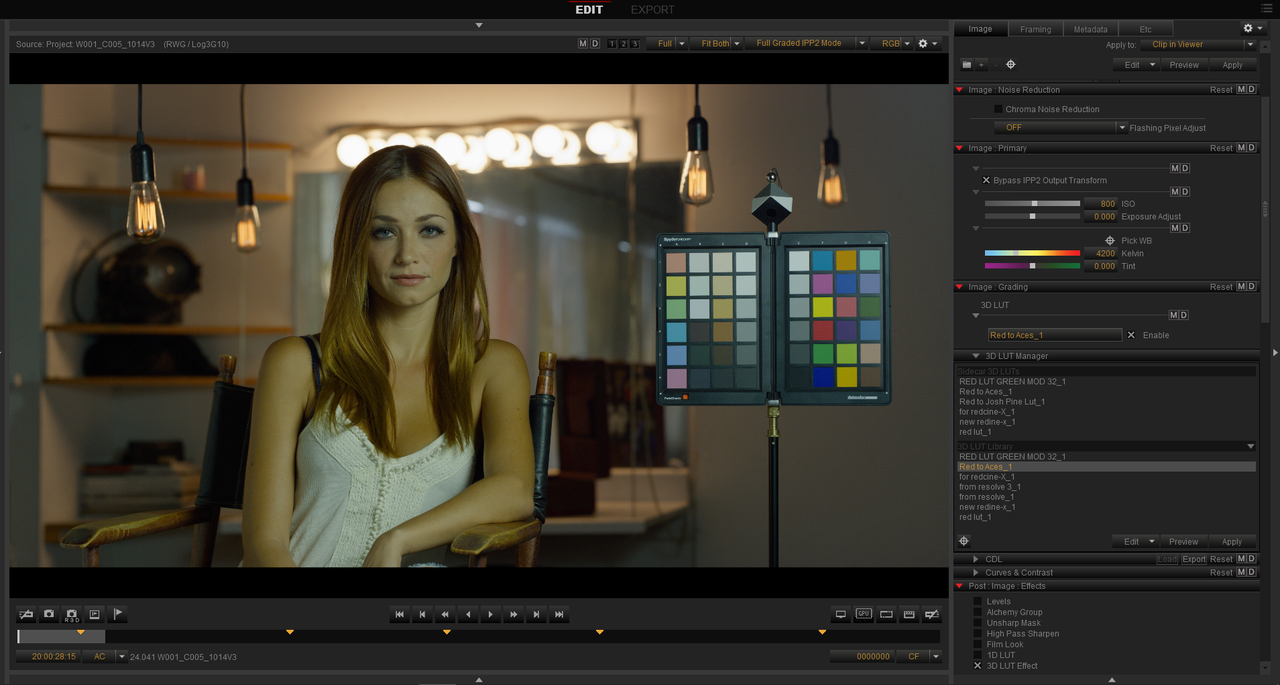
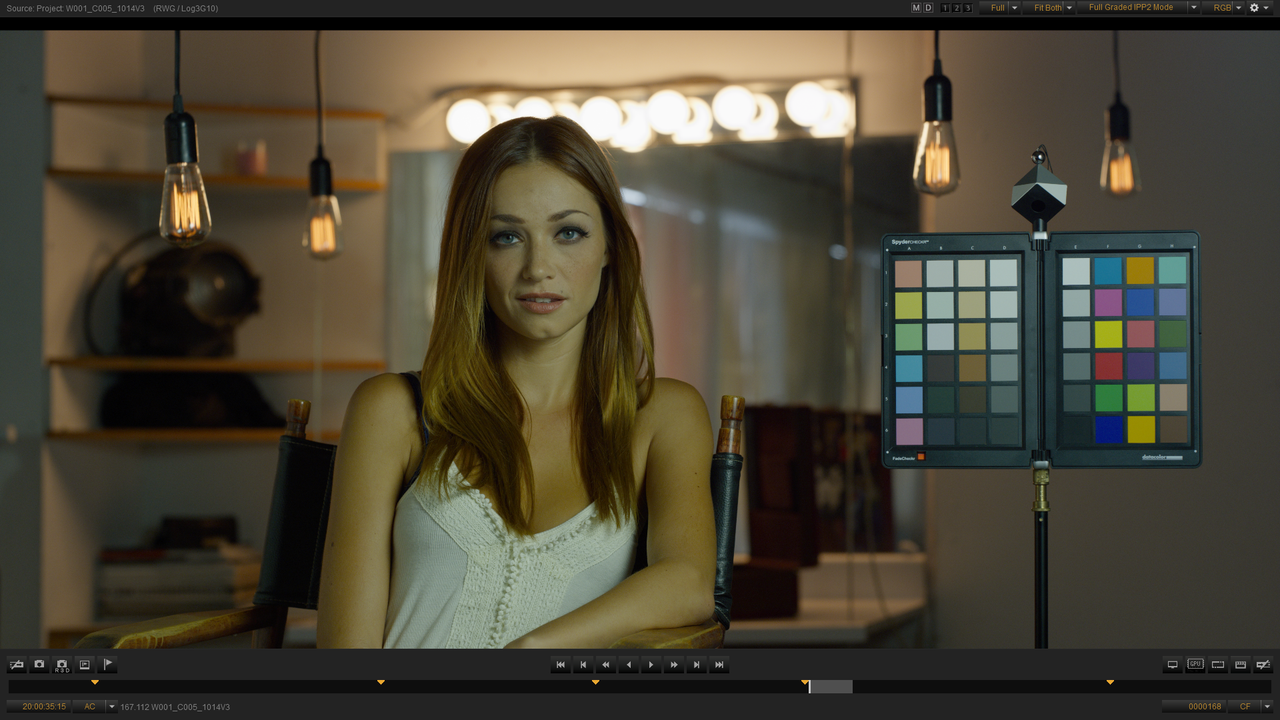
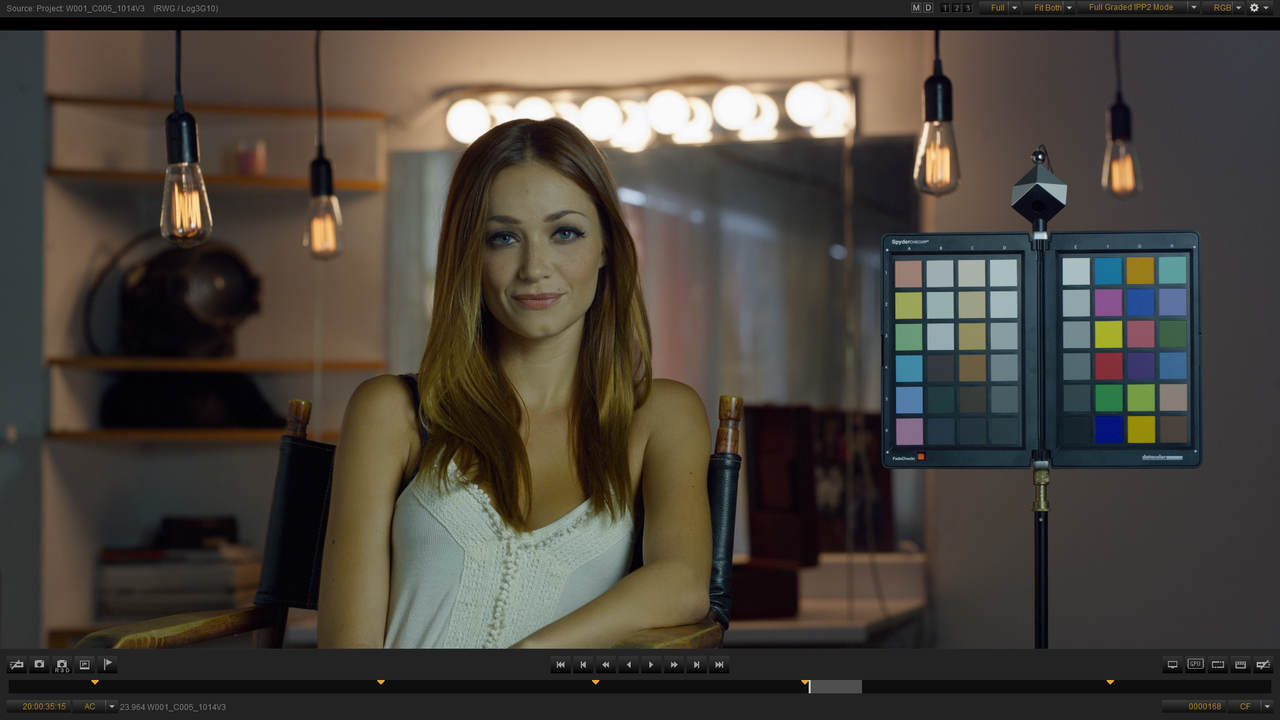
This is what the sample RED.R3D image looks like with the Red Medium/Soft IPP2 Output Transform applied and "Bypass IPP2 Output Transform" disabled.


10.png


11.png


12.jpg


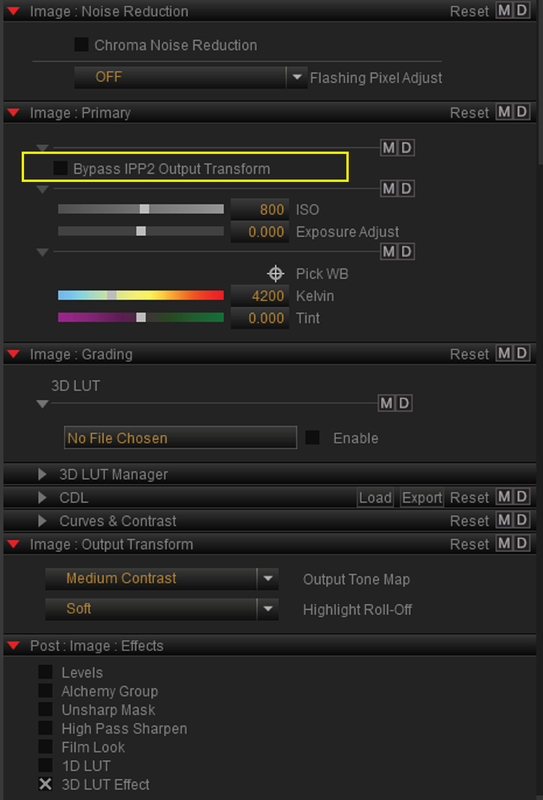
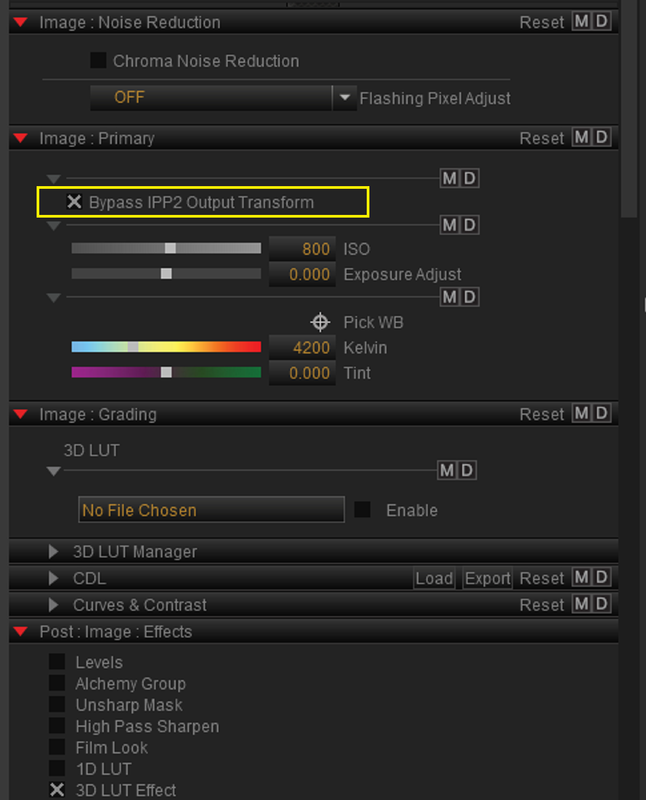
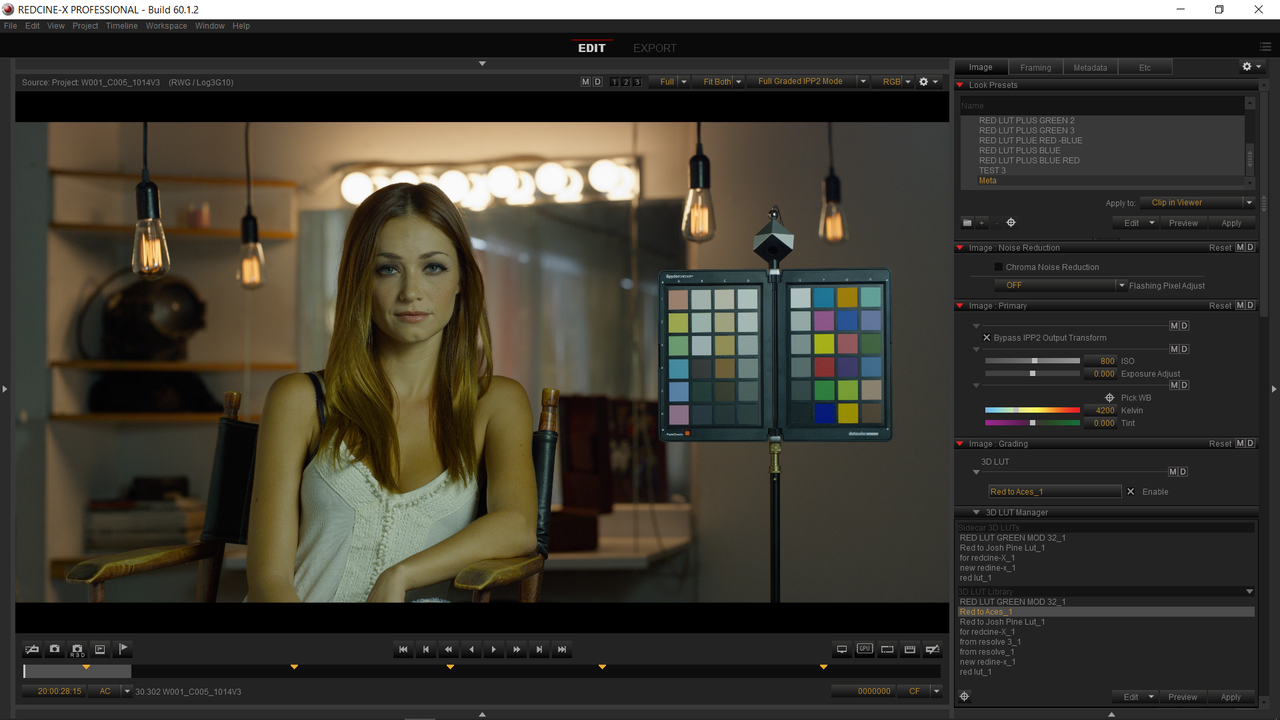
Next you have to Enable "Bypass IPP2 Output Transform" in order to apply the "Red to ACES Workflow Lut"

13.png


14.png


15.jpg


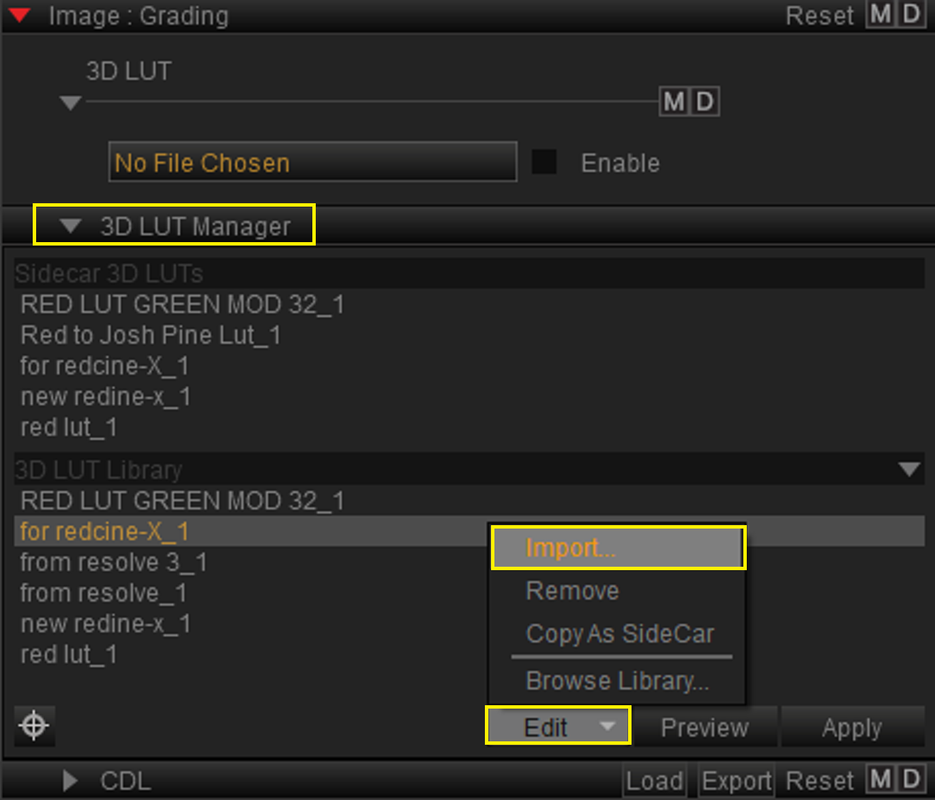
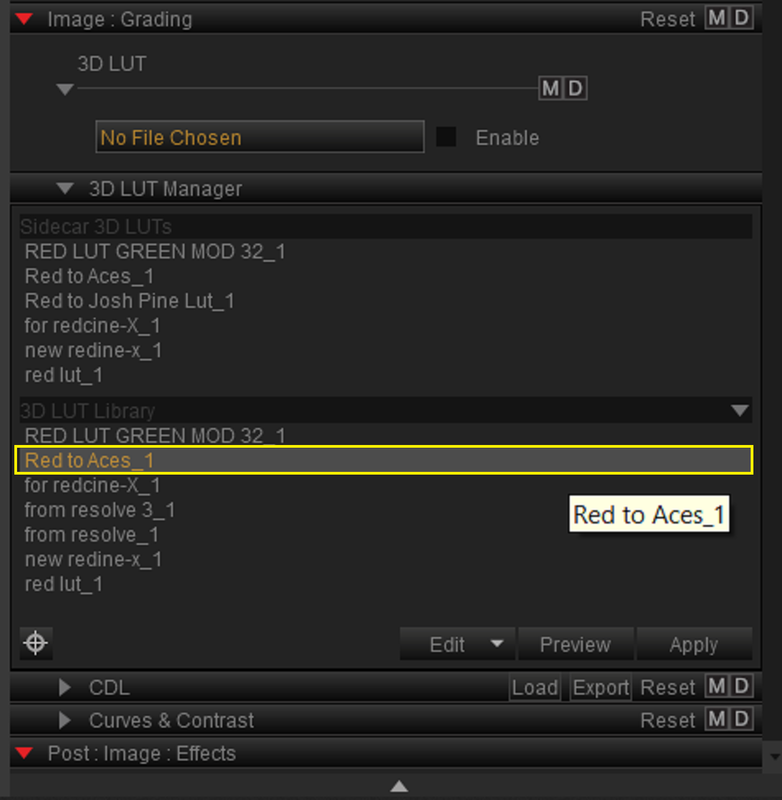
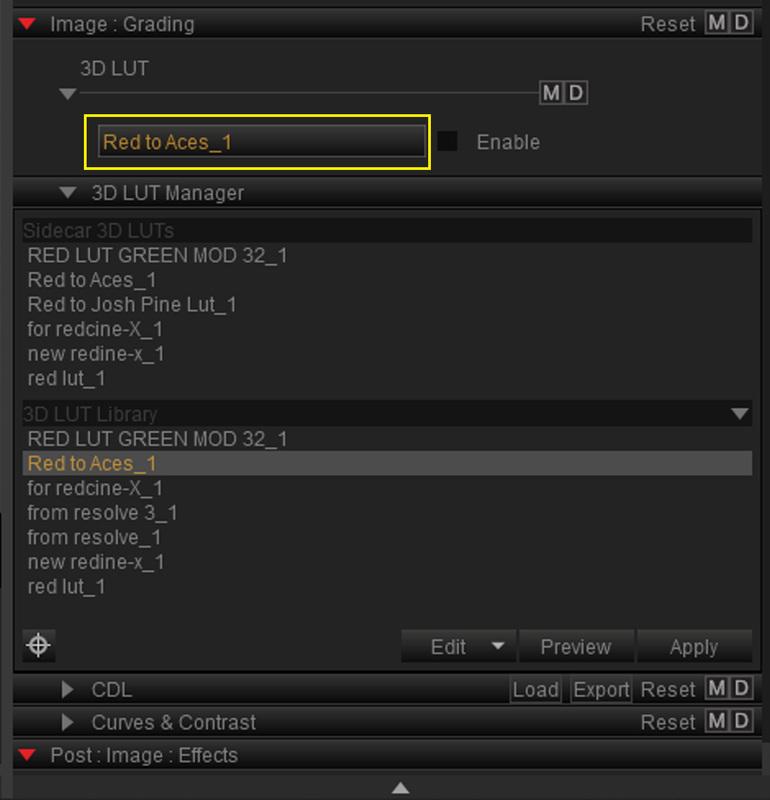
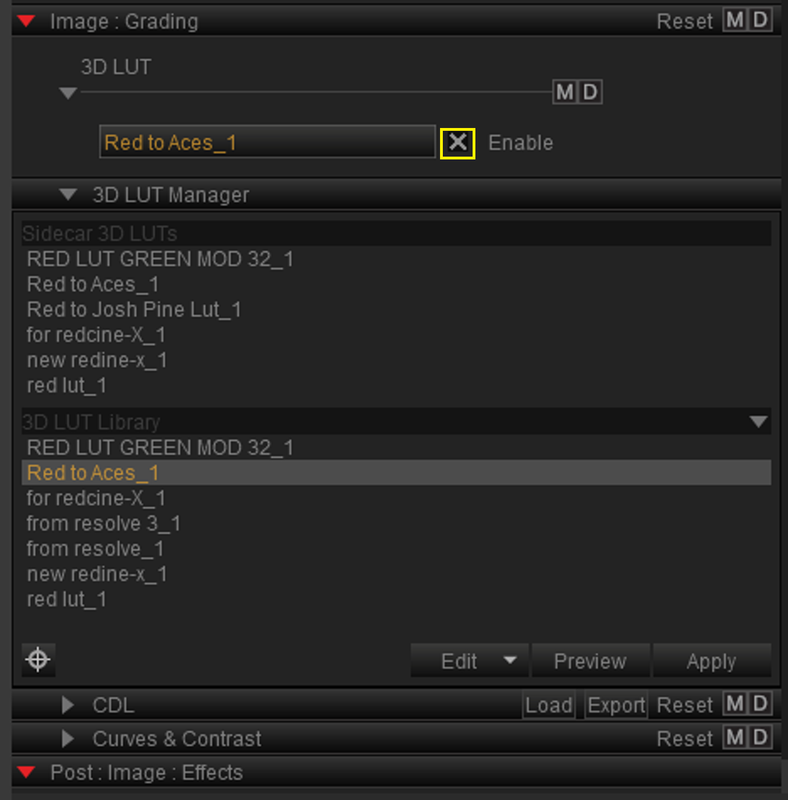
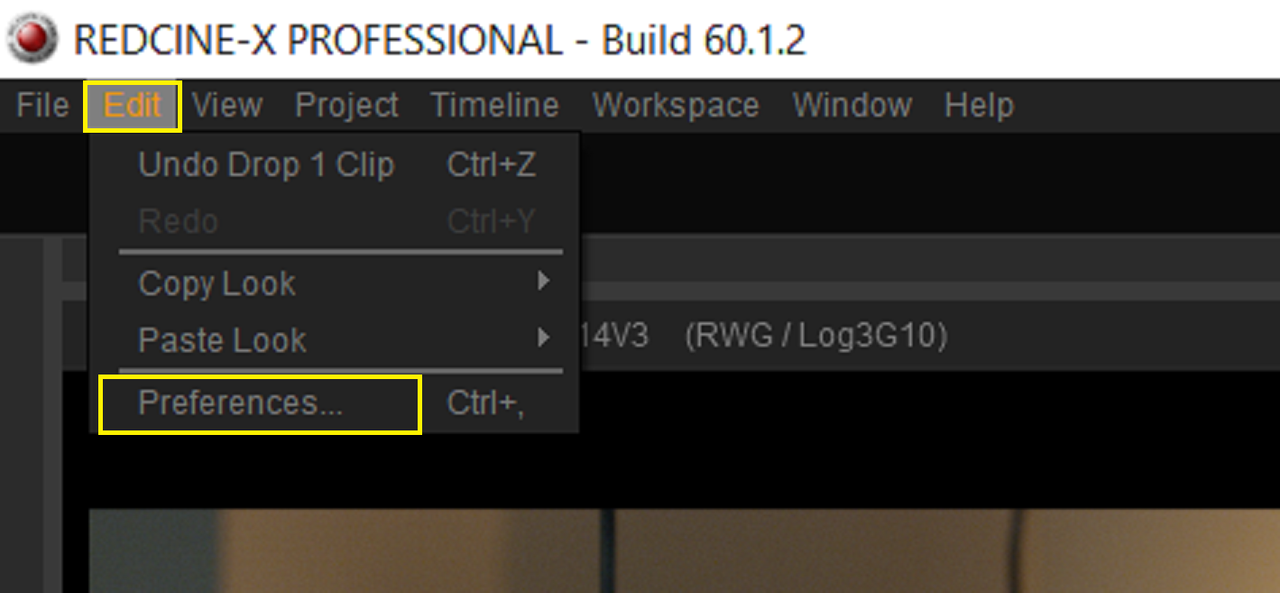
Now go under "3D Lut Manager" then "Edit" then "Import" to select the "Red to ACES Lut". Next you should see it in the list of Luts under the "3D Lut Manager". Double Click the "Red to ACES Lut" so that it loads under the "Image:Grade" window, enable it and you're done.


16.png


17.png


18.png


19.png


20.png


21.png


Part 2 -CDL From Redcine-X for RESOLVE ACES workflow Next..............
 
Last edited:
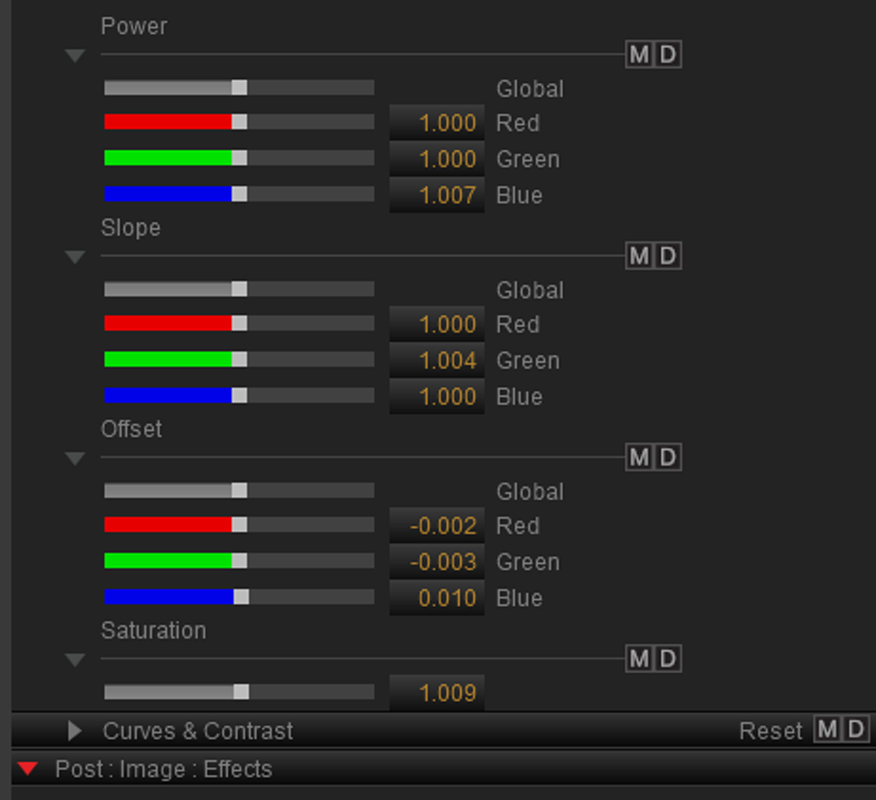
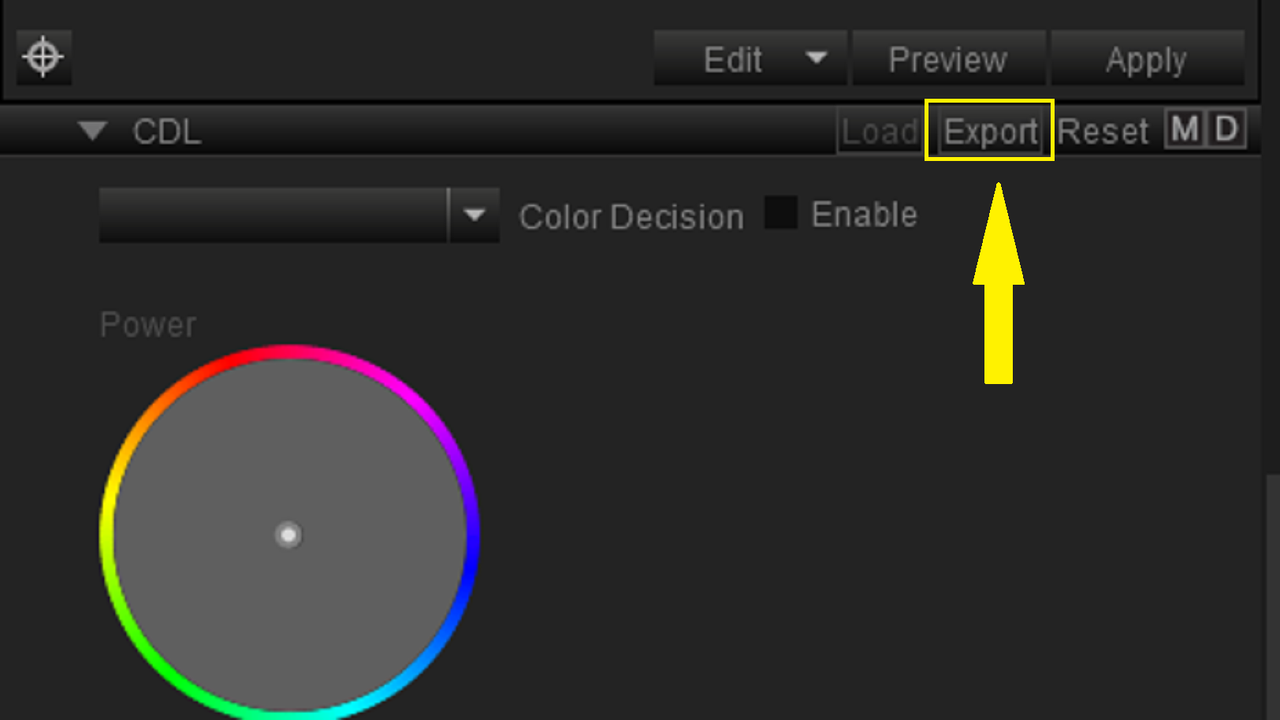
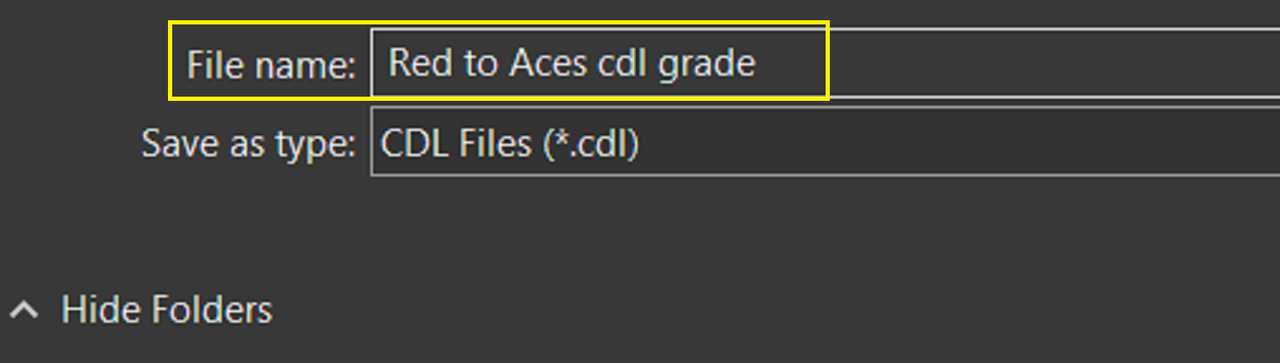
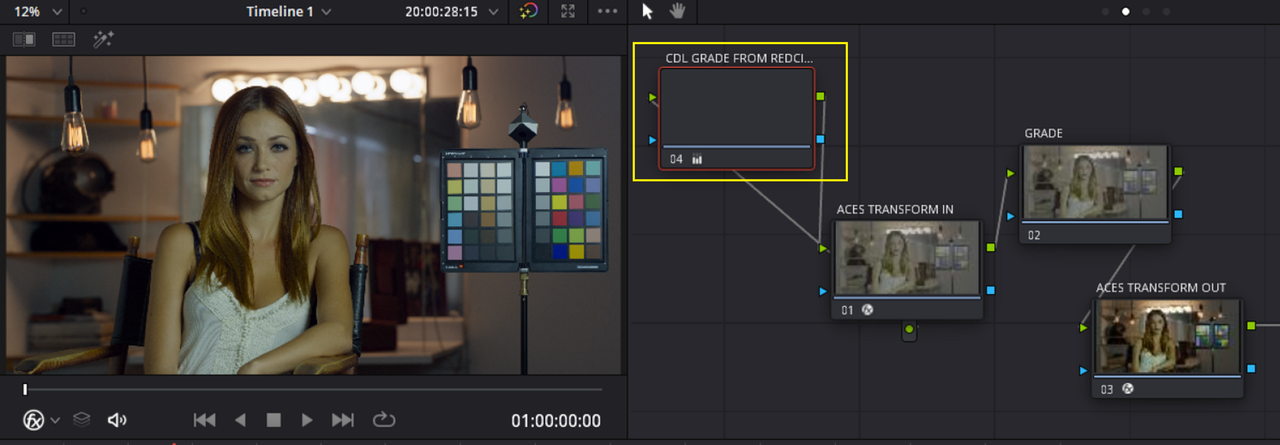
Part 2 -CDL From REDCINE-X for RESOLVE ACES workflow

I just made this quick CDL grade for Demo purposes

1.png


2.png


3.png


4.png


5.png


6.png


BACK IN RESOLVE

7.png


8.png


9.png


10.png


14.png


15.png


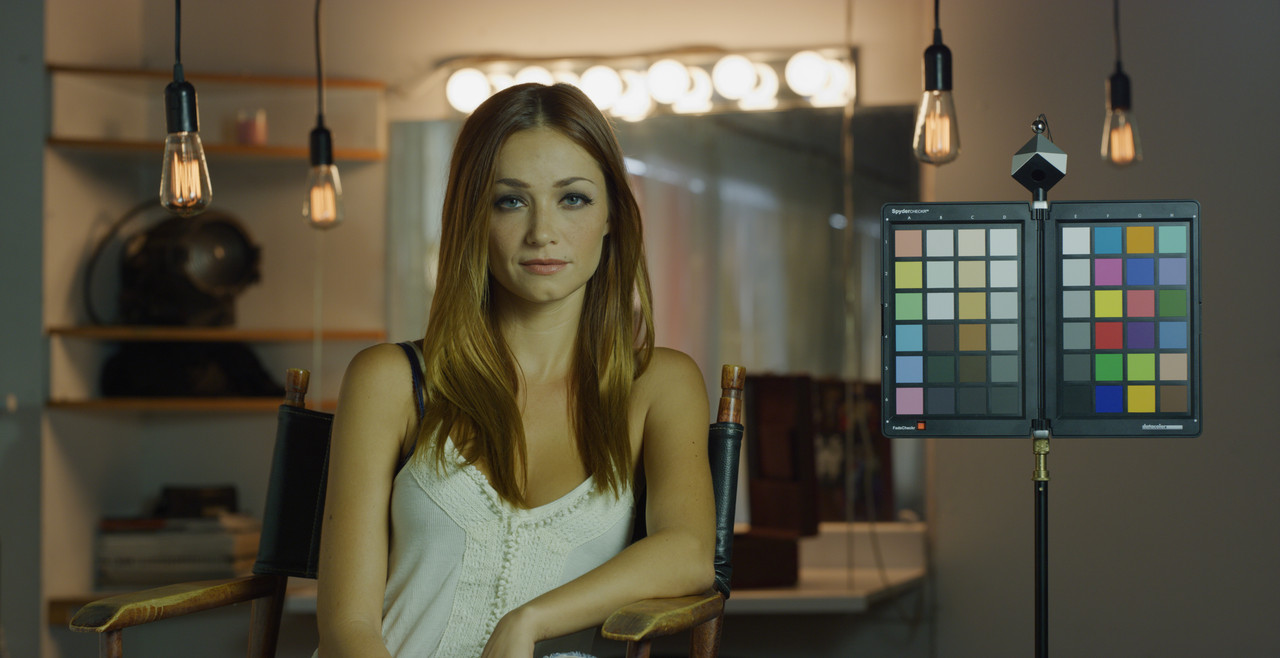
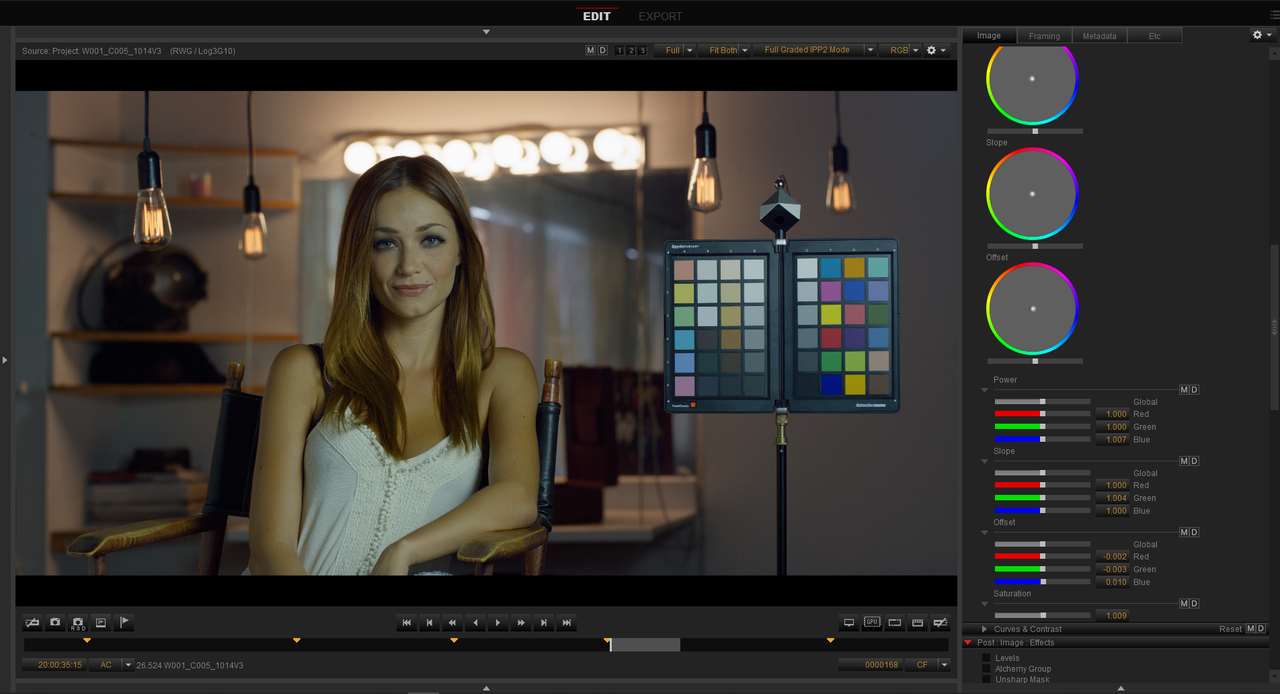
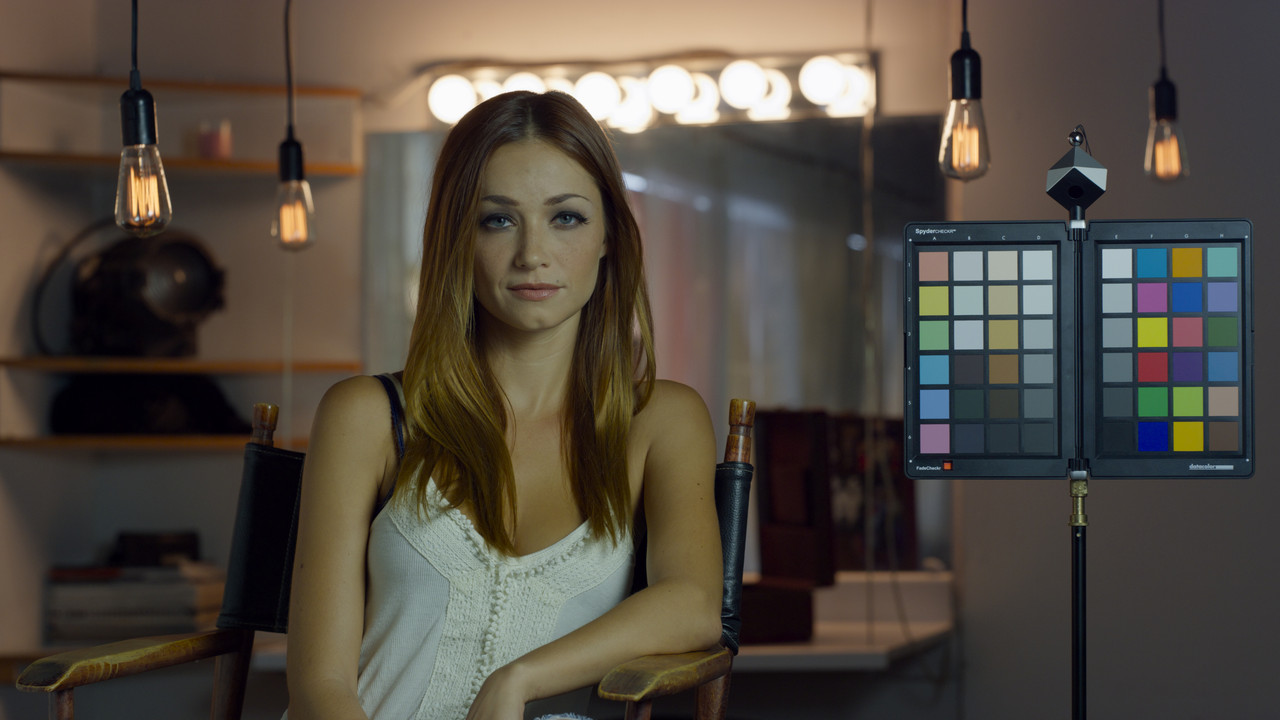
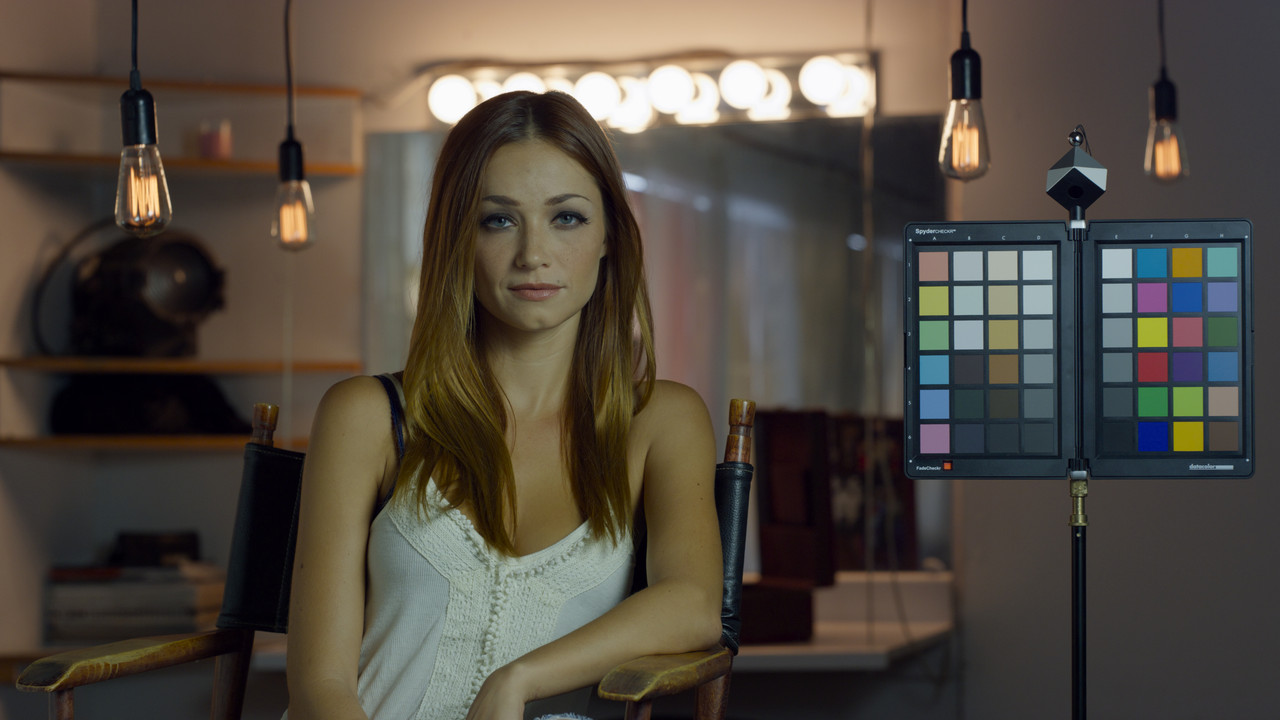
CDL added to image in REDCINE-X

aes-node-1-1-4.jpg


CDL added to image back in RESOLVE in ACES Node Based workflow

back-in-resolve-1-1-11.jpg
 
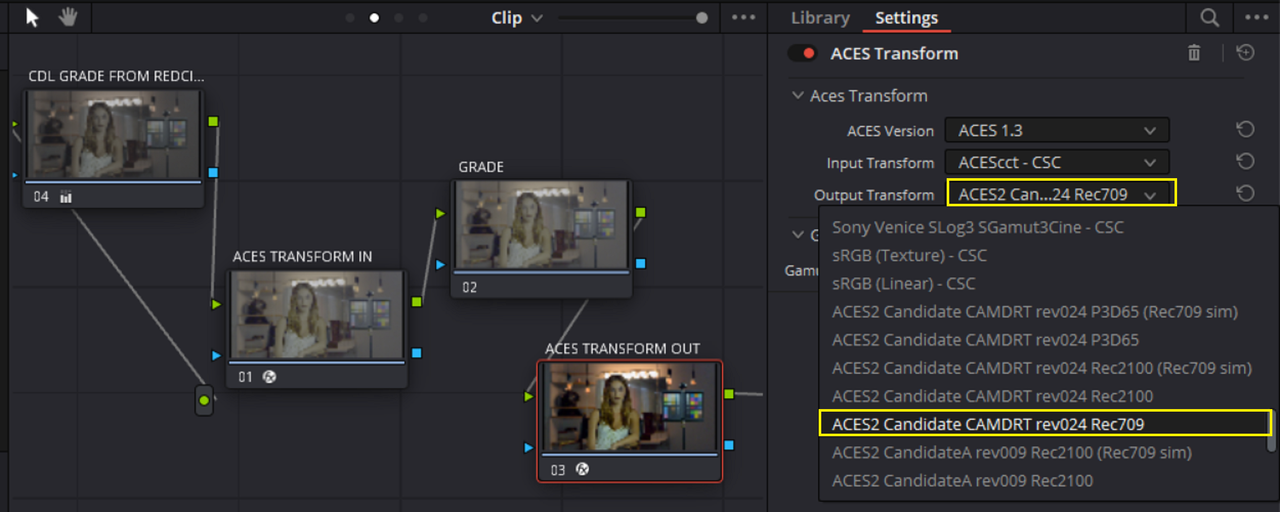
New ACES2 2.0 Candidate From the "ACES Output Transforms Architecture Virtual Working Group"

GitHub Link

GitHub - ampas/ACES_ODT_Candidates


The Older ACES2 Candidate A rev009 REC709 from the group including Candidates B and C


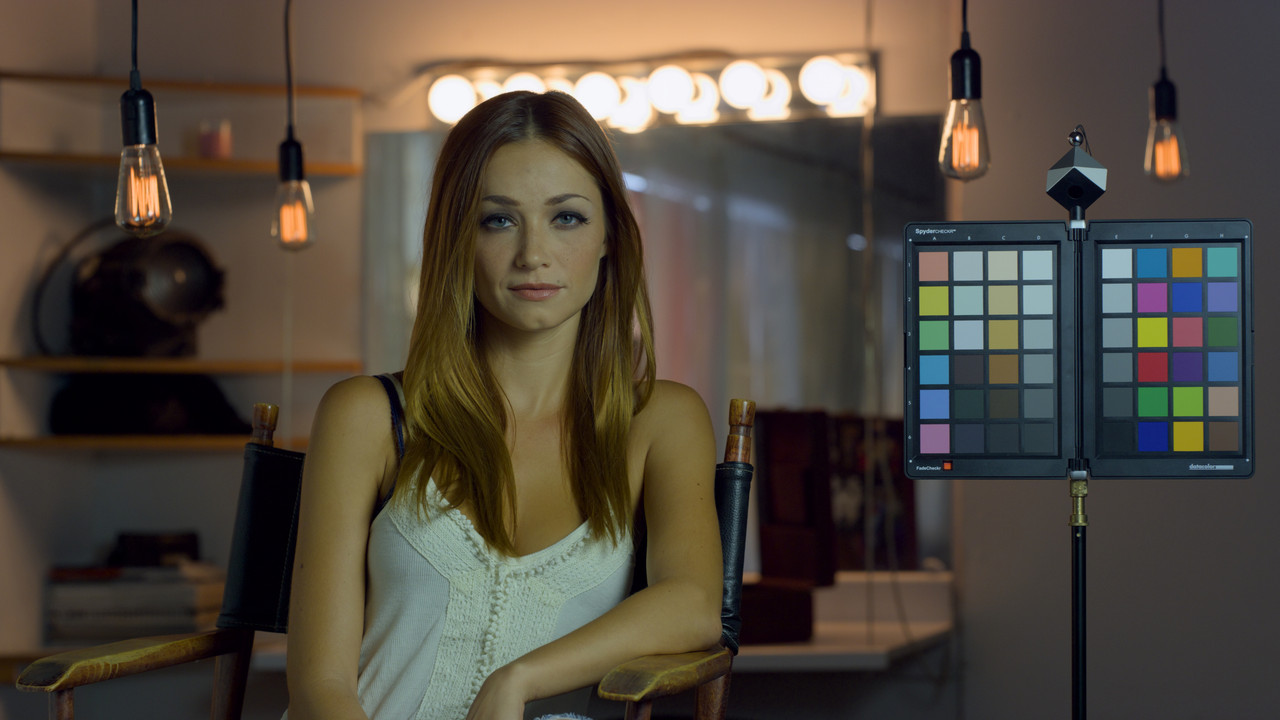
The Newer ACES2 Candidate CAMDRT rev024 REC709


Screenshot-7616-2.png


W001-C005-1014-V3-001-1-1-12.jpg


camdrt-candidate.png


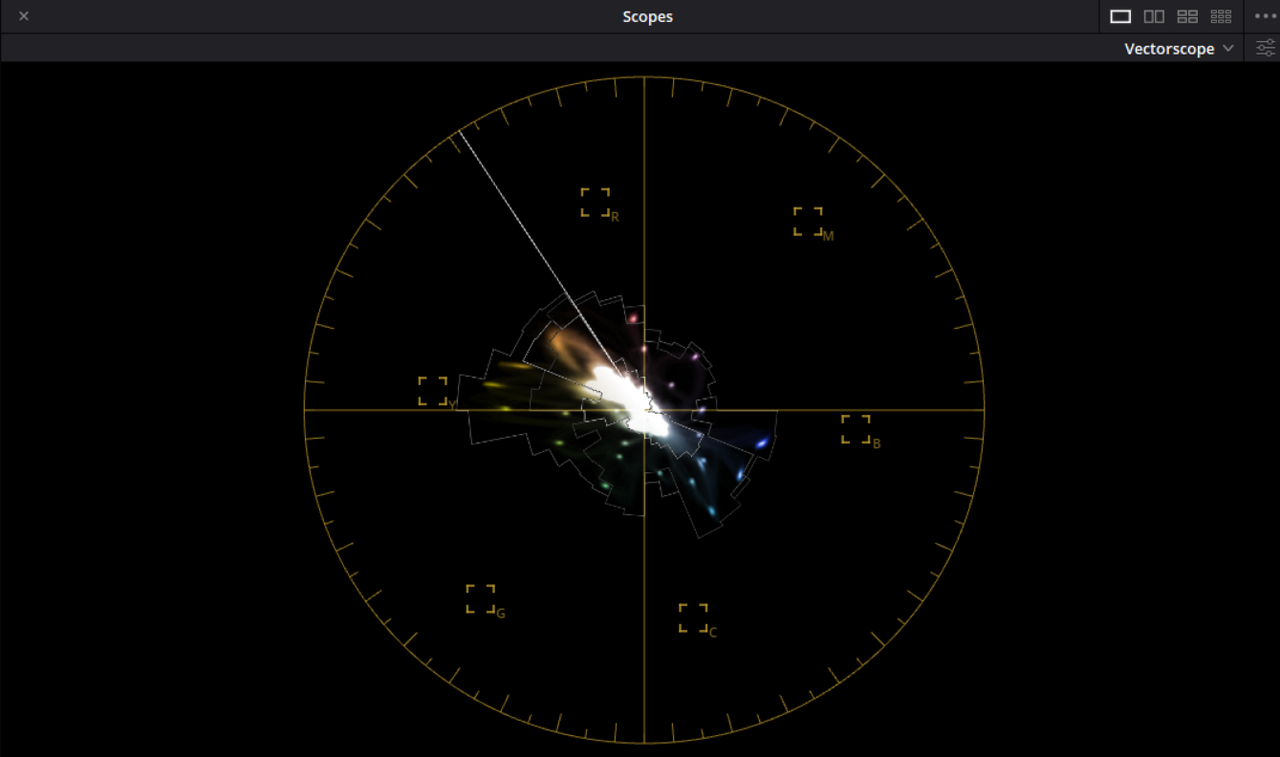
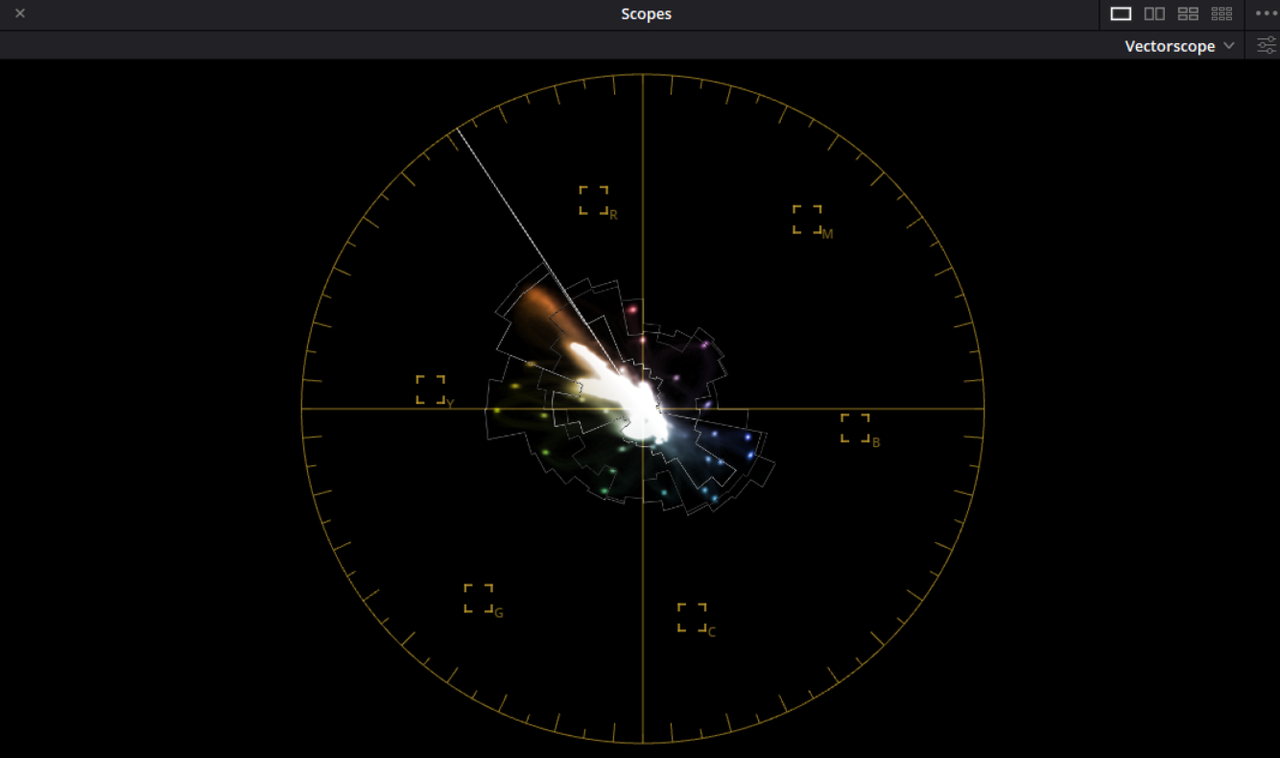
The Newer Candidate looks more saturated but Colors are contained 'IN GAMUT" as well if not slightly better than the Older Candidate A for the "YELLOWS" but not quite as well for the "YELLOW to RED" area. Plus the "Highlights" seem more saturated than I would like.


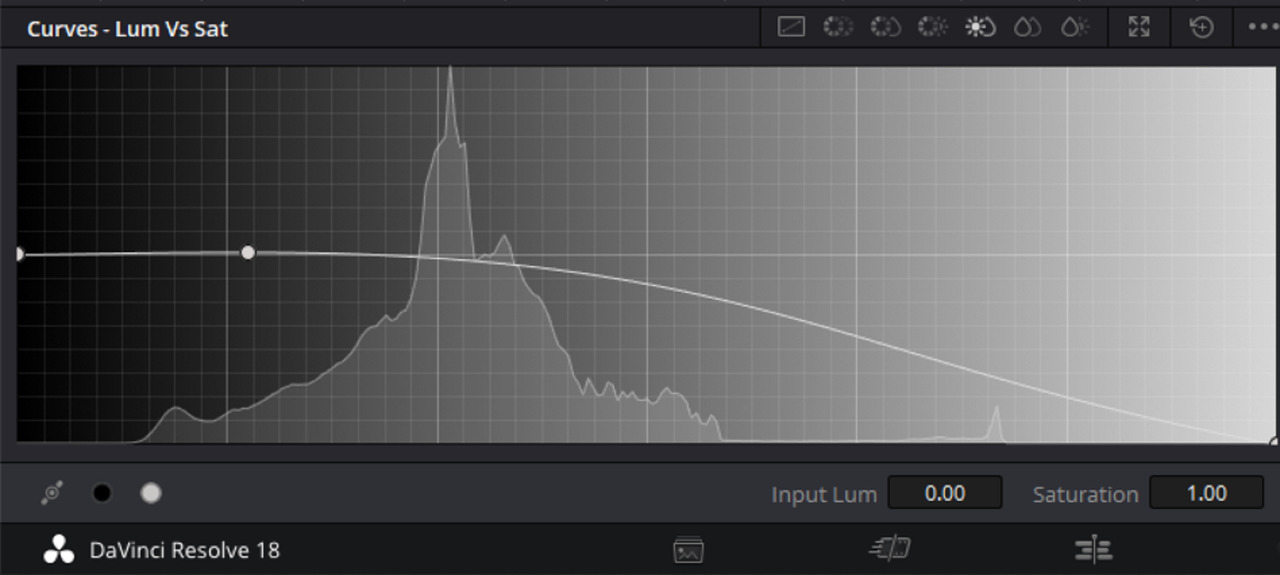
With LUM vs SAT reduction in around the HIGHLIGHT Area.

Screenshot-7621.png


cand-CAMDRT-lum-ve-sat-1-1-15.jpg

lum-vs-sat.png
 
Last edited:
Jon,

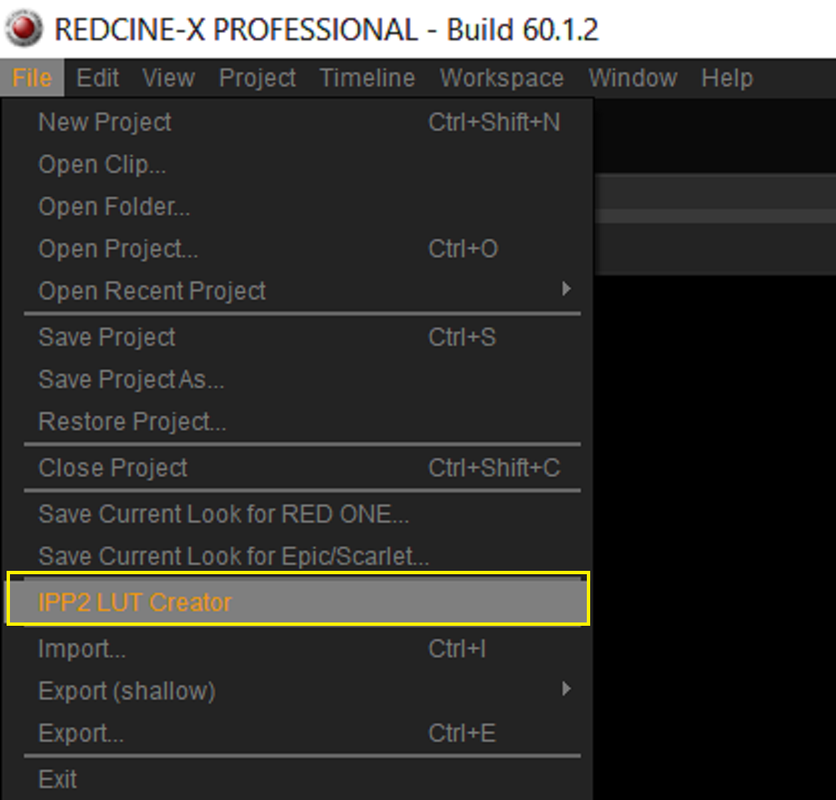
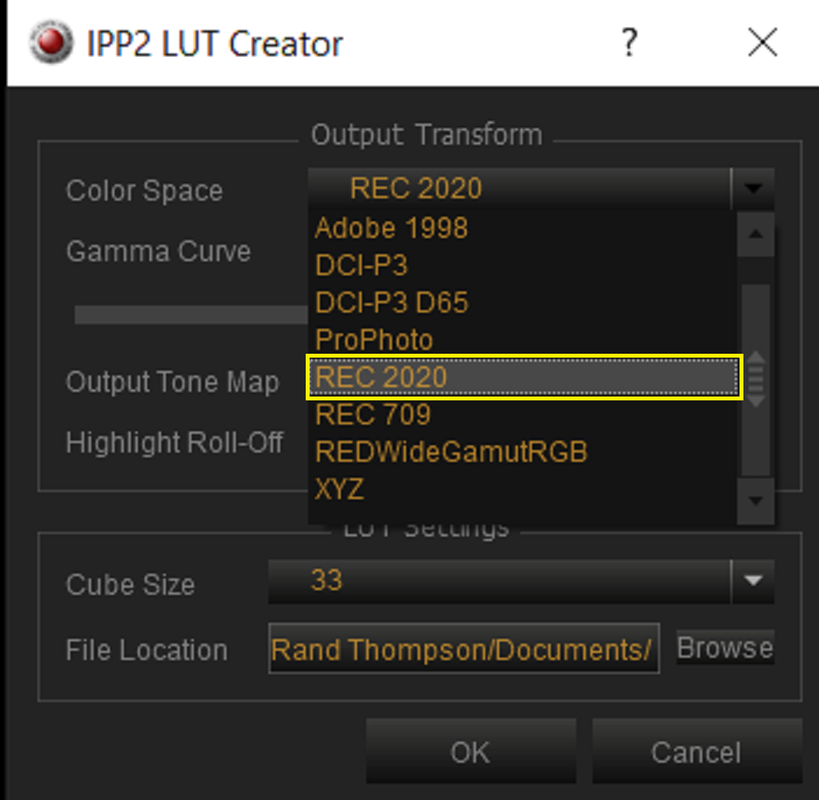
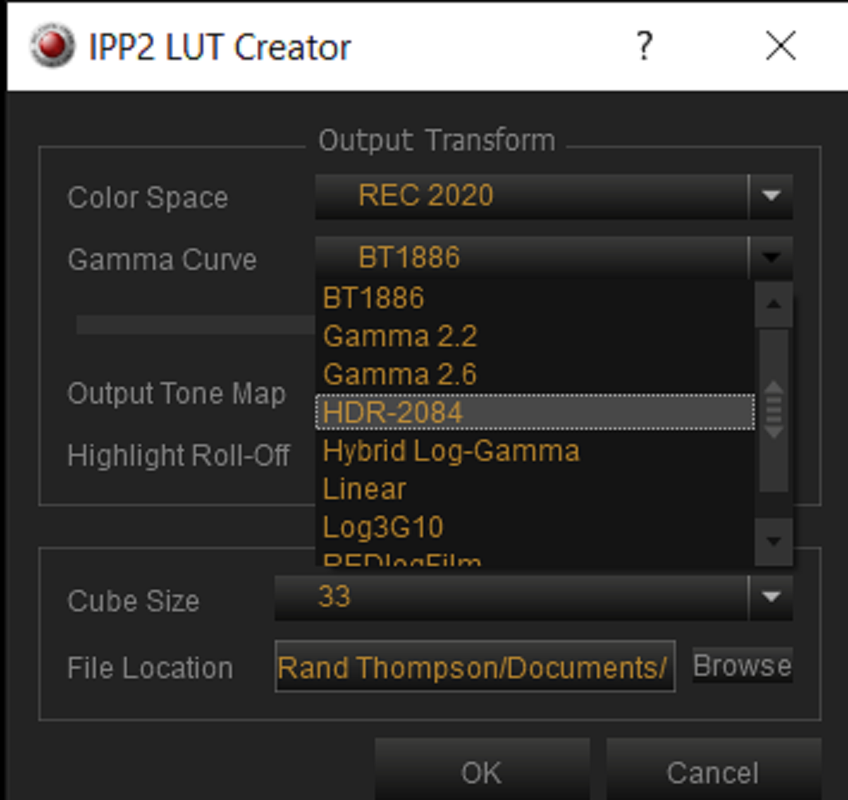
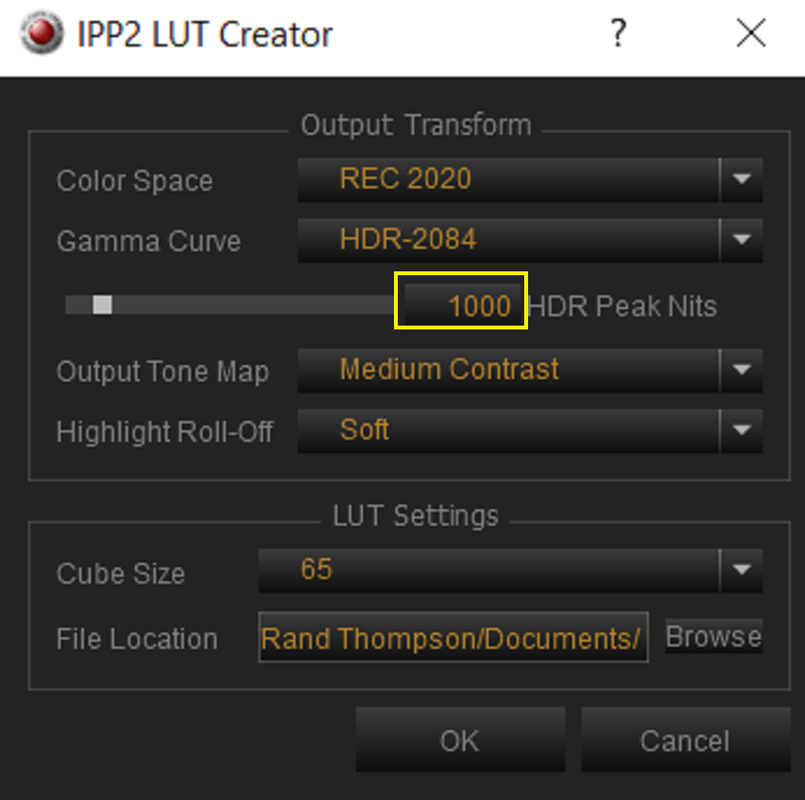
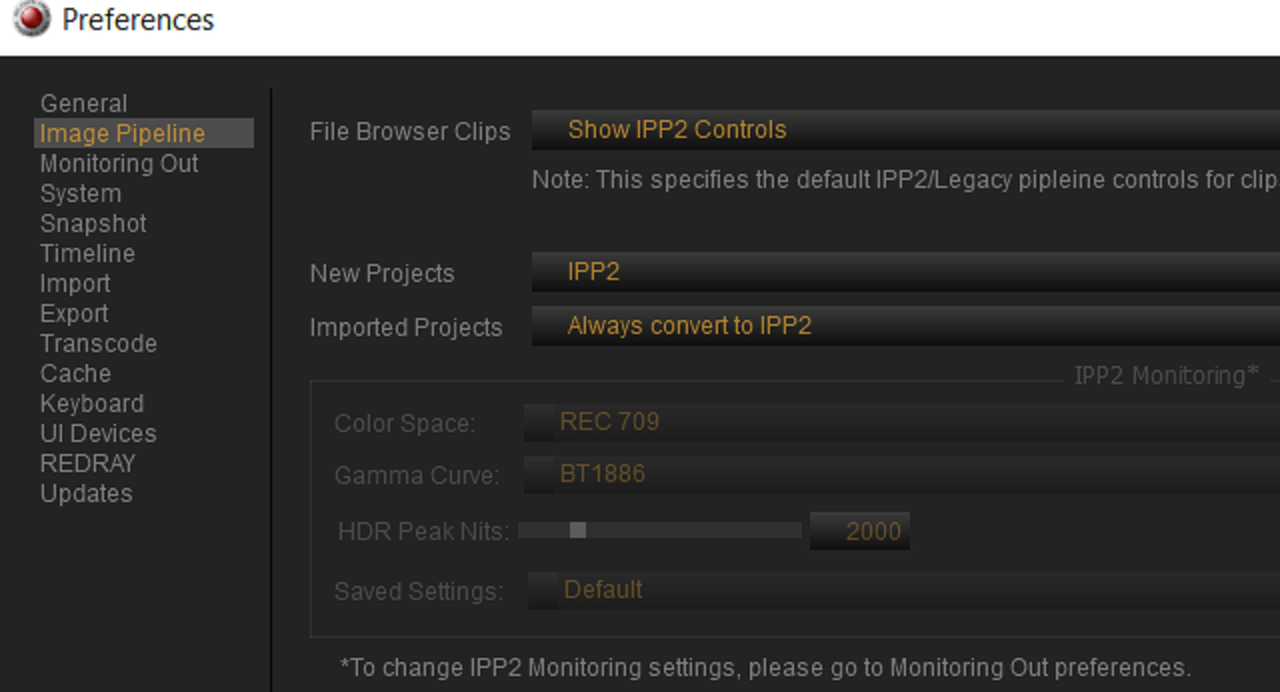
These are the only settings available in Redcine-X to create an IPP2 OUTPUT TRANSFORM LUT with.

Screenshot-7196.png


Screenshot-7198.png


Screenshot-7199.png


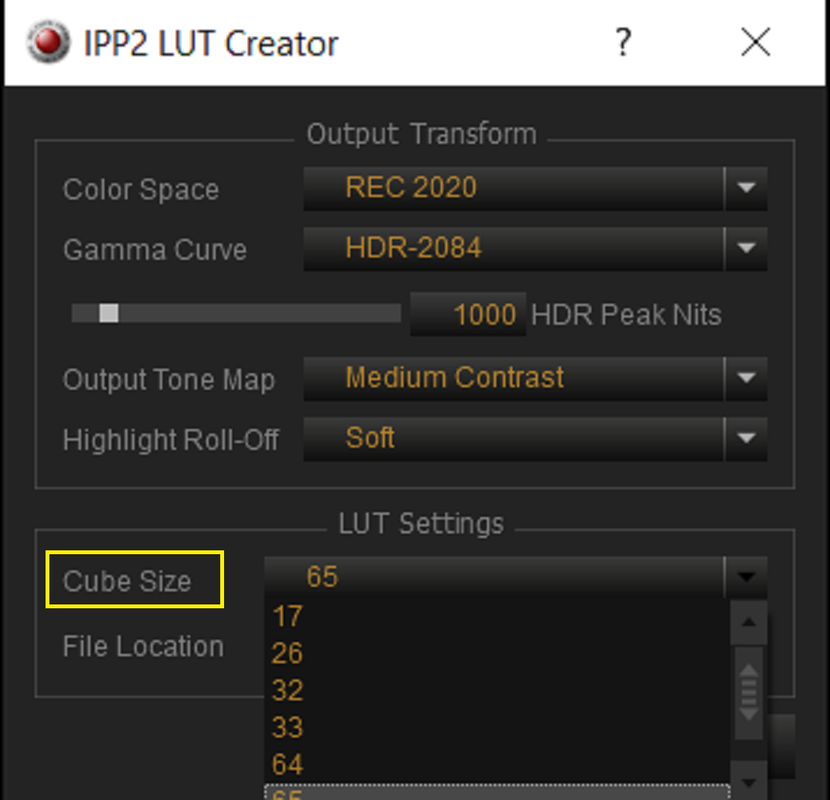
You can also choose what "HDR PEAK NIT" Brightness you need and What Cube size you want from 17 to 65.

Screenshot-7208.png


Screenshot-7210.png
It’s so great you can make 65 X 65 X 65 LUTs in Redcine X, as 12-bit HDR requires much larger LUTs than SDR to avoid interpolation errors.
 
It’s so great you can make 65 X 65 X 65 LUTs in Redcine X, as 12-bit HDR requires much larger LUTs than SDR to avoid interpolation errors.

Jon,

I remember seeing somewhere a while back, I think it might have been in some virtual seminar I took on Lut development, but the difference between a 33cube and a 65cube size lut was shown and I have never used a 33cube sized LUT since. I know Red cameras can only currently use 33Cube sized Luts internally, however the new ARRI Alexa 35 camera can use 65cube sized Luts. I mostly use ACES so I don't use LUTs I use LMTs( Look Modification Transforms) , CTL (Color Transformation Language) and DCTLs(DaVinci Colorspace Transform Language). However you can make a Lut Meant for ACES AP1 but not for ACES AP0 (Aces 2065-1).
 
Senior Colorist at ARRI, Florian “Utsi” Martin starts explaining how to create a Log to Log look for the Alexa 35 at about the 34:30 minute mark. At the 36:41 minute mark, he creates a 65 cube sized Lut for the Camera and explains that the Alexa 35 can handle a 65cube sized Lut.


Back
Top