Welcome to our community

Be a part of something great, join today!

  • Hey all, just changed over the backend after 15 years I figured time to give it a bit of an update, its probably gonna be a bit weird for most of you and i am sure there is a few bugs to work out but it should kinda work the same as before... hopefully :)

Output Transform is not available for my Komodo Footage

Joined
Apr 5, 2022
Messages
12
Reaction score
3
Points
0
Hi,

Good day all. I opened my Komodo footage in RedCine-x pro to change output tone map. But Output Transform is not available. Am i missing something? Thank you in advance.
 
Tarak,

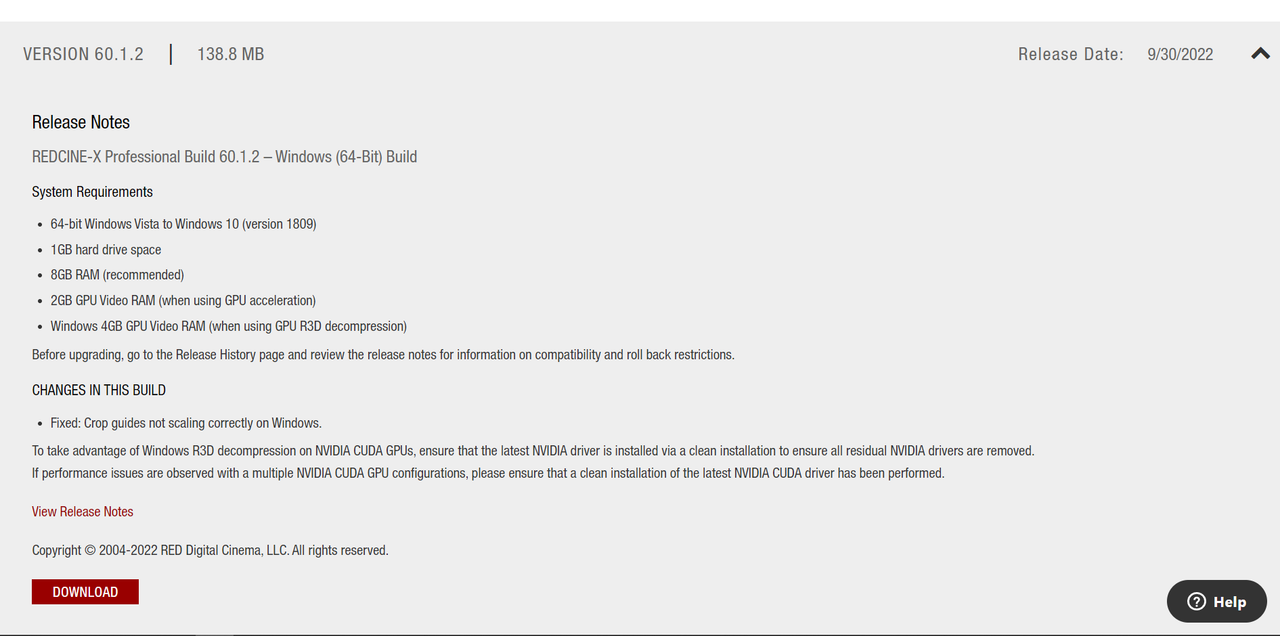
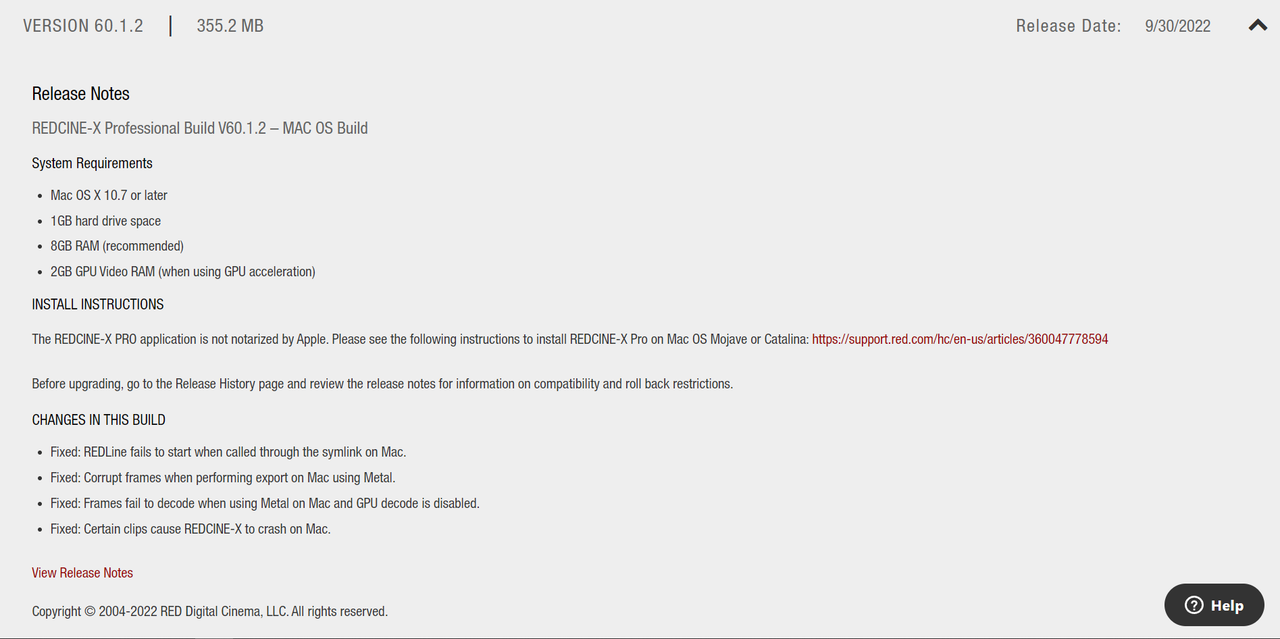
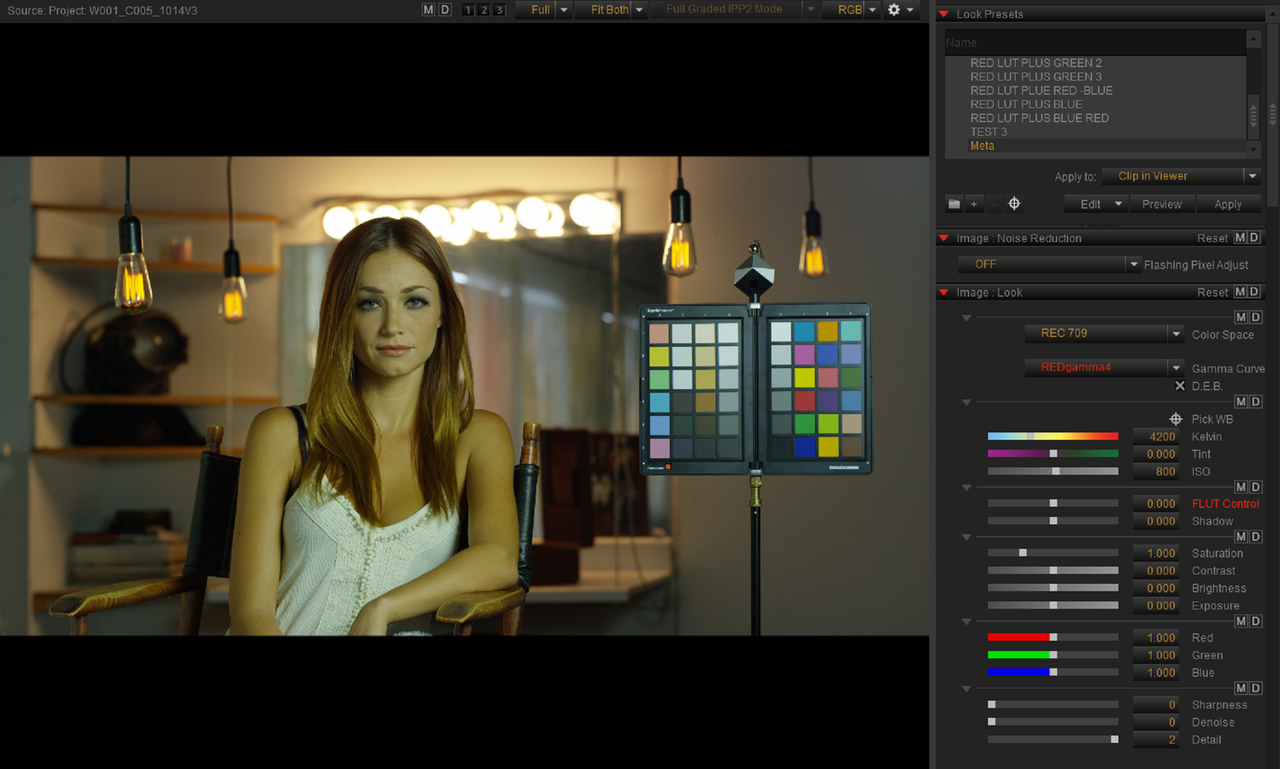
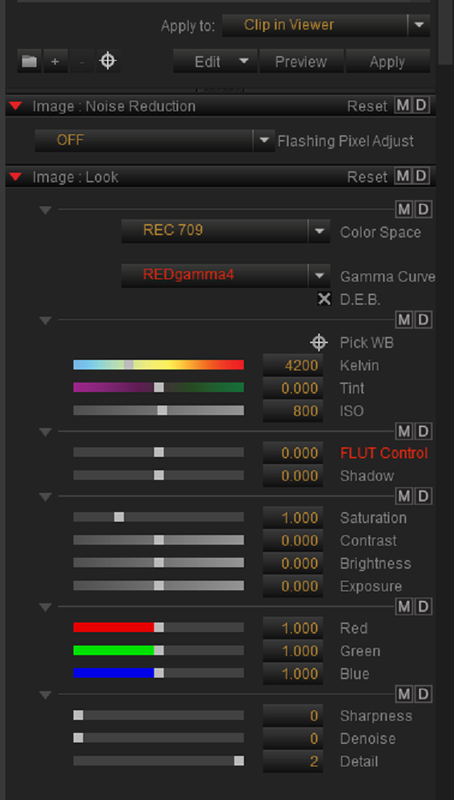
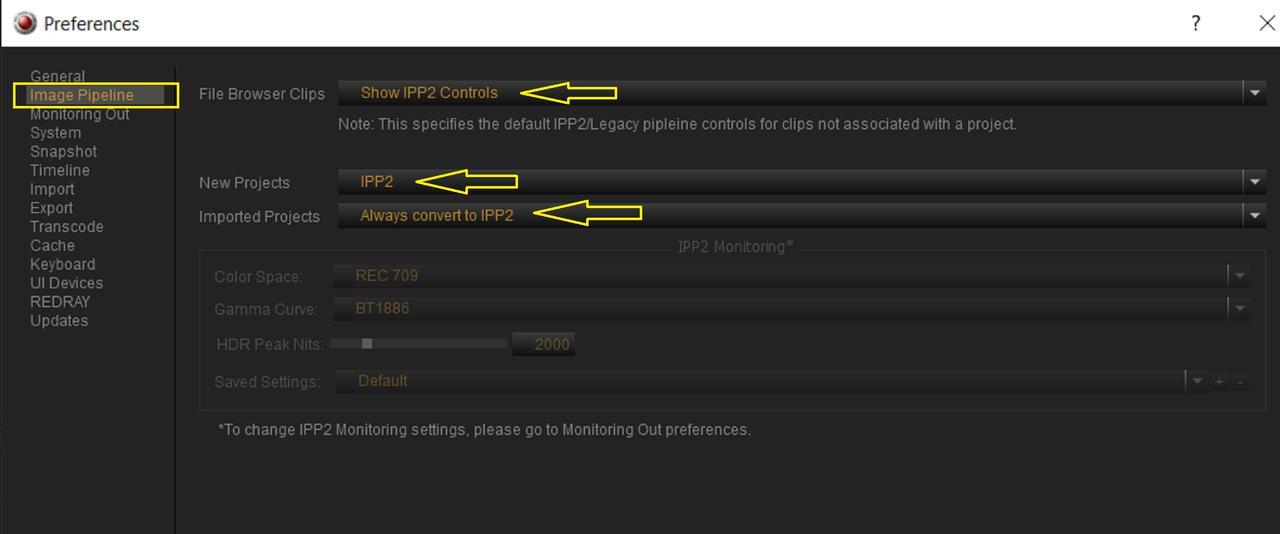
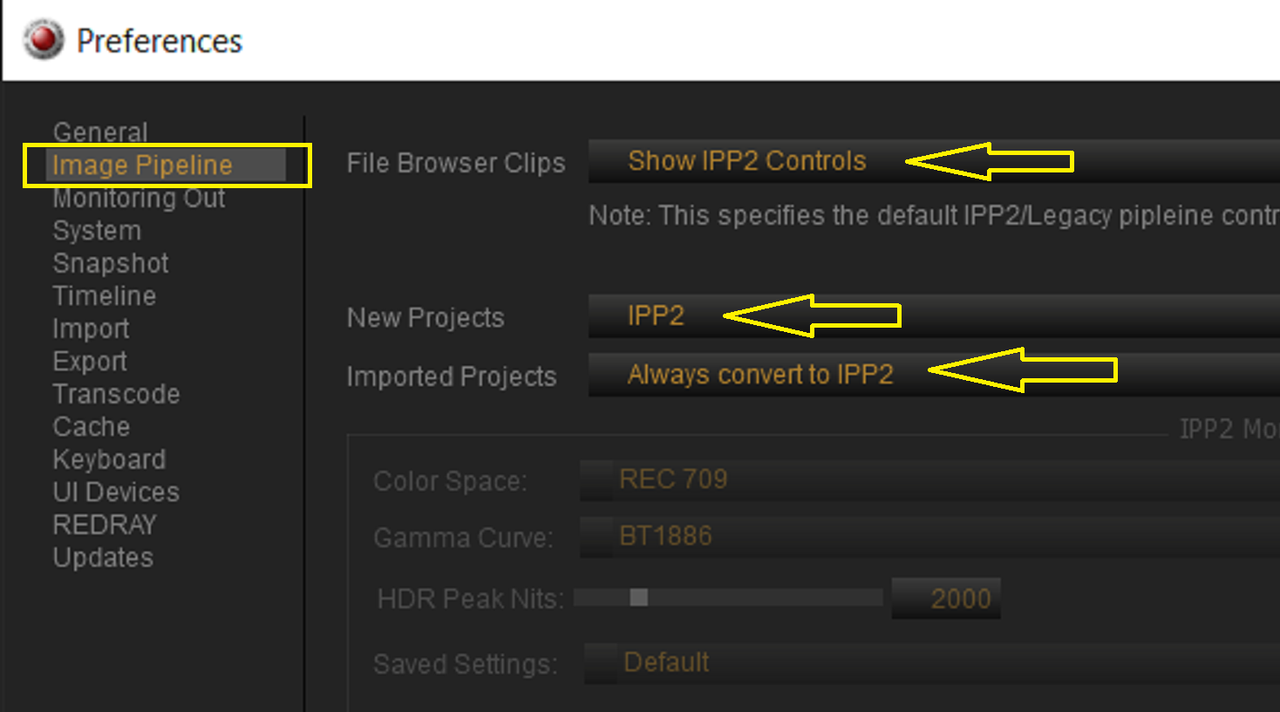
What Version of REDCINE-X PRO are you using? Version 60.1.2 ? When you Open your Komodo Footage up in REDCINE-X Pro Do you See "LEGACY" Controls or "IPP2" Controls?


WINDOWS Version 60.1.2
Downloads Details (red.com)


MAC Version 60.1.2
Downloads Details (red.com)


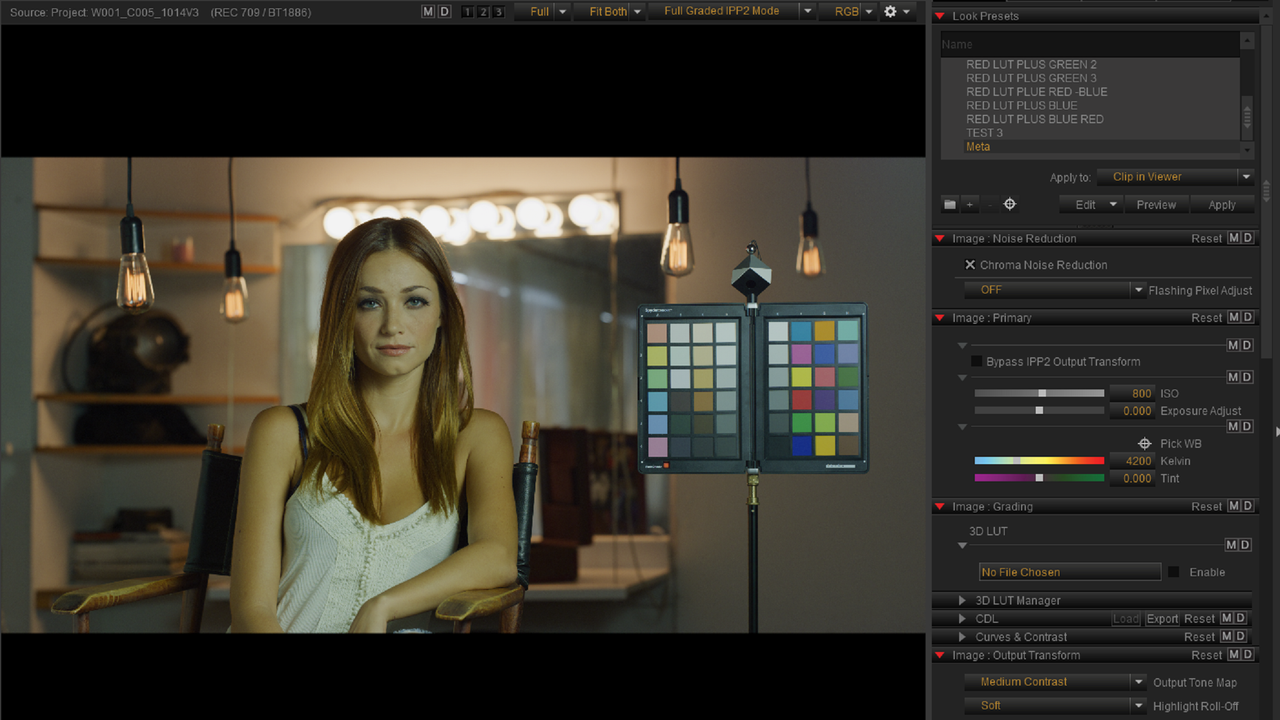
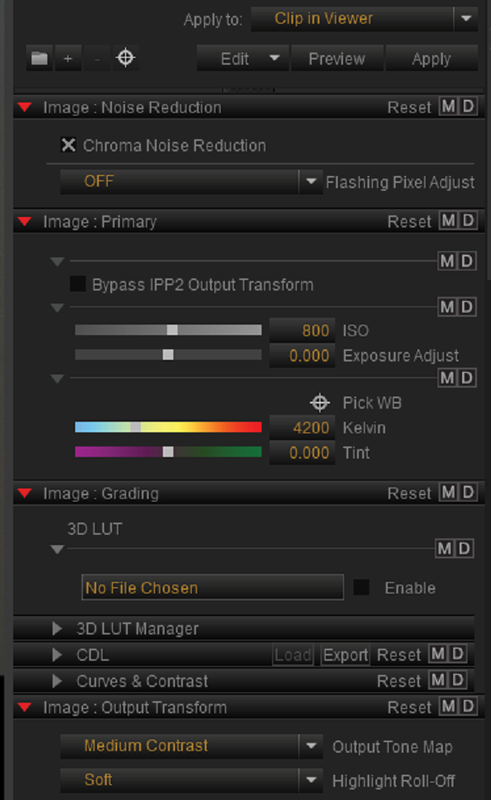
"LEGACY" Controls

Screenshot-7064.png


Screenshot-7064-2.png


"IPP2" Controls

Screenshot-7065.png


Screenshot-7065-2.png


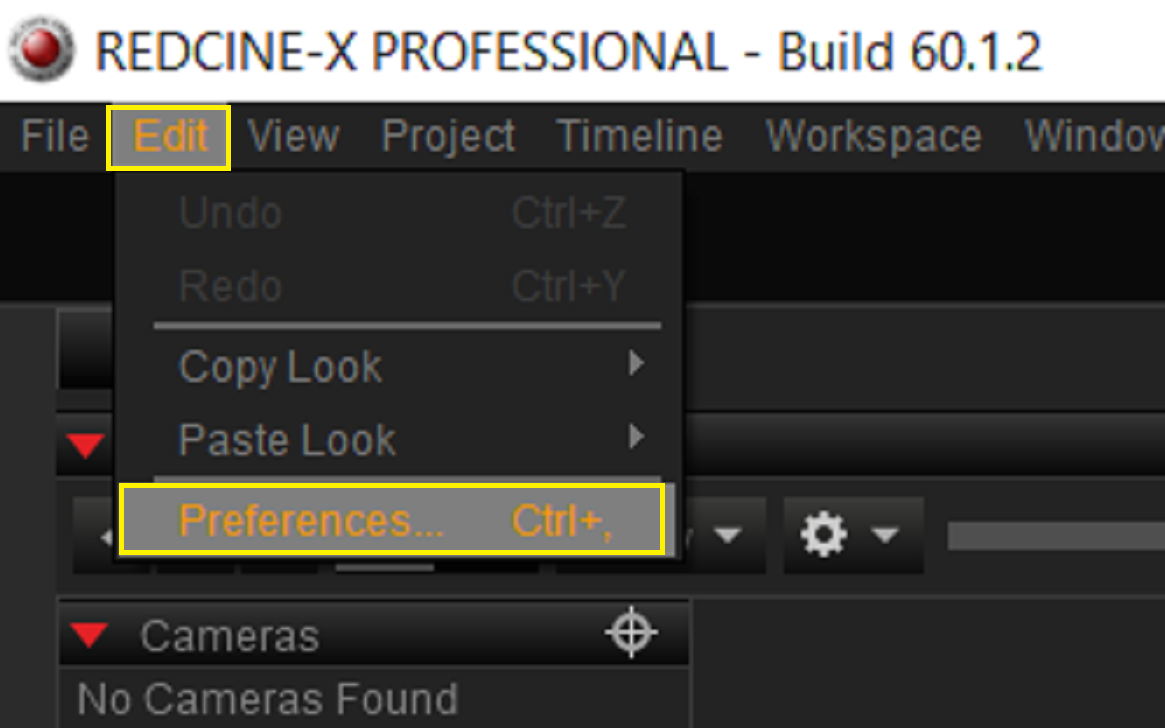
If you see "LEGACY" Controls, Go under the "EDIT" heading and then choose "Preferences".


Screenshot-7063.png


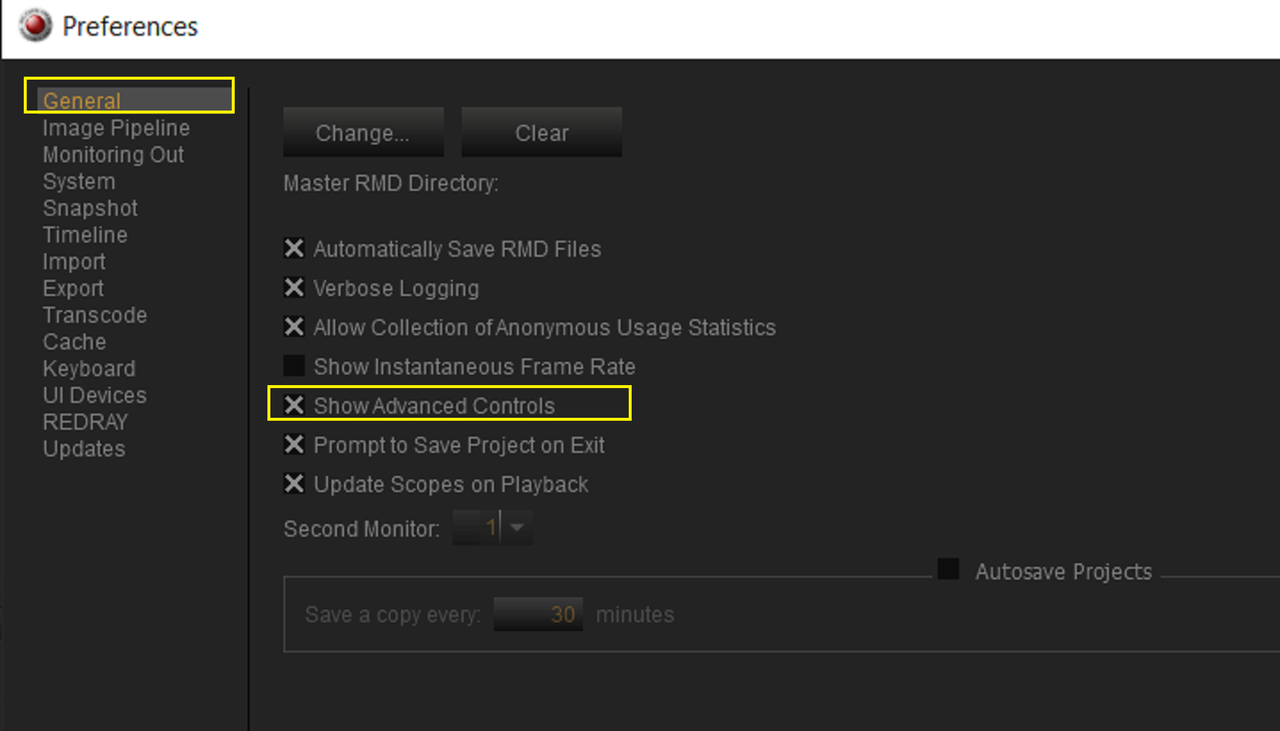
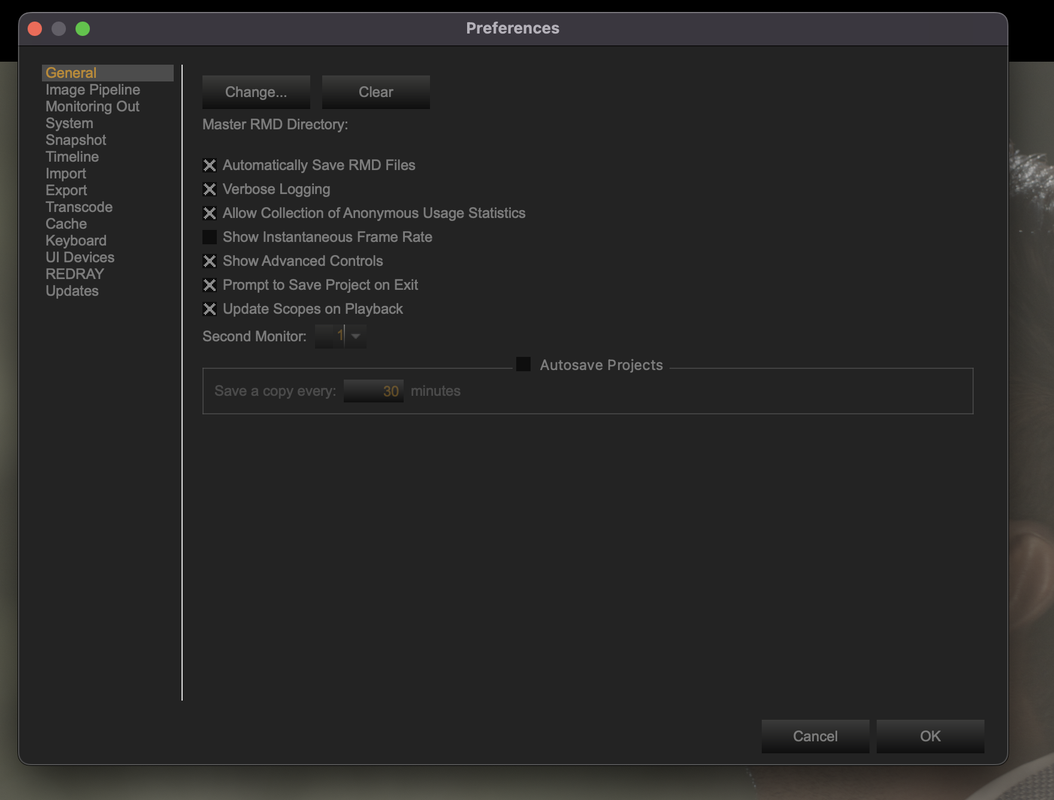
Next in The "General" category select "SHOW ADVANCED CONTROLS"


Screenshot-7061.png


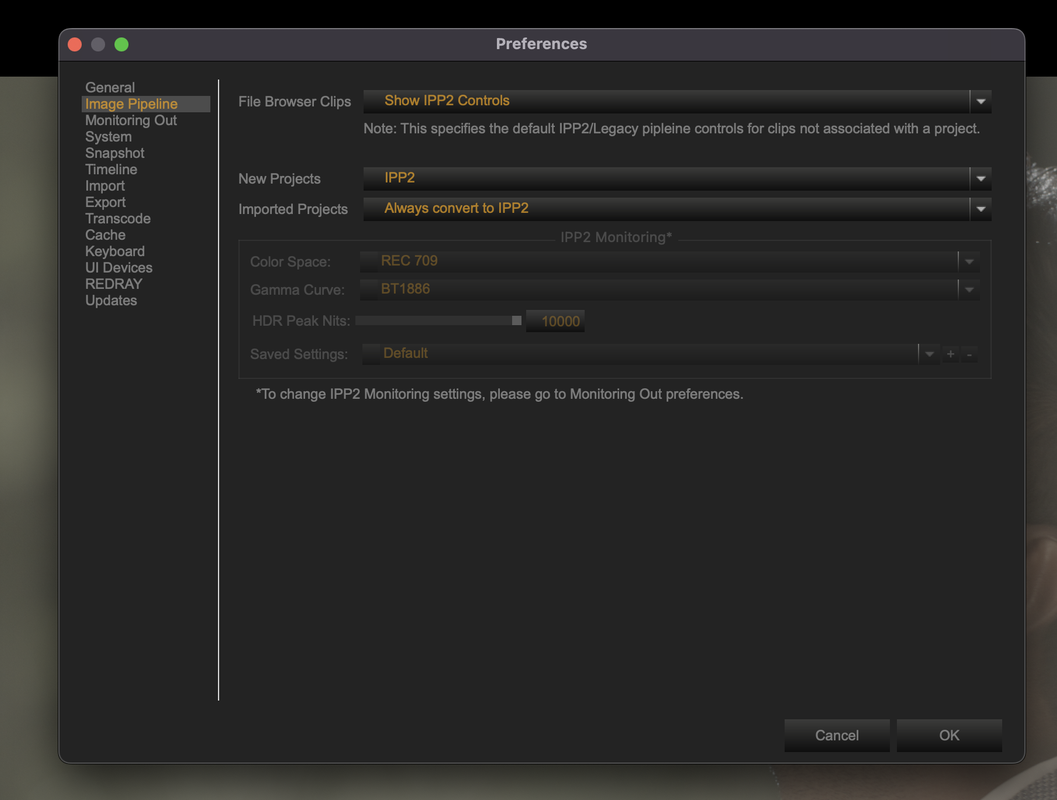
Finally, In the "IMAGE PIPELINE" select these settings. Now Exit Out and reopen REDCINE-X Pro again and you should be able to change the TONE MAPPING.


Screenshot-7062.png


Screenshot-7062-2.png
 
Last edited:
Hi Rand,

Thank you for the detailed explanation. I updated to latest version. And its now IPP2. But still when I open my footage, output transform is not available.
 

Attachments

  • photo119362.png
    photo119362.png
    18 KB · Views: 0
Tarak,

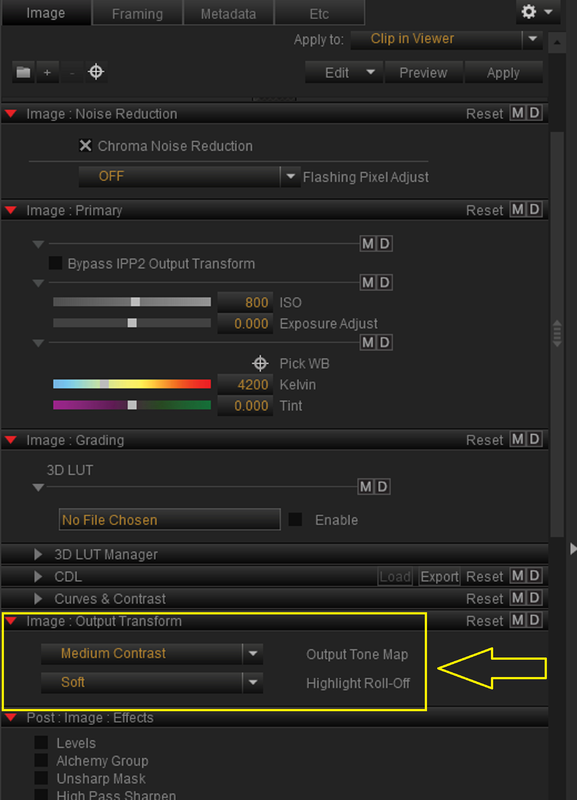
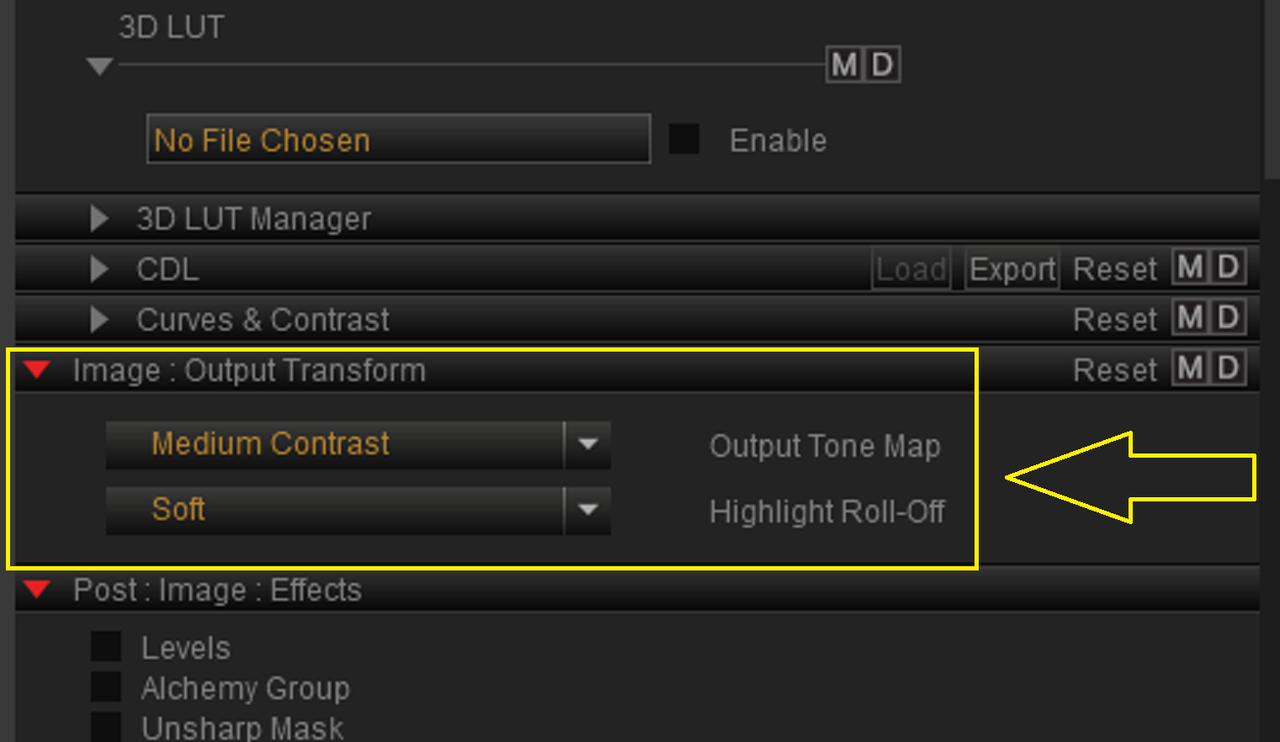
I Believe you are looking in the wrong place. What you are looking for is shown below.


Screenshot-7106.png


Screenshot-7105.png


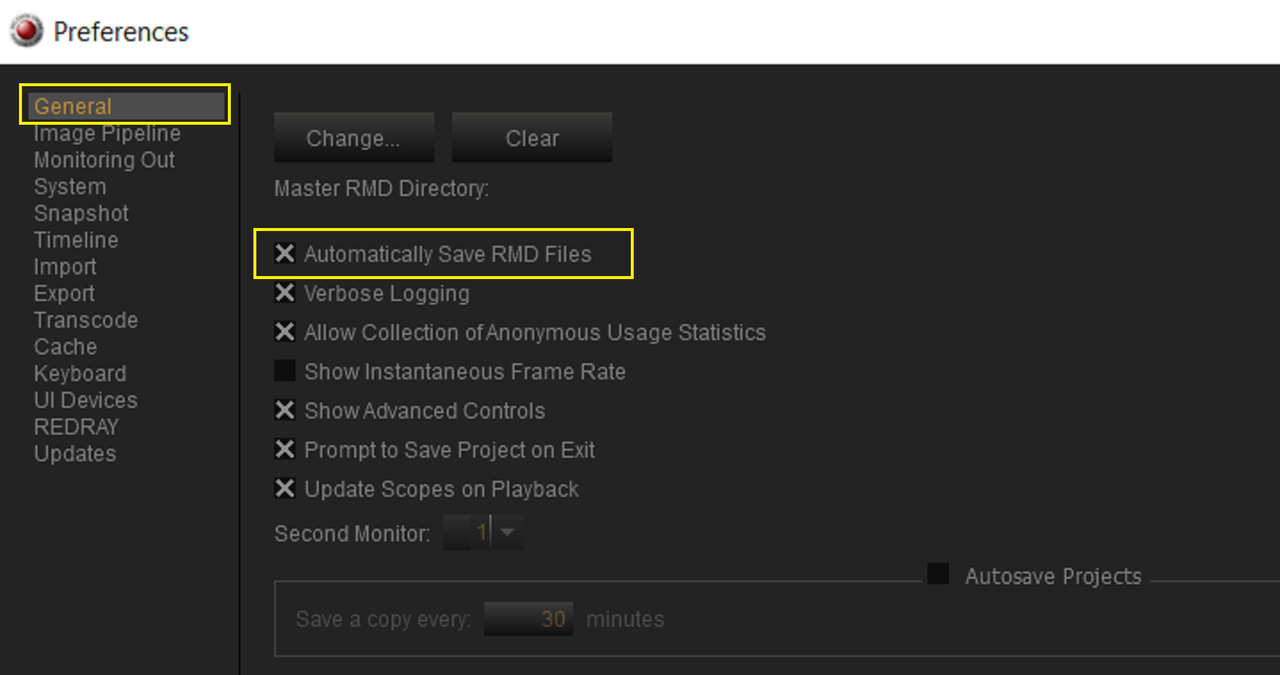
If you want REDCINE-X to update any grading or Output Transform changes you make inside of the Program automatically, Go to "EDIT" then "PREFERENCES" then "General" and enable "Automatically Save RMD Files" and it will update the .RMD file associated with the corresponding .R3D file.


Screenshot-7107.png


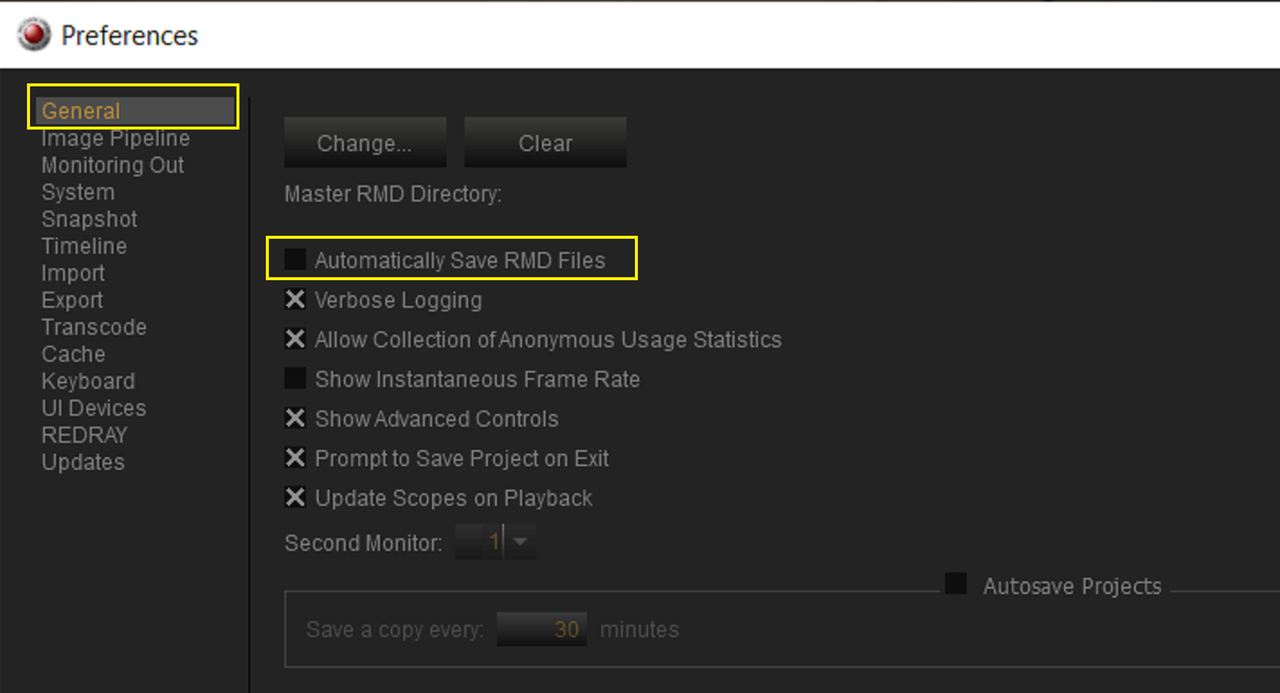
If you Don't want REDCINE-X to update any grading or Output Transform changes you make inside of the Program automatically, Go to "EDIT" then "PREFERENCES" then "General" and disable "Automatically Save RMD Files" and it will not update the .RMD file associated with the corresponding .R3D file. You might want to do this if you may be experimenting with different looks but didn't want any of those looks updated in the .RMD file.


Screenshot-7108.png


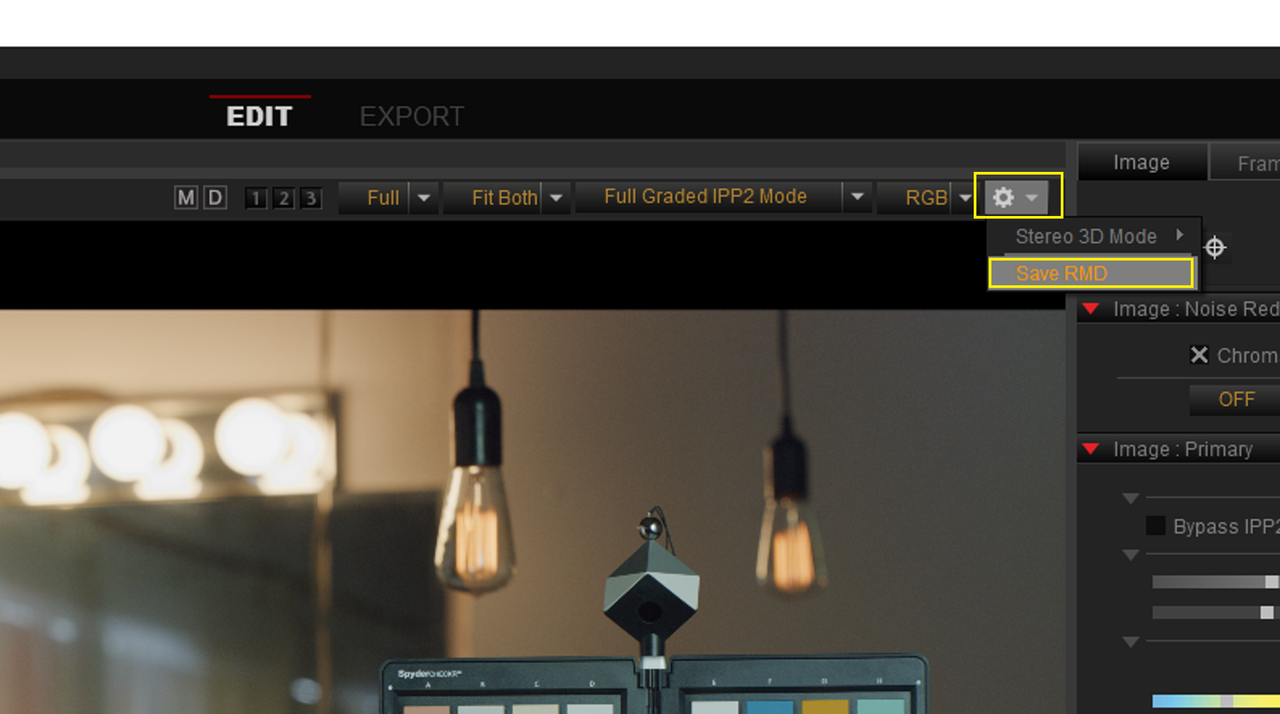
Then when you purposely wanted to Update the .RMD file, you can go to the Top Right-Hand side of the "VIEWER WINDOW" and under the "COG Wheel" Icon Dropdown menu select "SAVE RMD".

Screenshot-7106.png


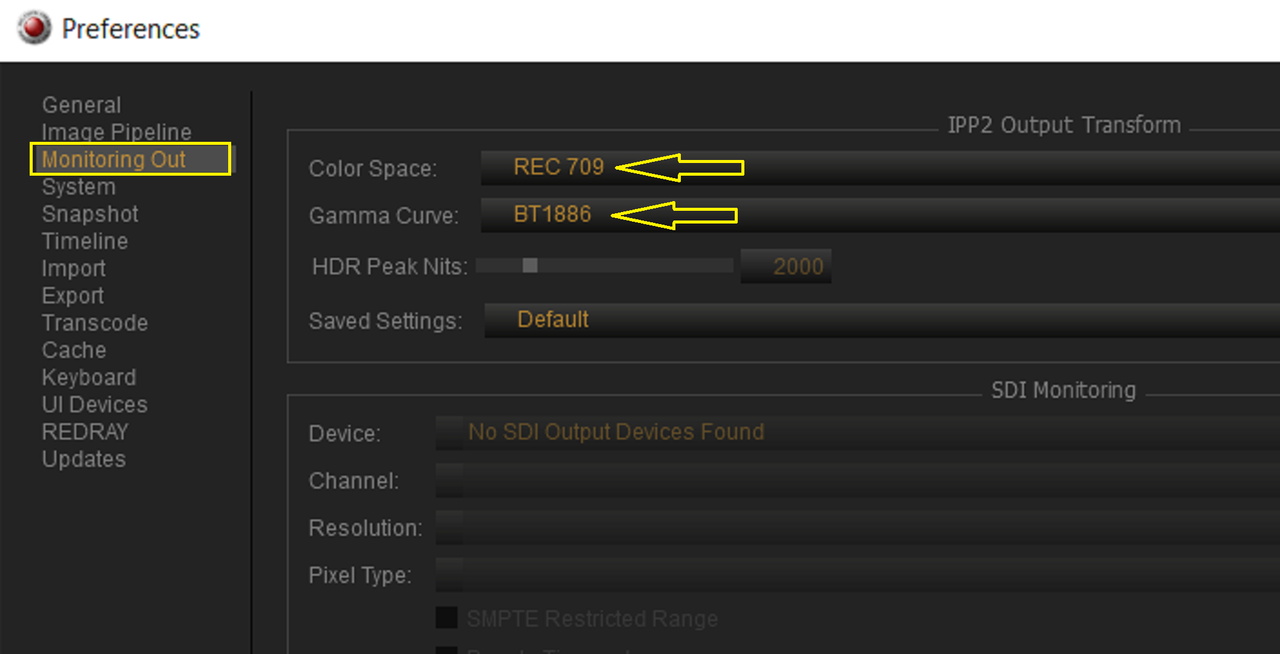
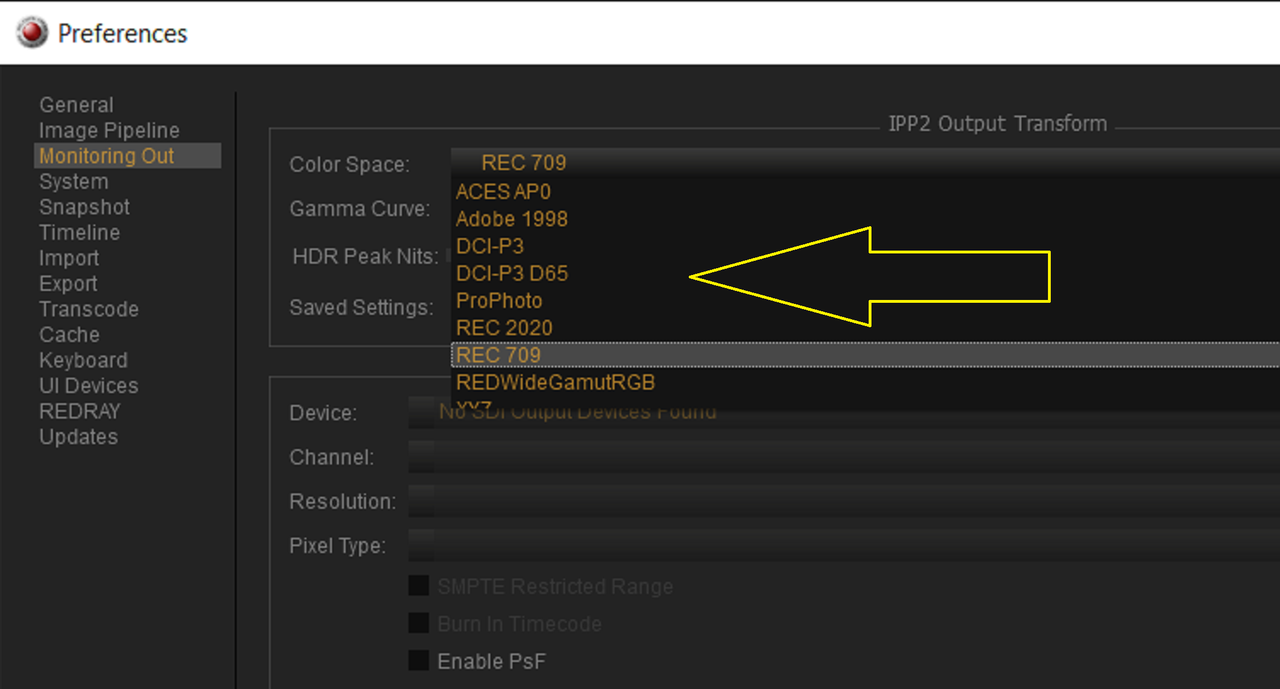
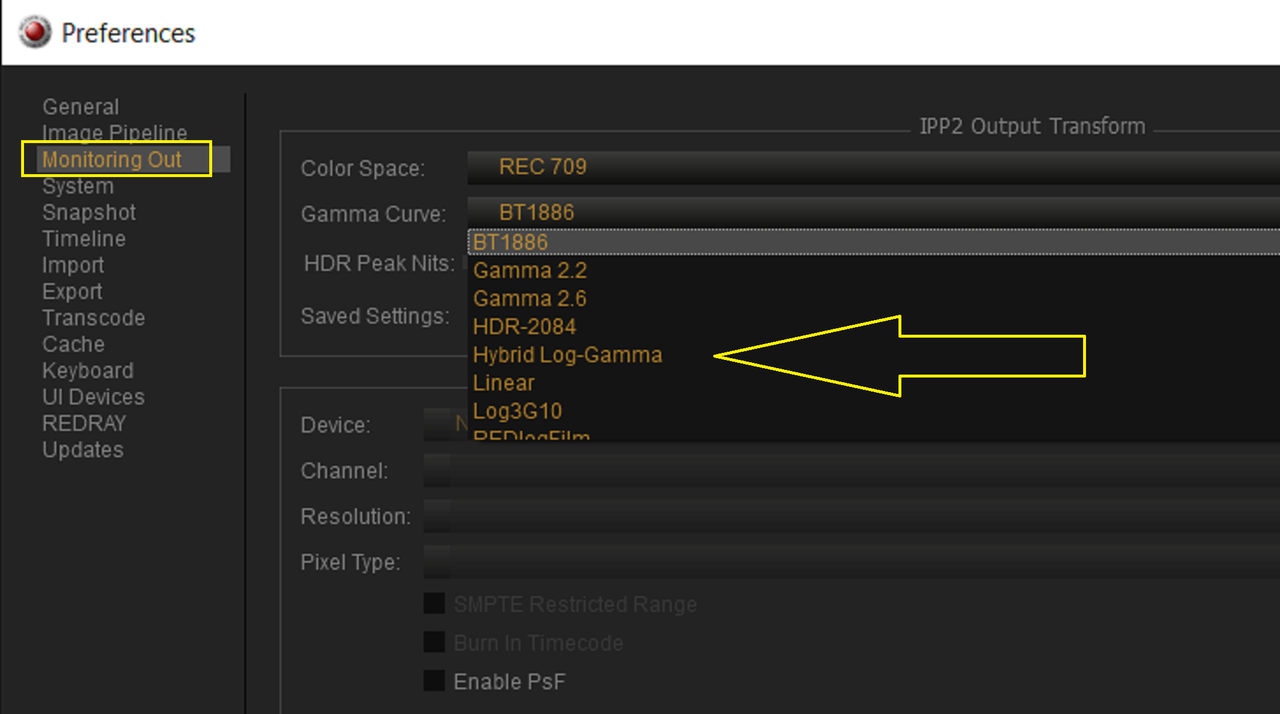
Also if you wanted to change the default "COLOR SPACE" and "GAMMA CURVE" from "REC709" and "BT1886" you can do so by going to "EDIT" then "PREFERENCES" then "MONITORING OUT" and change it there.

Screenshot-7109.png


Screenshot-7114.png


Screenshot-7113.png
 
Last edited:
Hi Rand,

Thank you for replying. I tested with Sample Komodo footage from RED website. I can see output Transform. But the same is not true in my case. Further I investigated and found that my komodo didn't save .RMD files. Thats why 'Image: Output Transform" option is not available. Don't know how to fix this issue.
 
Hi Rand,

Thank you for replying. I tested with Sample Komodo footage from RED website. I can see output Transform. But the same is not true in my case. Further I investigated and found that my komodo didn't save .RMD files. Thats why 'Image: Output Transform" option is not available. Don't know how to fix this issue.

Tarak,

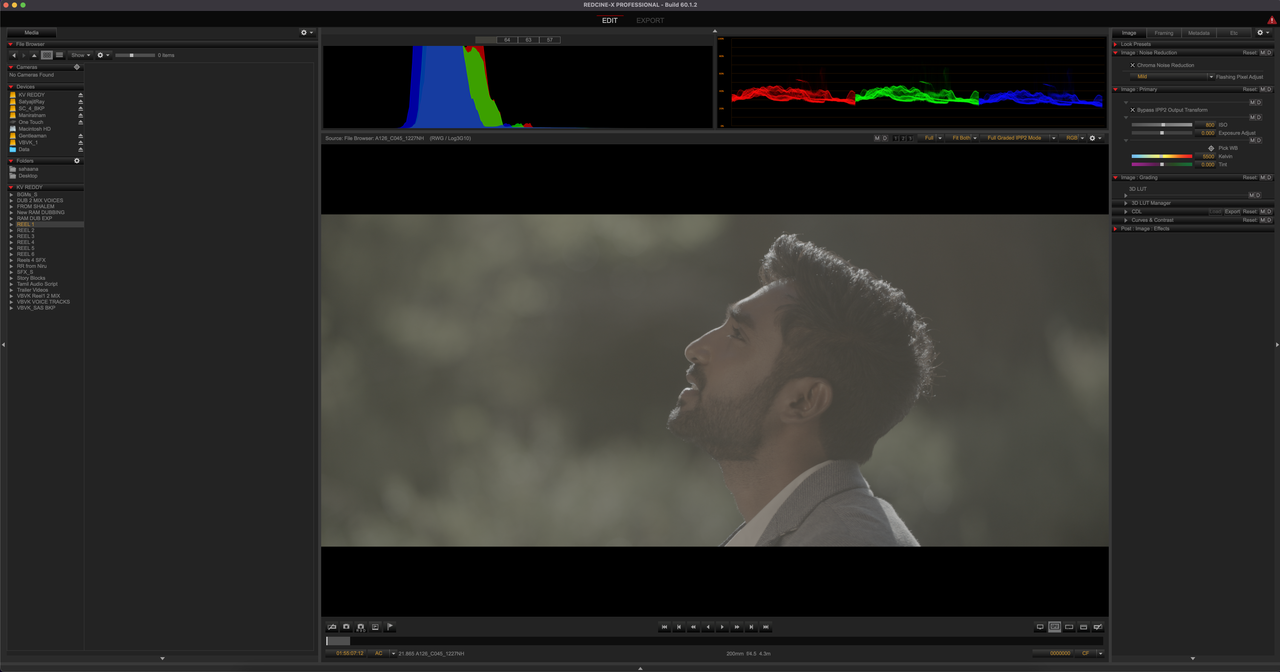
Could you post a screenshot of what Redcine-X looks like with one of your Komodo . R3D files or upload one of the .R3D files or a .R3D snapshot?

You can upload a .R3D file to SendGB and paste the link here.

https://www.sendgb.com/

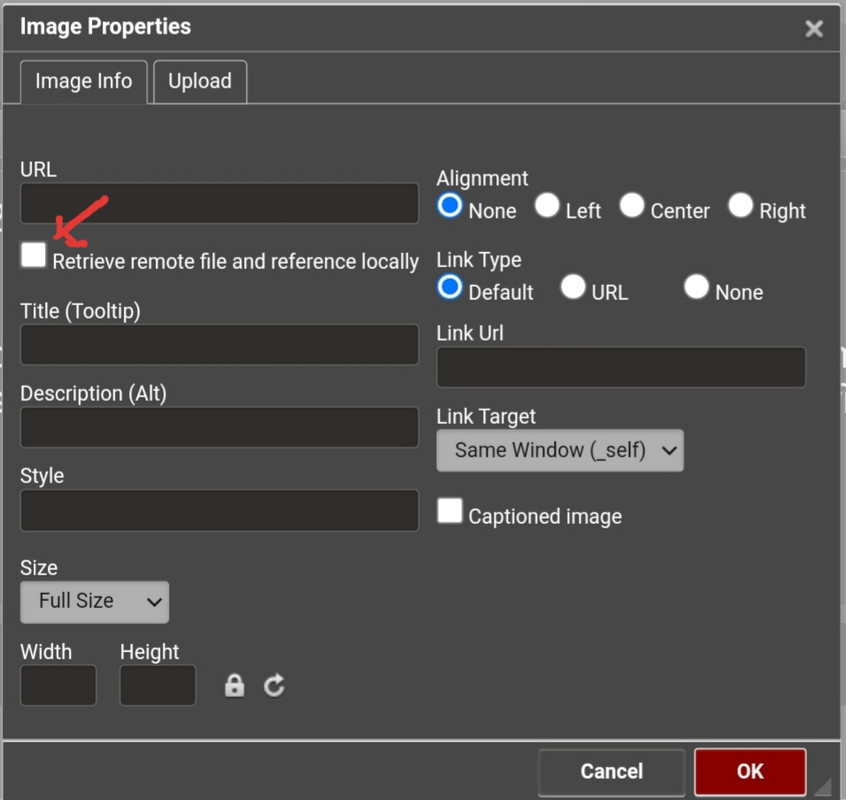
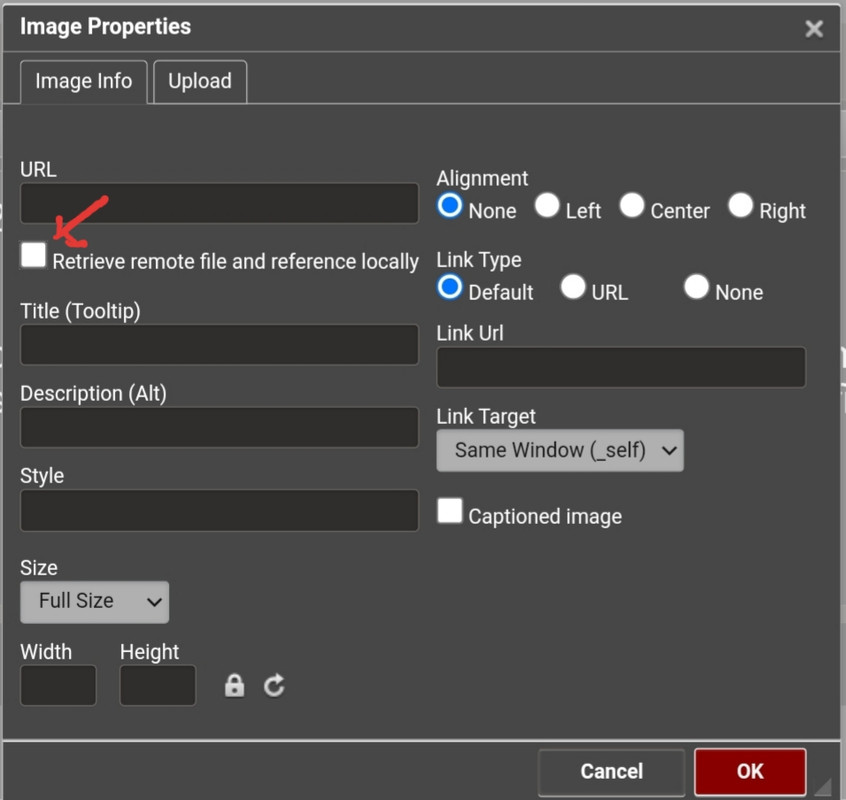
If you post a screengrab, uncheck "Retriveve remote file and reference locally" and it will upload a larger image than if it was checked.

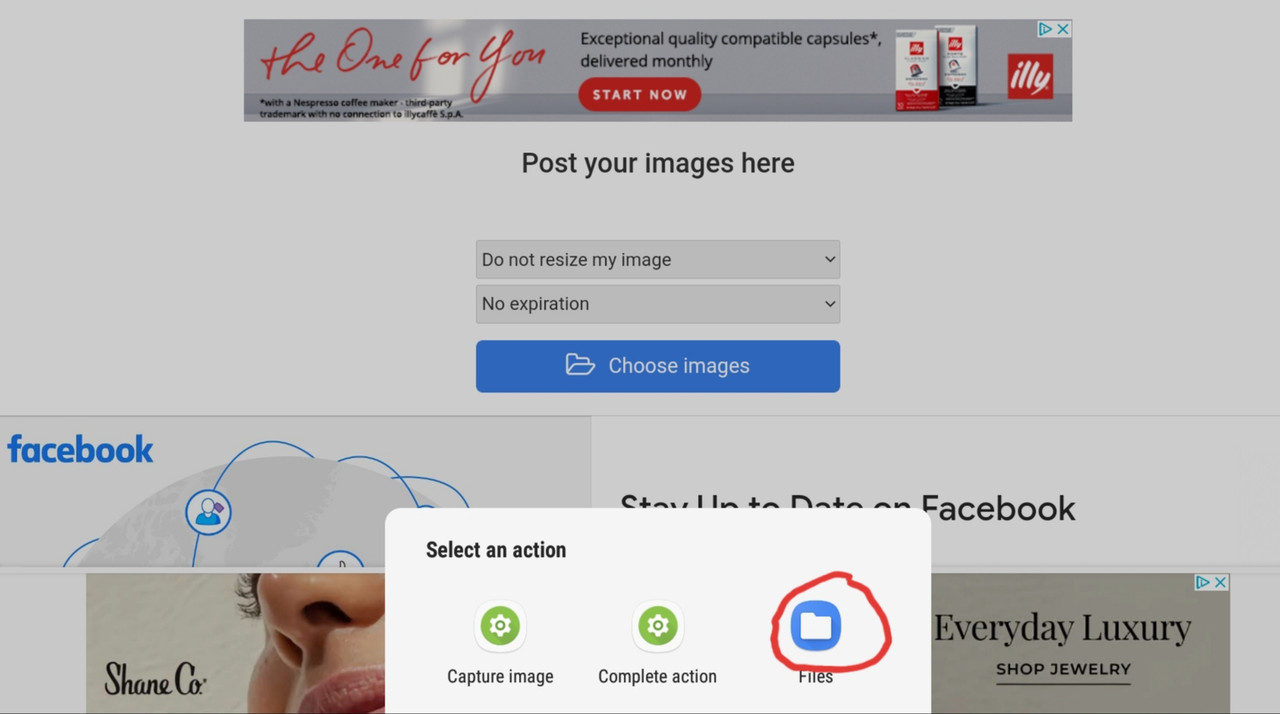
20221019-081140.jpg
 
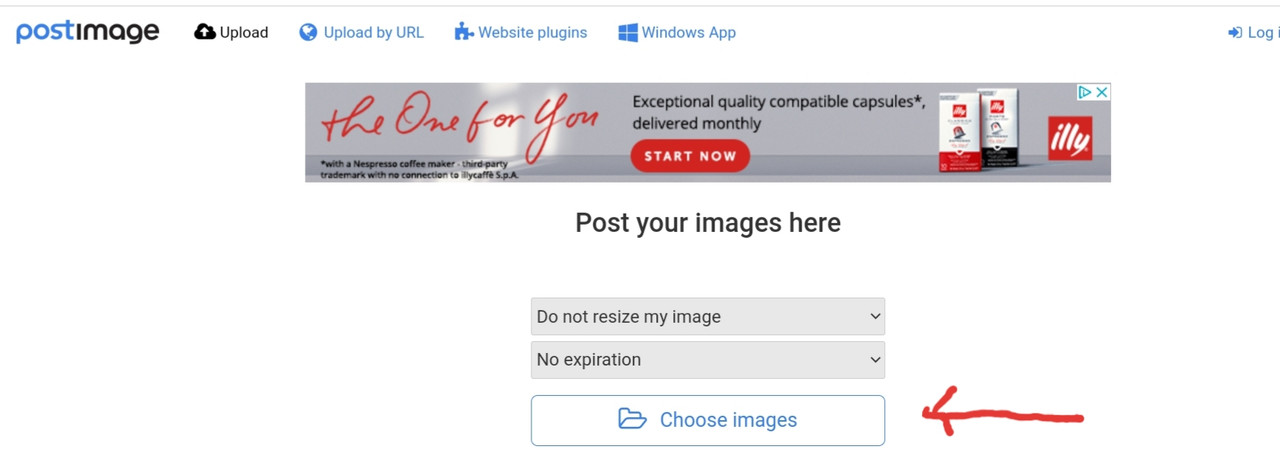
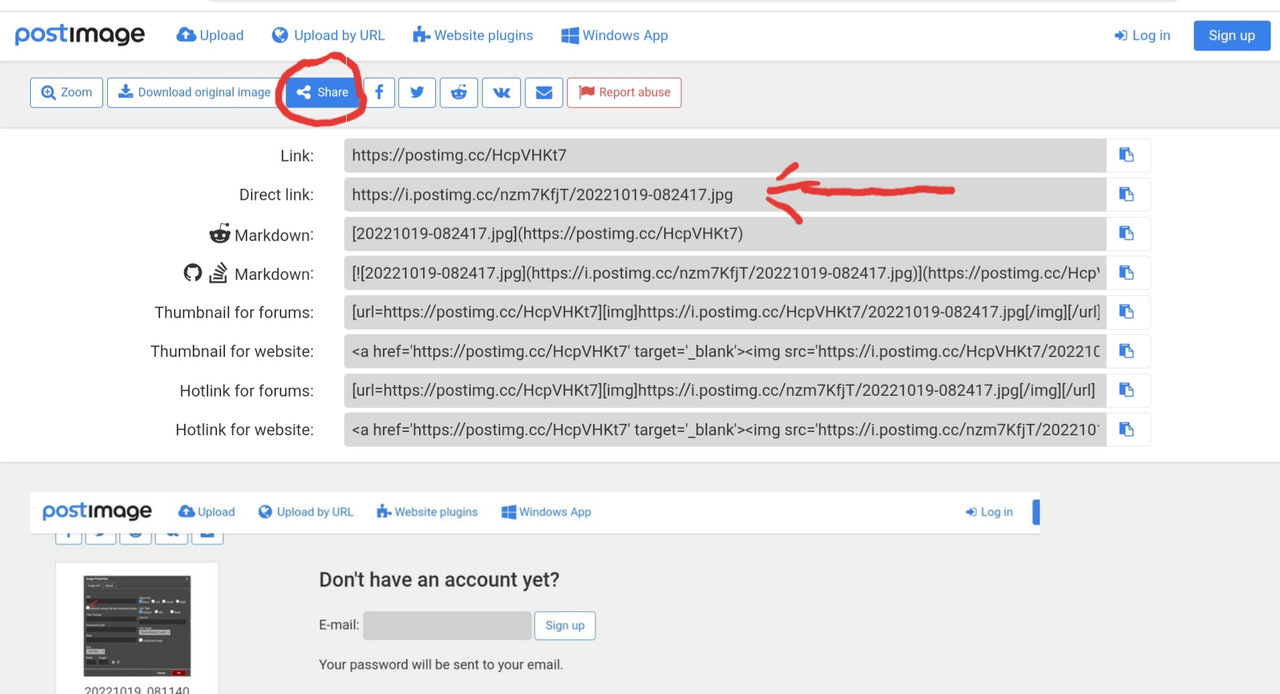
How to upload a photo on POSTIMAGES.ORG

https://postimages.org/

20221019-082315.jpg


20221019-082341.jpg


locate your photo, then copy this link from the "Share" Tab

20221019-083509.jpg


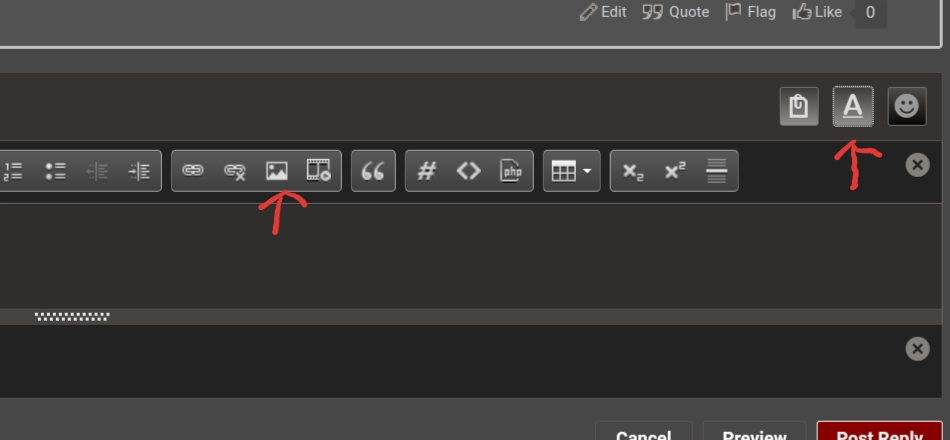
Then on Reduser, use these buttons to upload the image and remember to uncheck the box I mentioned earlier.

20221019-082505.jpg


20221019-081140.jpg
 
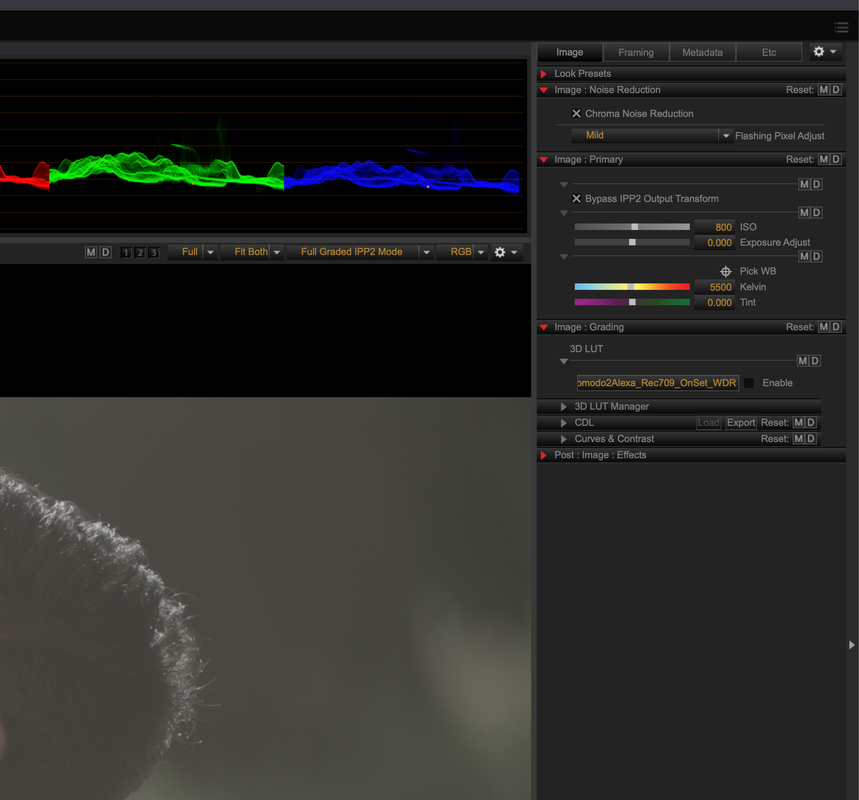
You have "Bypass IPP2 Output Transform" checked. Turn that off and you'll have your Output Transform enabled.
 
Hi Rand,

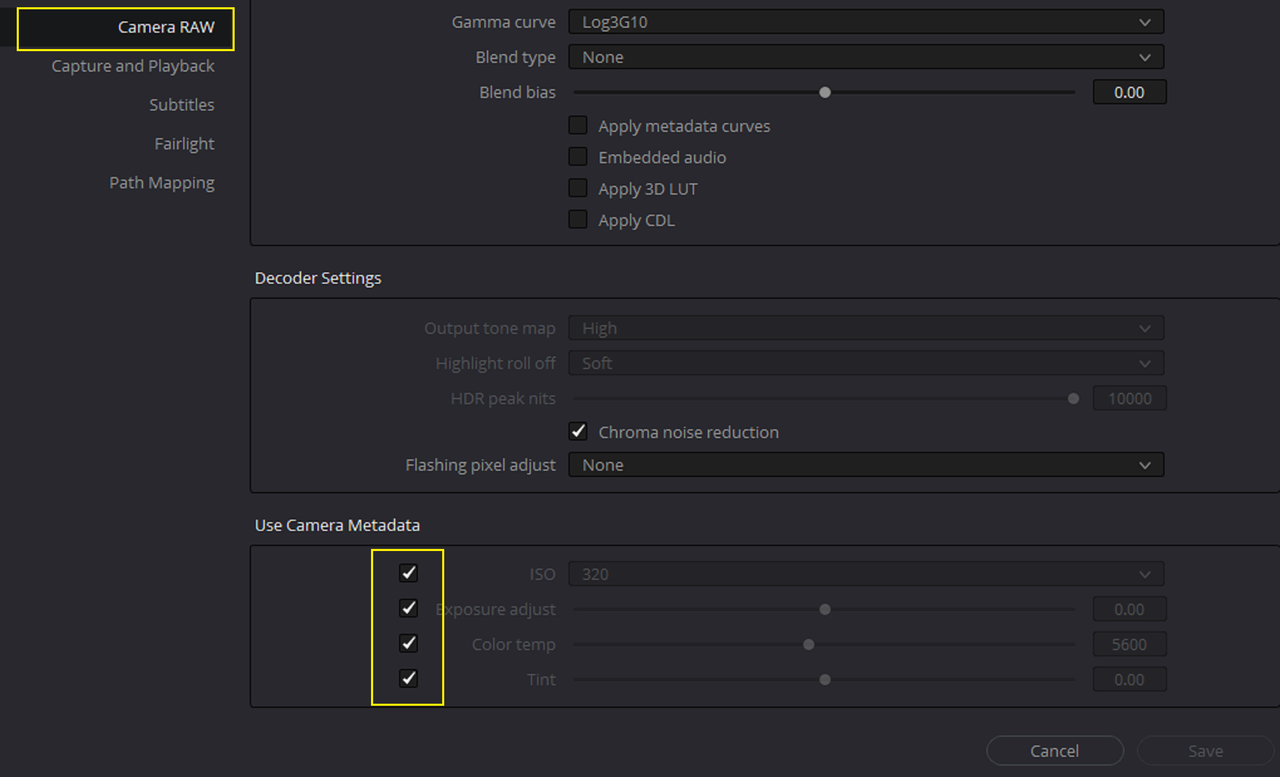
Hope you are doing well. I have one query. Since I don't have RMD files. Can I updated output tonemap in RED CINEX pro? The reason for this is I am using Davinci to color grade my footage (using Philim LUTS). In camera RAW settings I can see Output Tonemap as HIgh and Highlight Roll off Very soft. To get better results I need to change that setting to Medium and soft. Can you please help me with this? Thank you in advance.
 
Tarak,

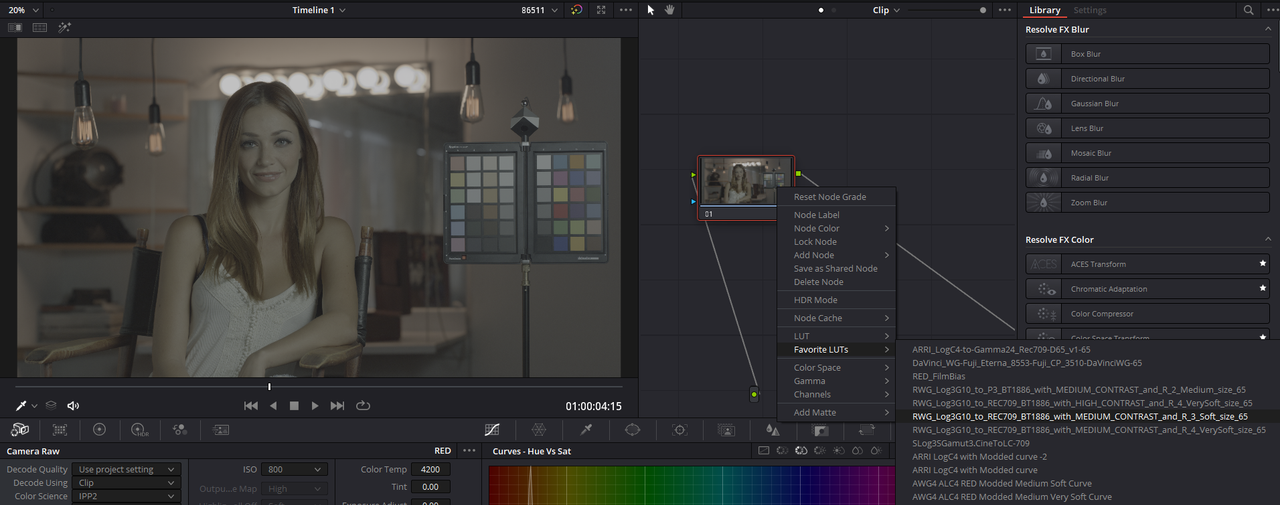
Yeah you can update The Output Tone-mapping by changing it in REDCINE-X but in Resolve. However, In resolve all you have to do is use the specific RED Tone-mapping IPP2 Output Transform Lut and the settings in the Camera Raw Area don't matter.
Screengrabs coming in Next post..............
 
DAVINCI RESOLVE

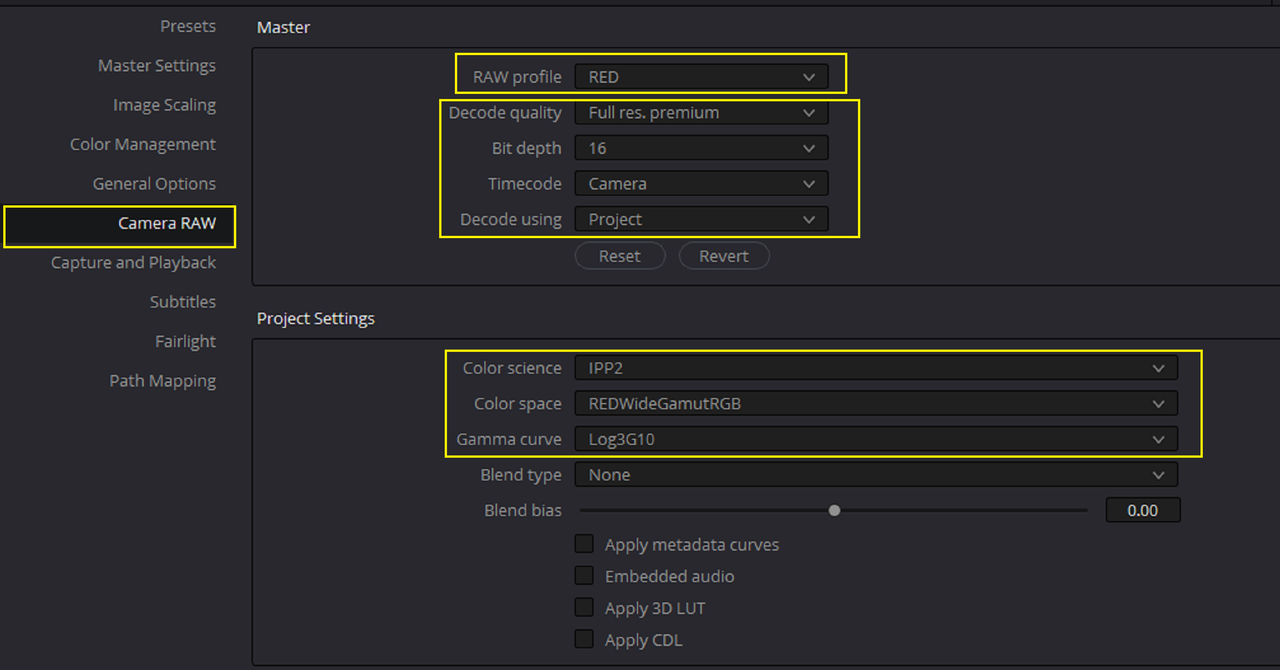
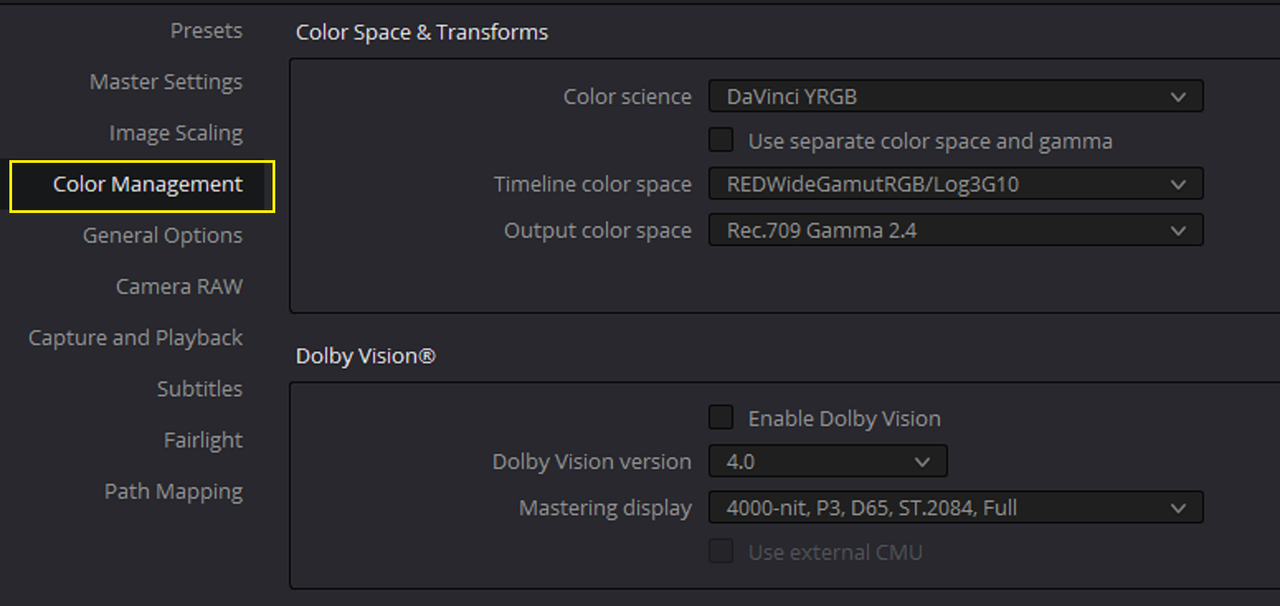
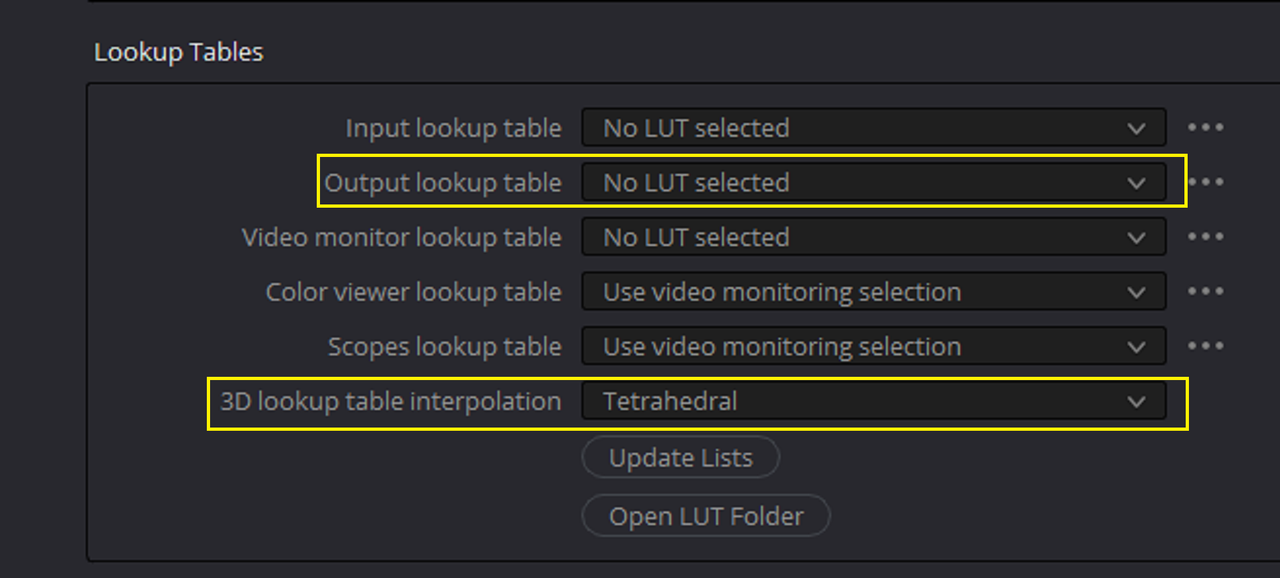
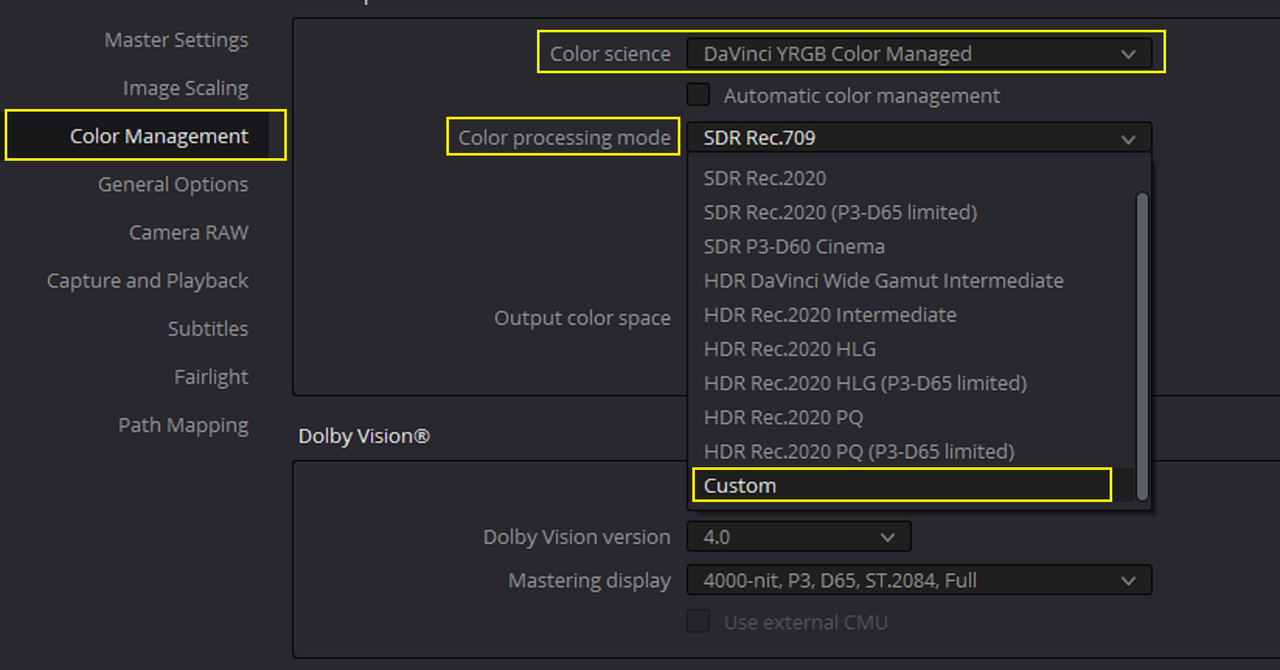
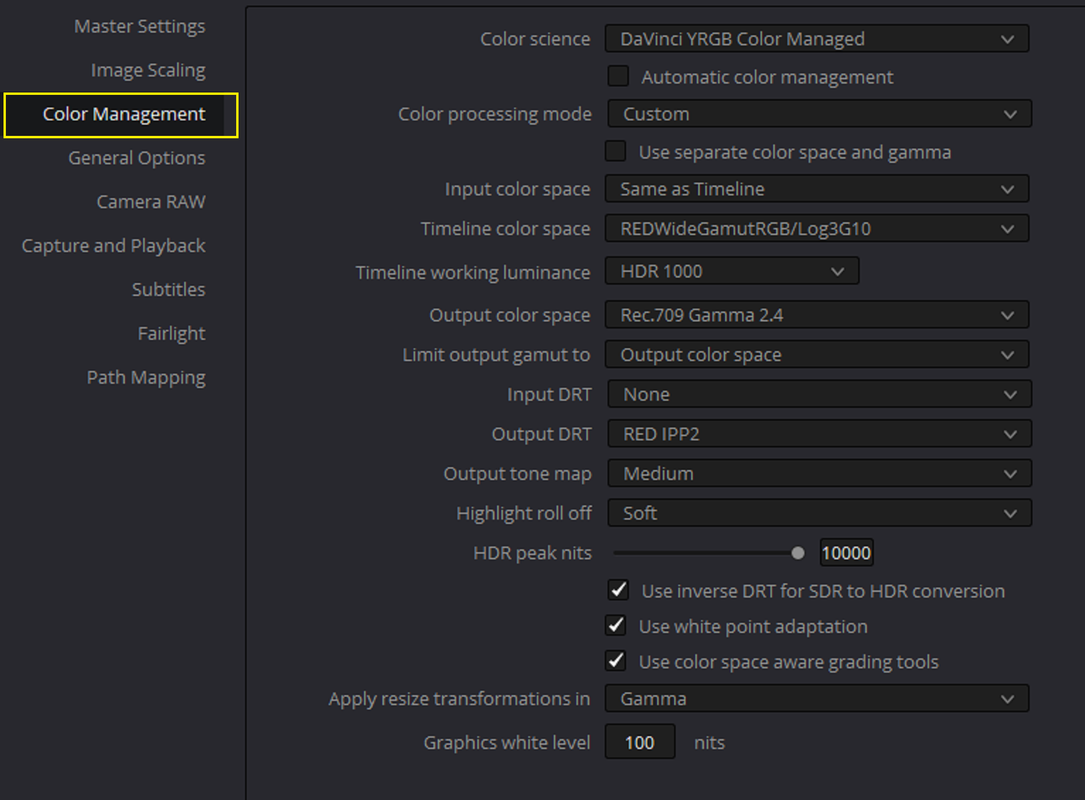
Here are the "RED CAMERA RAW" Project Settings

1.png


2.png


Screenshot-7160.png


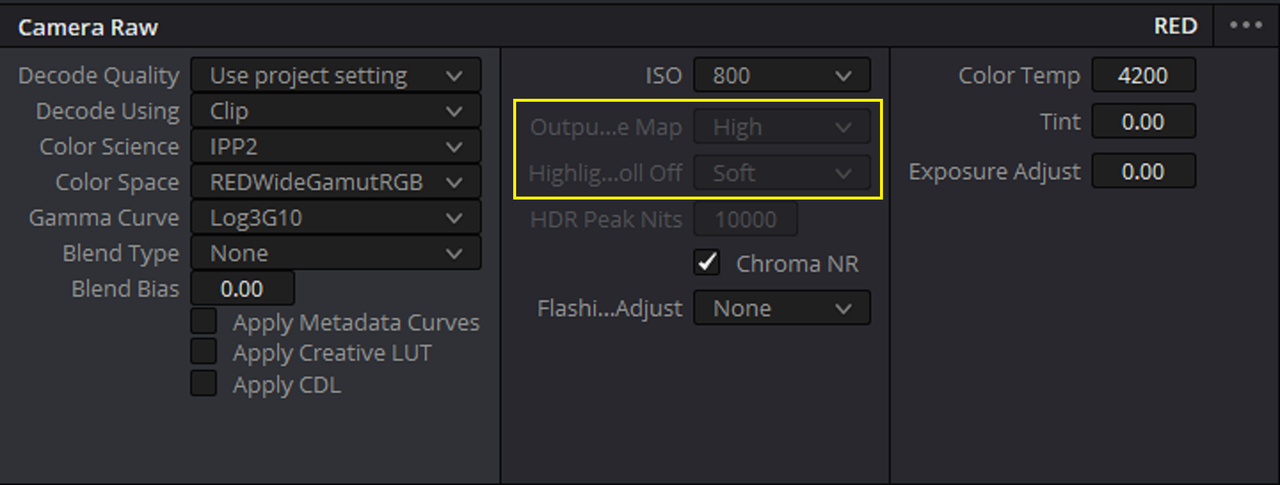
Here's the "Camera Raw" Settings in the "COLOR PAGE" showing a different "Output Tone-Mapping" and "Highlight-Roll-Off" than I will actually use.

3.png


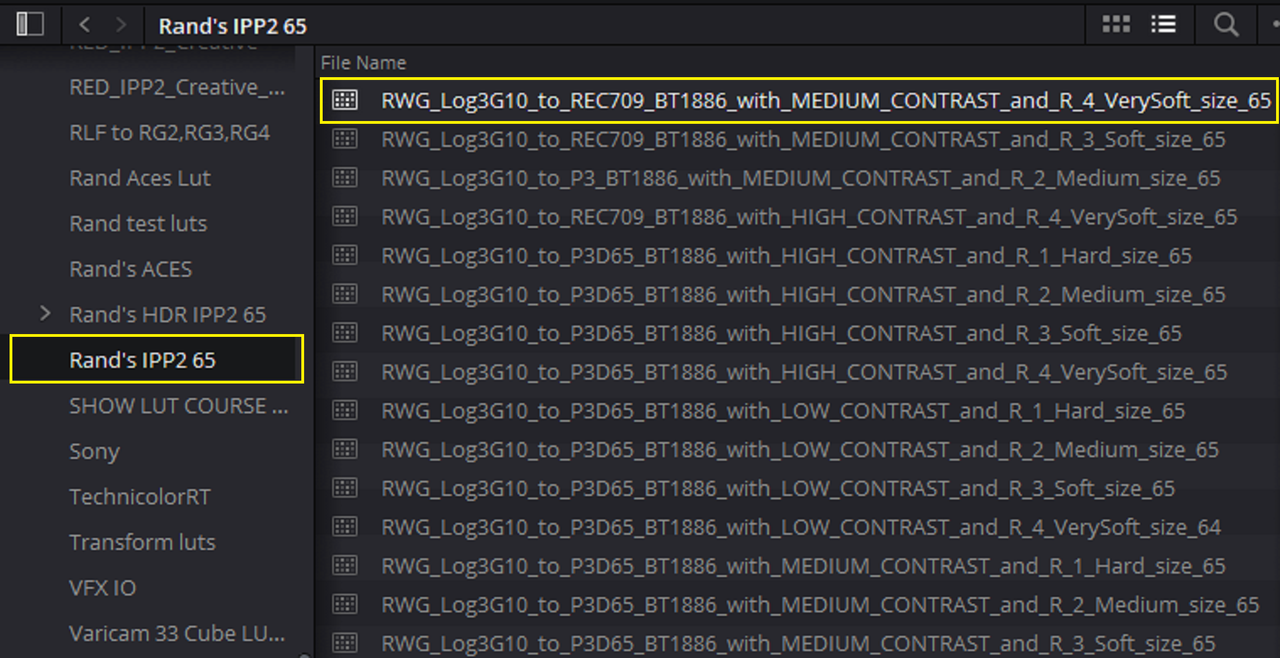
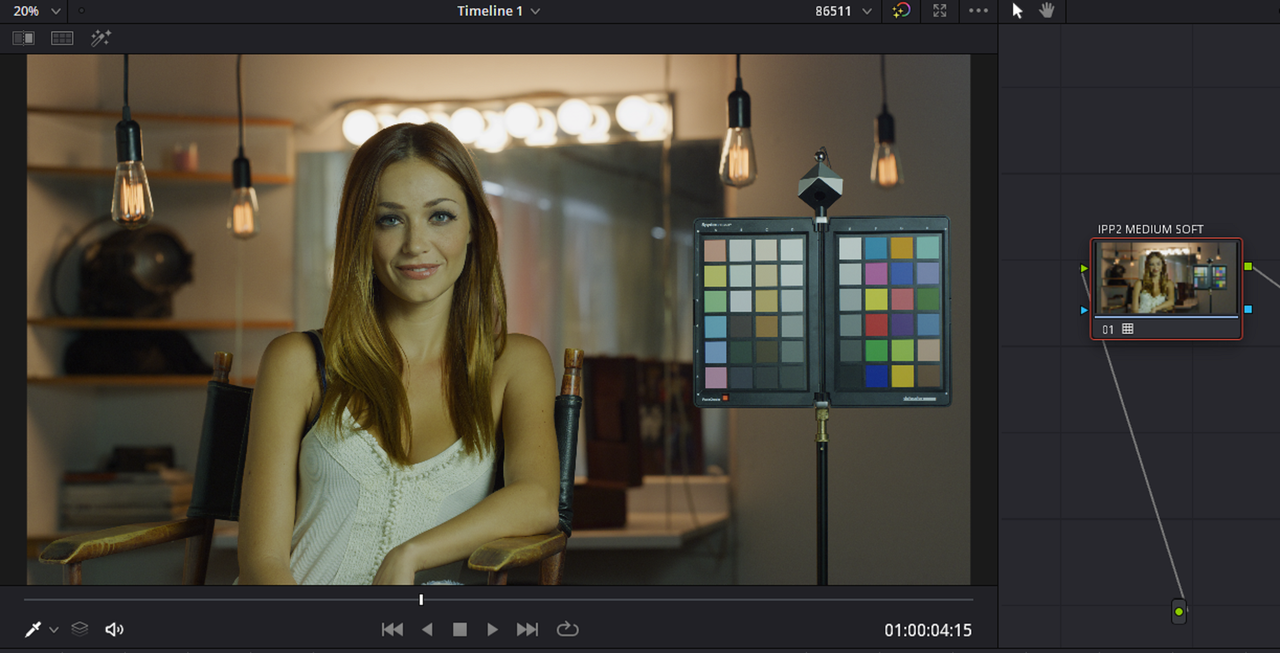
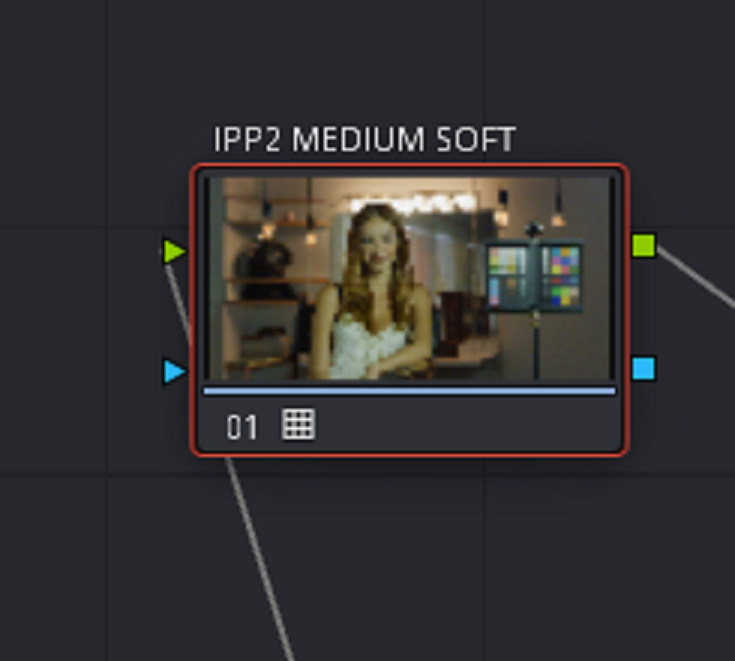
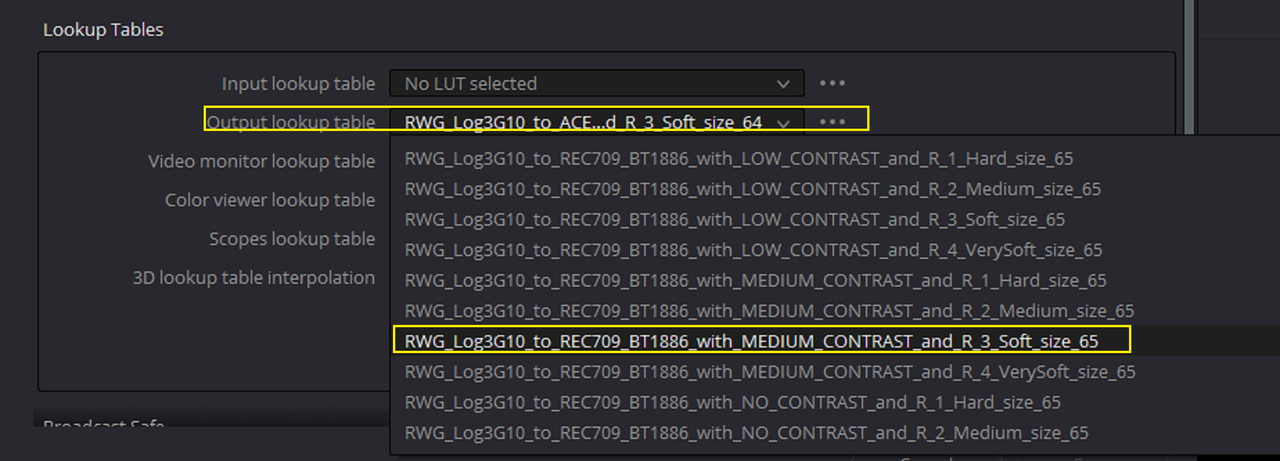
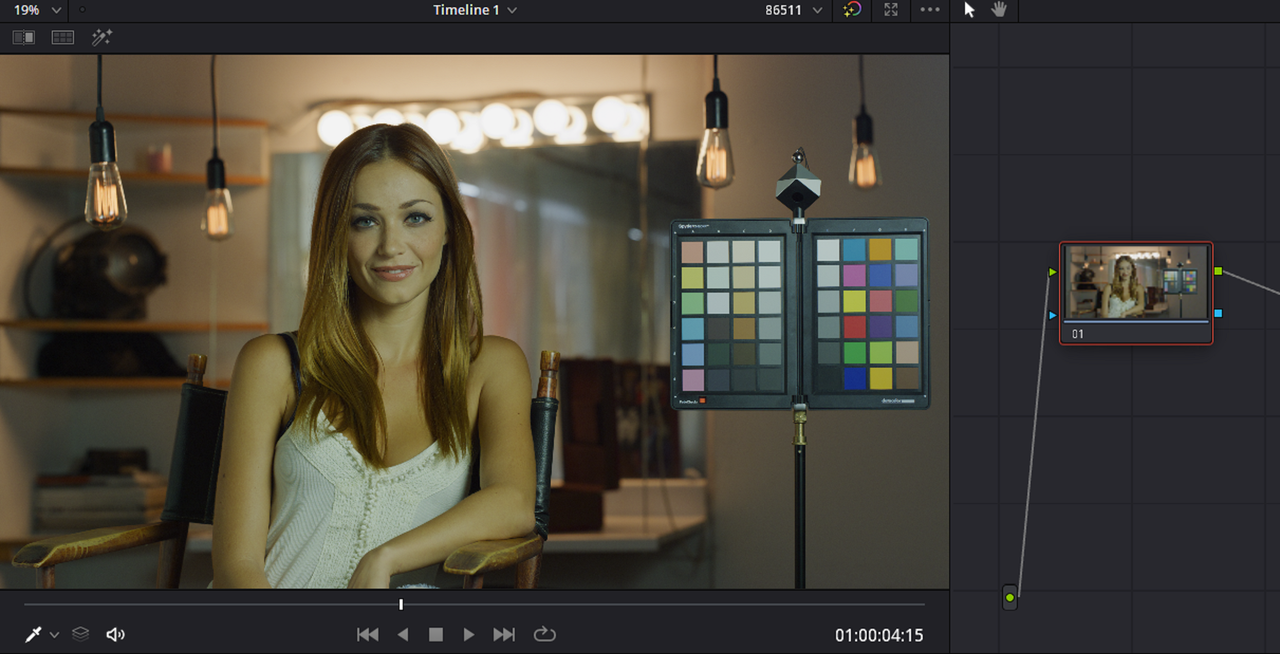
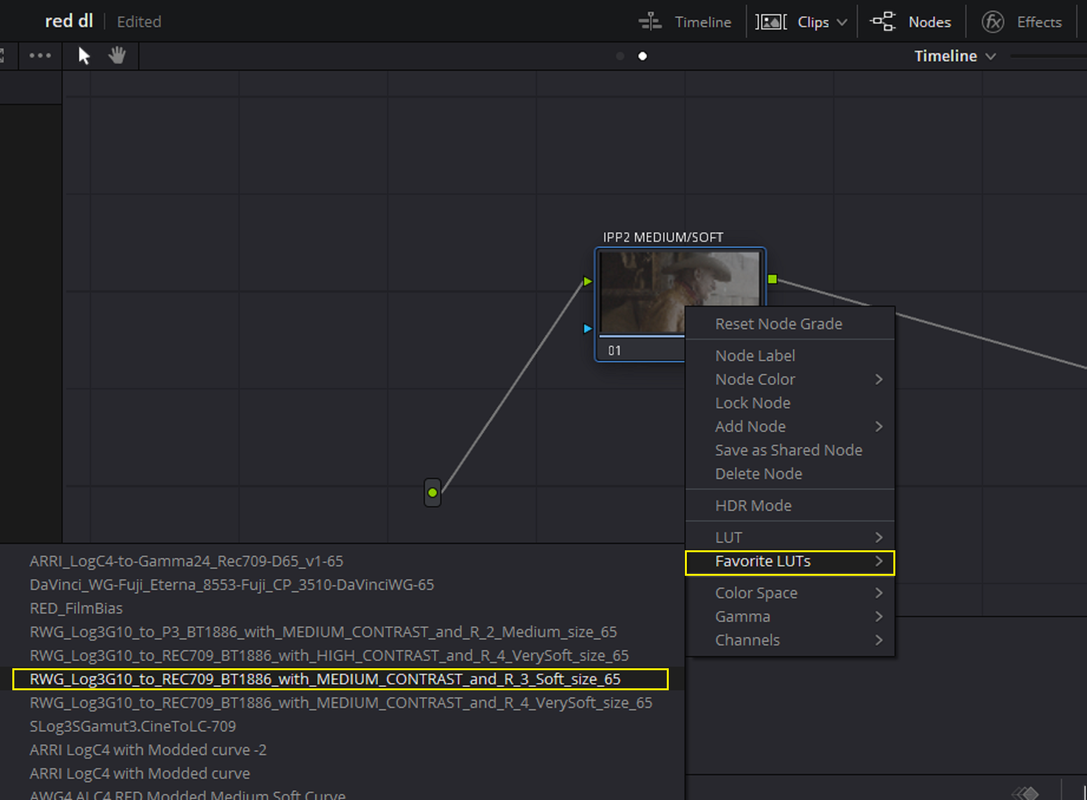
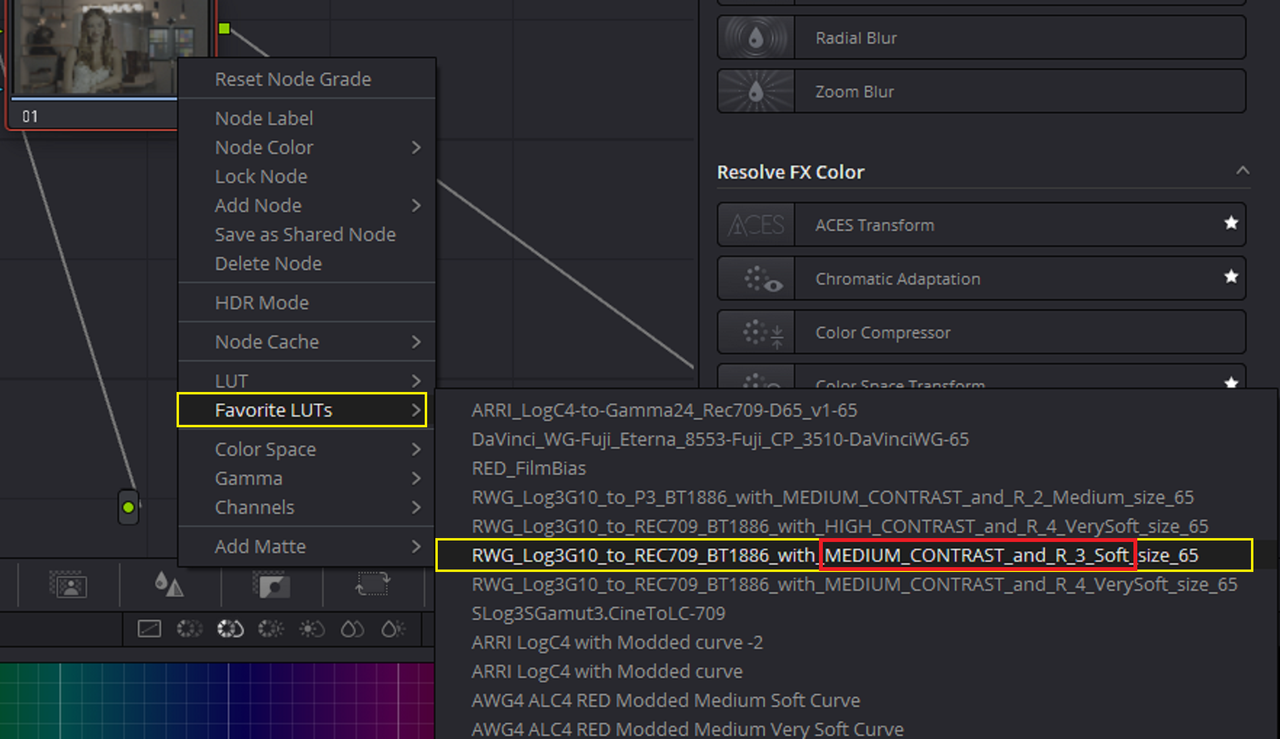
I can apply a "MEDIUM/ SOFT" IPP2 Output Transform LUT either from a Folder I made with 65 cube sized RED IPP2 Output Transforms Luts or I can apply one of a few IPP2 Output Transform Luts that I saved under "FAVORITE LUTS" to the NODE.


4.png


5.png


I meant to "Highlight" the Medium/ Soft Output Transform below but I'm too lazy to go back and create another screengrab with the correct one highlighted.:chuncky:

Screenshot-7159.png


6.png


Screenshot-7157-2.png


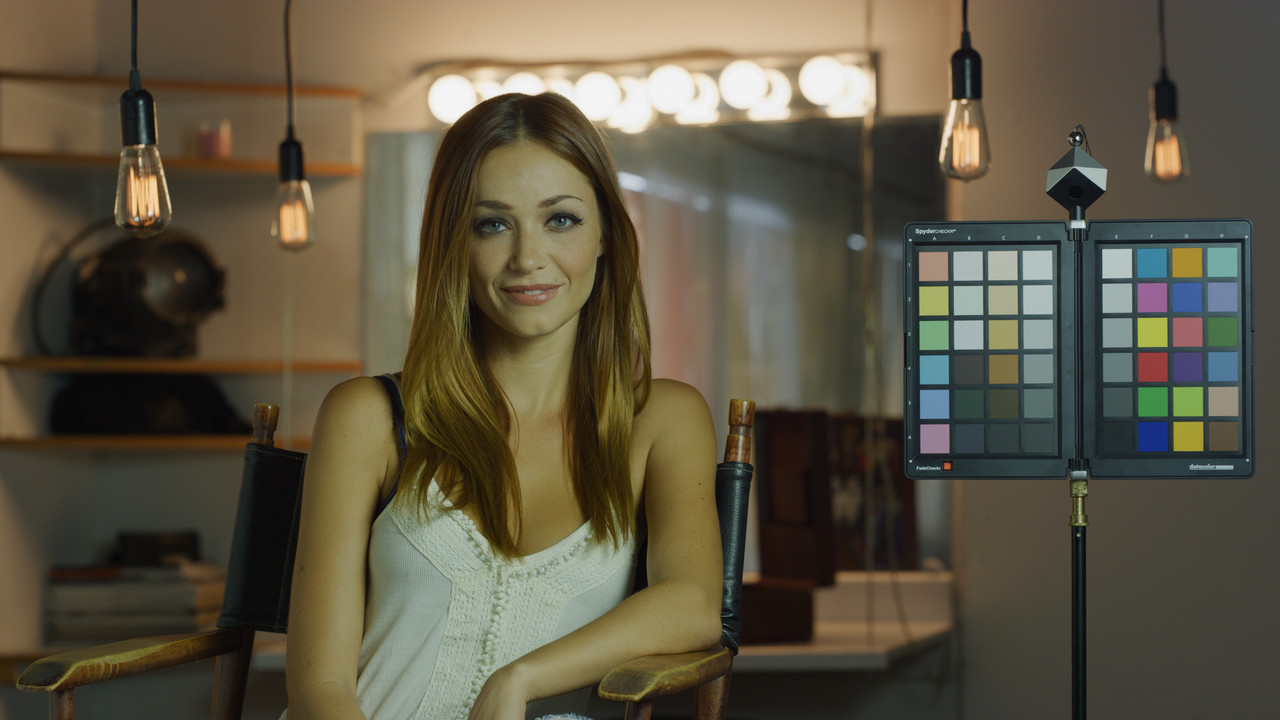
W001-C005-1014-V3-001-1-1-1.jpg
 
Last edited:
You can also change the IPP2 Output Transform Lut for all Red .R3d files at one time without applying an IPP2 OPT to each file by using the methods below.


Screenshot-7160.png


9.png


10.png


Color Managed


7.png


8.png


11.png
 
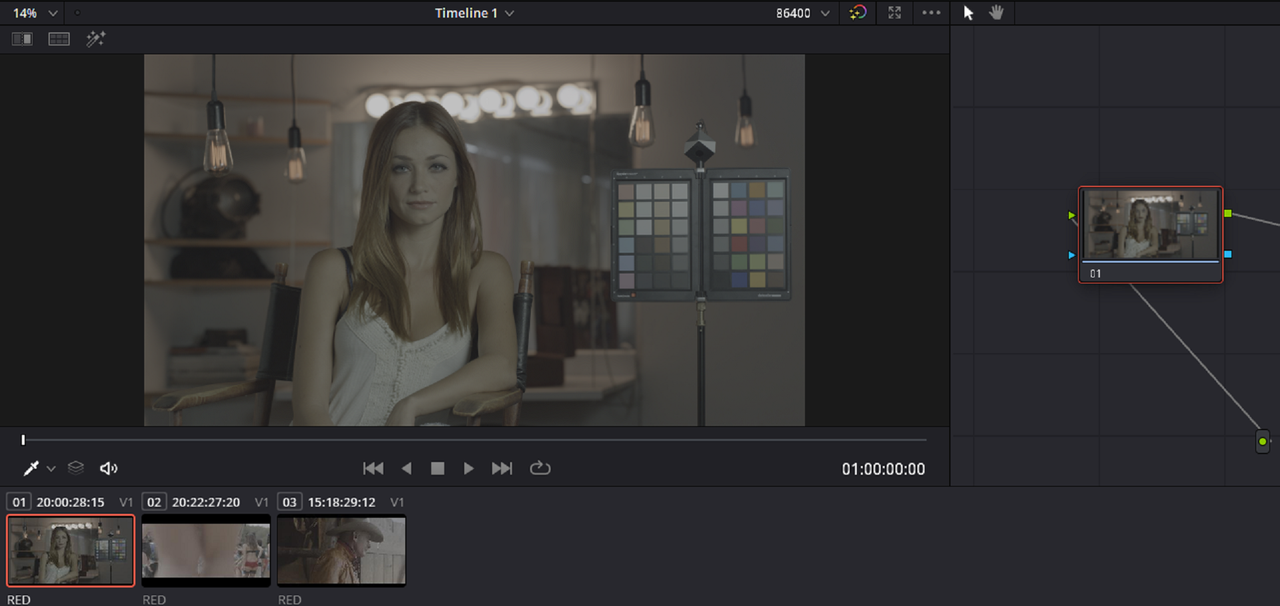
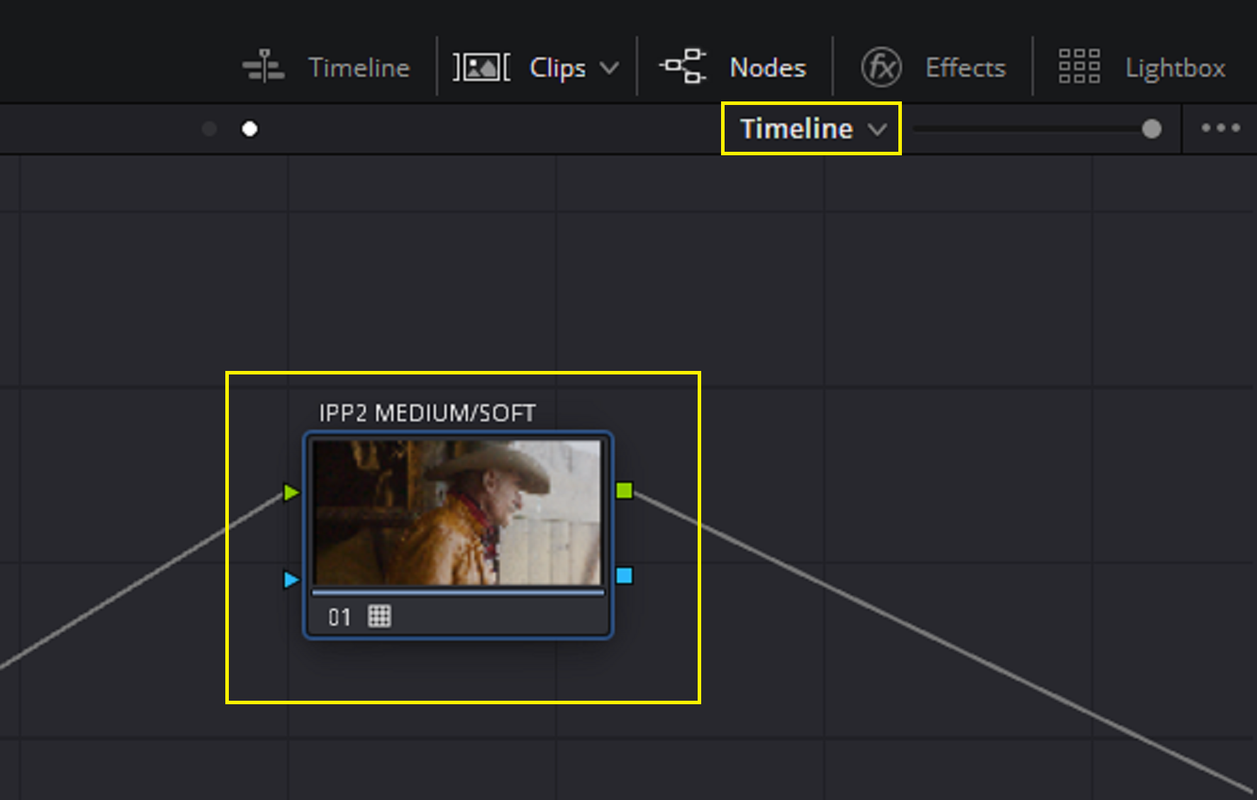
One other way to use one IPP2 Output Transform Lut to Change the Output Tone-Mapping and Highlight Roll-Off of multiple RED .R3D files in an instant is to apply that IPP2 Output Transform Lut to the "TIMELINE" instead of to each "CLIP"


Screenshot-7160.png


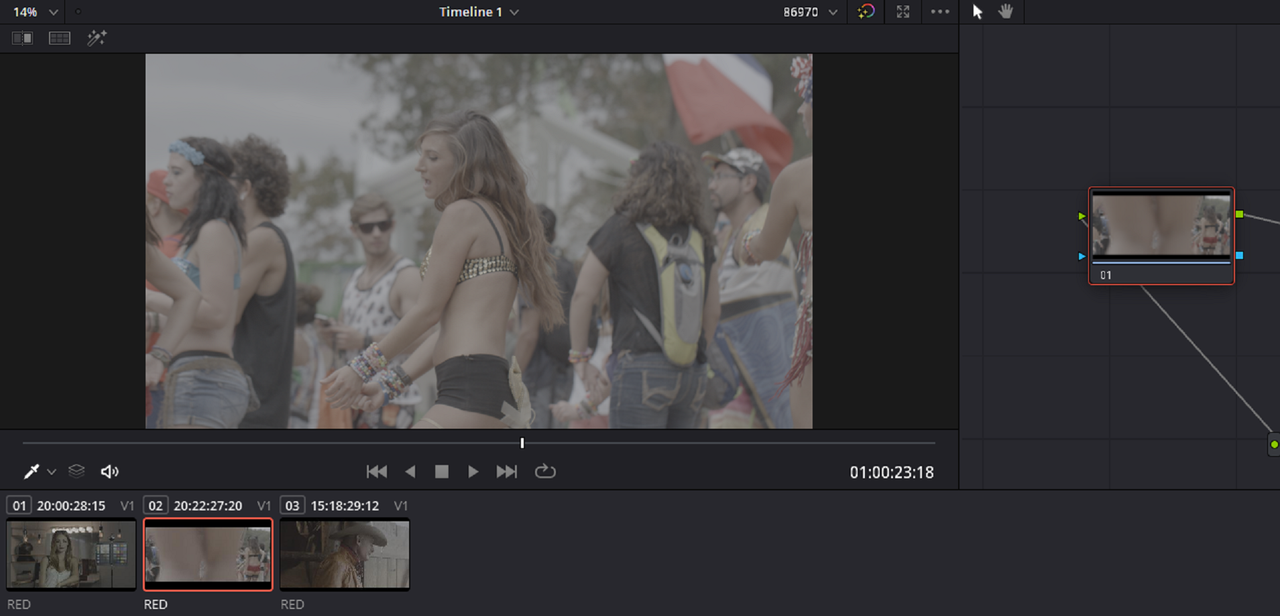
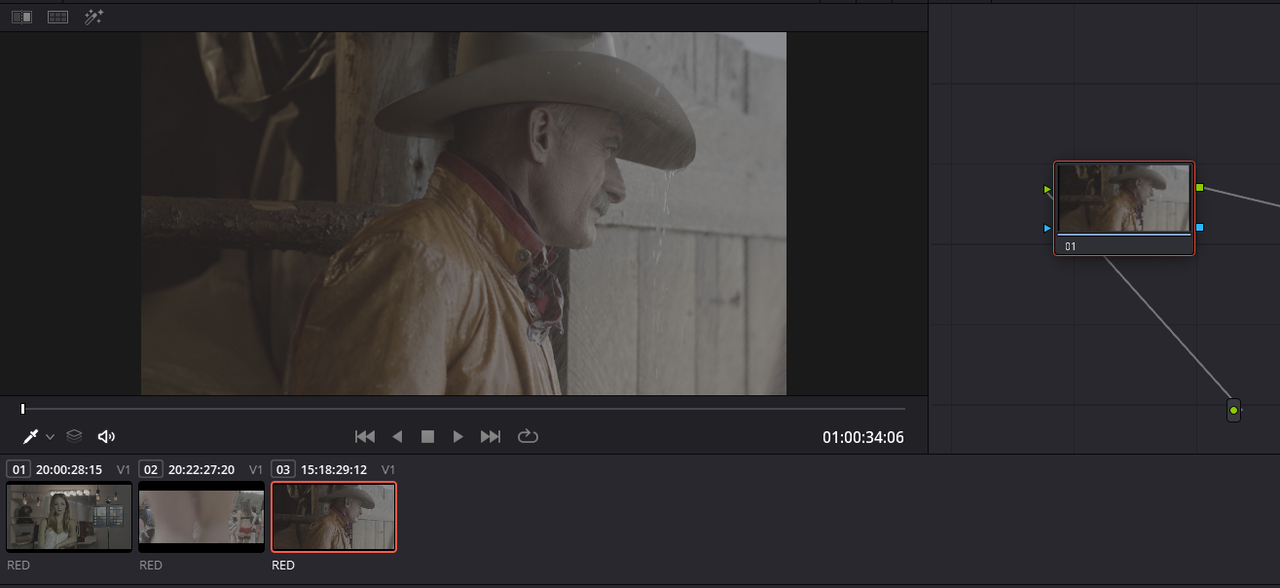
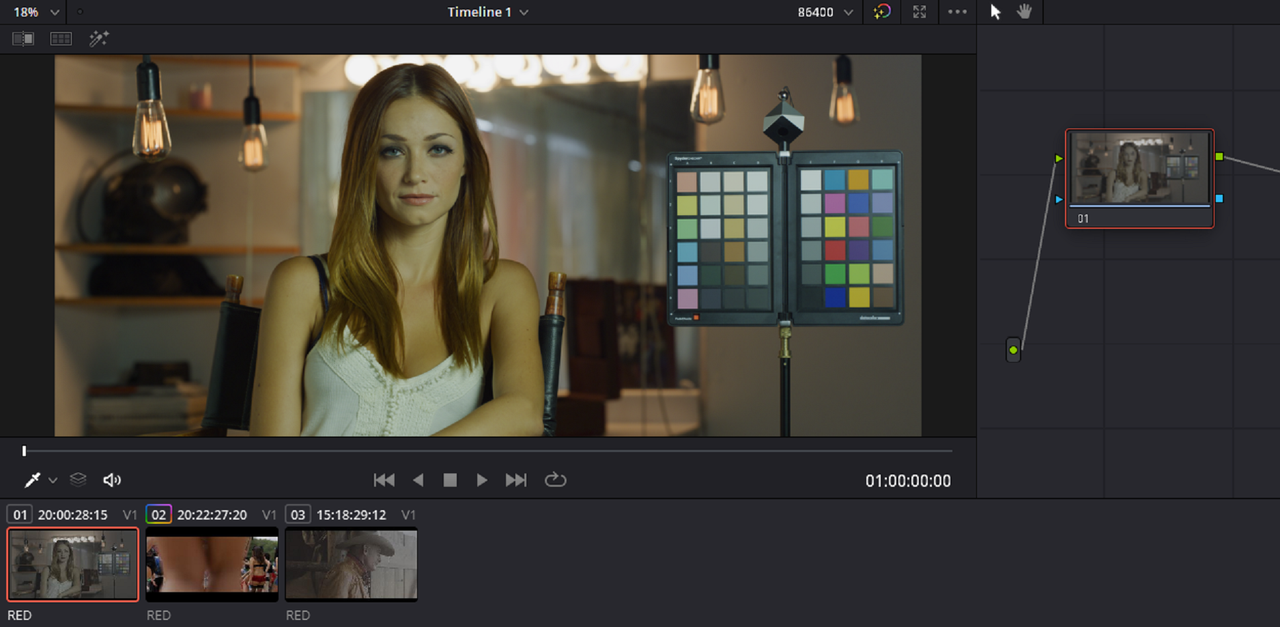
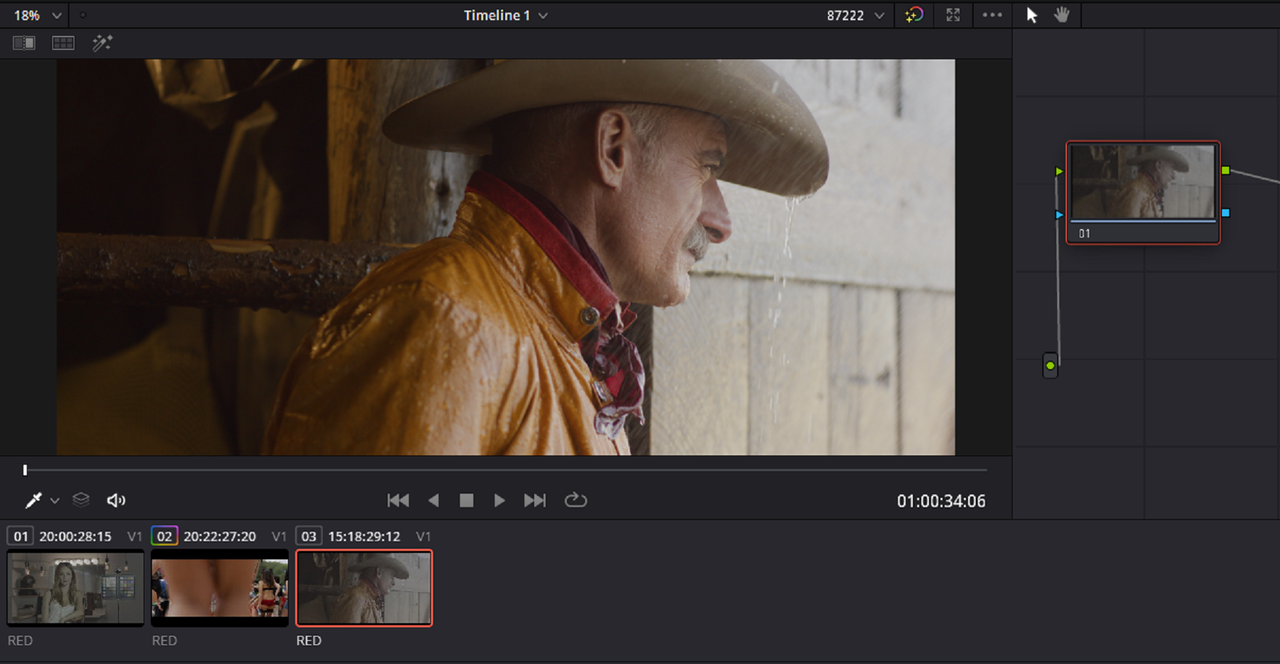
Here are three RED .R3D files with no IPP2 Output Transform Luts applied to them in the "CLIP" view.

1.png


2.png


3.png


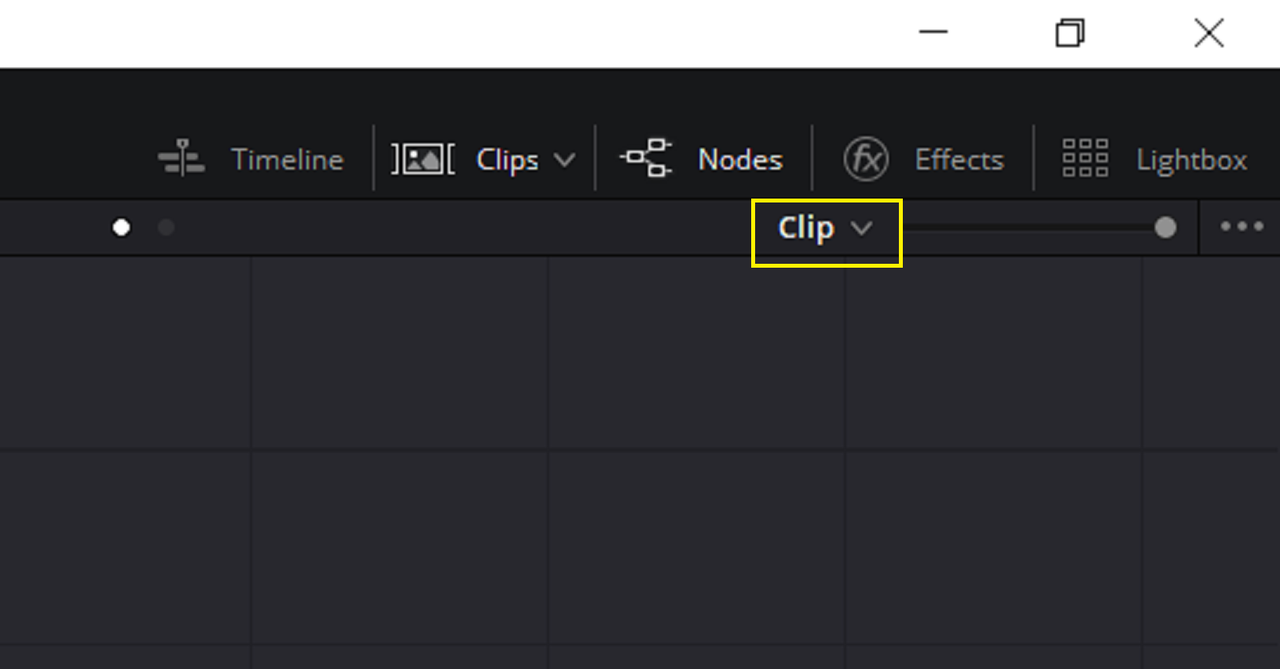
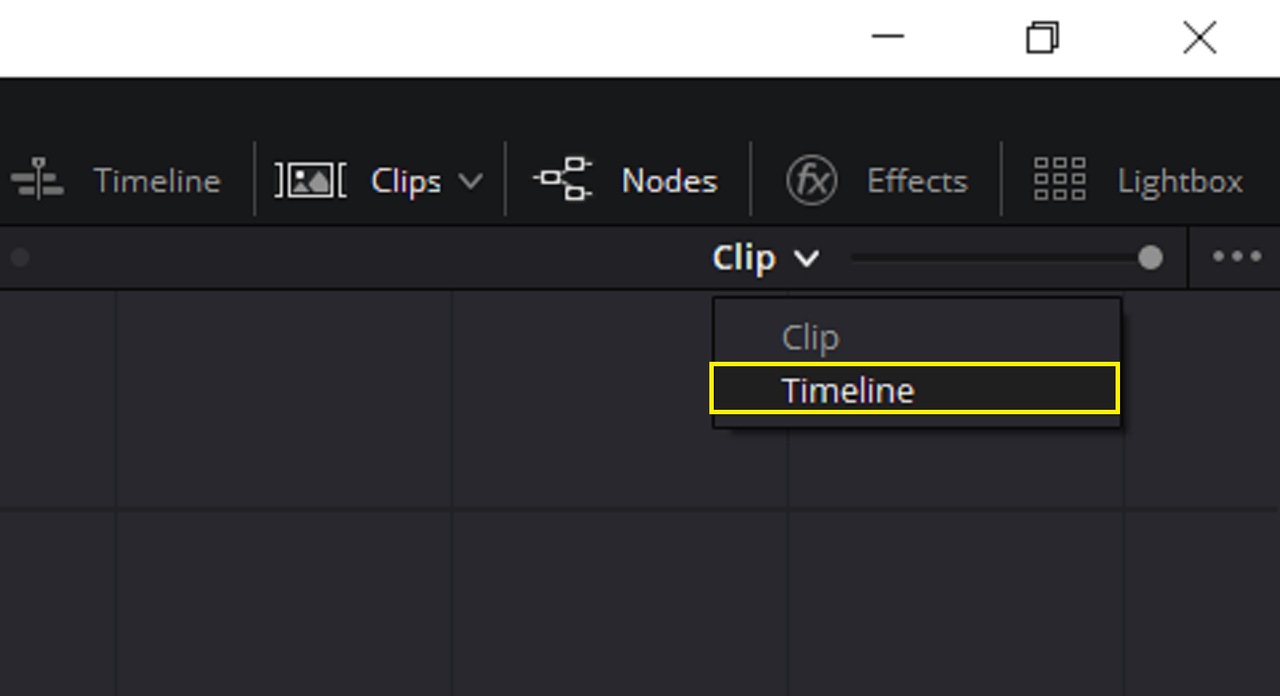
Now I'm going to select to apply the IPP2 Output Transform to the entire "TIMELINE" instead of to each "CLIP" by clicking on the "CLIP v" tab.

4.png


5.png


Next, In the 'TIMELINE" mode there will be no NODE shown so you will have to create a NODE with "ALT + S" or whatever the MAC equivalent is. Then apply the IPP2 Output Transform Lut you want to use for all of the RED.R3D clips in the Timeline.

6.png


7.png


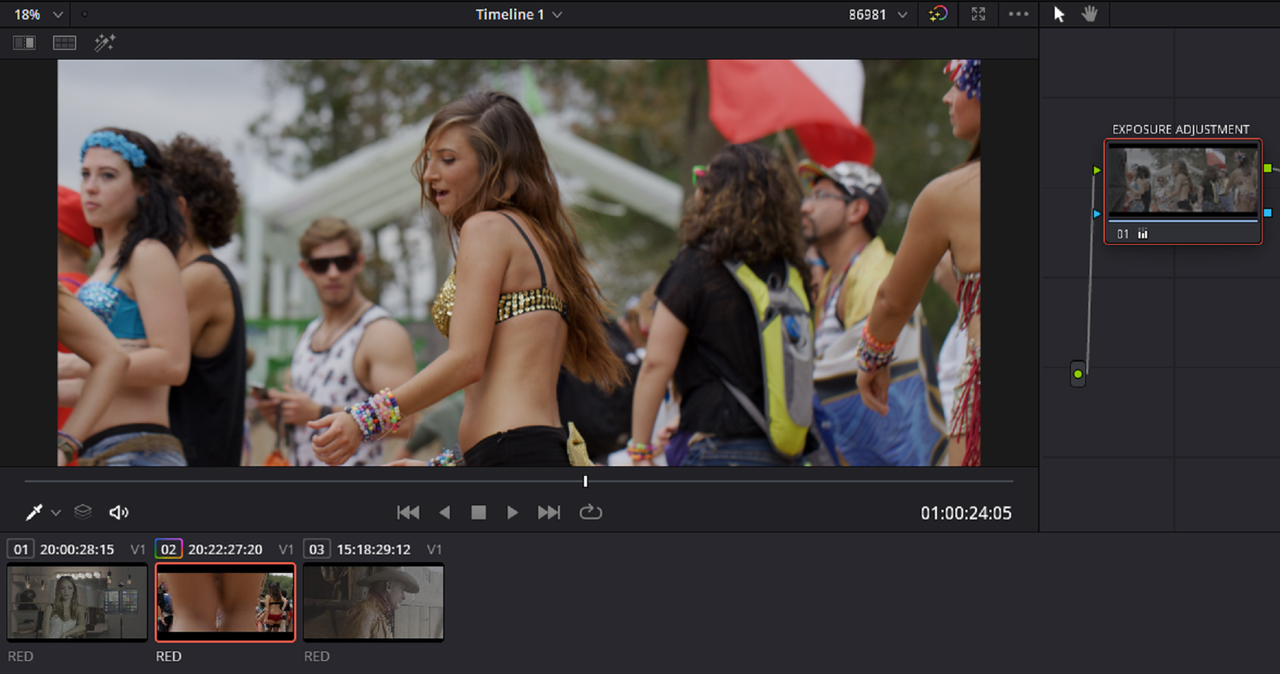
Here are the results below


8.png


This clip is initially a little over-exposed even with the Output Transform applied so I only adjusted the exposure to look the same as the rest of the Images in the Timeline

9.png


10.png
 
Rand, Thank you for taking time and explaining clearly. Appreciate it. Can we just change tone mapping without converting to Rec 709? is it possible? Because I am using Philim Luts, REC 709 conversion is the last node and for best results he suggested Tone mapping to Medium & Soft. Thank you very much
 
Back
Top