Welcome to our community

Be a part of something great, join today!

  • Hey all, just changed over the backend after 15 years I figured time to give it a bit of an update, its probably gonna be a bit weird for most of you and i am sure there is a few bugs to work out but it should kinda work the same as before... hopefully :)

LUT for BT.1886 to Log3g10

Joined
Apr 25, 2017
Messages
8
Reaction score
0
Points
0
Location
Los Angeles
Hello, I'm looking for a LUT to go from BT.1886 to Log3g10. There were renders made with the camera metadata 1886 after a color pass - which had log3g10 switched on the gamma curve for the grading. Gamma 2.4 is just not the same as BT.1886.
 
Just out of curiosity, what was the color space set to in this case? REDWideGamutRGB or?
 
Matthew,

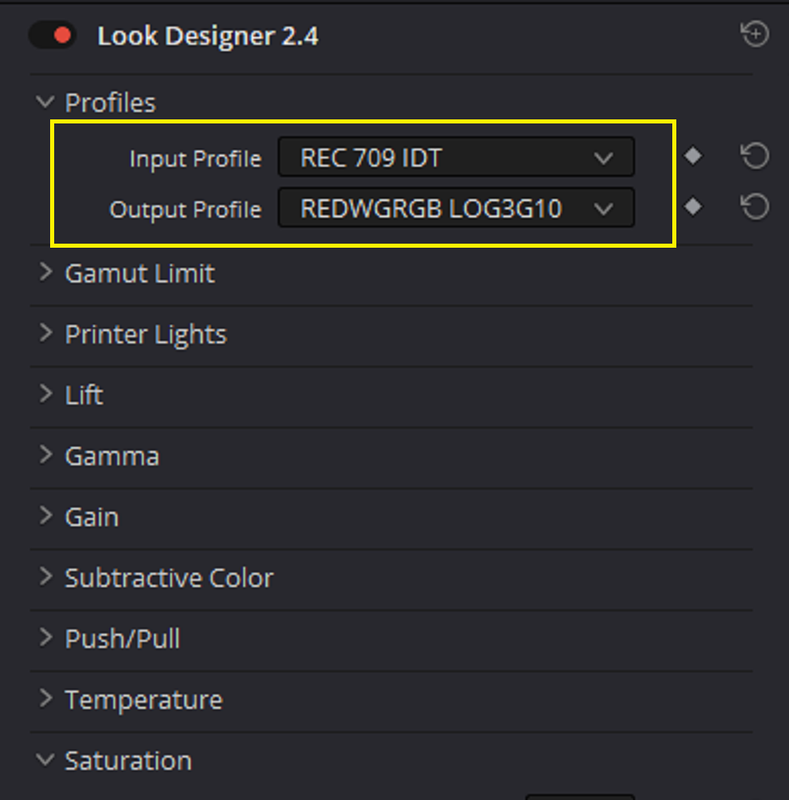
Like Phil , I was wondering what Color Space was used also .I just assumed REC709 and made a REC709 IDT TO RWG/LOG3G10 65 cube lut in LOOK DESIGNER PROto try. If that doesn't work, we an try something else.


link
https://sendgb.com/Zp4AQmyjaDi

Screenshot-5065.png
 
Last edited:
Matthew,

Like Phil , I was wondering what Color Space was used also .I just assumed REC709 and made a REC709 IDT TO RWG/LOG3G10 65 cube lut in LOOK DESIGNER PROto try. If that doesn't work, we an try something else.


link
https://sendgb.com/Zp4AQmyjaDi

Screenshot-5065.png

Sorry, that's an important bit! It's set for REDWideGamutRGB Color Space (Color Science IPP2). That would be for both the BT.1886 input and the Log3g10 output that I'd like to achieve.
 
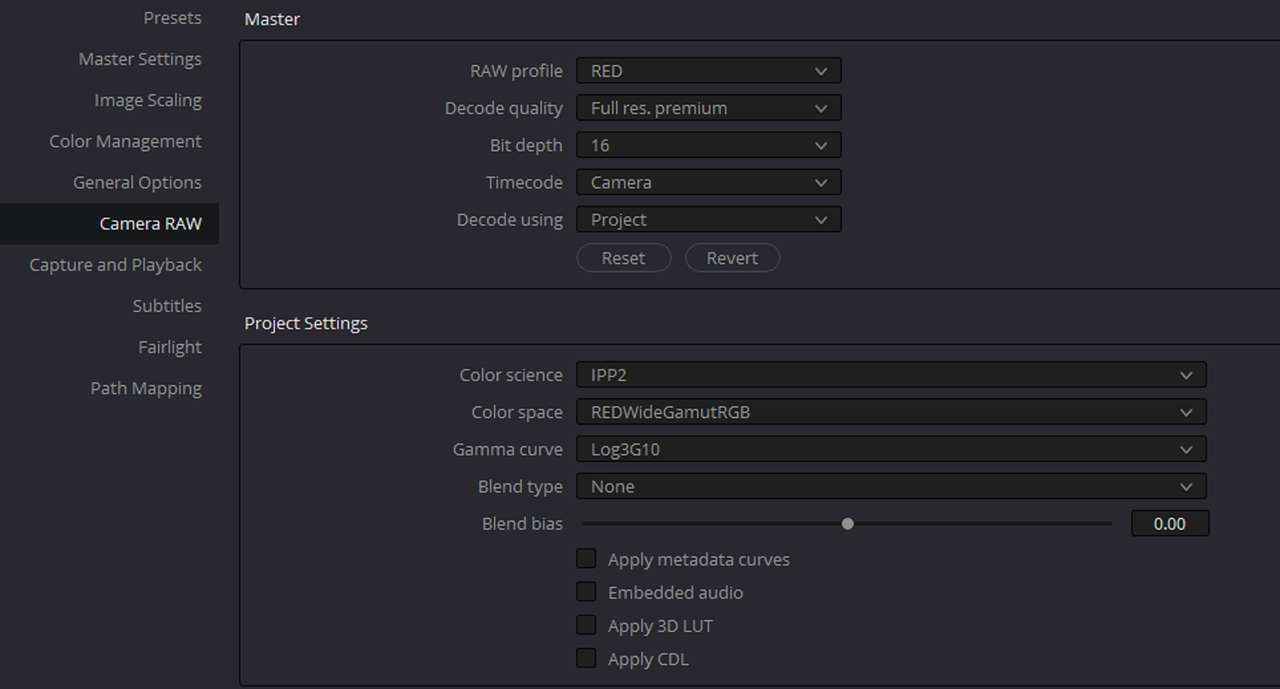
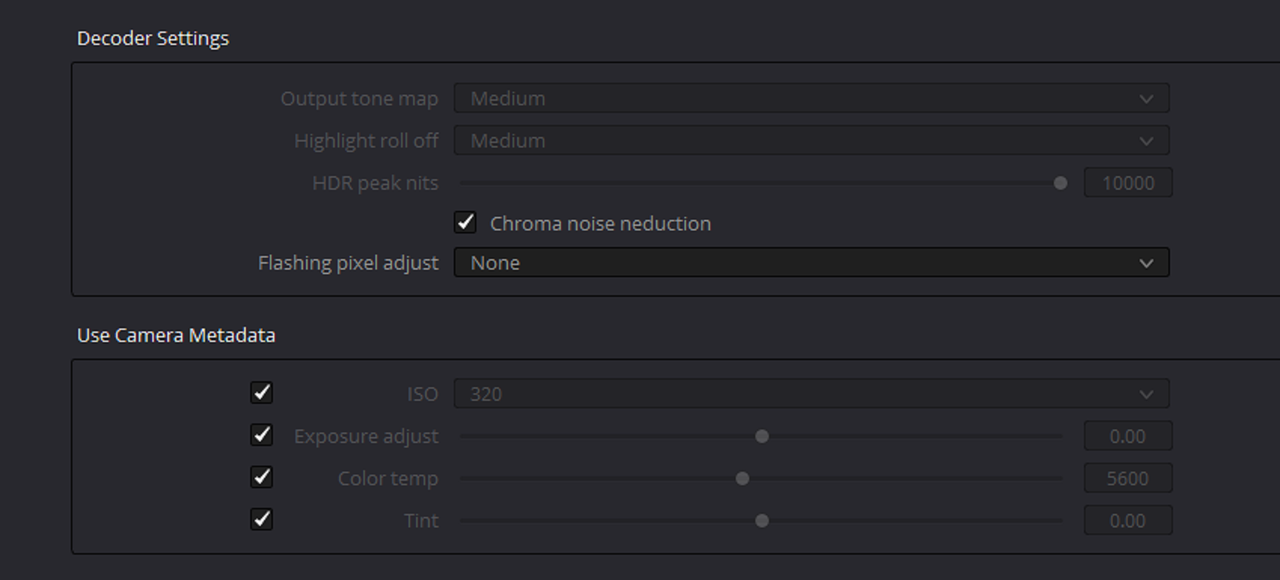
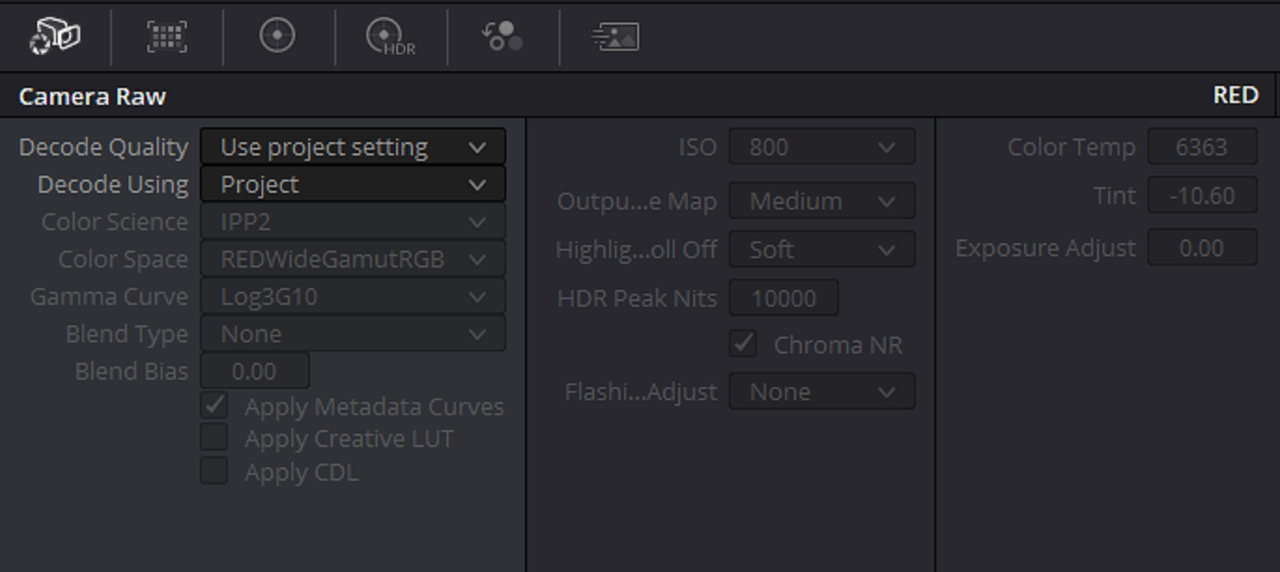
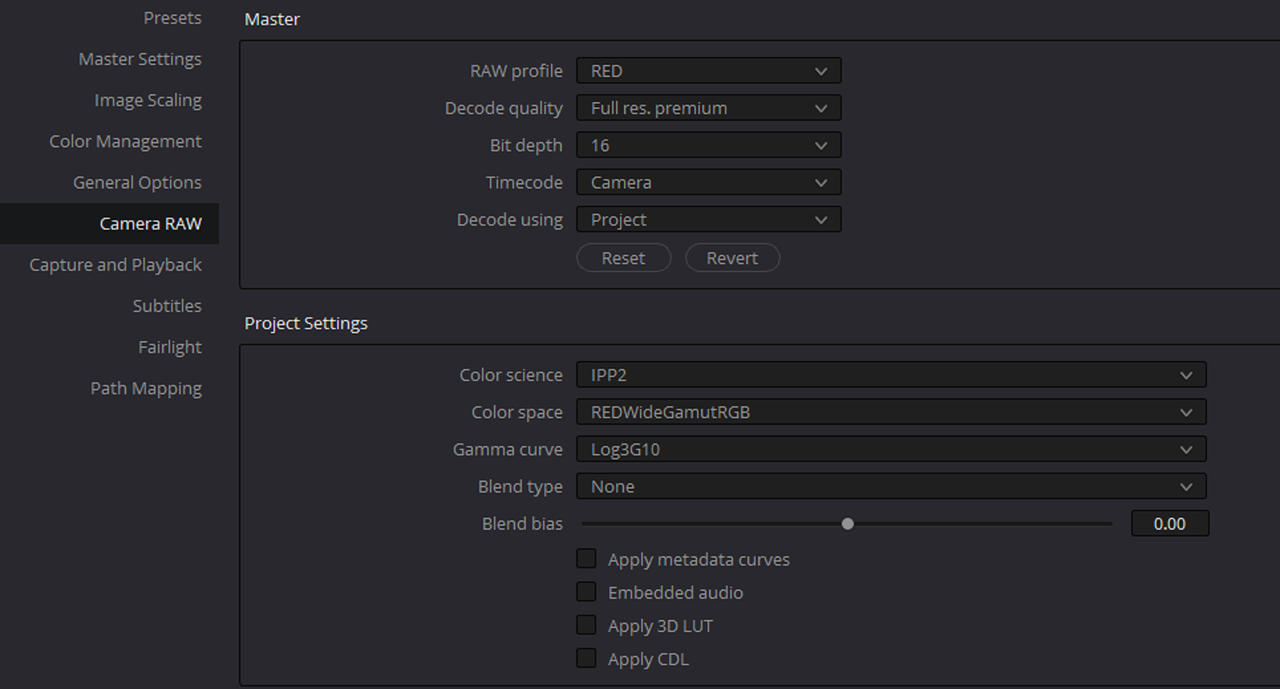
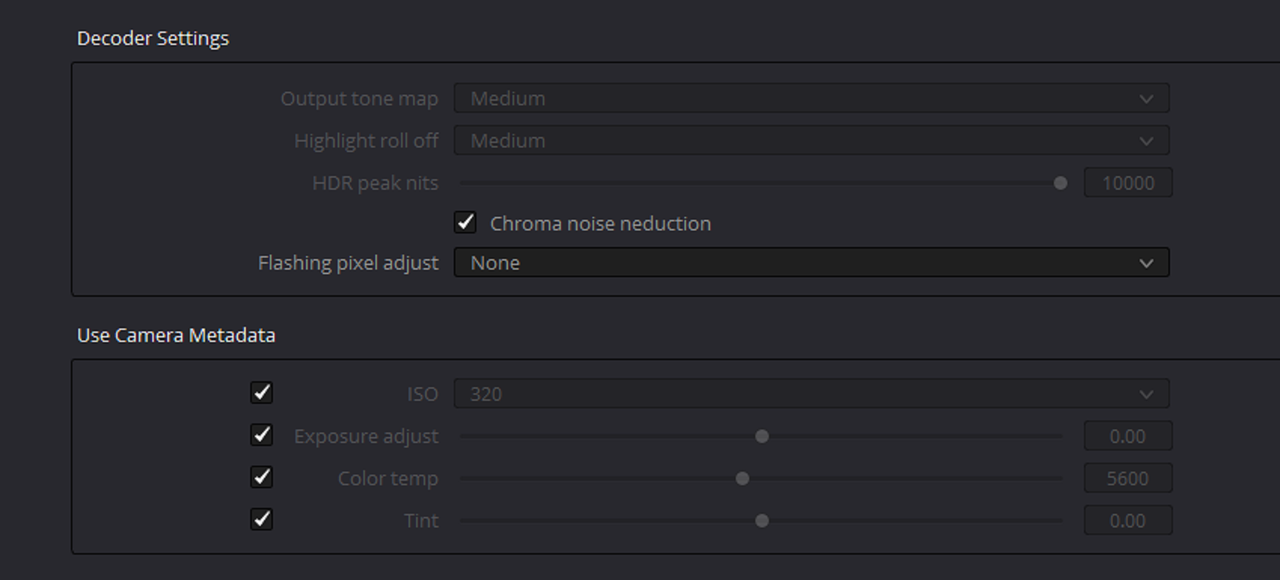
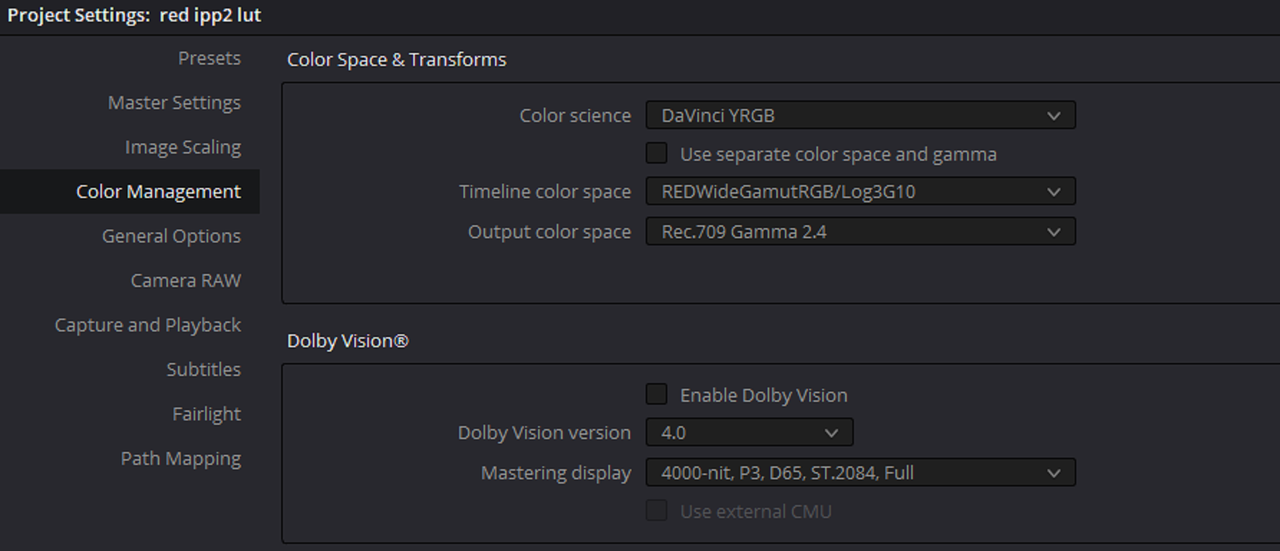
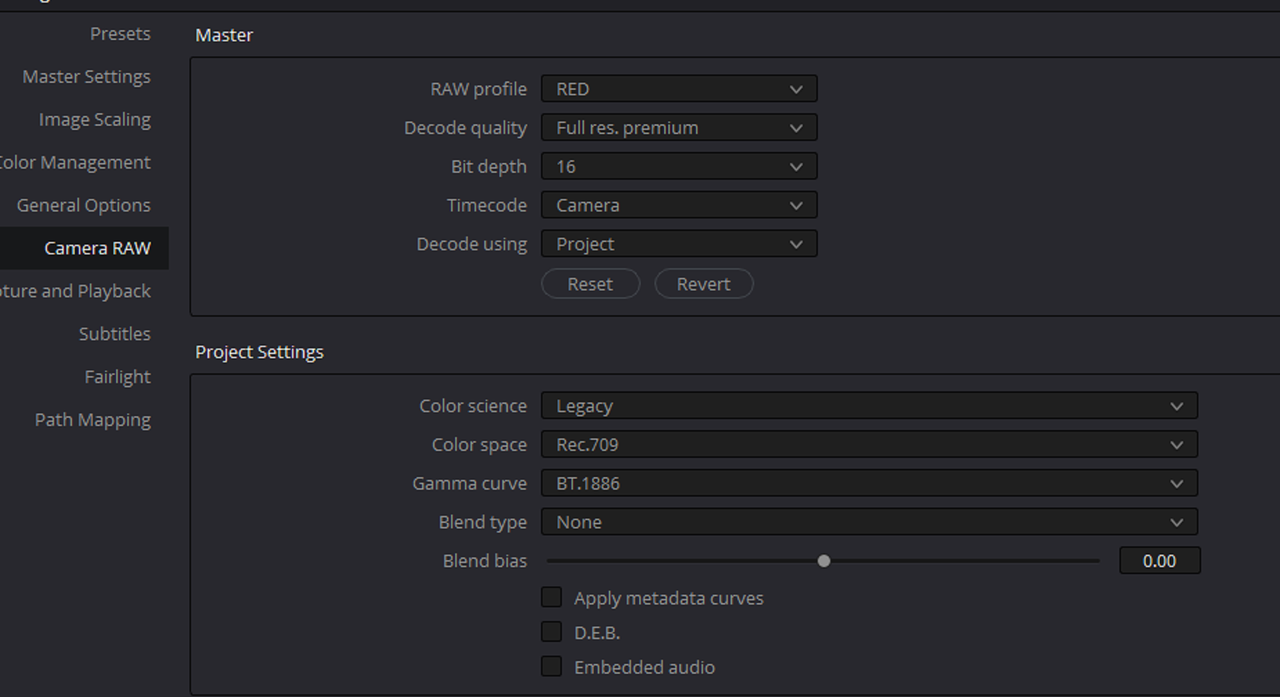
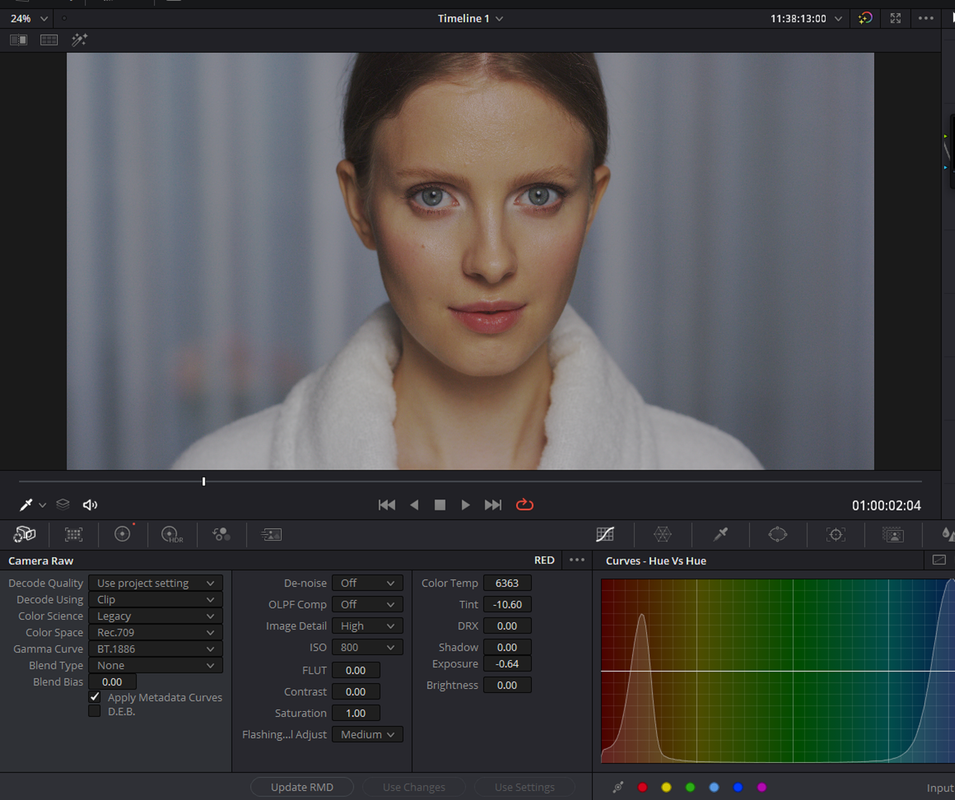
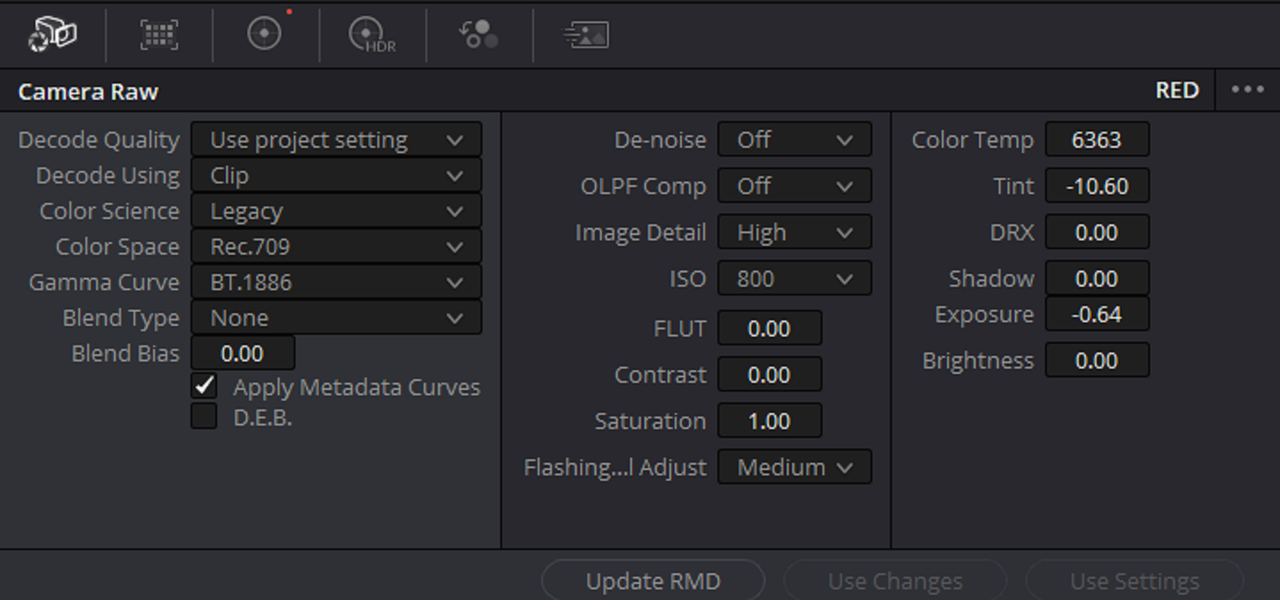
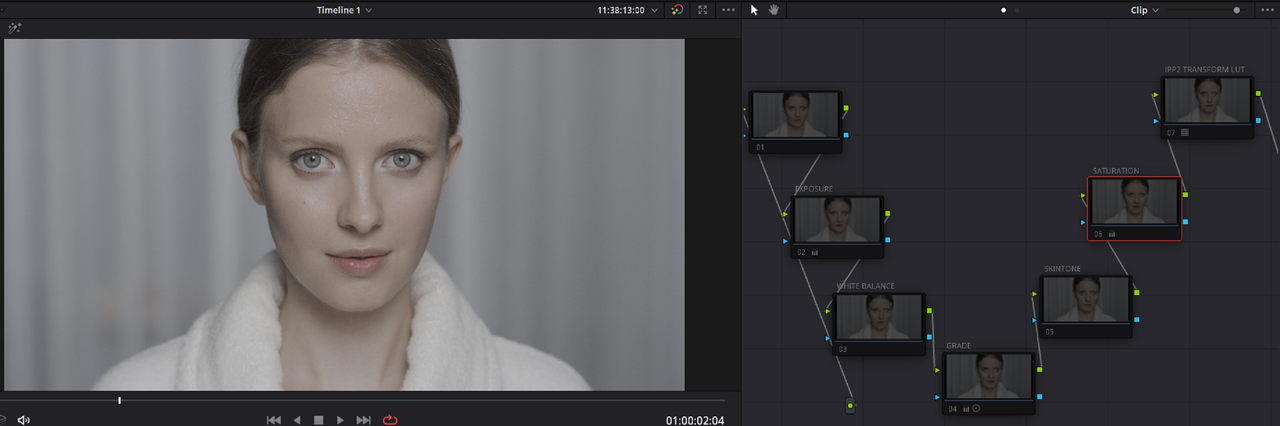
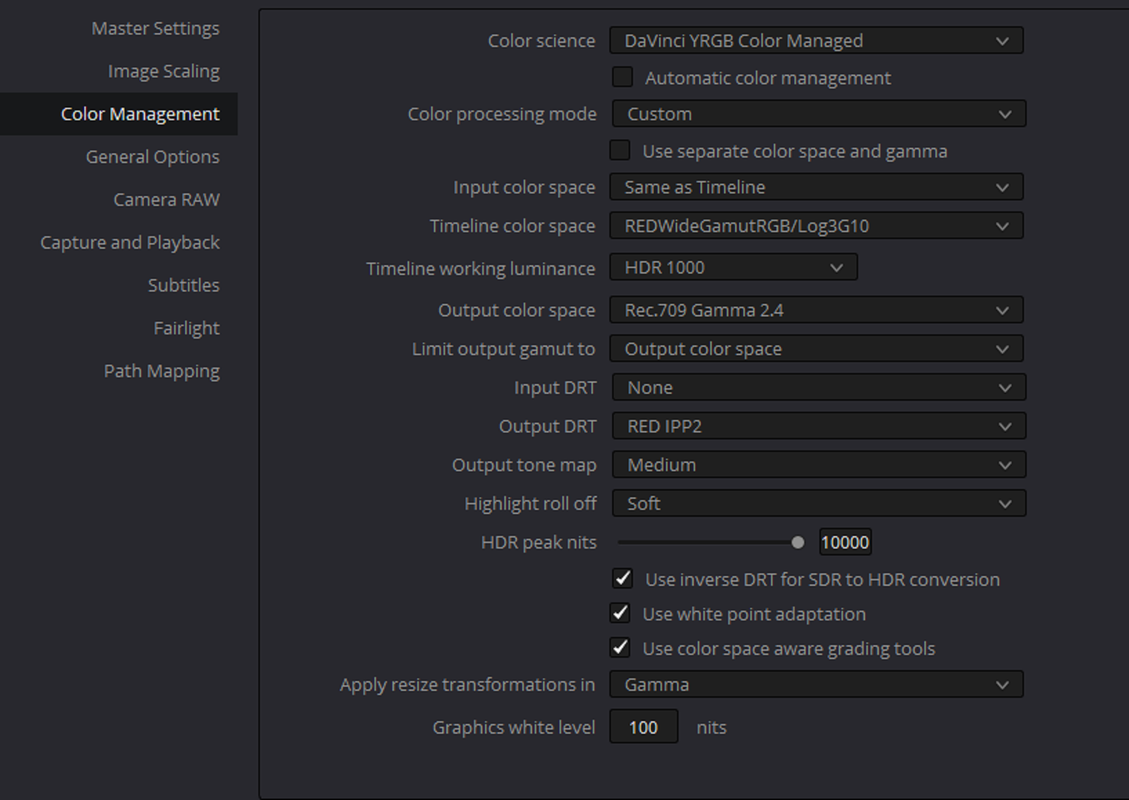
Matthew could you show your RED Camera Raw Settings and If this is a Node Based IPP2 Workflow or IPP2 Color Managed Workflow


Red Camera Raw Settings
1.png

2.png


Screenshot-5066.png


Node Based IPP2
3.png

4.png

Screenshot-5067.png


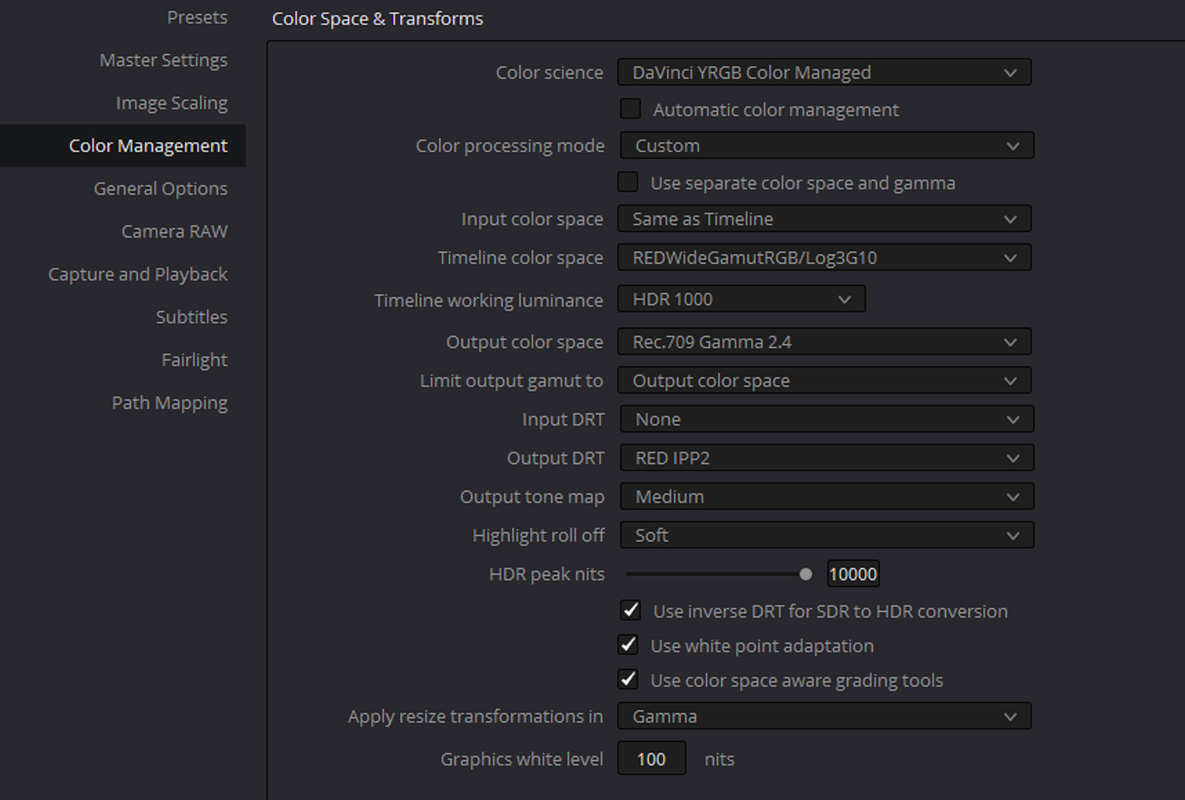
Color Managed IPP2
11.png

4.png

Screenshot-5068.png
 
Last edited:
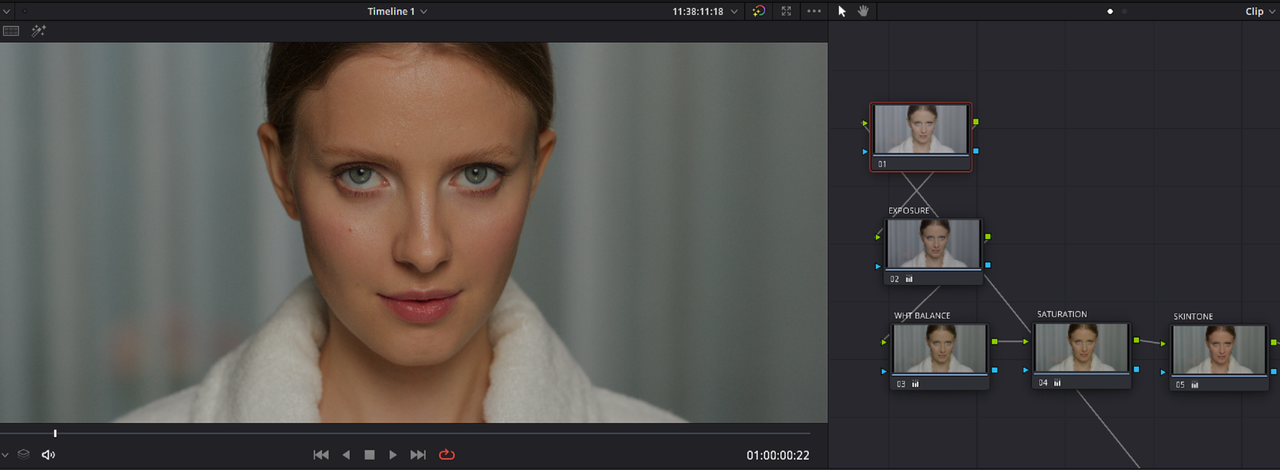
Originally I was changing by clip. But I was hoping for a LUT/transform of some kind that could get me closer.

Screen Shot 2022-06-08 at 9.23.55 AM.pngScreen Shot 2022-06-08 at 9.24.10 AM.pngScreen Shot 2022-06-08 at 9.24.38 AM.pngScreen Shot 2022-06-08 at 9.25.01 AM.png
 

Attachments

  • Screen Shot 2022-06-08 at 9.25.01 AM.png
    Screen Shot 2022-06-08 at 9.25.01 AM.png
    46.8 KB · Views: 0
Matthew,

It's your IPP2 Workflow setup that is your problem and you can use IPP2 output transform luts to get you where I believe you want to go. If you give me either a .r3d frame or short clip, I could walk you through it step by step to show you how to get the look you're after.
 
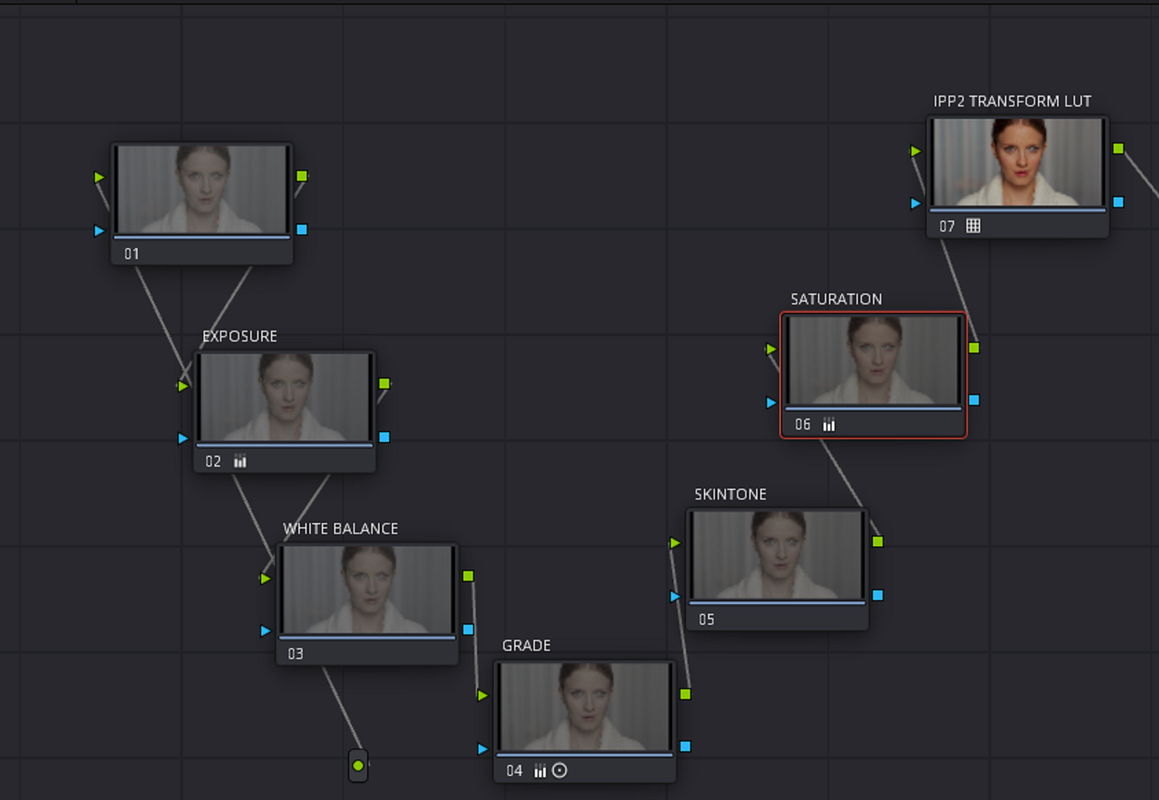
Here's how you setup a Node based IPP2 WORKFLOW in Resolve

Node Based IPP2 Workflow

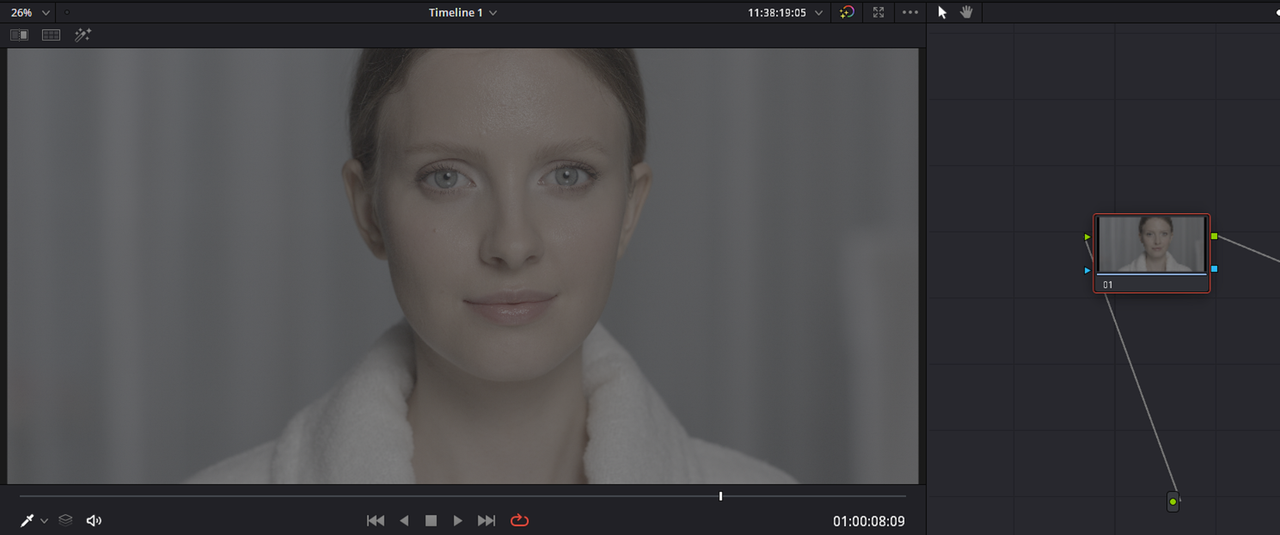
1.png

2.png

3.png


Screenshot-5075efe.png


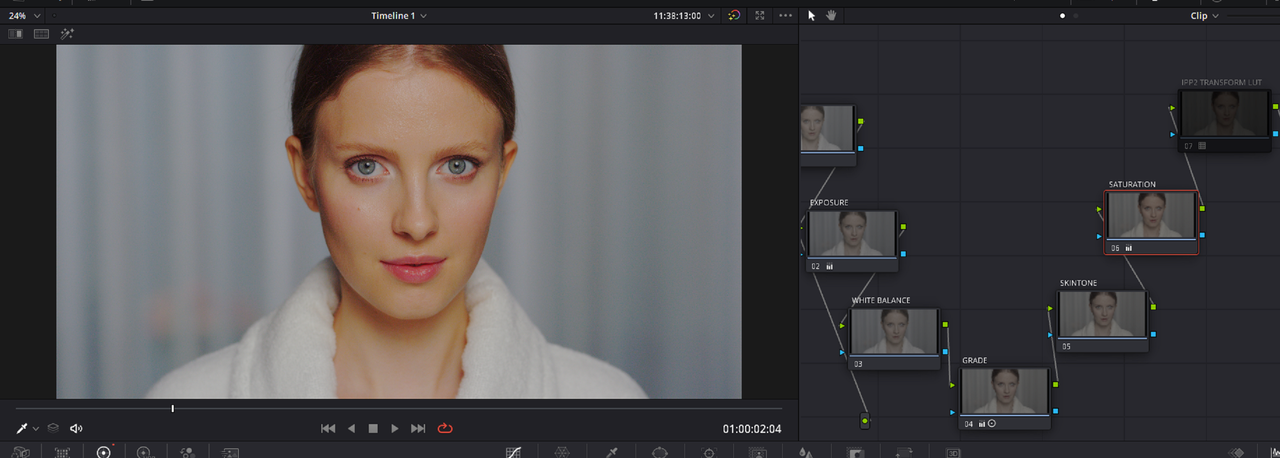
What it should look like when you import a RED.R3D file into Resolve

4.png


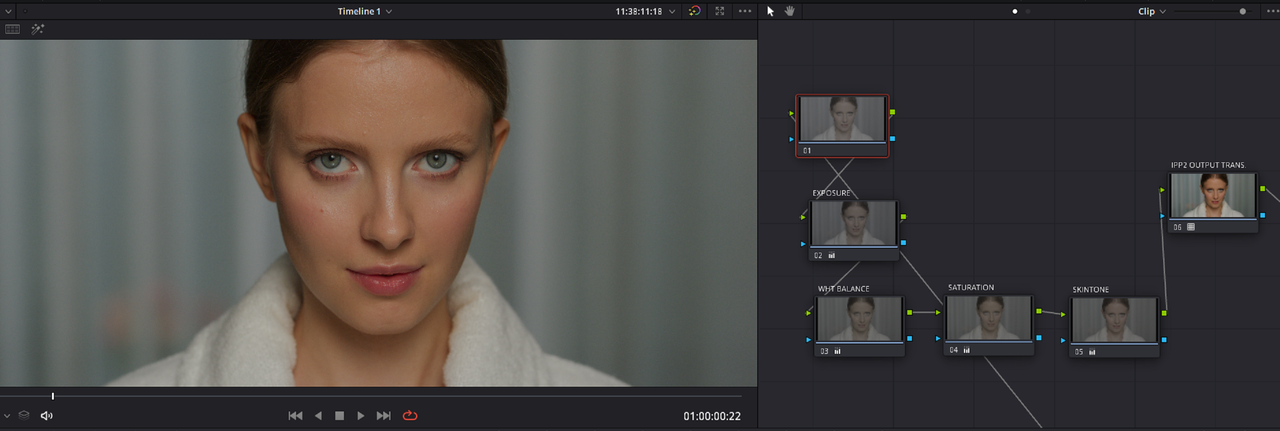
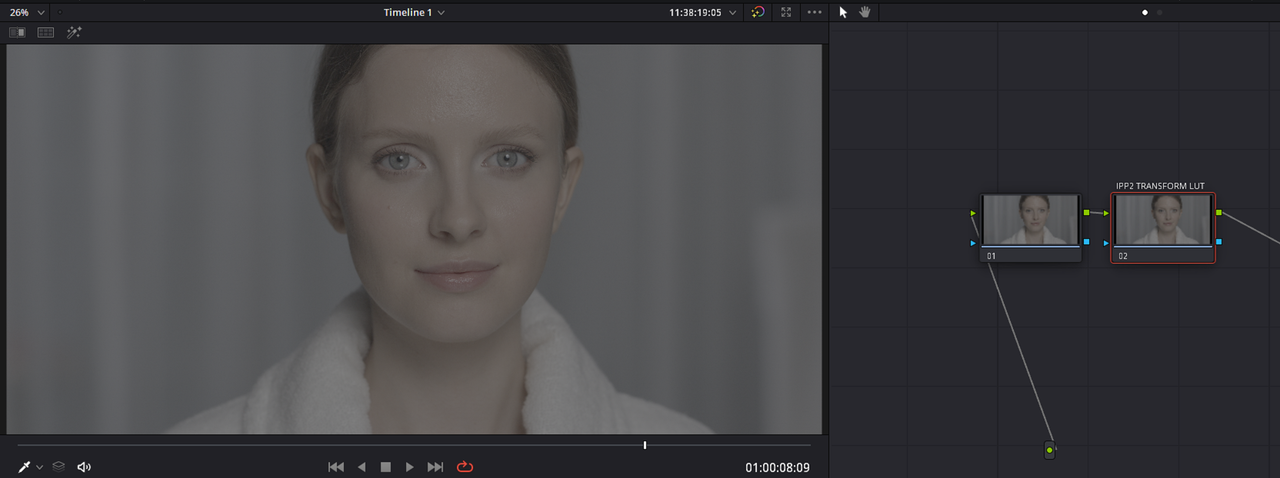
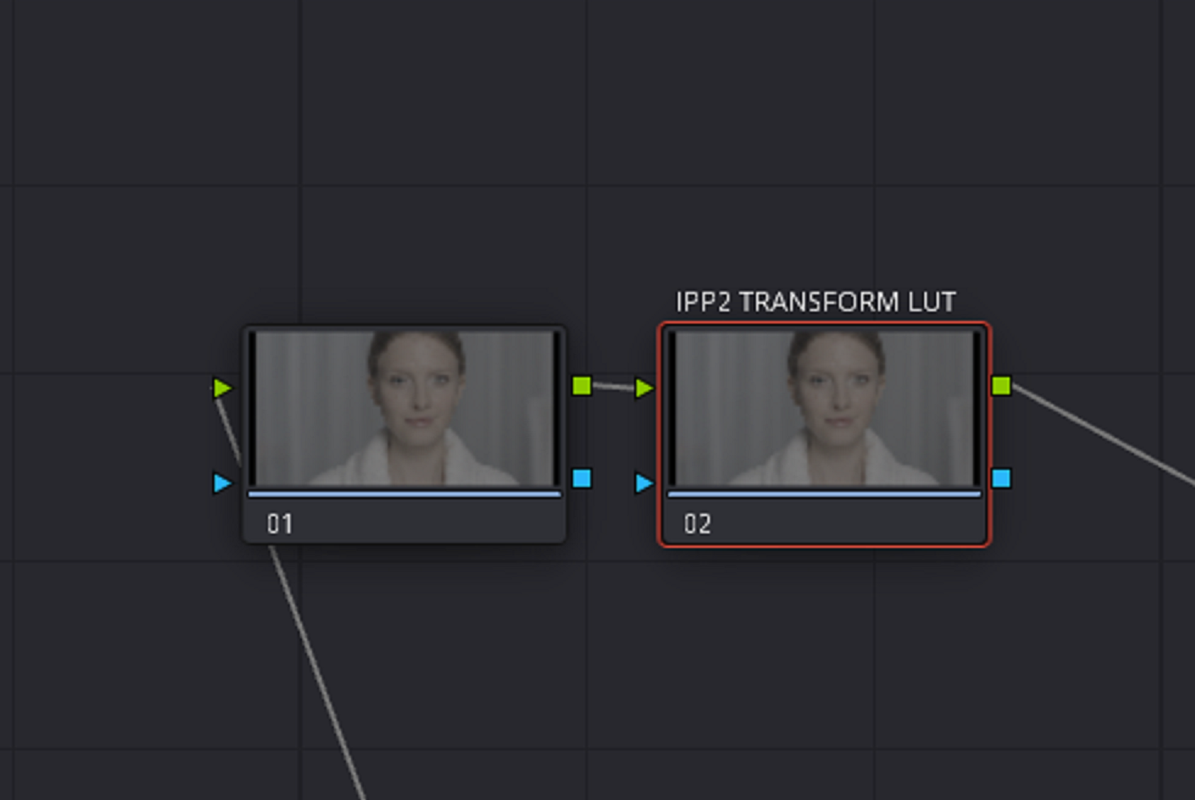
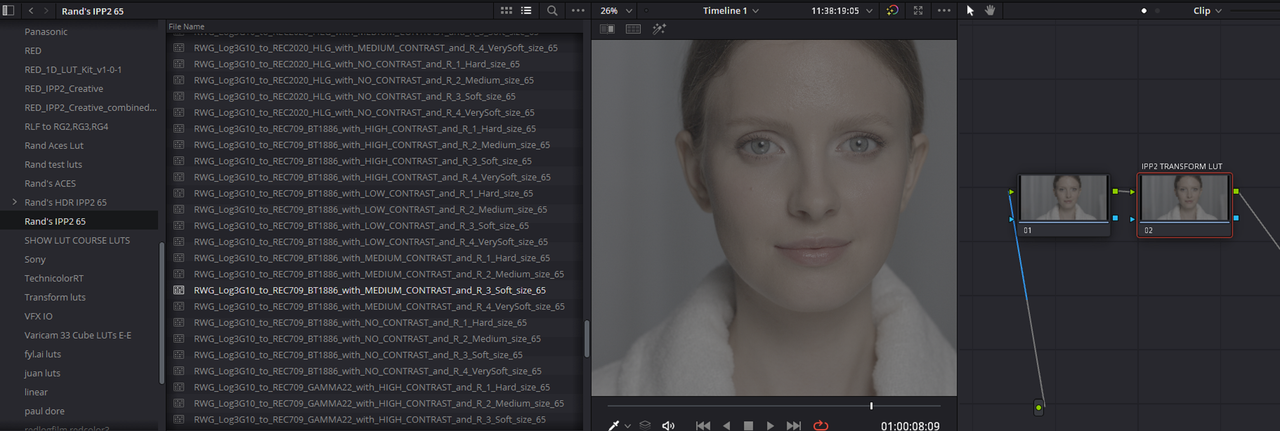
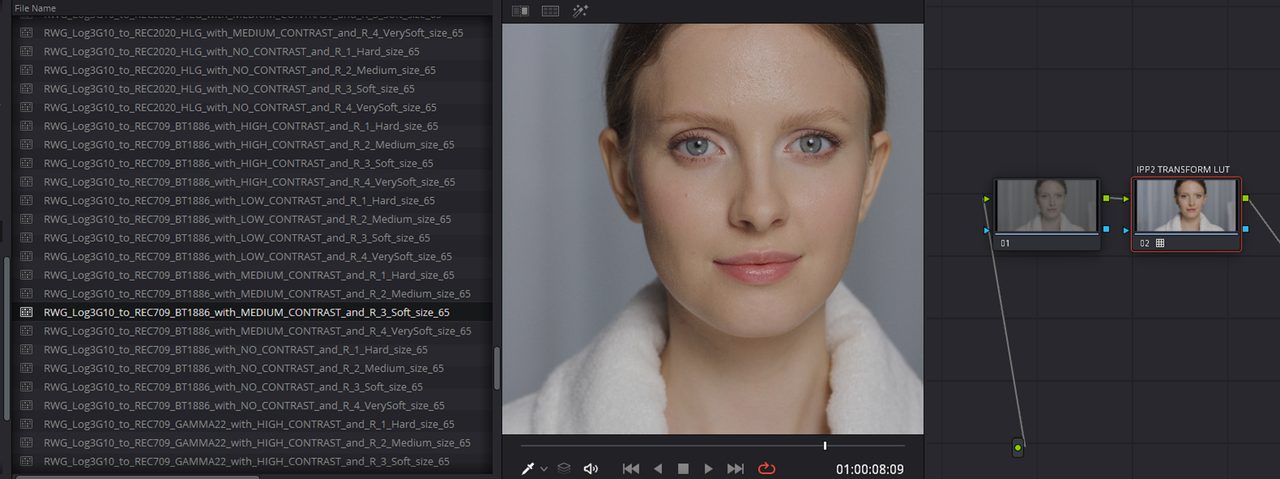
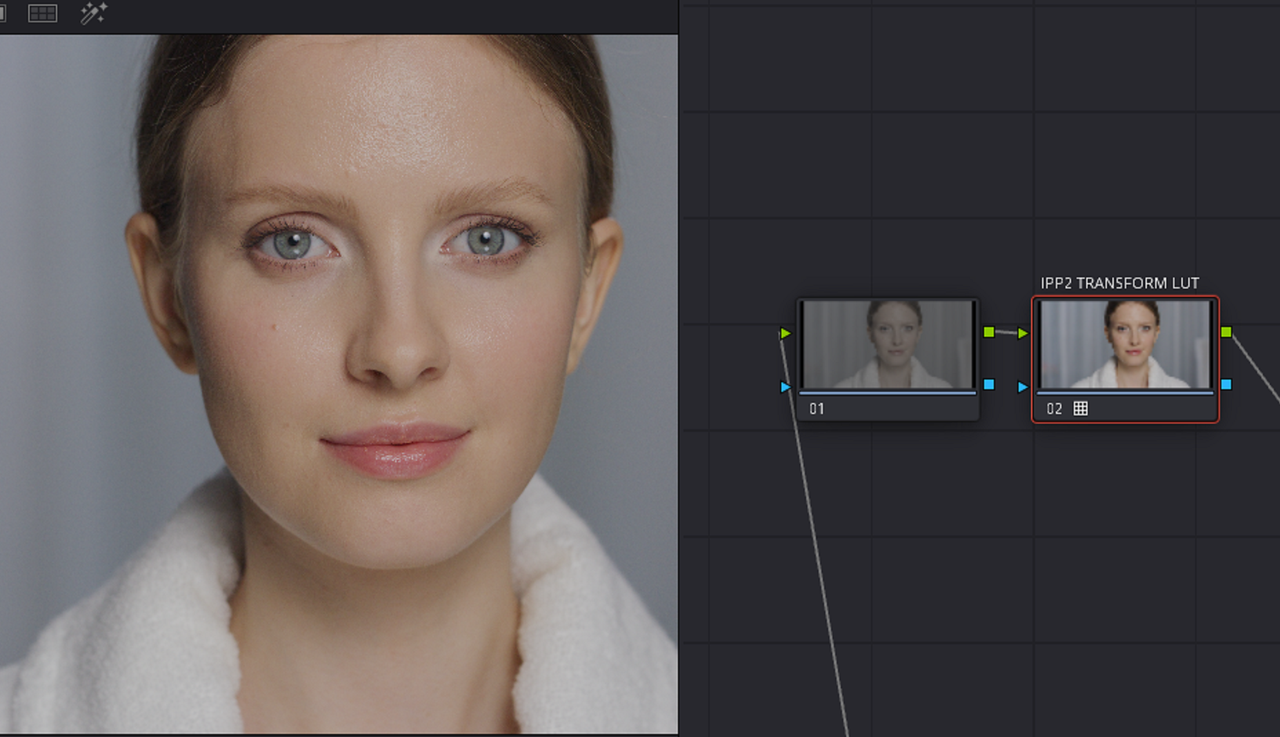
Add A Node to the RIGHT of the Current Node and Add a IPP2 Output Transform LUT to it.

5.png

52.png

6.png

7.png


8.png


82.png

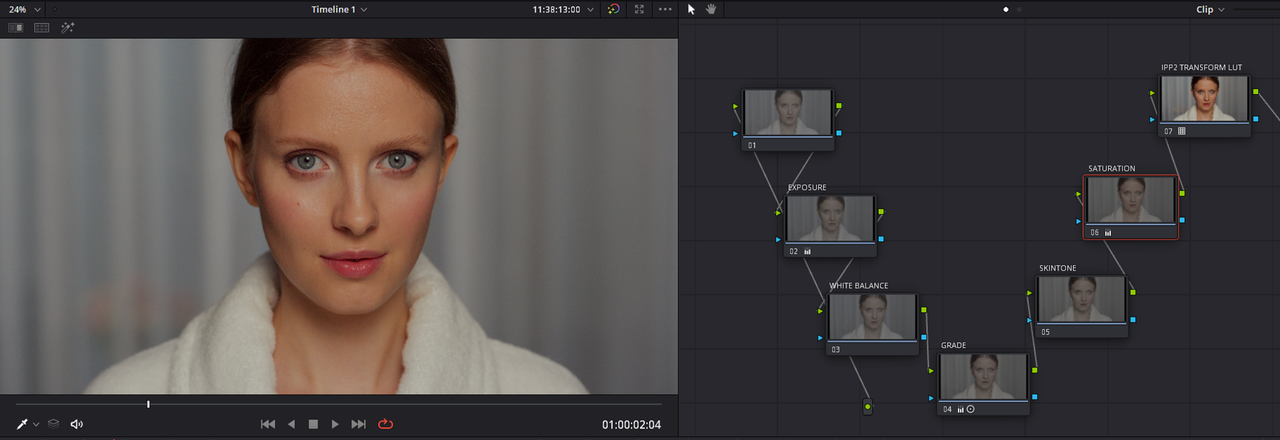
Add Additional Nodes to the LEFT of the IPP2 Transform Lut Node to complete the look

Screenshot-5095.png

Screenshot-5095-2.png


1-1-1-1-1-1.jpg
 
Last edited:
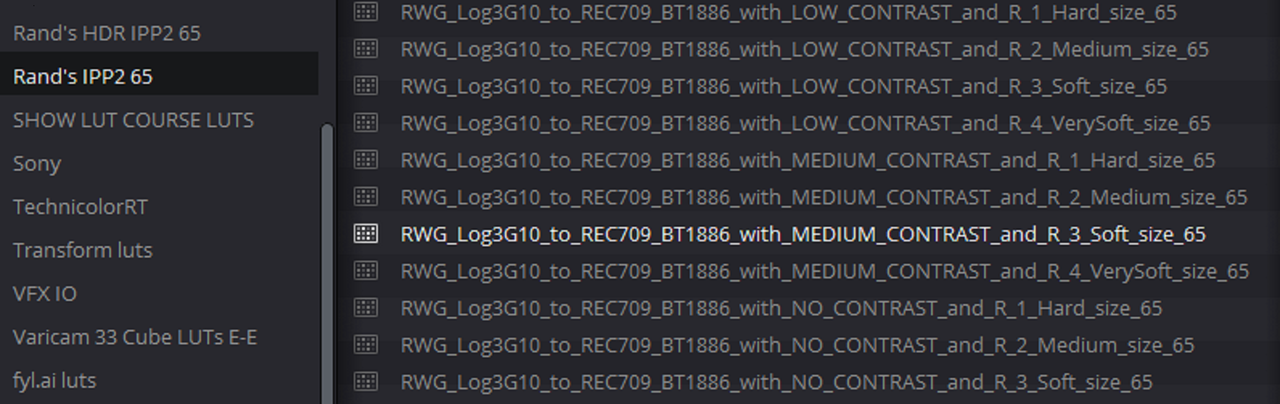
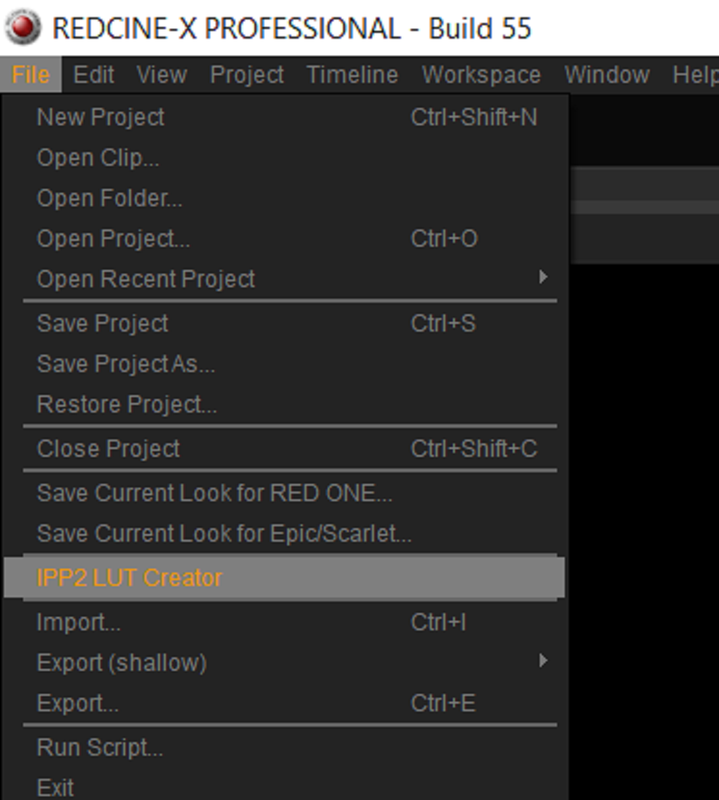
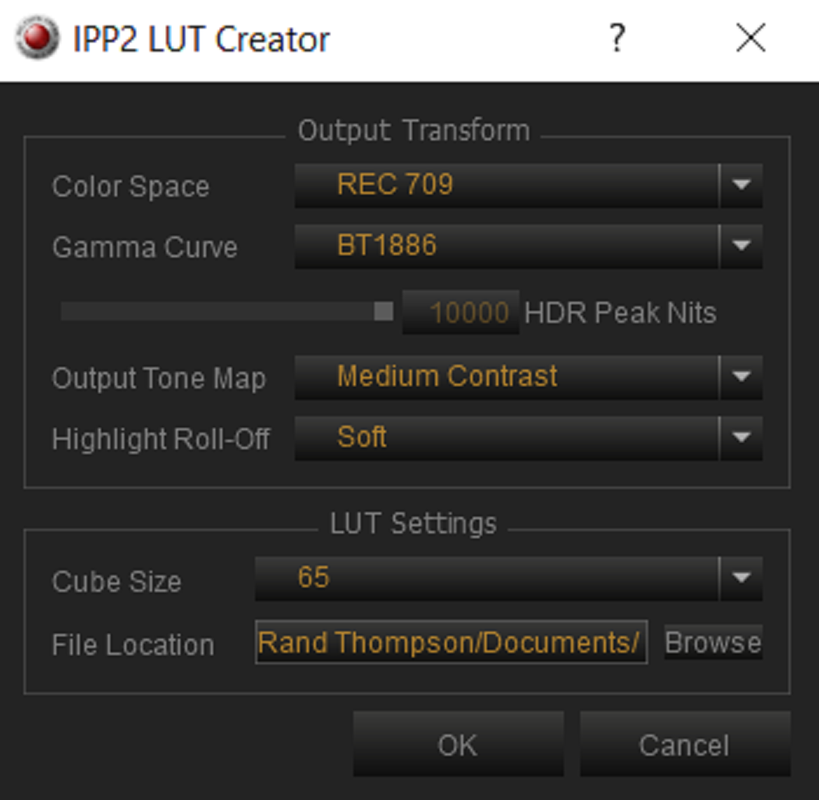
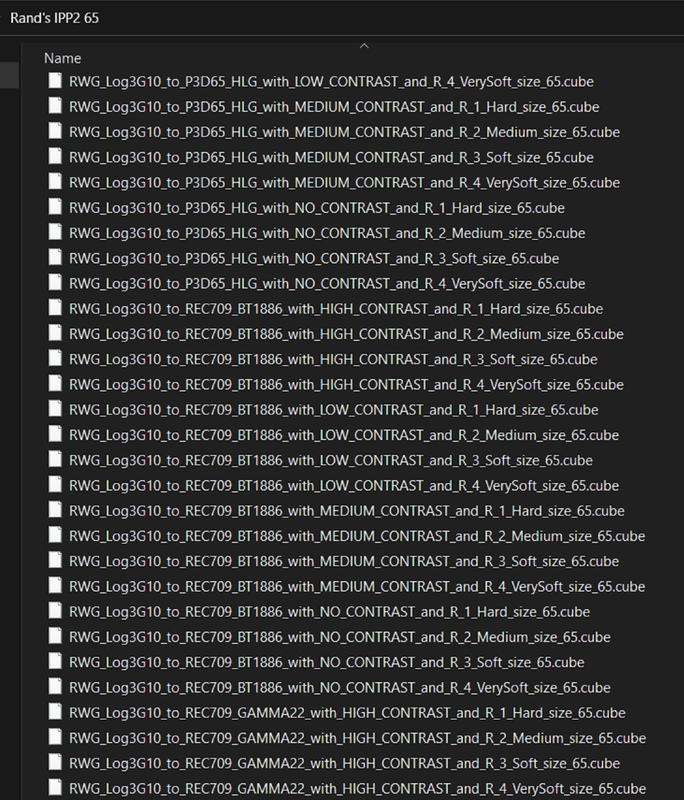
Link to zipped.Rar files of 65 Cubed Sized IPP2 Output Transform Luts I Made Inside of REDCINE-X Pro with "IPP2 Lut Creator"

(256 LUT files in all)-
UPDATED ON 8/3/2022 FOR 7 DAYS
(SENDGB WON'T ALLOW YOU TO UPLOAD A FOLDER SO UNZIPPING THIS FILE OF 256 DIFFERENT TRANSFORM LUTS INSIDE OF A FOLDER WOULD BE A GOOD IDEA)


SENDGB LINK-1.83GB
https://sendgb.com/0dhGWxlFtwy


REDCINE-X PRO
VERSION55.1.52132

Windows

Downloads Details (red.com)

Mac
Downloads Details (red.com)


Screenshot-5097.png


Screenshot-5099.png


Screenshot-5096.png
 
Last edited:
Matthew,

It's your IPP2 Workflow setup that is your problem and you can use IPP2 output transform luts to get you where I believe you want to go. If you give me either a .r3d frame or short clip, I could walk you through it step by step to show you how to get the look you're after.

For clarity, the RED files were shot in BT.1886. I switched the color space to Log3G10 in the clips to add in color. VFX output their work using the baseline BT.1886. If I put my color grade on top of that, it won't translate. So I need a BT.1886 to Log3g10 lut or transform, right? Or is this not possible?
If I set the timeline color space to be Log3g10, red wide gamut, I have different types of videos (drone, etc), does this affect them as well?

I see your workflow using the LUTs you generated. It's interesting...but if my timeline is outputting REC709, I don't think I need to add a LUT that does that, right? Would that be redundant? Or am I missing something?

This is all really interesting stuff, by the way!
 
For clarity, the RED files were shot in BT.1886. I switched the color space to Log3G10 in the clips to add in color
The RED IPP2 Workflow Brings everything into the large REDWideGamutRGB/ LOG3G10 Color Space and Gamma which encompasses all of the info. that their sensors can capture. With This you have the option to deliver to smaller Color Spaces like REC709 Gamma 2.4 (BT1886) and so on. You "Can" switch the files from BT.1886 to LOG3g10, however you still have to convert that back to Rec709, Rec2020 or P3 D65. I'm not a VFX person But they should probably have used RWG/Log3G10 for the VFX instead of BT.1886. It's like going from a 5lb bag of sugar to a 30lb bag (Bt.1886 to RWG/LOG3G10) instead of starting from the 30lb bag of sugar to a 5lb bag of sugar.
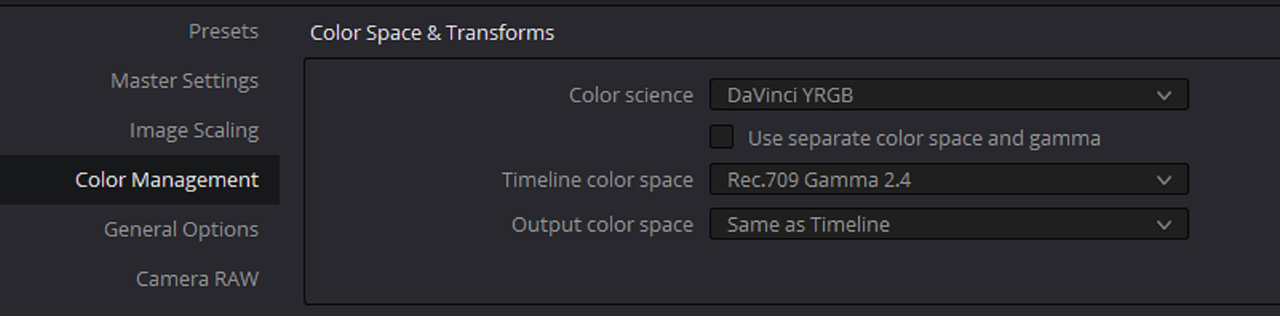
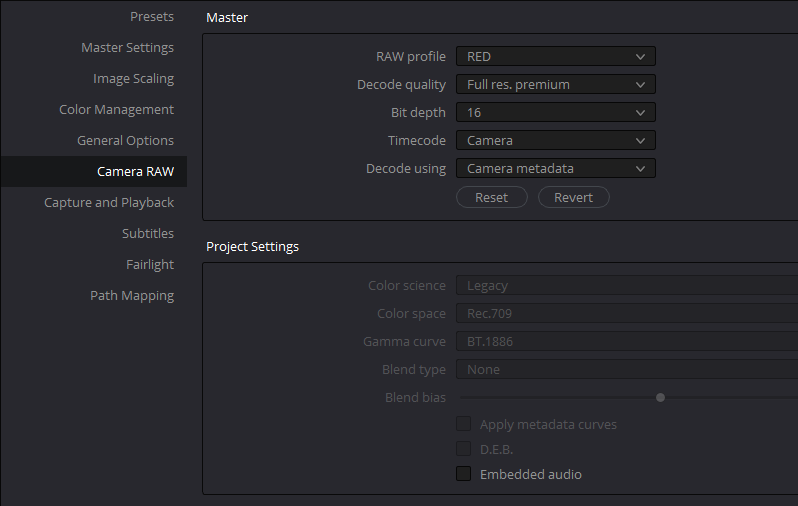

If I set the timeline color space to be Log3g10, red wide gamut, I have different types of videos (drone, etc), does this affect them as well?


You might want to look into a ACES workflow or use a COLOR SPACE TRANSFORM to Convert those other Color Spaces to RWG/LOG3G10 then add a IPP2 Output Transform to them. Or you could "GROUP"clips from other Color Spaces together and process them differently from other Color Space Clips within the timeline.


I see your workflow using the LUTs you generated. It's interesting...but if my timeline is outputting REC709, I don't think I need to add a LUT that does that, right? Would that be redundant? Or am I missing something?

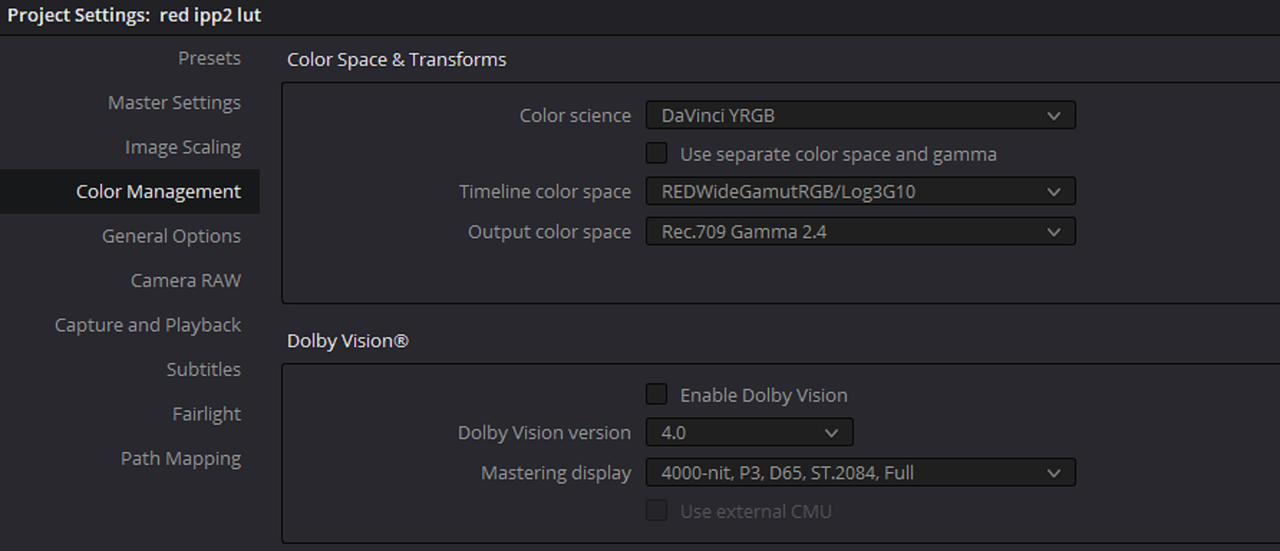
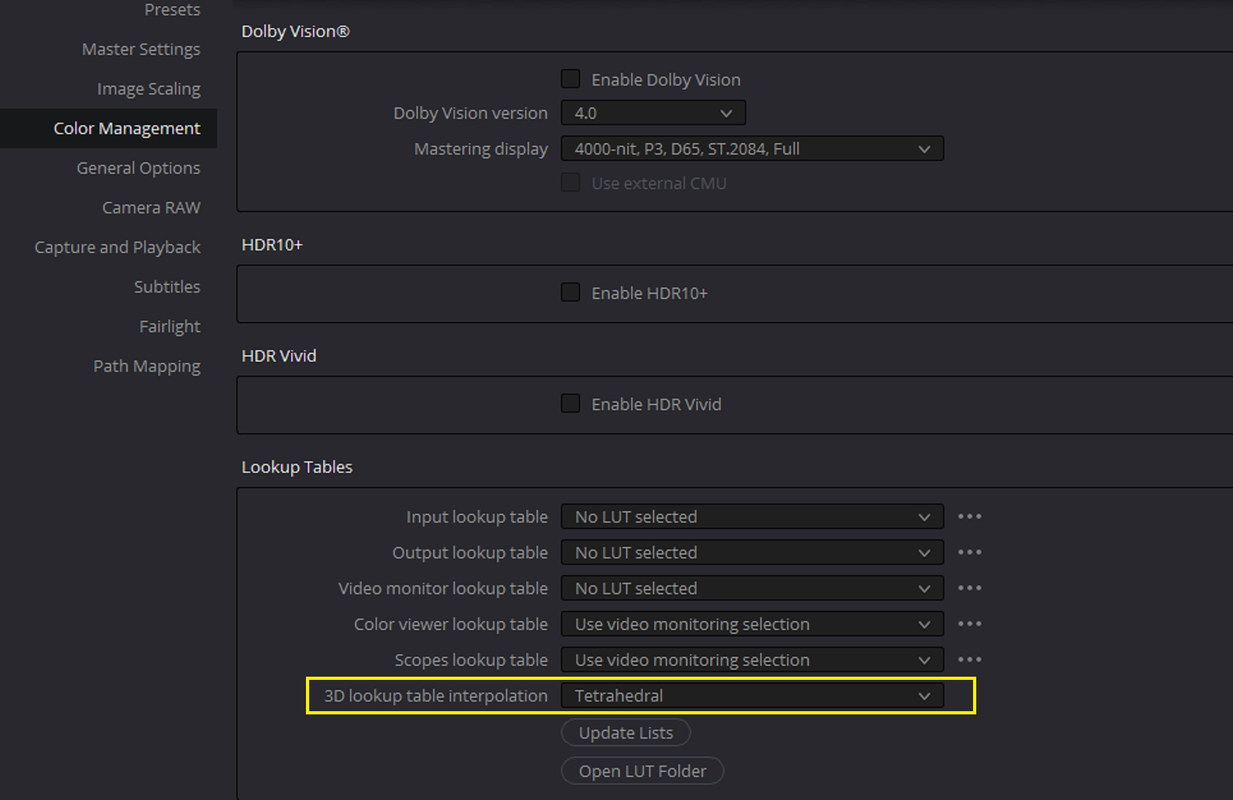
But Exactly how is it outputting REC709 is the question. From looking at your Clip Camera Raw settings, Your Project Camera Raw Settings and your Color Management Settings nothing is being converted into REC709. You do Understand that by just selecting REC709 Gamma 2.4 in the "TIMELINE COLOR SPACE" isn't doing anything. When you chose "DAVINCI YRGB" "COLOR Science" you're telling Resolve "Don't do anything for me, I'm going to do everything myself. But you haven't done anything yet

Screenshot-5100.png


You could have Chose the Settings below, although They wouldn't give you the best results from a RED camera as going from the RWG/LOG3G10 Color Space to REC709, it would transform your image into REC709. But From the Project Camera Raw settings you showed, none of that was setup. Shown below with IPP2 Output Transform disabled with Project Camera Raw settings set for a Legacy Rec709 workflow.

Screenshot-5101.png


Screenshot-5102.png


You could have also chosen these settings in the Clip's CAMERA RAW settings but they wouldn't have also given you the best results.


Screenshot-5106.png


Screenshot-5107.png


I also believe that RED, with their latest SDKs have made it that all RED.R3D files come into all NLE's as RWG/LOG3G10. So even if you select "CAMERA METADATA" which would have in the past brought in a transformed REC709 image it doesn't anymore.


Screenshot-5103.png


Screenshot-5104.png


So you have to manually Transform The image yourself with a Conversion IPP2 Output Transform Lut From RWG/LOG3g10 to REC709 or use a IPP2 Color Managed Workflow that I demonstrated above to do it for you.
 
Last edited:
BYPASS COLOR MANAGEMENT FUNCTION

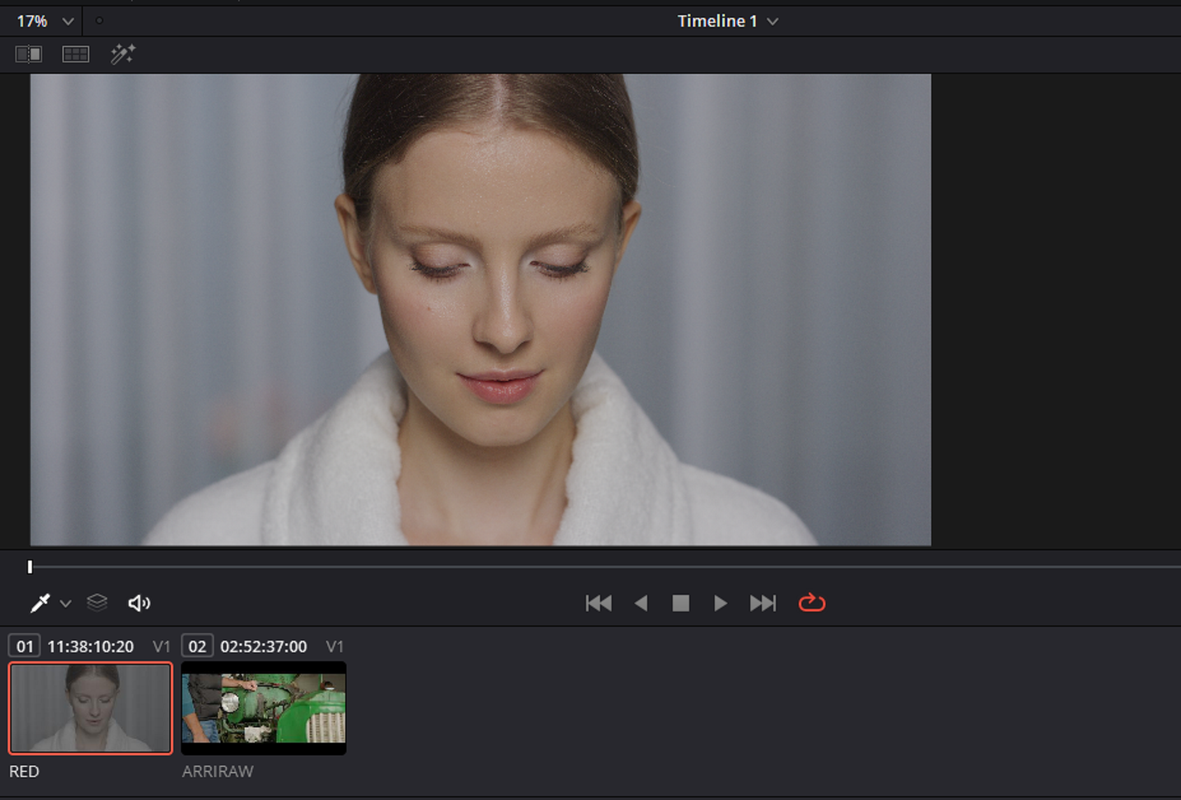
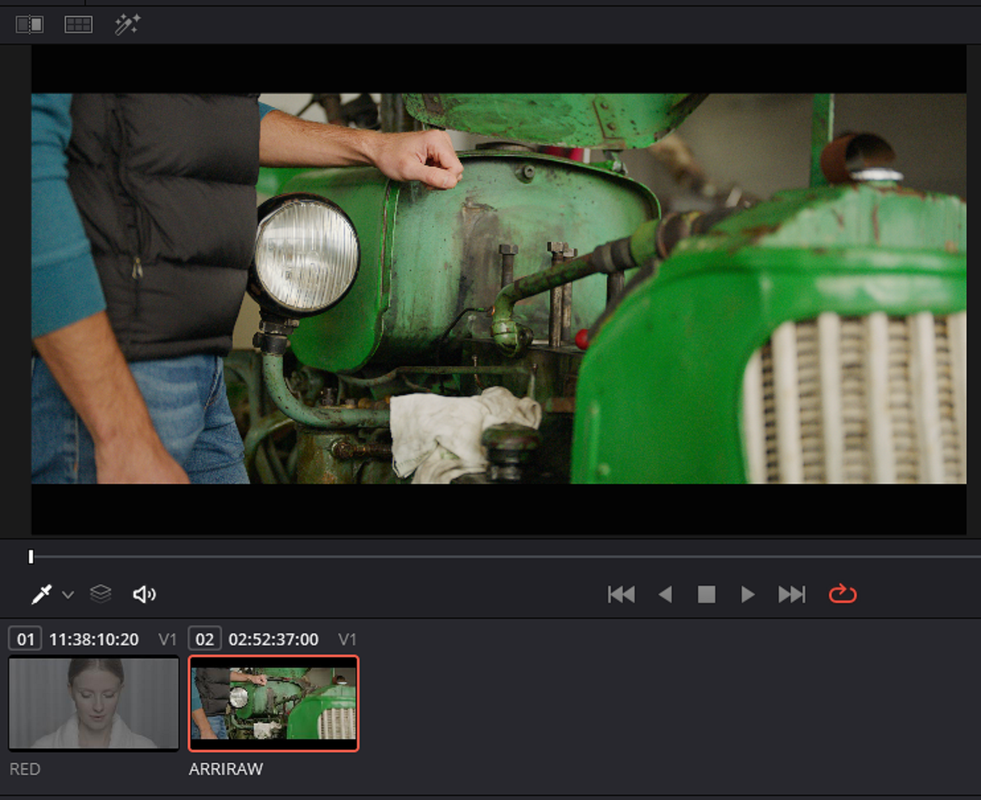
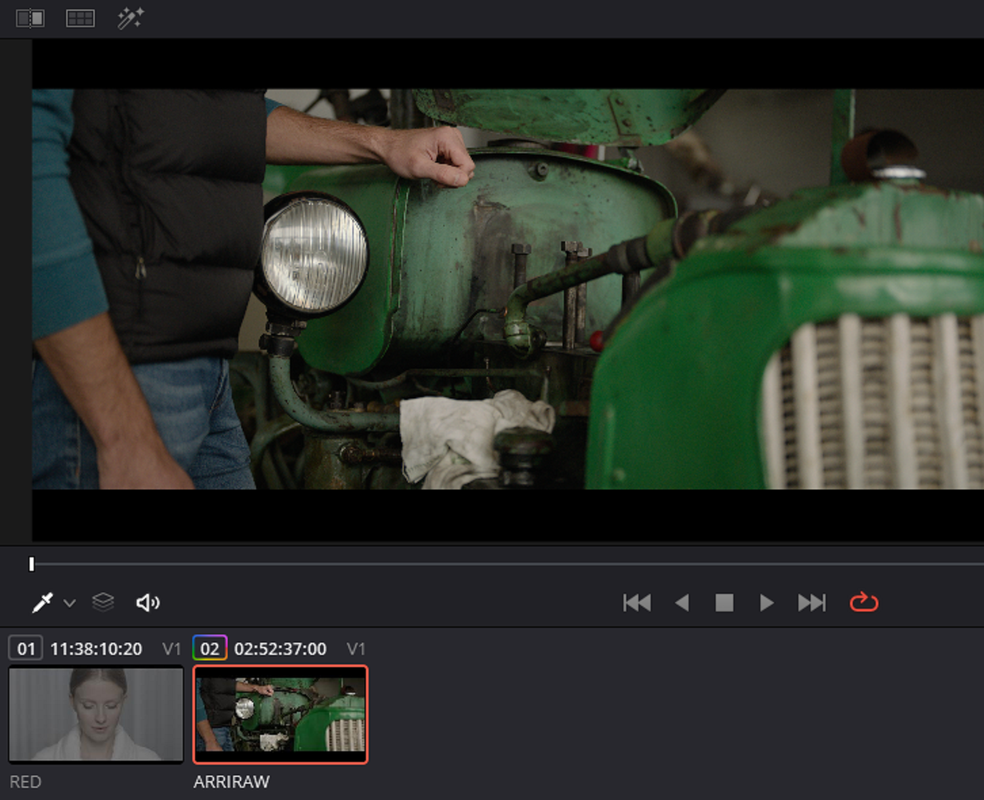
Here's the situation. You have your project setup as an IPP2 Color Managed Workflow but you have an ARRI Raw clip In Timeline. Most of your clips are RED .R3D Files only a few are ARRI RAW files, what can you do.

Screenshot-5109.png


Here is the RED R3D file which looks fine although it hadn't been graded yet.

Screenshot-5110.png

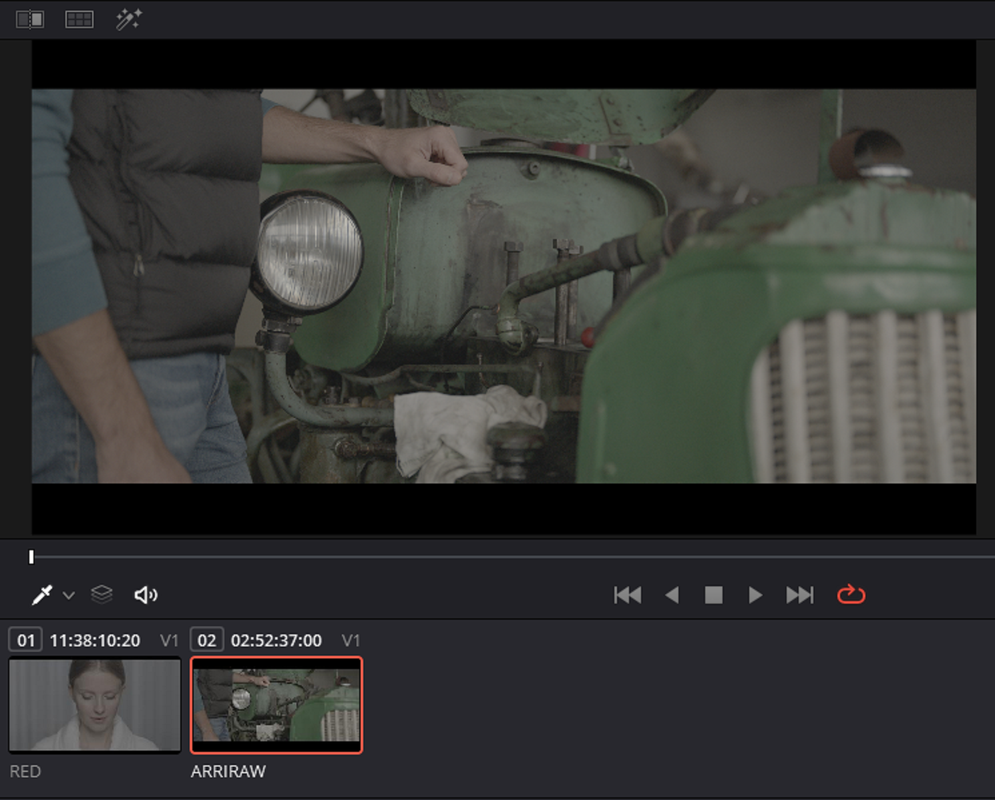
Now Here is the ARRI RAW file which although it looks okay it doesn't look correct because it is in a RED IPP2 workflow.

Screenshot-5111.png


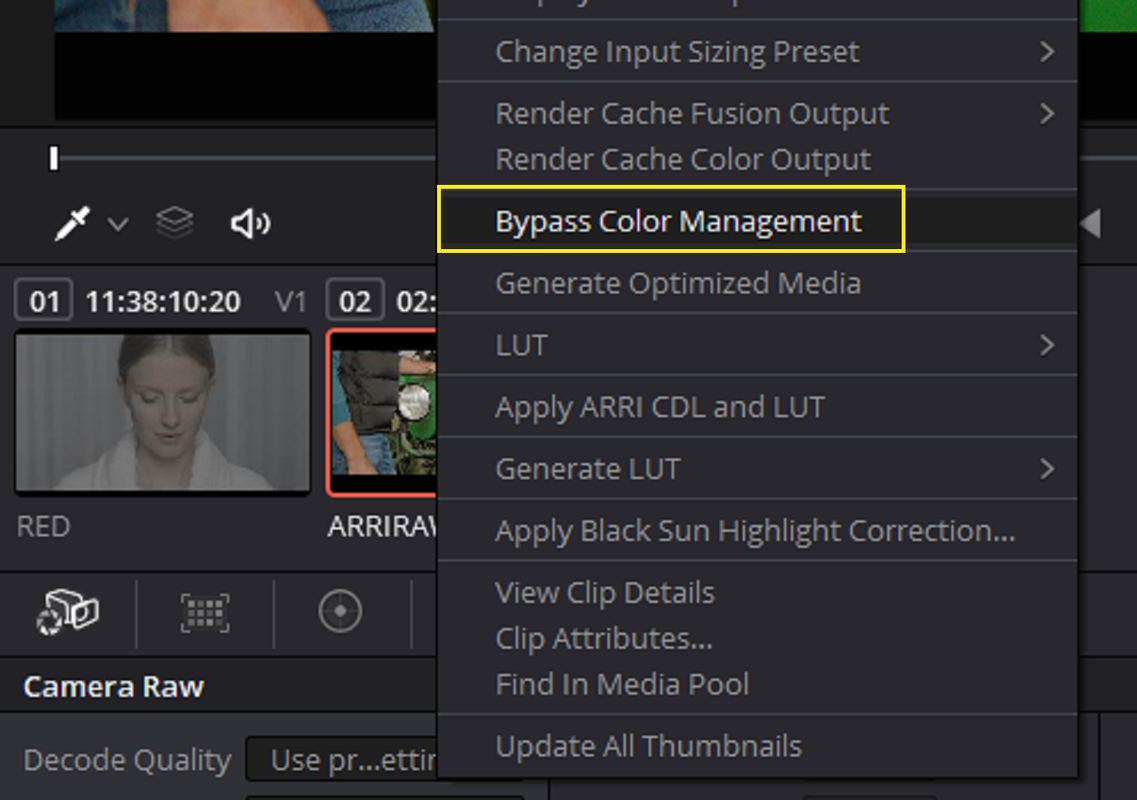
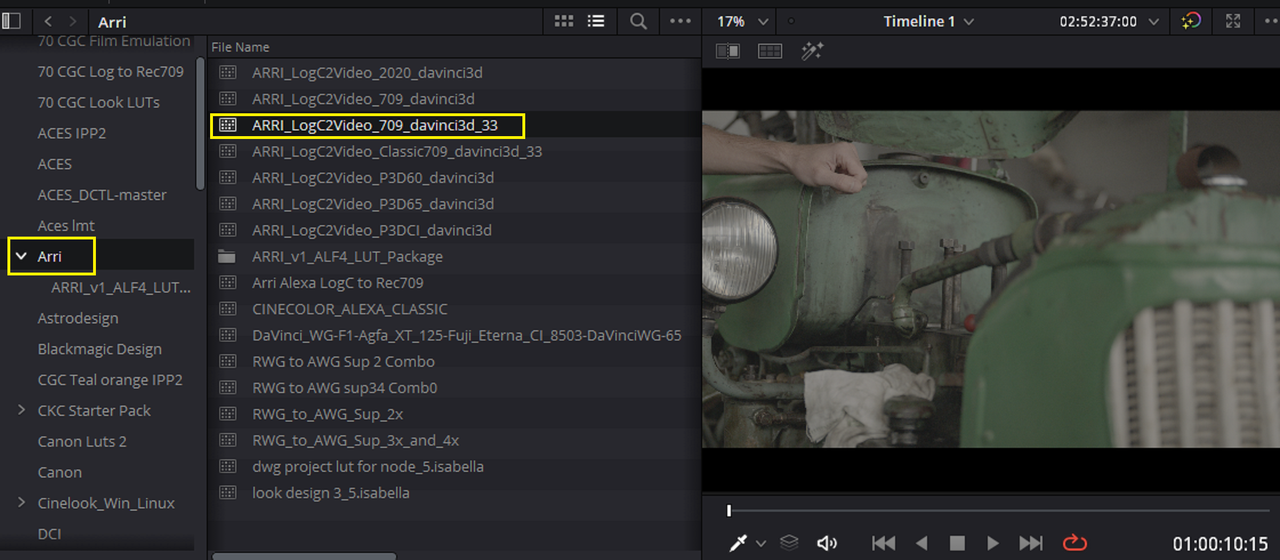
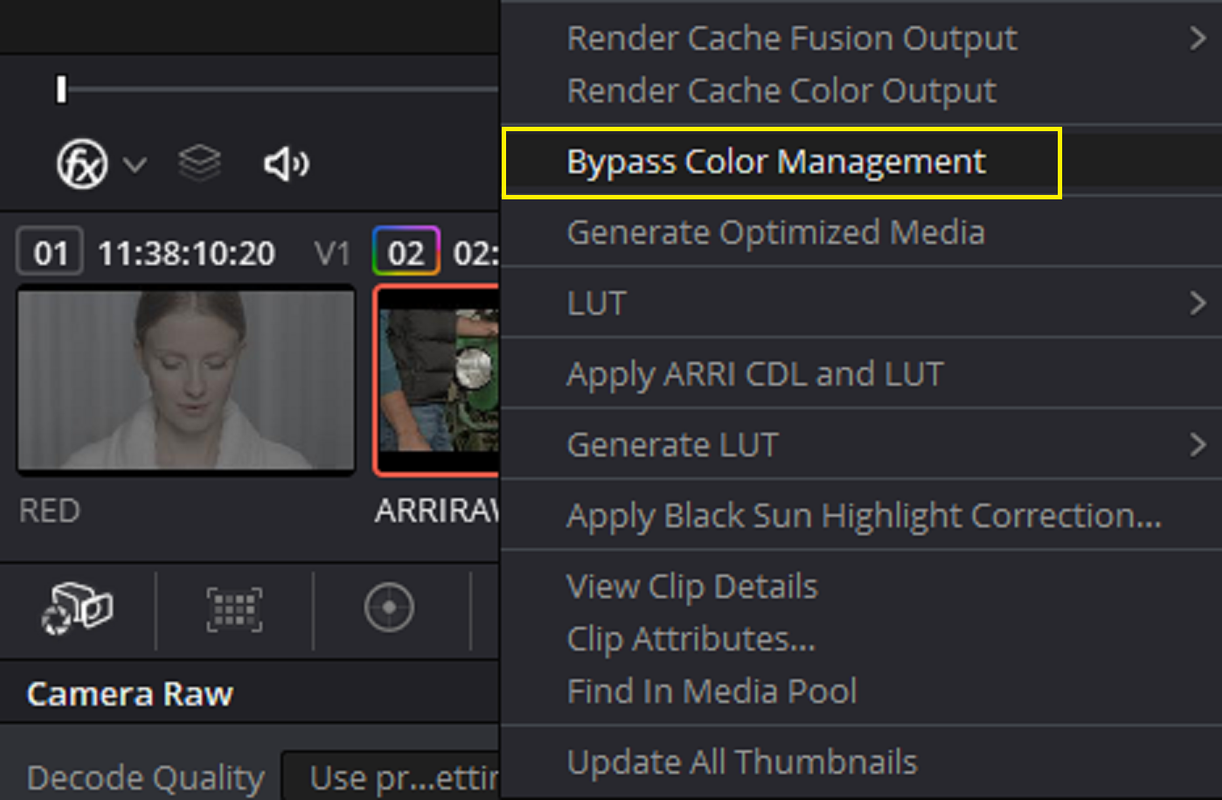
So how can I make it look correct inside of a RED IPP2 Color Managed Workflow, with the "BYPASS COLOR MANAGEMENT FUNCTION". I "Right- Click" on the ARRI Raw clip and select "Bypass Color Management" which will remove the IPP2 Color Management from the clip. This will make the Arri Clip look "Flat" so now we have to choose a "ARRI LOG-C to REC709" Transform LUT to Make it look correct.

Screenshot-5112.png

Screenshot-5113.png

Screenshot-5114.png

Screenshot-5115.png
 
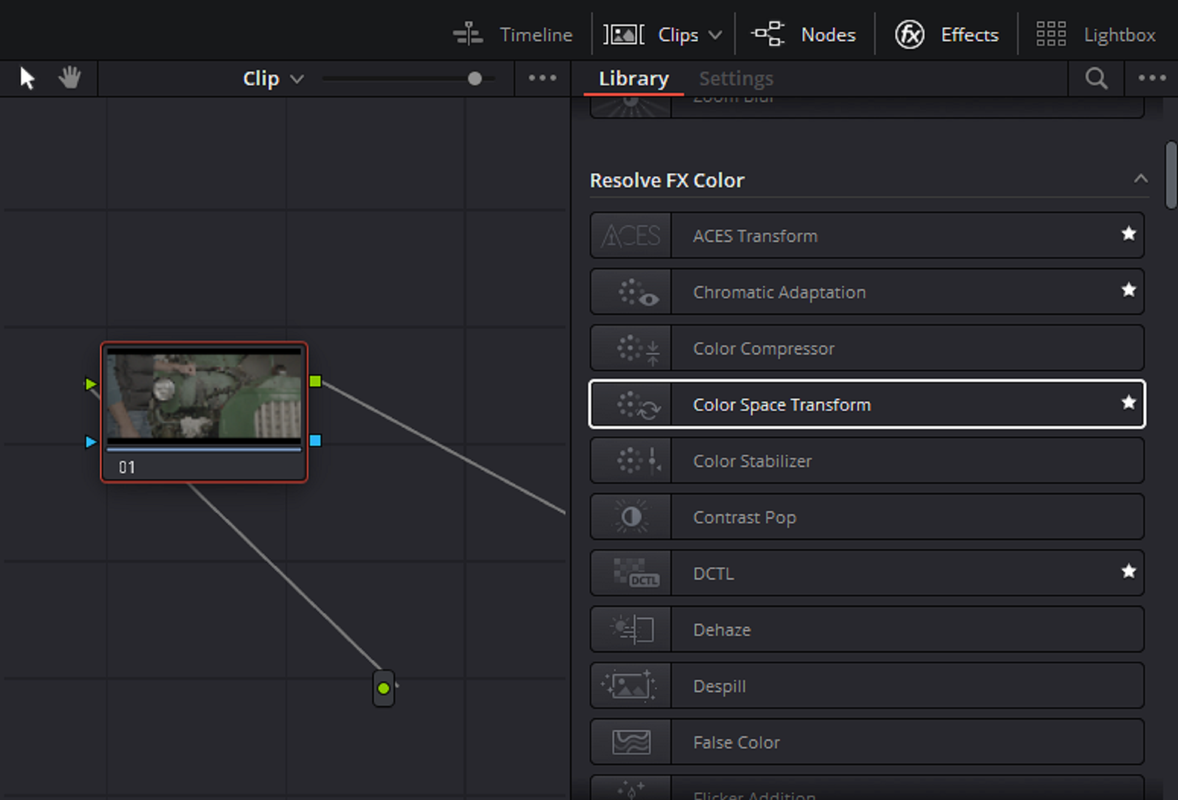
COLOR SPACE TRANSFORM OFX

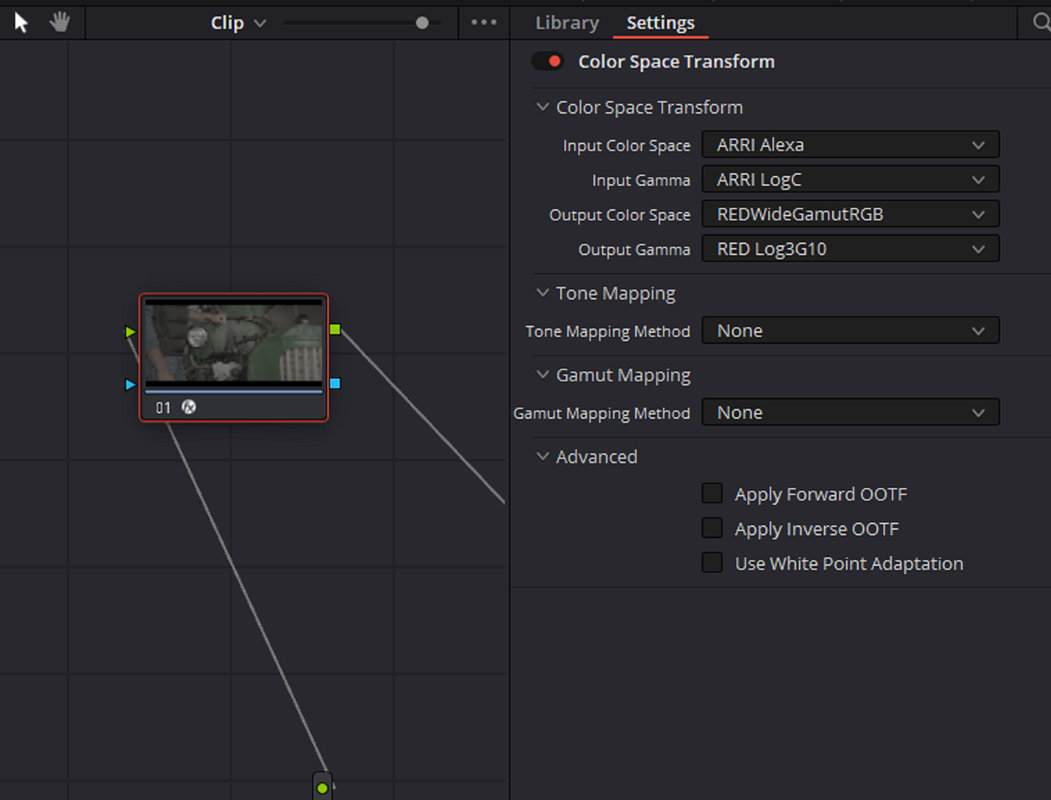
Another way to deal with that ARRI Raw file is to Change it from it's native ARRI Alexa/ARRI LOG-C Color Space to an RWG/LOG3G10 Color Space so that The IPP2 COLOR Management just sees it as having the RWG/LOG3G10 Color Space as the RED RAW Files.


First "un-check" the "BYPASS COLOR MANAGEMENT" Function so that it looks "wrong" again. Then add a "COLOR SPACE TRANSFORM" OFX and use the settings below.


Screenshot-5118.png


Screenshot-5111.png


Screenshot-5116.png


Screenshot-5117.png


It looks almost like the ARRI RAW file with the Correct Transform Lut applied from before


ARRI RAW File Converted from ALEXA/ LOG-C to RWG/LOG3G10

Screenshot-5119.png


ARRI RAW File With The Correct ALEXA/LOG-C Transform Lut Applied To It

Screenshot-5115.png
 
Rand, this was extremely helpful. I really appreciate your time hashing this out with me. Thank you thank you thank you!!!

You're Welcome Matthew, I'm sorry I didn't see this earlier. I'm glad I could Help!!
 
Rand, thank you very much, your generosity and your knowledge are enormous.
the link to download your luts is not working - https://sendgb.com/aDXh4NgInvL
when you got some time would you mind to uploading again?


Link to zipped.Rar files of 65 Cubed Sized IPP2 Output Transform Luts I Made Inside of REDCINE-X Pro with "IPP2 Lut Creator"

(256 LUT files in all)


https://sendgb.com/aDXh4NgInvL


REDCINE-X PRO
VERSION55.1.52132

Windows

Downloads Details (red.com)

Mac
Downloads Details (red.com)


Screenshot-5097.png


Screenshot-5099.png


Screenshot-5096.png
 
Benjamin

Thanks alot , I appreciate it! Let me find them again, I rearranged a lot of stuff on my harddrive. As soon as I can find them again I will reupload them.
 
Last edited:
Back
Top