Welcome to our community

Be a part of something great, join today!

  • Hey all, just changed over the backend after 15 years I figured time to give it a bit of an update, its probably gonna be a bit weird for most of you and i am sure there is a few bugs to work out but it should kinda work the same as before... hopefully :)

Is RED aware of this?

I meant specifically:
Most post applications still seem to get the settings wrong with IPP2, so I just override the Red settings on every project. The apps should however read the camera metadata and set the parameters correctly... Not even Scratch does, though.
I have the luxury of being in control of the image through post on most of my projects though.
Assimilate's Mazze told me once that with Red's IPP2 some of the parameters aren't specified in the metadata, so Scratch is going with its default settings, which don't match the settings used for on-set monitoring. I suppose either Red needs to update the metadata to ensure that the defaults are better, or educate the app developers better to ensure that they don't hose up those settings.
 
Something tells me the response from RED would be 'its all there in the SDK, app developers are responsible for implementing it properly.'

Those two separate charts (potentially with the same files) are substantially different. I was also under the impression that you *had* to shoot IPP2 with Monstro (like I didn't think anyone would select anything else in camera), but it seems like anything goes when pulling those files into software. It almost looks like one is RG4 (more contrast, and clipped highs) and one is IPP2 (flatter and *way* better highlight roll-off.)

I'd argue that this is (still, in 2019, 4 sensors after MX) the kinda of stuff that keeps people going back to Arri, which is comparatively easy to get the best look out of the camera (and as an extension, in its burned-in prores files). That a DoP like Geoff, after years of getting flack from RU for "botched" tests, still has to clarify/ask to make sure the RED files are processed optimally, is actually a RED problem, not a Geoff problem. Especially since the competition in all that time has been bulletproof/easy.

Ironically, I think Panavision tries to take a lot of the guess work out of the DXL/DXL2 by creating the "best" parameters out of the camera with their preset looks and less varied post workflow. Maybe that's what RED is going to do with Ranger, which would have a trickle down effect for us regular RED users.
 
Last edited:
dunno.gif
 
I agree with Mike P. This is on Red. While no one would argue that IPP2 is not an improvement and a step forward the implementation is just confusing. While Red has to rely on third party vendors implementing the SDK maybe it needs to do more to help them. Even Blackmagic's Resolve who are pretty good at keeping up to date have a strange unintuitive implementation. I understand that IPP2 is designed to allow many post output options therefore by nature it is more complex but ideally it should be designed to work seamlessly and automatically for the most common output which probably is still at 99% for SDR 709. I have complained to Red about this issue and they have acknowledged that there is room for improvement and that they are working on solutions.
I admit I am still not 100% certain on how to properly implement IPP2 in Resolve and different colorists I work with have different approaches??? A few don't even know what it is. Geoff Boyle know his cameras but is not a regular Red user anymore and he is a good example of the unintuitive implementation of IPP2 catching up even professionals. IPP2 has proven frustrating as its a big step forward but a big step straight into a muddy puddle.
 
Sounds like something happened initially when handling the footage and whatever likely IPP2 settings were actually shot. This could especially happen earlier on when IPP2 wasn't supported broadly across 3rd Party software, which has pretty much been rectified by now. But still, some have found difficulty integrating it into their workflow as it's a new approach than what they were likely doing before.

Also, a lot of folks, especially those who don't work with RED regularly are not totally familiar with IPP2.

I've done my best to rectify this online and in my short blast radius, but if anybody needs a quick reference:

RED - IPP2 Introduction

Start there and I'd emphasize that to get the highest quality image out of RED cameras, explore the IPP2 workflow.
 
Tom,

If I may ask, is there a specific aspect of IPP2 that you believe to be the problem?
 
Last edited:
Tom,

here is my approach I posted before in another thread, and hopefully others will chime in with their approach if mine isn't something you want to use.

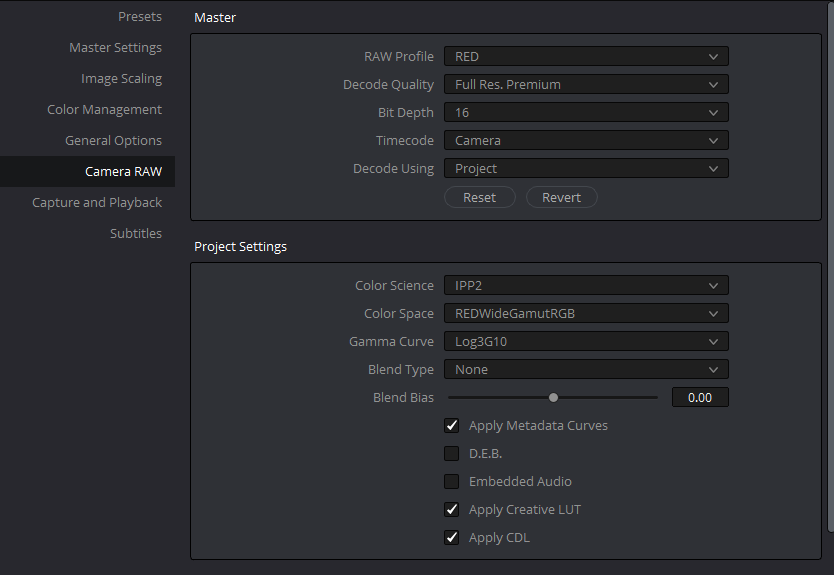
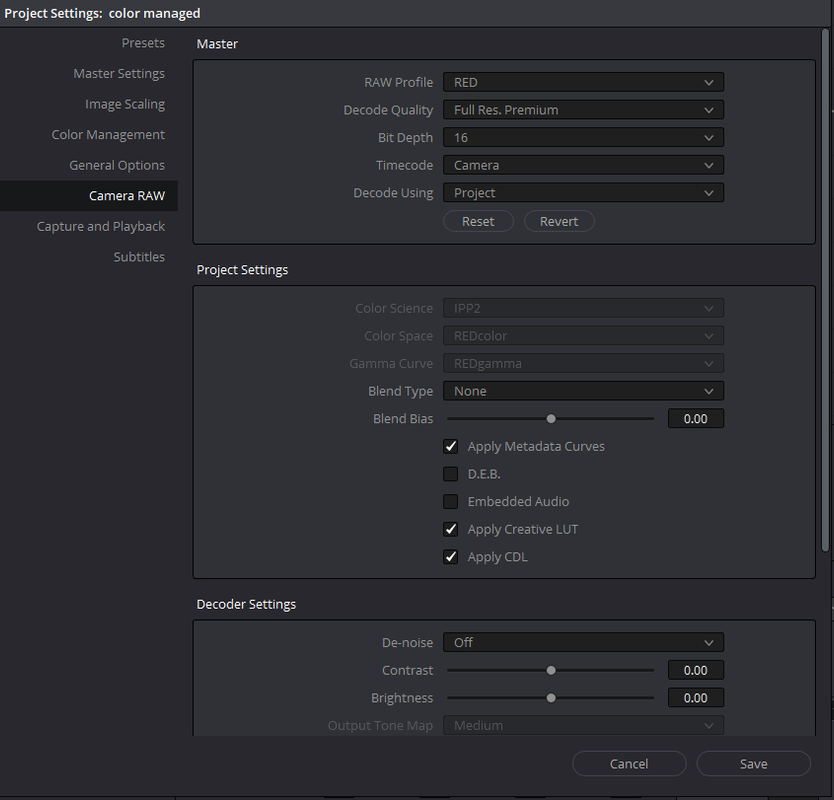
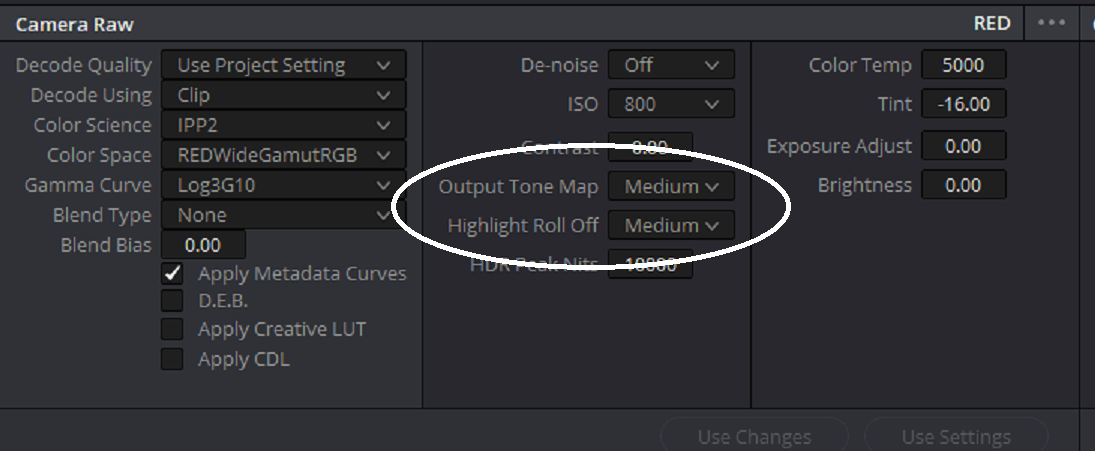
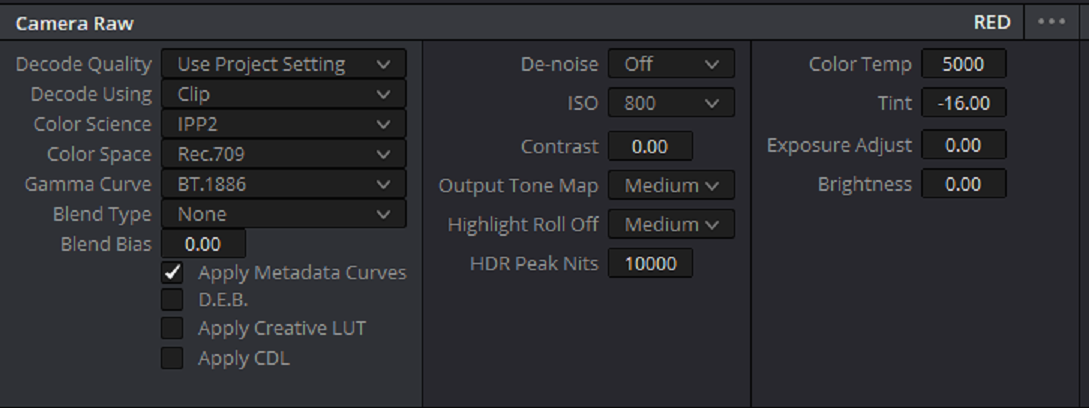
In "Camera Raw" you can use these settings below.


Screenshot-671.png


1) Decode Quality- You can chose a lower quality while you are editing high resolution footage then, Before you export your final edit, change this back to "Full Res. Premium".

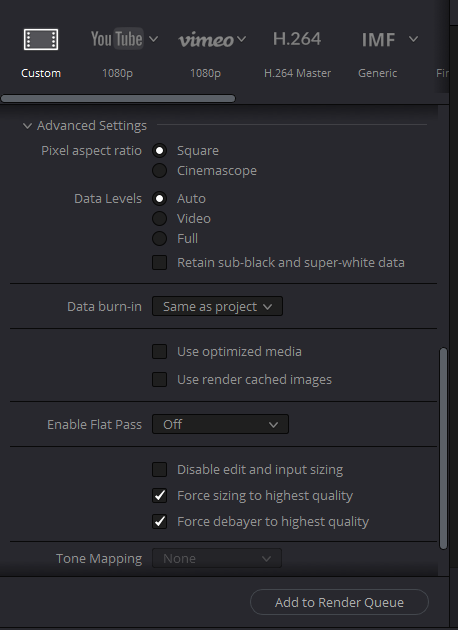
Also at the export stage I use, under the "Advanced Settings", "Force Sizing To Highest Quality" and "Force Debayer to Highest Quality" along with "Full Res. Premium" in the raw settings. This may be redundant but I always use both after Marc Wielage proved to me that there was a difference between just using "Force Sizing To Highest Quality" and "Force Debayer to Highest Quality" with a lower Raw setting "Decode Quality" and "Full Res. Premium". Although it was at 800%.

Screenshot-802.png


2)Apply Metadata Curve-If you want to bring into Resolve a curve you made in Redcine-X or other method.


3)Apply Creative Lut- If you want to bring in a Creative Lut from like Phil Holland's "PhilmColor" Lut Pack you added in Redcine-X.


4) Apply CDL( I believe this was added in Version 15.2)- If you want to bring in the CDL grade from Redcine-X into Resolve


Screenshot-673.png


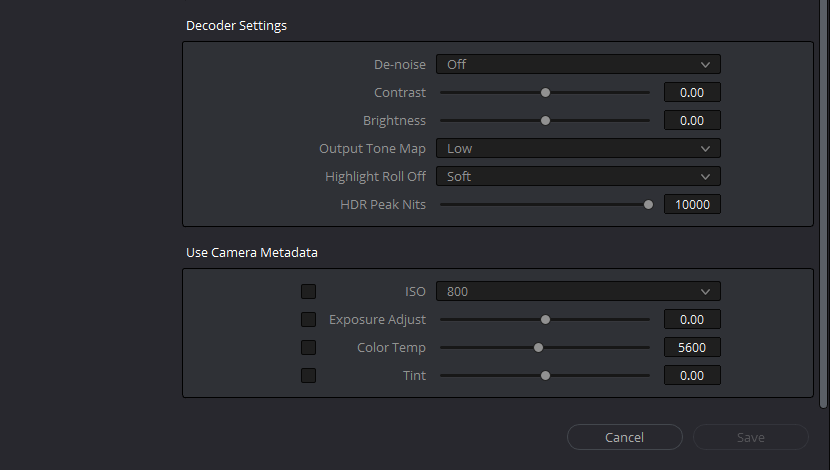
1)ISO- the default ISO you use most

2)Color Temp- I just leave this at the default 5600K

3)Output Tone Map and Highlight Roll-Off- these will have no affect inside Resolve since you will basically be using Output Transform Luts at the end of your Node chain or a "Color Managed" workflow.


Screenshot-674.png


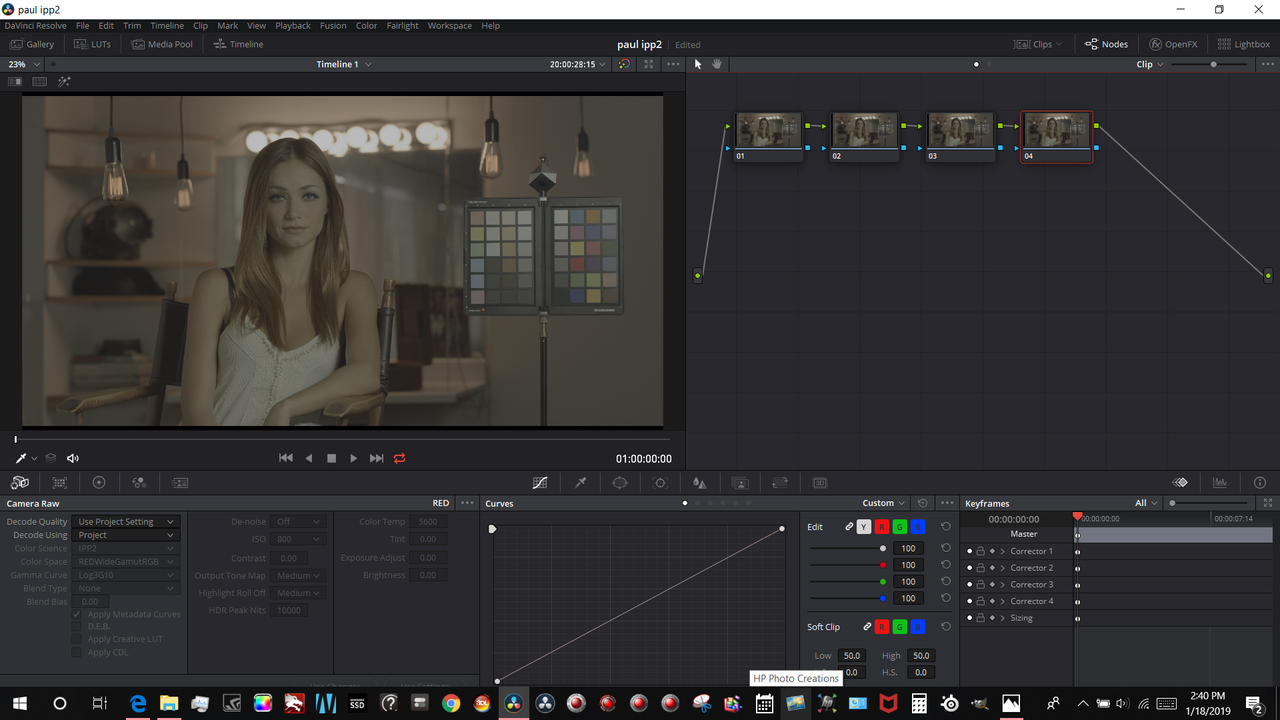
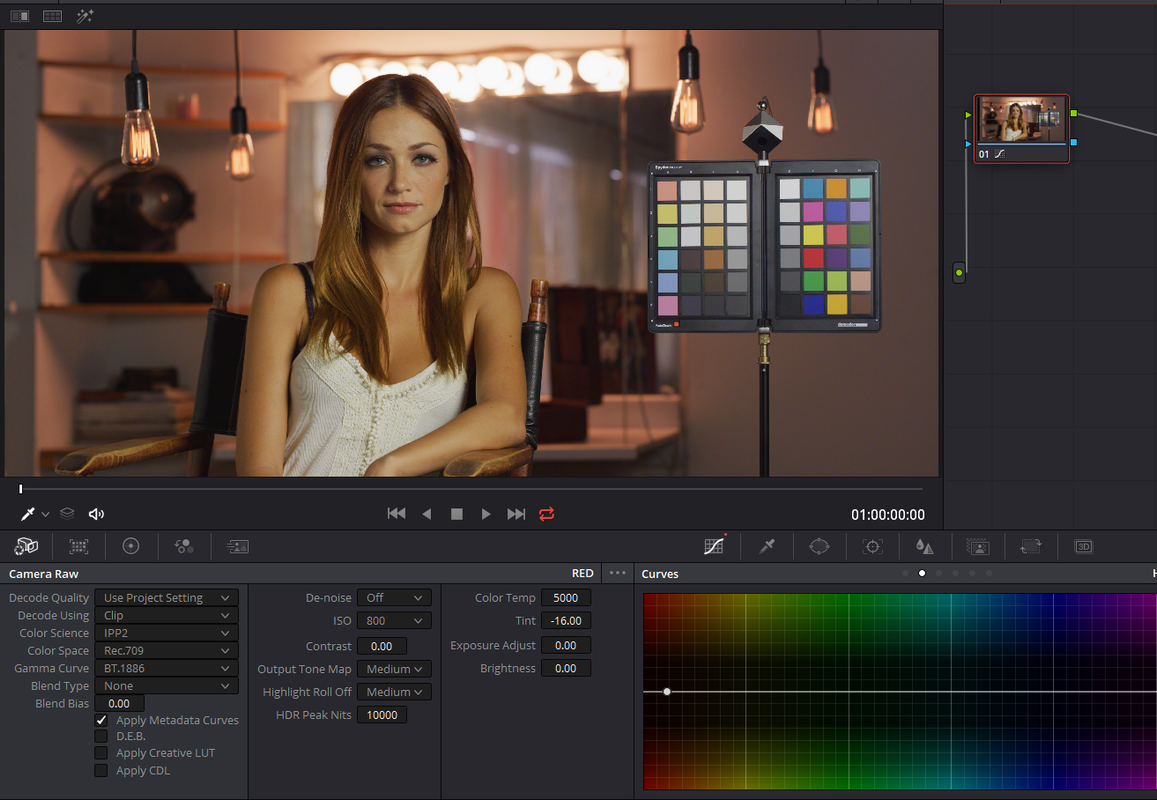
1)Inside Resolve import you clip into the timeline then go to the Color Page. In the screengrab below I disabled the "Clips"View to gain more real estate on the screen. I added 4 blank nodes as a default I will create.

Screenshot-794.png


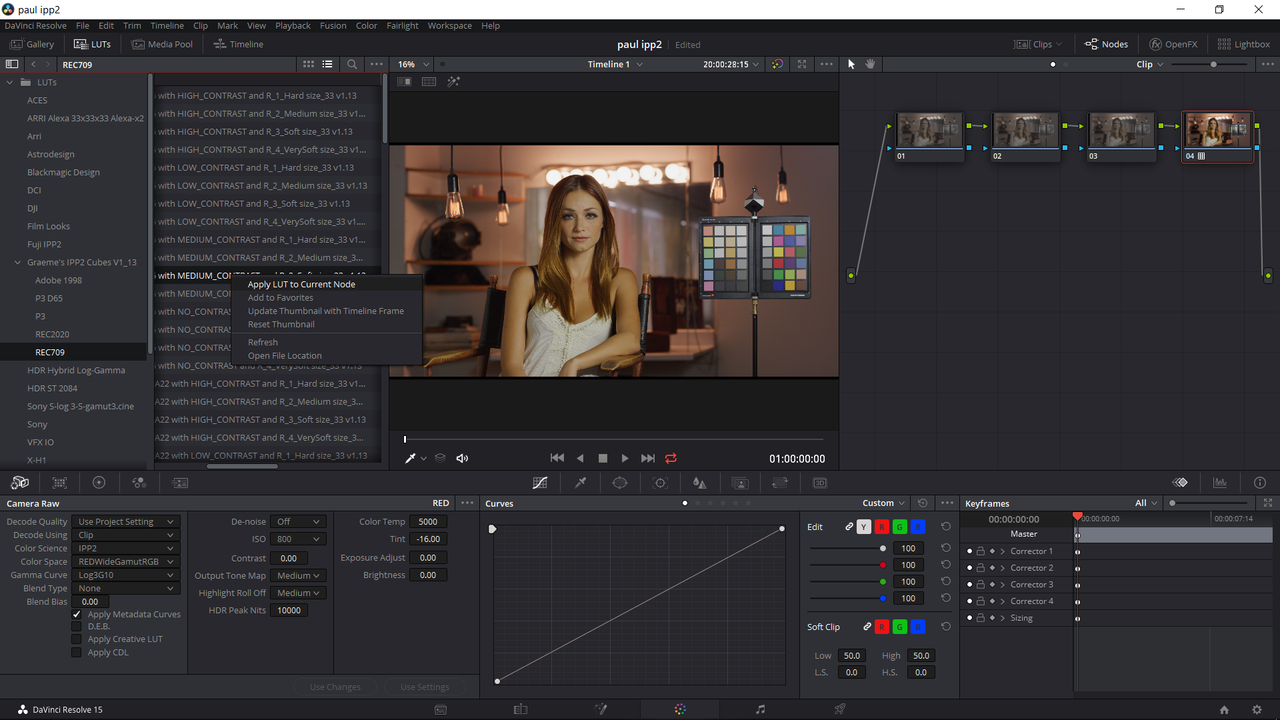
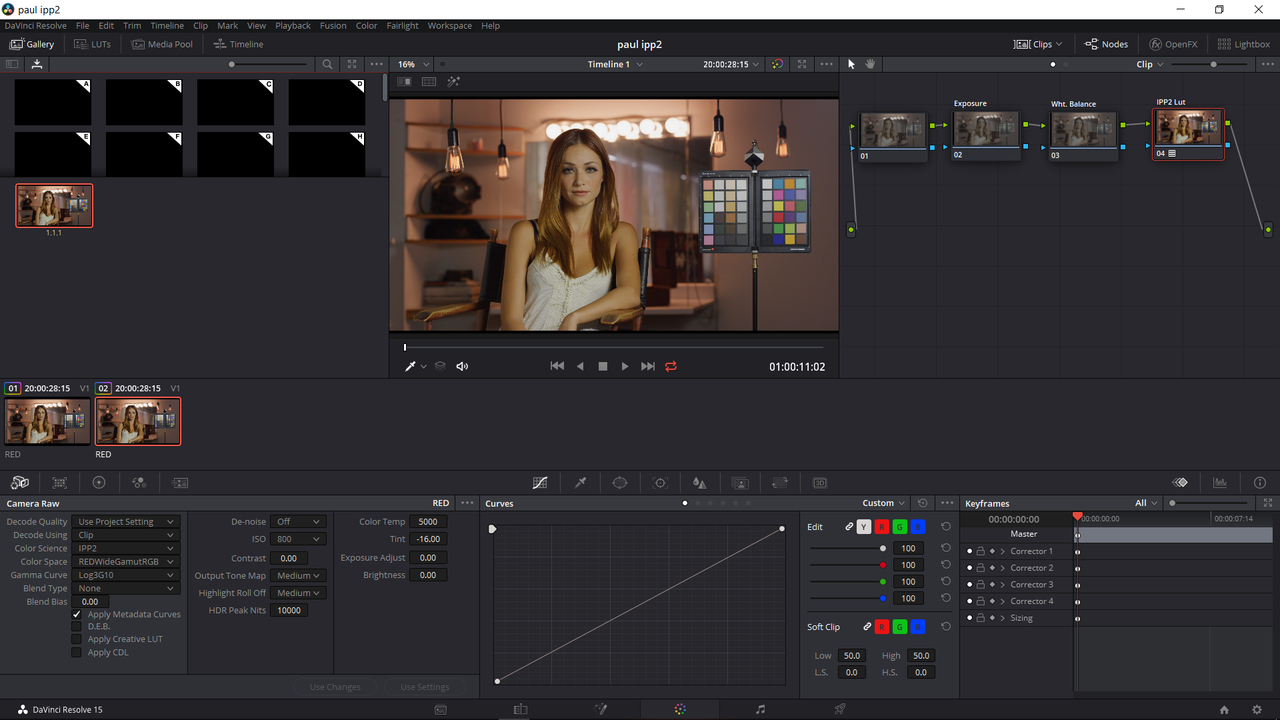
2)Next, to enable the ability to further change some of the "Camera Raw" settings, I changed "Decode Using" from "Project" to "Clip". I then changed the "Temp" to 5000K and the "Tint" to -16.00 in the "Camera Raw" settings. And finally, I added a Rwg/Log3G10 to Rec709/Bt1886( Gamma 2.4) Medium/ Soft Output Transform Lut From Graeme's IPP2 Lut link to the Last Node of the grade. You can change this anytime

Graeme's IPP2 Luts download link

https://www.dropbox.com/sh/7meziyar4vmps1s/AADxJILYDZYF9fbEOSPuTx_Oa?dl=0

Screenshot-795.png


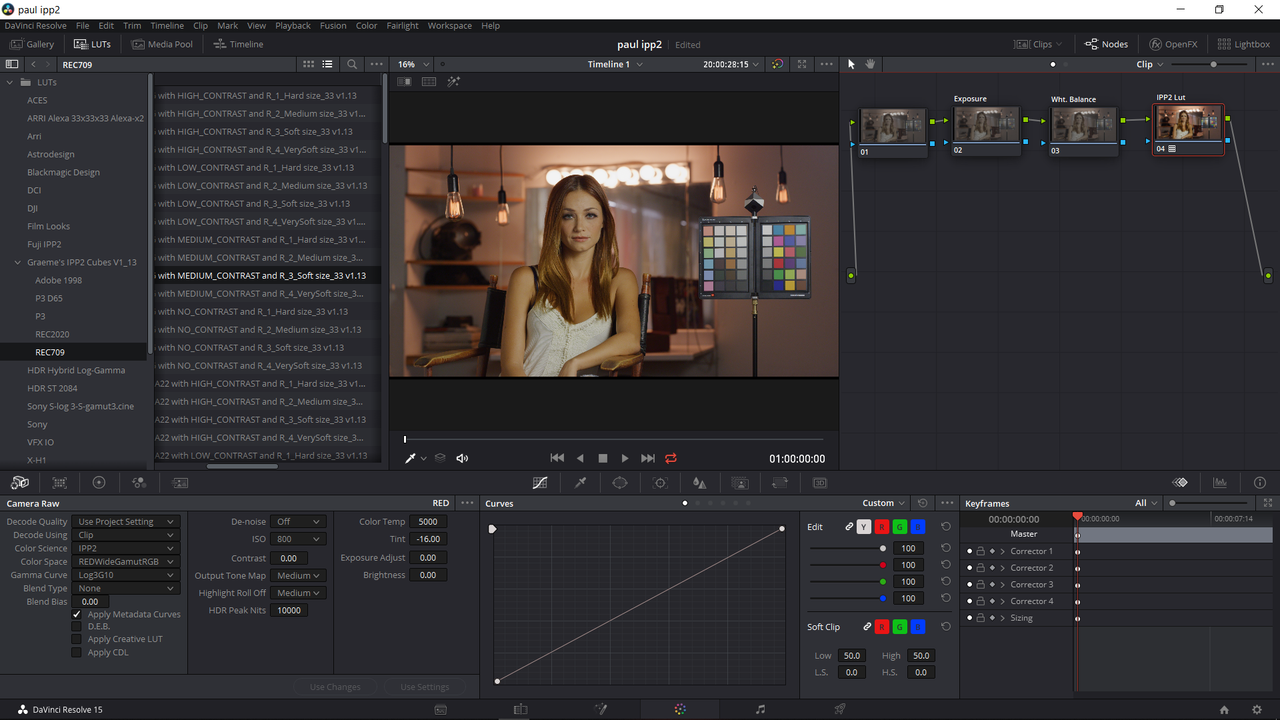
3) Next, I labeled the two Nodes before the "IPP2" Node, which I also labeled, for "Exposure" and "Wht. Balance". You can add more nodes to your default Node tree like "Skin tone" or "Secondary" if you want.

Screenshot-796.png


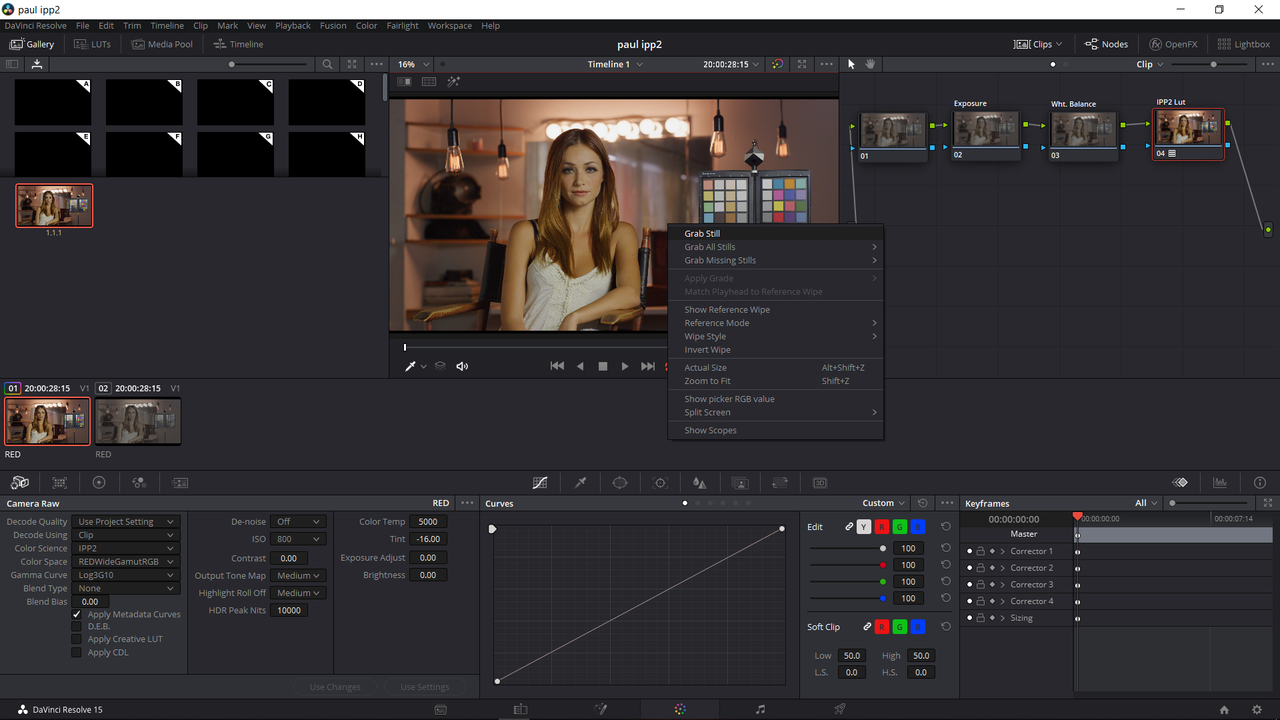
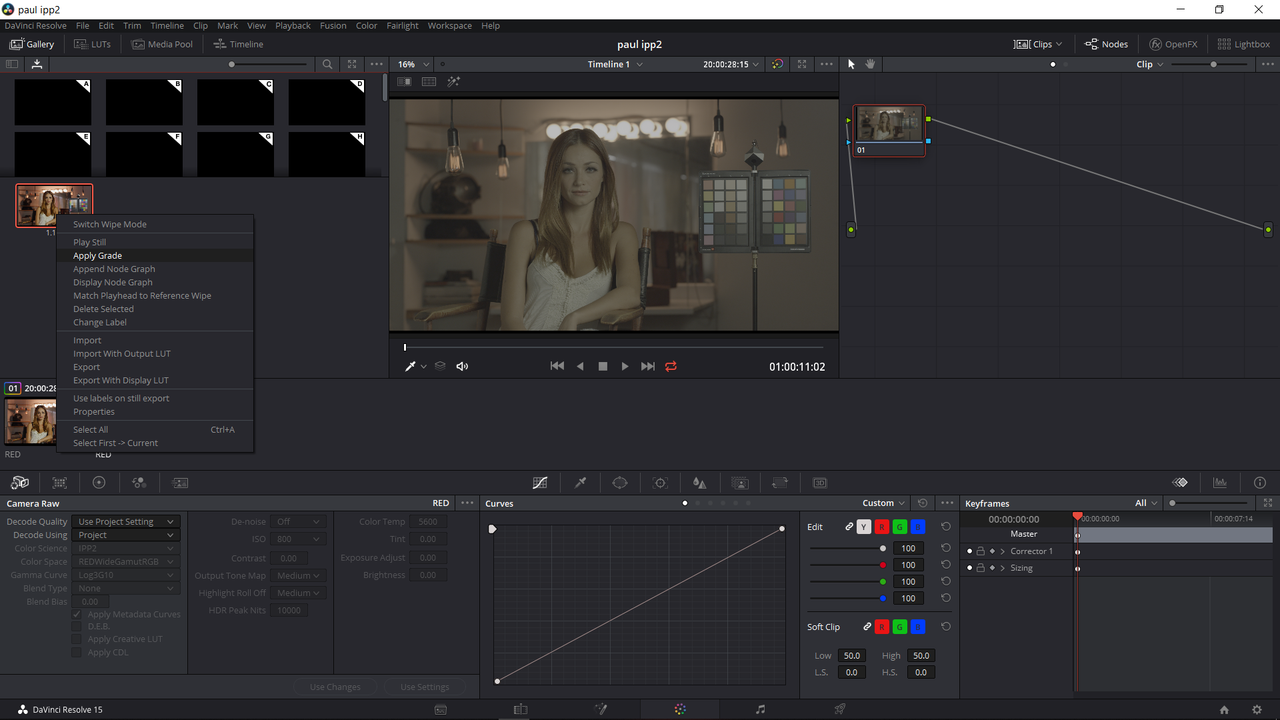
4) Further, you can save that default Node tree from above by "right-clicking" inside the viewer window and selecting "Grab Still". This will save it in the "Gallery" window.

Screenshot-799.png


5) Finally, on another .r3d file , I'll use the same image again unprocessed, you can go to the grade in the "Gallery Window", right-click, and choose "Apply Grade" and this will apply the default node tree along with IPP2 Transform lut in the last node, which you can change to another IPP2 Transform lut if you want.


Screenshot-797.png


Screenshot-798.png


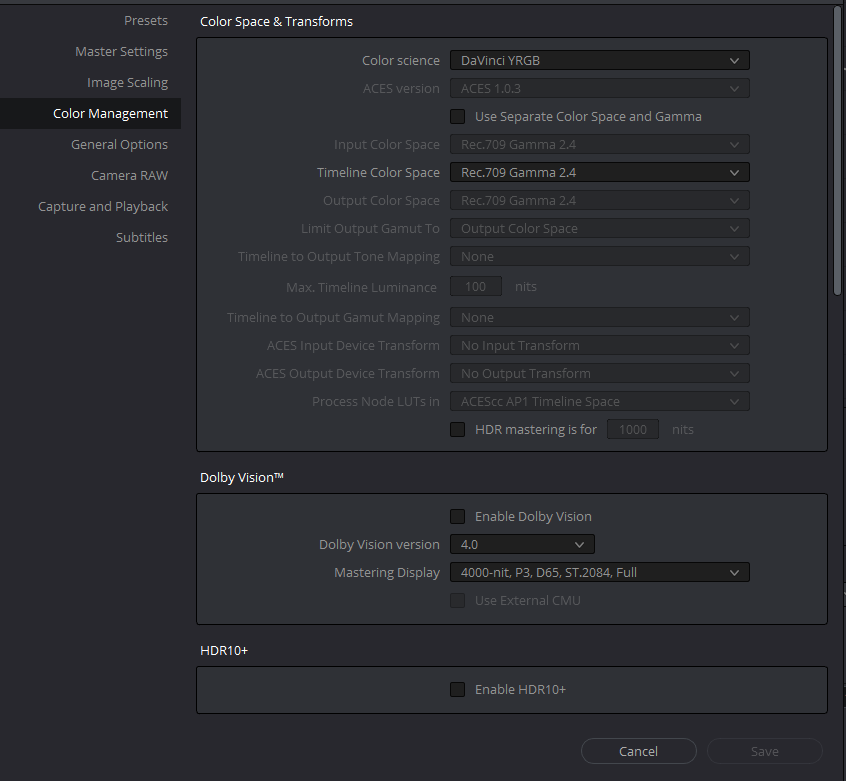
Color Managed Work Flow


This will completely negate you Camera Raw "Color Science", "Color Space" and "Gamma Curve" Settings.

This will also completely negate your need to add an Output Transform Lut at the end of your clips node chain.


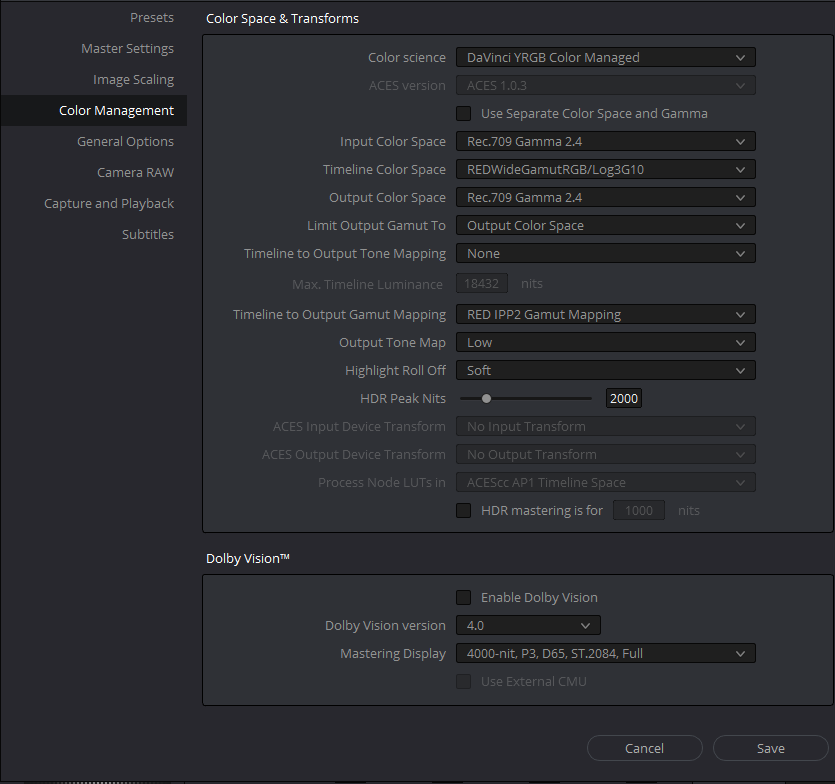
As Per the Settings of Peter Chamberlain of Blackmagic Design

Screenshot-670.png


1)Output Tone Map and Highlight Roll-Off- Use this here if you know you will only be using one Output Tone Map and Highlight Roll-Off for the entire project. Choose this carefully because changing these settings will fuck up your entire project.

2) I chose "Low" and "Soft" because I believe these are the new "Default" settings Red is going with, no longer "Medium/Medium". You can change this to whatever you want. Be sure to choose these settings wisely because you will have to develop all of your R3Ds from these setting, no matter how bright or underexposed they are. So I would get a good sample selection of all your clips in the project you are about to start from the most under exposed to the most over exposed and decide which "Output Tone Map" and "Highlight Roll-Off" works as the best "starting point" for all of your clips.


Here are the "Camera Raw" Settings in a Color Managed Workflow.

Screenshot-675.png


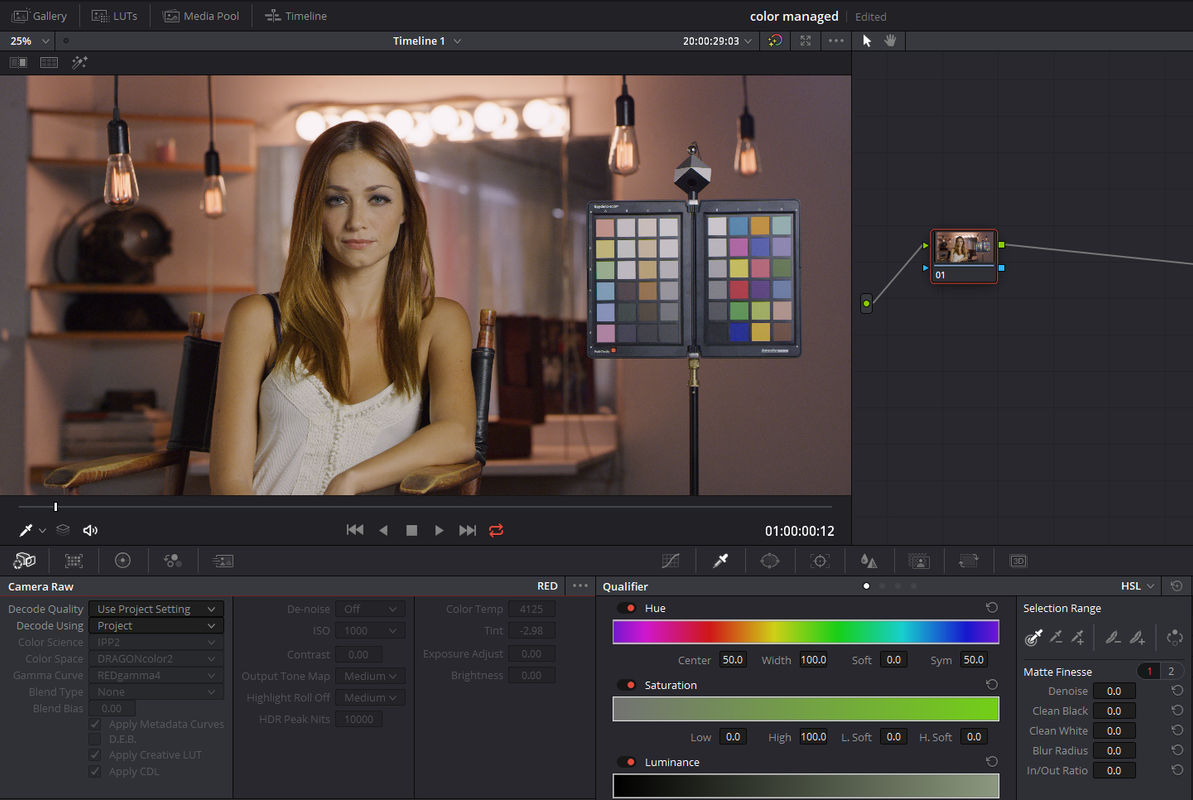
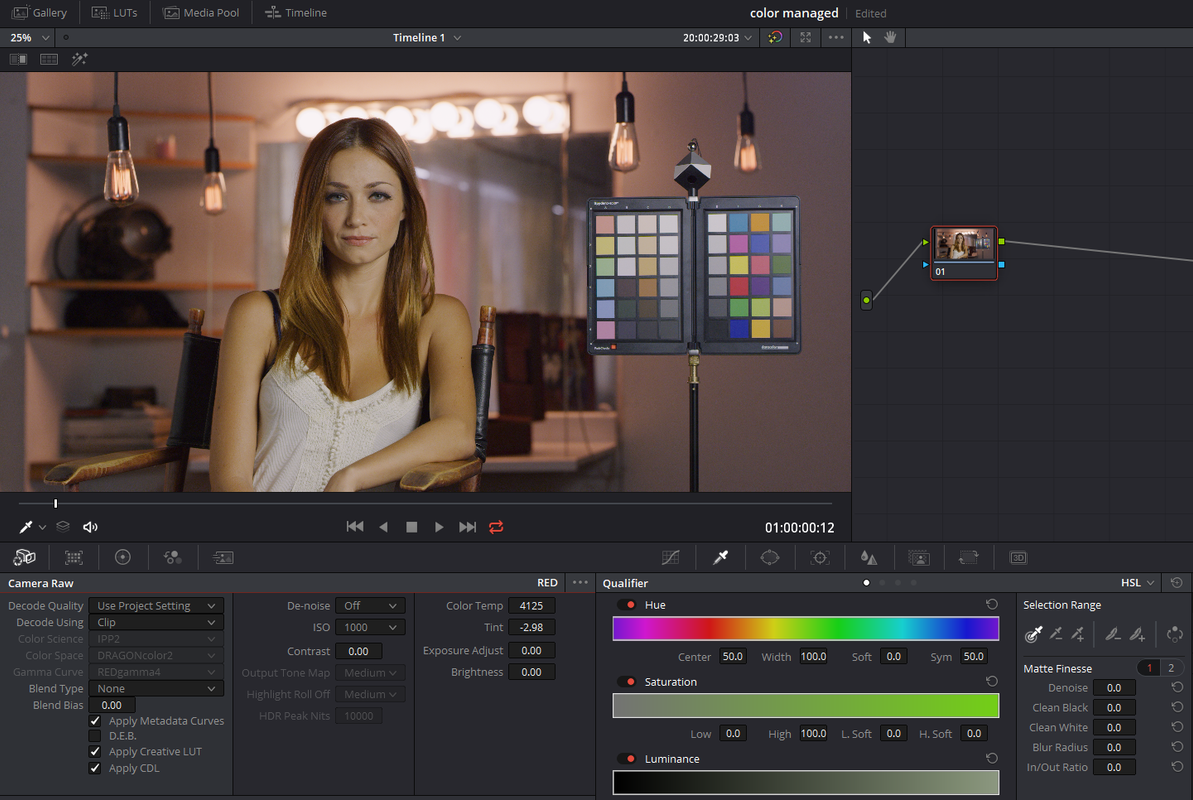
Here are the "Decode Using" "Project" and "Clip".

"Project"

Screenshot-676.png


"Clip"

Screenshot-677.png


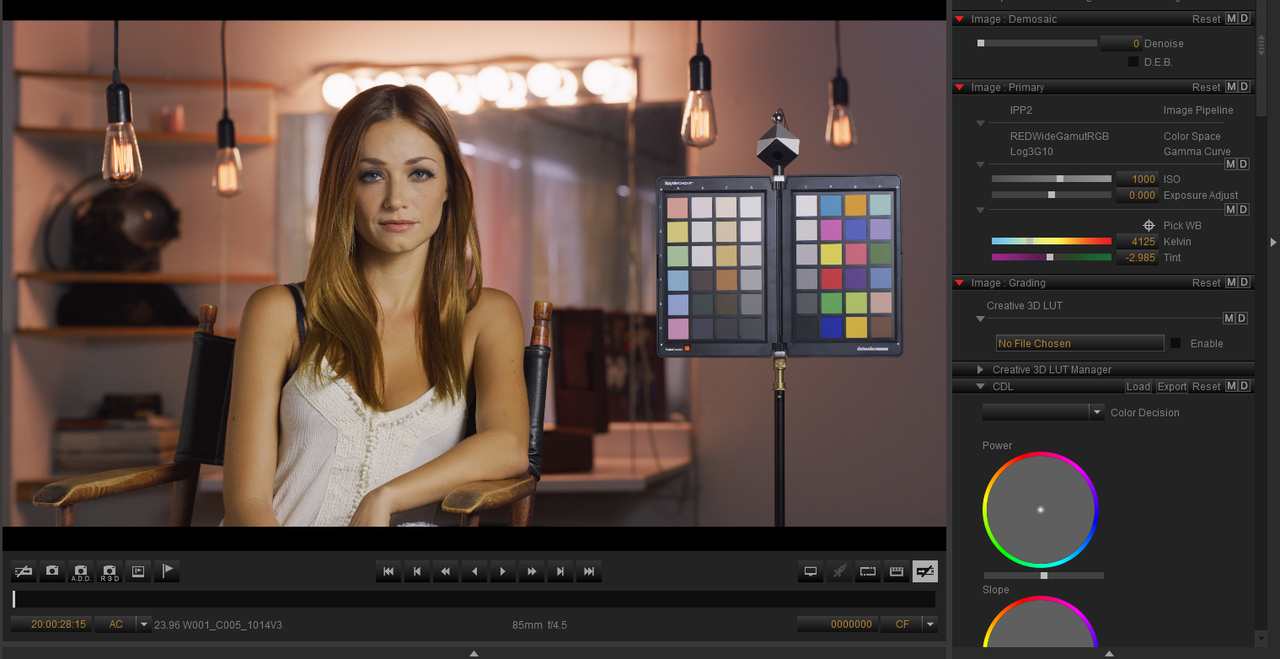
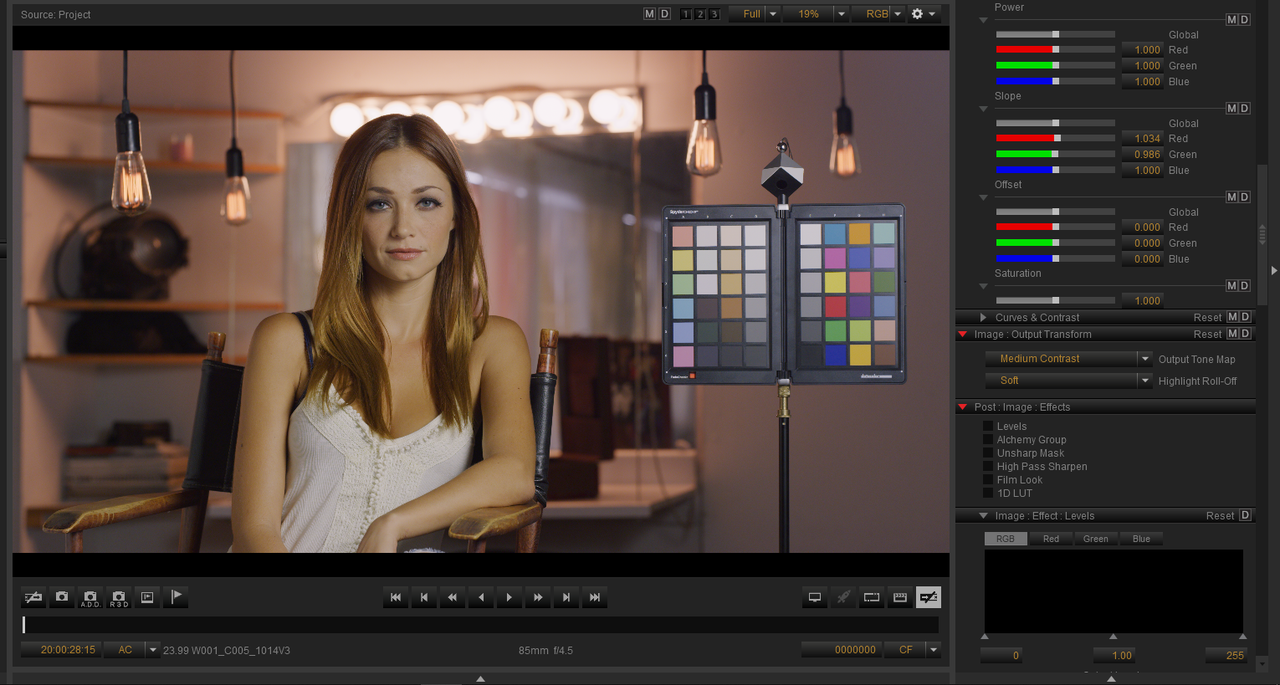
The Color Managed Workflow also brought in the "Iso=1000", "Kelvin=4125" and "Tint=-2.985(in Redcine-X) -2.98 in Resolve as well as the CDL Grade, when using the "Decode Using" "Clip". But you could see those settings "greyed out" even using "Decode Using" "Project".


Screenshot-678.png


Screenshot-680.png
 
Last edited:
I love every aspect of IPP2 and its clearly a big step forward into the future. The problem seems to lie in its implementation in 3rd Party Apps. I recognise that the situation is fluid and every new version of software hopefully improves the implementation although this doesn't help with the confusion. Talent and experienced operators as yourself have done the homework and understand IPP2 but thats not how a lot of the Industry works. I am hoping in the future that Red footage can simply be dropped into projects and you don't need to drill down into settings to unleash the full potential of the image. I know Rand you have done a lot to educate people on IPP2 in Resolve. What would you change ?
 
Tom,


I only know enough to be dangerous, HaHa. But seriously, I would like for Blackmagic Design to have something like the "Color Managed Workflow" above but allow you to change the "Output Tone Mapping" and "Highlight Roll-Off" for each clip "mathematically" instead of with an "IPP2 transform Lut" . By selecting "Output Tone Mapping" and "Highlight Roll-Off" in the "Camera Raw" settings below, your selection would automatically be applied "mathematically" to the "output" of your node tree for each grade instead in the first Node as it does now.


Screenshot-803.png


Screenshot-806.png


Screenshot-806-2.png
 
Last edited:
Tom,

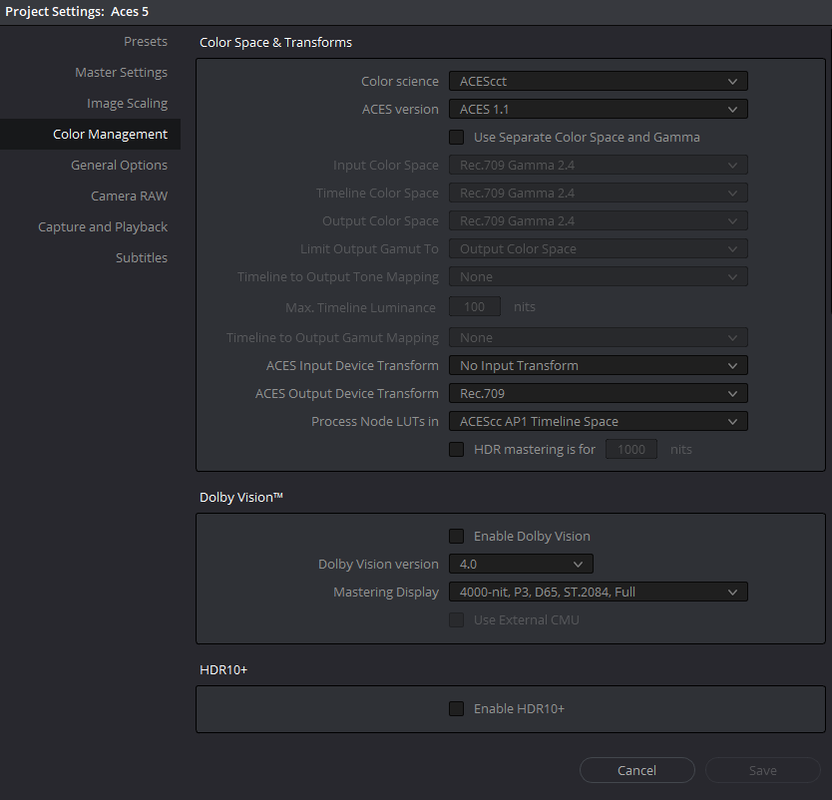
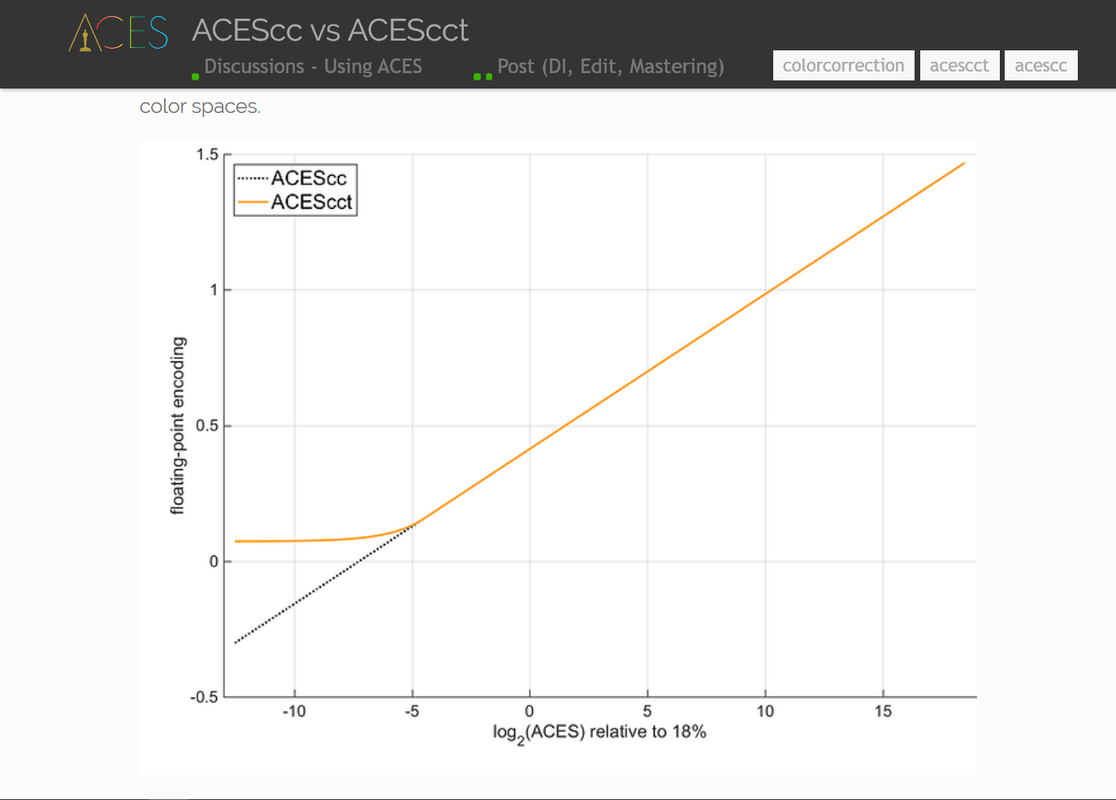
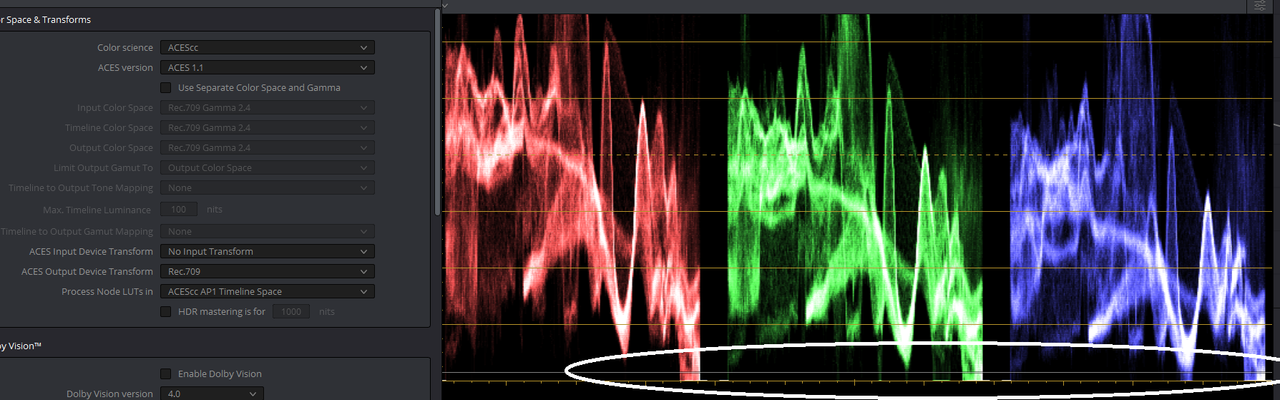
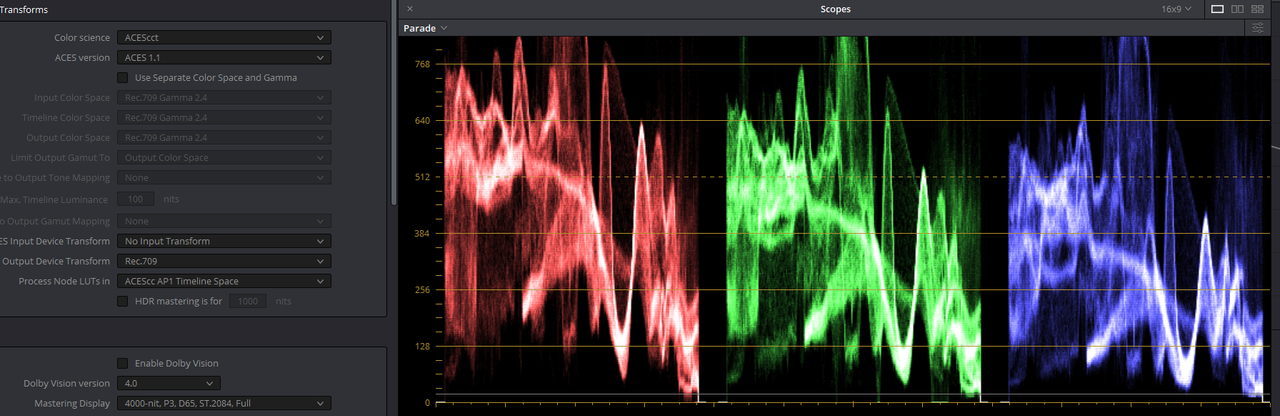
You can also just use ACES until you feel comfortable with IPP2.

Screenshot-781.png


Screenshot-778.png


ACEScc Blacks


Screenshot-779.png


ACEScct Blacks


Screenshot-780.png


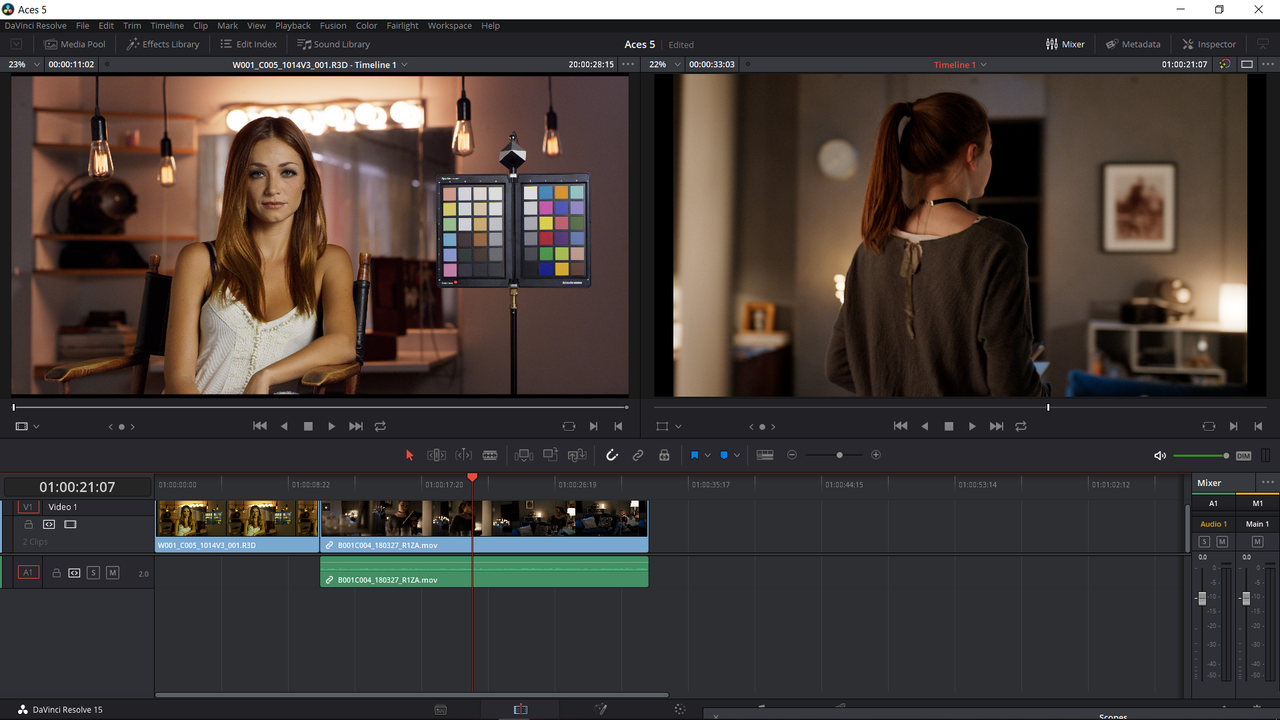
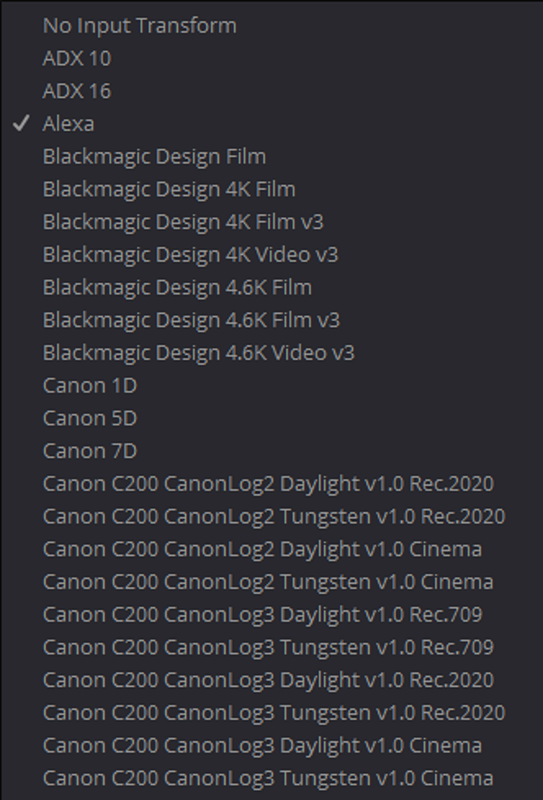
Here is a Red Raw .R3D file(Left Window) automatically transformed in Resolve by ACES. I used an "Alexa" "ACES input Transform" for the Alexa LF ProRes File(Right Window).

Screenshot-774.png


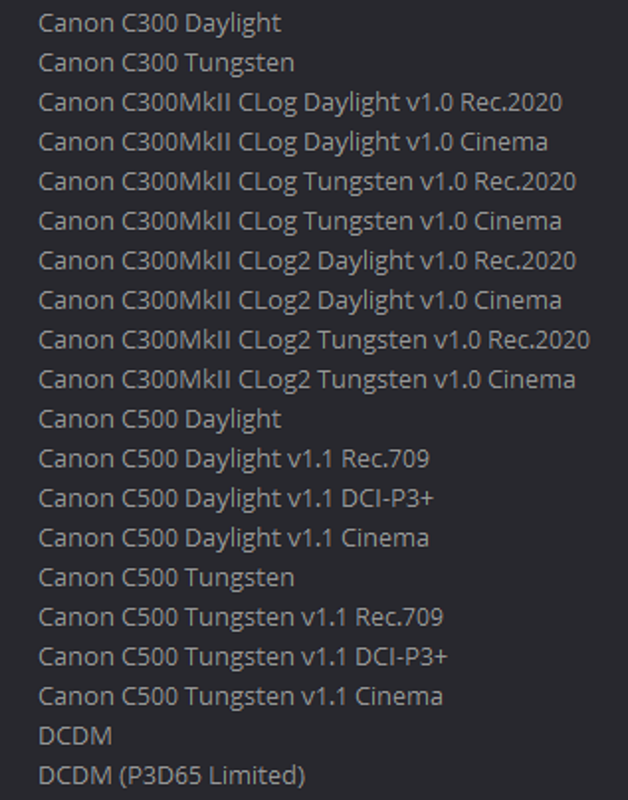
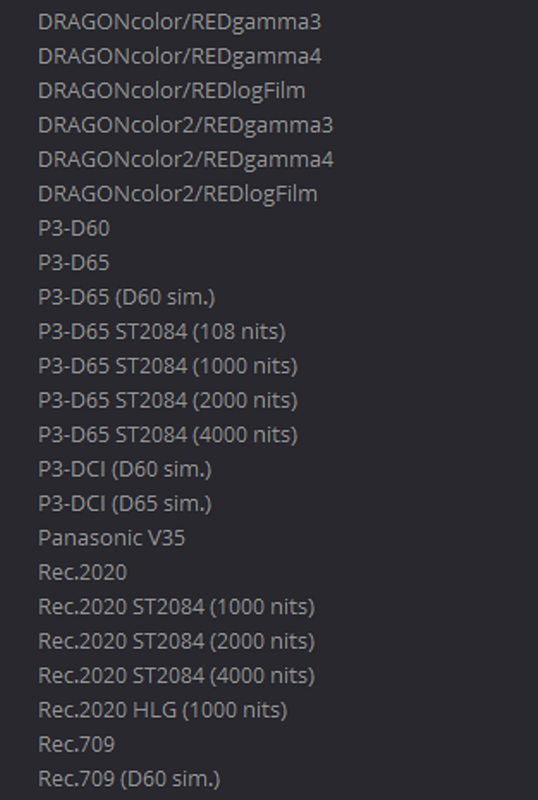
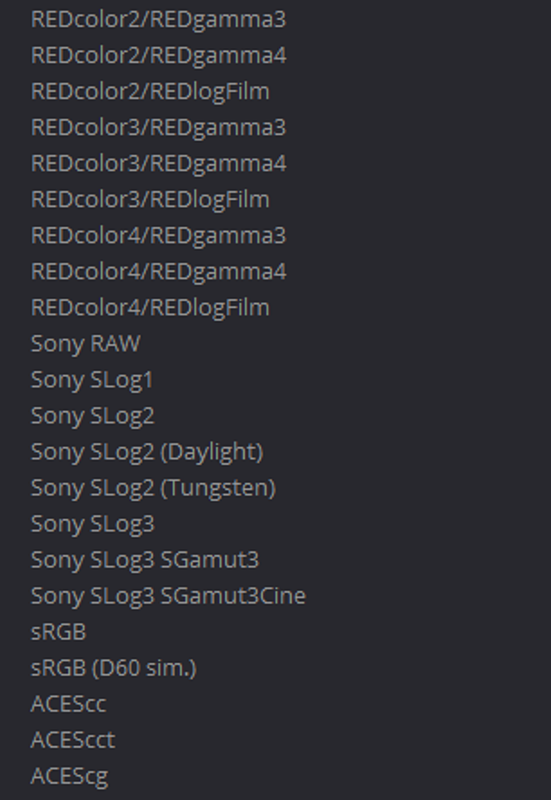
All Current "ACES Input Transforms" in Davinci Resolve Studio/Free(I Think) 15.2.2 for "None Raw files"


Screenshot-782-2.png


Screenshot-782-3.png


Screenshot-783-1.png


Screenshot-783-2.png
 
I tend to avoid posting here because of the abuse I get :-)

What happened was...the first run of readings was done in Resolve 15.2.2 in ACEScct using the manufacturers default settings. I do this because I'm trying to use an even playing field.

The second run was using the camera settings, or camera metadata, we'd been very careful when shooting to make sure that all cameras were setup according to manufacturer's recommendations. In fact most manufacturers sent reps to make sure all was well. RED didn't.

There is no way to set IPP2 in Resolve in ACEScct. There is just a default RED raw setting which I used.

RED was not the only camera that this affected, the Sony Venice was also different between the two settings but in that case it was simply a difference in level not DR.
 
Tom, Rand,

I think the issue is simply that the Red ecosystems is like a mini ACES within itself, that's the Red approach and it works really well but it doesn't play well with ACES directly.

So the point of IPP2 (and ACES) is to separate the image from the output display transform. Because you don't want to bake in a particular display destination - you may want to run something out to film or run it out digitally applying a film LUT - so that the viewer sees the same intent and image. (Sorry for teaching to suck eggs, i know) from the same grade.

IPP2 works like this for that reason. The source data holds everything the camera can see. The IPP2 debayer helps with highlight reconstruction (like all other cameras) within this Red specific colourspace. The final output mapping handles the translation of this wide colourspace into a narrowing display space (2020 or 709 at the moment).

Just like ACES does.

But ACES relies on the IDT to do the work that IPP2 is doing and i just don't think (guessing) that the ACES/Red/IDT in Resolve is not doing it correctly or fully. As Rand shows there is no IPP2 IDT.

There is an option in RedCine X to output ACES exrs although the last version i looked at didn't work properly.

So there's nothing wrong with the shoot, it's just a workflow thing but of course it really *should* work but the Red ecosystem has always been a bit different - probably because originally it was ahead of the curve. I suspect that Red/BMD really ought to look at that Red IDT

It's the same for other apps as well. Nuke has the same issues of managing your own version of viewing through display transforms but Nuke allows a fine level of control. Bring in IPP2 rendered image, convert into scene linear, work on it and convert back to RWG and process with other red footage.

This does make me wonder whether i should compare Resolve to Nuke in this regard with those highlights, so maybe i should download those CML files and see...

cheers
Paul
 
Geoff - do you document somewhere exactly what you're doing? I'm finding it hard to follow from this thread.

The SDK is not going to give you an ACEScct output. Why? Because the Academy don't want you writing out a ACEScct file. ACEScct is a grading intermediary (or camera output for live grading) only. The SDK does output a properly formed linear light image in AP0 which any ACES grading tool should have as a starting point. Then they'd take that linear light and do their own transform to AP1/cct. And then transform back to AP0/linear light to apply the RRT and ODT to display.

Only metadata that should effect this in any way are Kelvin/Tint/ISO/Exposure as they're the only settings honoured in any ACES decoding as all the rest is the province of the ACES RRT and ODT.

Graeme
 
My point is separate to the technical side - it's that i don't *think* resolve supports Red and ACES together.

There are no IDT's for IPP2, there's no input mapping for R3Ds like this.

Graeme, do you know that BMD automagically sucks in all the R3D data in the case of Red (because all other cameras have IDTs)? So specifying No Input Transform will work? I think Geoffs issue is just that Resolve and IPP2 and ACES aren't quite on the same page as each other...

I was going to compare one of these R3D files in Resolve, set up as ACEScct, and then an export from RedCine in EXR with ACES however RedCine still doesn't export exrs at the moment (build 50.5.45474)

cheers
Paul
 
Paul,

I believe that Red is always continuing to refine the IPP2 workflow. But there is already the perfect implementation of the IPP2 workflow the way Red envisioned it, Redcine-X Pro. I think most of what most individuals are posting having problems about ,can be done initially in Redcine-X , say Assigning an IPP2 transform and an intial grading pass, which could then be further refined in their NLE of choice.

I don't think a lot of editors are grading any significantly sized project in 8k,6k or 5k .R3ds. They're probably using some form of lower resolution ProRes or Avid DNxHD/HR to edit in. You can output those formats out of Redcine-X cropped and in some cases using a better Scaling Algorithm than what is found in most cameras.

But I don't think any future refined SDK for IPP2 is ever going to satisfy every user of every NLE.
 
Last edited:
Scot,

Thanks! But I just posted to what was already a great thread.
 
Back
Top