Welcome to our community

Be a part of something great, join today!

  • Hey all, just changed over the backend after 15 years I figured time to give it a bit of an update, its probably gonna be a bit weird for most of you and i am sure there is a few bugs to work out but it should kinda work the same as before... hopefully :)

IPP2 Workflow - Missing Controls

Han Vogen

Well-known member
Joined
May 23, 2018
Messages
332
Reaction score
38
Points
28
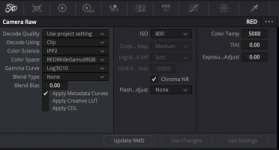
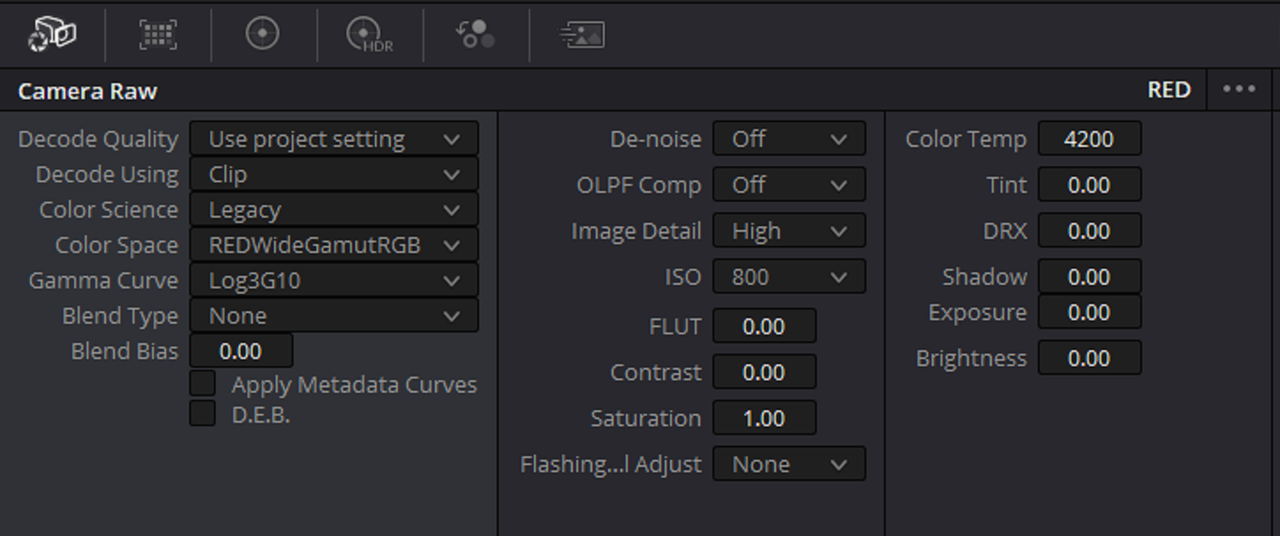
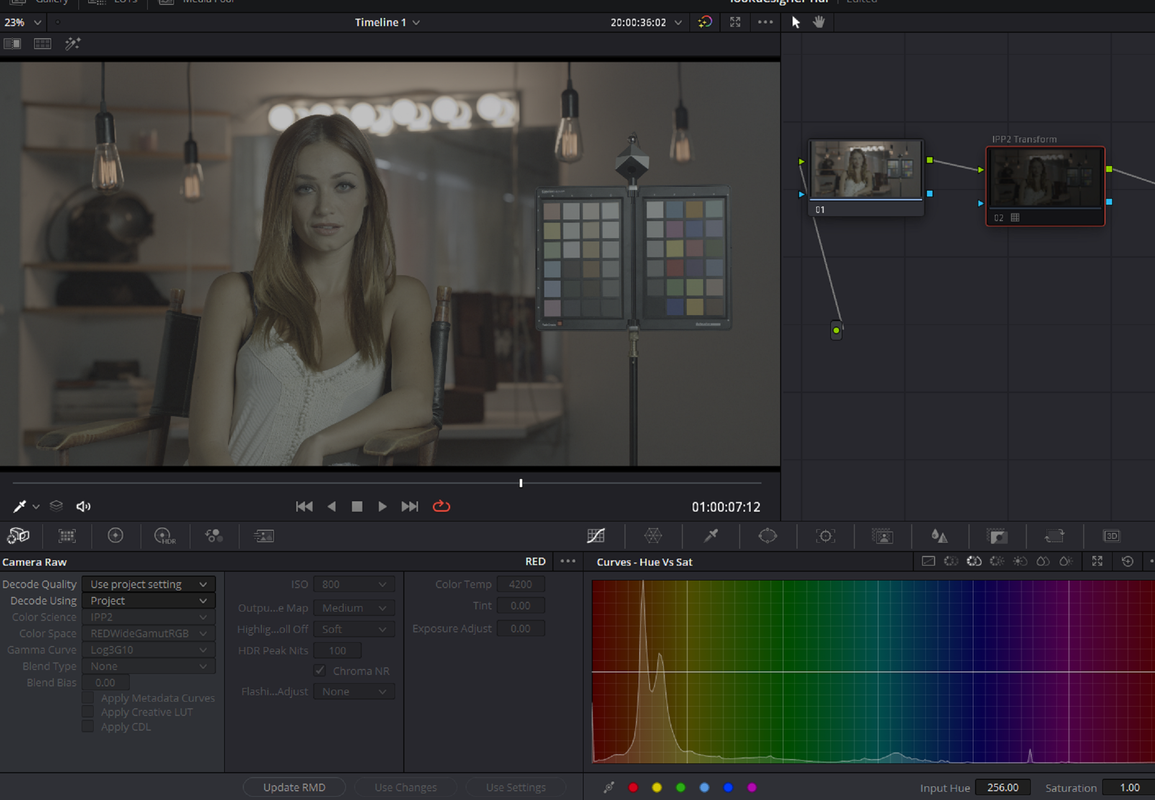
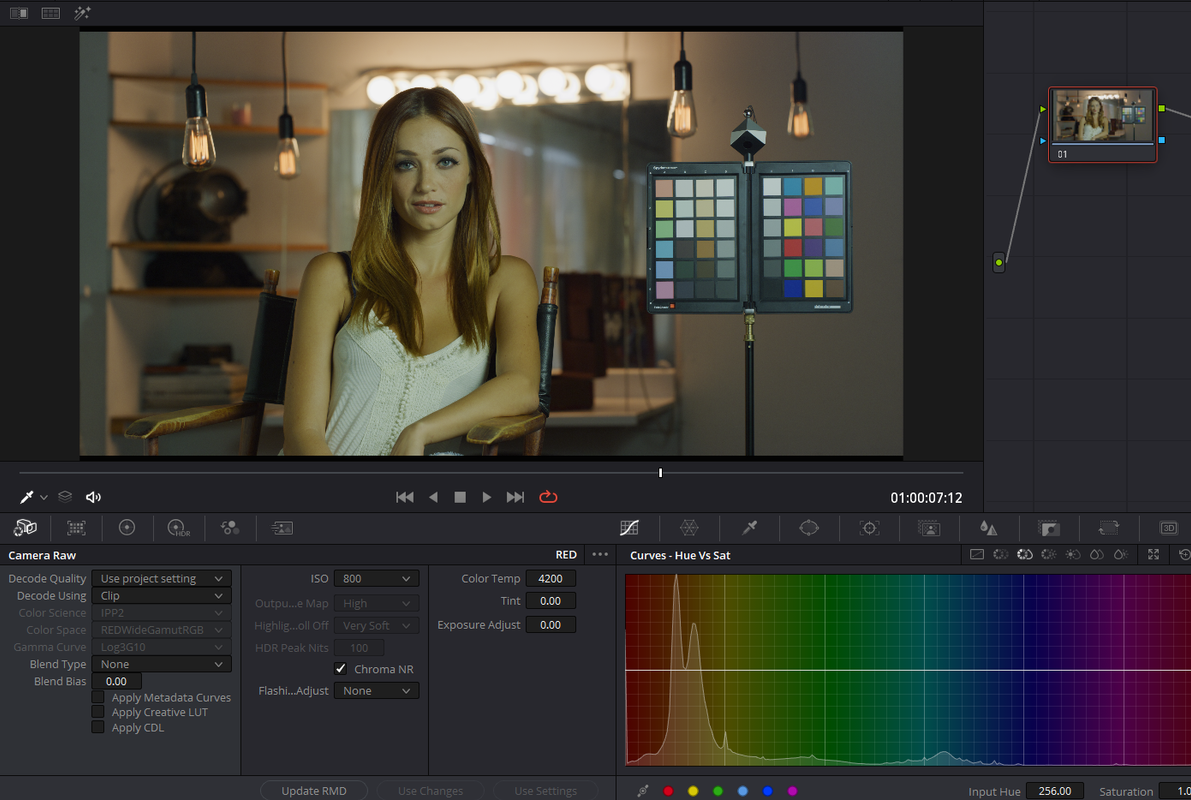
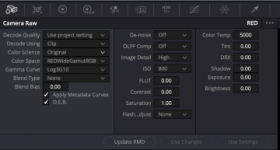
IPP2 seems to be missing many of the controls that are present in the Original and Legacy workflows in Davinci Resolve. Switching to Legacy or Original in Davinci Resolve apparently slows down the computer to an unworkable point. Has anyone else run into this? What does your workflow look like? Are there plans to add this missing functionality to IPP2?
 

Attachments

  • Screen Shot 2022-02-06 at 2.15.47 PM.png
    Screen Shot 2022-02-06 at 2.15.47 PM.png
    65 KB · Views: 1
  • Screen Shot 2022-02-06 at 2.16.03 PM.png
    Screen Shot 2022-02-06 at 2.16.03 PM.png
    65.9 KB · Views: 1
If you are talking about the Legacy controls not being in IPP2 controls that's somewhat the whole point of IPP2 as there's been rather significant Color Science improvements since then which has impacted how the controls work or has made other controls, well, legacy controls.

Legacy is two demosaics back now, IPP2 no longer needs "DRX", IPP2 has a better Chroma Noise Reduction than "denoise", IPP2 also has the Highlight Extension Algorithm, etc.

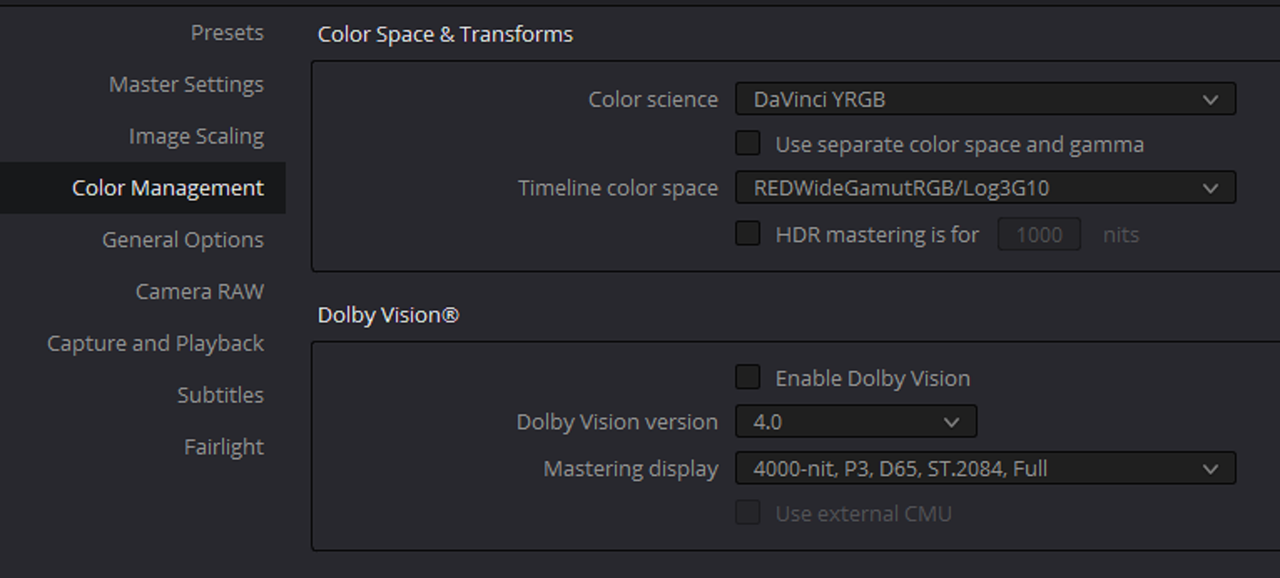
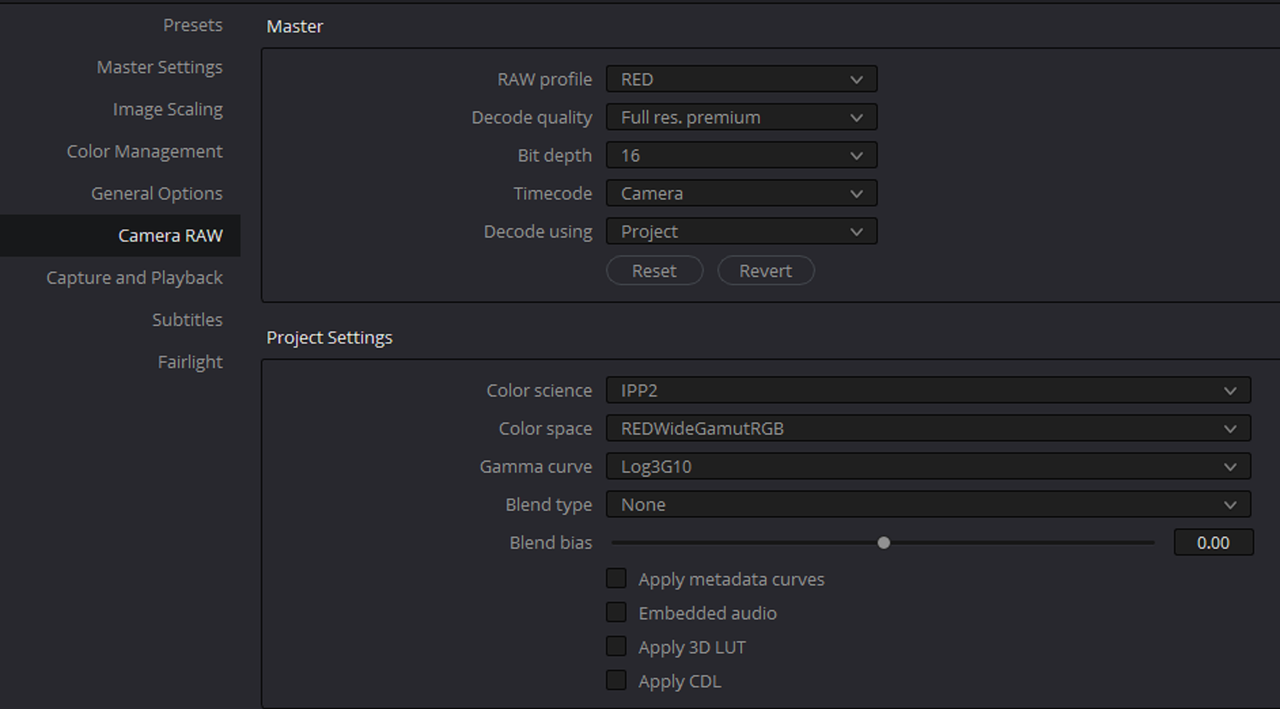
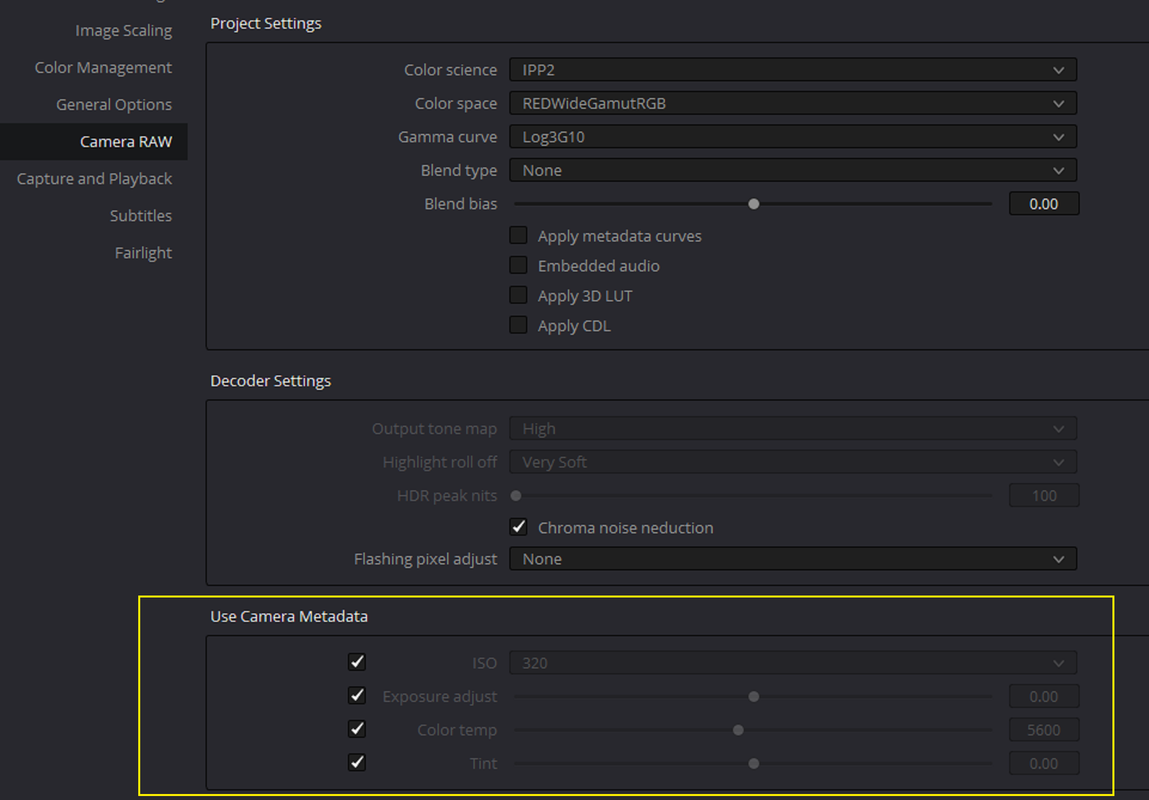
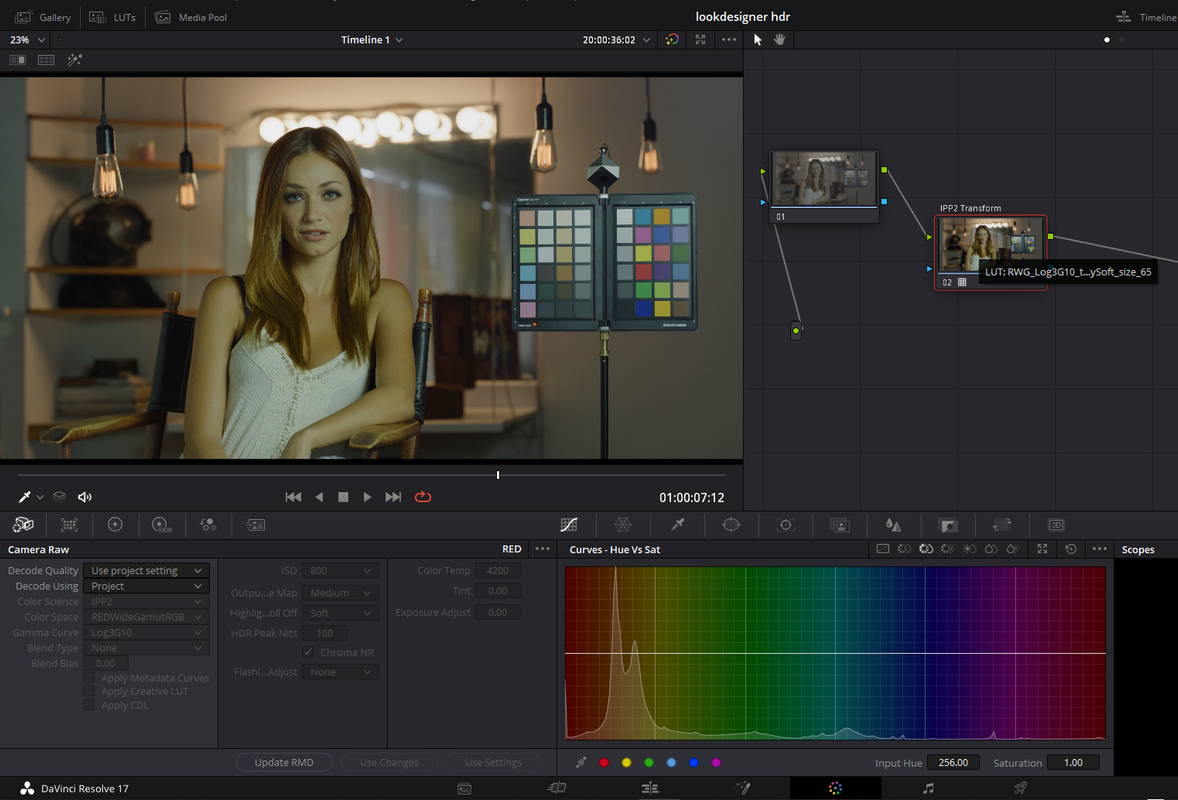
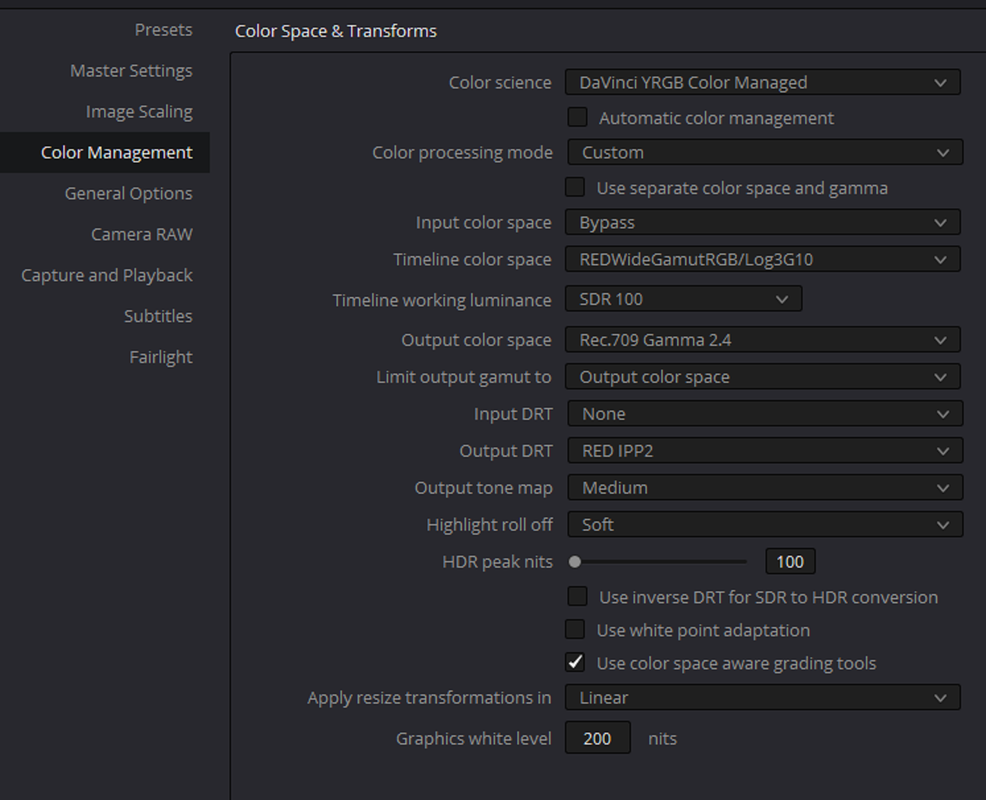
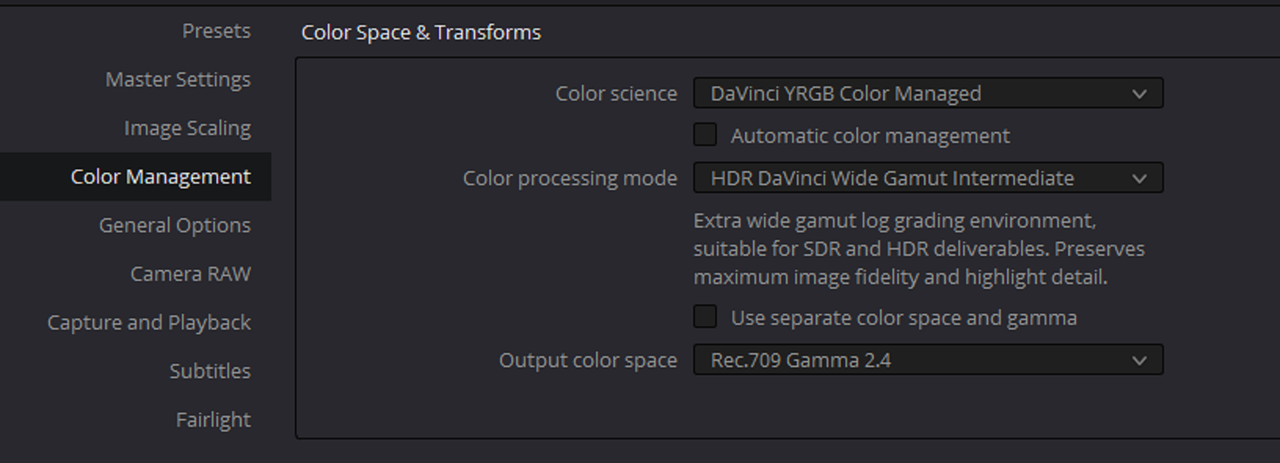
The IPP2 controls that are grayed out in your panel however are tackled in your Color Management Settings and/or Camera RAW Settings. Resolve, like many other applications, has many ways to work.

Some have just been renamed to make a bit more sense, like FLUT. Which is now Exposure Adjust. More precision if you are looking to adjust the ISO between the 1/3rd stop increments of just adjusting ISO on it's own.
 
Han,

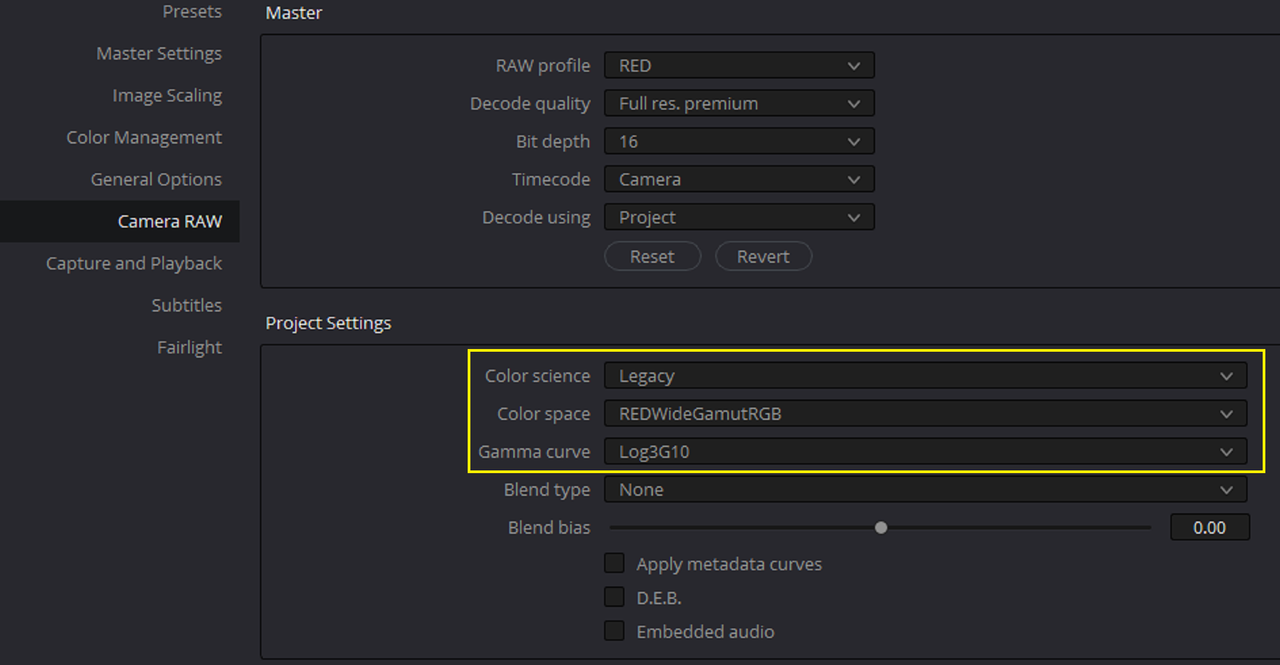
Like Phil, I still think the way Resolve has IPP2 setup currently is great with both the LUT based approach and the IPP2 Color Managed workflow. I have still seen some debate around the internet that the LEGACY workflow was better. I've seen some mix REDLOGFILM and LOG3G10 together and use that as a starting point instead of RWGRGB. I guess this is like the CD/LP debate, some people still think you can hear a higher fidelity of music from VINYL Records than you can from Compact Discs.

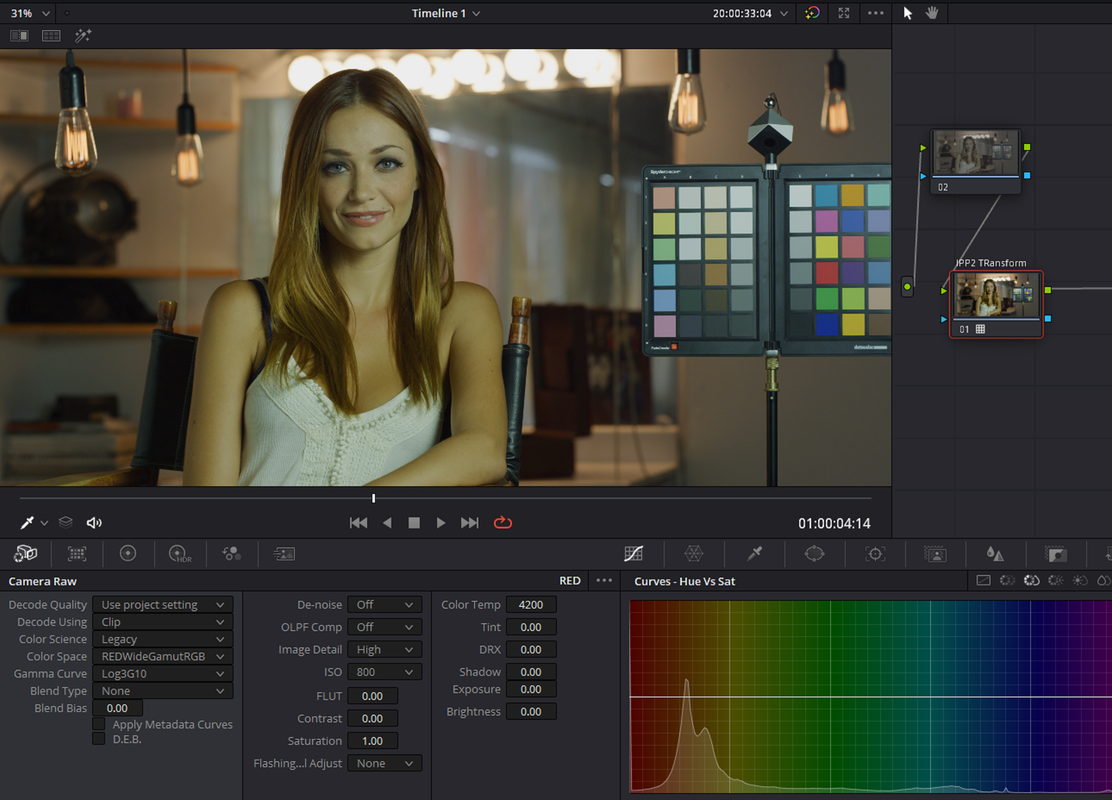
If you so choose to use that Older development method here's the settings.

Screenshot-3860.png

Screenshot-3721.png

Screenshot-3720.png


Screenshot-3723.png


1-1-1-1-1-1.png


Screenshot-3719.png
 
Last edited:
Thanks for the replies. Since getting the Komodo I’ve only worked in the IPP2 workflow. But did wonder about the older workflows, as they appeared to offer control over aspects of the image that IPP2 does not. There does not seem to be an IPP2 equivalent for “image detail” and “de-noise”.
 
Han,

Thanks to the new debayer Algorithm in the current SDK from Red in Resolve, you automatically get a more detailed image than was possible before in older workflows. So there is really no need for additional detail enhancements and you may make your images start to look unnaturally sharp.And as Phil stated above you have the Chroma Noise feature that you can either select on a Project wide setting or clip by clip.
 
Thank you guys for the detailed info, it's much appreciated. I've owned and shot on Reds since 2008, however, my last upgrade was to Epic X, until I bought my Komodo last year. As a result I pretty much missed the boat on learning IPP2 workflows when it was released. I've tried searching through old posts with limited success... I'm wondering if either of you could recommend a good Redcine and or Davinci tutorial that focuses on color correction and processing the image overall in IPP2? I've gotten so used to using the legacy controls that I feel a little adrift in IPP2.
If not, no worries... just figured it was worth asking.
 
Your're welcome Man, Let me know if there is anything I can help you further with!:encouragement:
 
Omar.

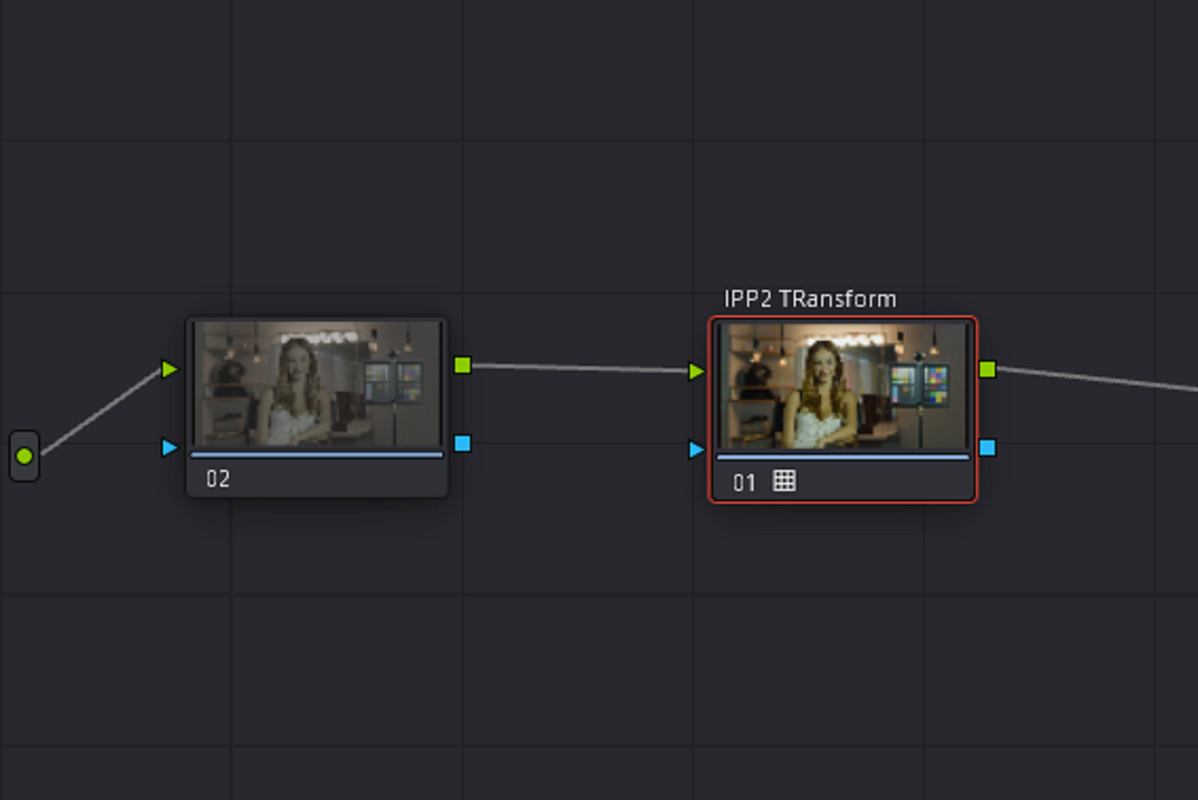
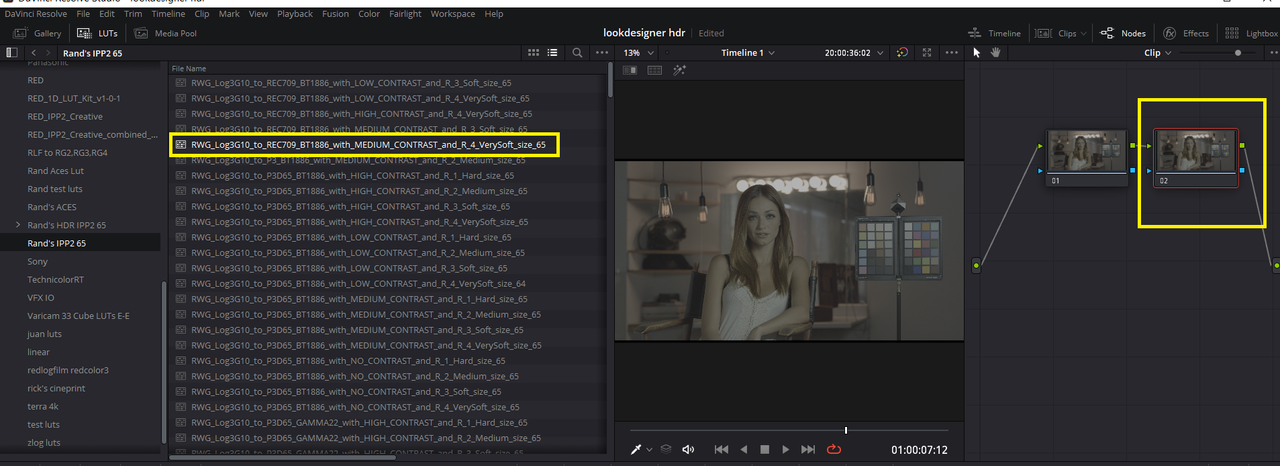
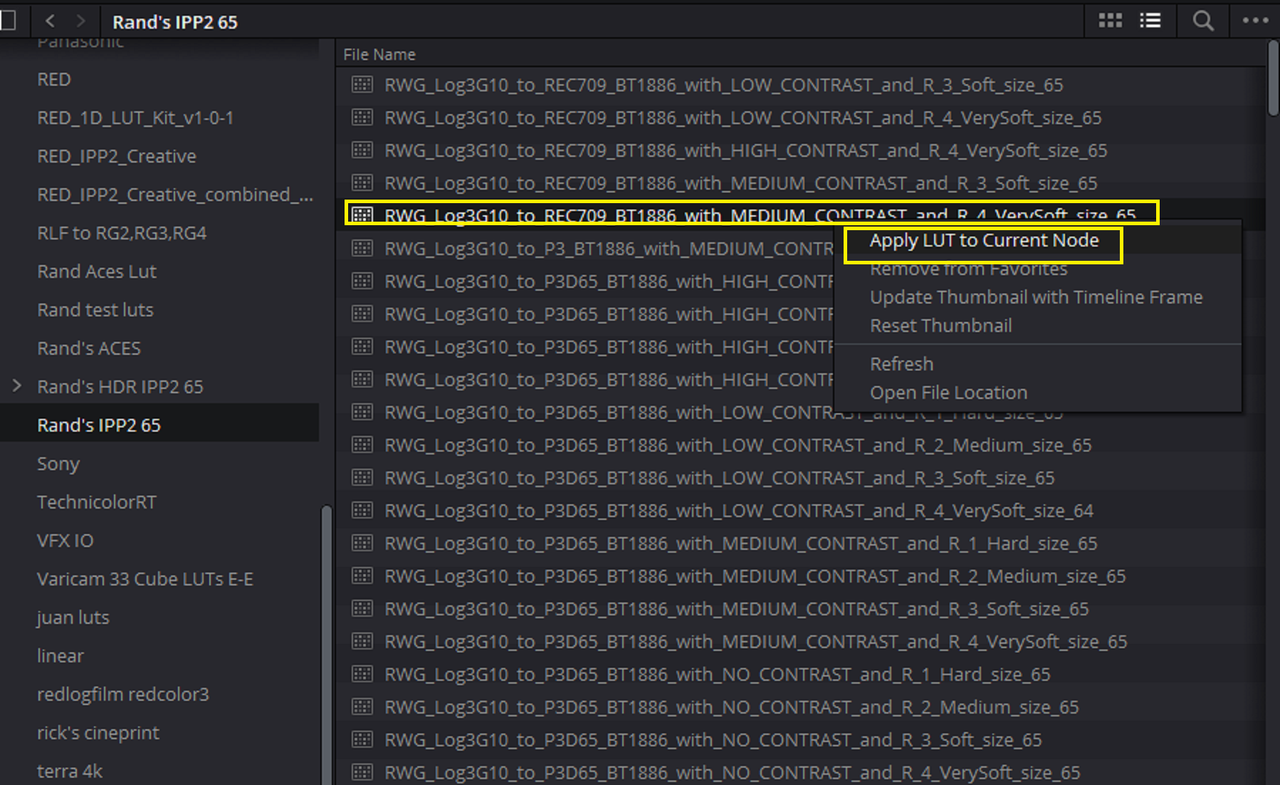
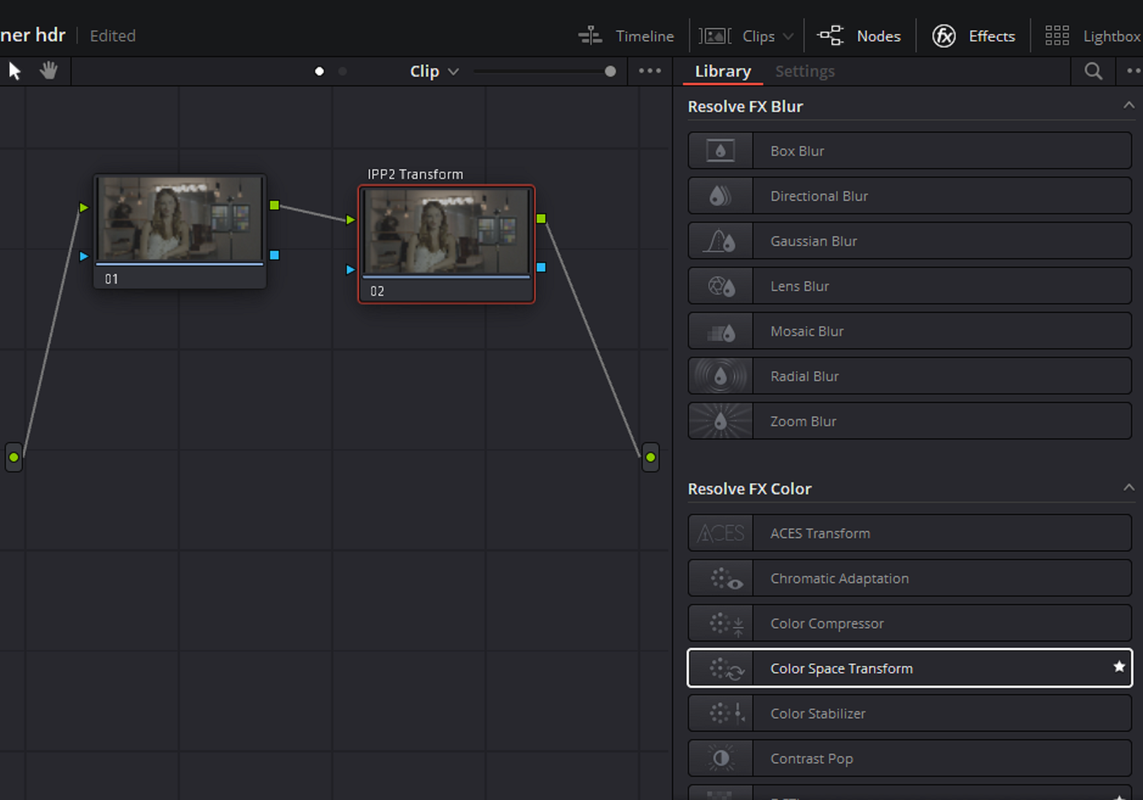
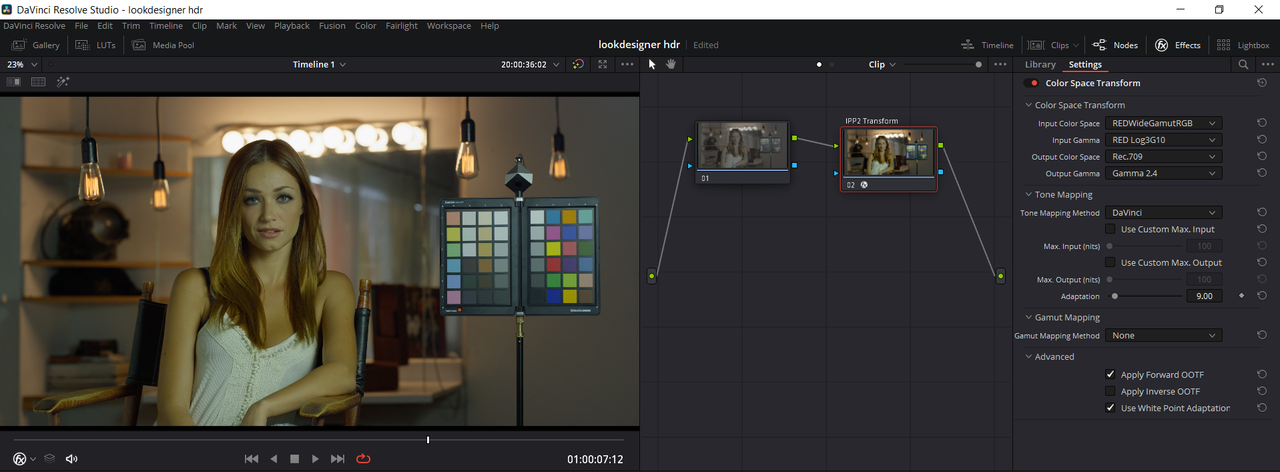
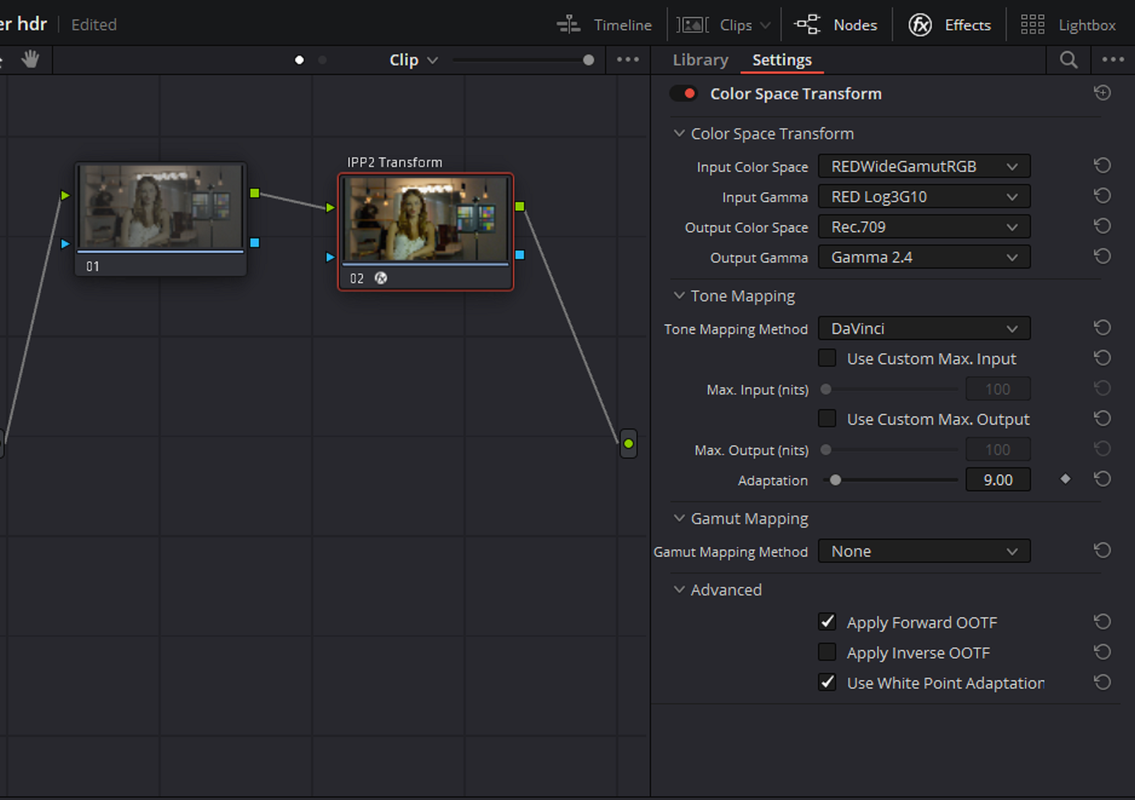
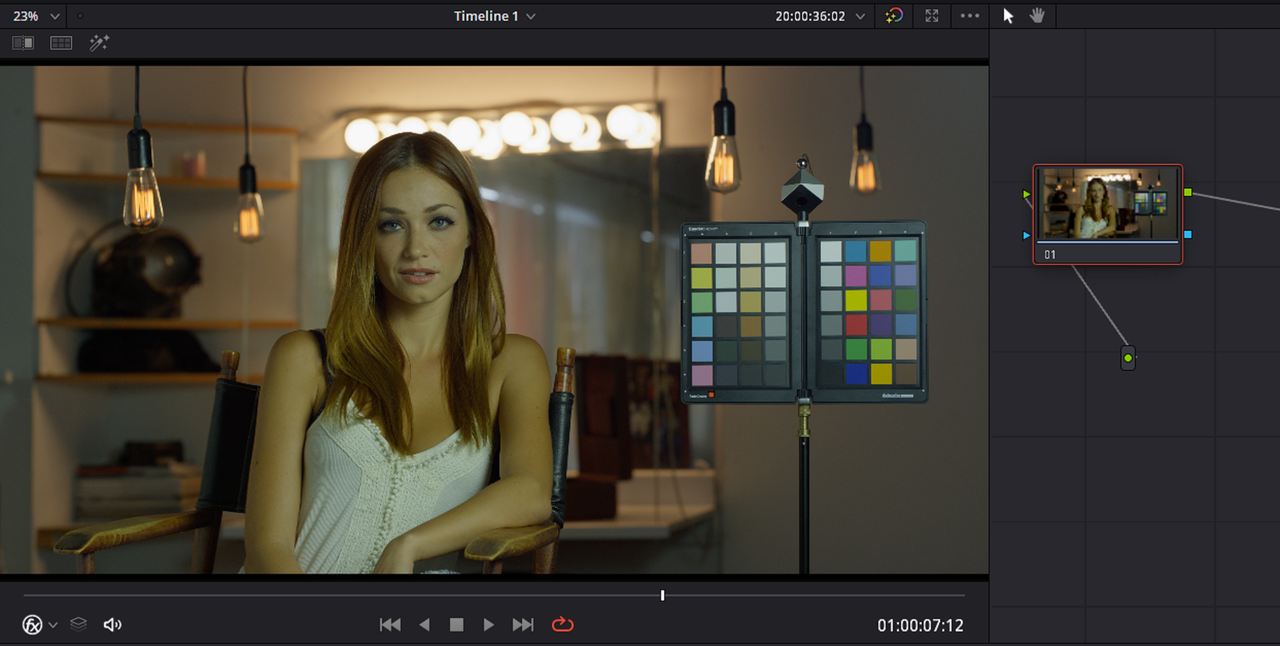
Here are, other than Davinci Wide Gamut or ACEScct workflows for red files, the three basic IPP2 workflows in Resolve for Red files'


IPP2 Output Transform LUT Workflows

Screenshot-3860.png

Screenshot-3750.png

Screenshot-3751.png

Screenshot-3759.png

Screenshot-3761.png

Screenshot-3756.png

Screenshot-3757.png


IPP2 Color Managed Workflow
Don't change the Red Camera Raw settings above, The color managed workflow will "Gray-out" some of those settings anyway.

Screenshot-3758.png

Screenshot-3753.png


COLOR SPACE TRANSFORM

Screenshot-3860.png


Screenshot-3750.png


Screenshot-3751.png


1-3.png


1-1.png


1-2.png
 
Last edited:
Alternative Workflows for Red

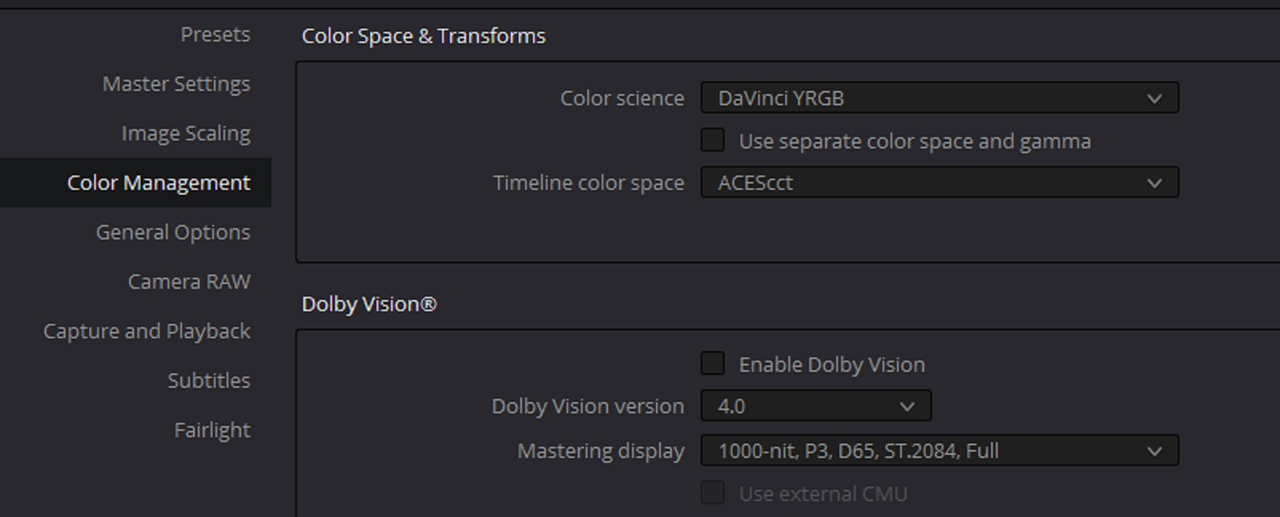
DAVINCI WIDE GAMUT

Screenshot-3768.png

Screenshot-3767.png

DWG-1-1-5-T.jpg

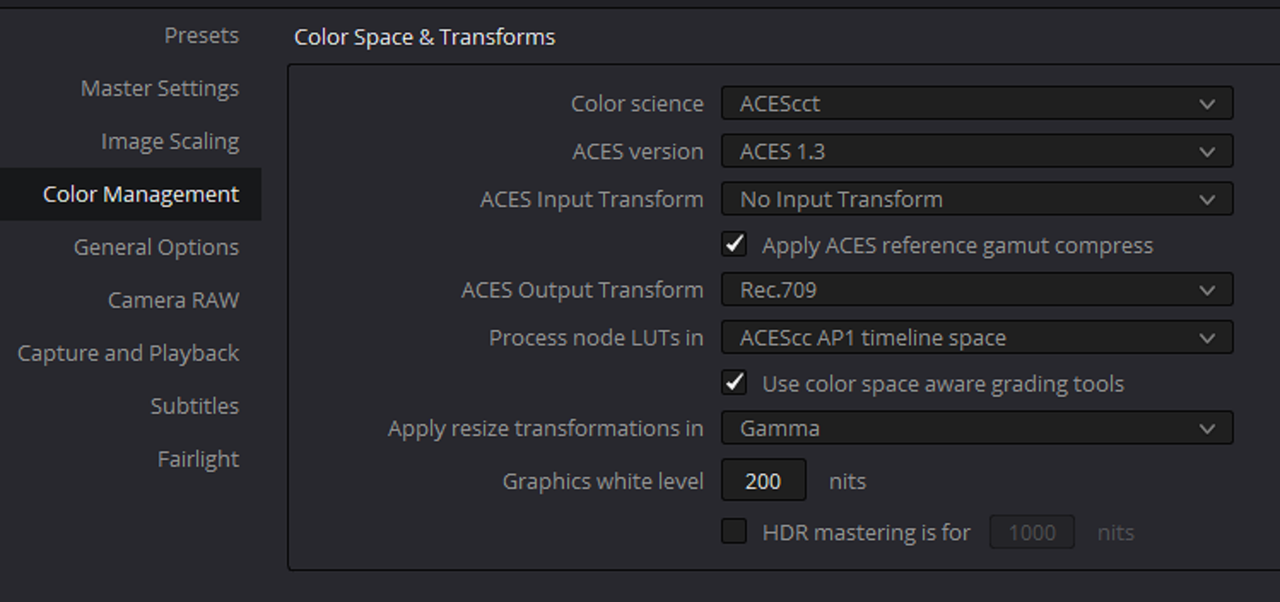
ACEScct 1.3-Project Settings

5-1.png

5-2.png


ACEScct 1.3-Node Based Aces Transform OFX

Screenshot-3774.png

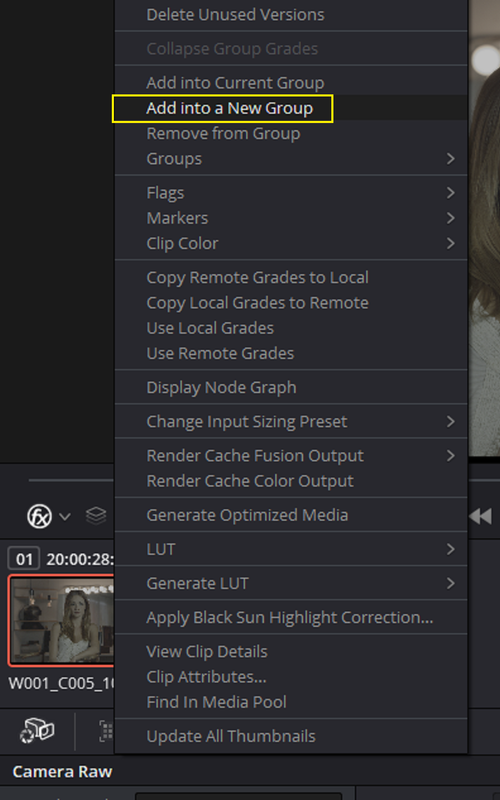
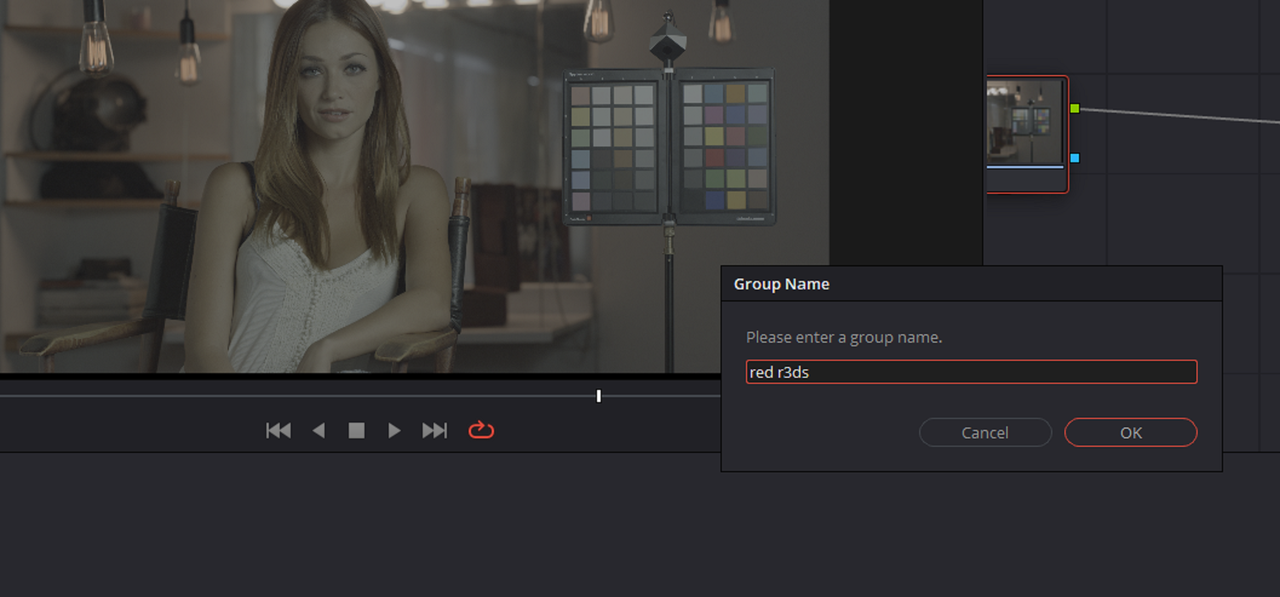
1) Highlight all of the clips you want to place into a GROUP, then Right-Click on one of them and from the pull-down menu select "ADD INTO A NEW GROUP" then name it.

Screenshot-3775.png

Screenshot-3776.png


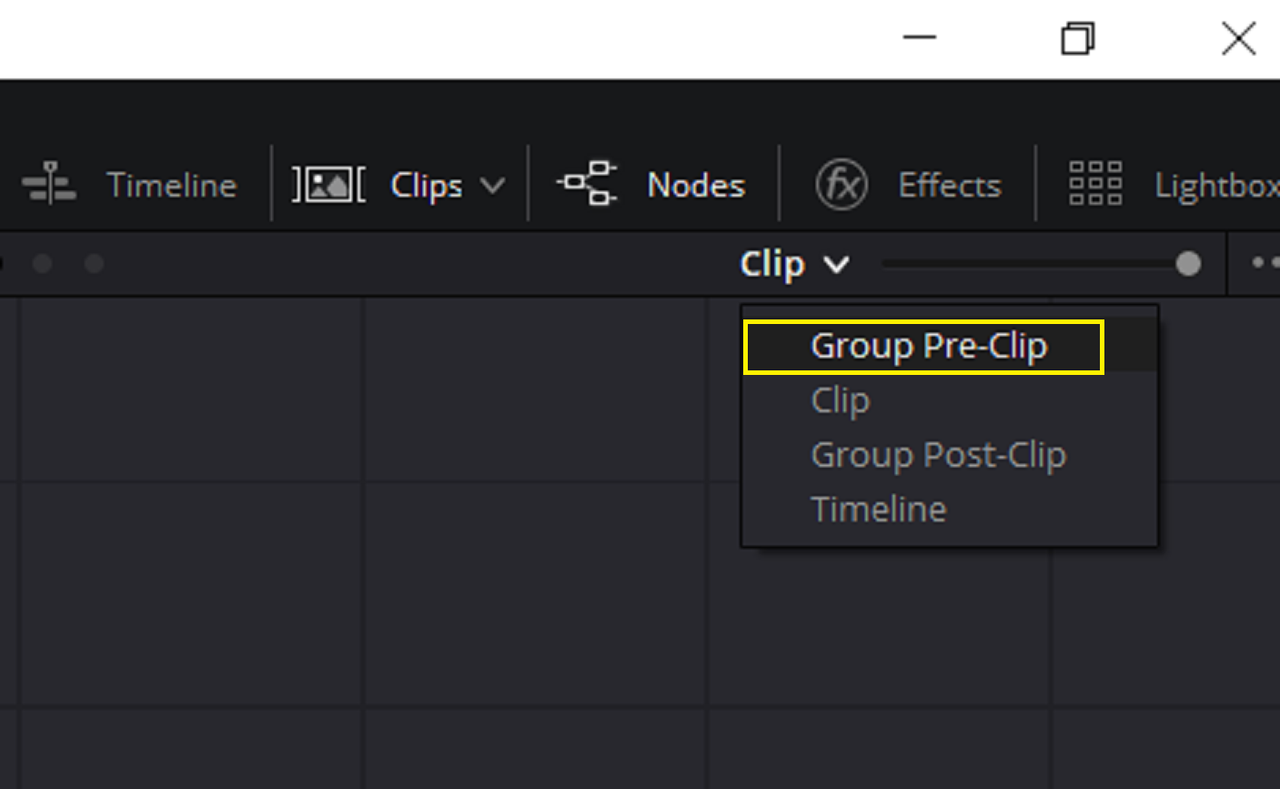
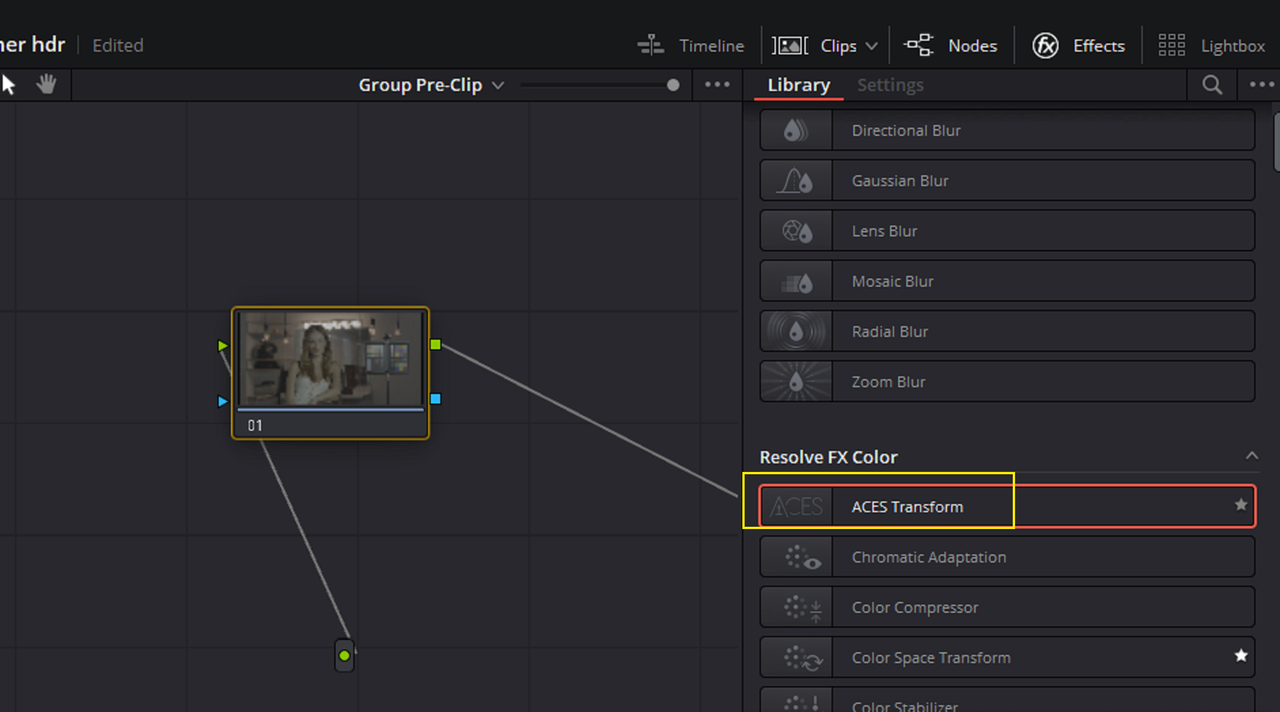
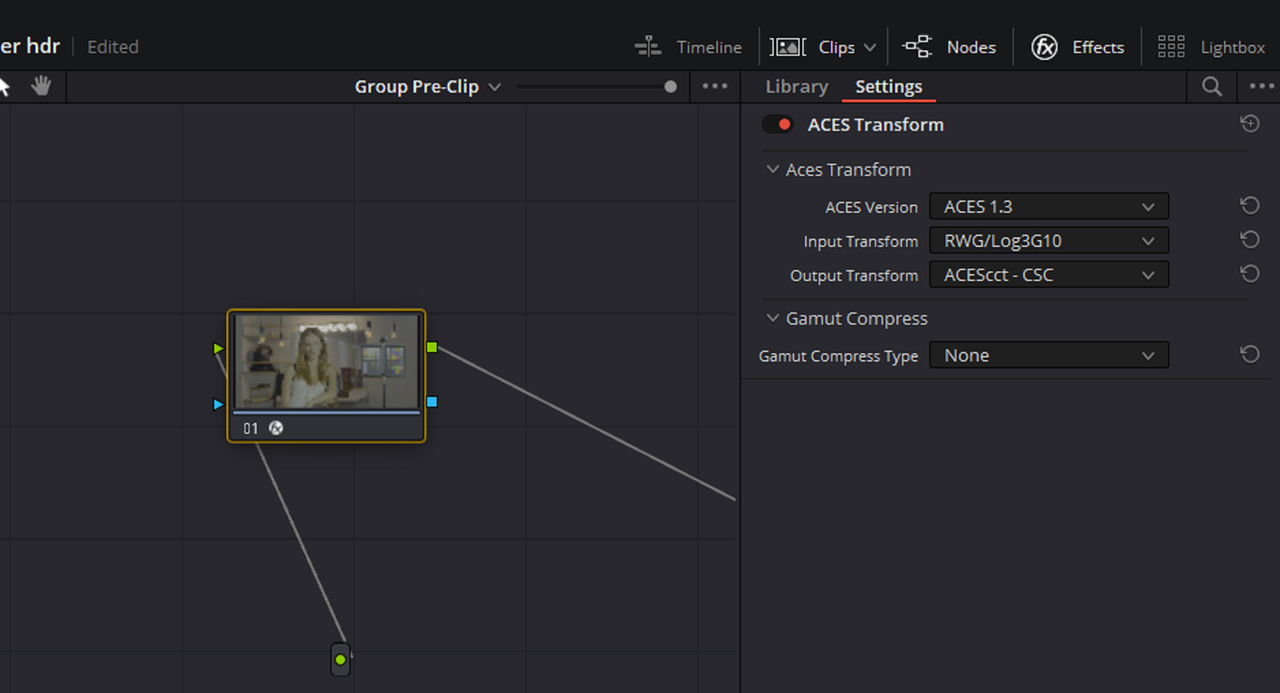
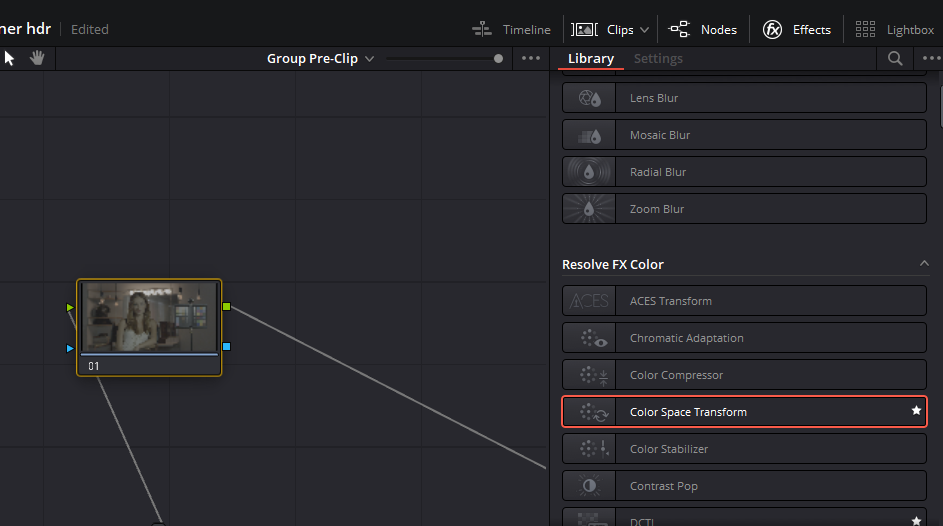
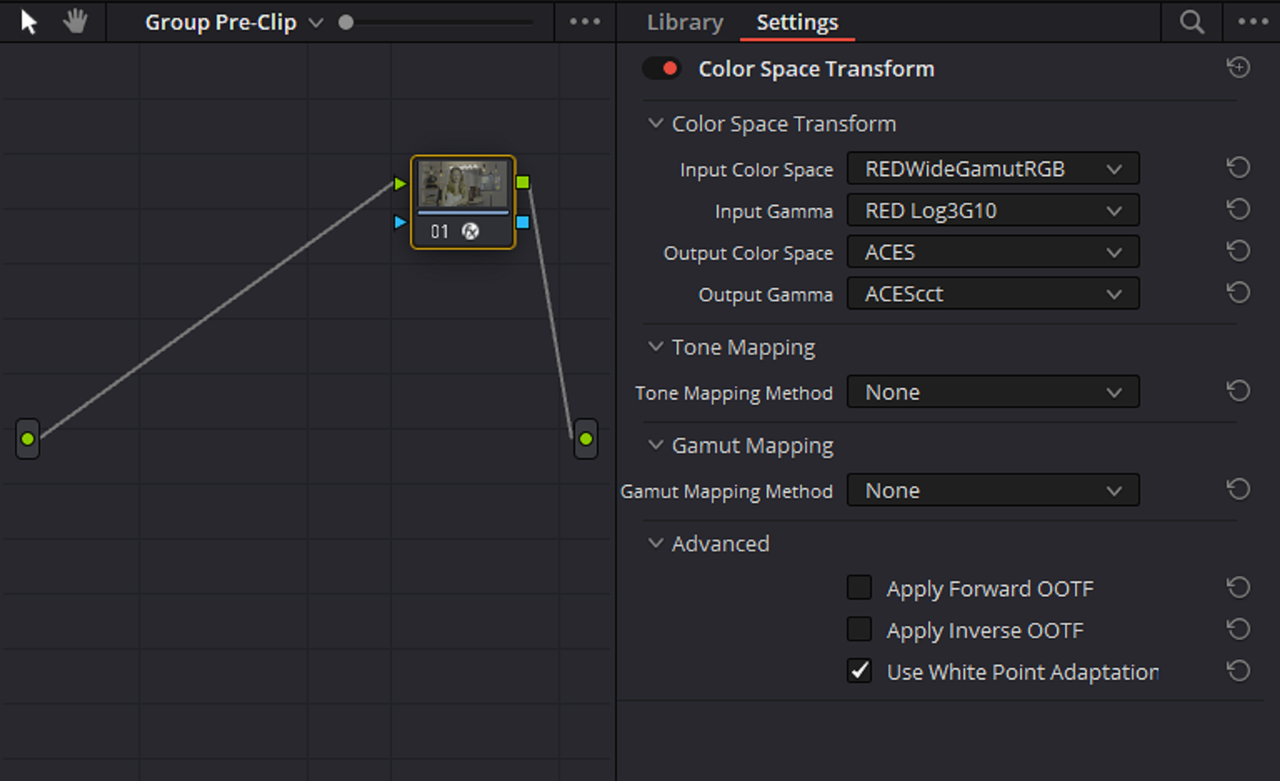
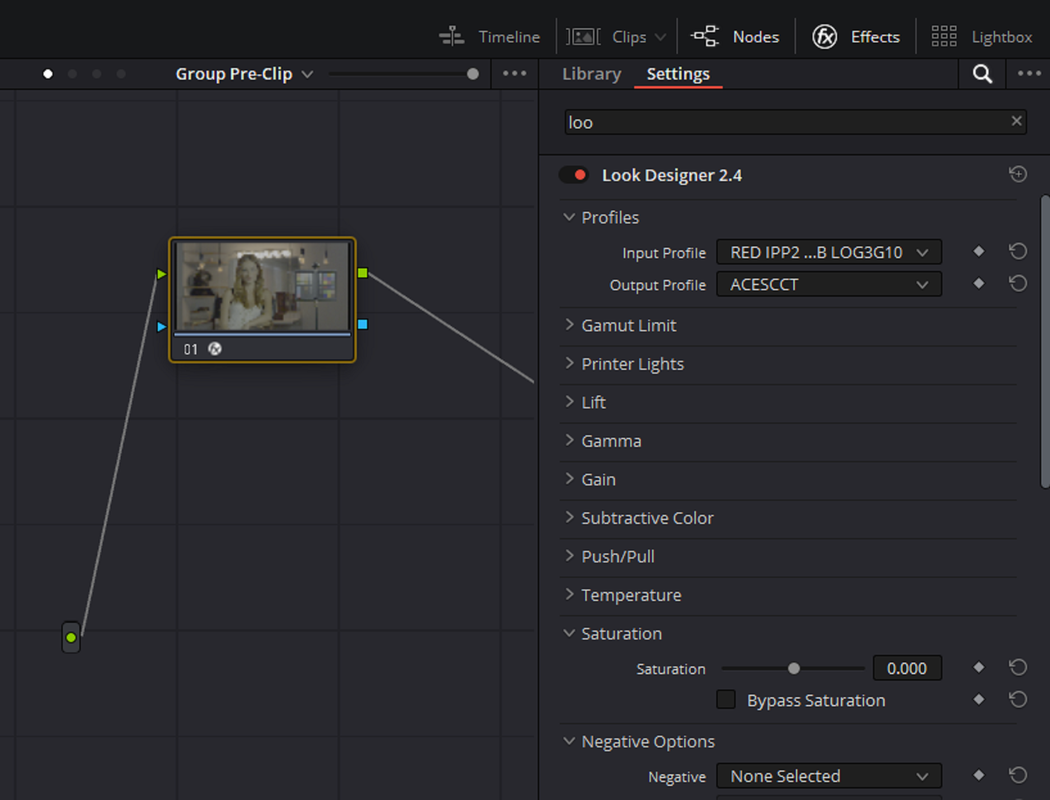
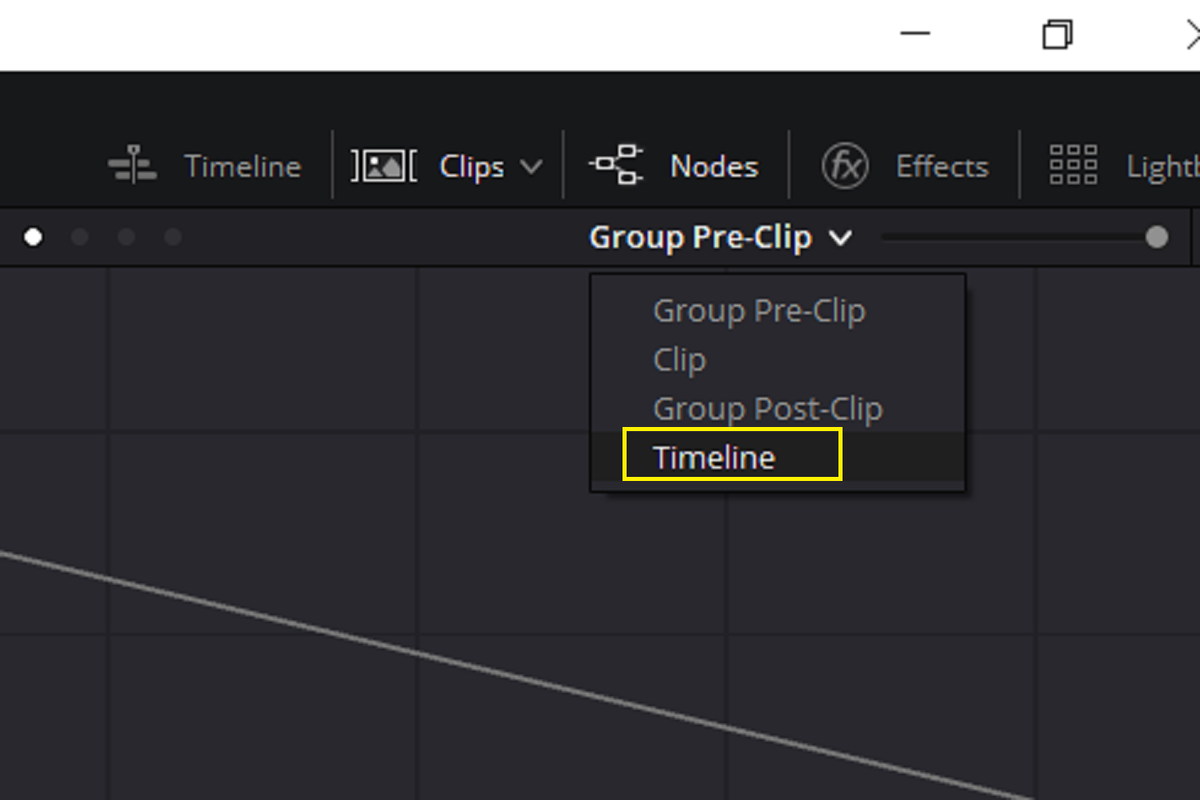
2) Now go and select "GROUP PRE-CLIP". Next add a "ACES TRANSFORM" OFX tool on top of that and use the settings below.


Screenshot-3777.png


Screenshot-3779.png

Screenshot-3780.png


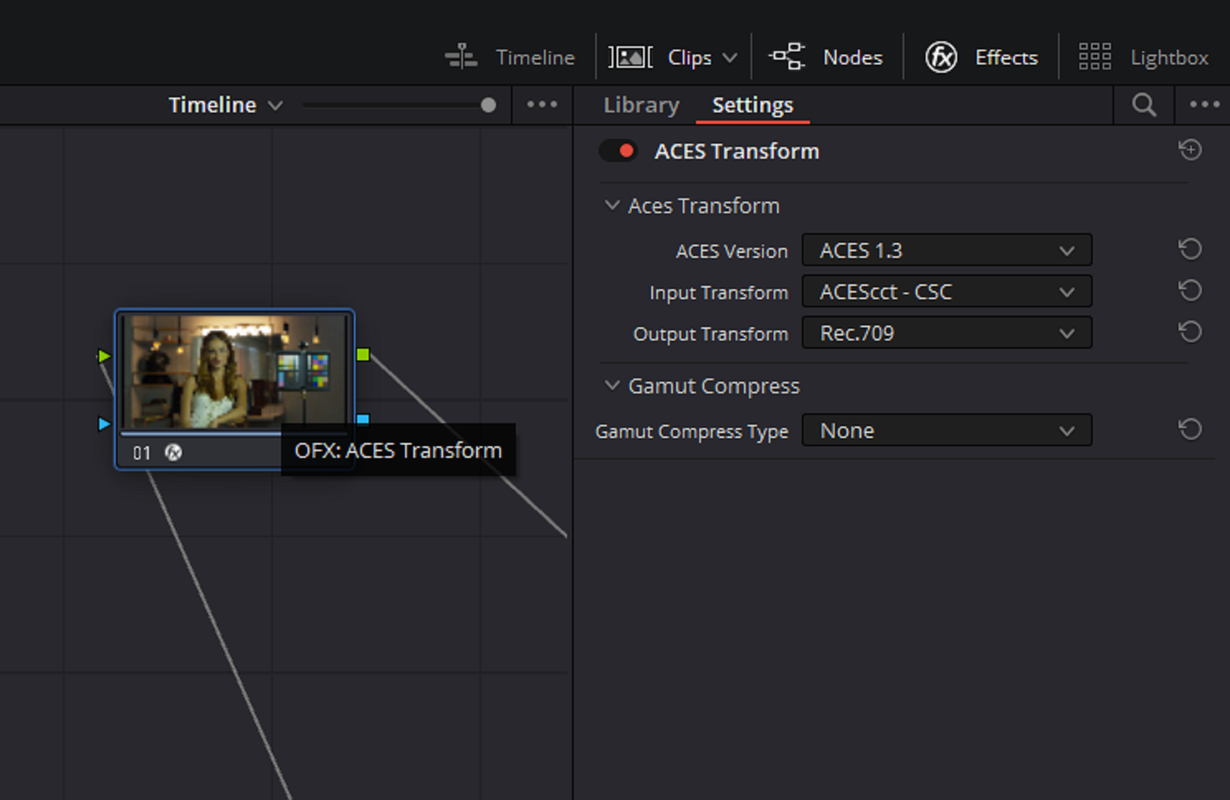
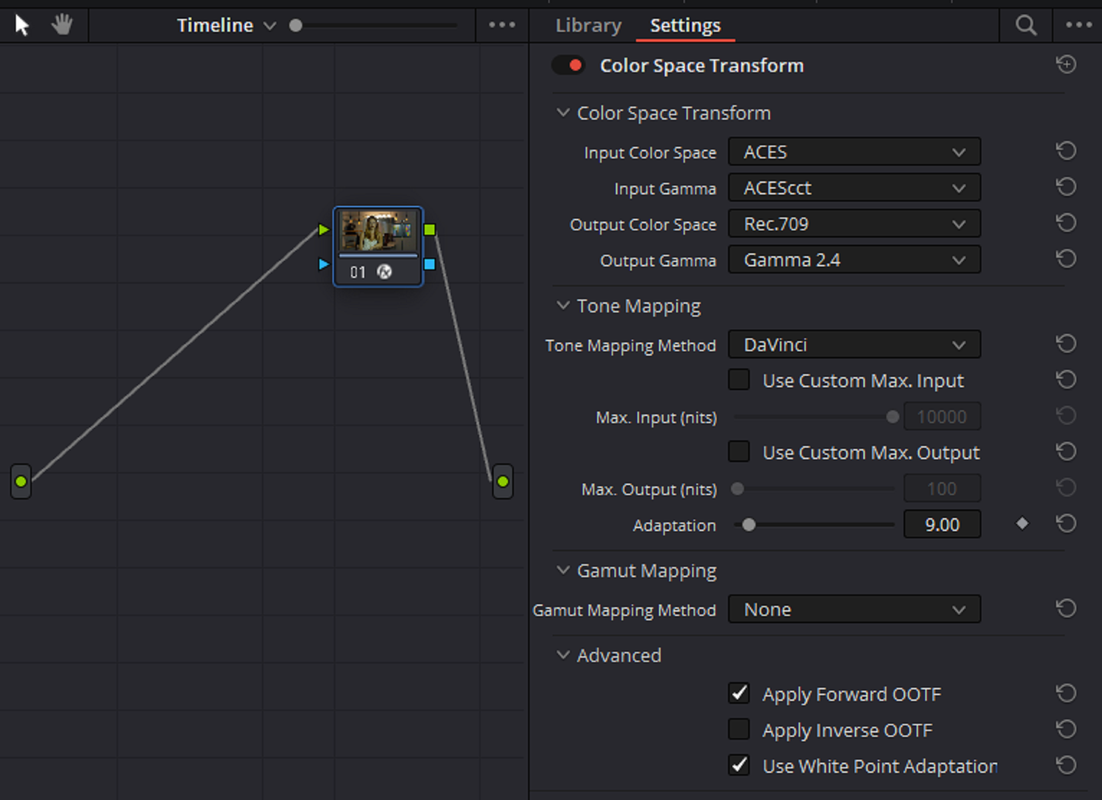
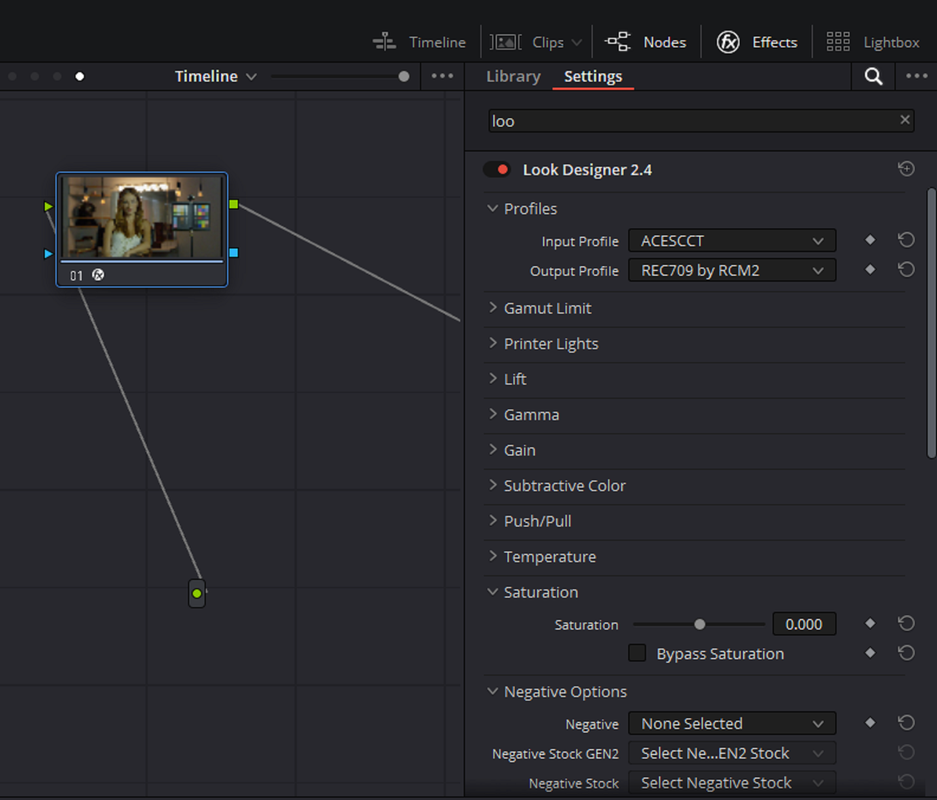
3) Now go and select "TIMELINE". Next add a "ACES TRANSFORM" OFX tool on top of that and use the settings below.

NOTE: you will have to add a Node in the TIMELINE to begin this step

Screenshot-3781.png

Screenshot-3782.png

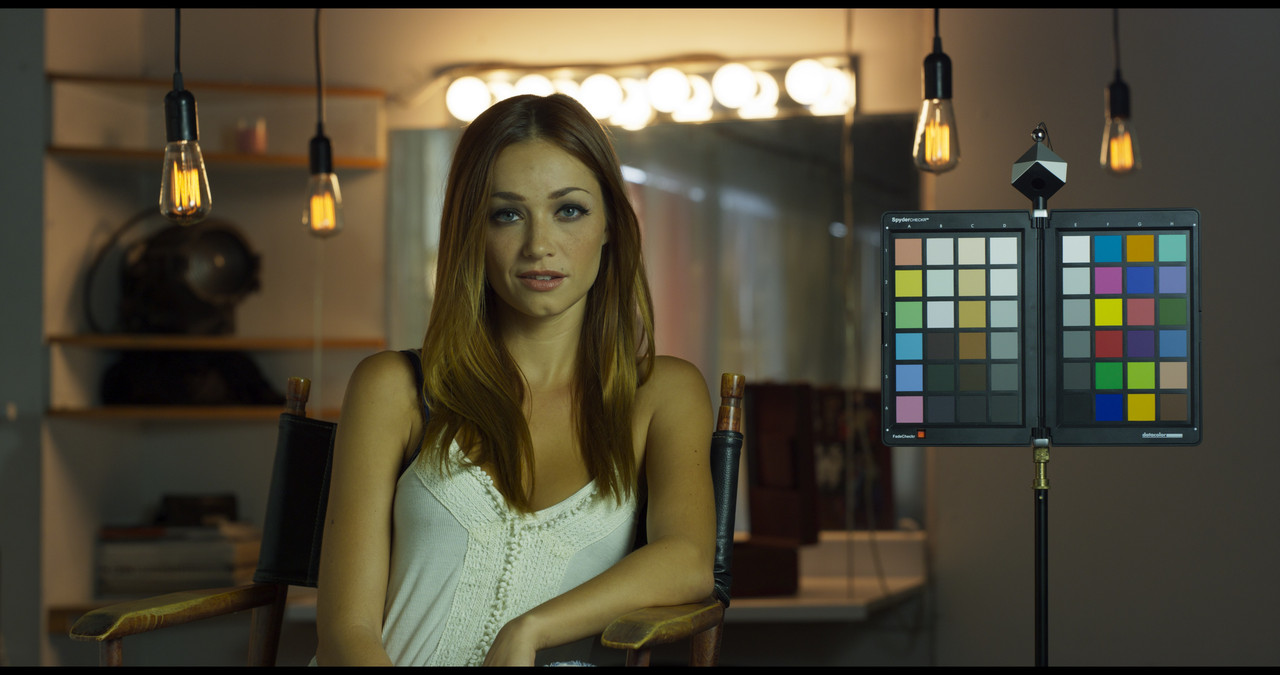
aces-transform-1-1-3-PRE.jpg

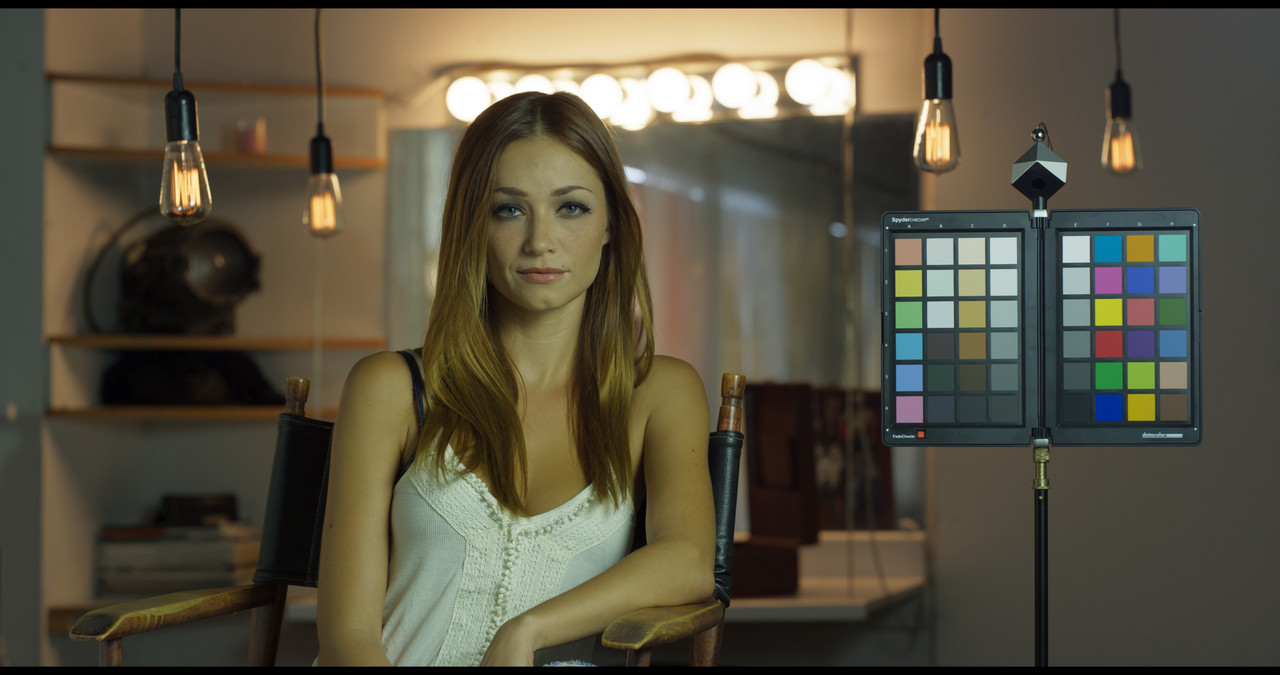
With HDR Color Palette
hdr-olor-1-1-4.jpg

ACEScct 1.3-Node Based Color Space Transform OFX

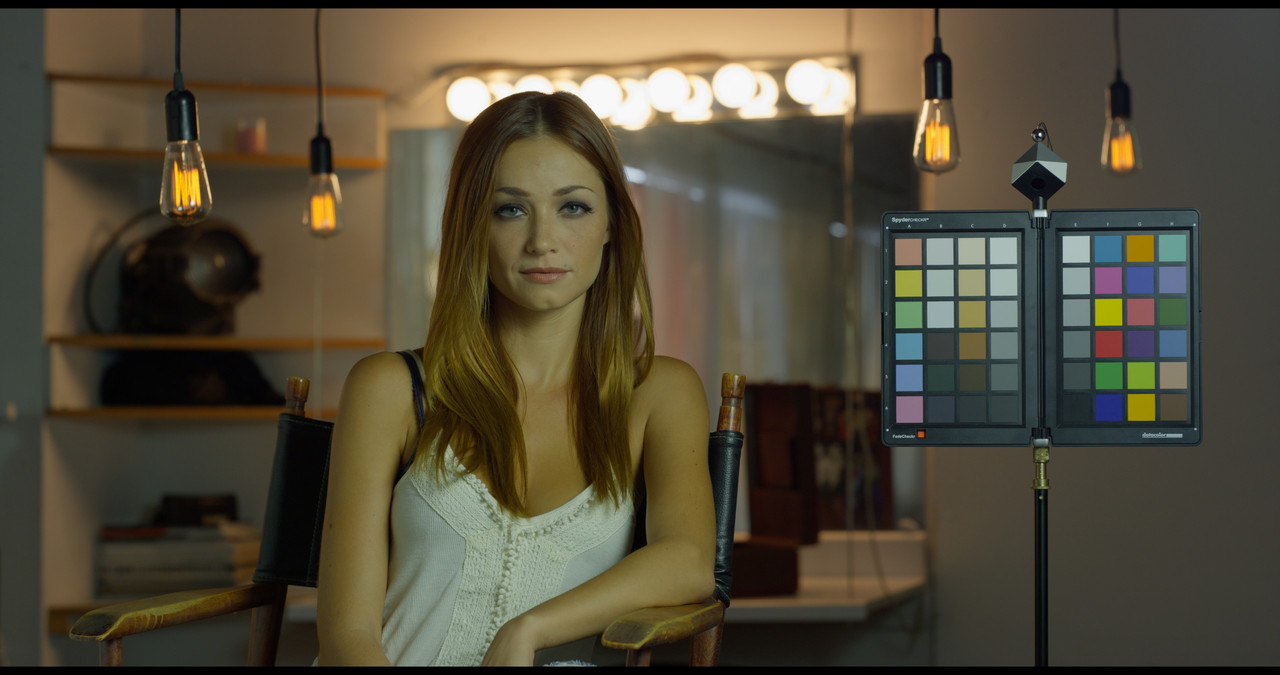
Instead of using the AES Transform OFX on the "GROUP PRE-CLIP" and "TIMELINE" nodes, we will use the "COLOR SPACE TRANSFORM" OFX instead.

Screenshot-3783.png

Screenshot-3870.png

Screenshot-3871.png


cst-1-1-1-T.jpg


With Mild Yellow Preset Reduction in HUE VS SAT and AES TRANSFORM Gamut Reduction
color-space-yello-preset-91-1-1-3.jpg


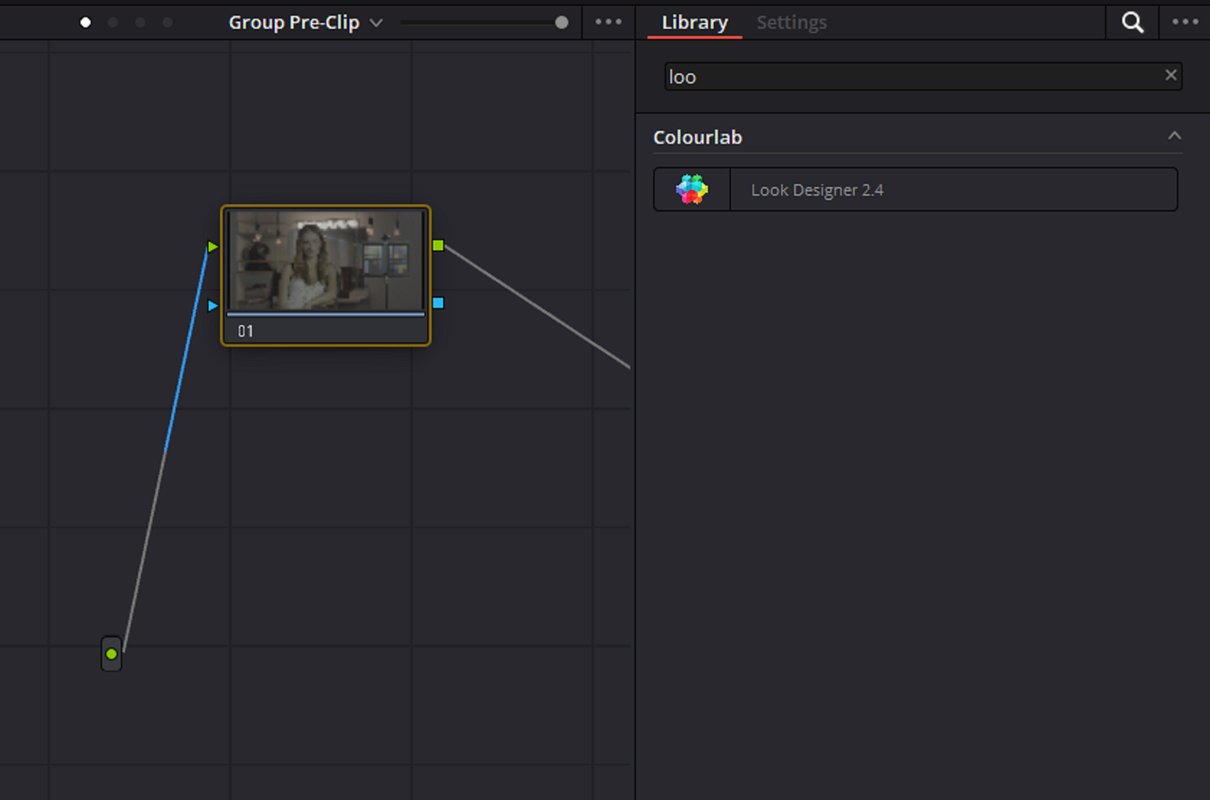
ACEScct 1.3-Node Based Third-Party LOOK DESIGNER 2.4 OFX plugin

Instead of using the AES Transform OFX or Color SpaceTransform on the "GROUP PRE-CLIP" and "TIMELINE" nodes, I will use a third-party OFX called LOOK DESIGNER 2.4 instead.

Screenshot-3788.png

Screenshot-3789.png

Screenshot-3790.png

aces-look-designer-1-1-4-T.jpg
 
Last edited:
Wow, some great stuff here! Thanks to all.
 
Grade School: DaVinci Wide Gamut Workflow, Senior Colorist Q&A pt. 1

by
Cullen Kelly


Grade School: DaVinci Wide Gamut Workflow, Senior Colorist Q&A pt. 1.2

by Cullen Kelly


Use DaVinci Resolve Like a Real Pro: Creative and Technical Color Balancing (DWG Workflow pt. 2)

by
Cullen Kelly


Resolve Color Management EASY - BEGINNERS in under 15 minutes.

By

Darren Mostyn

 
Grade School: Uplevel Your Color Balancing & Shotmatching in DaVinci Wide Gamut

by
Cullen Kelly

 
How To Be a Pro Colorist w/ Darren Mostyn | Creative Minds Ep.2

by
Jay Lippman


Back
Top