Welcome to our community

Be a part of something great, join today!

  • Hey all, just changed over the backend after 15 years I figured time to give it a bit of an update, its probably gonna be a bit weird for most of you and i am sure there is a few bugs to work out but it should kinda work the same as before... hopefully :)

IPP2 color settings in Davinci - having some challenges

chris ware

Well-known member
Joined
Jul 1, 2016
Messages
163
Reaction score
1
Points
18
Location
Westchester, NY
Website
www.chriswaremedia.com
Hello

With IPP2 being the new standard, I have had some challenges setting up Davinci in the preferences before I begin my grade. I'm filming with an epic w and capturing r3d and prores at the same time. My prores in Adobe Premiere match the r3d in RedCine-X. They match identically. They also match what I saw in my monitor while filming.

However, when I bring the r3d into Davinci the color doesn't match at all. Then I struggle with it, while trying to grade. Before IPP2, everything matched, and I used Davinci to tweak the raw and then output a 4k final file. I have tried several approaches to get the start point in Davinci to be the same as what I can see in redline-x with the raw, and or the prores in adobe.

1. In Project Settings in DVR

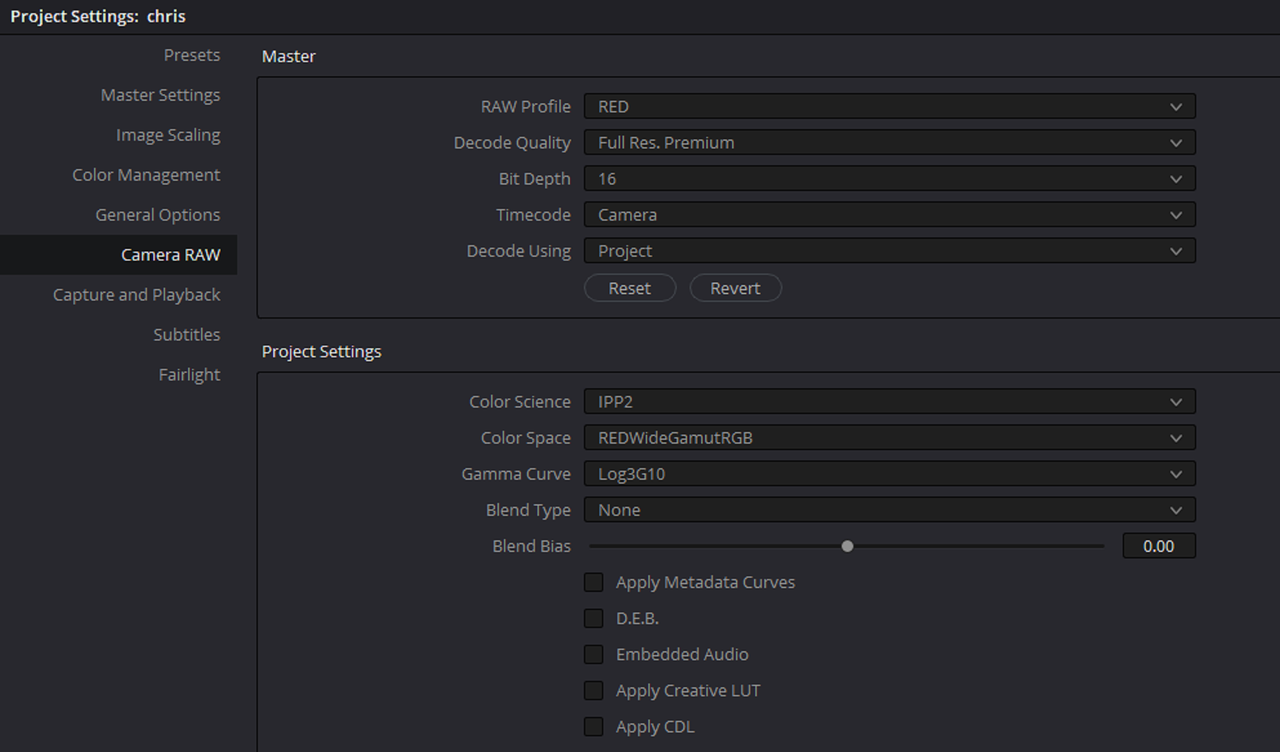
Color Science: ipp2
color space: redwidegamutrgb
curve: log3g10

Then the first node gets a LUT from red to help transform it from log3g10 to rec 709

2. In Project Settings in DVR

Color Science: ipp2
color space: rec 709
curve: bt 1886

3. In color space and transforms

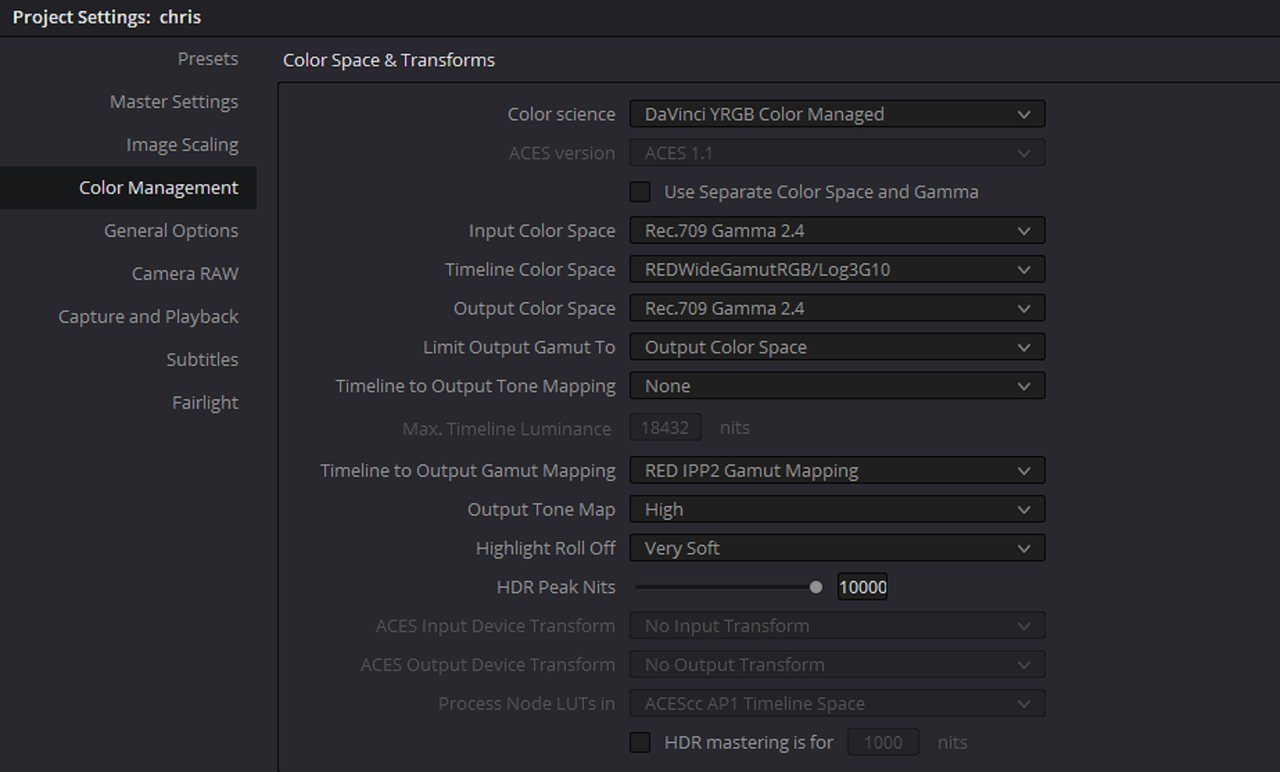
color science: Davinci yrgb color managed
timeline color space: redwidegamutrgb/log3g10
timeline to output gamut mapping: red ipp2 gamut mapping

These are my three start points. However, none seem to give me the same start point results for color that redcine-x with the raw and or adobe with the prores. My monitor also matches redcine and adobe.

How can I get Davinci to start out the same as the other three?

thanks!!!!!
 
Chris Try these


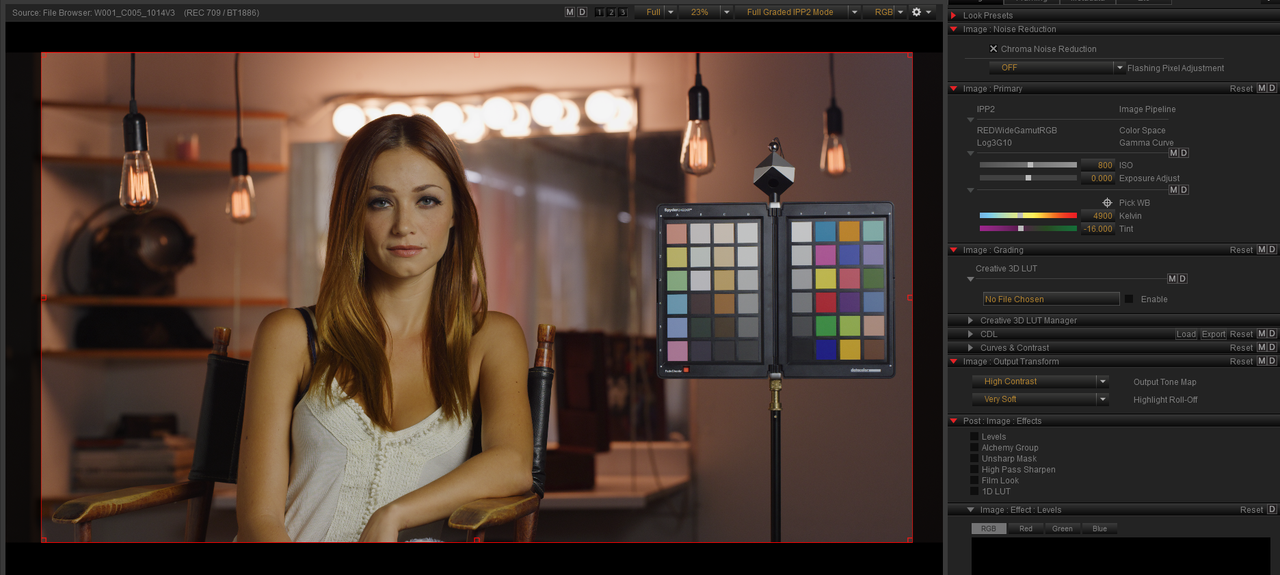
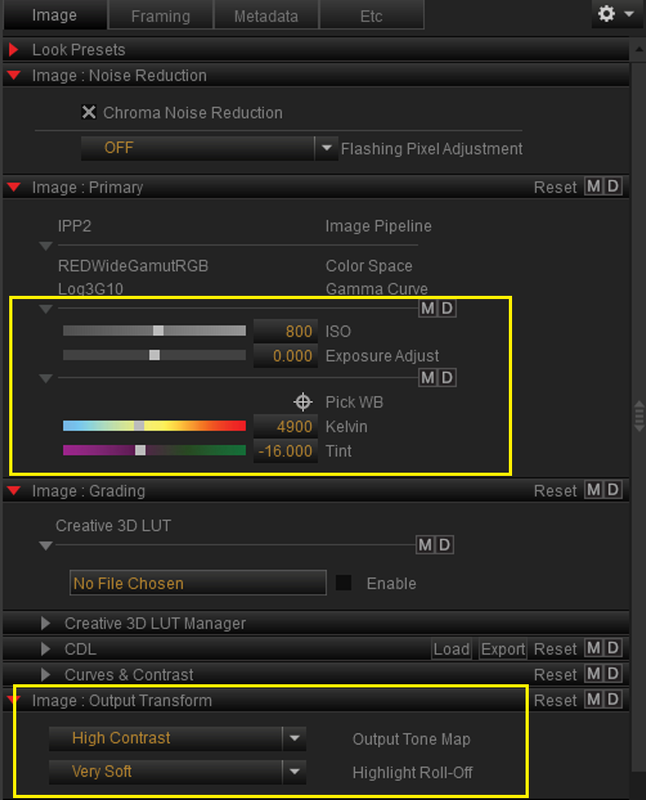
In Redcine-X(Part 1)


Screenshot-222-1.png


Screenshot-222-2.png


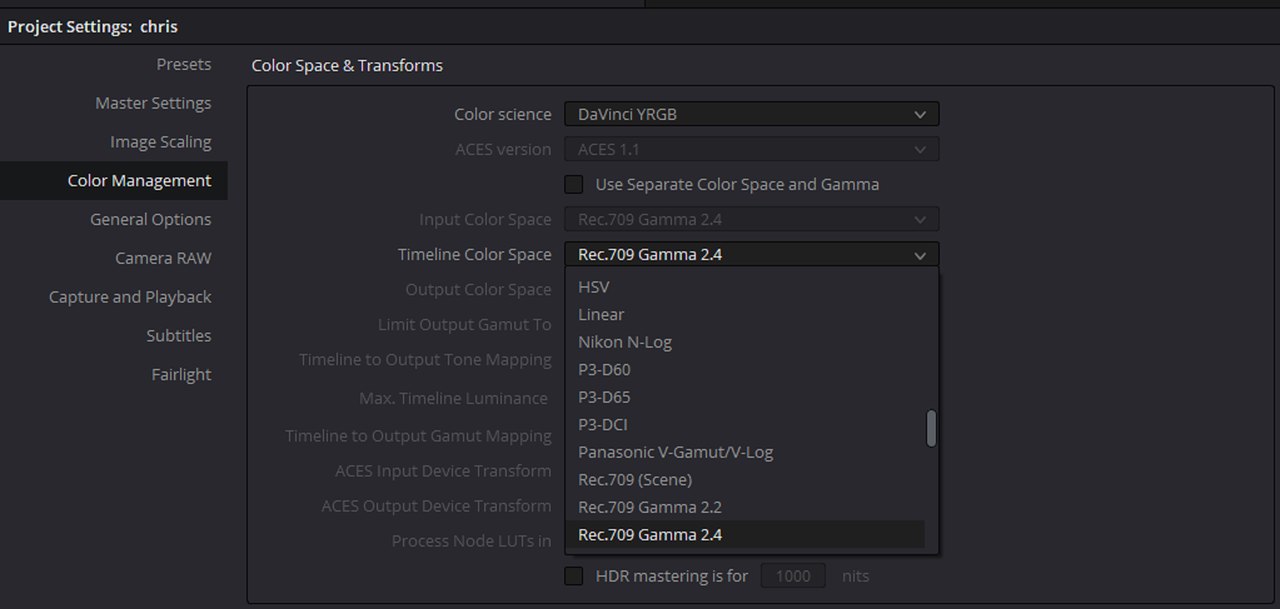
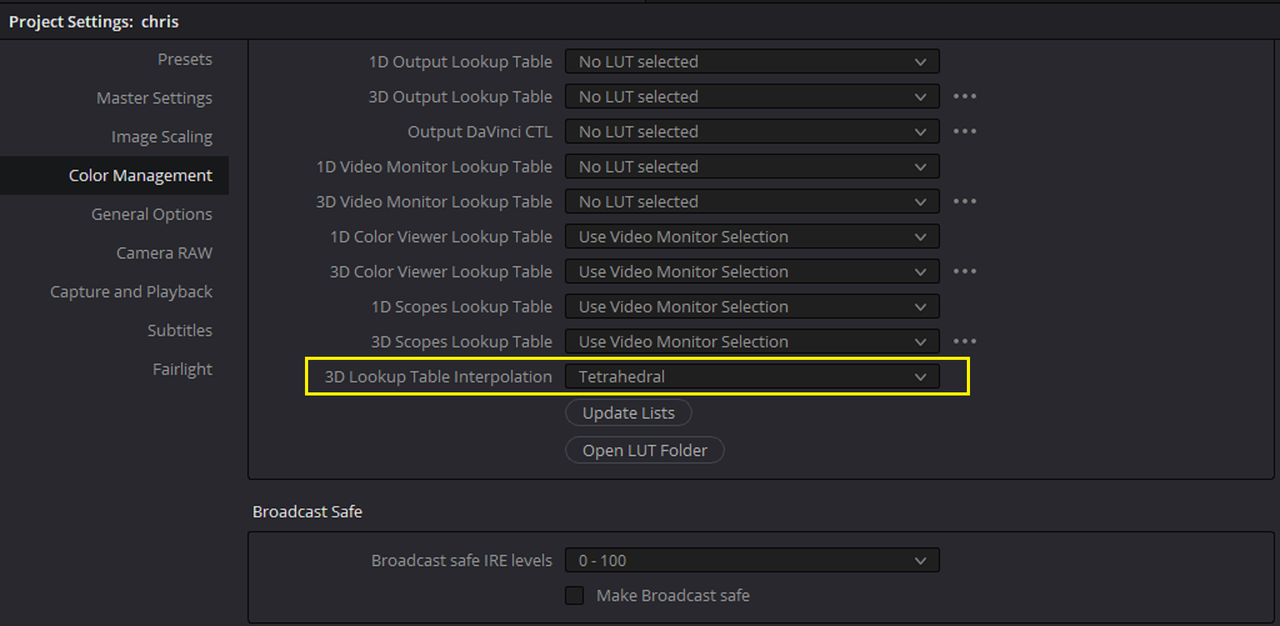
In Resolve(Part 2)


Make sure your Colorspace and Gamma are the settings of your project. In this case REC709/Gamma 2.4(Bt1886) and be sure to use an IPP2 Output Transform that match this Colorspace and Gamma later in this project as well!!!

Screenshot-215.png


Screenshot-217.png


Screenshot-218.png


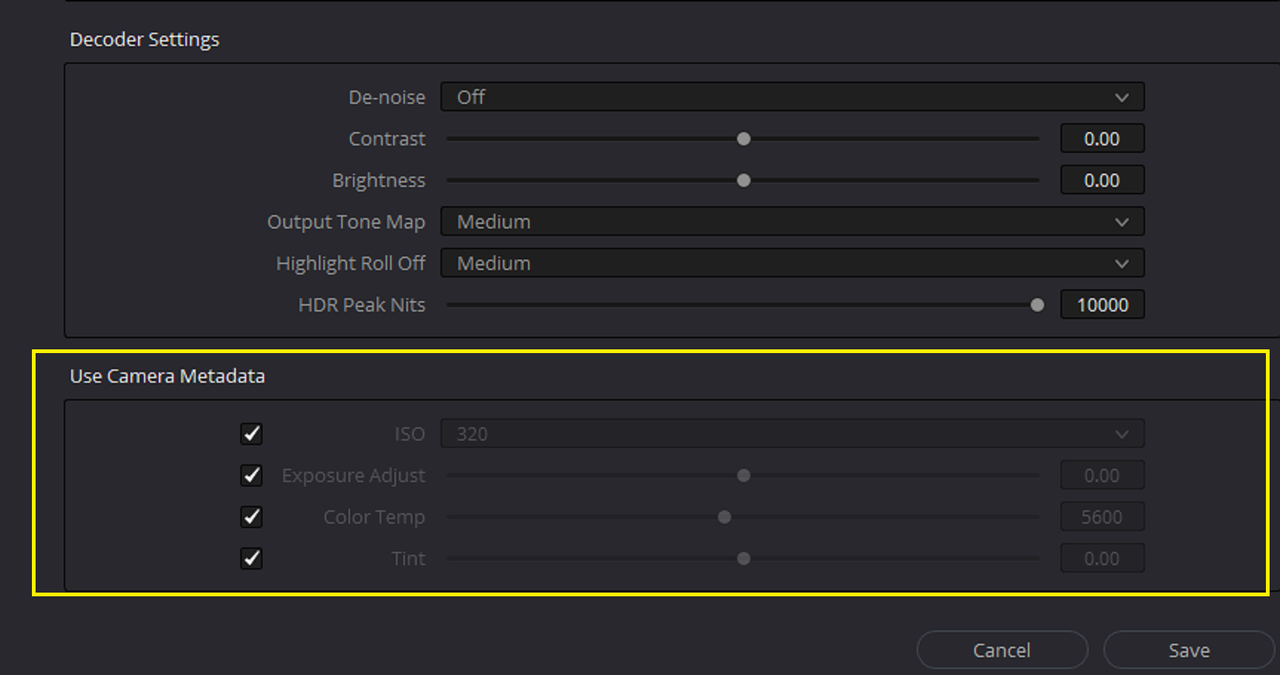
Check all of these that apply to settings in-camera or from Redcine-X that you want to keep

Screenshot-219.png


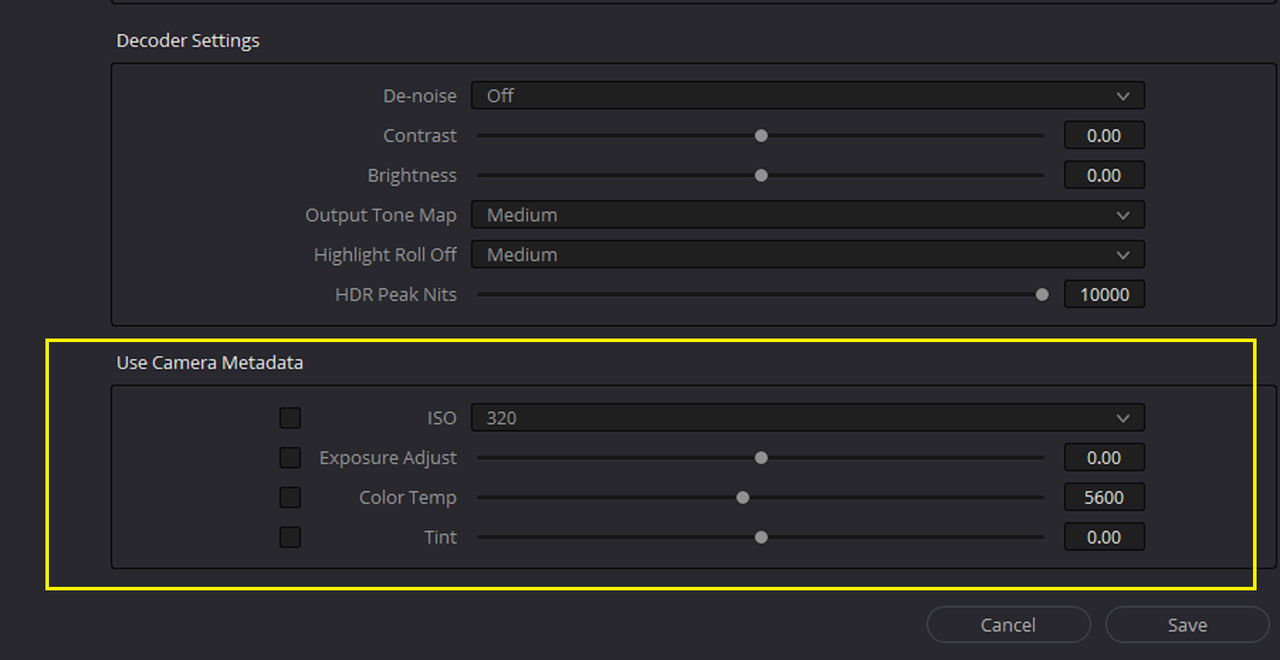
Uncheck all of the settings in-camera or from Redcine-X that you don't want to keep

Screenshot-221.png


Part 3 in next post
 
Part 3.....


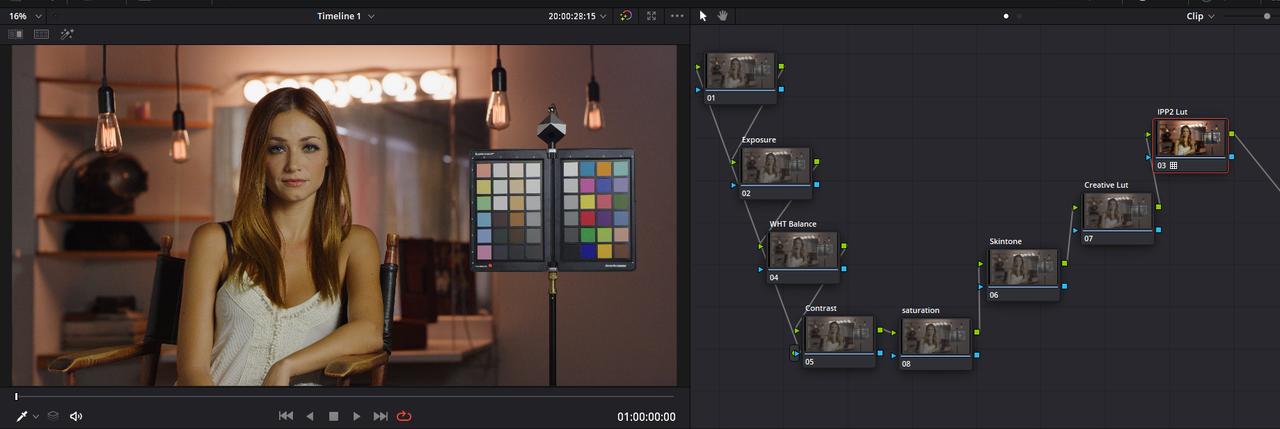
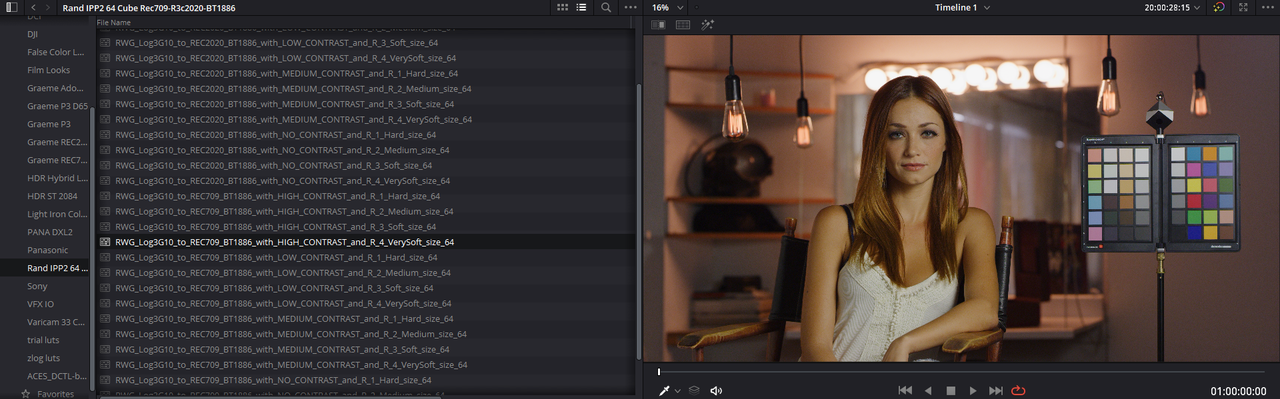
Be sure to place your IPP2 Output Transform Lut in the "Last Node" on your Clips Nodetree not in the "First Node"

With Sample Node Tree, Only Last Node Used

Screenshot-228.png


Screenshot-230.png


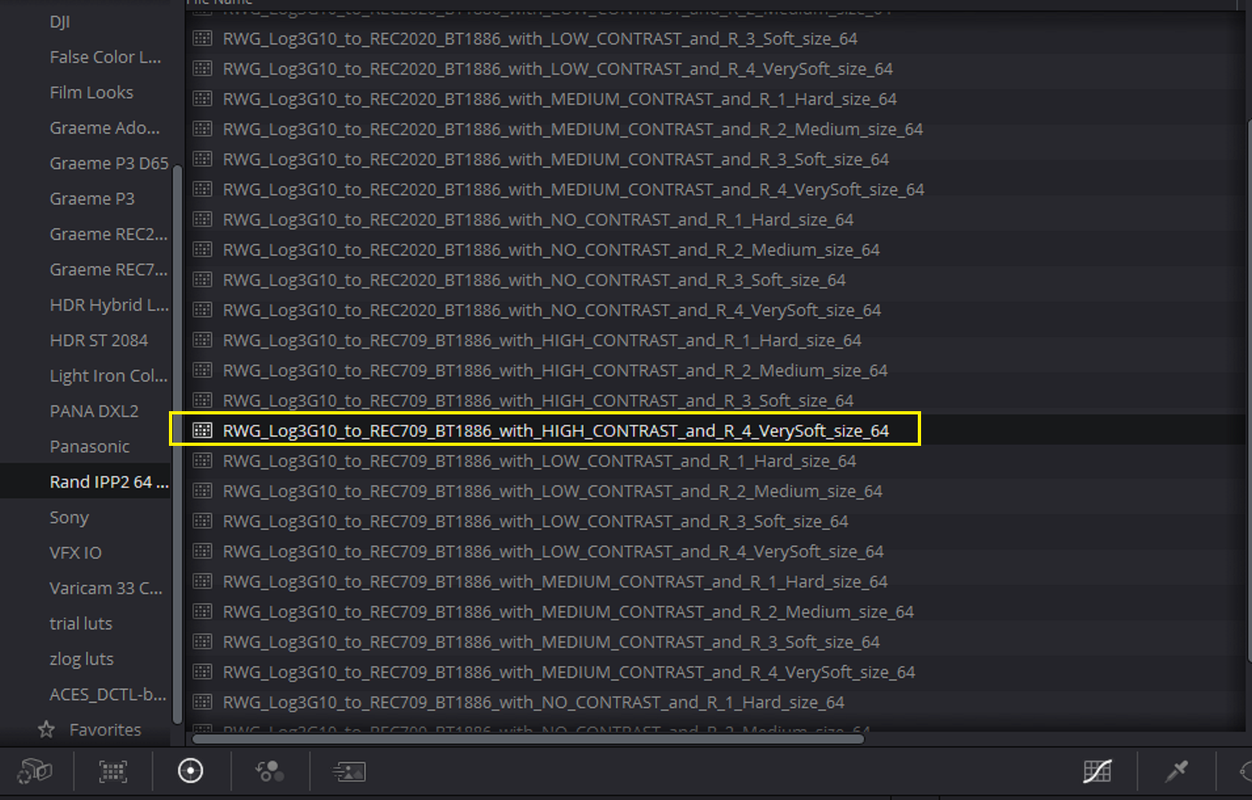
Make sure to use an IPP2 Output Transform that match the Colorspace and Gamma of this project, in this case REC709/Gamma 2.4(Bt1886).


Screenshot-226-1.png


Screenshot-226-2.png


Redcine-X


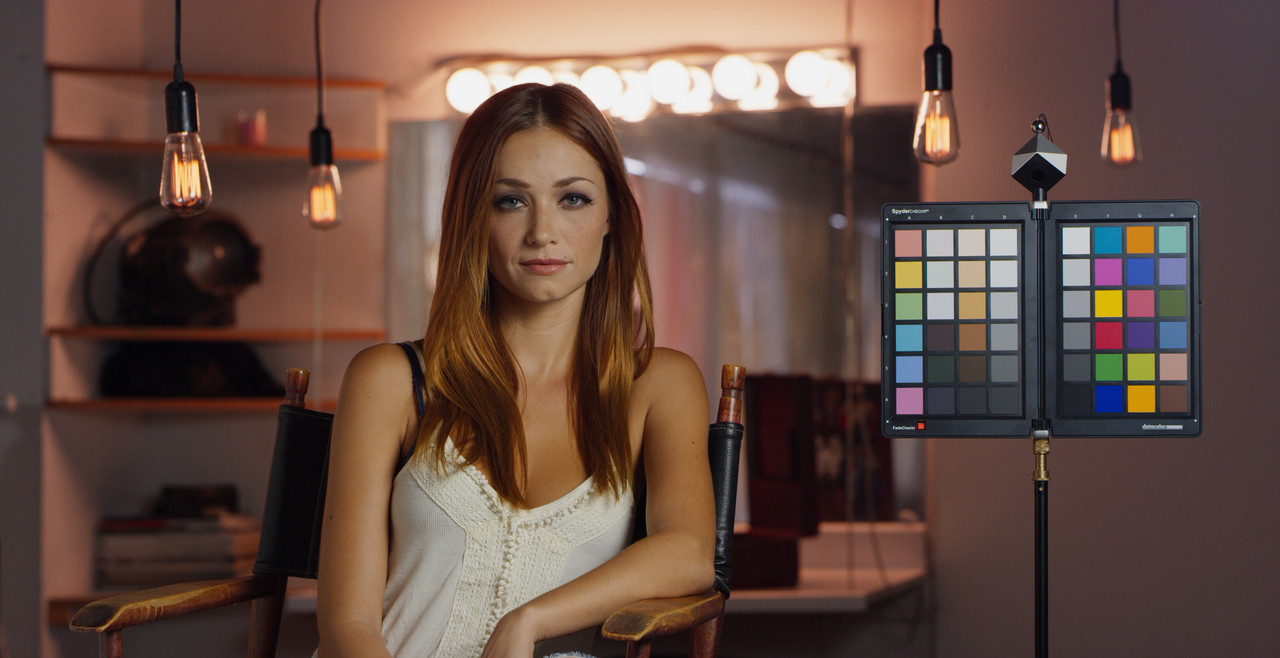
W001-C005-1014-V3-S000-0000000.jpg


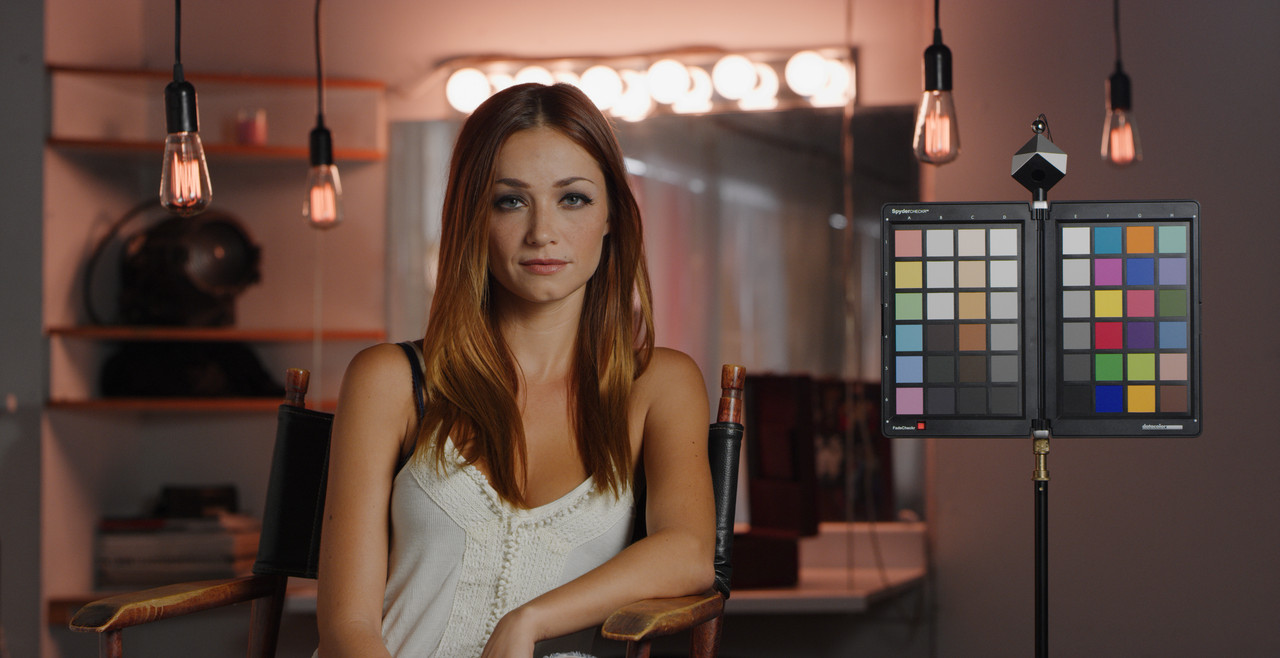
Resolve


resolve-1-1-1.jpg
 
Last edited:
Chris,


For a "Color Managed " Project, use these settings


Screenshot-232.png


And you Don't use IPP2 Output Transform Luts in a "Color Managed Workflow"


Screenshot-234-1.png


Screenshot-234.png


Redcine-X


W001-C005-1014-V3-S000-0000000.jpg


Resolve


resolve-1-1-1.jpg


Resolve Color Managed


Untitled2-1-1-2.jpg
 
Perfect Rand
 
Chris,


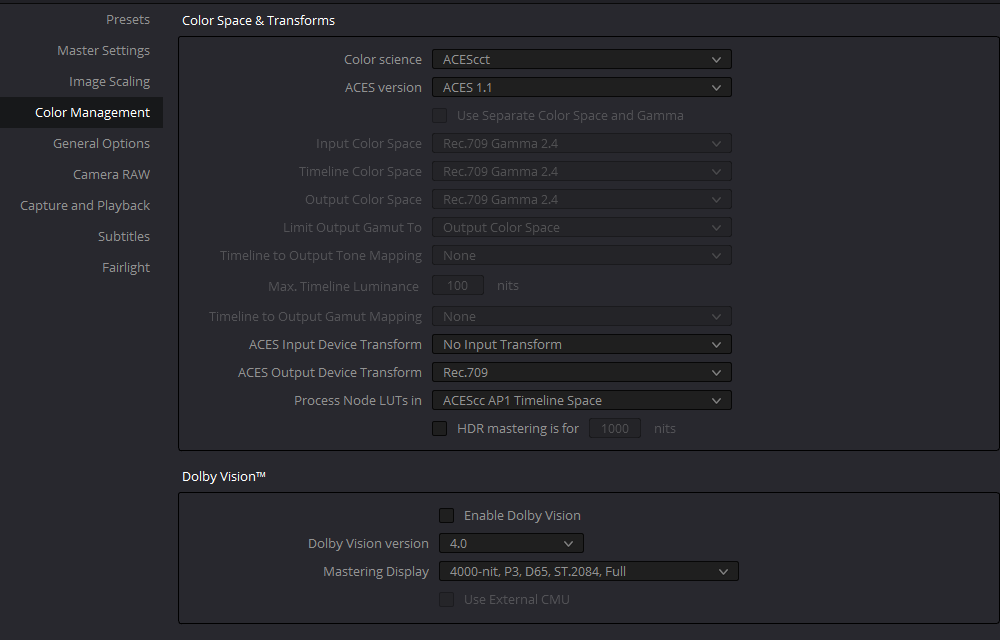
Here's ACEScct. I requires a little more work and a "Gamut Mapping" OFX to help with a better "Highlight Roll-OFF".


Screenshot-236.png


Screenshot-238-2.png


Screenshot-238.png


aces-b-1-1-5.jpg
 
Chris,


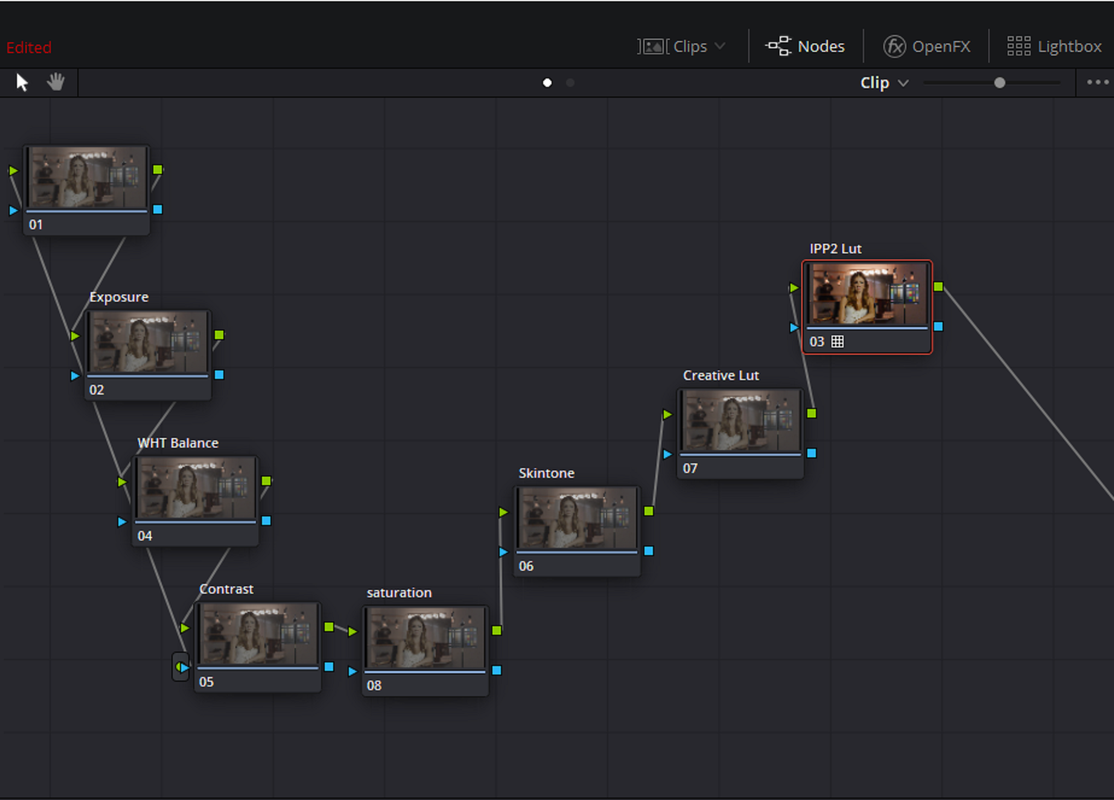
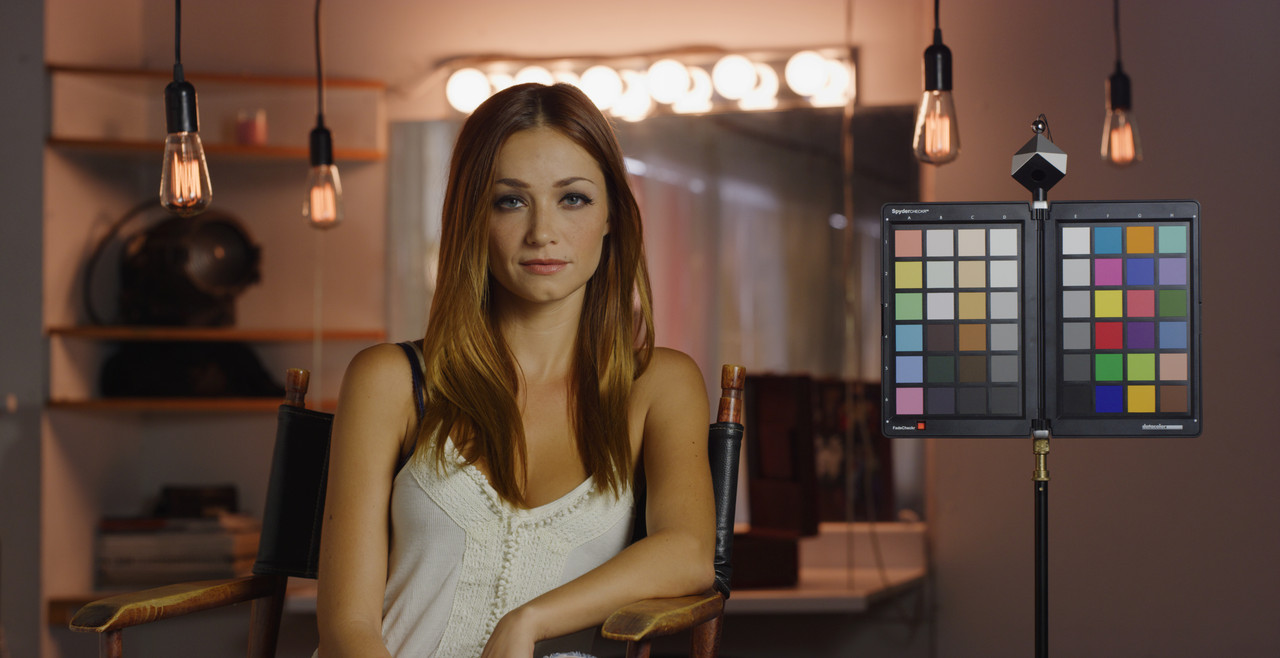
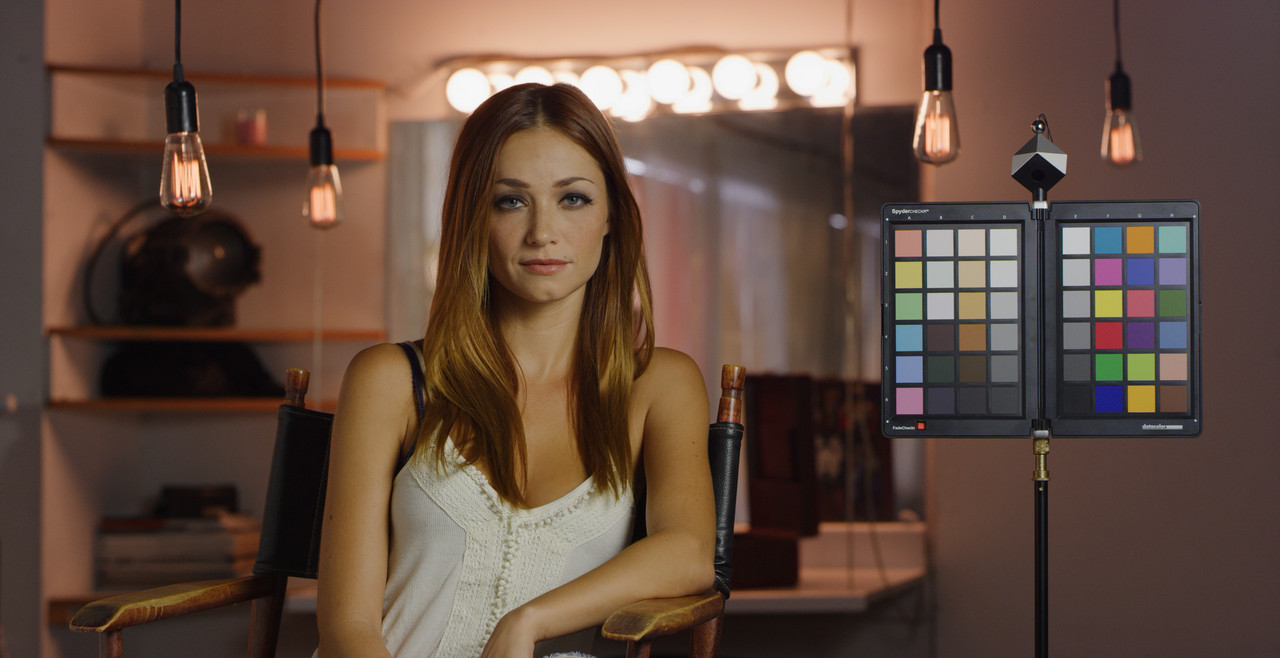
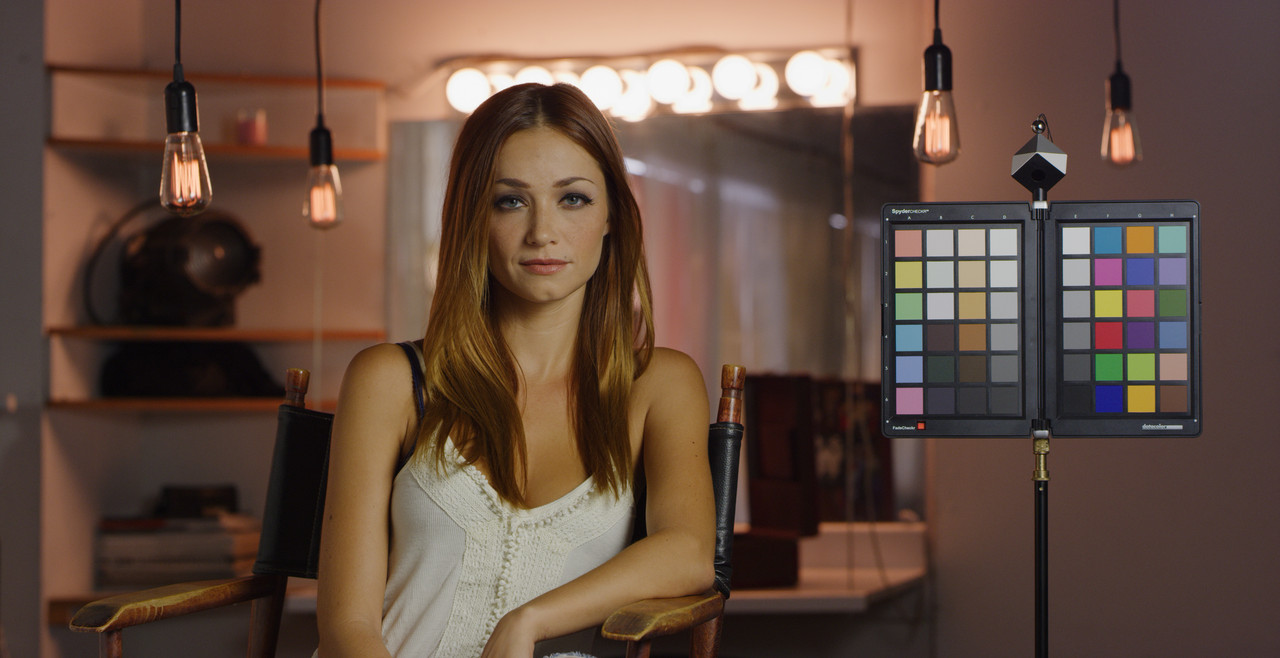
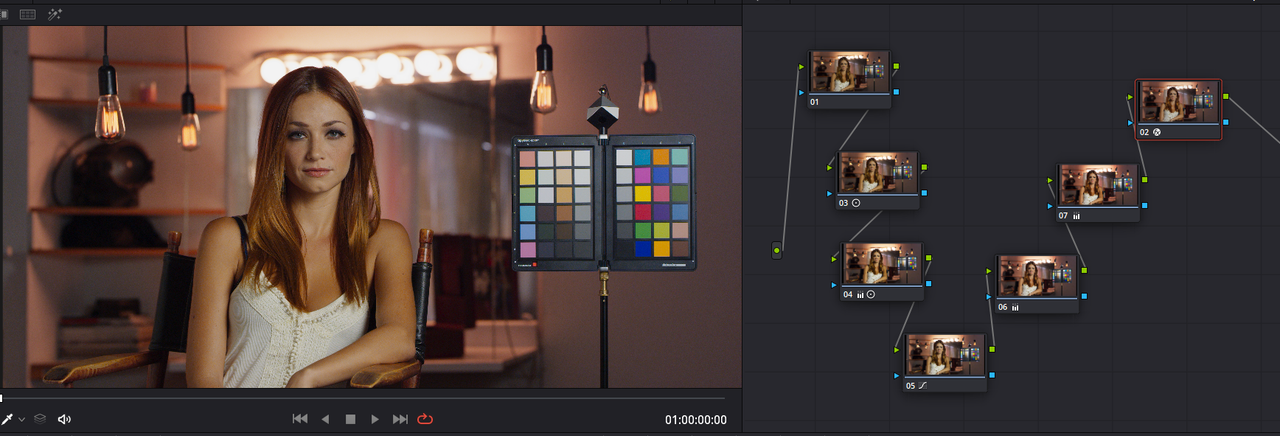
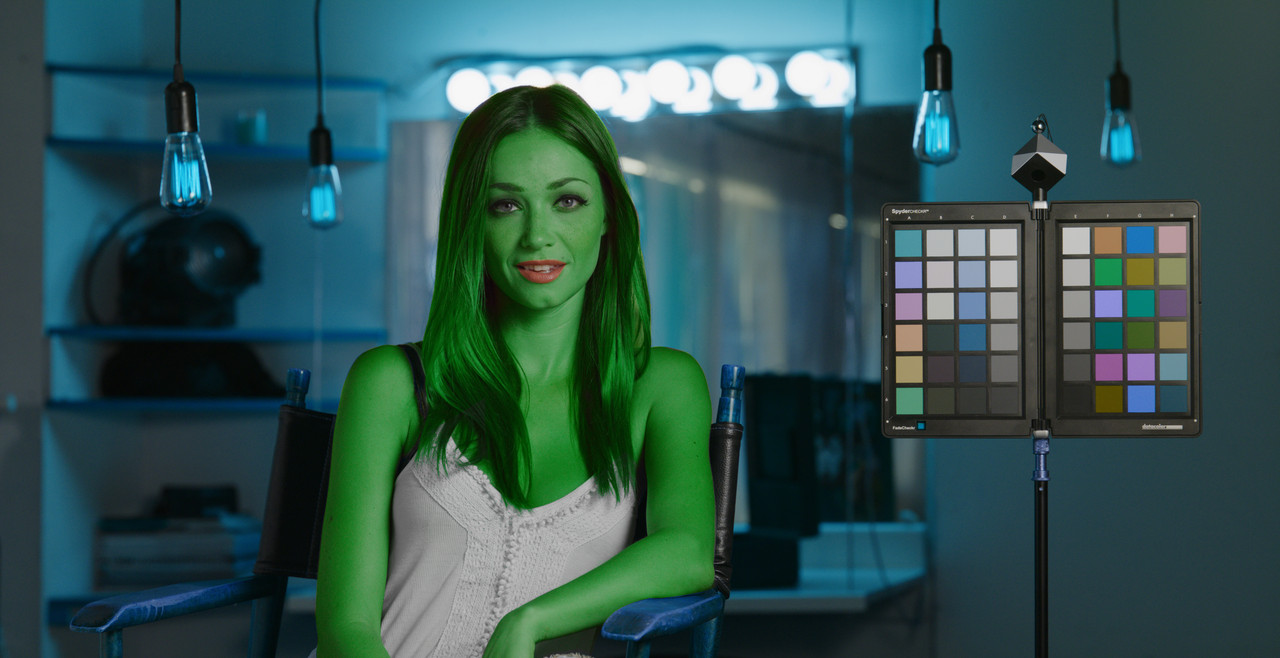
Here is the "Woman in Chair" image graded and not just the 4900-Kelvin and -16.00 tint used to show uniformity between the workflows.


last-one-1-1-7.jpg
 
Jesus, that looks like an awful lot of work. I've done 15-20 Red features in the last four years with maybe 2-3 preliminary nodes that set up the overall look, and then everything after that is a trim, a window, or a key. We basically just treat it like film and tweak the Log3G10 with a gamma curve. It's not that hard. If you have a color reference chart, you actually do it very accurately. (Alexa LogC is not all that much different except in the approach.)

We do try to preserve the DP's choices for ISO, Exposure, and Color Temp, but we'll tweak if necessary if we get into a weird mixed-lighting thing or an overexposure problem. And we refer to the dailies as a reference to understand what the director and DP have been looking at in the months prior to finishing.

We generally have to work very quickly, so we're talking 250-300 shots in one 10-hour day. If we had 7 nodes and a LUT in front of everything, we'd be there for weeks. Sometimes, simplicity is a better way to go, particularly when you have to hit a specific budget and schedule. And that is almost always the case, particularly for episodic TV and features.

Fixed Node Trees are valuable, and there's info about those out on the net and on MixingLight.com. We have certain predetermined values we regularly use for Red because we know the starting point works (in about 2 nodes), and you can make an argument for LUTs or DCTLs. I try to stay away from LUTs specifically because of the self-destructive nature of that process and the need to sometimes work in HDR and SDR.

You can also make a case for ACES, but that presents additional challenges.
 
Marc,


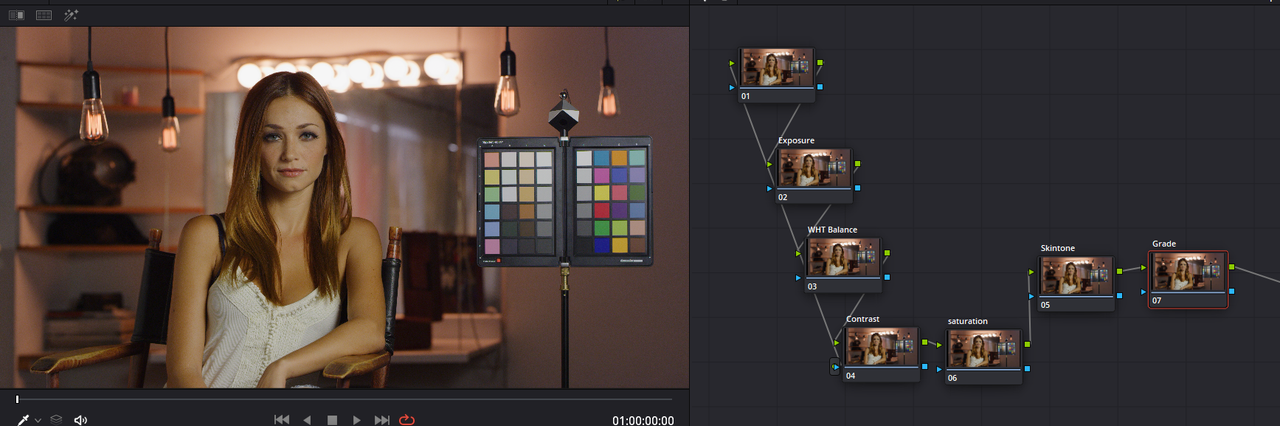
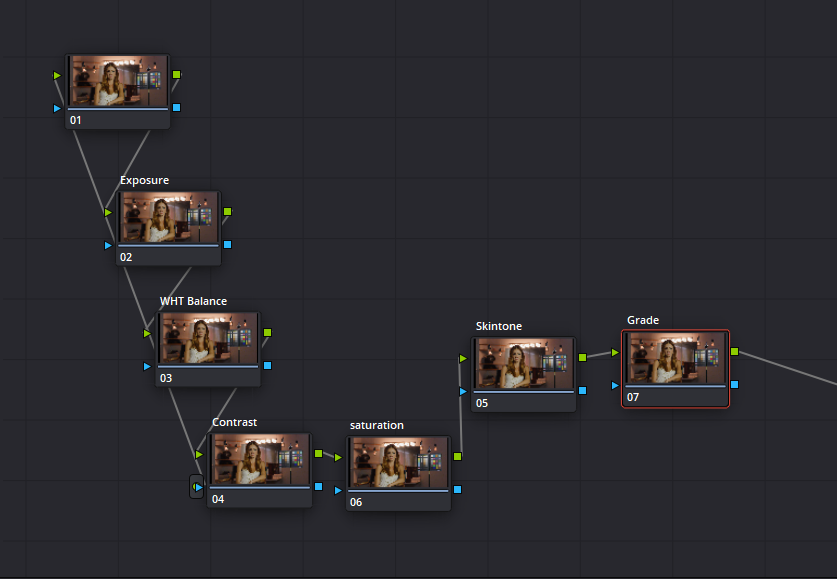
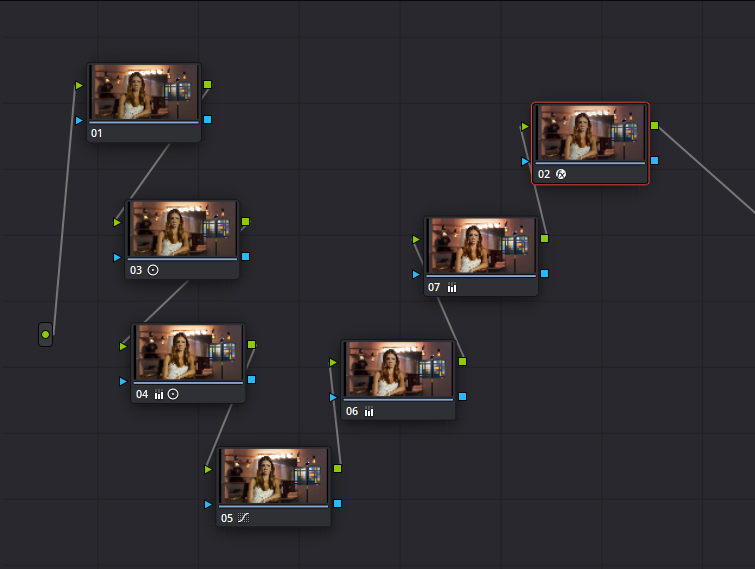
It Looks worst than It actually is. I just got to the point where I was doing too many things in very few nodes. The node tree I show above is just my way of knowing in which Node I did what in. I got tired of going through nodes looking for what I did what in. This way I can go into the corresponding Node for each correction. It probably takes about the same amount of time as placing multiple operations in one or two nodes. It's my way of organizing my color correcting thoughts. I also find that certain operators don't work as well with other operators if they are placed in the same node.


Most of the time I don't use every node, but I'm trying to discipline myself to no more than two operations per Node. The only luts I use now are the IPP2 Output Transform Luts, which IMHO do a great job of transforming the RWG/LOG3G10 image to their respective color spaces and gamma curves.


I'm also using ACEScct which does terribly with Luts if they work at all.
 
Last edited:
Curious

Rand, your input is Gamma 2.4 and Timeline is RGW/LogG10. For me it would be the other way around.

If you have your timeline set to LogG10 then you're grading a log signal and half the qualifiers and so on don't work very well. So switching to Gamma 2.4 on the timeline makes for a better grading experience.

(EDIT: To expand on this. My observation is pulling secondaries when set to timeline of RWG is very difficult compared to 2.4 so i assume that timeline is actually the data format the tools operate on whereas initially i thought that the tools would work on a 32 bit float based image - but in actual use i get different results with different timelines. In fact you can set the timeline to linear in which case the grading tools have an odd time there as well. So IMHO i believe the tools are expecting to work on a gamma image - this is very different from my Nuke experiences and confused the hell out of me for a while)

So i would have Input RWG/LogG10, Timeline Gamma 2.4, Output 2.4 and the IPP2 mapping set to whatever.

So in the above there's no need for an IPP2 lut on the chain at the end.

Also if i am including non Red footage on timeline then i set the interpret footage correctly and bring it into the same pipeline (with the IPP2 mapping) which i think works well. My Red footage can be R3D or 444 ProRes files with vfx work but still in RWG/LogG10.

If i want to apply a LUT which operates in RWG/LogG10 (like Phils LUTS) then in that one node you can set the colourspace specifically and that works great.

So not sure why timeline suggestion is LogG10, i could be missing something though?

cheers
Paul
 
Paul, I agree with your findings. My summary for the best workflow:

1. Use Pre-clip groups to sort WB, ISO, then feed to optional Creative LUT (such as philmColor). Finalize image with IPP2 conversion (Omeno Primers, RED IPP2 LUTS, or roll your own Log->Gamma conversion with Primaries and Curves).

2a. Grade in REC 709 / Scene-referred data. Resolve's floating point data does not clip, neither in signal intensity nor gamut, so Rec709 is not a box from which you cannot escape. Rather, it's where all the tools work as they are described, with no math errors. OTOH, you might like your tools to contain some extra wiggles--S curves for contrast, lift functions that have extra oomph or are extra gentle at the bottom end, etc., etc. In those cases, working with a gamma curve that's not purely scene-referred will affect the math of the primary wheels in the way that you like. But if you want them to function as stipulated, go with Scene-referred.

2b. There is some noise that Log wheels (not the Lift/Gamma/Gain wheels) are useful for creatively grading Log Footage. I don't know. But I do know that qualifiers work like shit in Log space, so as Paul says, if you are trying to do any secondary grading, do yourself a favor and work in Rec 709 Scene-referred space.

3. Use Post-clip groups (or Resolve Color Management) to transform your outputs from REC 709 Scene-referred to whatever your output may be: Linear for VFX, sRGB for YouTube, Rec 2020 HLG for future streaming platforms when they get their collective acts together, etc.

BTW, I have several times proposed on the Davinci Feedback form, as well as in postings to the Resolve Feature Request threads, that the Qualifier Tool be tuned to be color-space aware. But that has not happened yet. So unless you like having your secondaries picking ranges that are orders of magnitude larger than common sense would allow, use Rec 709 with the confidence that your picks will mostly translate to larger and more exciting color spaces. They certainly translate much, much better than trying to work in those larger color spaces with tools that do not work very well at all in those color spaces.
 
Hi Rand!

Thank you very much for this information. I appreciate it! a few questions, I hope you don't mind?

1. Why are you starting with redcine-x? Are you doing this adjust the raw before going to resolve. Or to show me that the footage can look the same on both platforms?

2. Why use the transform LUT on the last node, and not the first?

3. Where can I download rec 709 luts, the ones you are using? The ones i have are old or for rec 2020.

4. I read allot about, "treat it like film" what do you mean by that as a colorist?

massive thanks!!!
 
Chris,


1) Just to show that the results should look the same among the different workflows with the same settings.


2)Others can probably explain this better I can, But once you use the IPP2 Output transform on the first node, every node after that one will be confined to the Rec709 Colorspace and all of your color corrections will be confined to the Rec709 Colorspace. The beauty of RWG/LOG3G10 is that the nodes you work in up until you apply an IPP2 Output Transform will give correction possibilities from a Log Raw format that Red feels gives you access to all that a .R3d file can offer from it's respective Red Sensor. When you finally apply the IPP2 Output Transform to the Last Node of your correction/grading Node Tree, the Lut will transform your grade into the respective Colorspace from what I believe Red believes is the most optimal way from RWG/LOG3G10.

Think of it this way, A baseball outfielder's job is to make sure that the opposing team's batter never hits a ball into what is considered "Homerun" territory. The IPP2 Output Transform Lut's job is to make sure that all the colors.etc.. of your grade stays within the Colorspace that it will be transformed into. Plus, with better Highlight retention/Roll-Off and color transformation from RWG/LOG3G10 than a convention REC709 conversion would.


That 's how I would explain it, as I stated earlier the more technically astute on this forum can probably do a much better job of explaining this than I can


3)These were sent to me from someone that Graeme Nattress Sent to him

https://www.dropbox.com/sh/7meziyar4vmps1s/AADxJILYDZYF9fbEOSPuTx_Oa?dl=0


4I'm not a Colorist but I've heard that but don't really know how you mean it here. But if you mean building an image manually bit by bit developing it with the right exposure, making sure that first colors are reasonability accurate before further processing is done. Next that you try to give it a look that best tells the story you are trying to tell. Then, making sure the your output image matches in quality to the original input image, then yeah I guess that would apply here.


Rand
 
Chris,


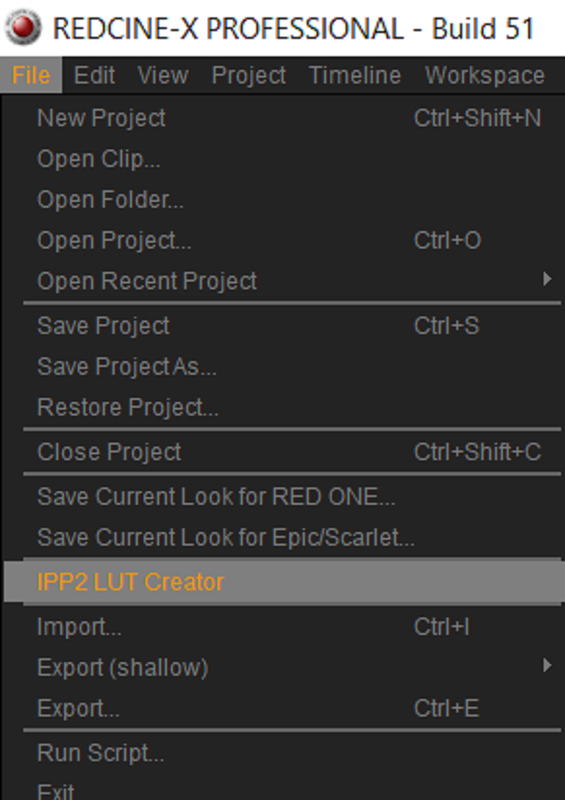
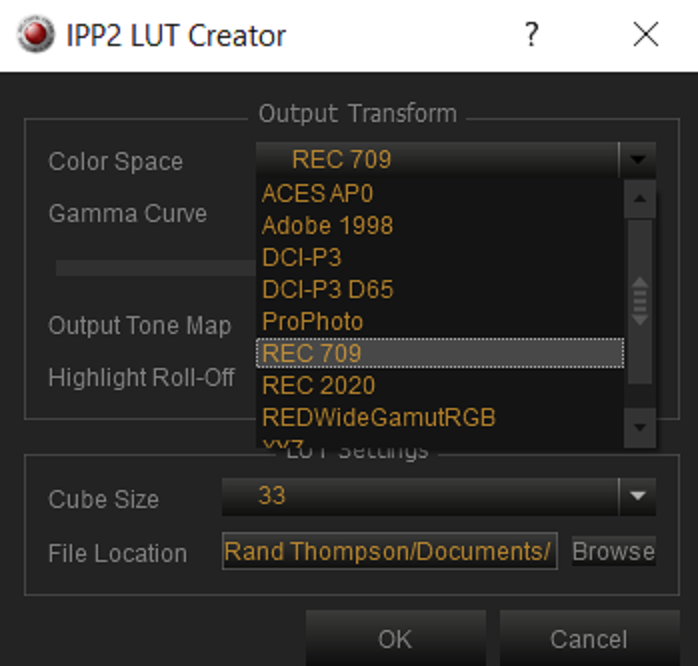
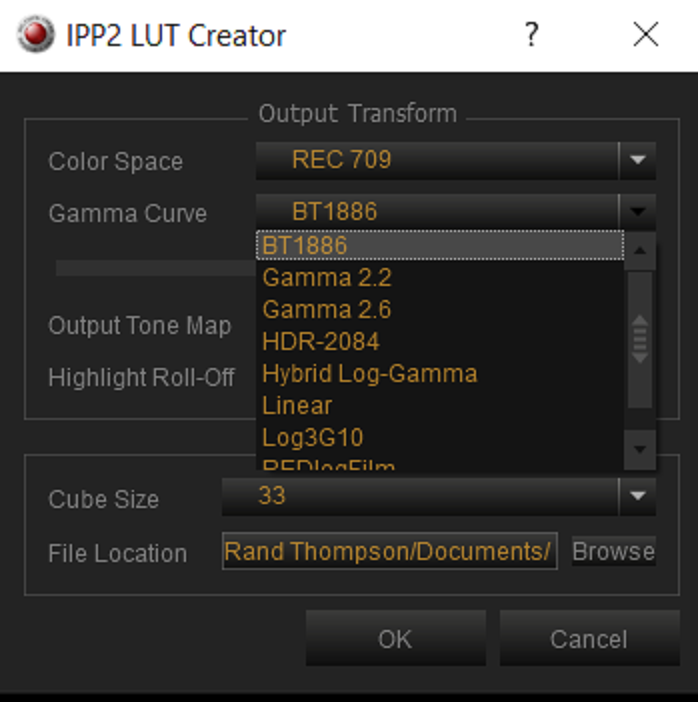
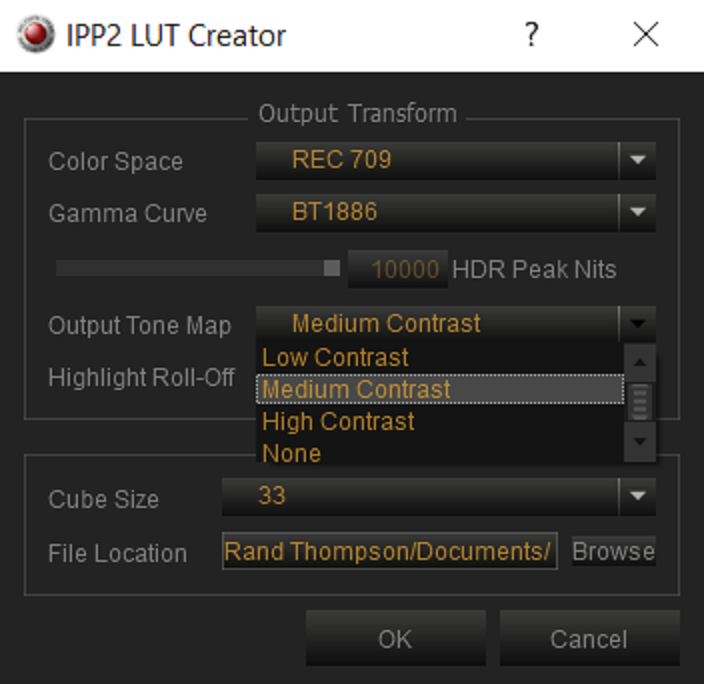
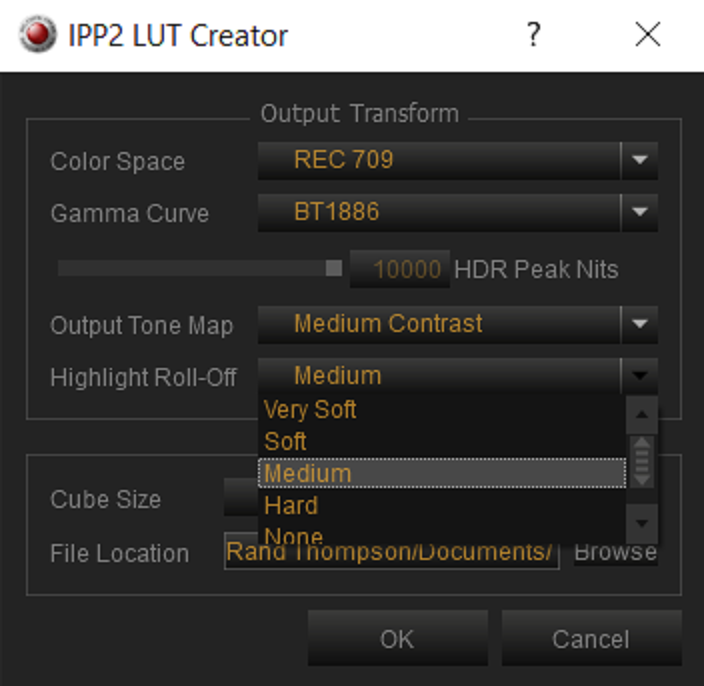
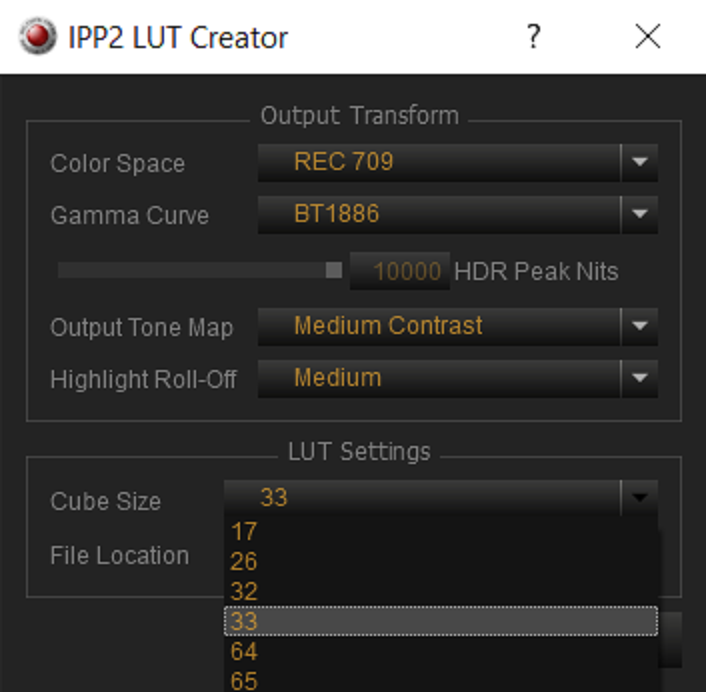
You can also make your own IPP2 Output Transform Luts from within Redcine-X.


Screenshot-239.png


Screenshot-241.png


Screenshot-242.png


Screenshot-243.png


Screenshot-244.png


Screenshot-245.png
 
In REDCINE-X, check out File->IPP2 LUT Creator, in case you ever lose the handle on the Dropbox full of LUTs.

As for "all that an R3D file can offer"...that might be a nice thing in some more advanced color grading software. But if you are in the Resolve world and you need to do secondary color corrections, RWGRGB and Log3G10 are really not your friends, at least not how Resolve's Qualifiers currently work.
 
Thank you Rand!!!

Michael, how do you set up resolve before making secondary corrections?

Right now I deliver only to YouTube, so I use regular Davinci YRGB with the color space and gamma set to REC 709. I monitor on a Flanders Scientific DM240 set to Rec 709 / Gamma 2.2 (which, according to my recent tests, gives better fidelity than Rec 709 / Gamma 2.4. See https://www.youtube.com/watch?v=O6BrcH8n7gw

In the not-too-distant future I will aim to do more stuff with HDR, which will require a new monitor. To handle SDR/HDR, I will probably use Davinci Color Management, with input set to Bypass, Timeline set to Rec 2020 (Scene), and output set to whatever my output needs to be. As I said earlier in this thread, I use Group Pre-Clips to do WB and ISO adjustments and to apply the LUTS that will bring me into my Timeline space. I then do my main grading using nodes applied to the Clip. I haven't yet found a great use for Group Post-Clip nodes, but I'm sure I will once I do more HDR work.
 
In REDCINE-X, check out File->IPP2 LUT Creator, in case you ever lose the handle on the Dropbox full of LUTs.

As for "all that an R3D file can offer"...that might be a nice thing in some more advanced color grading software. But if you are in the Resolve world and you need to do secondary color corrections, RWGRGB and Log3G10 are really not your friends, at least not how Resolve's Qualifiers currently work.


Micheal,


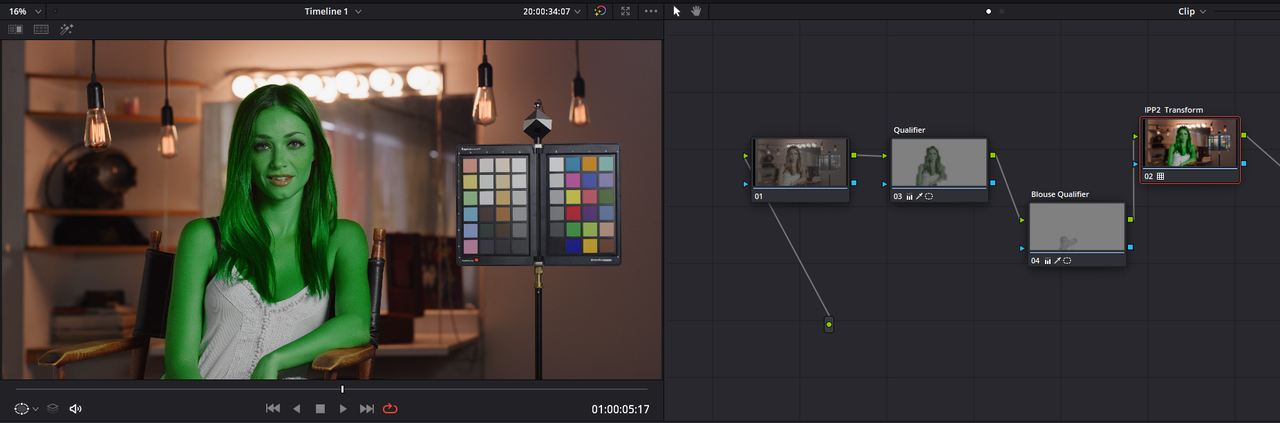
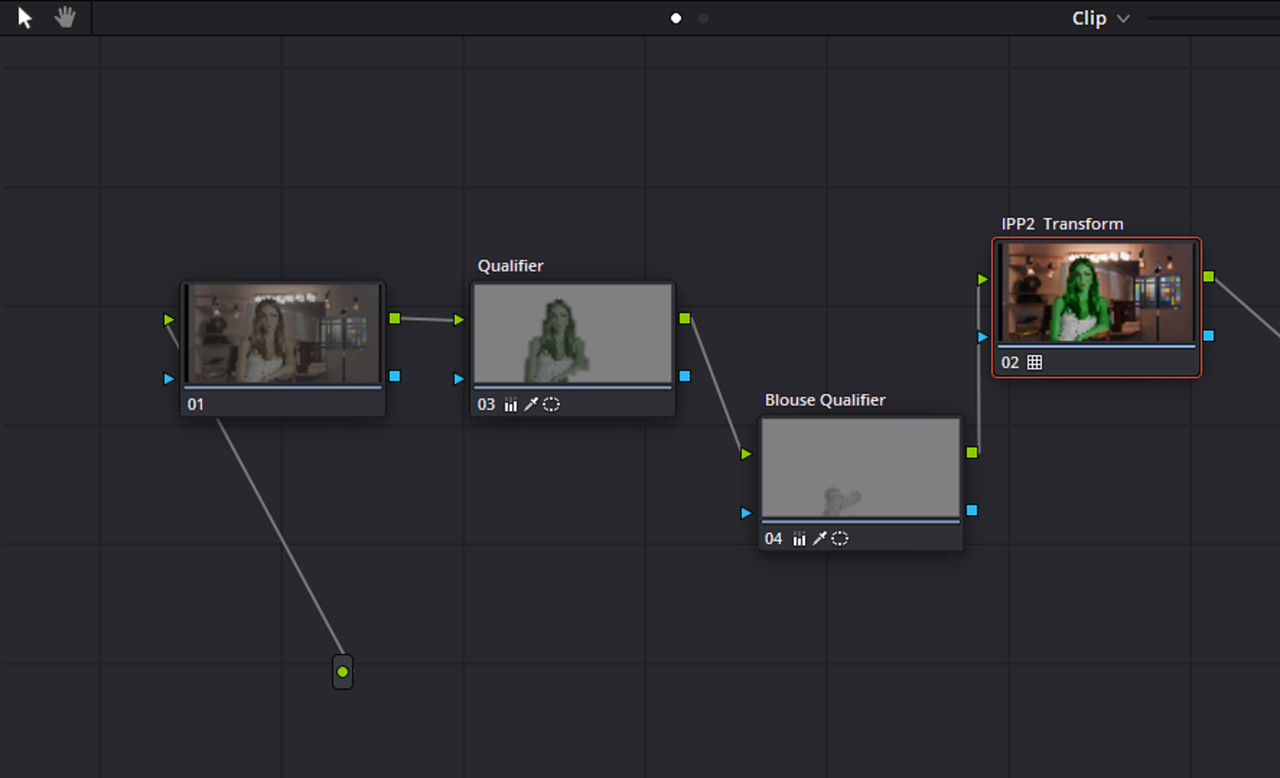
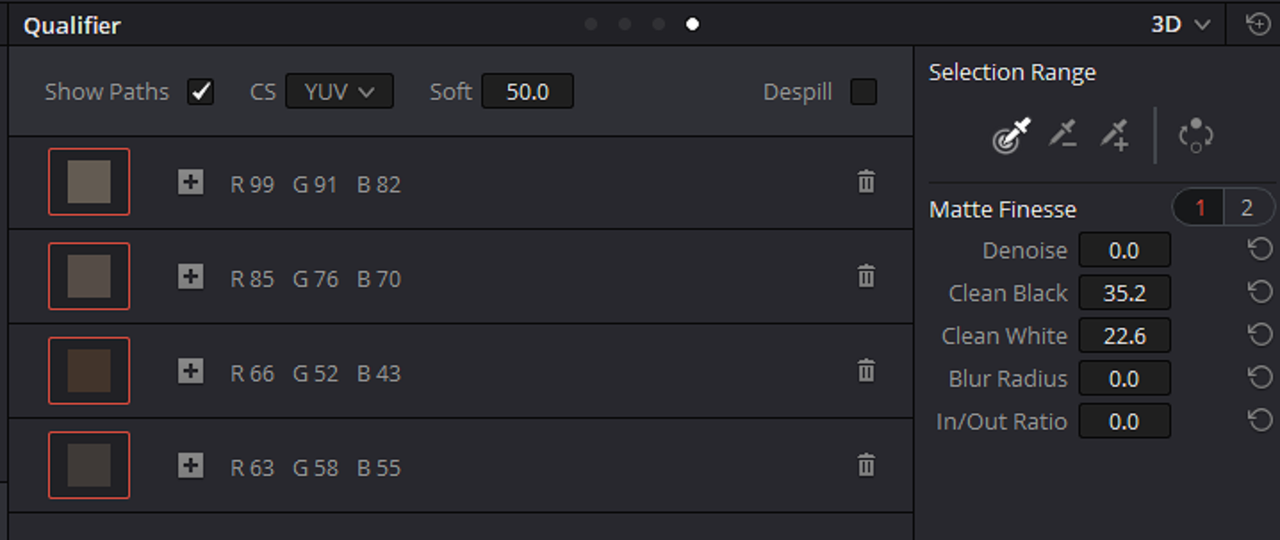
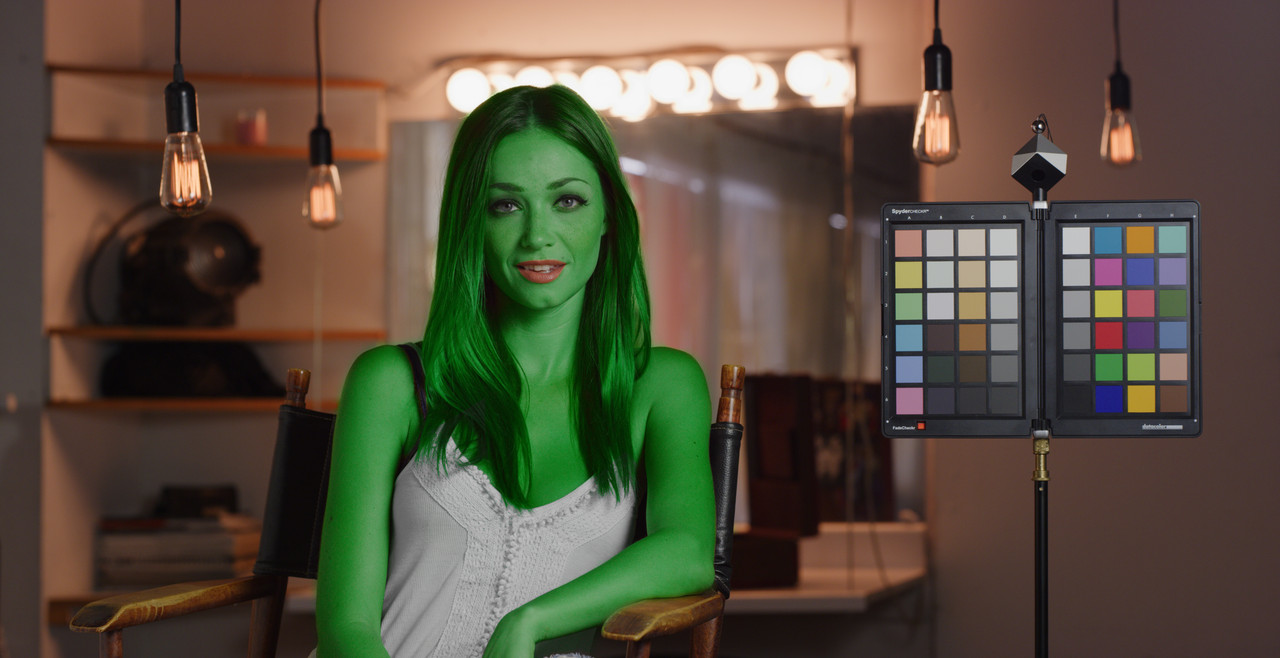
Qualifiers work fine as long as you only use the "3D" qualifier.


Extreme Example


Screenshot-251.png


Screenshot-251-2.png


Screenshot-249.png


red-1-1-5.jpg


blue-1-1-6.jpg
 
Last edited:
Back
Top