Welcome to our community

Be a part of something great, join today!

  • Hey all, just changed over the backend after 15 years I figured time to give it a bit of an update, its probably gonna be a bit weird for most of you and i am sure there is a few bugs to work out but it should kinda work the same as before... hopefully :)

How do you get noiseless blacks?

Nick Mercer

Well-known member
Joined
Jul 13, 2011
Messages
324
Reaction score
1
Points
18
Hi guys,

I've had a problem from the beginning of time with capturing motion without noise. I just don't get it.

I can shoot at night on some days and get a clean, but "dark" image. Other nights I can't. And it seems to be the same lighting situation.

What are the best tips for getting low light while shooting a dark, dramatic, scene with light only on a subject or rimming the subject?
 
It's not the moody lighting that is causing the noise, it's the base exposure / ISO rating + color-correction (i.e. if you are having to lift the shadows or overall image in post, which is defacto like rating it at a higher ISO). Mood lighting is only making whatever noise there is easier to see.

So first you have to make sure that the camera is properly black-shaded / black-balanced. Then you have to determine what the inherent noise is at different ISO ratings and what is the blue channel noise when using the camera near 3200K color temp settings. Once you determine that, you should have consistent results if you are consistent with your exposures (unless the camera needs to be black-shaded again.) Once you learn what noise level you get at, let's say, 800 ISO at 3200K, and you are OK with that, then you can make the lighting as moody as you want to, as long as you expose correctly and not find yourself lifting part or all of the image in post because it looks too dark. Or maybe you'll decide that 800 ISO / 3200K is not clean enough for you and you'll need to find some more conservative rating.

You can give yourself a little protection by lighting with the intent to slightly crush the blacks in post, which may mean using more fill -- darkening the shadows in post will reduce noise in the shadows, as opposed to lightening shadows in post, which causes an increase in noise. You can adjust your monitor with a little more contrast and crushed blacks, or do it with the camera's metadata look settings, so that it forces you to compensate with lighting for that extra contrast added.

If you are shooting under the same light levels, same exposure, same ISO and same color temp settings, and not adjusting anything in post, and are getting different noise results, then something is wrong with the camera, like it needs to be black-shaded.
 
If I shoot this type of setup, I always try shooting with the intent of crushing the blacks in post.

I'm shooting at iso's even lower than 800. And I would call it a black-shading problem, but I have a 5d Mark II and BMCC sitting here as well and they all tend to have this problem. Should I be using a higher ISO and dropping ND's? That doesn't seem as logical as keeping a low iso and wide open on the lens.

And why do areas of light fall off get so noisy? It seems if anything isn't pure black or pure white.. it's noisy. I can accept some, but I'm finding better results on compressed Vimeo shorts than I'm getting RAW. Seems like even the Youtubers posting low-end "camera tests out of the box" are getting better noise and latitude performance then myself. Then again, I do live in a desert. That wouldn't matter in a studio setting though.
 
Nick: make sure you blackshade every time you significantly change the shutter. Also, wait until the camera is warmed up.

Also, neat video ;)
 
I 100% agree with what David has to say here.

While shooting pay special attention to the tools before you. Mainly the histogram, stop lights, raw view, and exposure check.

If you're truly crushing the blacks and seeing noise in there that leaves me scratching my head a bit. That might come down to workflow questions and practices. I've had others present me material that they felt was too noisy in the blacks, but that was mostly due to the fact that there's no light there to reveal any additional information. If light isn't hitting it and the exposure isn't chosen to see that specific dark area there's not going to be much to see. Which is why it's valuable to expose for the raw file and perhaps favor a bit more to the right if there's any concern.

One of the more lovely dark movies with lots of texture, moody lighting, and even black leather wardrobe was Underworld 3. That presents exactly what can be done on the big screen. And more impressive is the separating they have on the dark tones within frame.


Now some crazy talk. Most of us here shoot between ISO 320-800 on Mysterium-X. However, with practice you can do some tremendous things with REDCODE RAW.

There are distinct advantages to testing and there's everything to gain by experimenting. And it's incredibly easier to do these days. I can't tell you how many short ends of film I've done silly experiments with.

So when you're at home, setup a light and explore some exposure variations to produce a moody look. Maybe do this outside if that's your subject matter.

ISO 800:
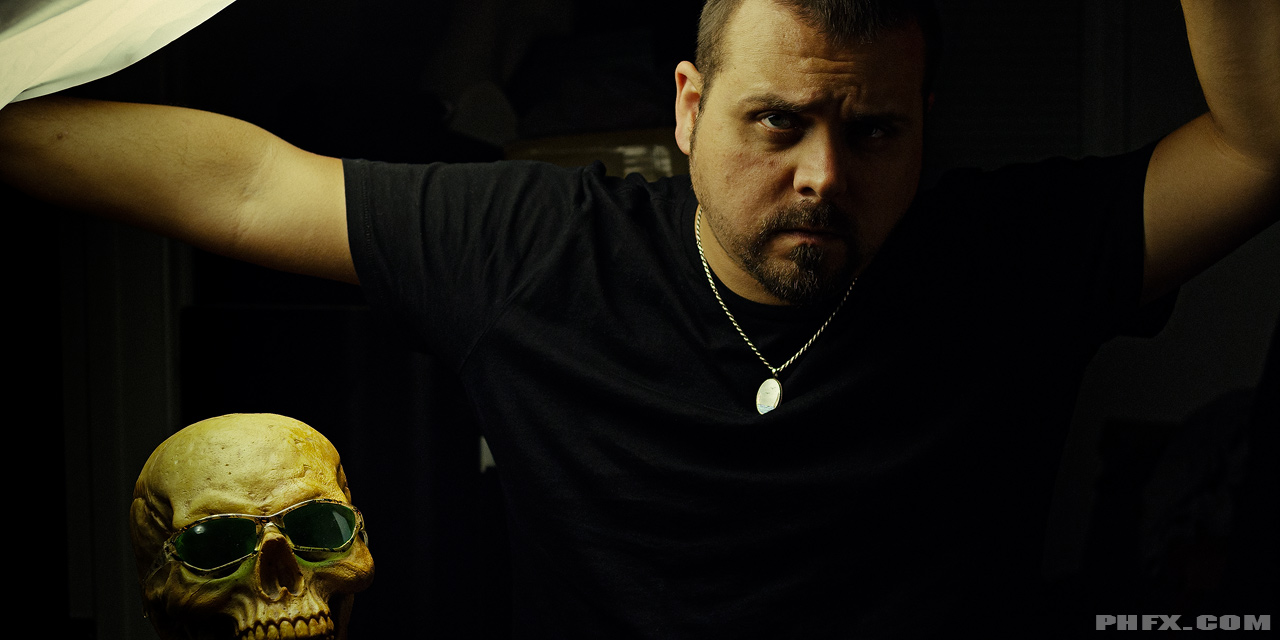
phfx_SCXBow_0001.jpg


However, it's very interesting where you can take this. I've been able to get usable, although with a hint of texture obviously, ISO 1250 and 2000 straight out of Mysterium-X without noise reduction:

Recent examples:

phfx_smHGLS_PV_0005.jpg


phfx_smHGLS_PV_0007.jpg


And one with some crushing going on:

phfx_smHGLS_PV_0011.jpg
 
First, when shooting at night, turn the brightness of the Red LCD way down. I tend to use just one click above the lowest setting. The Red LCD's are VERY bright and will fool your eyes into thinking your image is bright enough when it isn't. You are looking at a RAW (not yet compressed) down sampled image on a 800 x 600 monitor (in case of the 5"). That's not going to show you any noise there is in the final image.

Then, light with the intention to lower darkness in post. Ideally make sure your highlights are just not clipped (expose to the right). Annoyingly, this will give you an image on the monitor that looks far too bright and not dramatic at all. To get a preview of what it will look like in post you can stop down the iris a few stops. You will have to tell the director and the colourist that it is intended to be darker in post.

If you do this you get a very low noise and malleable image for post.
 
Meter, assuming the noise floor is two to three stops higher than it is. Crush those stops to black in post.

Just watched Prisoners. Deakins uses a lot more light even in this practical-heavy high contrast movie than most. And he blows highlights on the Alexa, which takes some effort. Super clean, though.

Neat Video is another option, but tonality suffers, just a bit. It's really amazing. That said, a little noise helps make things look good. Just spot meter your blacks and meter every shot and you'll quickly see what you can and can't get away with.

Different colors are noisier than others, too, of course.
 
If it's a static camera angle you can also do frame blending with a mask for your moving element. I do this for most VFX clean plates. The roto then doesn't have to be very tight, since it's a "noise roto" but you can get significant cleanup in noise levels across the image.
 
So when you bring the iso down, your shutter angle/speed is set, you are at F2.8, and things are in that "underexposed" look (white walls look muddy and noisy just as an example) and you don't want to crush all the detail, what is an option. Is it just going to be noisy because it is underexposed?

And if I wanted it solid black, do I throw some light on the subject and stop down the aperture because DOF won't matter in a low environment anyway?

What actually makes noise appear? Is it the lack of light relative to the available light? I've found noise in shadows outside.. In out of focus areas, it is more prevalent because of the lack of detail to hide it.
 
If I shoot this type of setup, I always try shooting with the intent of crushing the blacks in post.
Very wise advice -- that was my immediate response: control the noisy blacks with post color-correction. The noise sometimes comes up when you force contrast into a very low-contrast image, or when the LUT isn't optimized.

The other possibility would be to color-time the show normally, and then apply noise reduction to blacks only as a final step, just on the shots that really need it.
 
Ive also found the red LCD to be in accurately bright.

For me, and this is just what I recommend, it is important not to judge exposure by the LCD no matter what the brightness setting is set to. This applies to other monitors as well.

Monitor exposure through the variety of tools before you. They'll notify you when something needs to be adjusted or protected.
 
I use false colour. Set exposure so's not to clip and then add fill to the purple. This is my general rule.
 
Shoot at 250/320 iso for the cleanest/noiseless, out of the camera, black levels in all situations.
 
I guess my approach is all wrong, because I don't care about the ISO setting at all. My Epic's in RAW monitoring mode exclusively and I keep an eye on the histogram, traffic lights and the RAW noise level bar. A little bit of action in the noise level bar is fine by me (and crushed in post) but if the bar creeps close to 20% something needs to be done with the lighting.
 
I guess my approach is all wrong, because I don't care about the ISO setting at all. My Epic's in RAW monitoring mode exclusively and I keep an eye on the histogram, traffic lights and the RAW noise level bar. A little bit of action in the noise level bar is fine by me (and crushed in post) but if the bar creeps close to 20% something needs to be done with the lighting.

Someone correct me if I'm wrong but I'm pretty sure that RAW monitoring *is* 320 ISO. So you're actually following that philosophy. (As do I).
 
That is right gavin

Most of the advices here go in the same direction...

Do not underexpose the dark part of the image where you want smooth texture.
Just different ways of monitoring that,
 
Back
Top