Welcome to our community

Be a part of something great, join today!

  • Hey all, just changed over the backend after 15 years I figured time to give it a bit of an update, its probably gonna be a bit weird for most of you and i am sure there is a few bugs to work out but it should kinda work the same as before... hopefully :)

Hard noise epic w

Aleksandr Frayman

Well-known member
Joined
Jan 28, 2017
Messages
181
Reaction score
0
Points
16
Location
MOSCOW
The image looks pretty nice to me under default IPP2 in the beta Redcine. Raising it to 1600 ISO (3200 under legacy pipeline), it looks really good, imo. There is some noise, but with motion, and rendered out to 4k, I really doubt it would be distracting.
 
34232518683_2c77f34c8e_o.jpg


Played with the image a little bit in RCX. Even pushed to 4,000 in IPP2 beta Redcine, it looks really good.

Was there any atmosphere in the scene?

Default settings in any noise removal software would easily remove what noise there is. I'd like to see it in motion, because it looks pretty filmic to me.
 
Thank you for Your answers. I work in Davinci Resolve and I see there is a lot of noise, it looks like not working material. For me it is very strange. Usually there is no noise at all
 
Focus Assist on?!
 
I agree, your R3D's looked better in RCX VS 50 BETA but I also agree it doesn't look right on your RED PRO preview shots.

I see you're using a sensor temp of 37.

Change your fan settings to ADAPTIVE 44 degree, wait until 44 degree's is reached & calibrate your sensor at 44 with the 55min AUTO option...make sure you have a good battery or better still mains power.
It's ESSENTIAL you reach 44 degrees first & it holds 44 for a few mins before calibration. Just 1 degree out makes a huge difference.

DISCLAIMER:
I've only tested this on WEAPON HELIUM & not your EPIC W HELIUM but it should be the same result.

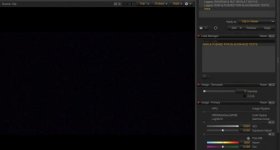
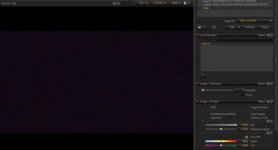
Below are two screen grabs of a single 8K frame with the port cap on at 44 degree's & the ISO pushed to 12,800 in RCX 50 BETA.
The first image (almost black grab) is 44 degree's & the noisier one is 40 degree's....quite a difference huh? on your shoots just keep an eye on the temp & adaptive fan at 44 setting...if it drops due to the cold then partially block the fans with tape to maintain 44, I maintained 44 in -19 for 10 hours in January with just tape.

I hope this helps you too.
 

Attachments

  • Screen Shot 2017-06-03 at 13.21.28.jpg
    Screen Shot 2017-06-03 at 13.21.28.jpg
    9.9 KB · Views: 0
  • Screen Shot 2017-06-03 at 13.22.21.jpg
    Screen Shot 2017-06-03 at 13.22.21.jpg
    12 KB · Views: 0
I agree, your R3D's looked better in RCX VS 50 BETA but I also agree it doesn't look right on your RED PRO preview shots.

I see you're using a sensor temp of 37.

Change your fan settings to ADAPTIVE 44 degree, wait until 44 degree's is reached & calibrate your sensor at 44 with the 55min AUTO option...make sure you have a good battery or better still mains power.
It's ESSENTIAL you reach 44 degrees first & it holds 44 for a few mins before calibration. Just 1 degree out makes a huge difference.

DISCLAIMER:
I've only tested this on WEAPON HELIUM & not your EPIC W HELIUM but it should be the same result.

Below are two screen grabs of a single 8K frame with the port cap on at 44 degree's & the ISO pushed to 12,800 in RCX 50 BETA.
The first image (almost black grab) is 44 degree's & the noisier one is 40 degree's....quite a difference huh? on your shoots just keep an eye on the temp & adaptive fan at 44 setting...if it drops due to the cold then partially block the fans with tape to maintain 44, I maintained 44 in -19 for 10 hours in January with just tape.

I hope this helps you too.

Thank you for such a lovely response! I have already started automatic calibration at 44 degrees. Tell me. After calibration I have to leave Adaptive on 44 degrees or lower up to 37? It's summer and always warm. Do I need it?
 
One more question. I did an automatic calibration, it seems like the truth is getting much better! I will do the tests. But the question. Is it the first to leave the temperature at 44 degrees? And I will use Slow Motion and Shutter Speed ​​1/200 respectively. Do I need to do another calibration or not? Automatic calibration all done by yourself?
 
There are a couple of things that are going on in this image (aside from improper Black Shading as possible culprit)...

This image is underexposed, and frankly, this is a good testament to the power of the R3D - it's really fairly clean considering the underexposure, and you can absolutely get a very useable image from it IMO. As good as the new sensors are, you still have to expose properly, and feed some light to the sensor. White balance is also an issue here... Metadata is at 5600 with a -8.100 tint. With a shot like this (and really any new setup), I highly recommend shooting a chart, or at the very least a grey card - lighting conditions such as this can be a pain to try and balance, though it is possible.

Exposure:

Pay attention to your "Goal Posts" - the more the left fills up, the more noise. Same thing on the right as far as overexposure is concerned. Aim for the "Fat Negative," or the "Mountain in the Middle," as much as possible within the shot limitations. Once your histogram is pegged too much to one side, or the other, you can expect "problems."


I love RED's exposure tools - they are very intuitive, and if you utilize them correctly, you can avoid situations like this.

RED has some great tuts on their website:
http://www.red.com/learn/red-101/red-camera-exposure-tools

http://www.red.com/learn/red-101/exposure-false-color-zebra-tools

http://www.red.com/learn/red-101/exposure-with-red-cameras

I highly recommend viewing all of them, it will only make you better, and as much as these cameras can be forgiving exposure wise, it's still important to expose properly.

I'm also a fan of the Gio Scope:
https://www.youtube.com/watch?v=tpl9G82hE0I


If you run into a situation with an underexposed shot like this, you can also use Neat Video to help and clean it up a bit. Here is my two cents on Neat Video - use it at the lowest settings possible, once you have done the analysis. I'm talking at 5% for the actual noise reduction - I often set it to zero (it still works in this case, and will often remove just enough). Of course, that won't always be enough, but you also don't want to go overboard on it. I have found that utilizing the most minimal amount will give you the best results without loosing too much detail (I personally never go over 10% unless absolutely necessary).
 
Last edited:
One more question. I did an automatic calibration, it seems like the truth is getting much better! I will do the tests. But the question. Is it the first to leave the temperature at 44 degrees? And I will use Slow Motion and Shutter Speed ​​1/200 respectively. Do I need to do another calibration or not? Automatic calibration all done by yourself?

AUTO takes longer as it does all the speeds & shutter configs so you can shoot at most speeds & shutter combinations without doing further calibrations.
If during your shoot one combination sends your sensor/camera temperatures red then do a MANUAL calibration (5mins) to bring them both back to green.

Thank you for such a lovely response! I have already started automatic calibration at 44 degrees. Tell me. After calibration I have to leave Adaptive on 44 degrees or lower up to 37? It's summer and always warm. Do I need it?

No problem, Yes, always set your ADAPTIVE FAN to the same temp as you calibrated to...in this case 44 ADAPTIVE.

HOT WEATHER: If you find ADAPTIVE 44 can't maintain 44 in hot conditions then go to manual & raise the fan speeds, this works well. make sure the fans aren't blocked or partially blocked with accessories etc.

COLD WEATHER: Using tape to cover fans in the cold to maintain 44 works very well.

I saw your screen grab & yes it looked noisier than mine but still VERY good for a solid black image pushed 4 stops.
How does that same fluorescent scene look with the piano/keyboard now? or any scene? :)
 
It is underexposed but you can get a pretty good looking image out of it. And as mentioned noise reduction software can clean up just about the rest.

In D Resolve you can use the noise reduction there if you have a paid version. It works very well on Red Footage...
On your Color page you should see a Star looking icon next to all the other adjustment icons, Camera, Color Checker, Color Wheels, RGB Mixer then the "Star" Motion Effects.
Under Spatial Threshold you can un link the Luma and Croma and adjust them... Sort of a good start for Red footage I have found is Luma 2 and Chroma 10..
This is all to test and you should experiment and maybe even watch a few tutorials maybe on Resolve noise reduction. You can also use other noise reductions.
 
AUTO takes longer as it does all the speeds & shutter configs so you can shoot at most speeds & shutter combinations without doing further calibrations.
If during your shoot one combination sends your sensor/camera temperatures red then do a MANUAL calibration (5mins) to bring them both back to green.


No problem, Yes, always set your ADAPTIVE FAN to the same temp as you calibrated to...in this case 44 ADAPTIVE.

HOT WEATHER: If you find ADAPTIVE 44 can't maintain 44 in hot conditions then go to manual & raise the fan speeds, this works well. make sure the fans aren't blocked or partially blocked with accessories etc.

COLD WEATHER: Using tape to cover fans in the cold to maintain 44 works very well.

I saw your screen grab & yes it looked noisier than mine but still VERY good for a solid black image pushed 4 stops.
How does that same fluorescent scene look with the piano/keyboard now? or any scene? :)

I just spotted something. I did the calibration at 3200 Kelvin . And when I translate 5,600 in RCX then the noise becomes smaller when the test at 12800 ISO. Maybe I should again do the calibration, just for the 5600?
 
Color temperature has no effect on black shading calibration.

Two things effect black sharing.

1. Temperature
2. Shutter time or angle I.E.: 1/48th and 1/500th require two different calibrations.

David
 
Color temperature has no effect on black shading calibration.

Two things effect black sharing.

1. Temperature
2. Shutter time or angle I.E.: 1/48th and 1/500th require two different calibrations.

David
I grooved to 180 degrees. That is, if I need to shoot at 100 frames per second , I need again to do the calibration? Also.. why do I have so much noise despite the fact that I do the same thing what a man was doing that I suggested? What could be the difference? Is there still time to do it?
 
Back
Top