Ryan Canon
Well-known member
This has been mentioned in a few other threads, but I wanted a new topic to make this easier to find. FOOLCONTROL has become an indispensable resource for many, and having WiFi support in all DSMC2 bodies is a welcome add. This doesn't work in an underwater housing though, and FOOLCONTROL over GigE opens up creative doors and breaks down logistical barriers in this application. This has me (and 1 or 2 others) looking for another solution. Ethernet is doable, so these variants are the first options I've looked at.
I've tested the following converters:
USRIOT TCP232-T, sold here EDIT :: Don't try this one, Mikael says that powered RS232 is needed, which this apparently isn't.
USRIOT TCP232-24, sold here
ONETAK TCP/IP Ethernet RJ45 to Serial RS232 RS485 RS422 Converter/Adapter/Adaptor, here
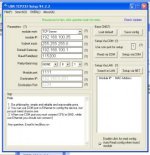
None of these are working. I can connect to them via their windows config utility, and change settings successfully. On all USRIOT models I have activity lights when connected to a camera, and clicking the "rescan local network" button in FOOLCONTROL. The data rate is set to 115200 8N1 as listed in the RCP data. There are some settings in the admin panel that I don't understand, so I'll post them here in case anyone has any guidance. I've tried lots of random switch flipping, though!


In another thread, Mark van Coller linked to an RS232 Ethernet Extender that would provide another option, coupled to a OffHollywood HotLink in air creating the RS232 signal, converted to ethernet and ran to the underwater housing, then converted back to RS232 in the underwater housing. I purchased this http://www.amazon.com/Monoprice-103...23218&sr=8-1&keywords=rs232+ethernet+extender to to try.
After making up the wiring harnesses, I coupled them with a Female-Female Serial coupler, and connected them directly from the HotLink to the Epic and Weapon bodies I have on hand. This worked perfectly with FoolControl on iOS and OS X. After uncoupling, and running through the converter, I got nothing. A null modem cable was included, but I didn't think to try it.
I'm not an expert on any of this, only trying to muddle through with what I can find on wikipedia and in other web articles. And thanks to Mikael Lubtchansky for pointing out a basic wiring mistake (Tx-Tx, Rx-Rx (duh)) that I had made early on. If anyone has any experience they can share, or other suggestions on tests to rule out mistakes I may have made, I'd appreciate the input.
I've tested the following converters:
USRIOT TCP232-24, sold here
ONETAK TCP/IP Ethernet RJ45 to Serial RS232 RS485 RS422 Converter/Adapter/Adaptor, here
None of these are working. I can connect to them via their windows config utility, and change settings successfully. On all USRIOT models I have activity lights when connected to a camera, and clicking the "rescan local network" button in FOOLCONTROL. The data rate is set to 115200 8N1 as listed in the RCP data. There are some settings in the admin panel that I don't understand, so I'll post them here in case anyone has any guidance. I've tried lots of random switch flipping, though!
In another thread, Mark van Coller linked to an RS232 Ethernet Extender that would provide another option, coupled to a OffHollywood HotLink in air creating the RS232 signal, converted to ethernet and ran to the underwater housing, then converted back to RS232 in the underwater housing. I purchased this http://www.amazon.com/Monoprice-103...23218&sr=8-1&keywords=rs232+ethernet+extender to to try.
After making up the wiring harnesses, I coupled them with a Female-Female Serial coupler, and connected them directly from the HotLink to the Epic and Weapon bodies I have on hand. This worked perfectly with FoolControl on iOS and OS X. After uncoupling, and running through the converter, I got nothing. A null modem cable was included, but I didn't think to try it.
I'm not an expert on any of this, only trying to muddle through with what I can find on wikipedia and in other web articles. And thanks to Mikael Lubtchansky for pointing out a basic wiring mistake (Tx-Tx, Rx-Rx (duh)) that I had made early on. If anyone has any experience they can share, or other suggestions on tests to rule out mistakes I may have made, I'd appreciate the input.