Welcome to our community

Be a part of something great, join today!

  • Hey all, just changed over the backend after 15 years I figured time to give it a bit of an update, its probably gonna be a bit weird for most of you and i am sure there is a few bugs to work out but it should kinda work the same as before... hopefully :)

Dragon aliasing color shift

The red's image looks like chromatic aberration when the focus is slightly off, the difference likely comes from the focus point being a hair different between the Arri and Dragon images.
 
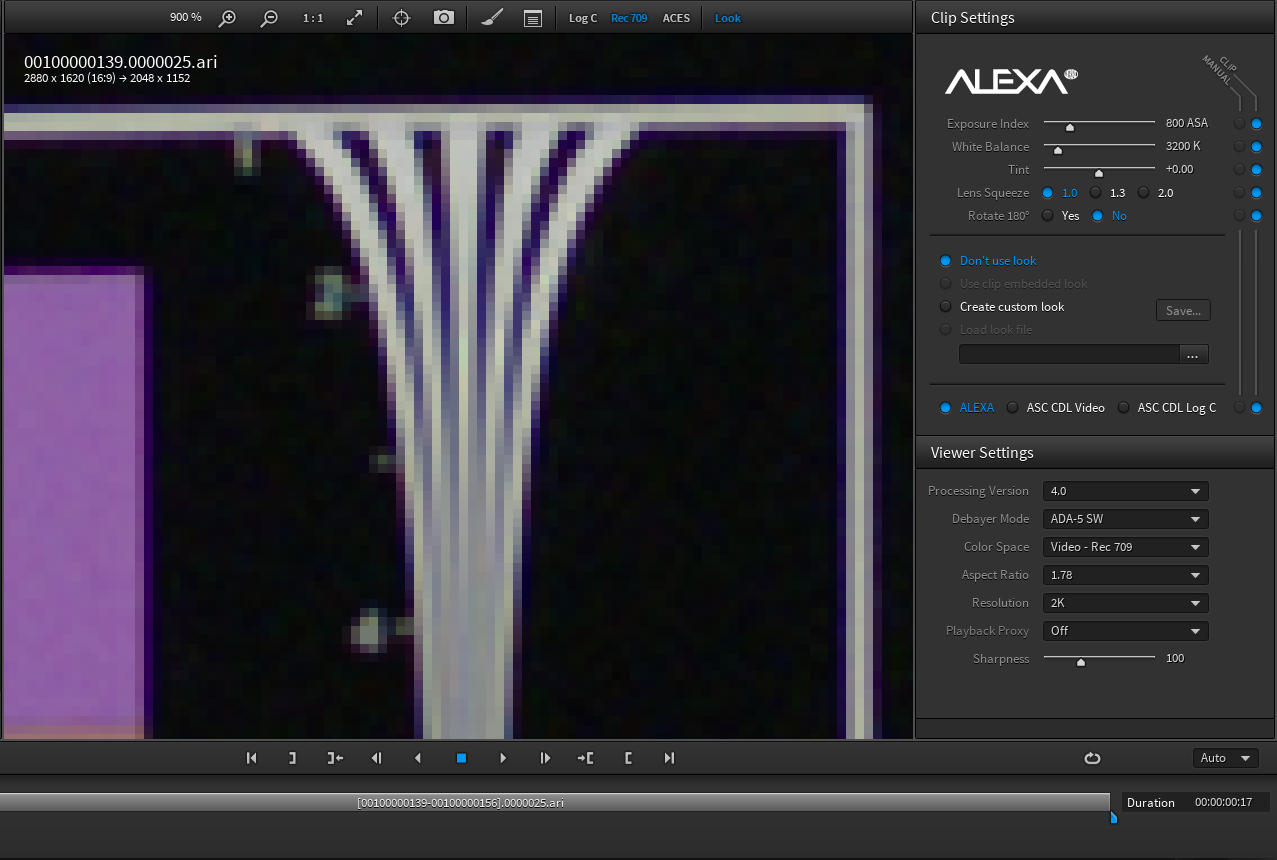
Mark, the Alexa DPX called "ALEXA_1.1.1.dpx" you used for the comparison is not the same image as the Arriraw file available for download (00100000148.0000025.ari). The Arriraw file exhibits a similar chromatic aliasing when zoomed, in both Arriraw Converter and in Photoshop when saved from that program as a DPX. Behold...
Rendered from Arriraw Converter as a DPX using LogC - Wide Gamut with a curve applied in Photoshop (open in a new window for a larger version).

Is this clever disinformation? Or perhaps just a good example of how much the final image is a product of the entire processing pipeline - very much including the nature of any codecs used at the final output stage. I would also point out that the type of scaling (downsampling) filter used influences the amount and character of any aliasing artifacts.

Cheers - #19
 
Best Guess...

Someone processed the original images in Resolve. Resolve's default settings for Arriraw are Full Res debayer. The defaults for Redraw are Half-Res Good. Color fringing like that usually comes from a Half-Res Good debayer even if the lens isn't introducing much/any CA.

Just a thought, I'll test and post some images soon.
 
I processed the 5k images at full res - so that's not it.

Anyone have a Dragon resolution chart without this effect to post?
 
Here's the difference between half-res debayer and the full-res debayer:

Half:
HalfRes_Debayer.png


Full:
FullRes_Debayer.png


Maybe it's not the culprit, but it's interesting to see the difference.
 
That is far cleaner than what I'm getting - what are your settings?

What res are you outputting?

Actually - when I output fullers at rc4, then downres to 1080, that's what I get...

Still love to see a clean chart if anyone has one.
 
Last edited:
Here's the difference between half-res debayer and the full-res debayer:

Half:
HalfRes_Debayer.png


Full:
FullRes_Debayer.png


Maybe it's not the culprit, but it's interesting to see the difference.


But this Isn't the Dragon file. On my framegrab you can see details up to 6. From Redcine-x

dragon_zpsb7ponjgx.jpg
 
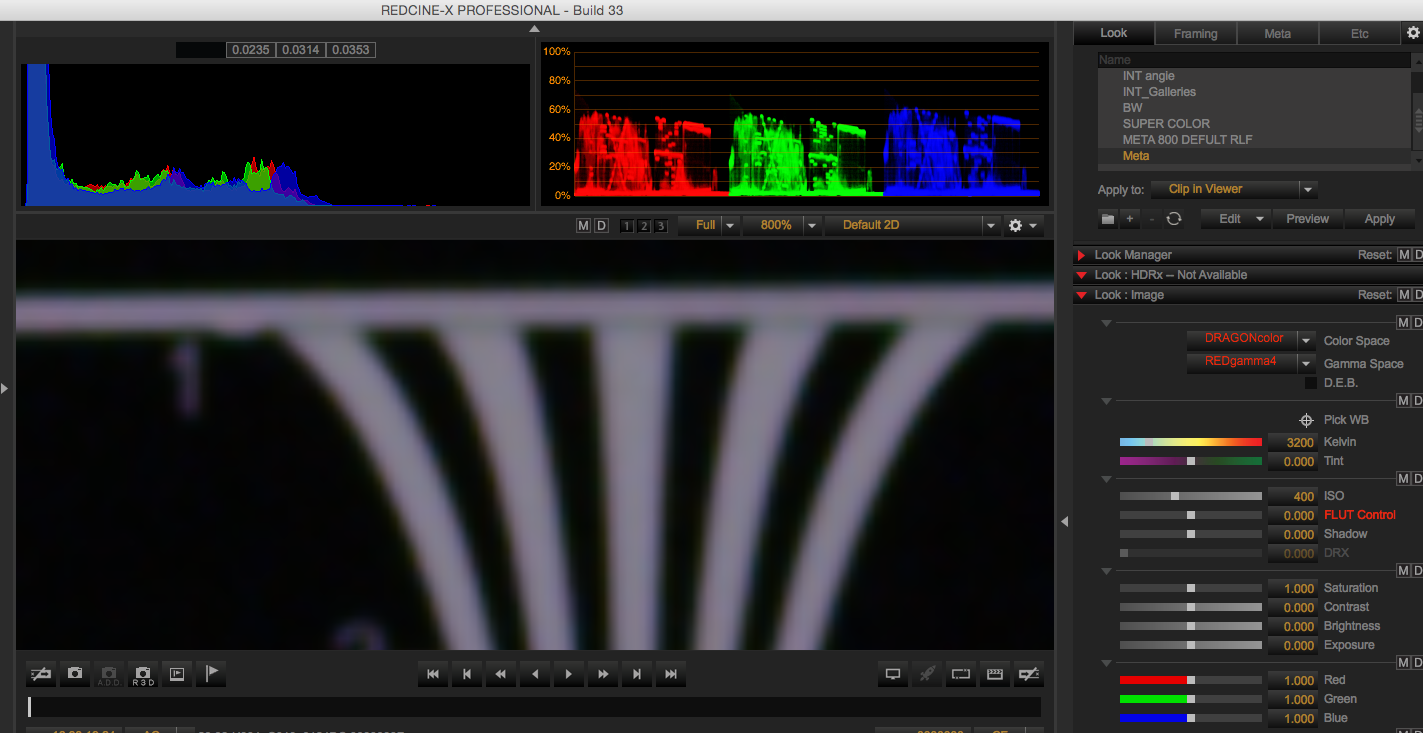
Here is what it looks like in Arriraw converter zoomed in to 800% max on the 2K file.

arriraw.png
 
But just to be fair,

Here is the REDraw in RCX zoomed up to 800% as well. Note DEB OFF with STH

redraw.png
 
For my screen grabs...

I processed the Raws in Resolve. Default Settings, 1080 project res. The raws are bring downscaled to 1080 in Resolve. I believe my scaling filter was set to bilinear. I exported one image with Half-Res Good debayer, and the other with Full-Res Premium debayer. The raws were set to Redlog-Film and then I applied the RLF to RG4 curve before export from Resolve. I left the rest of the raw settings on 'as shot'.

I exported the same setup for the Arriraw as well. It shows some interesting color fringing at Half-Res too.

Arri Half:
ARRI_HalfRes_Debayer.png


Arri Full:
ARRI_FullRes_Debayer.png
 
Is this clever disinformation? Or perhaps just a good example of how much the final image is a product of the entire processing pipeline - very much including the nature of any codecs used at the final output stage. I would also point out that the type of scaling (downsampling) filter used influences the amount and character of any aliasing artifacts.

Cheers - #19
Your above quote made me realize just how important the processing pipeline is. Various people here have all come up with different renderings of the same image, some with color fringing some without. I took the alexa file and rendered it through Resolve and made a dpx which I viewed in Arri Looks. No color fringing. The image David shows makes me think that maybe the Arriraw viewer is not accurate until you render the image out? Anyways, an interesting education on workflow pipeline.
 

Attachments

  • Alexa .ari to dpx Resolve.jpg
    Alexa .ari to dpx Resolve.jpg
    16.5 KB · Views: 0
I have no idea who would cover the costs, but, I'd love to spend a week just cranking out different versions of the same few clips from Geoff's CML camera tests.

AFAIK, until RED, nobody made a motion camera that spit out RAW sensor data. Now there are several, as well as some log encoded formats, that store picture information in a format intended to be re-characterized or even constructed after capture. This means that the final image is created using at least a 2 step process. Yes, the second step can be as simple as applying a generic rec709 LUT to a log image (some systems do this by default unless the user intervenes).

FWIW, the data set created by a single sensor bayer mask imager is not even a viewable picture until decoded by the algorithm. Essentially meaning that the RGB image we see is constructed after initial capture. Even the live video tap on the RED camera has gone through a debayering process (and scaling, and…) in order to spit out a viewable image based on the camera settings chosen. If you so desire, you can construct a radically different picture from the same sensor data because the RAW remains the same. Assuming you are working from the R3Ds, each RGB representation is discrete and "development" choices do not change the underlying data set.

In most real world narrative work the image seen when opening a clip with the camera settings driving the RGB image construction is a good indicator of the desired look, but it doesn't need to be. In many situations I will bias exposure, color tonality and other parameters during capture with a specific processing plan in mind. With great power…

Cheers - #19
 
Upon examination, I don't think this green halo is ca. If you compare the rg, and b channels, the green channel is significantly softer than r + b - thereby creating that green halo. Shouldn't ca appear as an offset? Overall softness in the green channel doesn't seem to have anything to do with ca.

And if it were soft focus, wouldn't all three channel be soft?

There is also what feels like a lot of compression artifacting - or maybe sharpening - in the r + b channels, where green seems smooth as silk. The green being the cleanest channel makes perfect sense for a bayer pattern sensor, but why all the noise (or is it grain?) in the other 2?

When comparing the Alexa r, g + b channels, the flutes don't shift at all - the aliasing and sharpness all look identical. Fascinating (eyebrow raise).

Thoughts?

dragon_r.jpg

dragon_g.jpg

dragon_b.jpg
 
Last edited:
Any chance Phil or Graeme could chime in on the above? What's under the hood here?

Is it a crazy idea to sharpen the green channel? Is this a choice to reduce noise or something?
 
Last edited:
I'm looking into why you're seeing this.

Graeme
 
Great - thank you.
 
So Graeme's looking into this and will get back to us on it after NAB (which is, you know, amazing), but the raw files reveal even more clearly what's creating that green halo effect.

I know this is hardcore pixel f**king... all apologies:

dragonraw_rgb.jpg

dragonraw_g.jpg

dragonraw_b.jpg

dragonraw_r.jpg
 
I've seen this on strong primaries before at compression ratios above 4:1. I have always assumed it was a REDCode failure case. It reallllly dicks up chroma keys. It would have been nice if they had shot at 2:1 compression to rule out any possible REDCode problems. Let me see if I can't find an example from my last shoot that I can crop out the sensitive parts from...
 
Yes, that and the softer green channel appear to be the culprits.

If it is Redcode - why is the green so devoid of compression artifacting?

It would be great if they could tweak the debayering to improve this.
 
Back
Top