Welcome to our community

Be a part of something great, join today!

  • Hey all, just changed over the backend after 15 years I figured time to give it a bit of an update, its probably gonna be a bit weird for most of you and i am sure there is a few bugs to work out but it should kinda work the same as before... hopefully :)

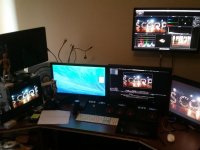
Dragon 6k R3D RCX Full Rez... What Station you'r doing this with?

EVGA and Asus are normally the 2 easiest to deal with support and warranty wise. Zotac would be another brand. Those would be the ones I suggest first. The superclock version are often only 20 to 40 MHz higher clock speed so the difference is marginal especially for the media market. I wouldn't worry about those.
 
Sometimes the SuperClock versions have some abilities to over clock by a bit more, still not by huge amounts, but those features are only available through Windows utilities or some creative hacking in some situations on a Mac. Once again not really worth it.

What are the specs of the existing pre-trashcan Mac? That may play a role in which GPU you might select or even if it's a viable option. If you have a 2010~2012 Mac Pro 5,1, some of the Radeon R9 and GTX 770 or 780 GPUs can perform quite well. Most of the options out there are not officially supported and can have some quirks, but the performance gains usually offset those issues. Some of the quirks can be overcome by using a "flashed" GPU, which takes an off the shel GPU card and puts a Mac-compliant EFI ROM image on it, so at least the system can boot up with the card and no drivers, let you select boot drives and run diagnostics, do OSX installs, etc.. A good flashed GPU will also give the OS better control over fan or other thermal controls and will make sure the power consumption stays within system limits.

FCP7 is only 32bit, as pointed out. So RAM usage will be extremely limited. However, that's not usually the biggest issue. It's not multi-threaded, so it's not going to take advantage of all your CPU cores, just one at any given time. And there is no support in FCP7 for GPU acceleration.

As for output to 4K, what do you mean by output? Are you talking about critical monitoring to a dedicated 4K monitor? Or encoding to a 4K mastering or delivery format? The former is something that depends on which software you will be running and needs a consideration of your complete monitoring path. If you want to monitor from DaVinci Resolve, you need a BlackMagic hardware solution. That will also work with Premiere and some other software. If you don't use Resolve, but are using Premiere and SpeedGrade, you can also use AJA, Matrox or other hardware solutions. For additional processing or acceleration for encoding output, then we're back to the GPUs again. And different software packages handle GPU functionality in different ways. Most of it is on the encoding and image processing and effects side of it all. So it does help speed up the whole process, whether you're just playing back or transcoding to a different format.

GPU acceleration specifically for R3D decoding is coming along well in REDCINE-X Pro and should be available in the imminent update to Premiere CC.
 
I am sure this has been asked many times....i've glided through 40-50 pages now and not found the answer, but is the ideal nMP setup 8 core or 12 core? when running FCPx & Resolve only. I was not clear on which gave better performance for the buck:
8core 3.0
12 core 2.7
.....if there is any difference at all when running FCP & Resolve or Premier.
 
12-core works best in Adobe CC and Resolve as they can really use the cores. Pretty much everything else seems to work the same, sometimes better, on the 8-core. RC-X is somewhere in between, it tries to use a lot of cores, but isn't that good at it.

10-core @ 3GHz is my favorite -- All the same speeds as the 8-core, but with 2 more cores. In most situations, the 12-core being clocked 10% slower doesn't perform any better in apps that can use all cores as the slower speed pretty much nullifies the extra two cores it has. Too bad Apple isn't offering the 10-core directly… You can buy a 4-core and do the upgrade yourself or have some place like OWC do the upgrade. OWC and others have how-to videos you can watch to see if it's something you want to get yourself into.

If you want to just buy a standard configuration with proper warranty, then you will want the 12-core for Resolve.
 
Hi Jeff and others,

Now that one of my cameras is a Dragon, I need the ability to transcode to ProRes with RedCine X for some of my clients.

I have a MacPro 8 core tower with 20gb ram, it has worked great with my rocket card for years but the card doesn't do Dragon footy.

I don't do that much transcoding but when I do I need the ability to get it done, so I was thinking a GPU card like the GTX 680, 690, 780 or the Titan black.

What are your thoughts, concerns and recommendations?

Thanks much,
Rich
 
Hello everybody. Sorry Rich....this is not the reply, I have another question, so this is the config I am intended to buy:

2 E5-2690 3,0 GHz (10 core)
64 GB
1 SSD Intel DC S3500 480 GB + RAID 8 TB
Windows 8.1 pro

and my question is....can I have 1 GTX TITANBLACK or lower GTX 770, 780...for runing 4k DELL 32" monitor
with 2 W9000 for the hard work; or they (NVIDIA and AMD) can´t be together?

Thank you.
 
Hi Jeff and others,

Now that one of my cameras is a Dragon, I need the ability to transcode to ProRes with RedCine X for some of my clients.

I have a MacPro 8 core tower with 20gb ram, it has worked great with my rocket card for years but the card doesn't do Dragon footy.

I don't do that much transcoding but when I do I need the ability to get it done, so I was thinking a GPU card like the GTX 680, 690, 780 or the Titan black.

What are your thoughts, concerns and recommendations?

Thanks much,
Rich

I would just get the 680GTX for Mac if you can still find it. That Mac Pro would no push a 780 or Titan card.
 
Hello everybody. Sorry Rich....this is not the reply, I have another question, so this is the config I am intended to buy:

2 E5-2690 3,0 GHz (10 core)
64 GB
1 SSD Intel DC S3500 480 GB + RAID 8 TB
Windows 8.1 pro

and my question is....can I have 1 GTX TITANBLACK or lower GTX 770, 780...for runing 4k DELL 32" monitor
with 2 W9000 for the hard work; or they (NVIDIA and AMD) can´t be together?

Thank you.

Not recommended to mix AMD and nVidia cards on Windows.

And really these days, assuming you use an array of GPU-compute enabled apps, its better to just get 1 (or 2 if you can afford it) strong GPU's rather than the GUI/compute split. A lot of GPU-compute apps arent smart enough to utilize a second card, or don't give you the option to choose. One exception is with Maximus driver in Quadro/Tesla land...the driver handles that for poorly coded apps to an extent.
 
Great thanks for your thoughts! I got a 680 for Mac from B&H for $620. I guess it is one of the few cards that work easily in the MacPro towers.

Thanks much,
Rich
 
Hay Ketch
- The new Mac Pro Fully Loaded 2.7GHz 12 Core, 12G ATI D700 , 64G Ram
- Red Rocket-X
- Any thunderBoult 2 Expansion but not Sonnet the Thunder boult 2 its still Un-compatible with the new MAC PRO.
- SSD Raid Hard Drives Thunderbolt 2
- AJA Kona 3G Or Black Magic Cards for Monitoring.
- Final CutX (offline)
- Adobe Premiere
- Assimilate Scratch V8.
- Smoke.

it works fine with me and its Super Fast ;).


unnamed.jpg
 
Last edited:
Back
Top