Welcome to our community

Be a part of something great, join today!

  • Hey all, just changed over the backend after 15 years I figured time to give it a bit of an update, its probably gonna be a bit weird for most of you and i am sure there is a few bugs to work out but it should kinda work the same as before... hopefully :)

DJI RONIN PRO SUPPORT

David,
the Ronin doesn't connect to your PV via Bluetooth, you would need to connect a micro USB to the side of the ronin to have access to your ronin with the software. With the software, you're able to reset your pin.

Using the Android device, if it prompts for a pin, somebody must've set that up before, if not, try Dji123 or dji12344, if none of those work, then just connect your ronin to your PC assistant application with the micro USB and reset pin.

hope this helps
 
Pedro, I see you have two pan extensions for sale, short and long. Not sure which to buy. Typical load: Epic, V mount rear, two channel FF, summilux or similar size and LMB 5.


Hi,

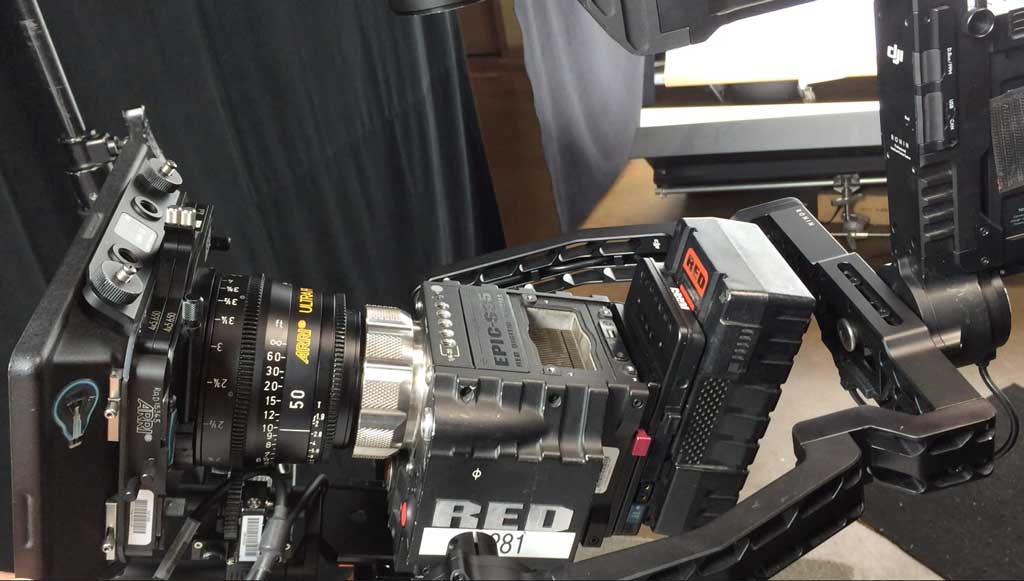
The Short pan extension can handle most epic builds such as the one pictured here.

ultraprimePE.jpg


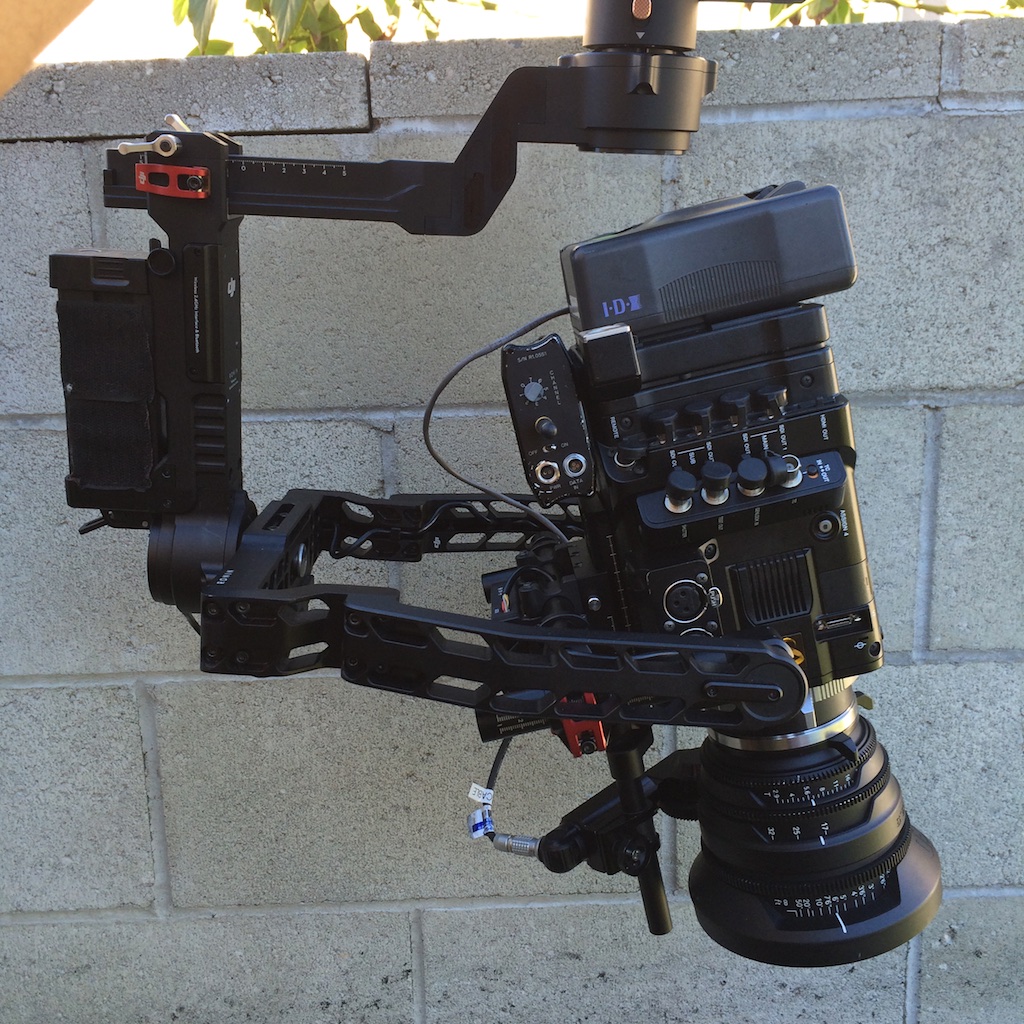
Here is another build I cleared with ease with the SHORT pan extension (Sony F55, RED PRO Zoom 15-55mm and rear battery)

IMG_7821.jpg


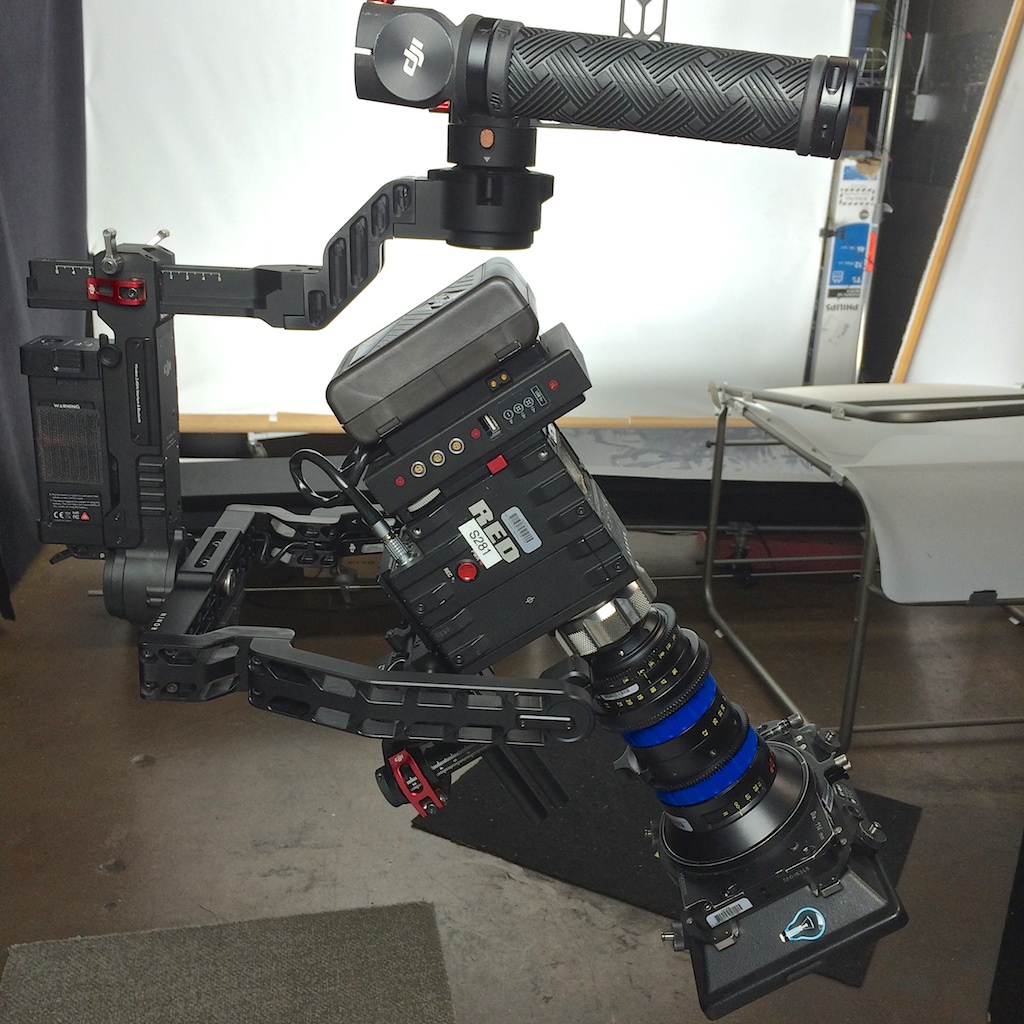
The LONG version will give you more freedom and allow you to clear ZOOM builds. Here is a Dragon build with a Angeniuex a wood battery plate that is thick and a mattebox.
Cleared with the LONG pan arm as you can see in the pic and my vimeo video.

IMG_7676.jpg


Hope this helps give you an idea of what works with what.
 
Just also wanted to point out that DJI now has a MAC version of their software.

I recently downloaded it and upgraded the firmware on 2 Ronins.

It was drifting after and the horizon would rotate when i panned....very weird. I just calibrated and then everything was fine. No more drift issues. We shot the job afterwards on both ronins with no issues.

http://www.dji.com/product/ronin/download
 
Hi,

The Short pan extension can handle most epic builds such as the one pictured here.

ultraprimePE.jpg


Here is another build I cleared with ease with the SHORT pan extension (Sony F55, RED PRO Zoom 15-55mm and rear battery)

IMG_7821.jpg


The LONG version will give you more freedom and allow you to clear ZOOM builds. Here is a Dragon build with a Angeniuex a wood battery plate that is thick and a mattebox.
Cleared with the LONG pan arm as you can see in the pic and my vimeo video.

IMG_7676.jpg


Hope this helps give you an idea of what works with what.

Very helpful. Ordered the shorty as it'll cover 95% of my needs. Will probably end up getting both. Don't want to get caught without the right piece of metal.
 

For the life of me I cannot figure out how to operate the Ronin through the Lightbridge (so that we don't get interference on the lightbridge monitor from the Ronin remote (they're on the same frequencies)). Has anyone figured this out?

I 've tried plugging in the orange cable to the Lightbridge transmitter box and running it up to the top of the Ronin and plugging it in (just like they say to do here and show a picture of it: http://eidecom.com/dji-ronin-first-couple-weeks/ ) but then I just don't get any response from the remote and I STILL get interference on top of that!

Ugh, so frustrated... and everytime I call DJI support when I finally get a minute off set there's a thirty minute wait.​
 
I 've tried plugging in the orange cable to the Lightbridge transmitter box and running it up to the top of the Ronin and plugging it in (just like they say to do here and show a picture of it: http://eidecom.com/dji-ronin-first-couple-weeks/ ) but then I just don't get any response from the remote and I STILL get interference on top of that!

You need an other controler (Not the original Ronin one) to connect to the lightbridge receiver.

Like they said :

Our solution around this was to use a Futaba 8FGH transmitter and connect it through the Aircraft Control cable into the LightBridge and then use a signal cable out of the LightBridge Aircraft Control Port and into the Signal port on the Ronin. Doing this has eliminated the need for the remote Ronin gimbal controller thus removing the signal interference we were having. We have full gimbal control of the ronin through our 8FGH transmitter transmitting through the LightBridge.
 
Pedro,

I have similar issues after upgrading the firmware to 2.3 on My Ronin. It was working fine before but suddenly pan and roll don't keep the center. If you know any tricks to fix it, let me know.

Just also wanted to point out that DJI now has a MAC version of their software.

I recently downloaded it and upgraded the firmware on 2 Ronins.

It was drifting after and the horizon would rotate when i panned....very weird. I just calibrated and then everything was fine. No more drift issues. We shot the job afterwards on both ronins with no issues.

http://www.dji.com/product/ronin/download
 
Pedro,

I have similar issues after upgrading the firmware to 2.3 on My Ronin. It was working fine before but suddenly pan and roll don't keep the center. If you know any tricks to fix it, let me know.


Same here on 2 of our Ronin with the cinemilled arms and since we are on 2.3

Is it possible to downgrade the firwmare ?
 
Calibrate system* usually corrected this issue with the Ronin i upgraded recently.
 
But I've heard that you don't need another controller, you can actually set it up with the stock one. Is this 100% not the case?

Actually you can, but like you say you have two 2.4Ghz devices operating at the same time, not so good. You need to use the controler with the Lightbridge. For that, the controler need to have a trainer port. The original one doesn't have a trainer port, so you need another controler.
 
I've been searching high and low for a cross bar clamp for Ronin (30mm with 1/4 20 female). I need a third clamp. I use one for the monitor, another for the Paralinx receiver and need one more for V Mount plate. Cannot find it anywhere. Any leads? Willis to the rescue.
 
A Manfrotto nano clamp is doing a perfect job. I actually have two of them in my kit. They are always more practical than the real DJI clamp. Just be careful not to tie them too much. You could brake the carbon.
 
Sorry that im double posting this (already posted this in "dji Ronin (XL) Multi Test-Shoot/Review!") but I guess in this thread maby even Dji will answer.

So I have not used my ronin since christmas when I quickly balanced a canon still camera on it just to see how it worked. The balance was pretty easy and today when I had time to balance the epic on it I run in to a little problem with the roll axis. I don't know if you all have redvolts to throw in the sidehandle since for me its leaning towards right even when I have the sidehandle alll the way against the left side.

By looking at this video it seam like he must have a redvolt in the side handle.
https://www.youtube.com/watch?v=aRjT...ature=youtu.be
 
A Manfrotto nano clamp is doing a perfect job. I actually have two of them in my kit. They are always more practical than the real DJI clamp. Just be careful not to tie them too much. You could brake the carbon.

Thanks. Breaking the carbon is a concern. If anyone knows where to source a 30mm to 1/4 20 clamp that'd be great.
 
Hi All,

Just ordered my Ronin. I was hoping to use the Red Brick on a wooden camera Gimbal adaptor for a lateral v-lock: http://woodencamera.com/Gimbal-Battery-Plate-Dragon-Epic-Scarlet.html. Does anyone know if a RED Brick will fit? Can´t find the info anywhere.

Also going to need a long thin cable for the 5" Red touch on the top handle bar. Found these 2, any recomendation?

http://www.brushlessgimbals.com/p/8969324/superthin-36-cable-for-red-touch-lcd-display.html
http://shop.slacklinefilms.com/product-p/14-00004-00.htm

Will I need any kind of clamp for the touch screen or is the DJI accessory quick release enough?

Thanks, Nuno
 
Anyone else have issues getting the tuning stand to open from the folded position? I've struggled with this on mine for some time and haven't found a solution. Even using a screw driver to pry it open it's difficult. "Pro" support say buy a new one.
 
Back
Top