Welcome to our community

Be a part of something great, join today!

  • Hey all, just changed over the backend after 15 years I figured time to give it a bit of an update, its probably gonna be a bit weird for most of you and i am sure there is a few bugs to work out but it should kinda work the same as before... hopefully :)

Desaturated shadows?

I'm enjoying watching this from afar, but one thing I can safely say as it pertains to digital cinema cameras that have very good dynamic range is often their promoted use as well as typical grades you aren't clipping or crushing at max values as part of the charm of those many stops is what you see as it pertains to highlight and shadow detail. Though occasionally grades go that route. Exploring the max range of any typical display gamma produces more video-like results.

The concept of pure black and white as it pertains to various gammas and display mediums is a broad topic. Especially diving deeper into film itself.

I don't know what DXL LUT is being used there, but their actual current gen stuff is Creative Cube IPP2 based. It does feature a slight tone map, so it's not purely a chroma solution.

That is not the magic bullet. There is no magic bullet. Just ideal or well aimed at targets, accuracy based concepts versus perceptual pleasing ones, and similar madness.

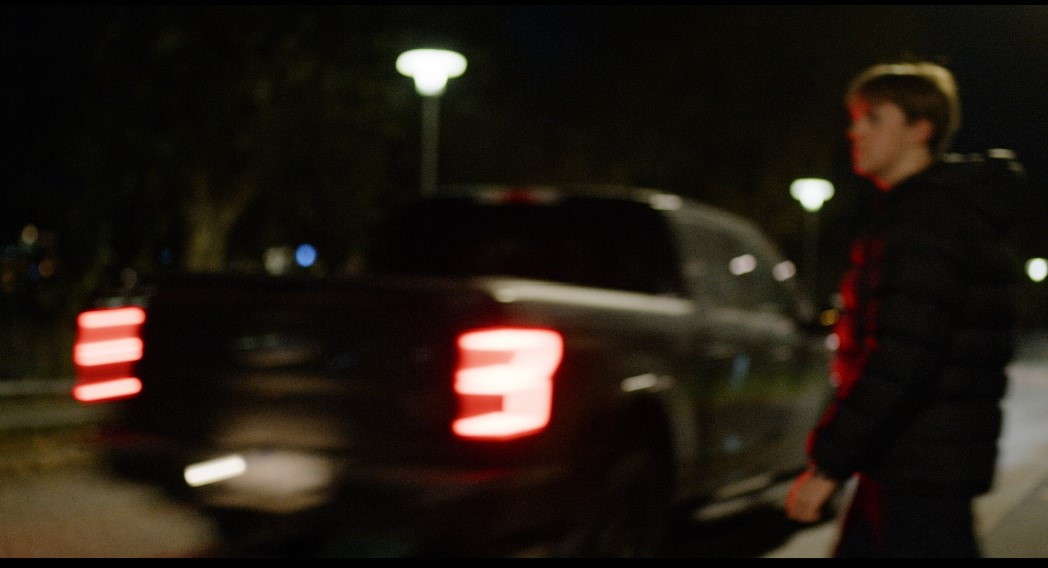
I don't have the R3D of the truck stoplights, but that's an example of where IPP2 high gamut tuning ideally should help make those colors a bit more pleasing, but it's a high or near edge of gamut color that in a typical grading situation would have some gamut limiting logic applied to it. That specific case is where all digital cinema cameras show a lot of chaos as some deal with those colors on a pure data captured basis better than others or vice versa.

With the above white balance adjustment you are "cooling off" to create a more pleasing in gamut look. You can also drop those with some sort of gamut limiting concept within the 3200K grade.
 
Last edited:
Heh. Had a phone call, so I was able to download and tweak it during that.

Inadvertently you are also showcasing why RAW formats are still indeed rather powerful.

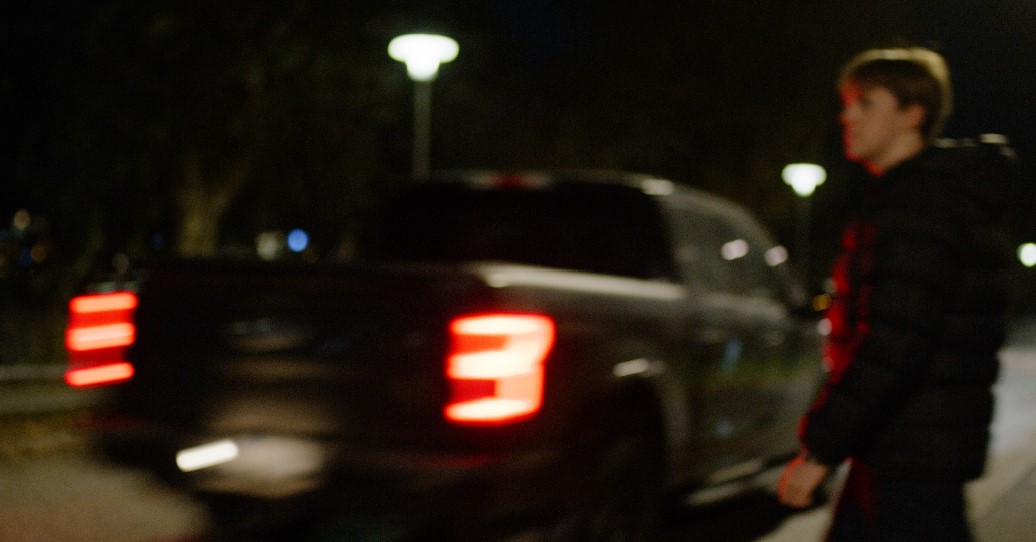
If this shot came across my desk and the approximate color is how the director intends at 3200K, I'd likely end up close to here:


phfx_forCG_gamutFun.jpg

http://www.phfx.com/temp/reduser/phfx_forCG_gamutFun.jpg

I could go harder at this, but hopefully that illustrates a couple things.

From a more practical perspective this is why it's pretty common for DPs to underexpose when metered at higher or near to edge gamut color if they are hoping to retain detail.
 
Heh. Had a phone call, so I was able to download and tweak it during that.

Inadvertently you are also showcasing why RAW formats are still indeed rather powerful.

If this shot came across my desk and the approximate color is how the director intends at 3200K, I'd likely end up close to here:

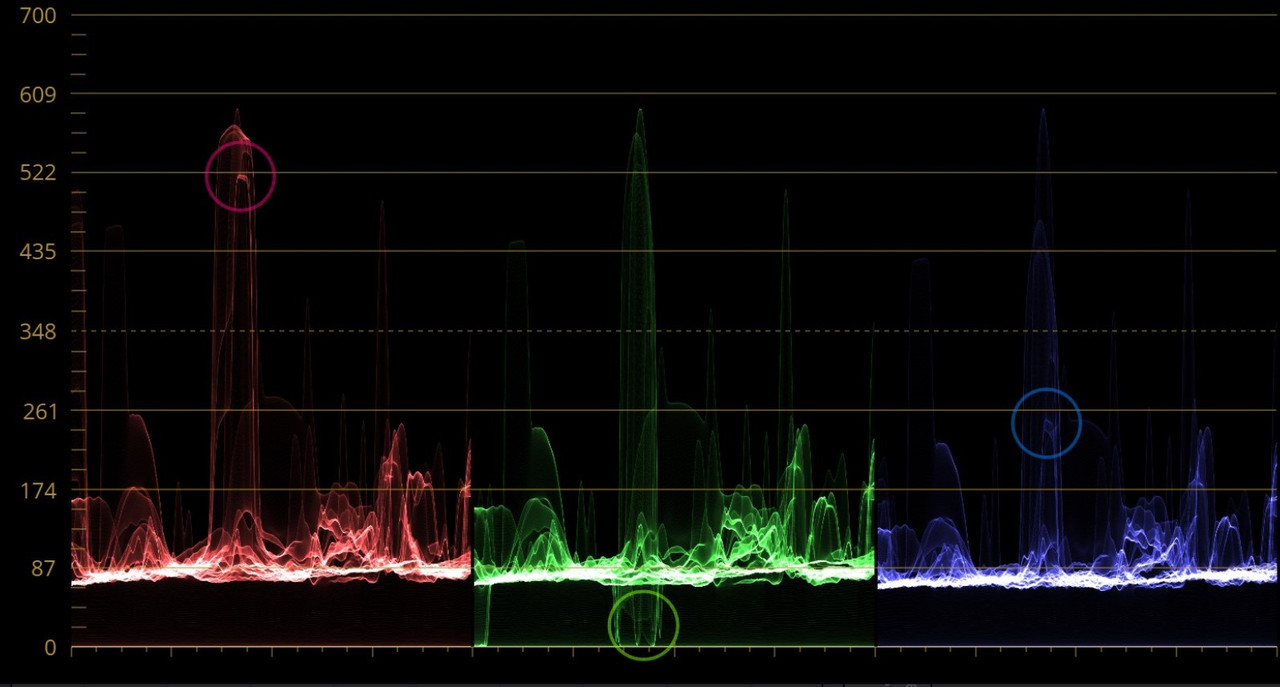
Did you use one of the Red IPP2 transforms for fixing this? Because they do fix the tail-light. However, as per the previous discussion in this thread, it also introduces the other problems brought up. So the idea here is to make a new transform from scratch, starting with RWG/LOG3G10, which should be an intended workflow for anyone who chooses not to use standard transforms, like if using the LUTs from Light Iron. But the RWG/LOG3G10 path makes it impossible to get rid of the tail-light problems at 3200K. Sure, I can push the white balance past and then just grade it back to something similar to 3200K, but then it's not really a white balance level and frankly, it shouldn't look like this at all anyway.

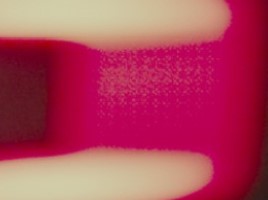
Why is the tail-light behaving like this? And why only when using RWG/LOG3G10? I cannot have my new self-made transform with this glitching out and I'm not going to use a regular Red transform while the shadows keep mushing into a grey mess like described earlier. So, how do I get RWG/LOG3G10 to work as intended? Isn't that supposed to contain all data from the camera? How can the tail-light go outside of that LOG space like shown in the images of the scopes? Of course things like this can be fixed with layerings, masks, and qualifiers. I could do a split with two white balances and a qualifier to guide the other white balance keeping track of the tail-light, but that is just a fix for something that is initially broken. I can't see how RWG/LOG3G10 is not broken when watching the scopes like this. It's supposed to be a starting point when not using Red provided transforms, but I can't use it if it behaves like this, not if I intend to create a standard transform LUT to use instead of the Red ones.

How would you solve this starting with RWG/LOG3G10 and not using Red's transforms?
 
RWG/Log3G10 contains all of the dynamic range and color the camera can capture.

The output transforms are clearly designed to produce generally good looking images for the given color space and gamma curve.

Part of the interesting difficulty in modern times is having cameras that capture beyond the scope of Rec.709 and even outside of Rec.2020 and what to do with that. There's an interesting balancing act between information captured, how, and what is presented. In the case of the tail light for instance, that is over exposed data at maximum clip. That is the hard stop of the medium. But there are things you can do within the medium to tweak that to a more pleasing result.

There's a great deal of minutiae as to what's right and wrong versus what is aesthetically pleasing for most content. For instance, Rec.709 is a very clearly designed color space and gamma. It's a container that you don't necessarily need to fill all the way up, but weird things happen when you overflow, and more precisely if you don't plan for that overflow.

I do make my own transforms.
 
The official direct-from-panavision LUTs only work properly when bypassing IPP2 transforms (tone map/highlight roll-off), and I was told they did it precisely to remove potential confusion surrounding IPP2's implementation. Further, their LUTs also boost the image by about a stop out of the gate (which I thought was to match meters in loo of ISOCal2, but apparently was to compensate for Log3G10s lower/33ire mid-grey compared to RLF). They even include a RWG/REDlogFilm>709 LUT too. In other words, they wanted it to act more like an Arri, without a secondary (and somewhat ambiguous) transform causing potential problems for everyone who was used to a typical log workflow.

The DXL2 quick set-up guide says: "Some RED cameras allow for user-defined tone mapping which will trace in metadata. DXL does not integrate these features but your DI system may default to medium and impact how the highlights react." And that quote is next to a screenshot of the raw settings in Resolve, with an arrow pointing to the Tonemap/Highlight roll-off selections.

Have you shot the DXL2 next to your monstro much to see how they line up?
 
How would you solve this starting with RWG/LOG3G10 and not using Red's transforms?

Resolve has both a gamut limiting OFX plugin and a gamut mapping plugin. You can also use the gamut mapping options within the color space transform plugin as well.

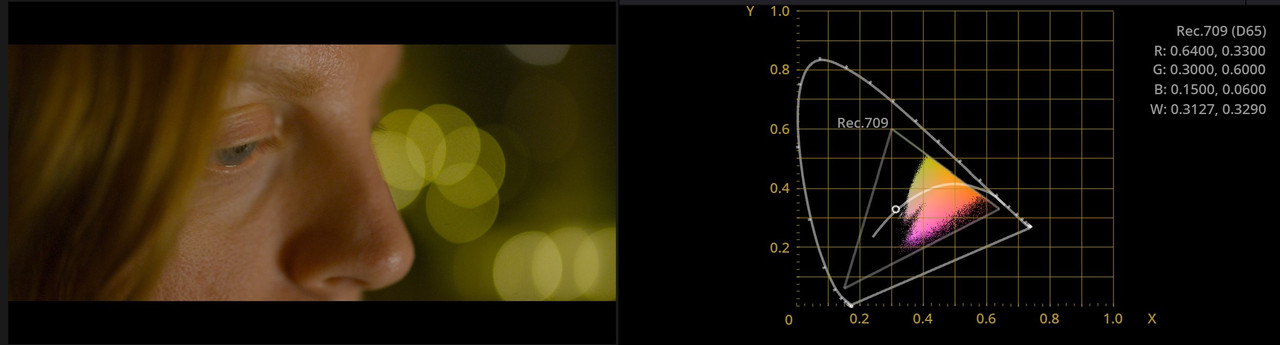
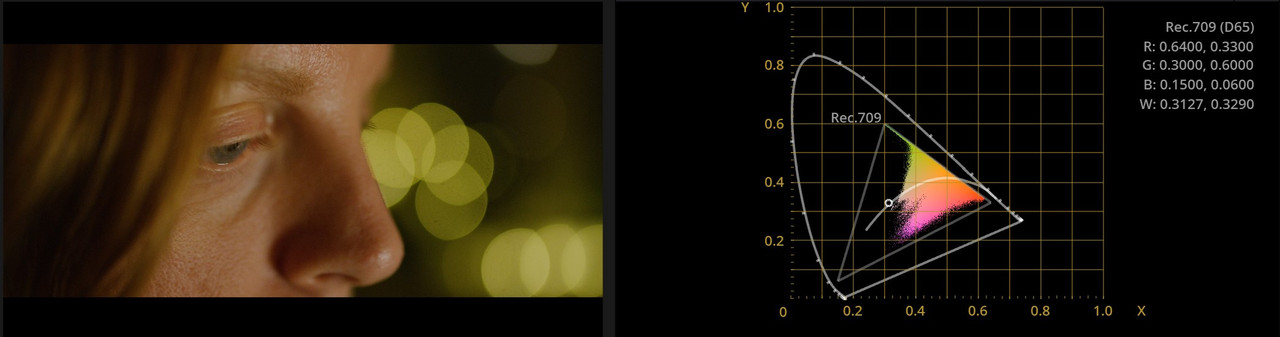
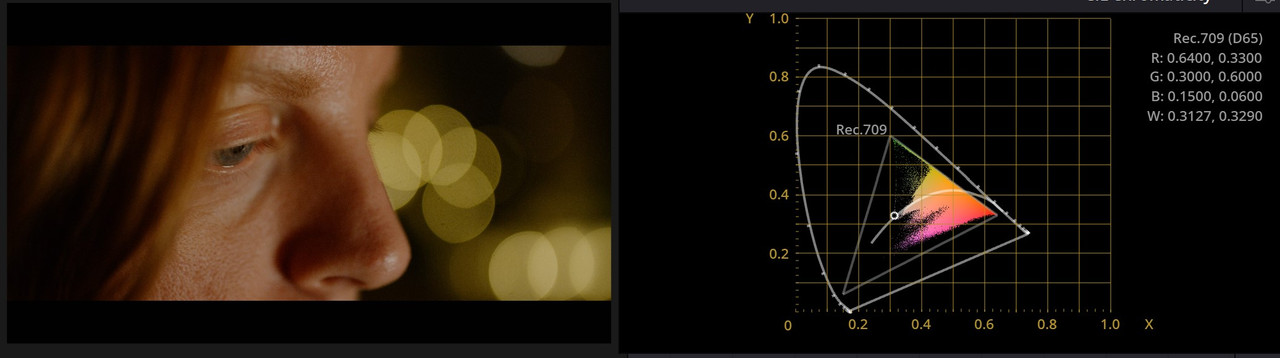
Out of gamut colors
DxwRWou.jpg


Gamut limited to Rec709
lUD83EK.jpg
 
Careful with the Gamut Limiter. It can nuke colors you want. Fire for instance can go a bit pink due to how the limiter works.

Just use it as needed basically.
 
Careful with the Gamut Limiter. It can nuke colors you want. Fire for instance can go a bit pink due to how the limiter works.

Just use it as needed basically.

Good note. I should have mentioned that.

For a standard kind of "one light" development process like Christoffer wants to create, I wouldn't advise to always leave a limiter or mapping tools enabled in your node tree. If no colors are out of gamut you don't want to mistakenly change the near-clipping colors to behave any differently if they don't need to. It also should be noted that clamping the signal to Rec709 when you have a lot more color information to work with is sort of counter to the whole concept behind IPP2 and ACES style workflows. Ideally you funnel from big bucket to small bucket right at the end.

So yeah, as Phil said, only use it when needed.
 
RWG/Log3G10 contains all of the dynamic range and color the camera can capture.

The output transforms are clearly designed to produce generally good looking images for the given color space and gamma curve.

But this is not containing it correctly.

Outof-Gammut2.jpg
Outofgammut3.jpg


I can only use the gamut limiter. The Red IPP2 transforms already limit these colors and if I can't limit them in my own general transform-LUT in a similar quality because RWG/LOG3G10 is always out of gamut in certain colors, it's not gonna work.

Are the Red IPP2 transforms all using a gamut limiter based on the gamut target? Because looking at it through ACES also gives the same problems that can only be fixed with the gamut limiter. So if the Red transforms all use gamut limiters within their LUT, but you say there are problems with doing so (fire etc.), how does the Red transform LUTs work then?

One way is to do a separate general LUT that is directly for limiting these colors, but I'd much rather reach a point where I have one general LUT that fits all, just like the Red transforms.
 
It also should be noted that clamping the signal to Rec709 when you have a lot more color information to work with is sort of counter to the whole concept behind IPP2 and ACES style workflows. Ideally you funnel from big bucket to small bucket right at the end.

This is the intended kind of general LUT I'm trying to make. I'm gonna do a separate one for Rec2020 whenever I get the Rec709 correct. The intention is to work with it in the same way as the Red transforms work, place them at the end, grade in front of them. If the intended color space is 709 and the gamut limits to that in the LUT, it should, on paper, work as intended. But if the gamut limiters create problems I'm wondering how Red is doing their transforms without using any gamut limiters?
 
ACES, current version, has known high/near edge of gamut issues.

When creating your own gamut limiter and LUT a few questions will need to be asked and the one shoe fits all situation gets trickier.

However, that shoe works best when the footage itself is not over exposed, which is a problem everybody deals with it appears.

Again, RWG/Log3G10 is not out of gamut, you are trying to put a really wide gamut color space into a smaller one and in this case clipped values.

Graeme it appears has gone super accurate with what the current IPP2 transforms do, which is good because well exposed high gamut colors render well.

It's not uncommon to develop 2 or even 3 LUTs to have some sort of gamut limiting logic to them to handle clipping differently. Since you're working in Resolve you are presented several different ways through OFX plugins. You can also develop your own limiter within nodes.

Fundamentally you are clipping values and the camera is still attempting to capture something, which is creating colors it can possibly capture. When creating your limiter you might encounter situations where you could possibly record an non-clipped value, but your limiter may trample on it. Which is why it's a bit tricky to do a one shoe fits all situation, which gets you back to not overexposing.

It's interesting to see how each manufacturer handles clipped values. It's a problem everybody deals with. Some just choose not to deal with it which creates the worse offensive results and occasionally wild artifacts.

What's even more interesting is seeing out of gamut colors that make it to the big screen that haven't been attended to after a full color and finishing pipeline has been explored. Don't know how that stuff passes QC, but it happens alarmingly often.
 
ACES, current version, has known high/near edge of gamut issues.

Seems like we have to wait for a release again. Whenever I'm like "Ok, let's change workflow to ACES" I always encounter problems. When it's ready I think it's the best route to take, but it never seems to be optimal and ready for prime use.


However, that shoe works best when the footage itself is not over exposed, which is a problem everybody deals with it appears.

Can still happen though, I mean, this shot of the tail-light is me just screwing around filming some test shots, but the environment is pretty well exposed while light sources will always be extreme. If I were to expose for the light sources I can end up with underexposed subjects instead.

Graeme it appears has gone super accurate with what the current IPP2 transforms do, which is good because well exposed high gamut colors render well.

Sure, but how? I'm trying to limit the out of gamut stuff manually, but I'm not really getting it right, not like the limiter does. So how did he limit the gamut for each color space when developing the LUTs?

It's not uncommon to develop 2 or even 3 LUTs to have some sort of gamut limiting logic to them to handle clipping differently. Since you're working in Resolve you are presented several different ways through OFX plugins. You can also develop your own limiter within nodes.

This is just it, trying to limit with nodes instead of the gamut limiter, but I'm not sure how that's done?

I found that instead of limiting the gamut to REC709, which as you say creates some weird color shifts in colors that are not out of gamut, I tried to limit to DragonColor 2 instead, which gives a much better result "out of the box". Have to start the grill to see how it reacts to fire.

REC709 limited

Rec709.jpg


DragonColor2 limited

Dragoncolor2.jpg
 
A couple of thoughts re: Resolve, here. I avoid using LUTS. As you know, LUTS will clip at the limits of the gamut, since the "correction" is applied in discrete values. Using a color space transform FX is a completely mathematical transform in 32 bit space, therefore with no limits. Second comment relates to the default application of IDT and ODT saturation and luma rolloff or knee in the Resolve color management workflow. Default Resolve v17, especially with wide gamut workflows, will place a knee on the gamma in an attempt to roll off the highs and shadows in a smooth fashion. I, routinely, shut the s-curve, saturation and luminance remapping off in Resolve Settings/Color management, because I don't like the way it rolls off the shadows and highlites. All this is clearly defined by Alexis Von Hurkman in his Ripple Training description of Resolve 17.
 
A couple of thoughts re: Resolve, here. I avoid using LUTS. As you know, LUTS will clip at the limits of the gamut, since the "correction" is applied in discrete values. Using a color space transform FX is a completely mathematical transform in 32 bit space, therefore with no limits. Second comment relates to the default application of IDT and ODT saturation and luma rolloff or knee in the Resolve color management workflow. Default Resolve v17, especially with wide gamut workflows, will place a knee on the gamma in an attempt to roll off the highs and shadows in a smooth fashion. I, routinely, shut the s-curve, saturation and luminance remapping off in Resolve Settings/Color management, because I don't like the way it rolls off the shadows and highlites. All this is clearly defined by Alexis Von Hurkman in his Ripple Training description of Resolve 17.

Since the thread has been going on for a while, which part are you referring to? Red transform LUTs can be used either as node LUTs or within Raw settings and the behavior of desaturated shadows appears the same in both workflows. You mean to say that shutting off these settings will fix the problem with the Red transforms? I'm not seeing the same when creating my own LUT (intended as output LUT with grade applied before it in RWG/LOG3G10 space)

Not sure which settings you mean? S-Curve is only for contrast adjustments, the lift gamma gain ignores that setting.
 
I'm not saying, definitively, that turning these setting off will fix what you're seeing. I'm just suggesting that it might be worth checking. You're right about the s-curve. The tone mapping settings leave me feeling uncertain about using them in any workflow. Again, I don't use LUTS because the matrix quits working at the limits of the matrix. Resolve Color Space Transforms are a much more mathematically accurate than LUTS.
Then there's this...https://www.youtube.com/watch?v=drCub1gplV4
 
I'm not saying, definitively, that turning these setting off will fix what you're seeing. I'm just suggesting that it might be worth checking. You're right about the s-curve. The tone mapping settings leave me feeling uncertain about using them in any workflow. Again, I don't use LUTS because the matrix quits working at the limits of the matrix. Resolve Color Space Transforms are a much more mathematically accurate than LUTS.
Then there's this...https://www.youtube.com/watch?v=drCub1gplV4

How do you mean more accurate? Within a dedicated 709 timeline it does transform correctly, but the color cast, especially greens, goes through the roof. So I'm wondering in what way we're talking "accurate" here? If used as an output LUT, any grade before it will work within LOG3G10 and Resolve is 32 bit in its core, so there shouldn't be any clippings before the transform.


Color Space Transform

Space-Transform.jpg


IPP2 Medium/Soft

IPP2.jpg


Mine

CGLUT.jpg
 

The explanation under the video doesn't make sense. Komodo shoots RAW, there's no "in-camera tone mapping" that is in any way hardcoded. And if shooting in ProRes that is a lossy 422 codec so it should never be used in LOG with grade added in post. 422 HQ is so lossy that LOG is already compressed and applying any grade will destruct it even further. That noise is more visible after tone mapping is totally natural since added contrast will make everything pop, noise included.

If shooting with R3Ds, it's RAW so you can go from a scratch RWG/LOG3G10 and grade without any LUT tone maps. That's what I've done for my own general LUT.

I'm not sure what this video is supposed to show because the workflow seems totally uninformed about how Red IPP2 works while the look of the final video doesn't really look good at all. Extreme green cast with highlights being pink.
 
As best I can describe it here's what I can offer....
Most commercially available LUTS are generated within the range of IRE values appropriate for REC709. Once you go outside of IRE 16-235, these LUTS will clip information. LUTS are discreet mathematical values contained in a matrix of values. Once you exceed the matrix endpoints, the transform collapses. Not knowing how you generated your own LUTS, I do know that Ben Turley's LUTCALC will give you the option to create a LUT at full range IRE0-254. Using Resolve's Color Space Transform (CST), you avoid the limitations of exceeding the gamut and colorspace because the entire FX uses math to calculate the transform in 32 bit space. The transform is perfornmed on a mathematical algorithm that is continuous in mathematical space, unlimited by IRE values, or the inaccuracies of interpolating matrix values. Any out of range values are retained and not clipped at the limits. The Resolve CST also gives you the option of how to apply, or not, tone mapping.
 
Last edited:
The explanation under the video doesn't make sense. Komodo shoots RAW, there's no "in-camera tone mapping" that is in any way hardcoded.
Unless Redcode is 12logarithmic. Then there is some sort of tone mapping going on. however, I doubt that is the culprit, as other 12bit files seem fine, and like you have mentioned before, it shows up in the monitors and evf. But in the very strict sense, if redcode is recording in a 12bit log file, then there wold be a tone mapping going on. but again, I am not saying this is the issue.
 
Unless Redcode is 12logarithmic. Then there is some sort of tone mapping going on. however, I doubt that is the culprit, as other 12bit files seem fine, and like you have mentioned before, it shows up in the monitors and evf. But in the very strict sense, if redcode is recording in a 12bit log file, then there wold be a tone mapping going on. but again, I am not saying this is the issue.

But I'm talking about problems with their tone map transforms that are integrated into the camera, you can shut them off and use whatever you like, just as I've done with my LUT. The file is RAW, 16bit, their tone mapping is just metadata decode. You can even start with linear if you like. There's a difference between hardcoded tone mapping, like if you shoot ProRes with IPP2 High/VerySoft, but if you shoot R3D you can change it however you like. At the moment I'm working on a LUT that has nothing of the problems I initially pointed out. But I'd like Red to adress the behavior of their IPP2 tone mapping LUTs because as it is now I can't really use them for a fast turnaround but instead develop my own transform for it. Only hurdle I have now is to get this new LUT transform to the level of quality as Red's in terms of reliability and consistency, while making sure I get rid of out of gamut problems and such.

So I'm not really sure what you are talking about when you use terms like LOG and tone mapping in the way you do. It's RAW, so it doesn't really matter as long as the sensor doesn't screw things up.
 
Back
Top