Welcome to our community

Be a part of something great, join today!

  • Hey all, just changed over the backend after 15 years I figured time to give it a bit of an update, its probably gonna be a bit weird for most of you and i am sure there is a few bugs to work out but it should kinda work the same as before... hopefully :)

Correct workflow for R3D files using REDCINE-X Pro build 50

Joined
Feb 11, 2019
Messages
12
Reaction score
0
Points
0
I am currently student of Ukrainian Film School and first tie shooting my project on Red Epic Mysterium X camera in RedRaw and i want to know the correct workflow from the importing offloaded clips into the RedCine-Z pro till the Importing files that director approved as a good take into DaVinci Resolve 15. Could you help me with that set by step instructions?
Thank you.
 
My advice would be let him pic this takes in resolve...

But if you want to do it in RCXP do this.

Start program.
Make sure you are in right color space etc. IPP2 preferably.
Locate your footage and drag it into a bin.
Let your DP do his settings, whitbalance, iso, luts etc. (difficult to quickly explain but you can do primary grades in rCXP and save them, copy them from clip to clip etc.)

Then the DP can sit and look trough his footage and set primary colors if wanted and the clips his interested of he can drag down to the timeline. When his happy you export a XML.

Then you import that XML to resolve, all the metadata he added should come along.
 
My advice would be let him pic this takes in resolve...

But if you want to do it in RCXP do this.

Start program.
Make sure you are in right color space etc. IPP2 preferably.
Locate your footage and drag it into a bin.
Let your DP do his settings, whitbalance, iso, luts etc. (difficult to quickly explain but you can do primary grades in rCXP and save them, copy them from clip to clip etc.)

Then the DP can sit and look trough his footage and set primary colors if wanted and the clips his interested of he can drag down to the timeline. When his happy you export a XML.

Then you import that XML to resolve, all the metadata he added should come along.

How to add metadata to XML file that comes from RedCine-X Pro to DaVinci will all the corrections that DP made with color science appear in DaVinci?
And the camera doesn't work in IPP2 cause its an old Red Epic Mysterium X - with a legacy pipeline.
 
Iaroslav,


Here is an Example Workflow.


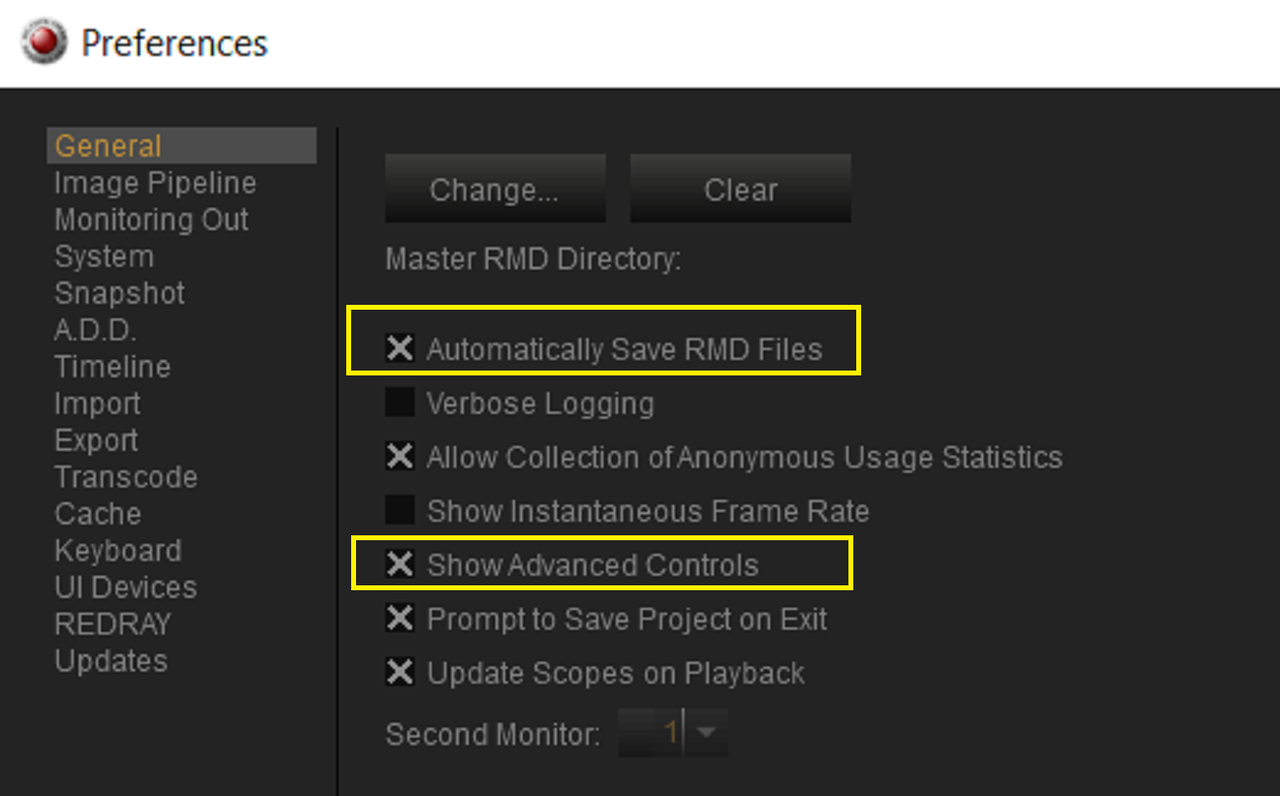
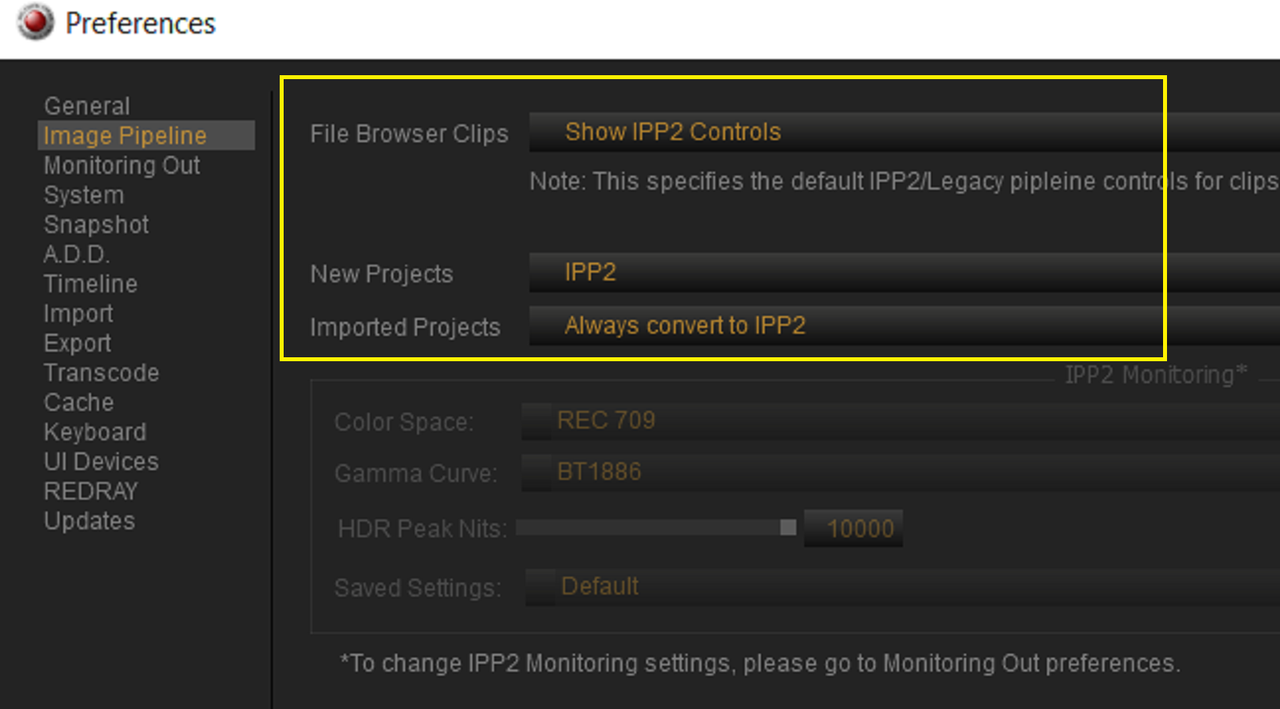
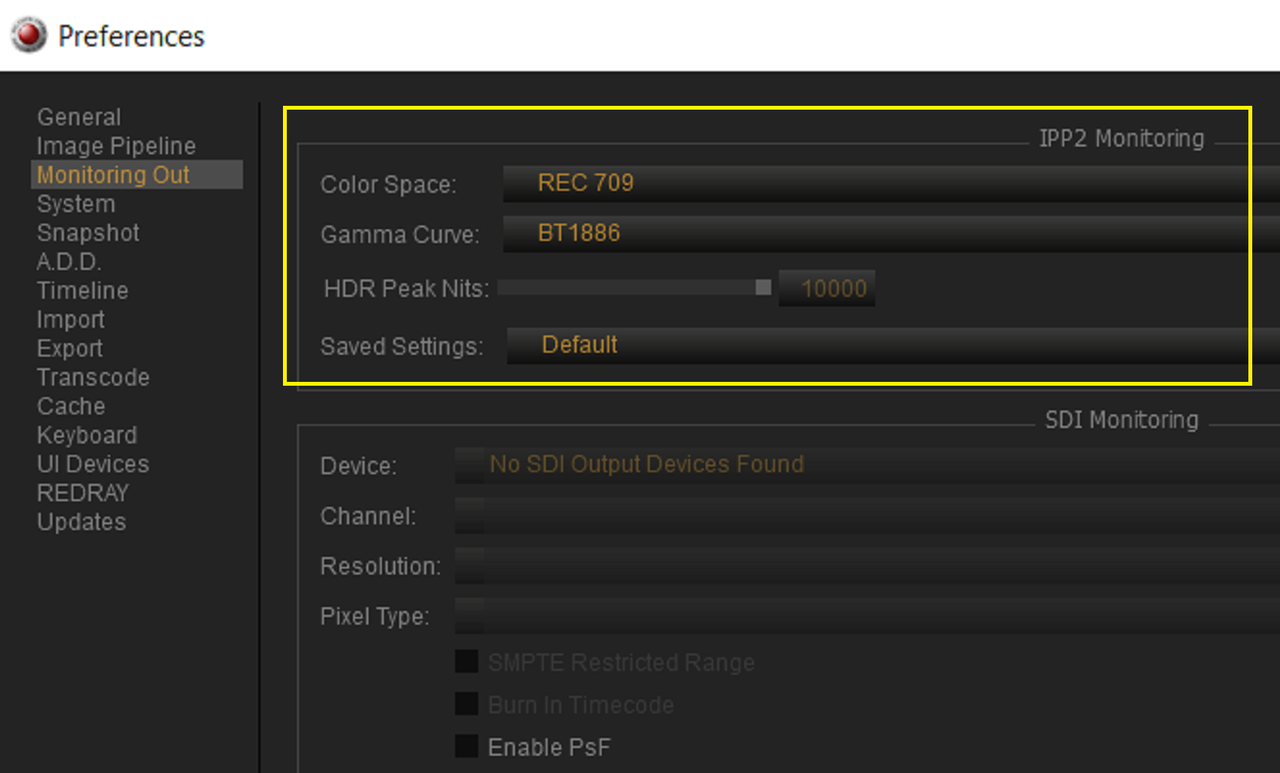
In Redcine-X choose these settings in "Preferences" use "CTRL + ," to get to this menu. I'm using the newest 5.1 version , if you are using an earlier version , "Image Pipeline" and "Monitoring Out" will be located under the "Image Pipeline"Tab


Screenshot-579.png


Screenshot-577.png


Screenshot-578.png


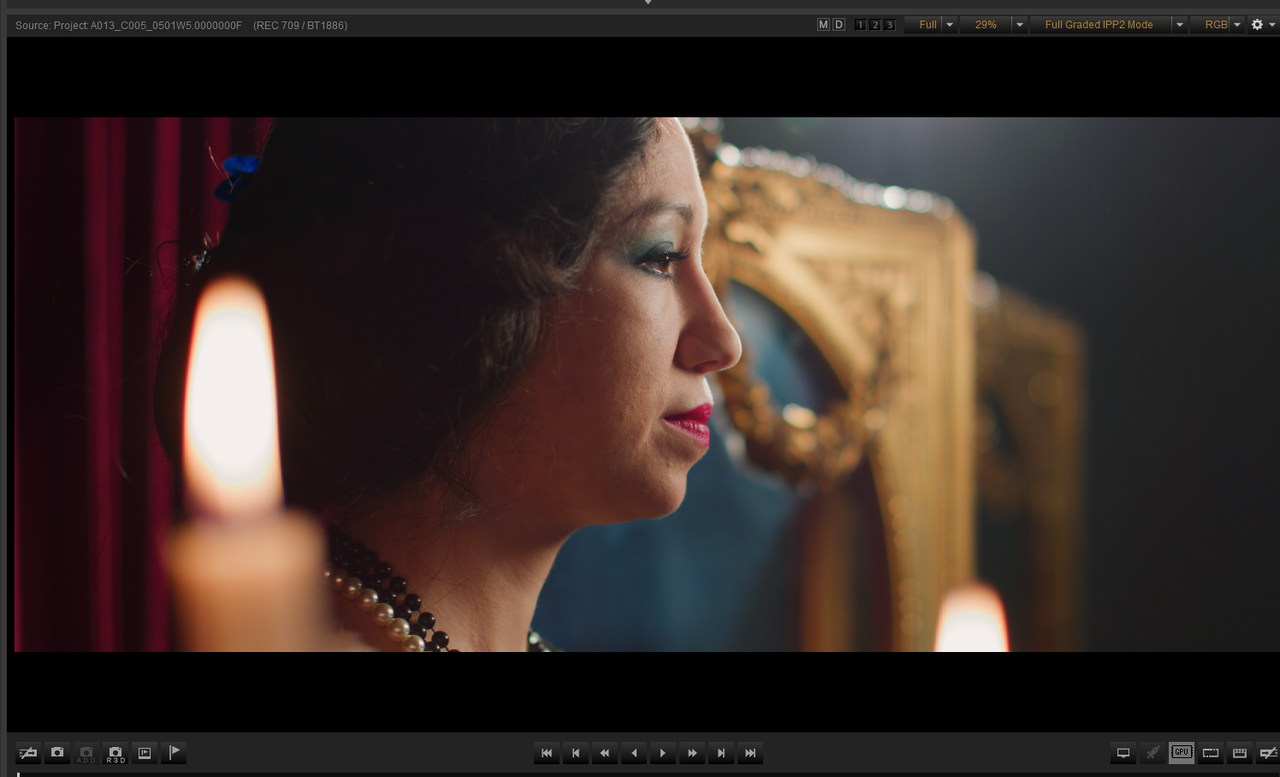
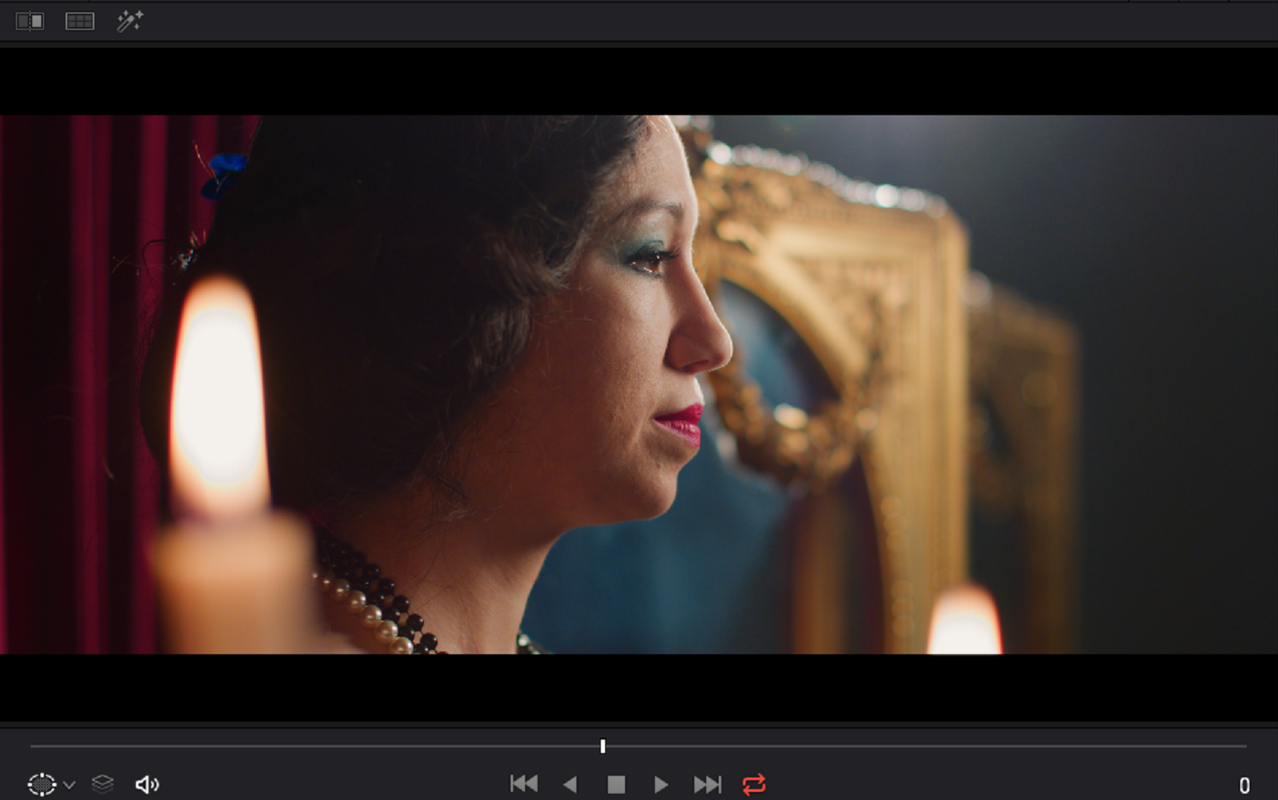
Here is the Sample Image already graded in Redcine-X

Screenshot-557.png


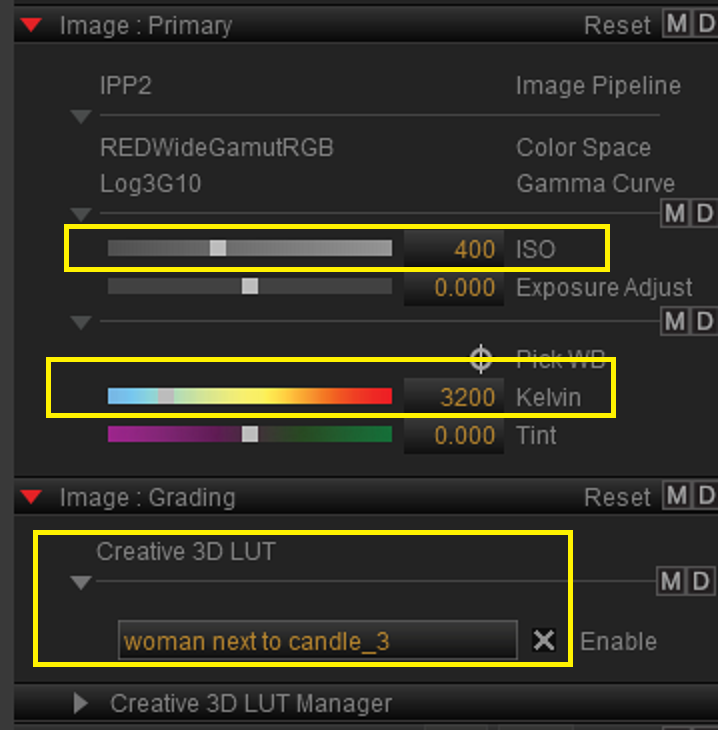
Here are the settings in Redcine-X.


It uses a 400 ISO, 3200 Temp and a Creative Lut called "Woman Next to Candle _3" which I made

Screenshot-566.png


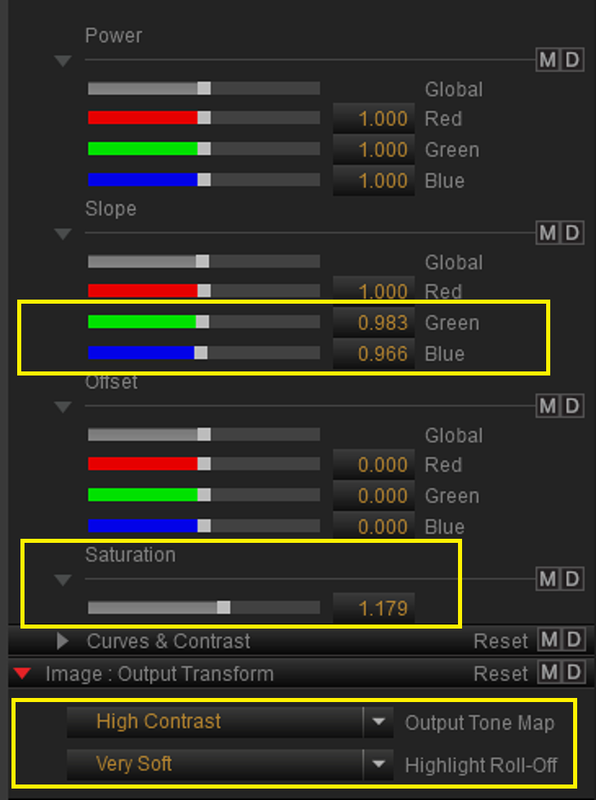
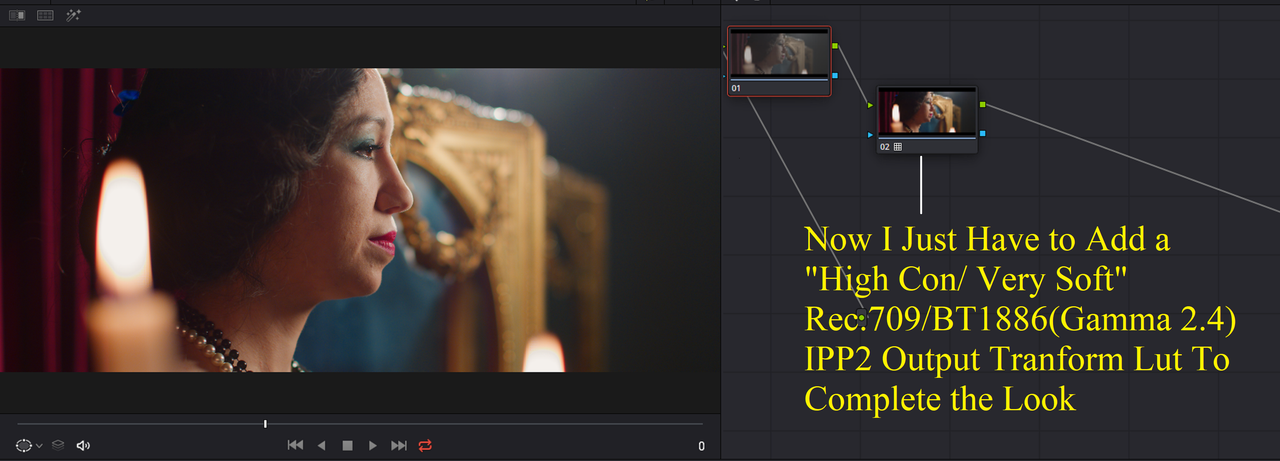
It uses these "CDL" Corrections and a "High Con/ Very Soft" "Output Tone Map" and "Highlight Roll-Off"

Screenshot-565.png


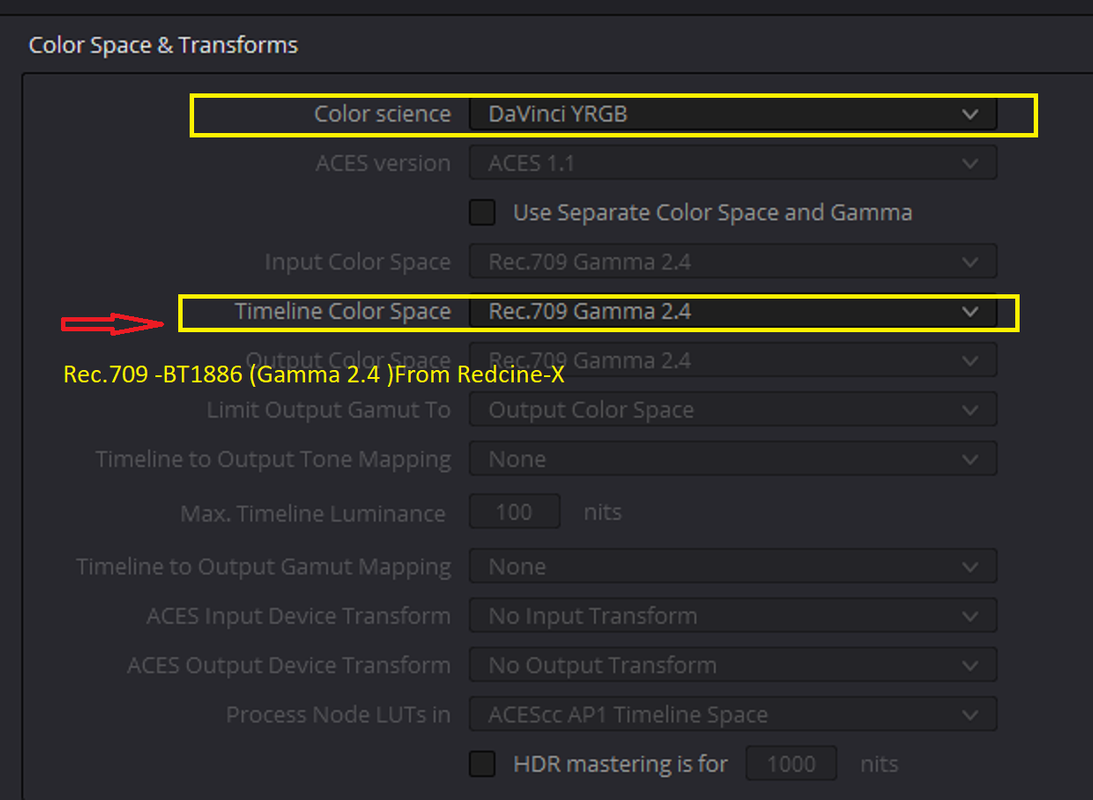
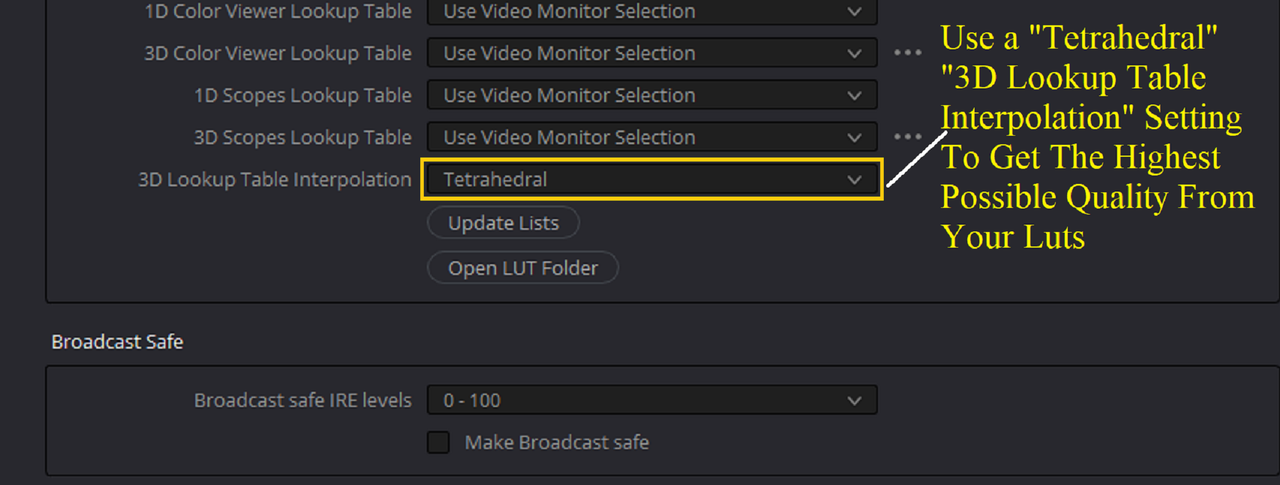
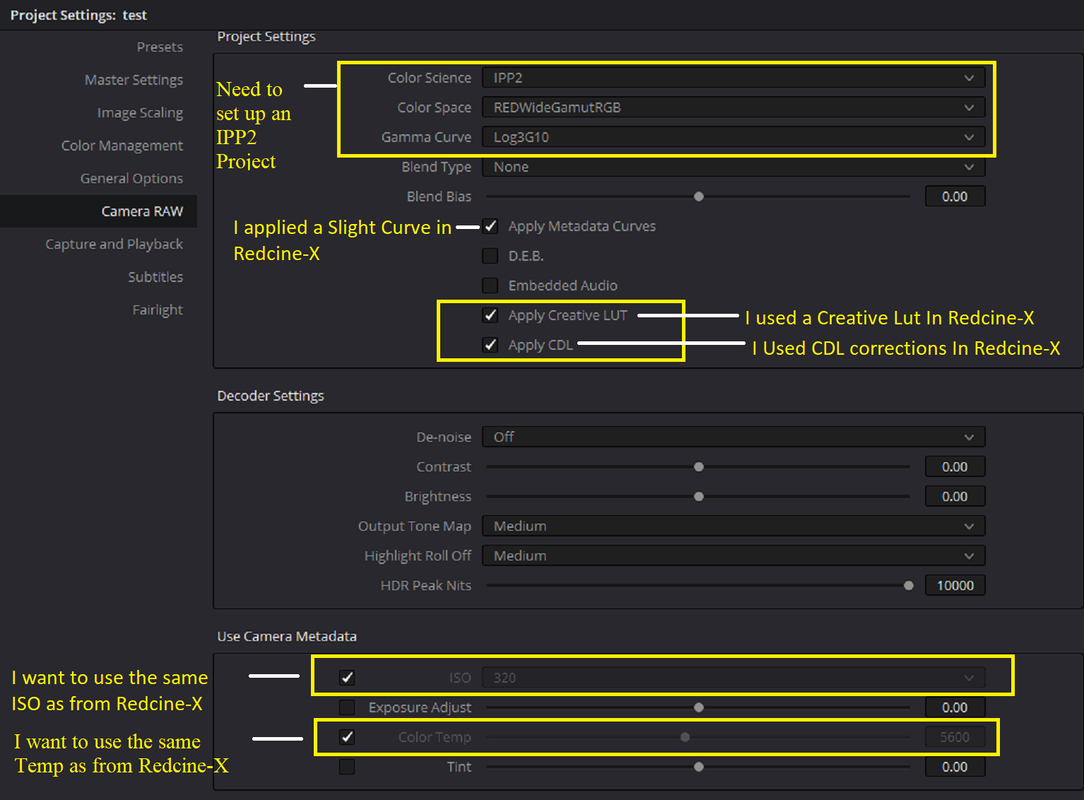
Inside of Resolve we have to make these settings for the reasons mentioned.

Use "Shift + 9" to go to the "Project settings" to get to these settings


The first screengrab below can be found under the "Color Management" tab in the "Project Settings"

Screenshot-571.png


Screenshot-574.png


Screenshot-576.png


Screenshot-559.png


Screenshot-575.png


Redcine-X

Screenshot-557.png


Resolve

Screenshot-563-copy.png


Export


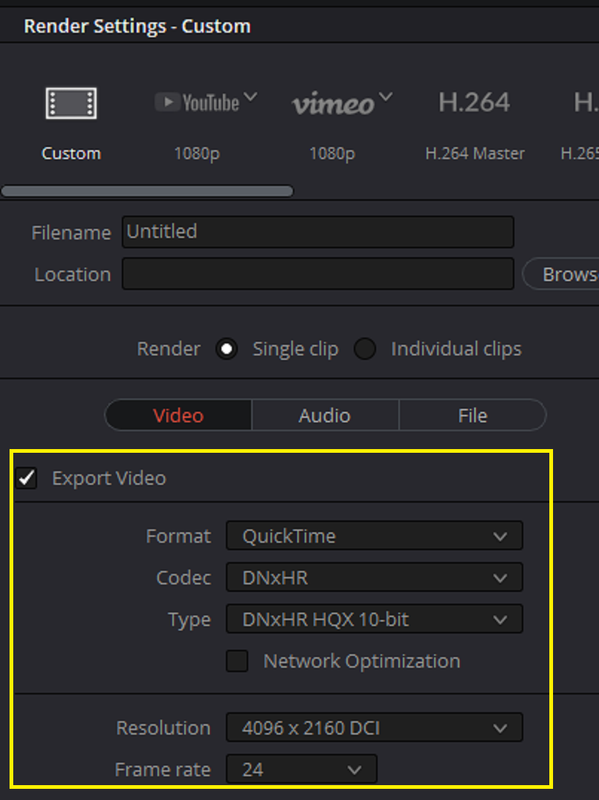
For Export you can use whatever codec you need, I used these settings on a Windows Machine.


Screenshot-580.png


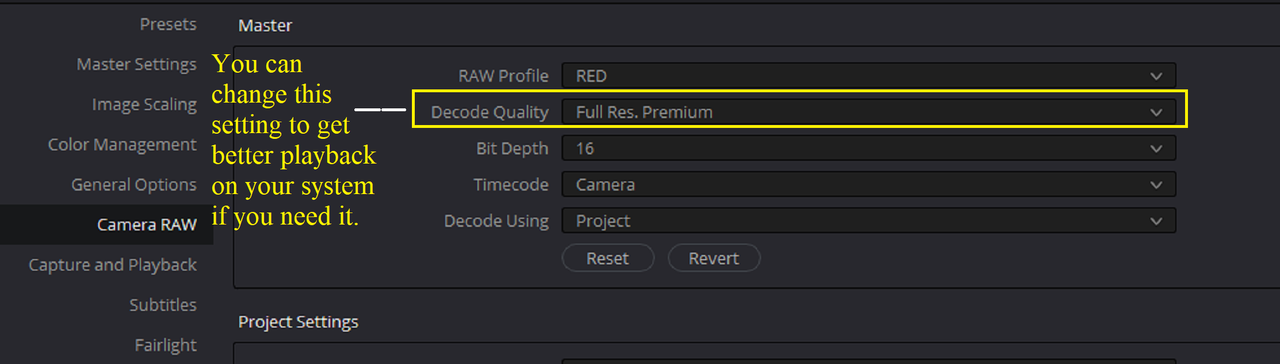
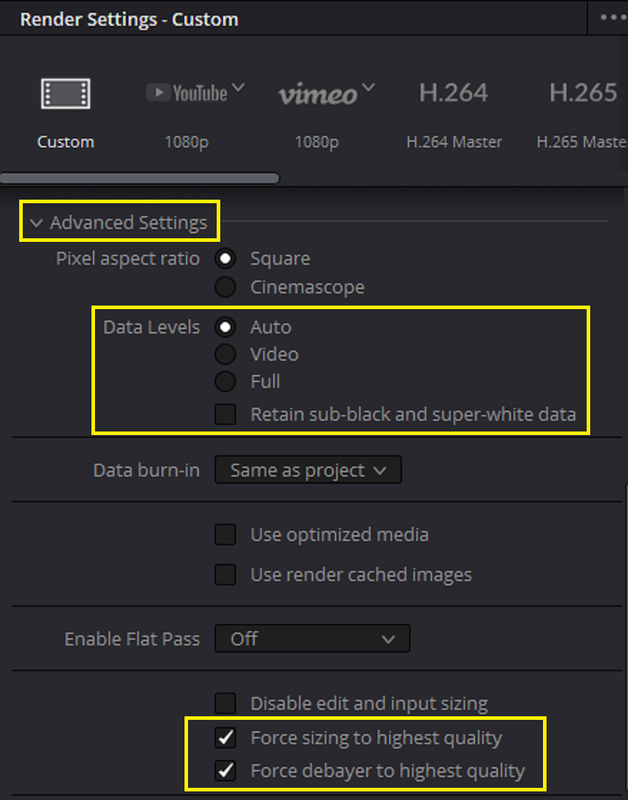
If You chose a lower quality than "Full Res. Premium" in the "Decode Quality" pulldown Menu for better Playback or Editing in your NLE, Choose "Force Sizing To Highest Quality" "Force Debayer To Highest Quality" will export your file back at a high quality.

It would be best to use "Full Res. Premium" at the Export stage of your project but if your computer can't handle it use the settings above.


Screenshot-581.png


Two Big Caveats to this workflow


Make sure you complete the Davinci Resolve Project after initiating it because if you close it and open the Davinci Resolve project back up again, It might not reconnect to all of the settings in Redcine-X. I don't know if this is a Resolve problem or a Redcine-X problem.


Second,

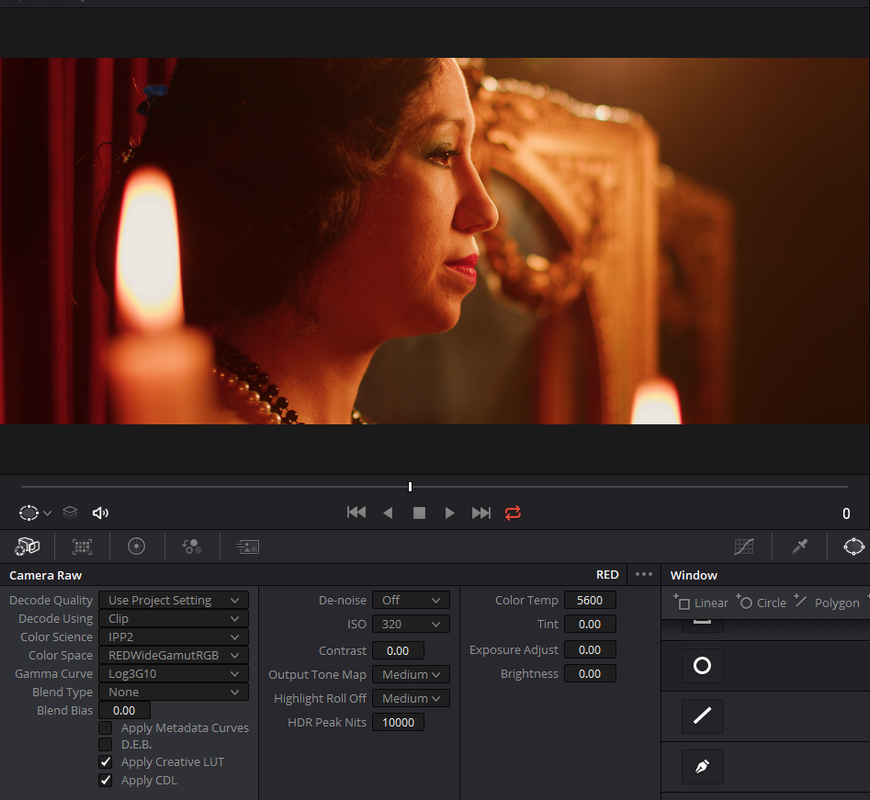
If you try to change a "Camera Raw" setting in Resolve, it will kick out the settings from Redcine-X and use the default from the "Red" Raw Project settings.


I wanted to change the "Camera Raw" ISO so I changed "Decode Using" from "Project" to "Clip" and got these results. You will have to use the "Primary" grading tools and not "Camera Raw"

Screenshot-572.png
 
Last edited:
Iaroslav,


Here is an Example Workflow.


In Redcine-X choose these settings in "Preferences" use "CTRL + ," to get to this menu. I'm using the newest 5.1 version , if you are using an earlier version , "Image Pipeline" and "Monitoring Out" will be located under the "Image Pipeline"Tab


Screenshot-579.png


Screenshot-577.png


Screenshot-578.png


Here is the Sample Image already graded in Redcine-X

Screenshot-557.png


Here are the settings in Redcine-X.


It uses a 400 ISO, 3200 Temp and a Creative Lut called "Woman Next to Candle _3" which I made

Screenshot-566.png


It uses these "CDL" Corrections and a "High Con/ Very Soft" "Output Tone Map" and "Highlight Roll-Off"

Screenshot-565.png


Inside of Resolve we have to make these settings for the reasons mentioned.

Use "Shift + 9" to go to the "Project settings" to get to these settings


The first screengrab below can be found under the "Color Management" tab in the "Project Settings"

Screenshot-571.png


Screenshot-574.png


Screenshot-576.png


Screenshot-559.png


Screenshot-575.png


Redcine-X

Screenshot-557.png


Resolve

Screenshot-563-copy.png


Two Big Caveats to this workflow


Make sure you complete the Davinci Resolve Project after initiating it because if you close it and open the Davinci Resolve project back up again, It might not reconnect to all of the settings in Redcine-X. I don't know if this is a Resolve problem or a Redcine-X problem.


Second,

If you try to change a "Camera Raw" setting in Resolve, it will kick out the settings from Redcine-X and use the default from the "Red" Raw Project settings.


I wanted to change the "Camera Raw" ISO so I changed "Decode Using" from "Project" to "Clip" and got these results. You will have to use the "Primary" grading tools and not "Camera Raw"

Screenshot-572.png

Thanks a lot for your explanation, so deep explanation. ut i am working with an old Red Epic Mysterium X - and it has no IPP2 cause the camera not DSMC2 and i have just Legasy Pipeline is that ok and i can change it to IPP2 during the exporting files to RedCine-X Pro? Or i need to use a different workflow?
 
Laroslav,


The best thing about IPP2 is that in post it works with all Red cameras from the Red One to the newest DSMC2 cameras. You can't, as you said, use it in- camera in DSMC1 cams and in some DSMC2 cameras but you can use the IPP2 workflow pipeline in Redcine-X and in some other 3rd party applications like Davinci Resolve.
 
Back
Top