Welcome to our community

Be a part of something great, join today!

  • Hey all, just changed over the backend after 15 years I figured time to give it a bit of an update, its probably gonna be a bit weird for most of you and i am sure there is a few bugs to work out but it should kinda work the same as before... hopefully :)

Camera setup for HDR question

Tom Gleeson

Well-known member
Joined
Nov 7, 2007
Messages
1,405
Reaction score
7
Points
38
Location
Sydney
Website
www.cinematography.net
I have a shoot coming up and we plan to finish in HDR and we will also have access to the Sony BVMHX310 HDR monitor on the day. Has anyone set up a Monstro or any Red camera for HDR monitoring? Reading the manual I assume in Output Transform I select Rec2020 as my Colour Space and HDR2084 as my output Gamma Space? I assume this adjusts both the SDI monitor output to an appropriate HDR output and the pro res proxy files???
 
Probably Dolby Vision but would the choice of HDR presentation format make any difference to how you would monitor on a location shoot? We will have input on the day from the Post production company but just trying to get my head around as much as possible. The Monstro manual and IPP2 document are not very clear on this subject.
 
Tom,

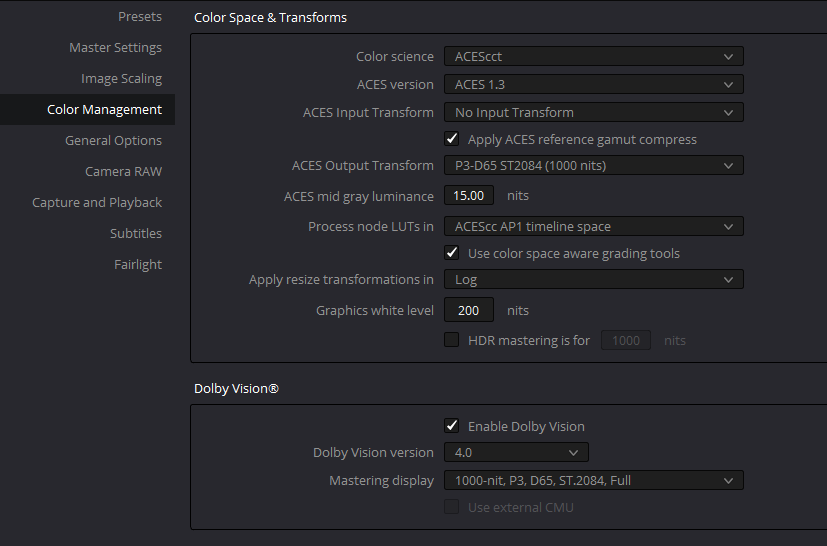
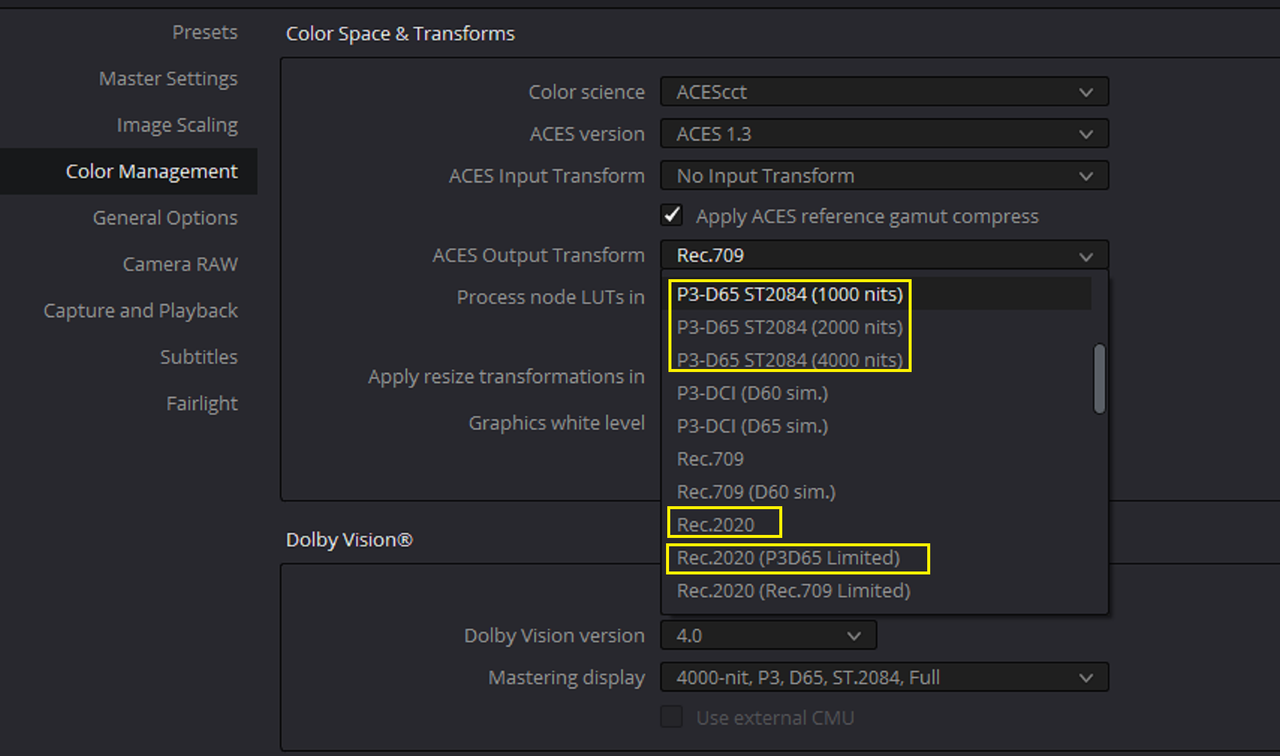
I know HDR-2084 is the GAMMA Curve you would use to monitor for maybe both Dolby Vision and Red's HDRX. However, I don't know if you would want to necessarily use the Color Gamut of Rec 2020 for Dolby Vision which mostly uses ACES which also gives mainly three Output Transform options for HDR content.


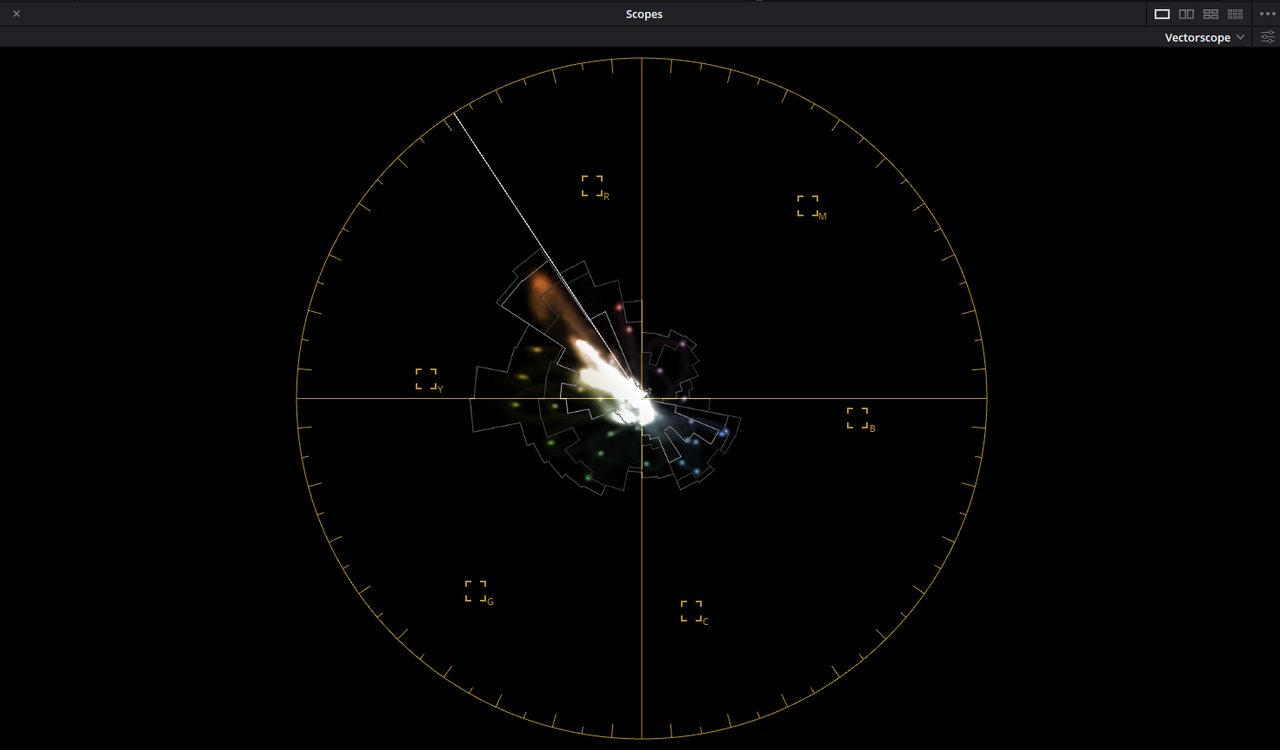
Screenshot-3255.png


Screenshot-3251.png


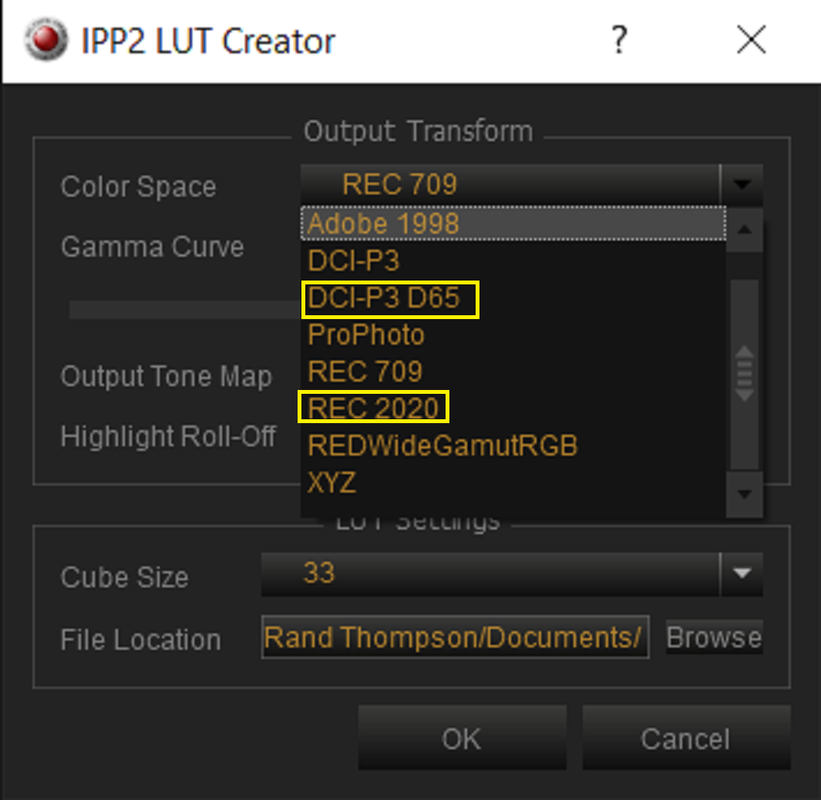
You Can use other Spaces besides REC 2020 if you make the IPP2 transform yourself like DCI-P3 D65 which would probably be a better match for use with an ACES Workflow for Dolby Vision. However, don't quote me on this because I still need a little more polishing on my HDR workflow which is the reason I will be attending the 1 week HDR masterclass all next week.

Screenshot-3249.png


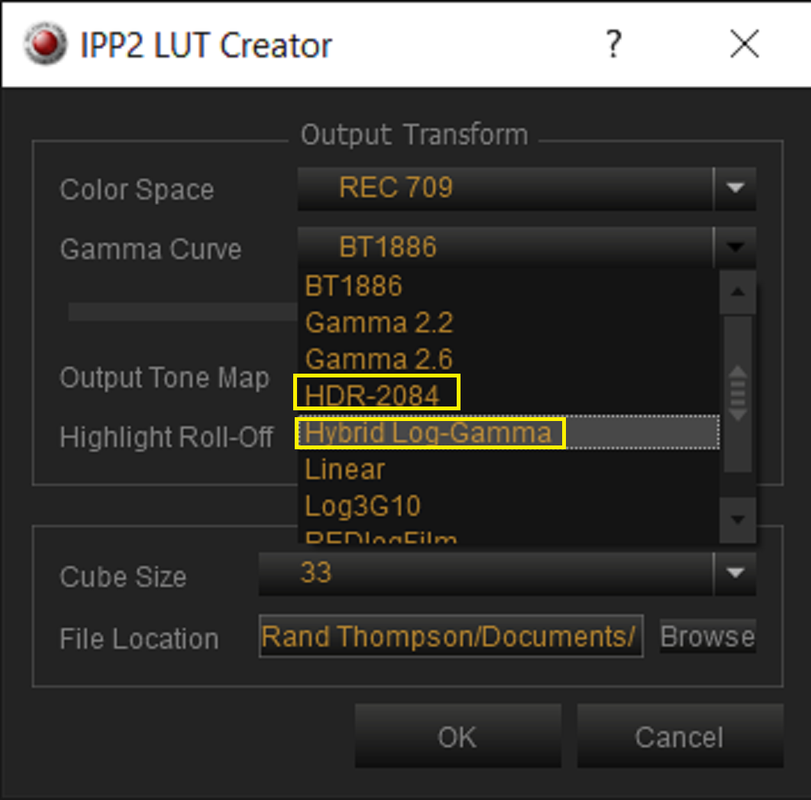
And if you chose to go with the HLG HDR option, there's a different IPP2 Gamma Curve that can be used with that.

Screenshot-3248.png


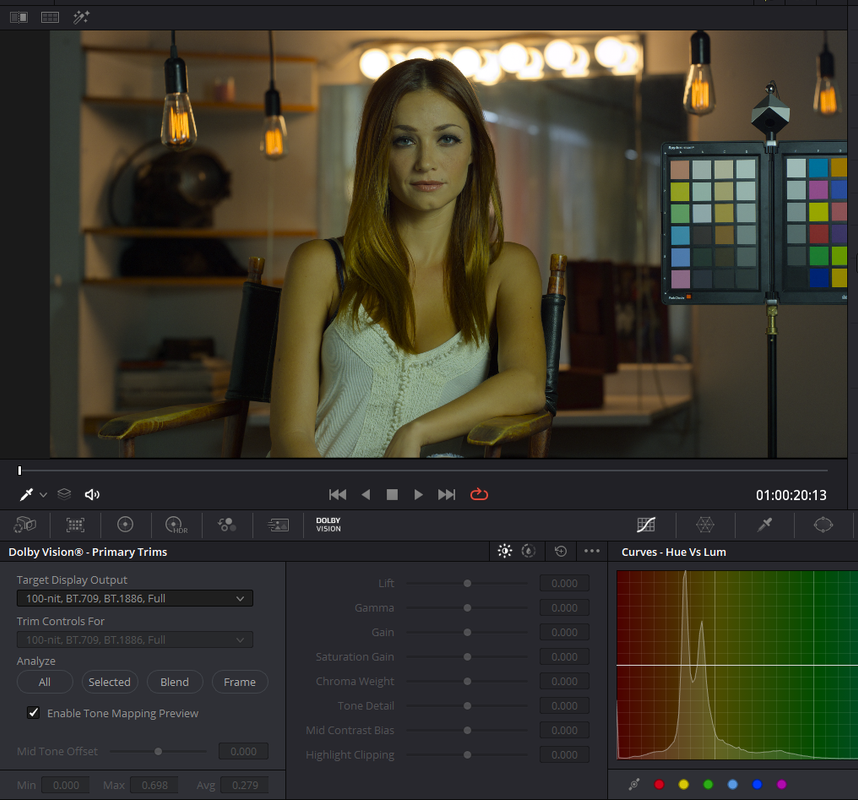
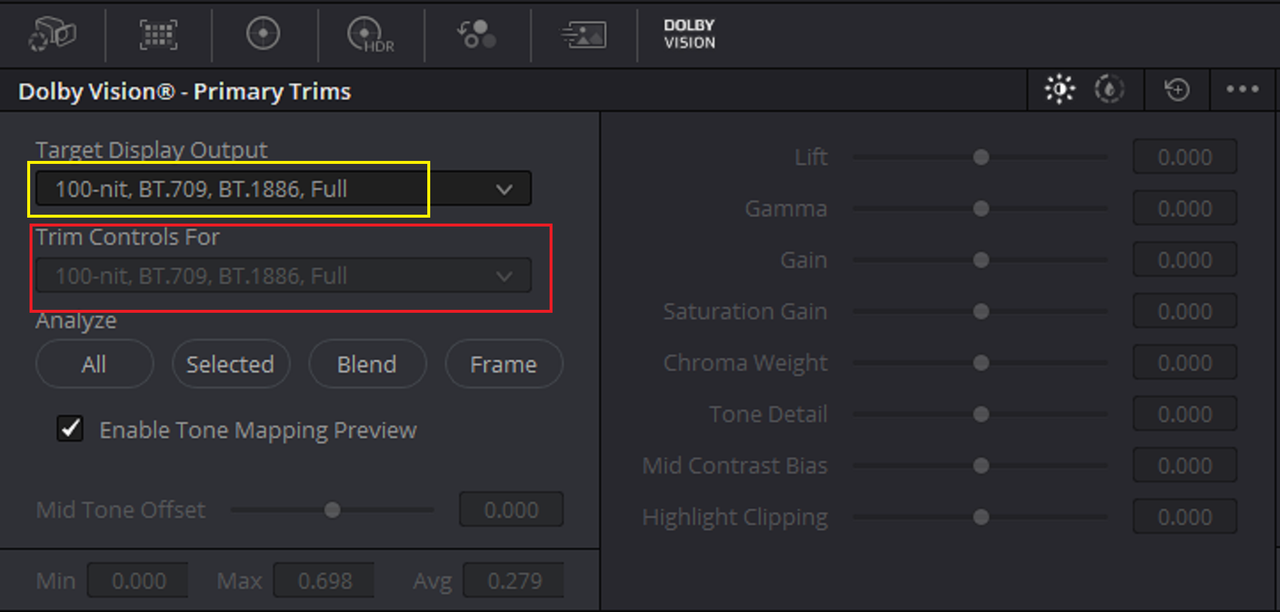
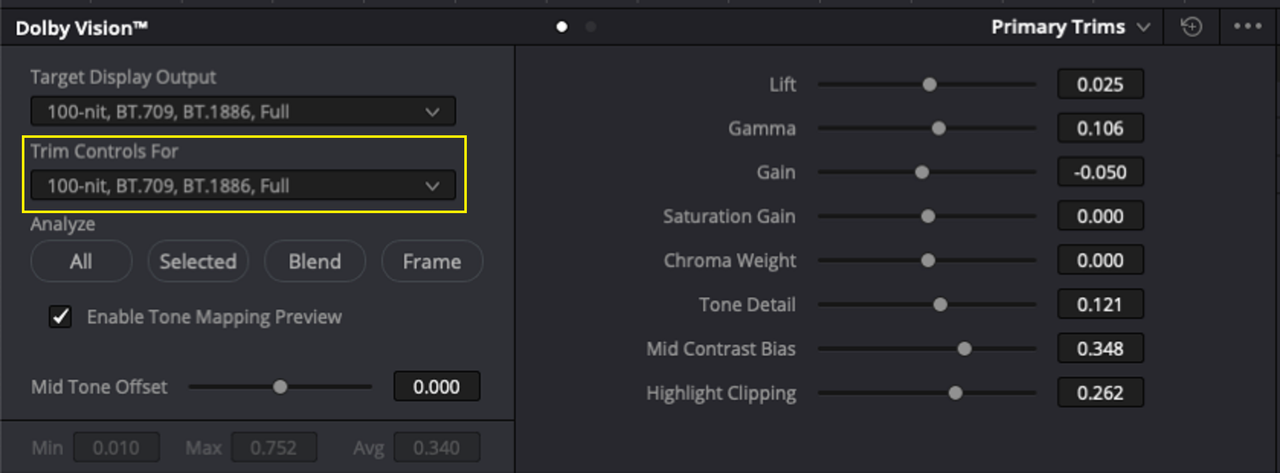
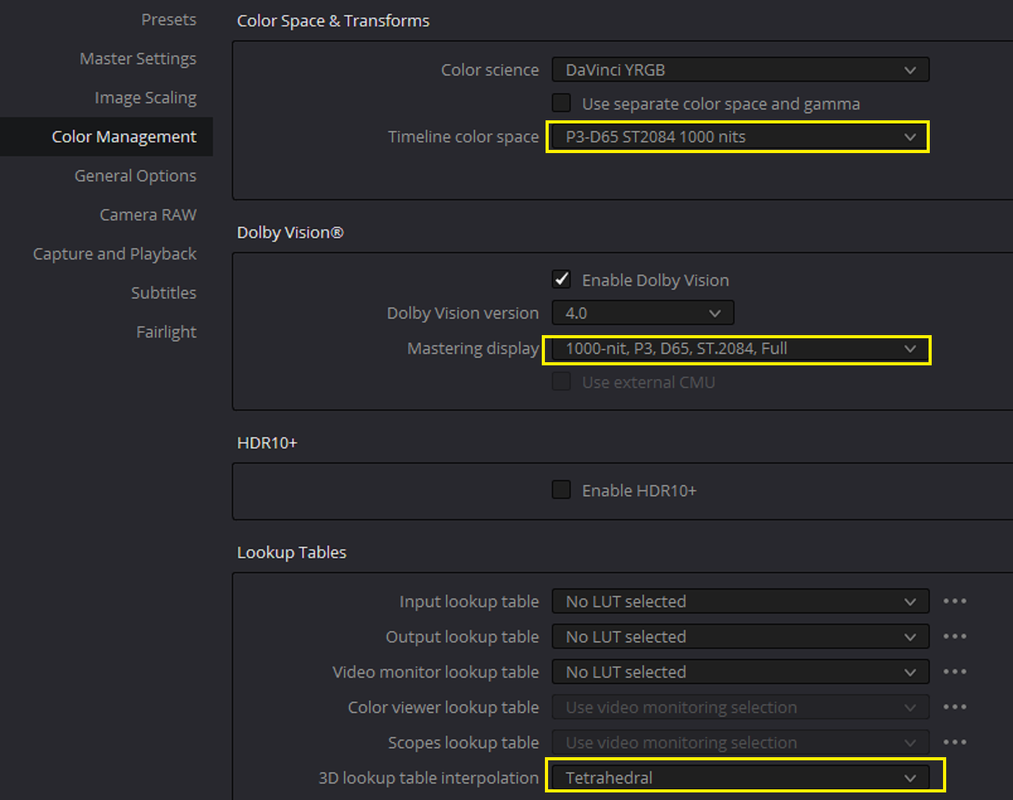
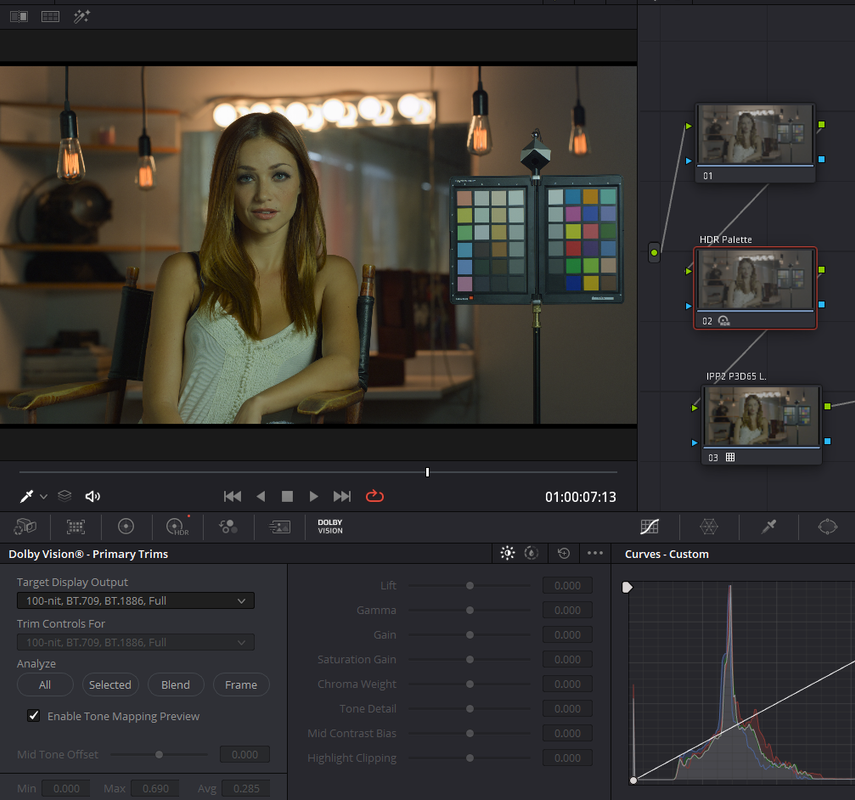
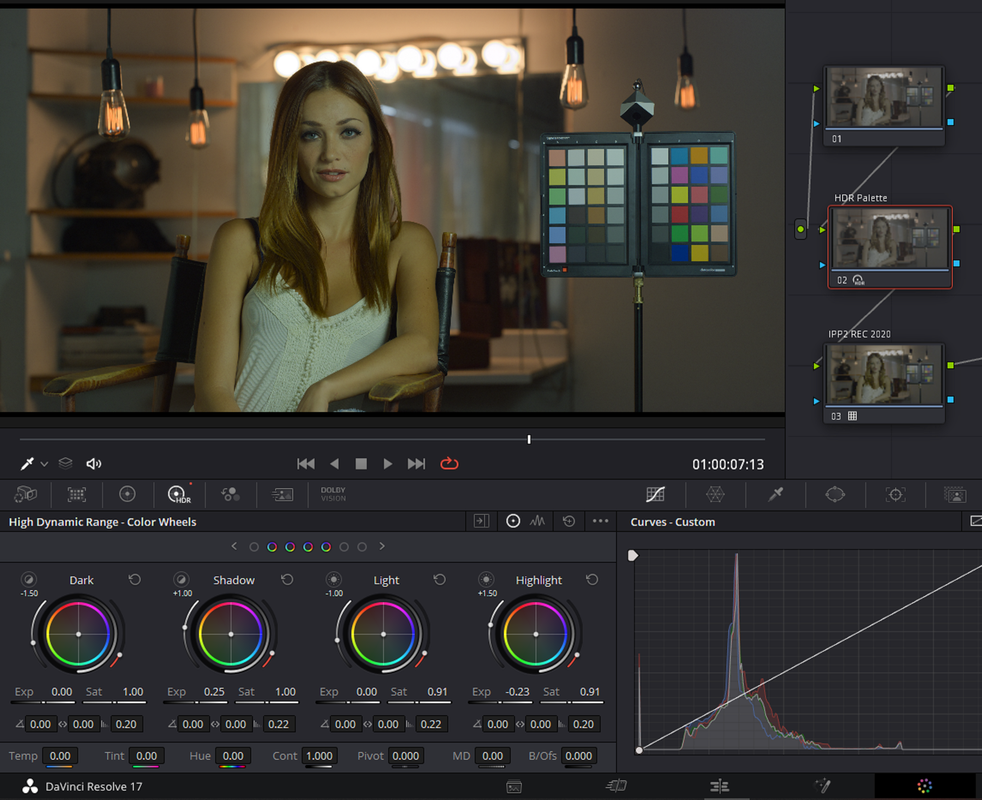
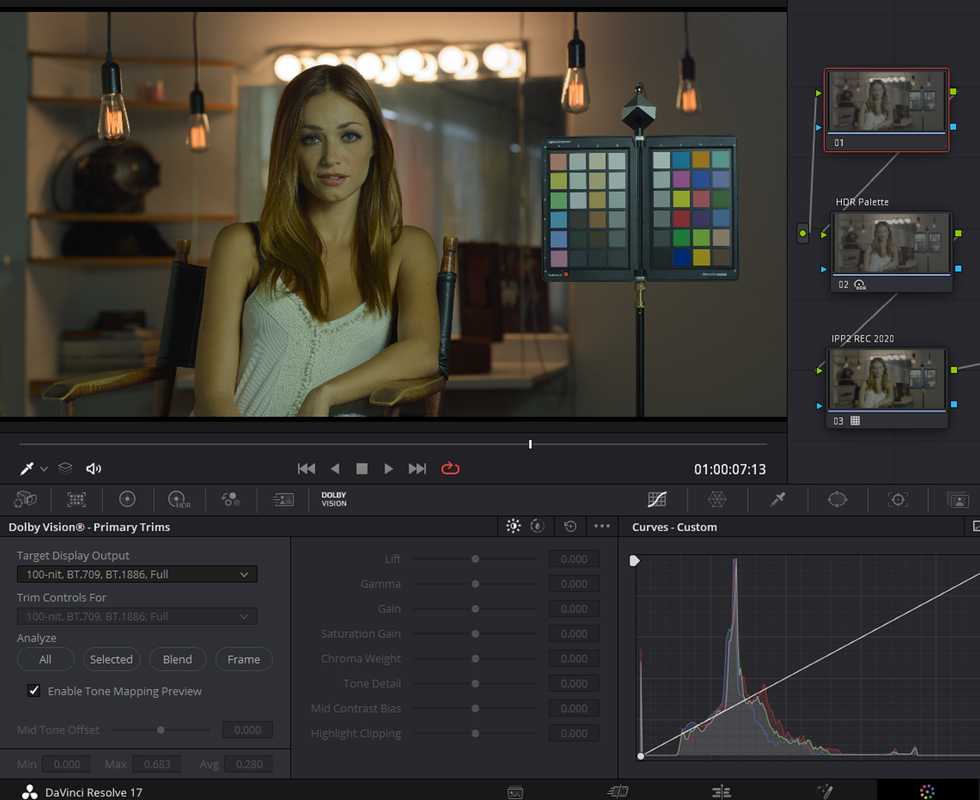
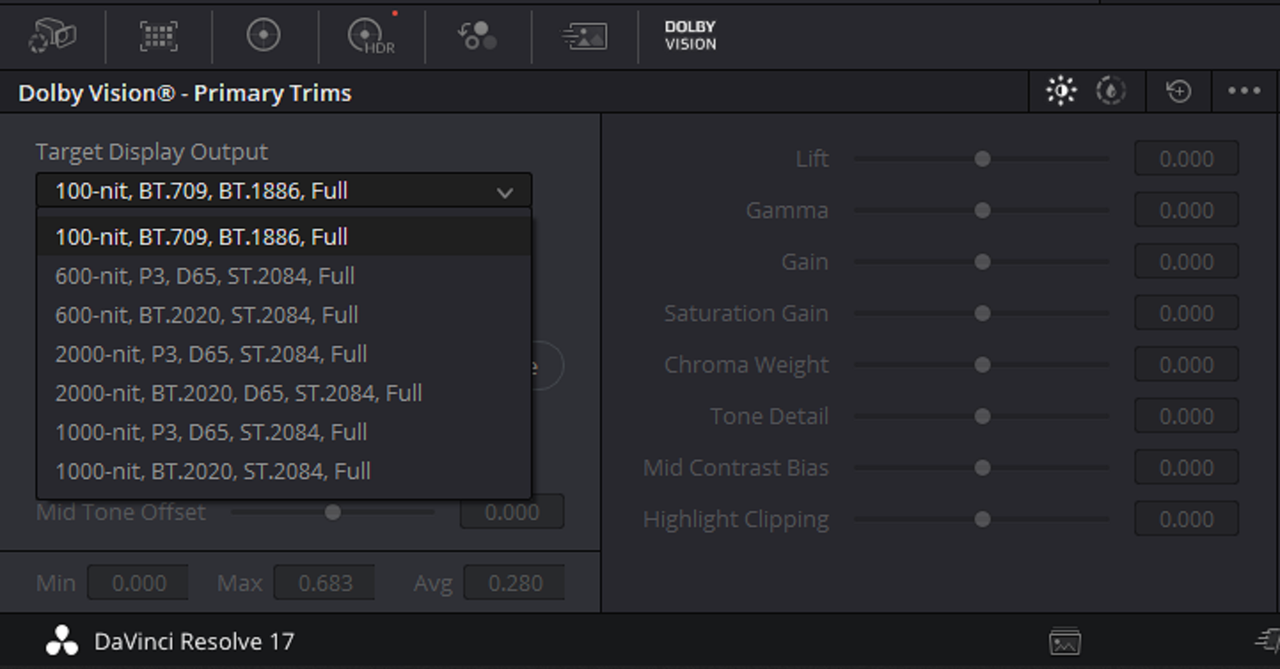
Lastly, with Dolby Vision in Davinci Resolve, it only comes with an L1 Dolby Digital Metadata License. What this means is after you have made a final decision on your HDR High Nit Value grade you can use the Auto Analyze function to give you what the look of the low 100Nit Rec 709 Bt1886 embedded image will look like. If you didn't like what that looked like, you would need an L2 metadata license to activate the 100nit Rec709 BT1886 trim tools to get a better looking image with Dolby Vision Version 2.0 and an L8 metadata license to activate the 100nit Rec709 BT1886 trim tools to get a better looking image with Dolby Vision Version 4.0.

Screenshot-3254.png

Screenshot-3254-2.png


With L8 metadata license to activate the 100nit Rec709 BT1886 trim tools in Dolby Vision 4.0

rtaImage.png
 
Last edited:
Rand,

Thankyou for your detailed reply. The IPP2 Output Transforms document at <https://www.red.com/download/ipp2-output-transforms> states that the "suggested settings for HDR" puts the output Colour Space as Rec2020. It does seem a little odd as I thought Dolby Vision used the P3 Colour space? IMHO Location monitoring does not need to be 100% accurate. if its 98% and above I am happy. It is interesting how little is understood about HDR. Presently only a select number of Post Production people seem to have a handle on it. Considering the effort Red put into making IPP2 forward looking its a shame the documentation is so thin.

There is also a very brief video on Red Tech about HDR that recommend Rec2020 as the Colour Space and HDR2084 as the output gamma. But the IPP2 Output Transforms document also states depending on the maximum NIT level of the HDR monitor that you are using you may need to adjust "user Nits Limit" and goes fo describe the full HDR range as 10,000nits. It goes on to suggest HLG instead of HDR2084 as it uses a relative rather than an absolute brightness encoding. It is all a bit muddy.
 
Hello Tom. You have access to P3 and P3D5 is what you actually after, Rec.2020, and Rec.709. You can dial the nits via camera or through IPP2 LUT generation. Another interesting way to work is to have the log signal going out to a display with the HDR LUT, but you can shoot it all straight out of the camera.

Support for HDR monitoring on set is something "RED does well" when it comes down to it.

The documentation isn't very thin really, it's all there either in the menus in terms of what is being done or what you are looking to do. Same for the IPP2 LUT generator found within REDCINE-X Pro.

The full HDR range is 10,000nits (currently, yes there is a 30,000nit screen in the world). Generally most productions are mastered at 1000 or 2000nits. I've mastered in HDR everything for 400-30,000. The Sony 310 is a 1000nit screen.
 
Oh, and caught that one bugger. Don't know who on earth told you Dolby Vision is P3D65, I suspect somebody read the Netflix delivery specs, and is adhering to that, which is good. P3D65 is just currently the widest gamut color space that people use for delivery and is a cinema standard when it comes to DCP.

Dolby Vision uses the Rec.2020 color primaries, you can also use P3D65. Rec.2100 is also the same Rec.2020 color primaries.

When mastering/grading I am monitoring in whatever is required by the client/project.
 
Rand,

Thankyou for your detailed reply. The IPP2 Output Transforms document at <https://www.red.com/download/ipp2-output-transforms> states that the "suggested settings for HDR" puts the output Colour Space as Rec2020. It does seem a little odd as I thought Dolby Vision used the P3 Colour space? IMHO Location monitoring does not need to be 100% accurate. if its 98% and above I am happy. It is interesting how little is understood about HDR. Presently only a select number of Post Production people seem to have a handle on it. Considering the effort Red put into making IPP2 forward looking its a shame the documentation is so thin.

There is also a very brief video on Red Tech about HDR that recommend Rec2020 as the Colour Space and HDR2084 as the output gamma. But the IPP2 Output Transforms document also states depending on the maximum NIT level of the HDR monitor that you are using you may need to adjust "user Nits Limit" and goes fo describe the full HDR range as 10,000nits. It goes on to suggest HLG instead of HDR2084 as it uses a relative rather than an absolute brightness encoding. It is all a bit muddy.

Tom,

Yeah, I looked some of everywhere about what actually are the best Practices for HDR mastering in general with alot of different opinions. As Phil stated above DCI- P365 Is the Output format that Netflix suggest in their HDR delivery Specs. I always thought that was kind of funny since I don`t believe any of their films were ever projected on theater Screens. However, Again as Phil also stated, It was probably because of its large Color Space. I heard some suggest Rec 2020 which is the Color Space used to display HDR content on TV screens, but I also believe that I was told no TV can fully display the full range of Colors in the Rec2020 colorspace. Also the P3- D65 color Space can usually be displayed at from 95 to 100 percent on most Monitoring solutions. Another option was Rec 2020 that was P3- D65 color limited, however I hadn't seen this used alot.

So again, maybe the HDR Masterclass I will be taking next week by guys whom have actually Delivered HDR content at a much higher level than I ever have will help clear most of this up for me.
 
Last edited:
Generally in the world of feature films or higher end streaming you create a master in the most lossless way possible with the broadest color space, not speaking for Netflix, but this is clearly why they and others do it because it's the way we've been doing for a long time.

That's the master.

What you are likely seeing displayed in a Netflix HDR production is a Rec.2020 encode in Dolby Vision or HDR10 depending on the device you are watching on.

SDR either comes from a trim pass or separately mastered SDR version. Depends on the workflow.
 
Generally in the world of feature films or higher end streaming you create a master in the most lossless way possible with the broadest color space, not speaking for Netflix, but this is clearly why they and others do it because it's the way we've been doing for a long time.

That's the master.

What you are likely seeing displayed in a Netflix HDR production is a Rec.2020 encode in Dolby Vision or HDR10 depending on the device you are watching on.

SDR either comes from a trim pass or separately mastered SDR version. Depends on the workflow.

Phil, thanks for this info.

The big thing for me right now is even though I will be attending the HDR class next week, I still won't have a Dolby Vision License to activate the SDR trim tools. So I will still be limited to the L1 Auto Analysis metadata within Davinci Resolve only. Hopefully Dolby will make their licenses a little more accessible to a much broader group of individuals. But the lack of availability is most likely intentional.
 
TOM,

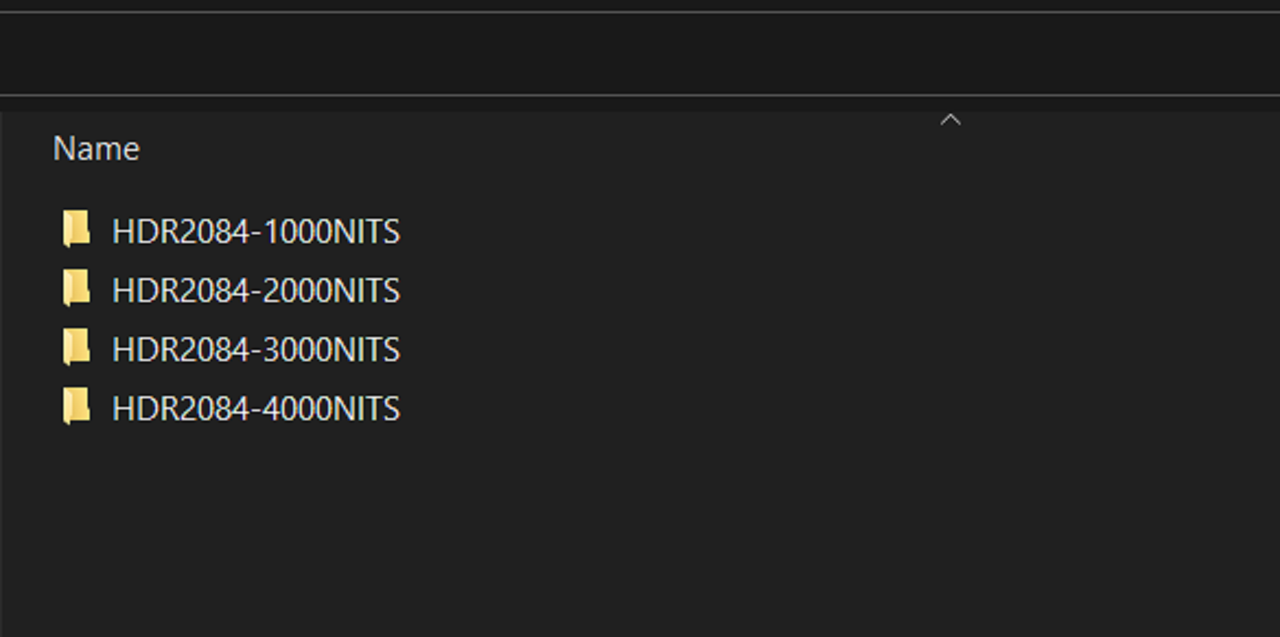
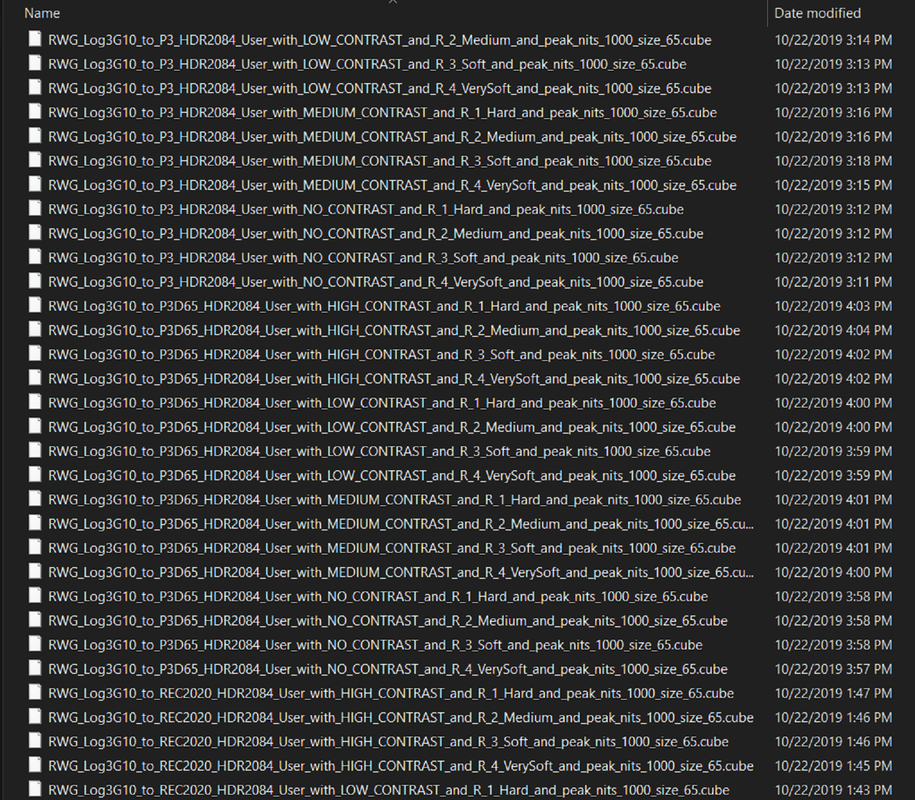
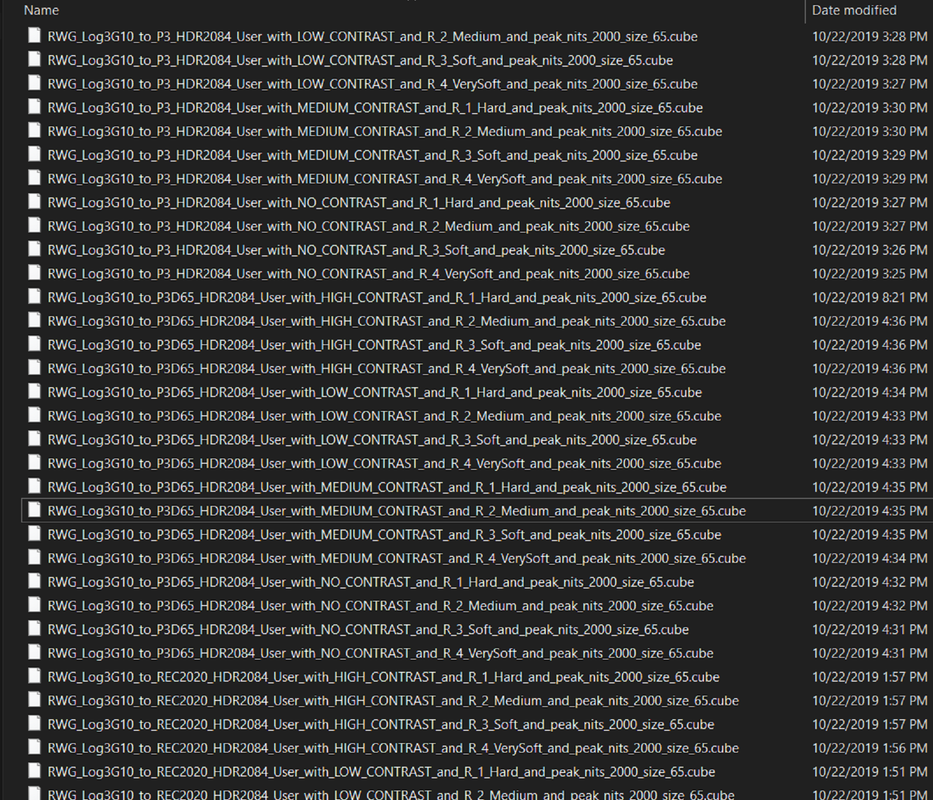
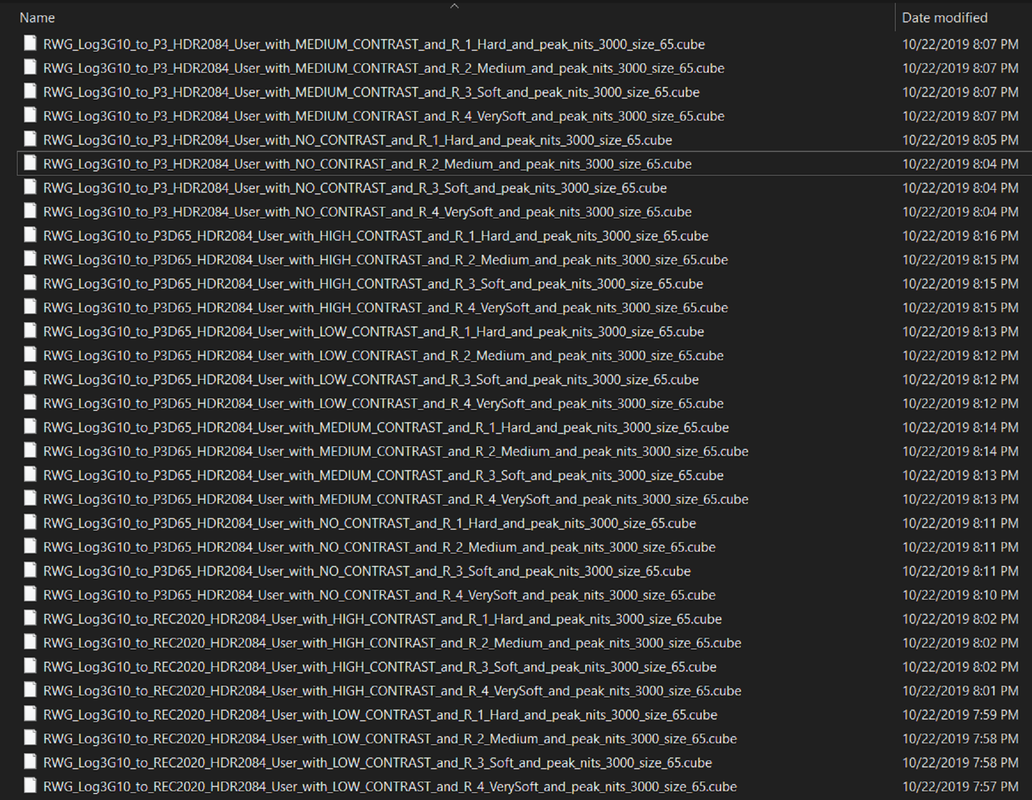
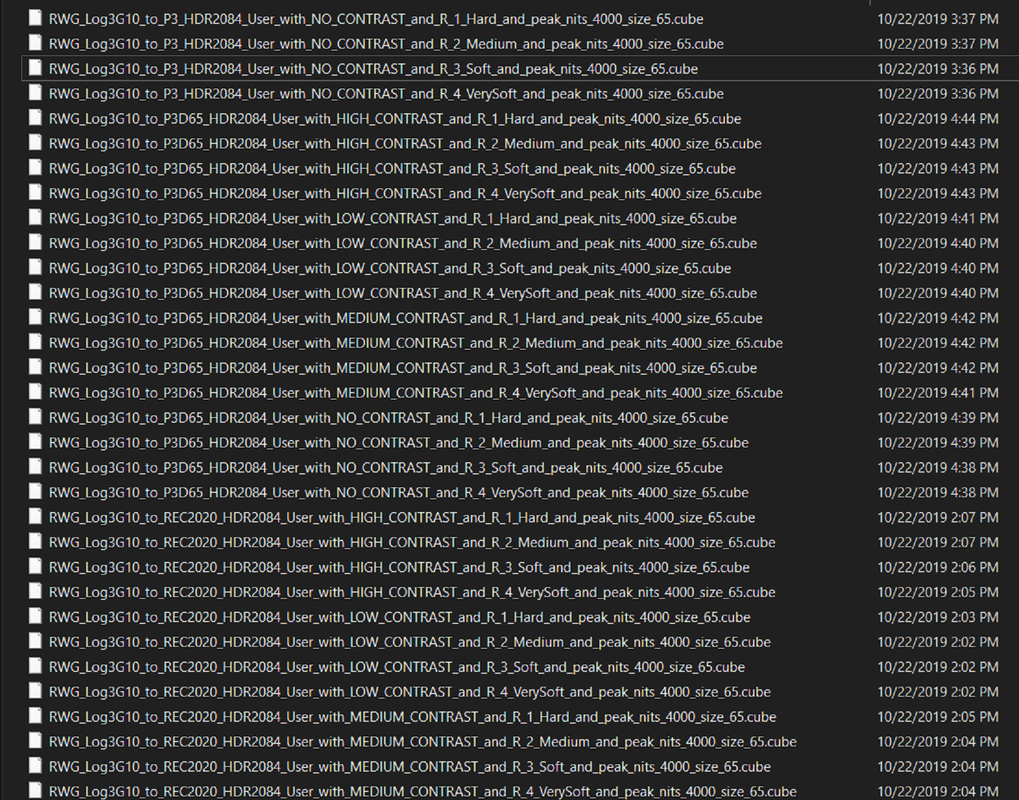
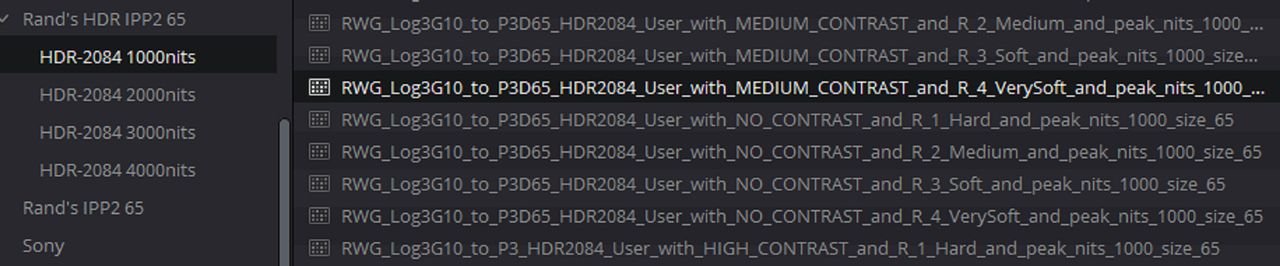
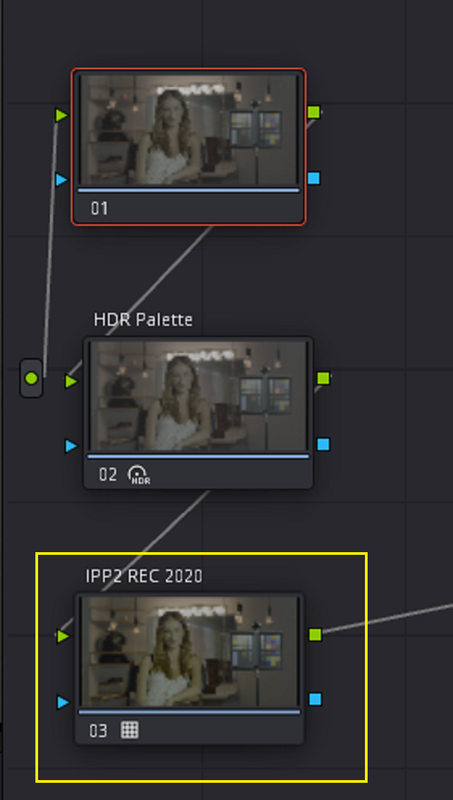
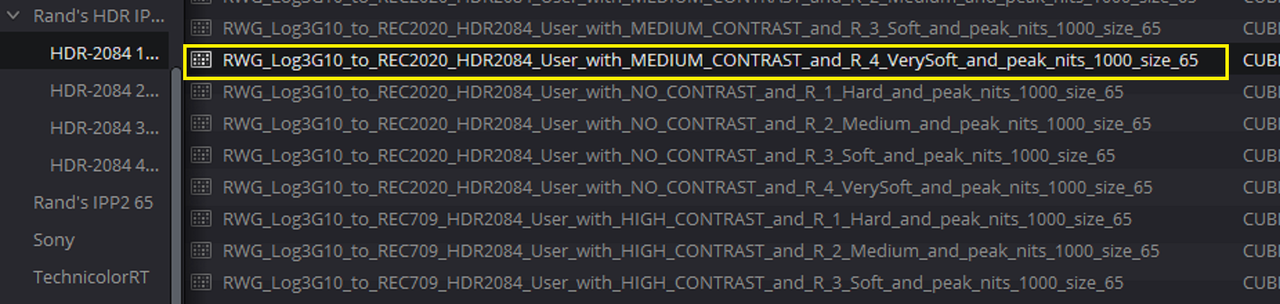
Here is a link to a .rar file I just created which includes some HDR IPP2 Output Transforms I made almost 2 years ago that may be helpful to you for monitoring out for the various Nit brightness levels listed below. I chose to make them all 65cube sized luts so that I could have the highest precision IPP2 Transform Luts available to use with R3D files. The 33cube sized luts are really all you need, however I wanted a little better. Each folder contains 48 luts which comprises all of the different IPP2 COLOR SPACE and GAMMA CURVE combinations available for P3-HDR2084, P3-D65-HDR2084 and REC2020-HDR2084.


HDR-2084 HDR IPP2 OUTPUT TRANSFORMS
https://sendgb.com/tyTkhrApHOe

Screenshot-3264.png


Screenshot-3263.png


Screenshot-3262.png


Screenshot-3261.png


Screenshot-3260.png
 
Last edited:
Rand,

Thank you that is very generous. Can the 65cube sized luts be loaded into a Monstro camera or did you design these for Post Production?
 
Rand,

Thank you that is very generous. Can the 65cube sized luts be loaded into a Monstro camera or did you design these for Post Production?

33 Cube LUTs can be loaded into camera. You don't need to load any of these in camera as it's supported via the menus via your imaging pipeline.
 
Rand,

Thank you that is very generous. Can the 65cube sized luts be loaded into a Monstro camera or did you design these for Post Production?

Tom,

You're welcome! And as Phil stated I believe only 33cube sized Luts are supported in-camera. These, as you stated, were meant to help monitor/ grade from your NLE that supports an IPP2 Workflow.
 
Tom,

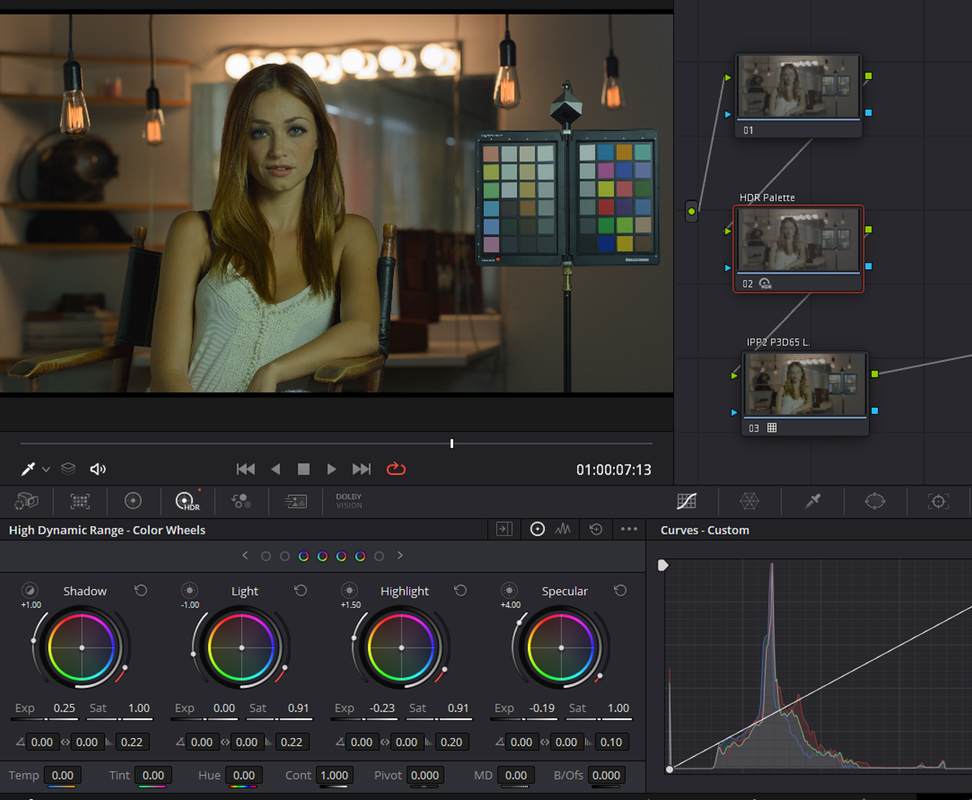
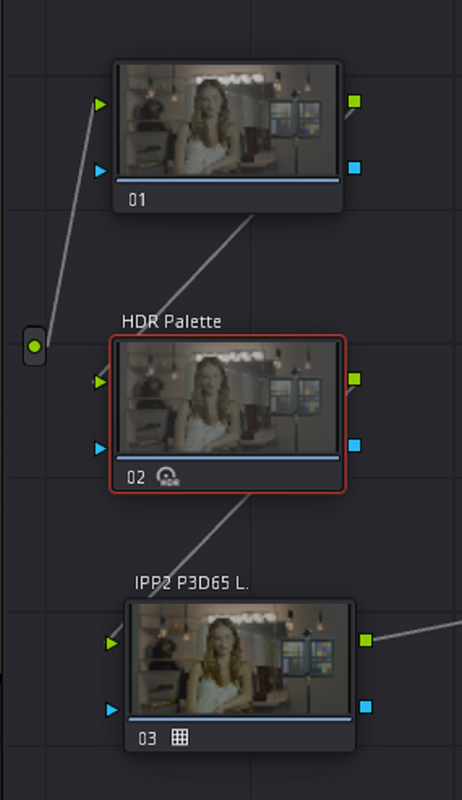
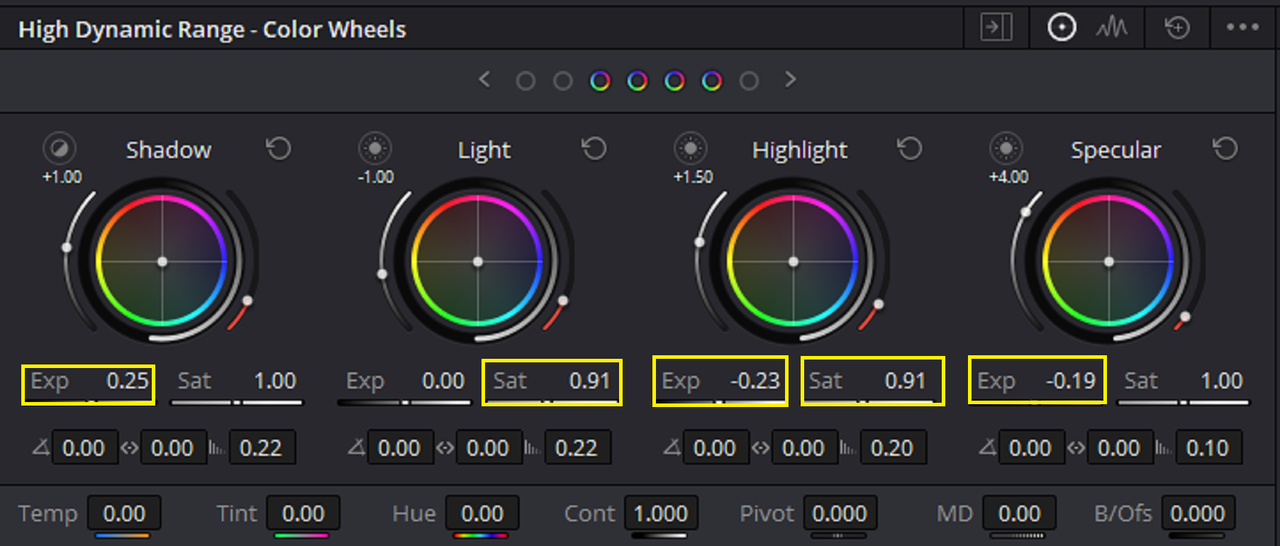
Here's another possible workflow besides ACEScct that uses the P3-D65 HDR IPP2 Output Transform Lut.

Screenshot-3266.png


Screenshot-3274.png


Screenshot-3276.png


Screenshot-3275.png


Screenshot-3281.png


Screenshot-3277.png


Screenshot-3270.png


Screenshot-3282.png


Screenshot-3283.png
 
Last edited:
Although I usually shoot RAW with both the ProRes optimization of my new MacBook Pro laptop, and working on learning Davinci, and some free time, I have found something interesting - at least to me. Shooting 4k ProRes HQ which only has IPP2 and then loading clips into Resolve 17.4.2, I can put a LUT on the clips of SDR/REC709 flavor for editing on my SDR monitor, then export the video clips to QuickTime H.265 in 4k (same as they are recorded in) and in the advanced settings pick color space same as project and Gamma REC2100 HLG. In color management I have DaVinci YRGB Color Managed and SDR processing. The output when played on my new laptop monitor is in HDR and looks fantastic, and if I move it over to my SDR monitor it automatically switches to SDR and also looks fine. I also can set the camera to the same scene in 2k ProRes 4444 and burn in the color with a 2020 color space HDR choice and it will appear with the above settings in SDR on my laptop monitor but will also encode to HDR on output without of course needing to add a LUT. This might all be pretty obvious, but I am amazed how using color managed seems to take care of everything behind the scenes and does a really nice job for 4k output that is so easy to handle with just one output file. And unlike RAW, the prores editing and transcoding is incredibly fast with the new processor. I am not sure if this would make Netflix happy, but it is 4k and HDR output depending on how it is watched.
 
Jon,

I haven't used the HLG HDR format really much at all. However, I know the HLG HDR format is more backwards compatible with Standard Dynamic Range older televisions than Dolby Vision is. I think also what you described above , atleast from Dolby Vision, Could simply be the Low Nit brightness metadata included along with the High Nit brightness Image. Also Blackmagic Design's Davinci Resolve " DaVinci YRGB Color Managed" Project Presets seem to be able to do alot of "Behind the Scenes" processing that makes interchanging between Color Spaces more easy.
 
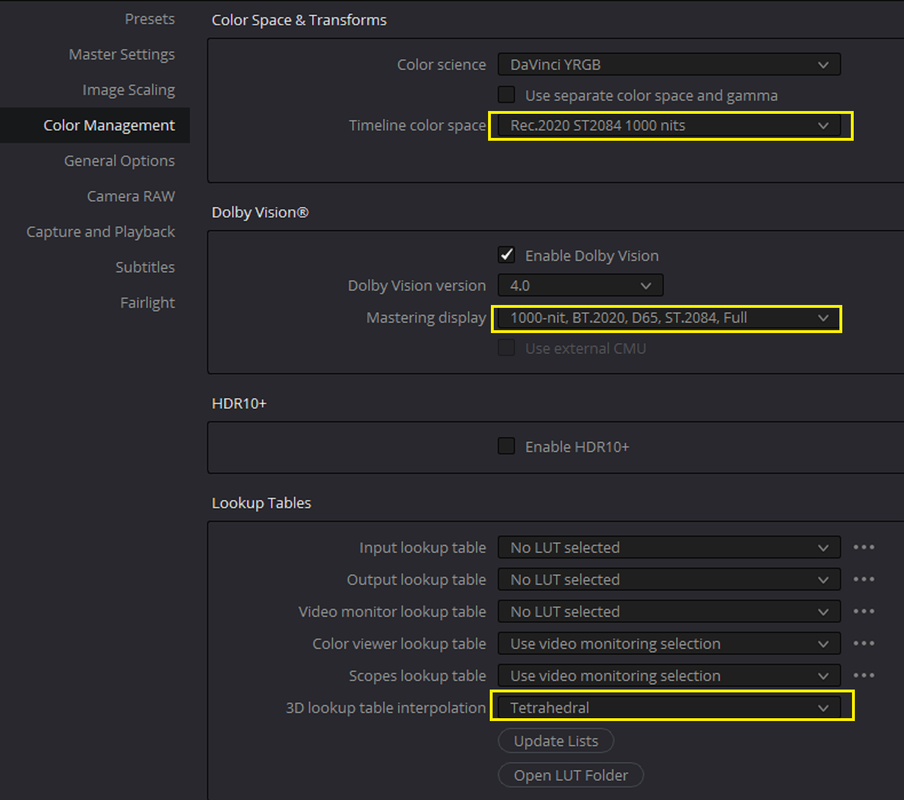
Thanks Rand, you know way more about all this than I ever will. I saw there is also a box you can check if you want Dolby in the color managed, and then a bunch of choices for maximum nit brightness, not sure what that does and how it would impact settings for export?
 
Jon,

I'm still learning myself so we are both in the same boat. Those different Nit Brightness settings tells Dolby Vision The Nit Brightness of the HDR Monitor you are using to Master your images on so that it can make the necessary adjustments to your viewing experience. Usually most productions use the 1000nit brightness setting. With Dolby Vision, info for a 100nit brightness image is automatically included along with whatever HDR Nit brightness level you mastered from. You can also include, I believe, Metadata for up to 2 more Nit Brightness levels if you choose.

Screenshot-3294.png
 
Last edited:
Back
Top