Welcome to our community

Be a part of something great, join today!

  • Hey all, just changed over the backend after 15 years I figured time to give it a bit of an update, its probably gonna be a bit weird for most of you and i am sure there is a few bugs to work out but it should kinda work the same as before... hopefully :)

Black Shading:A look under the hood

David Battistella

Well-known member
Joined
Apr 30, 2007
Messages
10,003
Reaction score
6
Points
38
I keep a lot of black shading calibration maps on a 48GB SSD. I find it easier to load then from there than redo them all the time.

The current Dragon Beta FW build allows us to store a full 4 Calibration maps along with a fifth one which is Factory default.

I like this feature, It means you can plan to have Cal maps ready for a shoot.

IE: you film normally at 24FPS 172.8 degree shutter and you want to stop and do a Timelapse shot over lunch. Load up the 1FPS 172degree map (in about ten seconds compared to doing a full sensor calibration) and you are set to go.

Today I did a small test. I did four calibrations and rolled a few seconds on each.

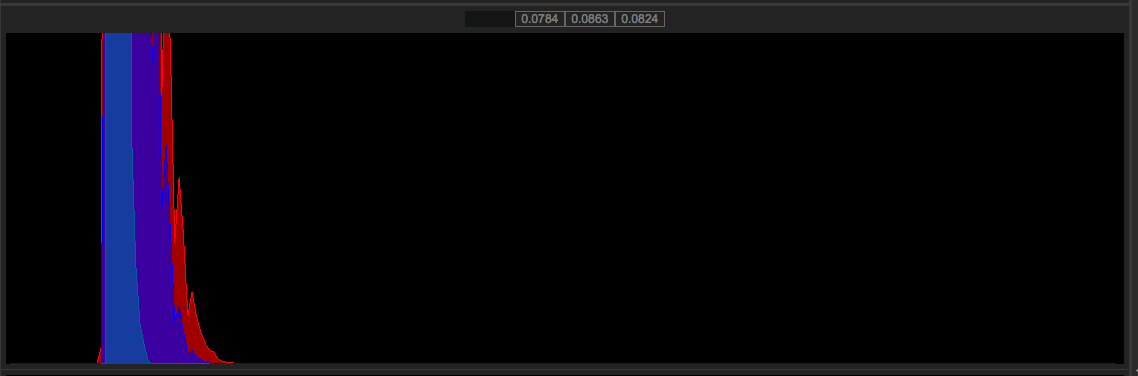
1. 172.8 @ 24FPS
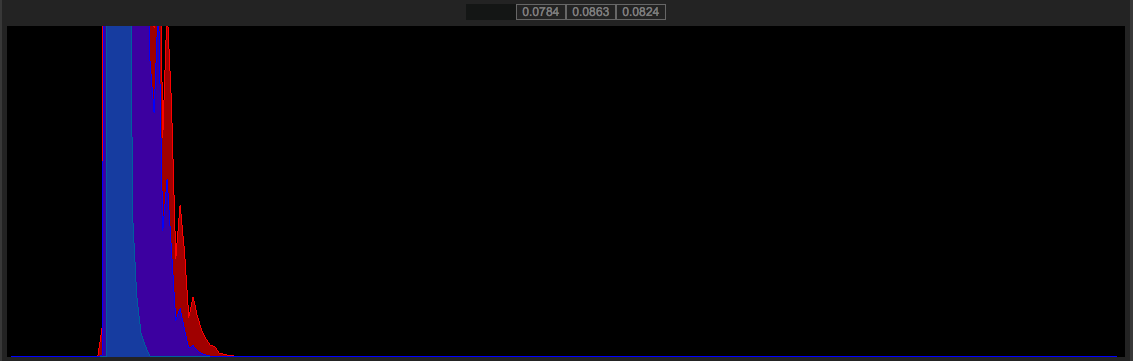
2. 360 @ 24FPS
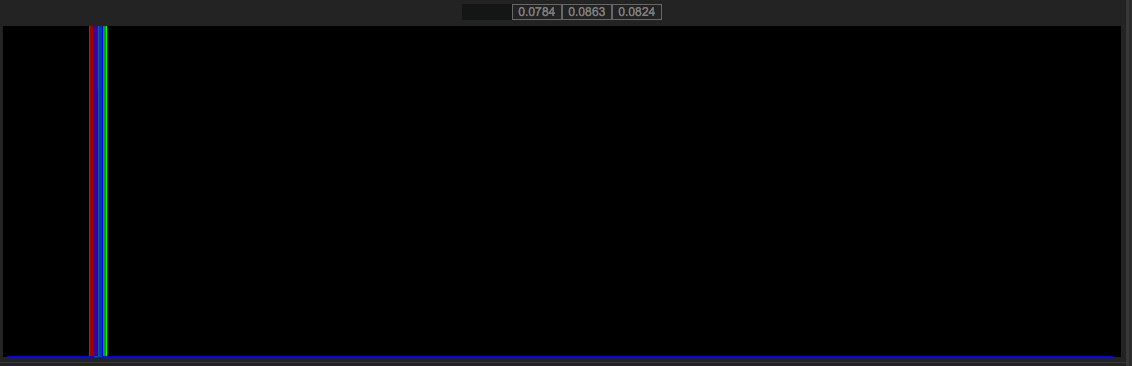
3. 172.8@ 1FPS
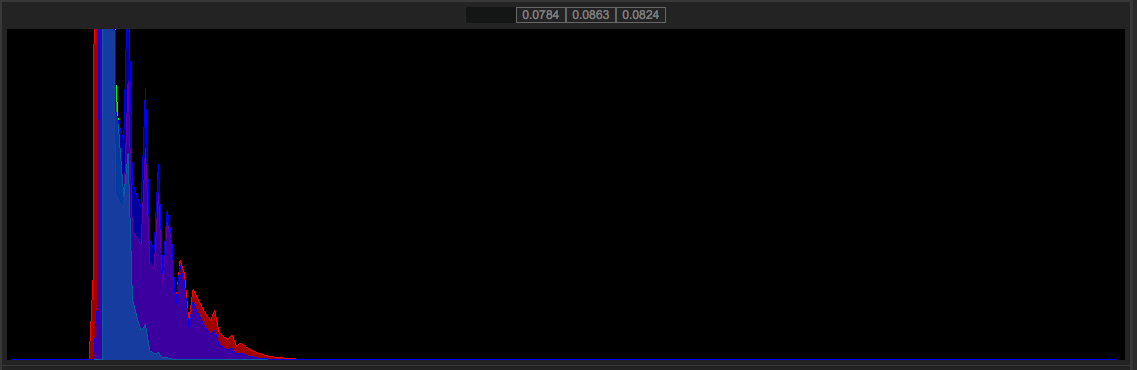
4. 360 @ 1FPS

Project timebase is 24FPS.
RCX settings are Dragon Color, REDLOGfilm, ISO 800 no curve

The results surprised me both in the level and quality of the noise and the histogram. Please remember that this is all on the current BETA build of the FW.

#1
24FPS172RCX100.png

24FPS_172deg.png


#2
24FPS360RCX100.png

24FPS360deg.png


#3
1FPS_172RCX100.png

1FPS172deg.png


#4
1fps360RCX100.png

1FPS360deg.png


Notes,

I was pretty blown away to see just how clean 1FPS@ 172.8 degree shutter is. I mean that image has virtually ZERO noise print compared to the others. You can not shoot any regular moving images with that CAL MAP because the color is completely off, tuned to that Shutter and framerate.
Still very curious to see just how zero noise the sensor can go.


I have also created a dropbox link the R3D snapshots and the PNG screen grabs as well.

That can be found here:

https://www.dropbox.com/sh/em03mwz7i45c6gn/AADH7EC4mS2kedVMRFfjoTmqa


RED HAS CONFIRMED THAT CALL MAPS CAN ONLY BE FOR THAT SPECIFIC CAMERA. THEY ARE NOT INTERCHANGEABLE between cameras.

Maybe follow the method I used and post your own results.

Mine were all done at temperature 47/62 with both temps on the touchscreen in green.


Cheers
Battistella
 
Last edited:
that doesn't surprise me at all, and im surprised you're surprised frankly


the photosites on the sensor are all of different sensitivities (a product of manufacturing etc), so the blackshading determines by how much they vary, so they can be "evened out" before being saved.. different exposure times produce different variations

1/sec exposures often generate hot pixels (full intensity , normally pure R, G or B)


..but this has nothing to do with the difference you see between the noise levels you see with different exposures ..thats purely down to exposure time..

longer exposure times collect more light = less noise

thats why you light dark scenes.. a stop is a stop.. doubling the exposure time..makes a stop of extra light available (to the sensor) =less noise)

a 1/ sec exposure can gather 6+ stops of extra light..50x as much as 1/50 (ie, you shot 360deg @ 1fps = 1sec exposure)

also..the preset blackhadings are a lifesaver, but never going to be as good as a fresh calibration (environment, internal and external heat..all change the results).. but its better than not doing one

swapping maps is NOT A GOOD IDEA!!
.. blackshadings are relevant for individual sensors only..thats why each camera can do their own..they need to


ps, do people really still shoot 24fps ..wow .. id just shoot 25 for international release (slow audio by 6%)..or 25 or 30 for domestic.. you romantic fools
 
Last edited:
Image #4 has a near black bar at the top but the rest is black. What's up with the bar?
 
that doesn't surprise me at all, and im surprised you're surprised frankly

I was surprised that the 1 second exposure at 172.8 degree shutter yielded a flat field and the rest was to be expected.


ps, do people really still shoot 24fps ..wow .. id just shoot 25 for international release (slow audio by 6%)..or 25 or 30 for domestic.. you romantic fools

This is just an arsehole thing to say. Normally I would ignore it but today i think I won't.

David
 
Image #4 has a near black bar at the top but the rest is black. What's up with the bar?

These are screenshots of the frame at 100% full quality in RCX not crops so that might be where the black line is coming from. That is why I added the R3D's

Battistella
 
do people really still shoot 24fps ..wow ..

yeah, I won't ignore this either. maybe most of the world are romantic fools but if the majority are fools what does that make the minority?

Interesting stuff David.

Questions questions....how big (file size) is a black calmap file? Do you think the Camera is using flash memory to store these calmaps? If the answer to the 1st question is 'small' and the second is 'yes' how likely is it we could store more, maybe many more calmaps and once and for all kick this BS BS in the balls.
 
HI Ivan,

Each Calmap is 40,5MB, I think they would have to be stored in some kind of onboard flash memory device. Four is three more than we were able to store before, which is huge, as you can presave maps for several shooting situations. I would have been happy if they added just one more, but they gave us three.

Battistella
 
4 certainly is a lot better than 1 or 2.

I would prefer to never have to think about this again though.

It drives me nuts when I am on-set and someone says "can we shoot this at 100fps?" and I say "yes, but...." That "Yes, but", makes me and others not want to use the camera sometimes.

So if with 4GB of flash memory in the camera we could have 10 saved black shades then why not stick 16GB of flash memory in there, have the camera perform multiple black-shades as part of the fw update process and maybe then we won't have to say "yes, but..." ever again?
 
I hear you Ivan, This is why I ended up getting a 48GB card just to hold calibrations. As I save them, I pop in that card and store them. I name them by FPS, temp and shutter angle.It's actually quite a food system and it takes about 20 seconds to swap out mags and temporarily apply the calibration. I miss the SD slot that the R1 body had, but I don't miss the size or weight of it much. I'm thinking about how to map presets so that when camera settings change (going from a 360 shutter TL to a 172.8 shutter at 24FPS) would change the cal as well and eliminate a lot of tocuhscreen menu digging. An intuitive cal map system would be good because you can't seem to get away with leaving the same cal map for every situation. Its just finding a way to make the switch faster. That is why I provided the CalMaps, so people can load them up on their camera and see if it works and we can build a file database. Battistella
 
that doesn't surprise me at all, and im surprised you're surprised frankly


the photosites on the sensor are all of different sensitivities (a product of manufacturing etc), so the blackshading determines by how much they vary, so they can be "evened out" before being saved.. different exposure times produce different variations

1/sec exposures often generate hot pixels (full intensity , normally pure R, G or B)


..but this has nothing to do with the difference you see between the noise levels you see with different exposures ..thats purely down to exposure time..

longer exposure times collect more light = less noise

thats why you light dark scenes.. a stop is a stop.. doubling the exposure time..makes a stop of extra light available (to the sensor) =less noise)

a 1/ sec exposure can gather 6+ stops of extra light..50x as much as 1/50 (ie, you shot 360deg @ 1fps = 1sec exposure)

also..the preset blackhadings are a lifesaver, but never going to be as good as a fresh calibration (environment, internal and external heat..all change the results).. but its better than not doing one

swapping maps is NOT A GOOD IDEA!!
.. blackshadings are relevant for individual sensors only..thats why each camera can do their own..they need to


ps, do people really still shoot 24fps ..wow .. id just shoot 25 for international release (slow audio by 6%)..or 25 or 30 for domestic.. you romantic fools

People shoot 24fps also because it can go directly to all markets without a hitch PAL, SECAM, NTSC (and even computer viewers have a localized refresh rate). If I shot 25 or 30 p I would get fired instantly, and rightly so.
 
Image #4 has a near black bar at the top but the rest is black. What's up with the bar?

#4 doesn't seem to be loading all the way on my browser. It displays the top 1/5th of the image and then a big empty space until the historgram. Is it possible you have your Reduser settings to display black background or something so that missing frame looks like black to you?
 
#4 doesn't seem to be loading all the way on my browser. It displays the top 1/5th of the image and then a big empty space until the historgram. Is it possible you have your Reduser settings to display black background or something so that missing frame looks like black to you?

I'm not sure, but the PNG file does not display fully for me. I think it is a corrupt PNG.
 
Its a great idea and very appreciated David.

Not sure if it will work though as has been mentioned earlier I believe that the BS applies to the sensor it was performed on.

Thats not to say one calmap from one cam would not produce good results on another cam. I just think if it did it would be more an exception that a rule....

As a renter this is a major PITA.
 
#4 doesn't seem to be loading all the way on my browser. It displays the top 1/5th of the image and then a big empty space until the historgram. Is it possible you have your Reduser settings to display black background or something so that missing frame looks like black to you?

It on my end. file has been uploaded. Fixxed.

You can download them from the dropbox link or click on them to open in a new browser window.
 
Its a great idea and very appreciated David.

Not sure if it will work though as has been mentioned earlier I believe that the BS applies to the sensor it was performed on.

Thats not to say one calmap from one cam would not produce good results on another cam. I just think if it did it would be more an exception that a rule....

As a renter this is a major PITA.


im not sure. I wonder if default is for just that individual camera then?
 
I have also created a dropbox link with the calibration maps (if you want to load them on your EPIC to see if the results are the same and the R3D snapshots as well.

That can be found here:

https://www.dropbox.com/sh/em03mwz7i45c6gn/AADH7EC4mS2kedVMRFfjoTmqa

If anyone wants to post their cal maps we can create a bunch of maps that can be swapped (not sure if they are sensor specific or not. IN any case, if anyone wants to loss these maps and roll a couple of seconds on their epic to compare it might be cool to see if these things can be swapped between users.

David, I'm not an engineer nor a black cal expert but my common sense would not recommend swapping cal map between cameras (I would not be surprised either if those files were indeed locked to a specific camera PIN to avoid any accidental reload of wrong sensor / calmap data).

Each sensor and specific temperature / exposure time combo will produce a different cal map and I would also consider a map to only be valid for a certain amount of time before you could get better results by running a new fresh calibration.

If they were indeed generic and user swapable then RED could simply load them onboard once for all and be done with it.

Let's wait for an official answer but I would not advice on sharing cal maps other than for experimental purposes.
 
im not sure. I wonder if default is for just that individual camera then?

The calibration maps are tuned per sensor, you cannot apply from one sensor to another. We actually block this in the FW.
 
Here is #1
Zoomed to 400% in RCX

RCX Denoise OFF

400percentdenoiseOFF.png


RCX 400% zoom Denoise set to 6

400percentdenoise6.png
 
The calibration maps are tuned per sensor, you cannot apply from one sensor to another. We actually block this in the FW.


Excellent. Thread is doing it's job. We all learned a valuable piece of information. I'll remove the cal maps front the download link.

Battistella
 
Maybe some future FW update will be set to know when you change shutter and frame rate and just automatically pick the correct BS for your settings and eliminate the need for BS except when you update and. And now and then when the camera hasn't been used for a while or traveled.
 
Back
Top