Welcome to our community

Be a part of something great, join today!

  • Hey all, just changed over the backend after 15 years I figured time to give it a bit of an update, its probably gonna be a bit weird for most of you and i am sure there is a few bugs to work out but it should kinda work the same as before... hopefully :)

Big Sur

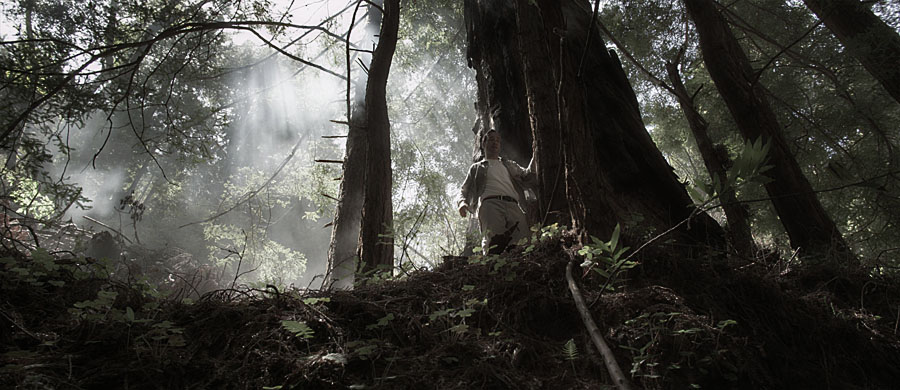
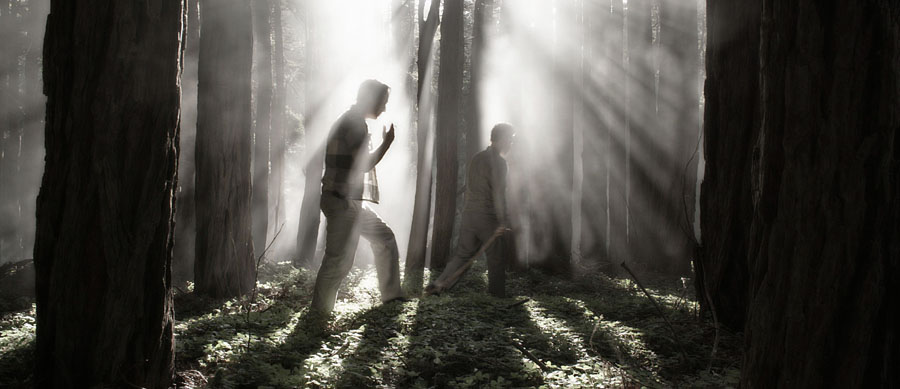
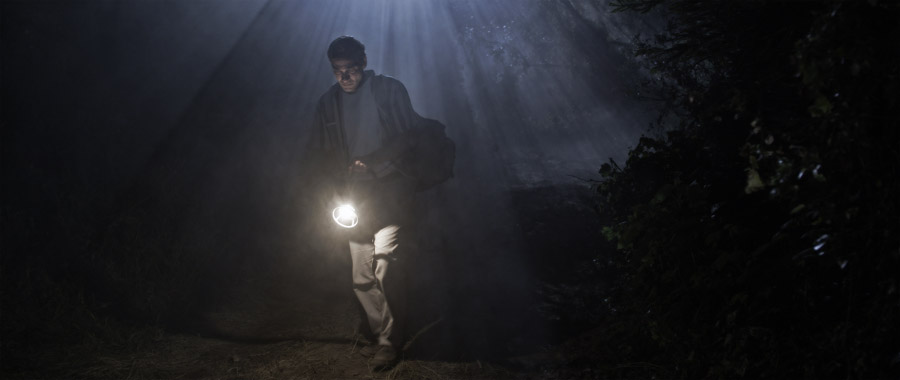
From the end of the final day, doing some shots of Jack walking in the woods... The backlight looks almost like it is right above him, but it was actually an 18K HMI very far away on the roadway above the canyon, so the shadows it created through the tree branches were quite sharp. We had a lantern rigged with a quartz globe, I think 200w, run off a power drill battery hidden in his rucksack (you can see the zip cord going from the rucksack to the lamp along his arm if you look for it..) The real railroad lantern was abysmally dim, like a child's flashlight bulb in it, so it wasn't really usable.
bigsur59.jpg
 
It is incredible how much you have been willing to share with the RED forum. I can't thank you enough. This is unprecedented.

Jim

From the end of the final day, doing some shots of Jack walking in the woods... The backlight looks almost like it is right above him, but it was actually an 18K HMI very far away on the roadway above the canyon, so the shadows it created through the tree branches were quite sharp. We had a lantern rigged with a quartz globe, I think 200w, run off a power drill battery hidden in his rucksack (you can see the zip cord going from the rucksack to the lamp along his arm if you look for it..) The real railroad lantern was abysmally dim, like a child's flashlight bulb in it, so it wasn't really usable.

bigsur59.jpg
 
Truly inspirational David! Thank you for sharing in such detail. I learned so much! You make us all better cinematographers :)
 
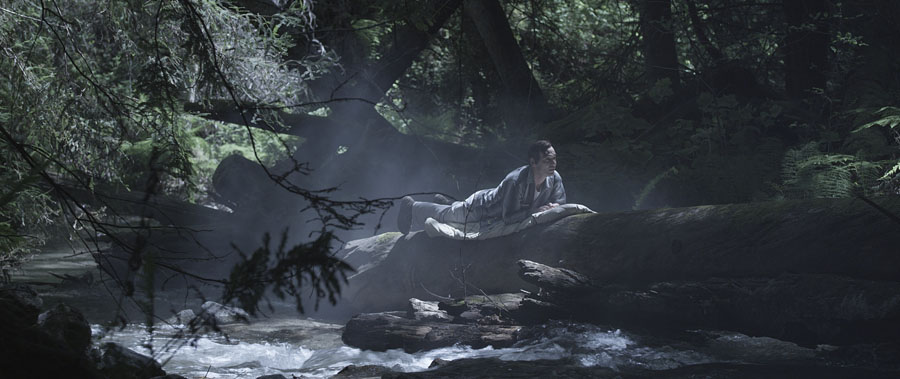
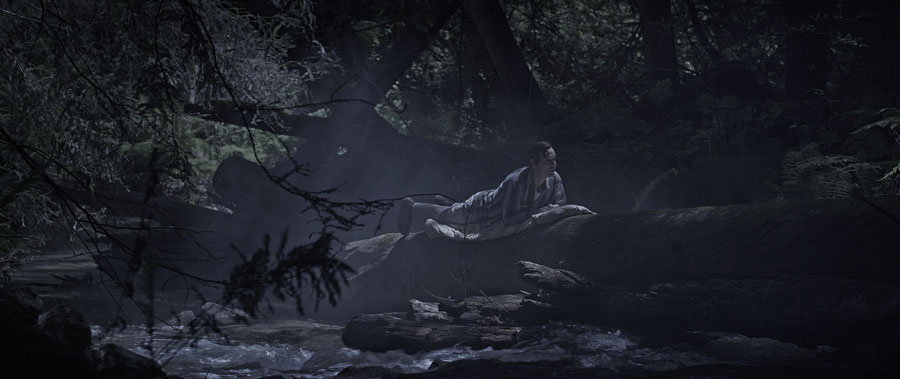
In the end, we didn't shoot as much day-for-night in the woods as we planned, basically because we ran out of time, but I didn't know that early in the week when I lit the cabin. But I already had shot one day-for-night shot of Jack sleeping on a log over a river on the second day in the canyon, close to noon in full sunlight. I used HDRx, but that mainly gives you more overexposure information and with an underexposed DFN shot, that is less of an issue though the extra info will still come in handy. My stills don't have any HDRx info blended into them, but here is the tighter angle (we ran A and B camera, so A was very wide, this was the tighter shot) as I shot it:
bigsur40.jpg


And this is me playing around in Photoshop to make it look more moonlit:
bigsur41.jpg


DFN in the canyon and woods was very difficult because either I had no sun at all because the canyon was shaded, or I had nuclear hot sunlight coming from a very toppy angle.

Thank you again, David. I was intrigued by this: "though the extra [underexposed x-track] info will come in handy." I was wondering if you've tried to extract the corresponding still from the x-track and blend it using PS or another HDR blending/tonemapping tool? And have you taken a look at the blended tracks in RED CineX - does the slider get you close to the look you want; are there other HDR-specific adjustments?

Which also brings up a (noobie) workflow question - what's your purpose in extracting and modifying stills? Is it mainly to show us snapshots to illustrate your points, or are you also trying to get close to the image you want so the post team can try to match it?
 
I haven't tried to play with HDRx blending other than from some frames on Day One back in San Francisco; it's something I'll do later in the final D.I. I tried to shoot so that I wasn't stuck having to use the HDRx info, so that the shot worked either way.

Right now, I feel that the blending tools in RedCine-X need further refinement -- when you blend the underexposed B-side which has the bright highlights over the normally-exposed A-side, the image goes darker overall because you are adding a dark image into/over a normal image, a blend... but then you have to bring up the blended image again but somehow not bring up the highlights while you do it, which is the main reason you used HDRx in the first place, otherwise you think "if I had just underexposed the image, I would have gotten the same results". I know it involves playing with the gamma curves and whatnot, but you know how it is on a set, I'm in a hurry...

There should be a way of adding back just the bright highlight detail from the B-side without affecting the brightness of the shadows and midtones of the A-side. At LightIron, we were able to do that using windows and a luminance key, etc. when the overexposed area was confined to certain areas of the image (like a window) so I know I can get the blend right later in post. So for now, I'm using HDRx but I figure that Red will continue to refine the blending tools in RedCine-X for it. Truth is that my RedCine-X and Photoshop skills are pretty elementary at this point, so it's probably just my fault for not learning more about how to use them.

My main purpose in getting 5K stills every day is to check on the image because on the set, I just see a 1080P image on a monitor, sometimes only a small monitor if we are running & gunning. So the 5K frame is the best way I know of checking to make sure that the lenses are behaving, etc. Second purpose is to color-correct and send 5K frames to the director so that he knows how the movie is looking. I only make the compressed sub-1K frames for the web.

I figure with post, I'll be starting from scratch anyway and that I'll be there to supervise, but I'm sure that Ian has been reading this thread...

Normally I never get to be this informative about a show's production because off the restrictions from studios these days; I could never post this much stuff about a Showtime series like "United States of Tara" for example. It's easier with independent production because there is no distributor in place yet, and I feel that as long as my posts are technically-oriented, I'm not disclosing secret information. But that's one reason why I don't post many close-ups of our stars (other than Jean-Marc, who is very generous and un-Hollywood) because I figure that I don't really have permission from their agents, etc. As people know, I have a long history of making detailed posts of productions as I shoot, mostly the Polish Brothers movies but also several others, but that's declined over the years as I shoot more studio stuff and have to sign a ton of non-disclosure forms.
 
Last edited:
I haven't tried to play with HDRx blending other than from some frames on Day One back in San Francisco; it's something I'll do later in the final D.I. I tried to shoot so that I wasn't stuck having to use the HDRx info, so that the shot worked either way.

Right now, I feel that the blending tools in RedCine-X need further refinement -- when you blend the underexposed B-side which has the bright highlights over the normally-exposed A-side, the image goes darker overall because you are adding a dark image into/over a normal image, a blend... but then you have to bring up the blended image again but somehow not bring up the highlights while you do it, which is the main reason you used HDRx in the first place, otherwise you think "if I had just underexposed the image, I would have gotten the same results". I know it involves playing with the gamma curves and whatnot, but you know how it is on a set, I'm in a hurry...

There should be a way of adding back just the bright highlight detail from the B-side without affecting the brightness of the shadows and midtones of the A-side. At LightIron, we were able to do that using windows and a luminance key, etc. when the overexposed area was confined to certain areas of the image (like a window) so I know I can get the blend right later in post. So for now, I'm using HDRx but I figure that Red will continue to refine the blending tools in RedCine-X for it. Truth is that my RedCine-X and Photoshop skills are pretty elementary at this point, so it's probably just my fault for not learning more about how to use them.

Coming from the stills world and being familiar with PS and Photomatix HDR tools, I was curious as to what possibilities RED has opened up at this point. With stills, the initial blend creates an unviewable 32 bit (per color) image, which must be tonemapped to bring it into the 16-bit world. I know tonemapping has a bad name (not helped by some examples I've seen posted on Reduser), but it's a normal and essential part of working with HDR in the stills world. So you can get a natural extended DR look, a ghostly glow, or a (usually ugly) haloed/false contrast look, and anything in-between. The ability to exercise extremely fine control over contrast in different parts of the tonal scale is an integral part of tonemapping. I'm much less familiar with techniques used in digital motion post, so I was wondering if RedCine-X's HDR tools were adding to the creative possibilities and/or making it easier. I guess we have to wait and see, though from other examples posted on Reduser it's clear that the natural, extended DR look is definitely achievable.

My main purpose in getting 5K stills every day is to check on the image because on the set, I just see a 1080P image on a monitor, sometimes only a small monitor if we are running & gunning. So the 5K frame is the best way I know of checking to make sure that the lenses are behaving, etc. Second purpose is to color-correct and send 5K frames to the director so that he knows how the movie is looking. I only make the compressed sub-1K frames for the web.

I figure with post, I'll be starting from scratch anyway and that I'll be there to supervise, but I'm sure that Ian has been reading this thread...
...along with over 10,000 dropjawed students of the craft.

Normally I never get to be this informative about a show's production because off the restrictions from studios these days; I could never post this much stuff about a Showtime series like "United States of Tara" for example. It's easier with independent production because there is no distributor in place yet, and I feel that as long as my posts are technically-oriented, I'm not disclosing secret information. But that's one reason why I don't post many close-ups of our stars (other than Jean-Marc, who is very generous and un-Hollywood) because I figure that I don't really have permission from their agents, etc. As people know, I have a long history of making detailed posts of productions as I shoot, mostly the Polish Brothers movies but also several others, but that's declined over the years as I shoot more studio stuff and have to sign a ton of non-disclosure forms.
So thanks to the Polish Brothers and others who allow you to share like this.
 
Thank you David, and thank you Polish brothers. Wonderful work.
There is enough info for a major American Cinematographer article (and more) on this thread alone.
 
And it's going to make watching this movie particularly meaningful.

David, if there is ever anything you should need on the Canadian side: locations, stills, info, you name it, drop me a line. From ocean, mountain, and prairie locals, you got it (no charge).
 
David,

You are by far the most humble DOP I know. However, this may hugely problematic. So as a solution I highly suggest Charlie Sheening it up a bit, and answering a few more of our questions only with, "Winning..." or "I'm on a drug. It's called David Mullen. If you try it your head will explode... Which I will film in 5K..."

:)

Anyway, but really, as everybody has stated, this has been great, unprecedented, and on a personal level has encouraged me to shoot more, and better, and smarter. Cheers for that part.

And I am with offhollywood on this one: I really hope that I will be able to see this in 4K!

Ivan
 
Right now, I feel that the blending tools in RedCine-X need further refinement -- when you blend the underexposed B-side which has the bright highlights over the normally-exposed A-side, the image goes darker overall because you are adding a dark image into/over a normal image, a blend... but then you have to bring up the blended image again but somehow not bring up the highlights while you do it, which is the main reason you used HDRx in the first place, otherwise you think "if I had just underexposed the image, I would have gotten the same results". I know it involves playing with the gamma curves and whatnot, but you know how it is on a set, I'm in a hurry...

Try to use transparency effect on the darker (underexposed) track.
I use anywhere from 30 to 50% transparency to prevent the normal frame go darker.
And you have to cut off the overexposed areas by manipulating the curves on both tracks.

But I trust that Graeme will come up with some fully automatic adjustable to the scene easy tools.

Your light skills are incredible, like being underwater. Incredible!
 
Try to use transparency effect on the darker (underexposed) track.
I use anywhere from 30 to 50% transparency to prevent the normal frame go darker.
And you have to cut off the overexposed areas by manipulating the curves on both tracks.

But I trust that Graeme will come up with some fully automatic adjustable to the scene easy tools.

Your light skills are incredible, like being underwater. Incredible!


Breaemes got a new blend algorithm going into both the SDK and RCX.
 
I'm sure that Ian has been reading this thread...

Pretty much everyday. :)

On the issue of HDRx. We implemented Graeme's new secret sauce blend to great effect on the "Tattoo" short, thanks Graeme! The idea, as I understand it, is to tone-map the two exposures together in linear light then apply the REDlogfilm curve downstream of that. Every solution before then effected the Log curve so heavily that any de-log function you used after would map your luminance levels improperly. With this new blend, I was pretty much able to grade as if it was a normal shot, just more highlight detail.

For most uses I believe Graeme's new fix will work wonderfully. However I think the "Best" way is still to manually, artistically composite the two separate files. Adding motion blur to the X track is also something that has to be done artfully and by eye.
 
For most uses I believe Graeme's new fix will work wonderfully. However I think the "Best" way is still to manually, artistically composite the two separate files. Adding motion blur to the X track is also something that has to be done artfully and by eye.

Looking forward to seeing 2 masters at work.

best,
 
Thanks for share this with us master.
Always learning here.
:)
Glad to say this, always.
 
It is incredible how much you have been willing to share with the RED forum. I can't thank you enough. This is unprecedented.

Jim

Absolutely true ... and for me living down side of the world is almost Unreal.
Thank you so much.
Besides this awesome work.
Congratulations!
Thanks for share with us... Redusers.
 
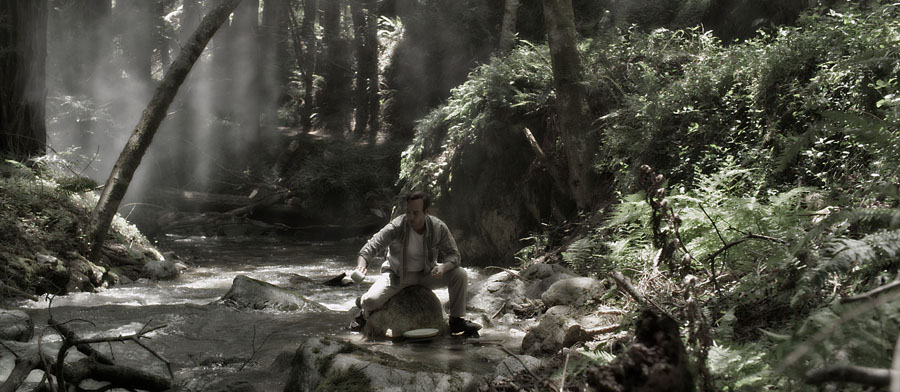
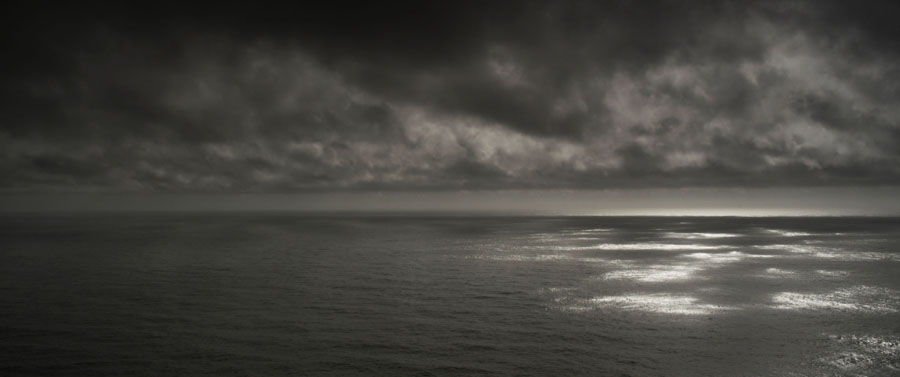
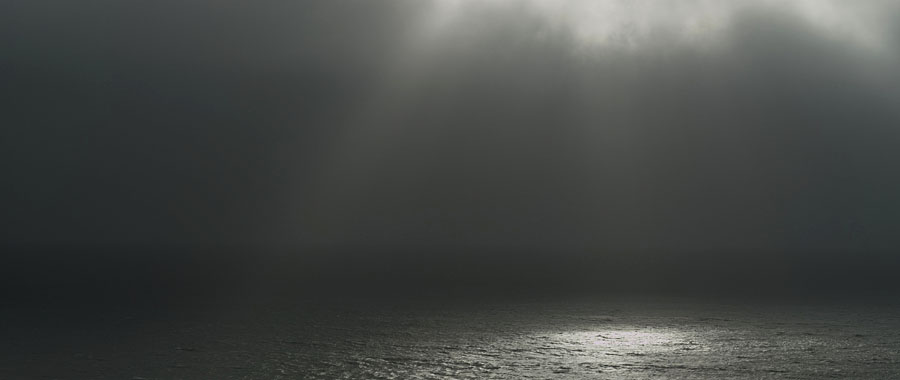
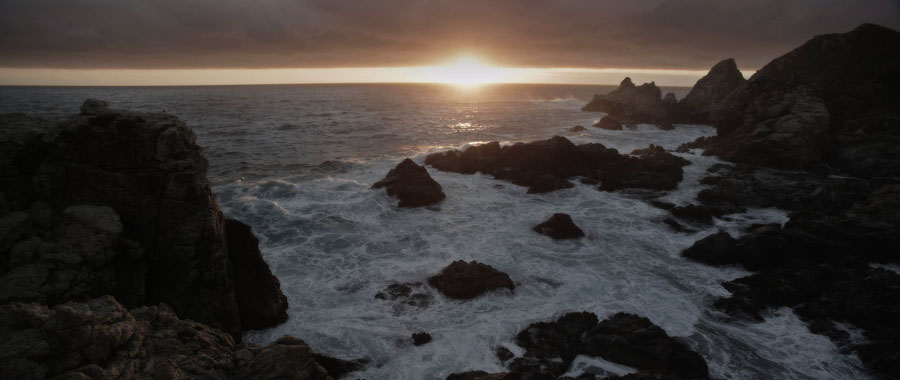
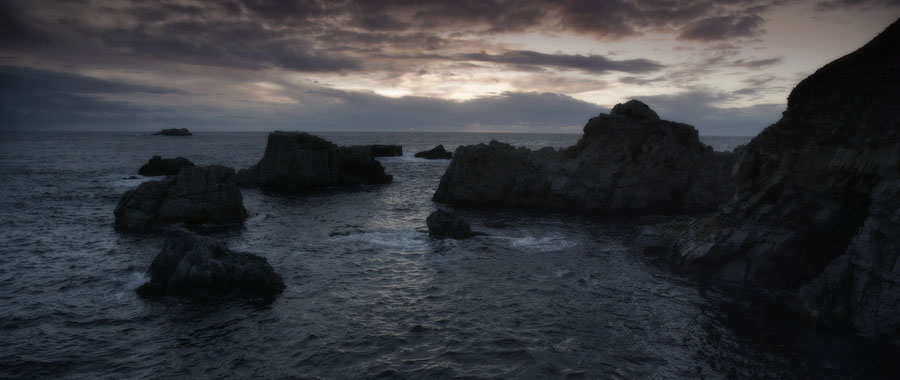
Tom Lowe was generous enough to shoot some shots for our movie while he was in Big Sur working on his own feature. A lot of the shots had some beautiful slow-motion work in it. I played around a bit with the frame grabs in Photoshop to come closer to the look of our movie, though nothing is set in stone since we all shot 5K RAW...

bigsur62.jpg


bigsur63.jpg


bigsur64.jpg


bigsur65.jpg
 
Back
Top