Welcome to our community

Be a part of something great, join today!

  • Hey all, just changed over the backend after 15 years I figured time to give it a bit of an update, its probably gonna be a bit weird for most of you and i am sure there is a few bugs to work out but it should kinda work the same as before... hopefully :)

Anyone want to give this a grade?

Here is my take...
 

Attachments

  • 4_1.1.1.jpg
    4_1.1.1.jpg
    72.5 KB · Views: 0
Last edited:
Pretty clean and simple, a good conservative grade. What program?

attachment.php
 
The 2nd has more appeal to me.

Nice shot.

Here is my take in Resolve. They're both essentially the same grade, the last one has just been desaturated and I've added a bit more contrast using a curve. A bit of film grain has been added to both in photoshop.

soldier_001_800.jpg


soldier_001_crop.jpg


soldier_002_800.jpg


soldier_002_crop.jpg
 
I got TONS of stuff. I'll post a few motion trims for those of your interested. I enjoy looking at everyone's work.

this is fun!!!! I wish more people would post raw to play with.... I get bored with my own stuff

witzkegrade.jpg
 
Shane, when you reply you'll notice some options above where you type. Look to the far right. There is one called "insert image," hover over it to display names. Now you need to upload your shot to your own FTP or another side, then put the URL address after you click "insert image" and it will fill the entire page.

Now how do you get the nice little "attached Thumbnails? That's a great way to save space on a page.

Quick play with it took me here :)

Attached a JPEG, could figure out how to insert into post. #moron
 
Thanks, yeah I would have to agree..... couldn't find when that popped in... gonna have to try again... oh darn :)
 
Here is a warm version where you can see the eyes a bit more....

Used Resolve.

Cheers,
Steve Smith
 

Attachments

  • ColorCorrectSteveSmith.jpg
    ColorCorrectSteveSmith.jpg
    15.5 KB · Views: 0
Too much red IMO.

It's based in the 1940s so I did a two strip technicolor inspired grade.. I think that's where the reds get you
 
attachment.php


I think my grade is perhaps a little too safe after looking at others that have been posted, I would probably push the contrast and highlights more.
 
Last edited:
Pretty clean and simple, a good conservative grade. What program?

I used After Effects - but I limited myself to a basic curves, saturation, & gradient ramp - so you could easily replicate it in Resolve, etc. I also used one of the film LUTs that have been circling around the forum recently.
 
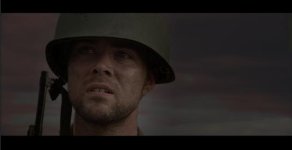
My two cents. Less saturation, more contrast, closer to an #85 stock, and eyes -- brighter and sharper. Top area darker as well a little vignetting.
 

Attachments

  • A012_C027_0917VL.0000210_S000F_drs.jpg
    A012_C027_0917VL.0000210_S000F_drs.jpg
    56.9 KB · Views: 0
Someone how got the eyes to stand out better than anyone else.


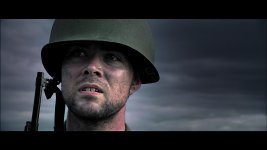
My two cents. Less saturation, more contrast, closer to an #85 stock, and eyes -- brighter and sharper. Top area darker as well a little vignetting.
 
Back
Top