Welcome to our community

Be a part of something great, join today!

  • Hey all, just changed over the backend after 15 years I figured time to give it a bit of an update, its probably gonna be a bit weird for most of you and i am sure there is a few bugs to work out but it should kinda work the same as before... hopefully :)

Aces - Resolve - RED

Patrick Tresch

Well-known member
Joined
Aug 2, 2007
Messages
5,800
Reaction score
81
Points
48
Age
54
Location
Switzerland, Lausanne
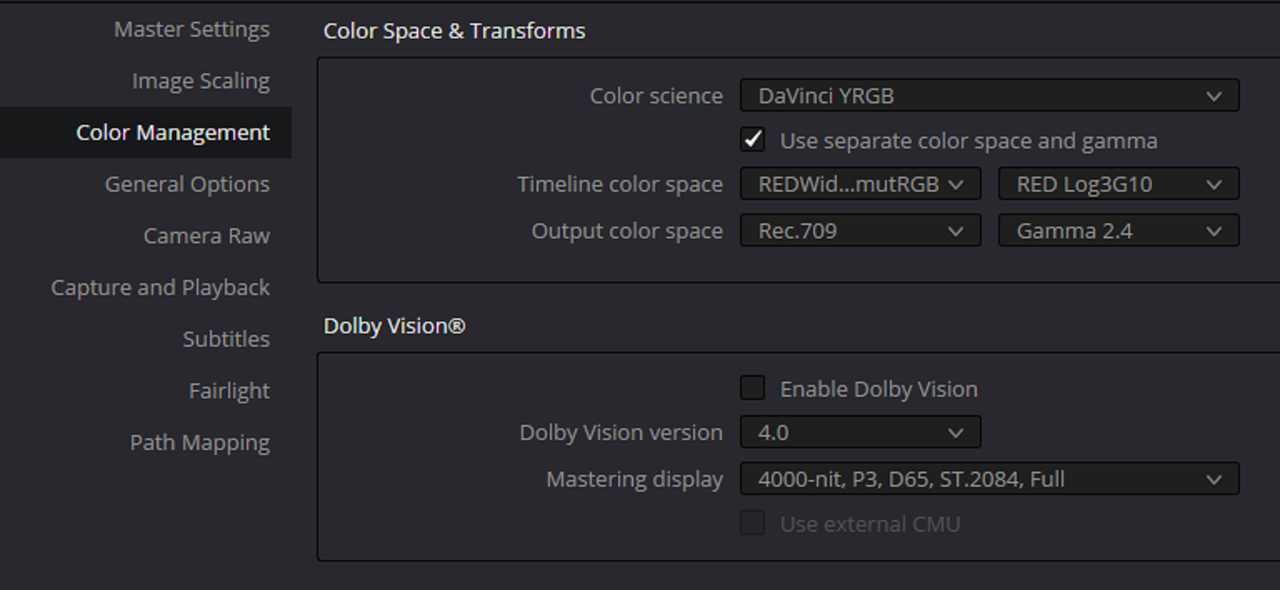
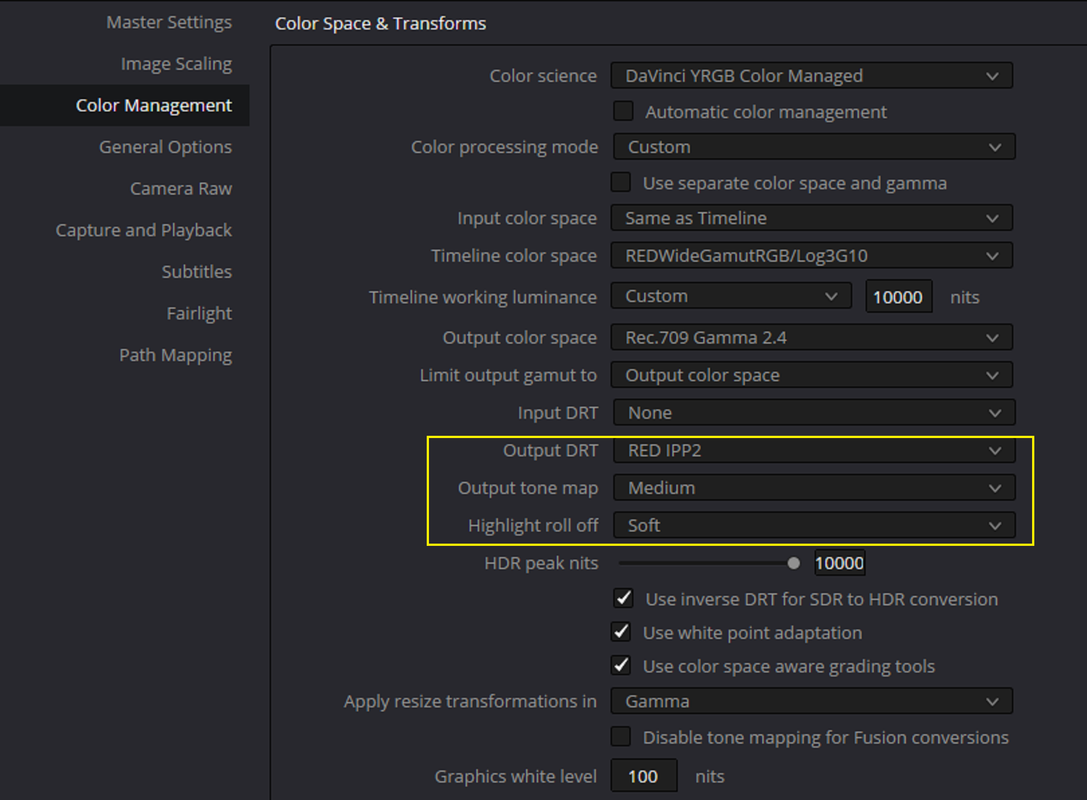
Hello, I've just finished my first ACES project in Resolve and found out that the aces transform for RED files has a different (and not better) output as when you baypass the color management and use a RED ipp2 lut (from Log 3g10/RWG to what ever color space you want to output)

Anyone has experienced this?

Patrick
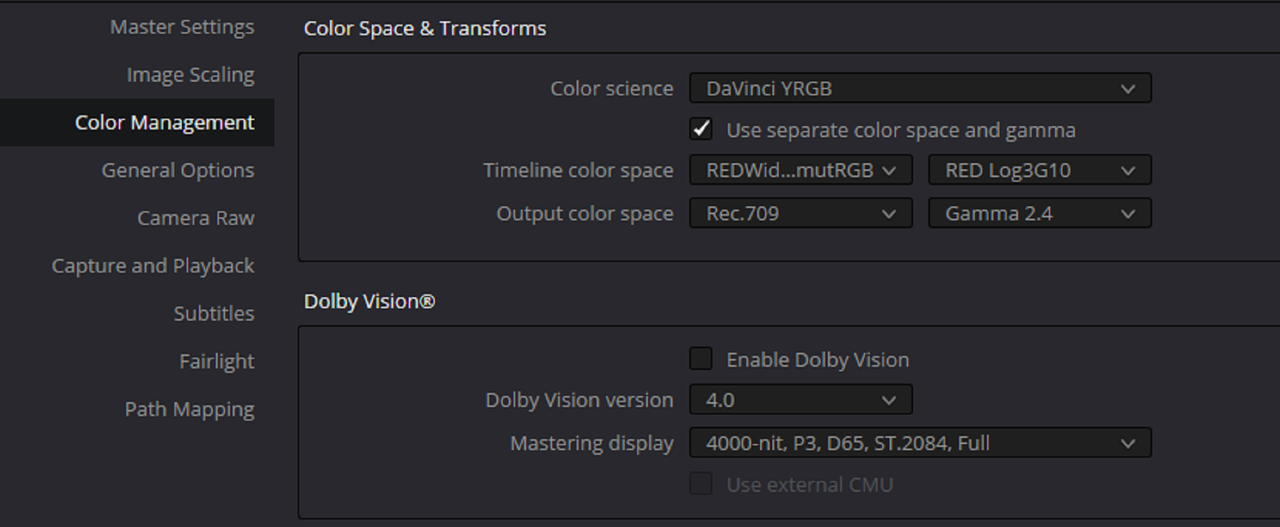
 
Hello, I've just finished my first ACES project in Resolve and found out that the aces transform for RED files has a different (and not better) output as when you baypass the color management and use a RED ipp2 lut (from Log 3g10/RWG to what ever color space you want to output)

Certainly not mutually a RED thing. Lots of folks avoid ACES for a variety of reasons. ACES is a very optional color workflow. Graeme's work on IPP2's Output Transforms is particularly impressive. Literally other camera manufacturers and their color scientists commended him publicly years back on what it can do.

Not saying you shouldn't use ACES, but likely worth looking hard at IPP2's take on color workflow before zipping to other worlds.

My Output Transforms are either based on his work, a full deconstruction of it, or heavily inspired by it for a reason.
 
Hello, I've just finished my first ACES project in Resolve and found out that the aces transform for RED files has a different (and not better) output as when you baypass the color management and use a RED ipp2 lut (from Log 3g10/RWG to what ever color space you want to output)

Anyone has experienced this?

Patrick
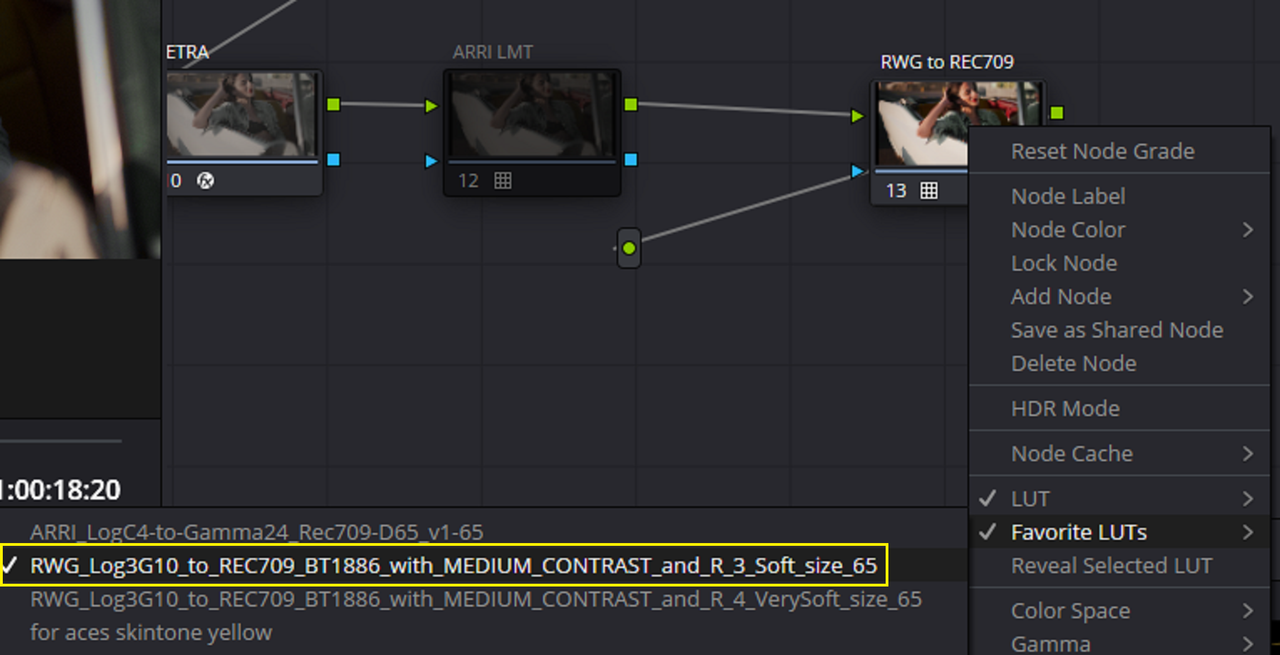


It's the Standard RRT For ACES in Most NLE Grading Apps that you may not have Liked. ACES 2.0 which will probably be here sooner rather than Later addresses the RRT currently being used in most Grading Apps. Plus there are LMTs that address the RRT rendition also. Also , what was your ACES Workflow?
 
Last edited:
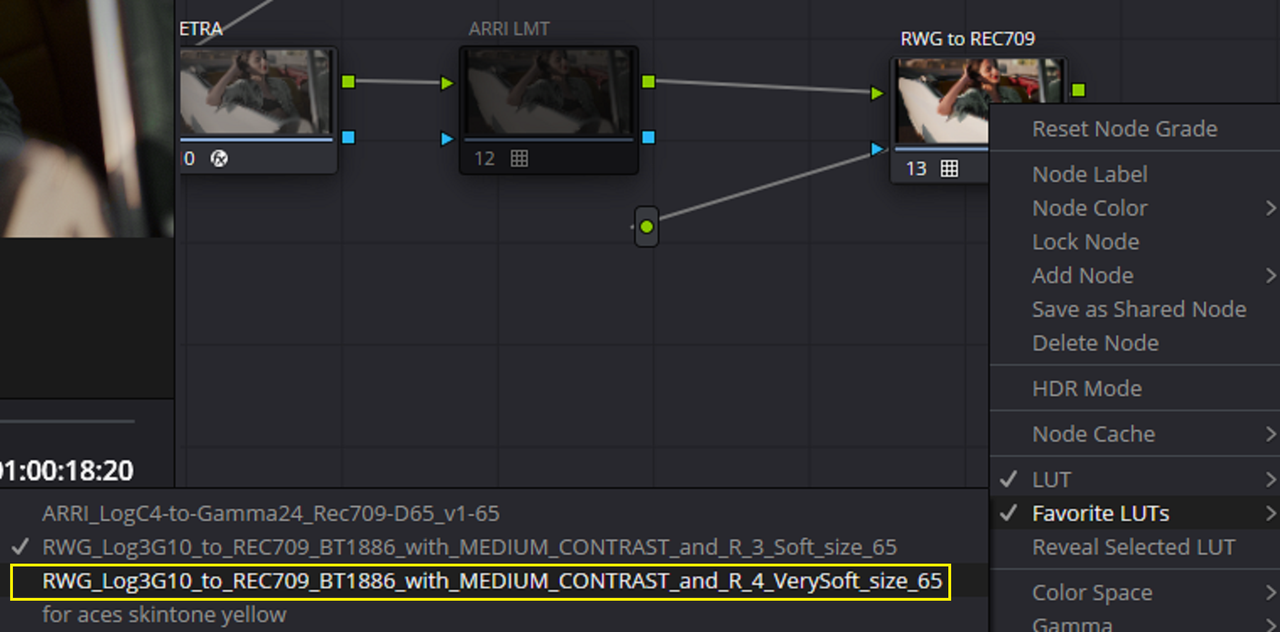
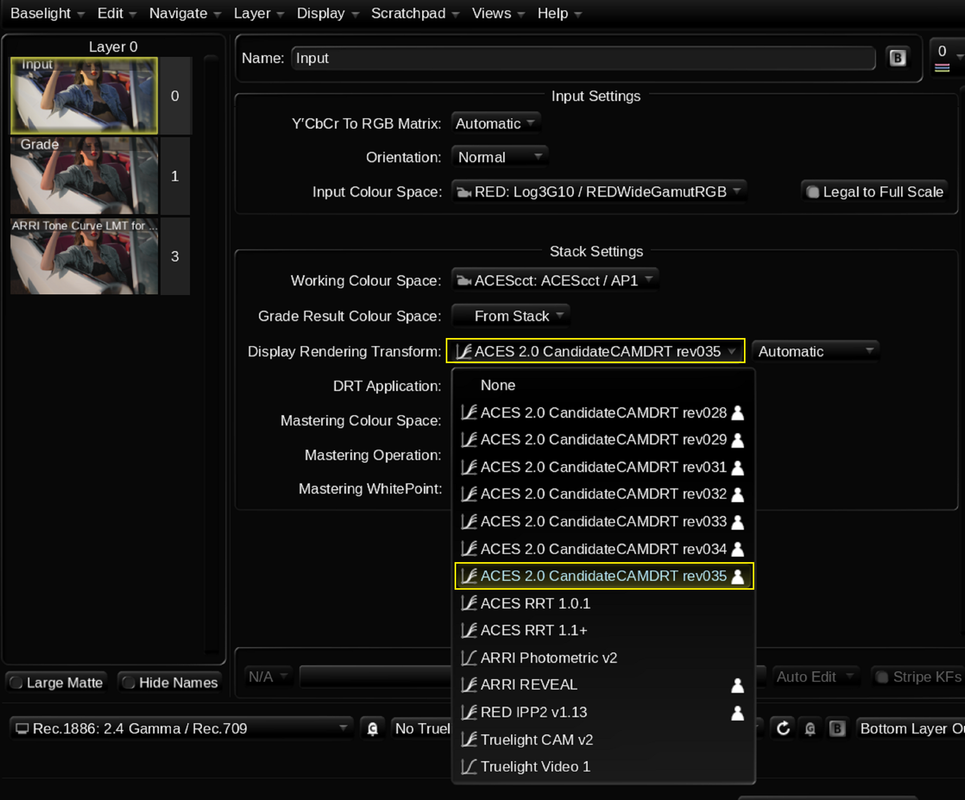
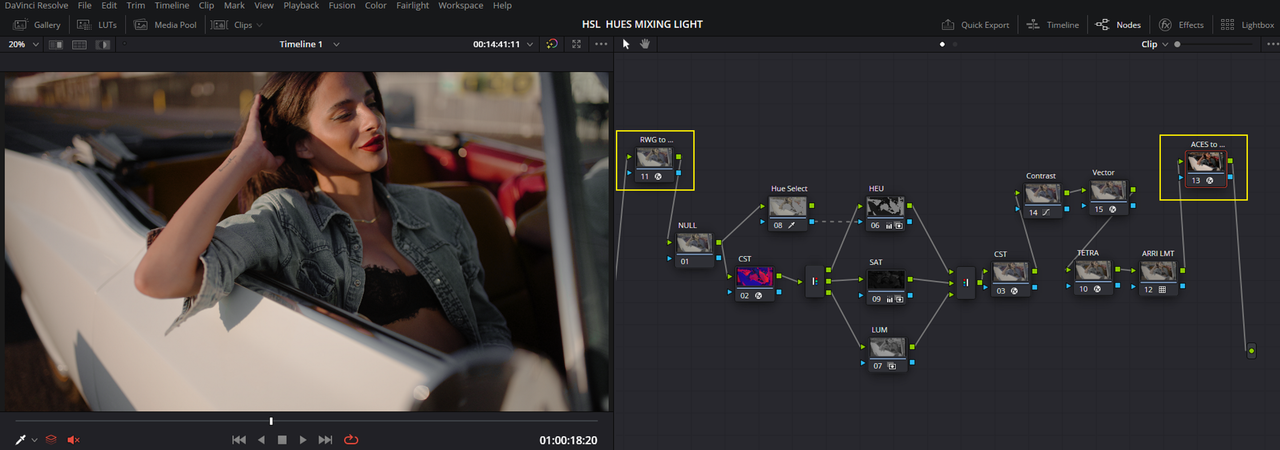
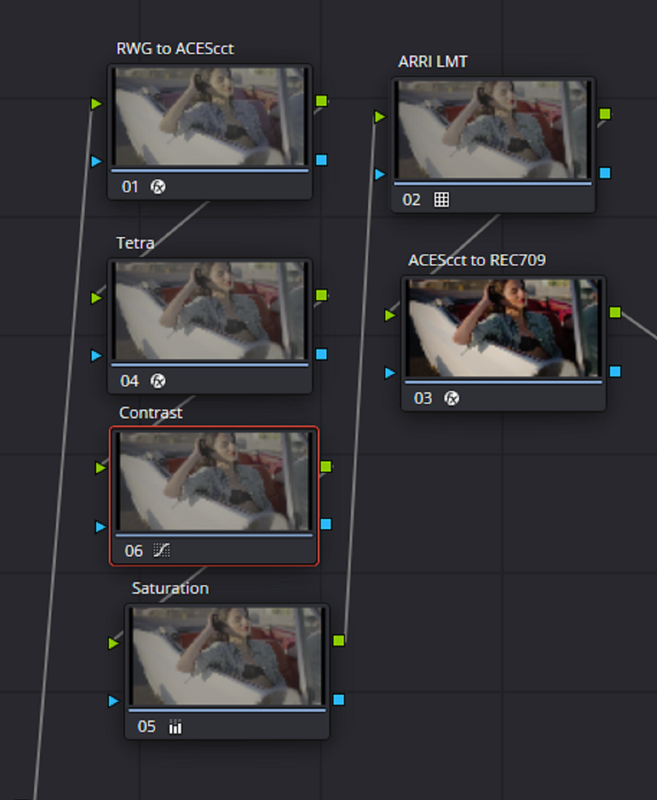
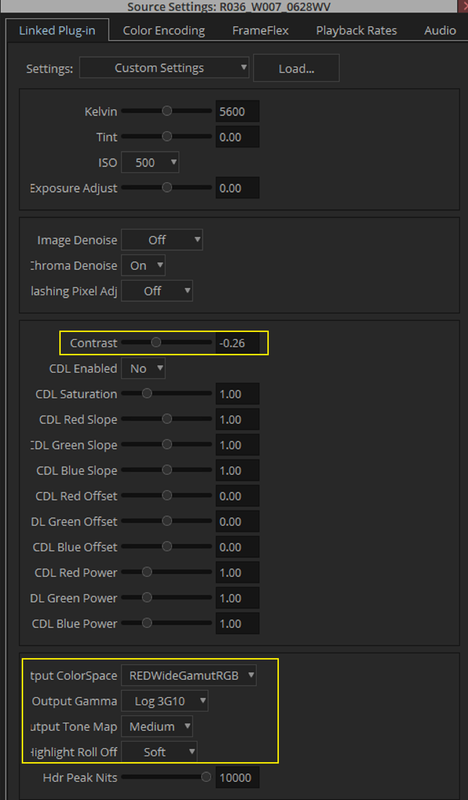
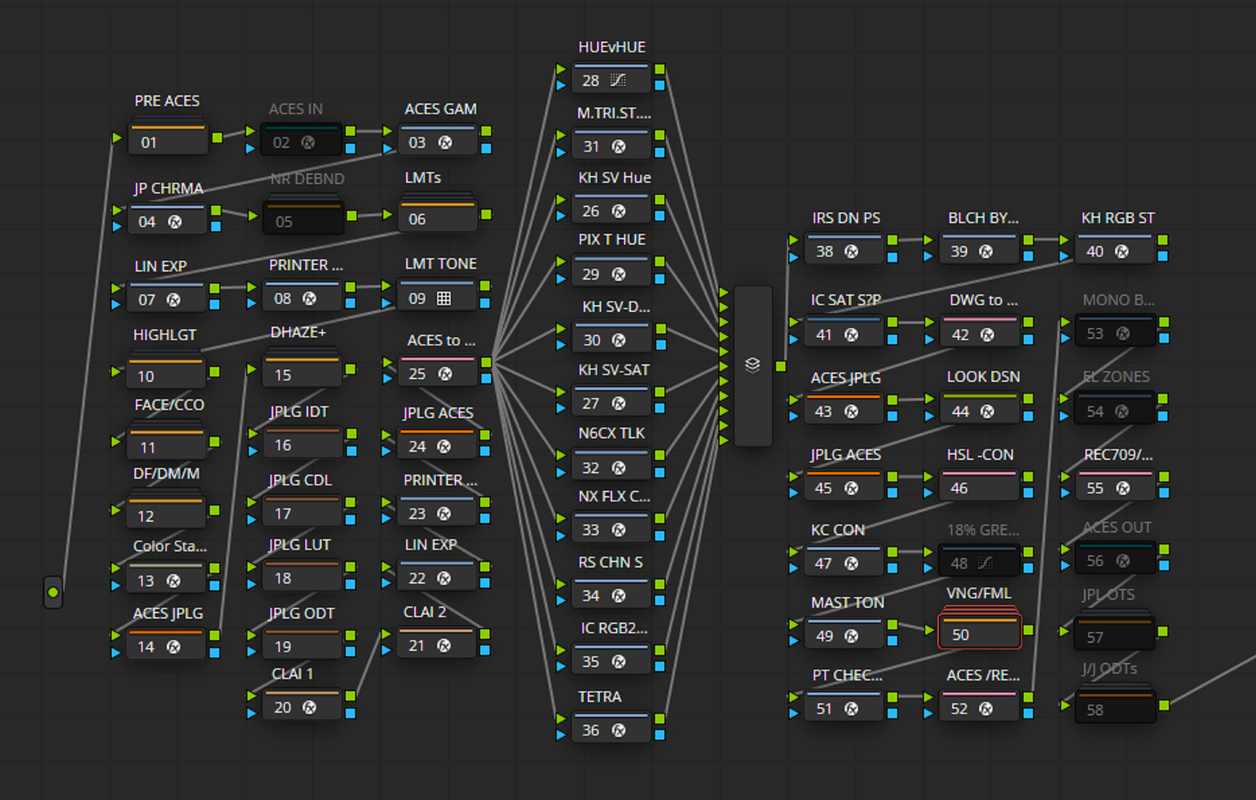
Aces Node Based Workflow with Current 1.3 ACES RRT and with Proposed ACES 2.0 Revisional Candidates and an additional ARRI LMT in Resolve and Baselight plus Red IPP2 MEDIUM/SOFT and MEDIUM/VERY SOFT. The same grade was used in Resolve for both the ACES and RED IPP2 Workflow, A different grade was used in Baselight for Avid.


RED IPP2 Workflow, Medium/Soft and Medium Very Soft

5.png


Medium/Soft

6.png


7.jpg


Medium/ Very Soft

8.png


46-1-1-8.jpg


ACES In Davinci Resolve with a proposed ACES 2.0 Revisional Candidate and an additional ARRI LMT. Plus ACES with Standard ACES to REC709 Transform with no ARRI LMT.

1.png


2.png


3.png


4.jpg


Standard with No ARRI LMT

4a.png

4b.jpg


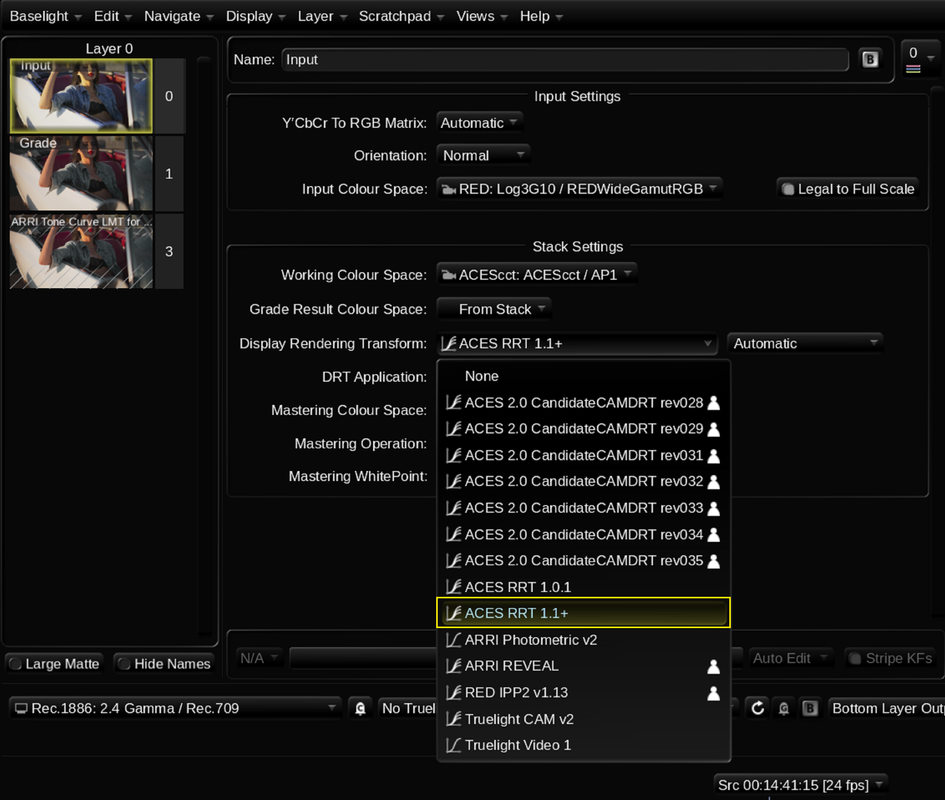
ACES In Baselight for Avid with a proposed ACES 2.0 Revisional Candidate and an additional ARRI LMT. Plus ACES with Standard ACES to REC709 Transform in Baselight with no ARRI LMT.


10.png


11.jpg


With the Standard Baselight to Avid "ACES RRT 1.1+" and No ARRI LMT


12.png


13.jpg
 
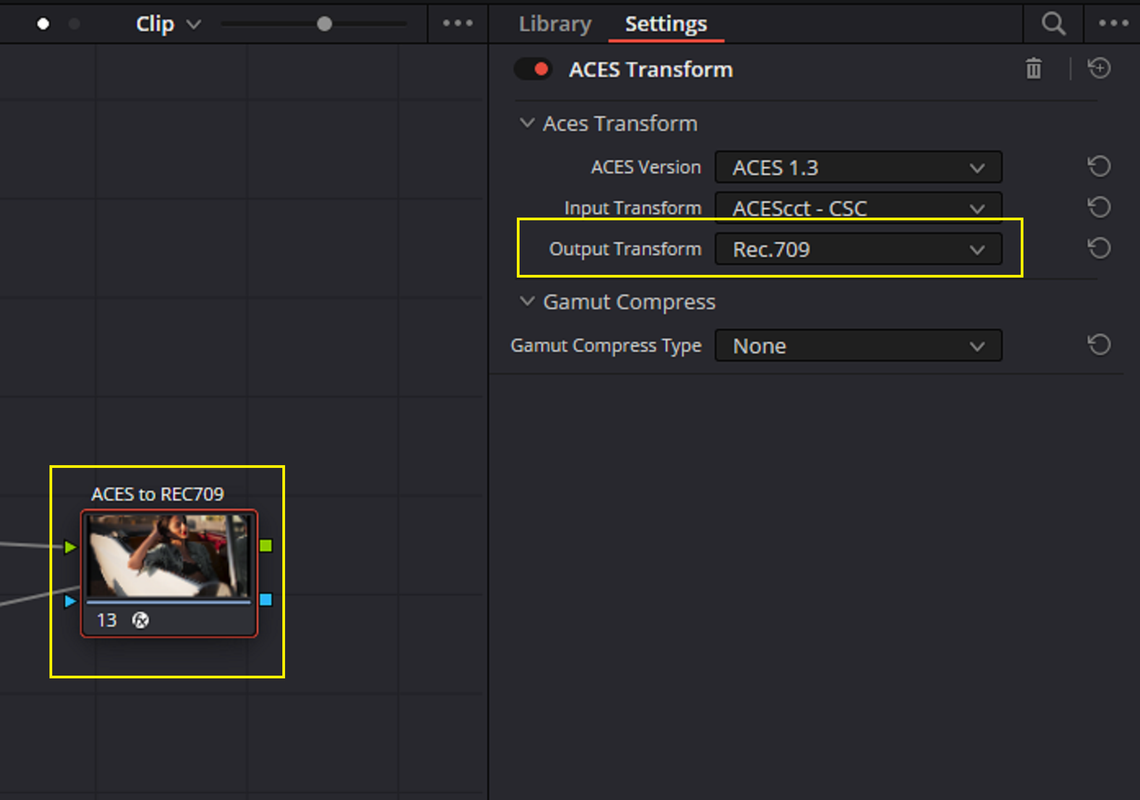
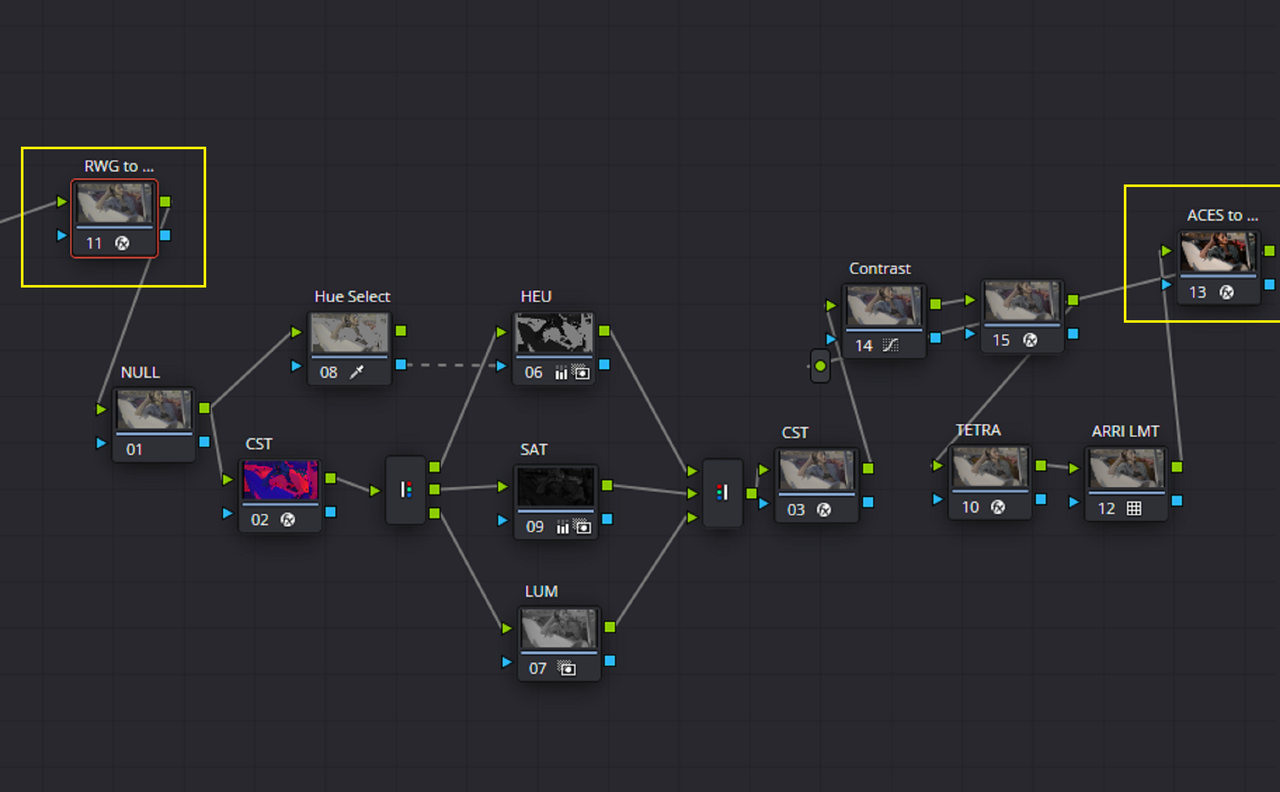
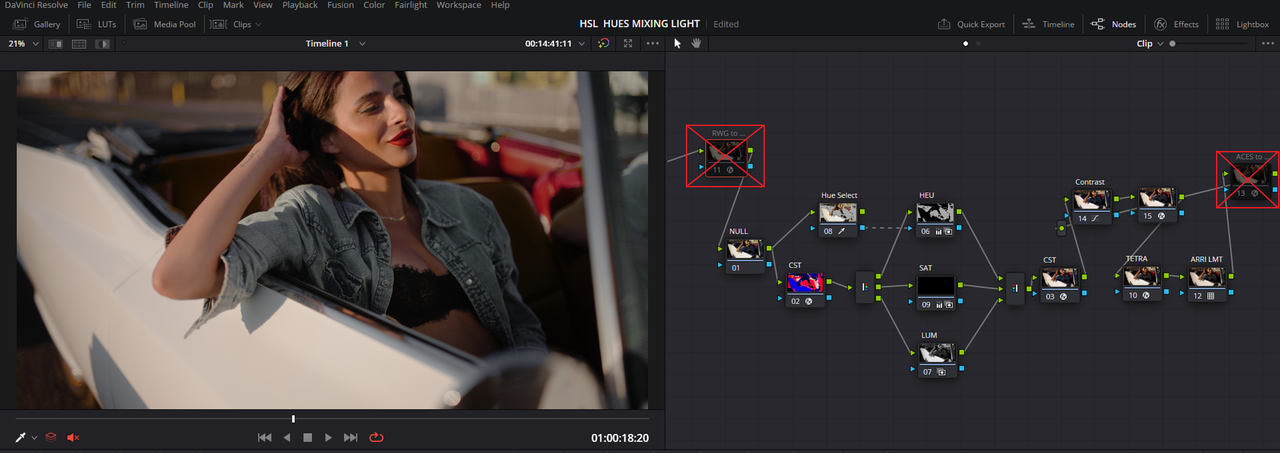
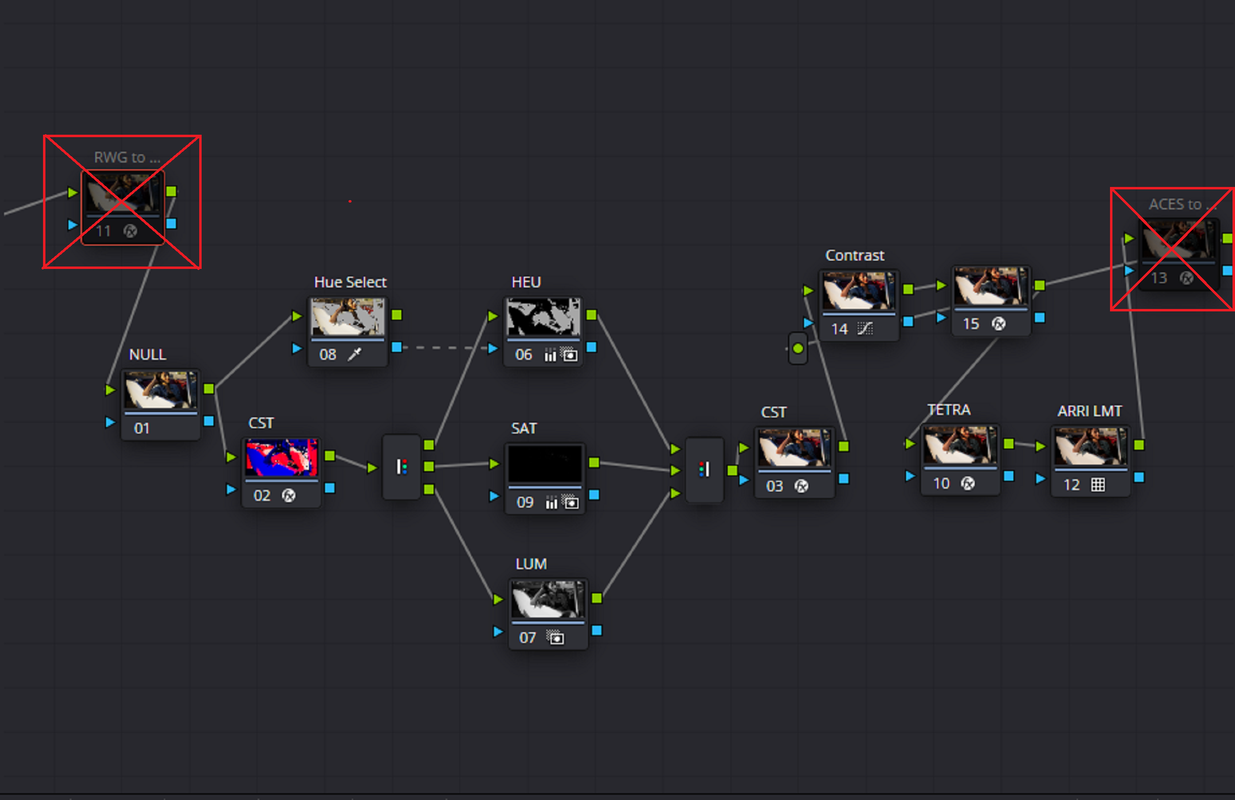
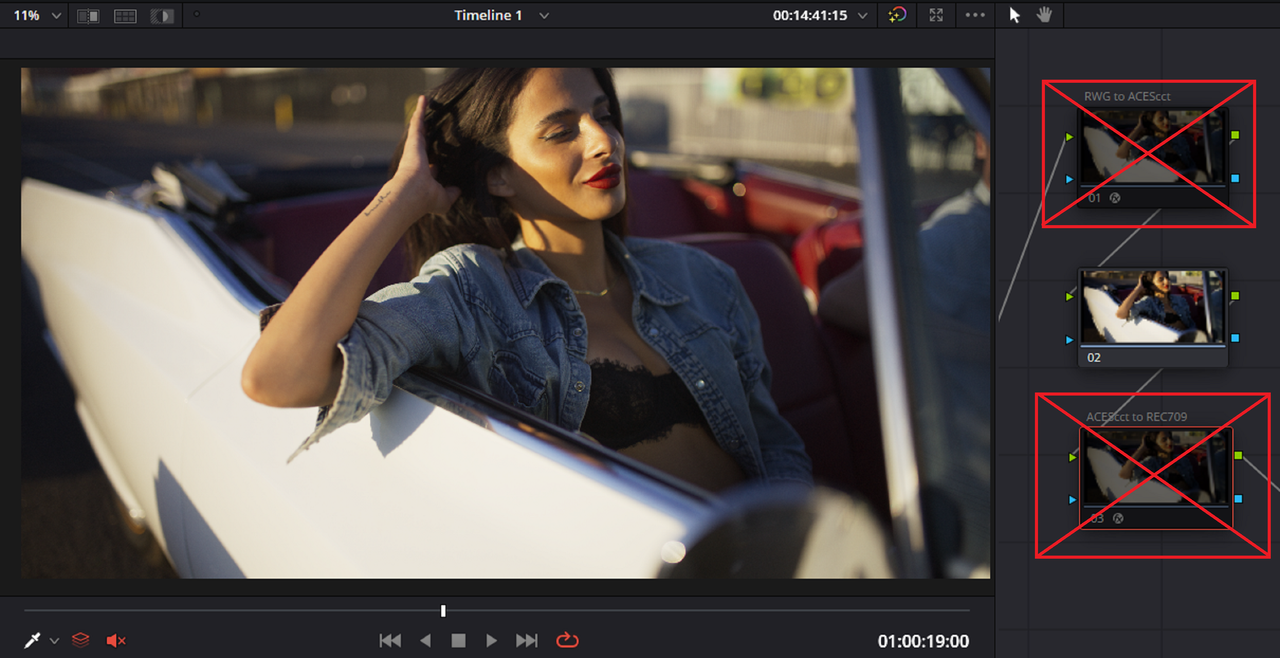
Also, an ACES Node Based workflow that uses "ACES TRANSFORMS" for Both "INPUT" and "OUTPUT" is exactly the same as an ACES Project Workflow because they both use the same Math/RRT.


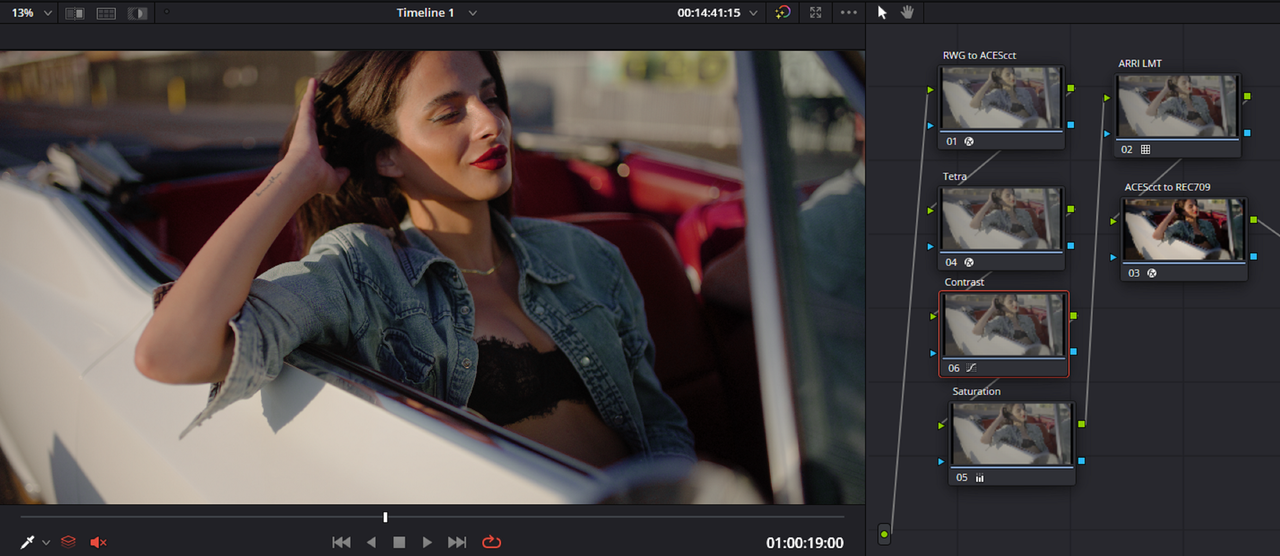
ACES Node Based Workflow

1.png


2.png


3.png


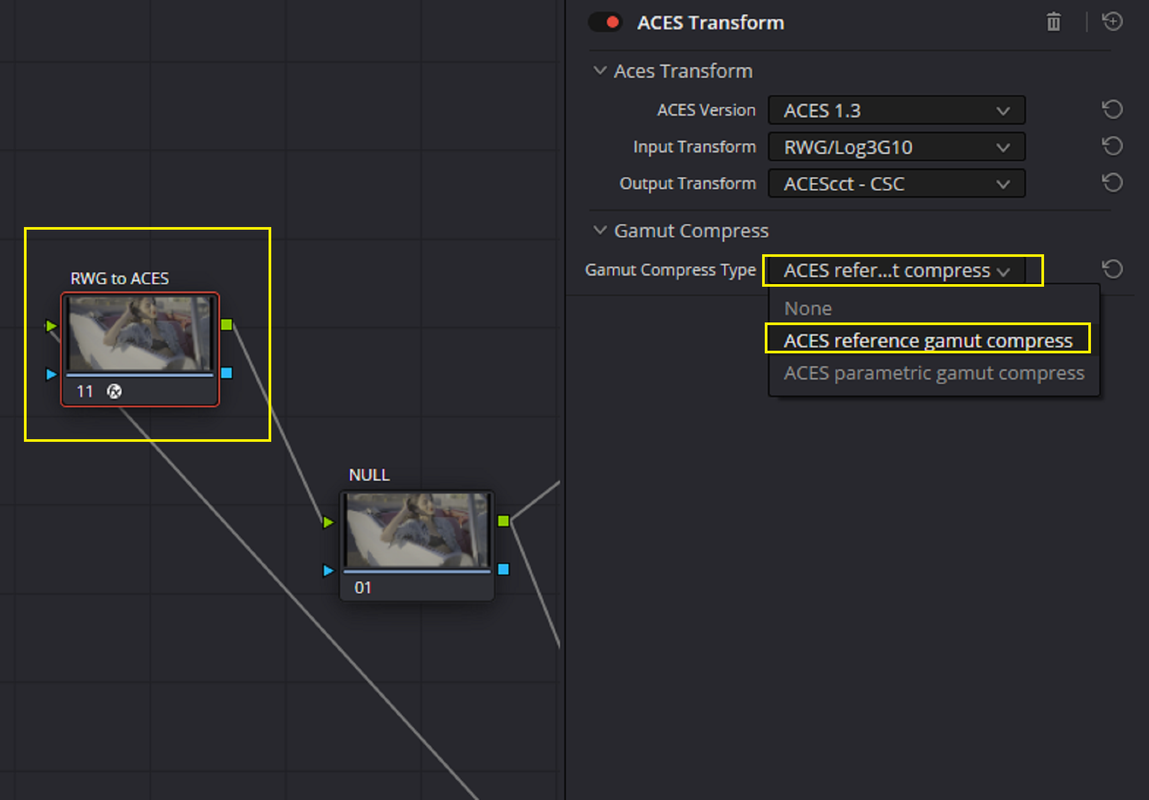
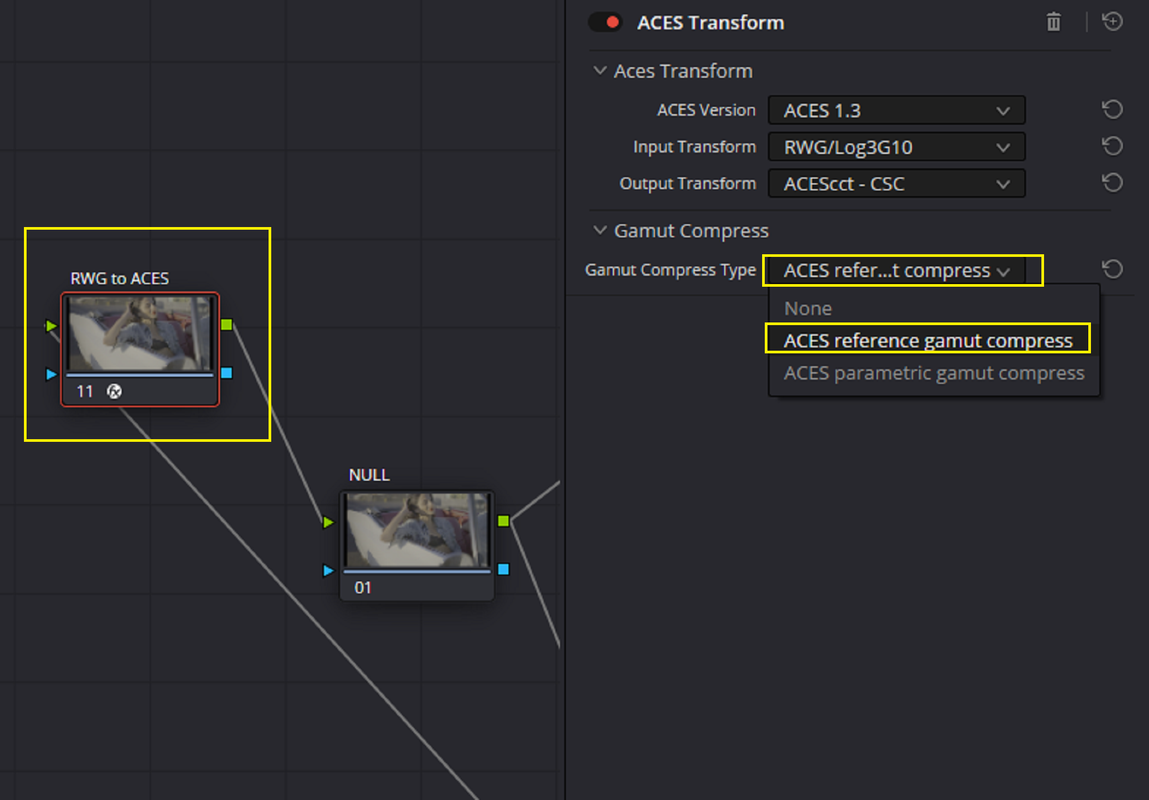
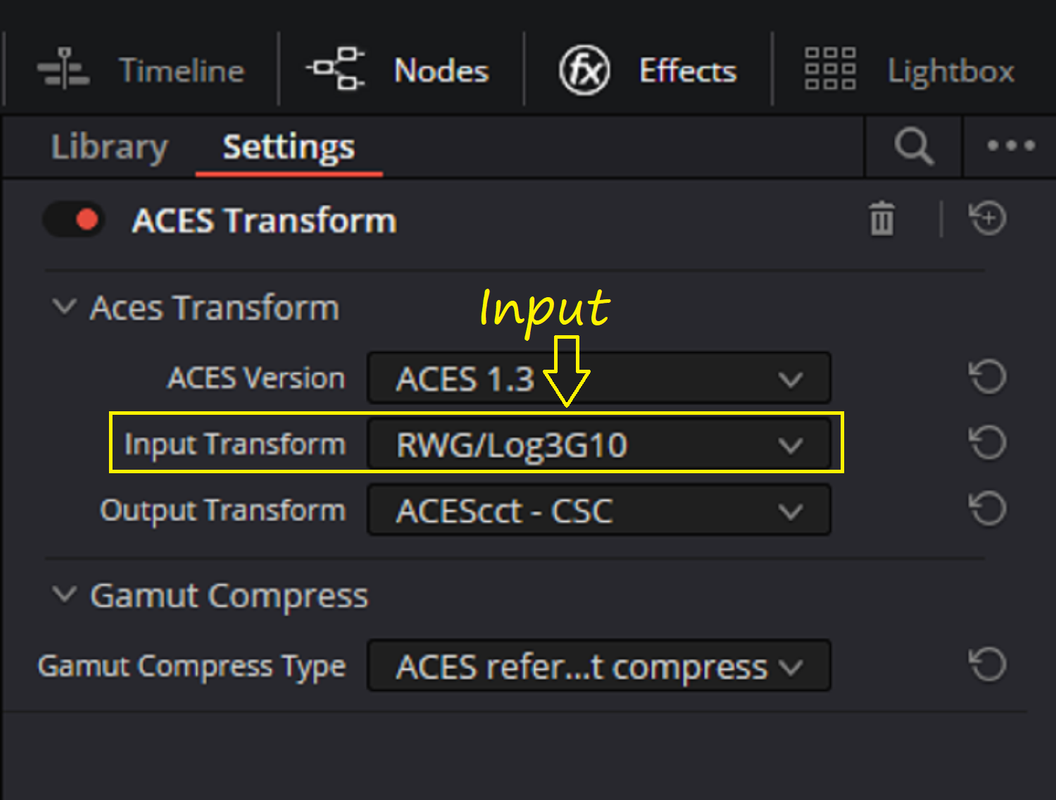
ACES INPUT TRANSFORM
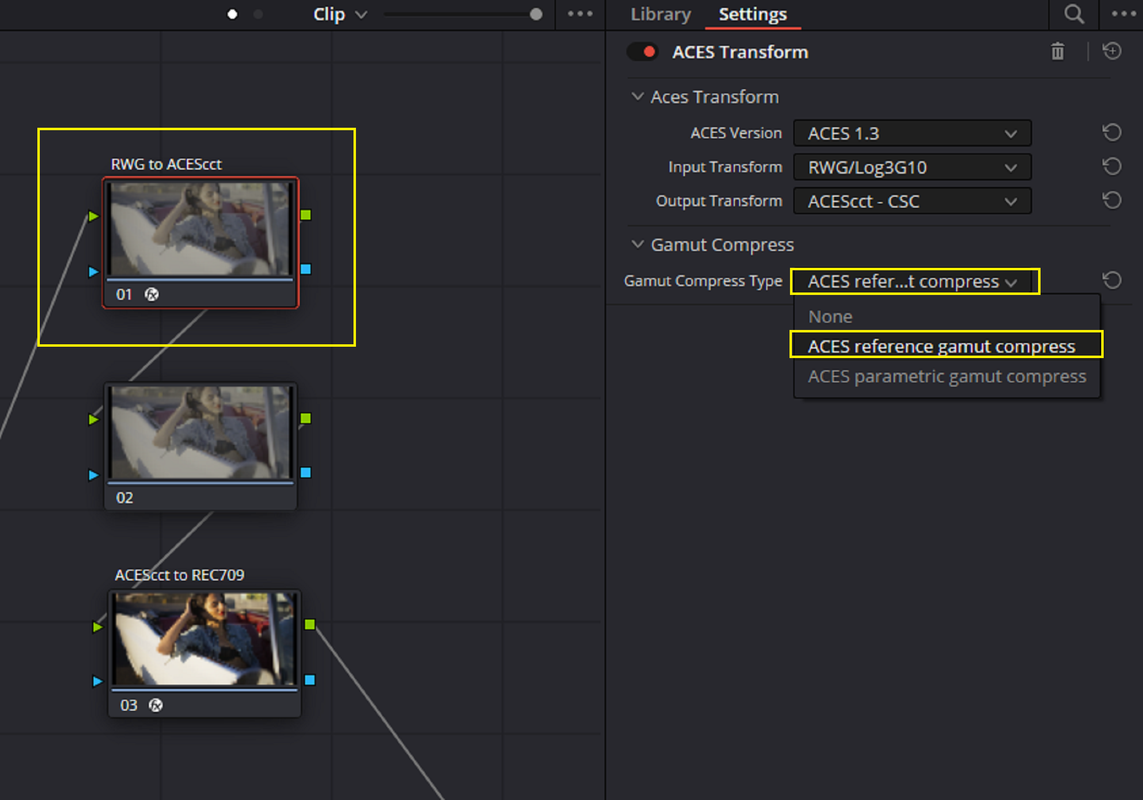
( Which Has the "ACES REFERENCE GAMUT COMPRESS" enabled)

3a.png


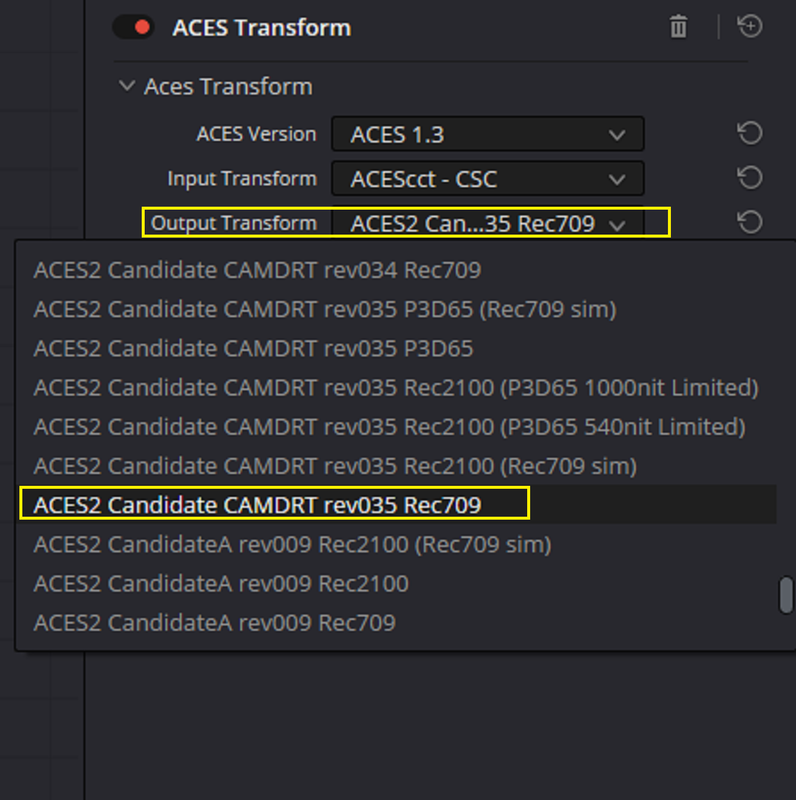
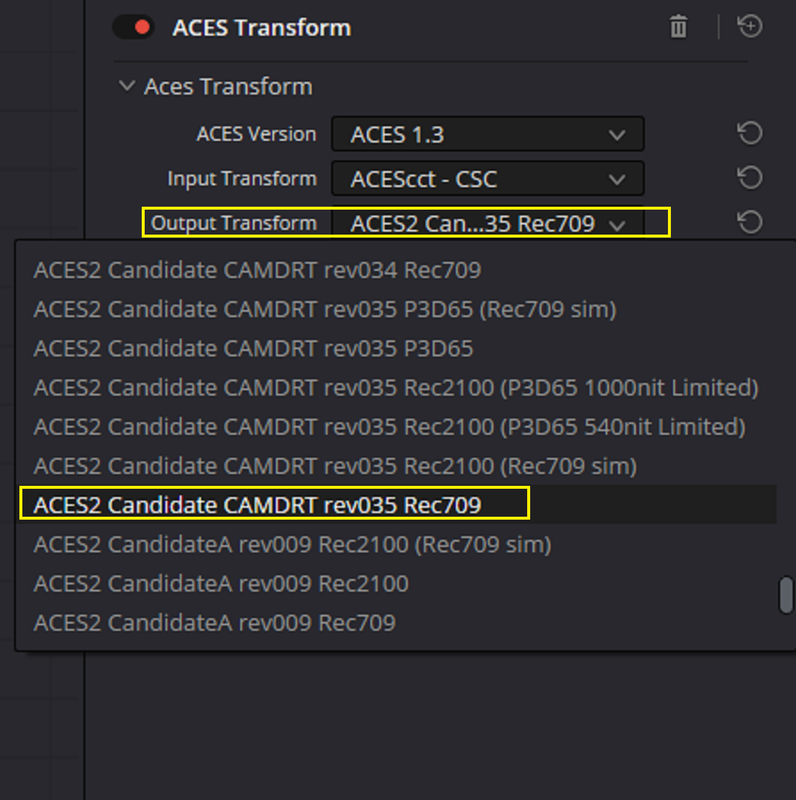
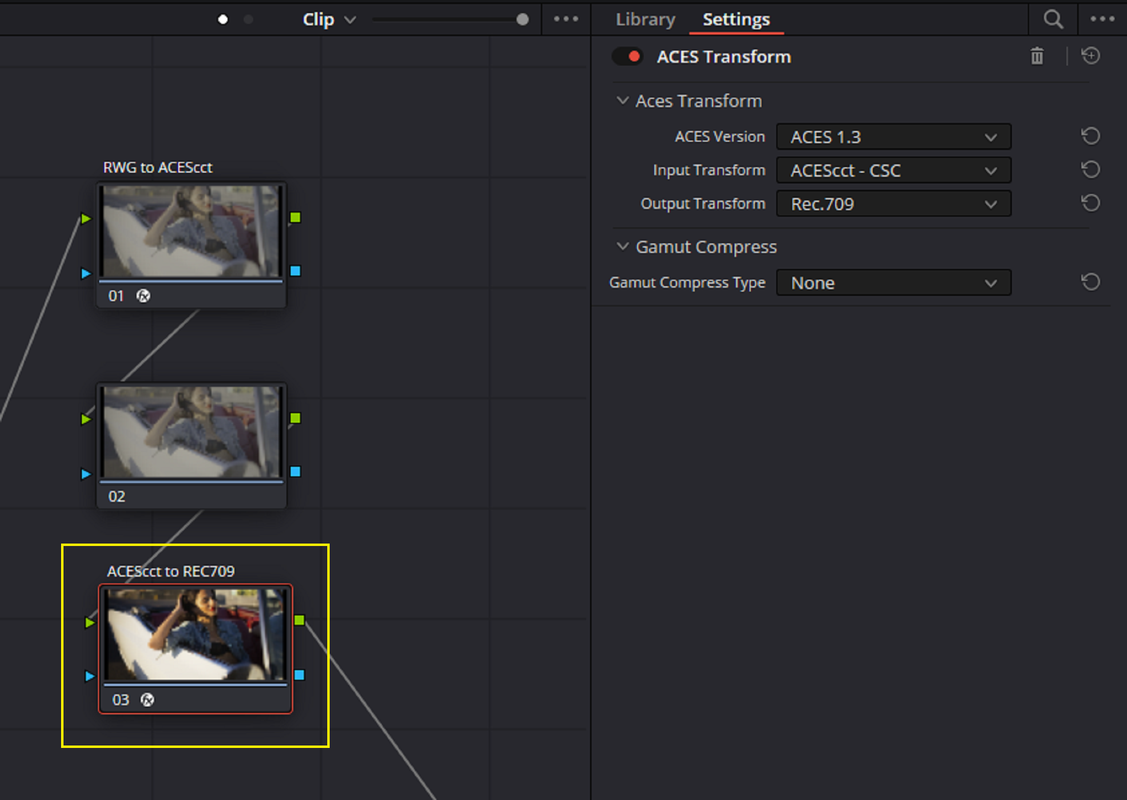
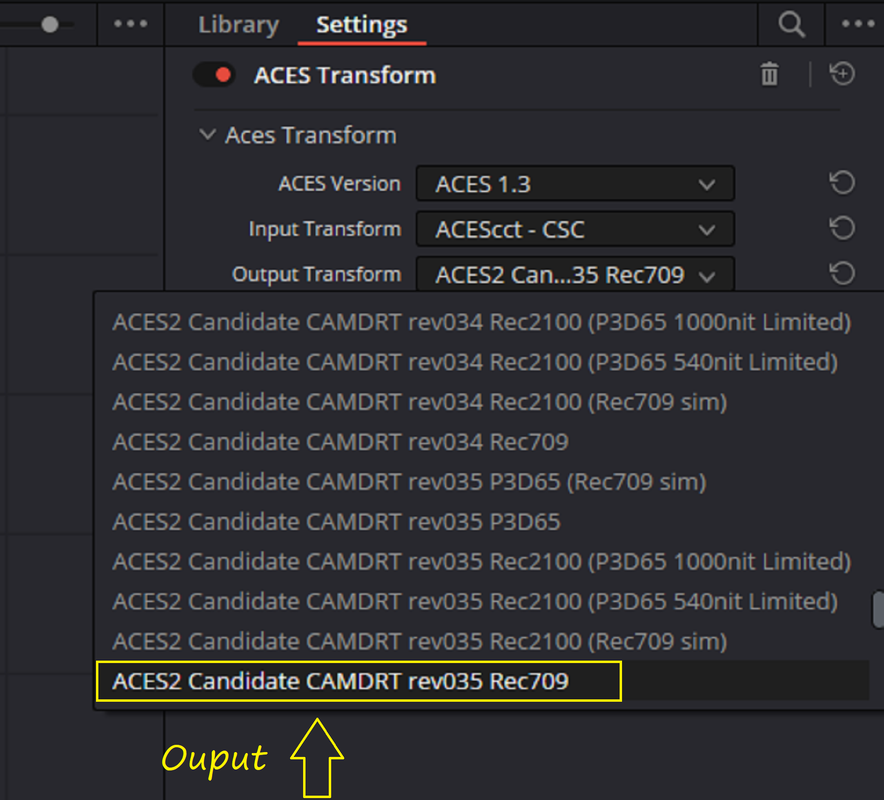
ACES OUTPUT TRANSFORM
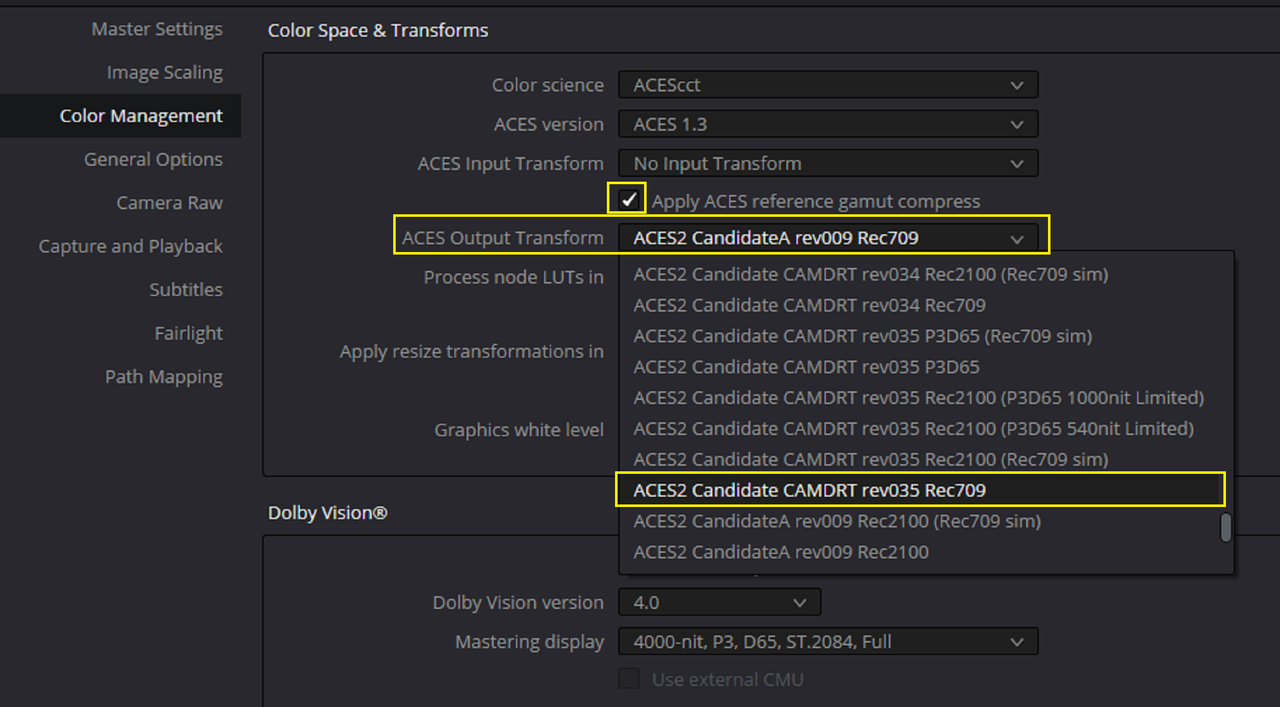
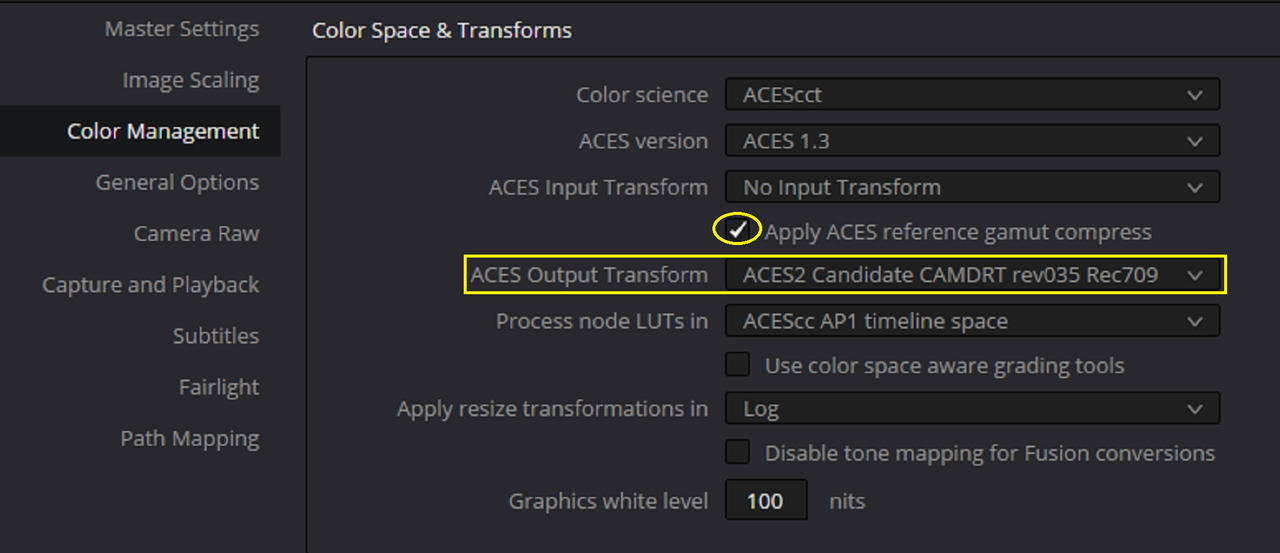
(Which Has the "ACES2 Candidate CAMDRT rev035 REC709) selected

3b.png


4.jpg


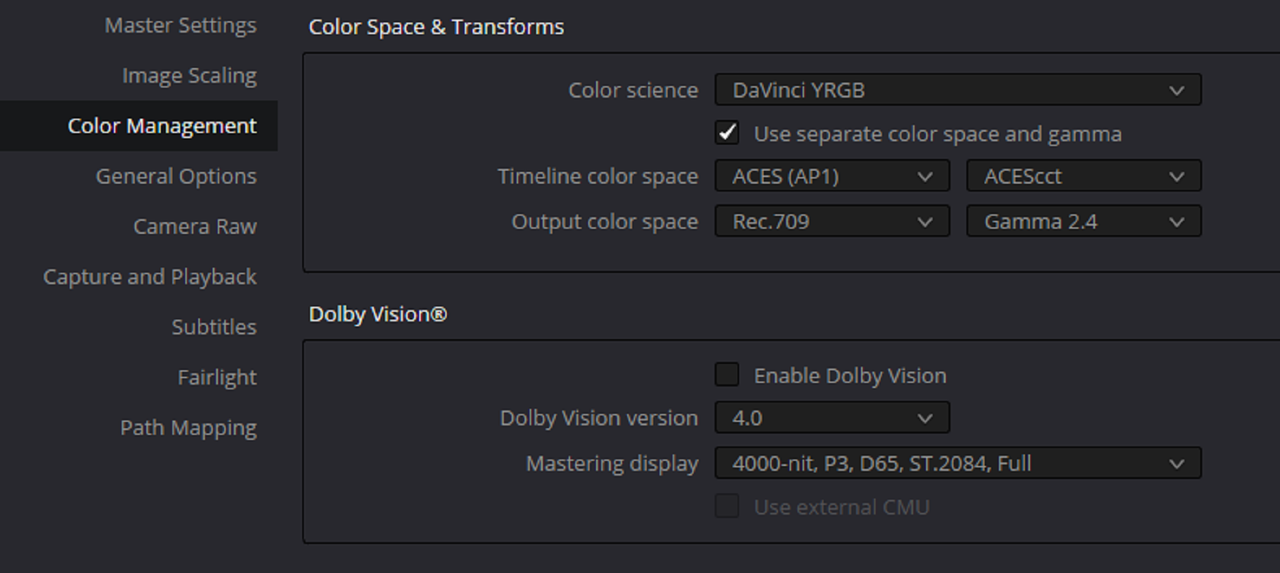
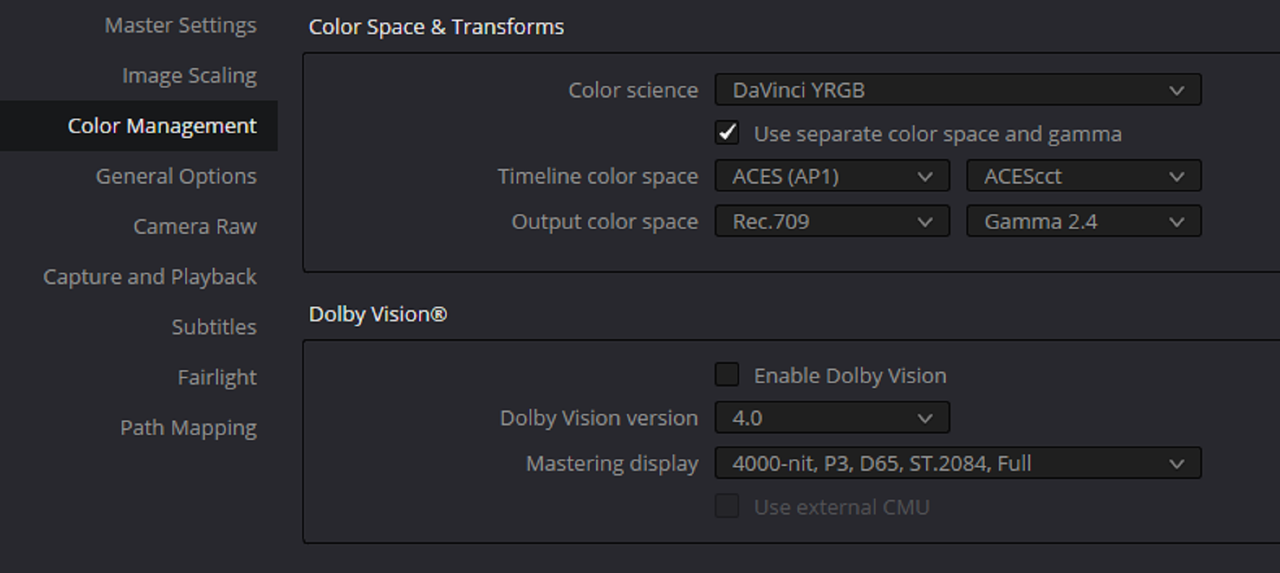
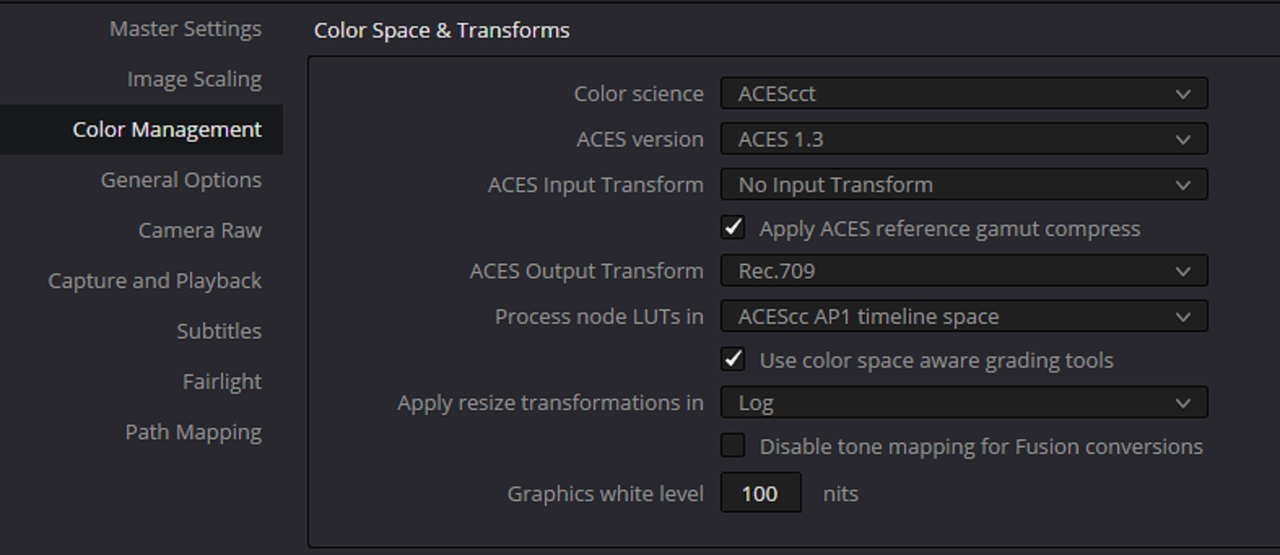
ACES PROJECT Based Workflow (
Which Has both the "ACES REFERENCE GAMUT COMPRESS" enabled and uses the "ACES2 Candidate CAMDRT rev035 REC709 as the OUTPUT TRANSFORM)

5.png


6.png


With ACES INPUT and OUTPUT De-selected

7.png


8.png


9.jpg


ACES NODE BASED WORKFLOW

4.jpg


ACES PROJECT BASED WORKFLOW


9.jpg
 
Last edited:
Hello, I've just finished my first ACES project in Resolve and found out that the aces transform for RED files has a different (and not better) output as when you baypass the color management and use a RED ipp2 lut (from Log 3g10/RWG to what ever color space you want to output)

Anyone has experienced this?

Patrick

When I do no more than put RED’s output transform as the very last operation in Resolve, it is a great starting point for grading. Were you expecting ACES to improve upon IPP2? What selecting ACES as the working color space is not going to do is magically improve image quality, reveal colors that weren’t already captured at the outset, or make the picture any more cinematic looking.
 
When I do no more than put RED’s output transform as the very last operation in Resolve, it is a great starting point for grading. Were you expecting ACES to improve upon IPP2? What selecting ACES as the working color space is not going to do is magically improve image quality, reveal colors that weren’t already captured at the outset, or make the picture any more cinematic looking.

It's not my aim as RED's colors are allready wonderfull if treated correctly. The aim is to open your grade to multiple output profiles.
I just was surprised that ACES doesn't use (as I can speculate) RED's color science or transform... as the result is widely diffrent than using a IPP2 transform LUT. I don't care about what cinematic is supposed to be.
 
It's not my aim as RED's colors are allready wonderfull if treated correctly. The aim is to open your grade to multiple output profiles.
I just was surprised that ACES doesn't use (as I can speculate) RED's color science or transform... as the result is widely diffrent than using a IPP2 transform LUT. I don't care about what cinematic is supposed to be.

As I'm sure you're already aware, ACES (or any color space other than Log3G10 for that matter) isn't something you just slap on in post, it begins in pre-production, that way there are no surprises.
 
Last edited:
Yes, you should prepare for an ACES Post production Workflow in Pre-Production


Here are a Couple of Examples. The First will be a RED IPP2 to RED IPP2 workflow. Then an incorrectly preproduction planned RED IPP2 workflow to ACES workflow. Then Finally a correctly planned Pre-Production RED IPP2 workflow to ACES workflow.


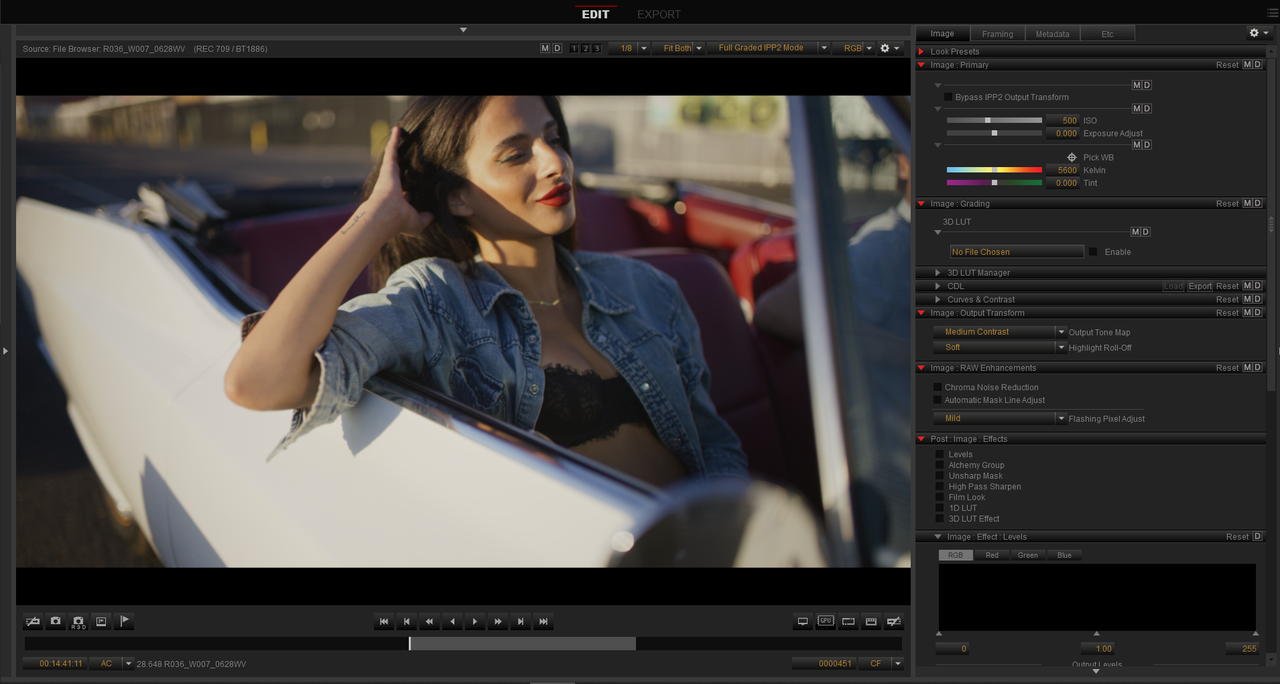
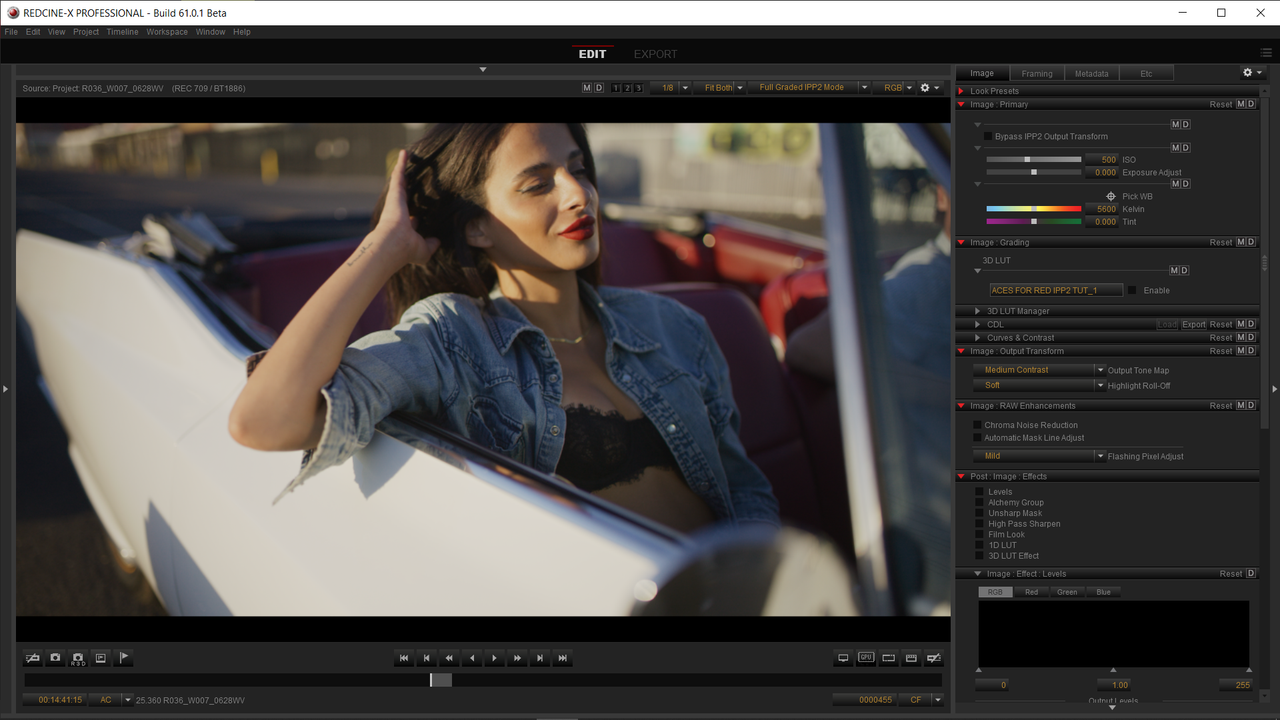
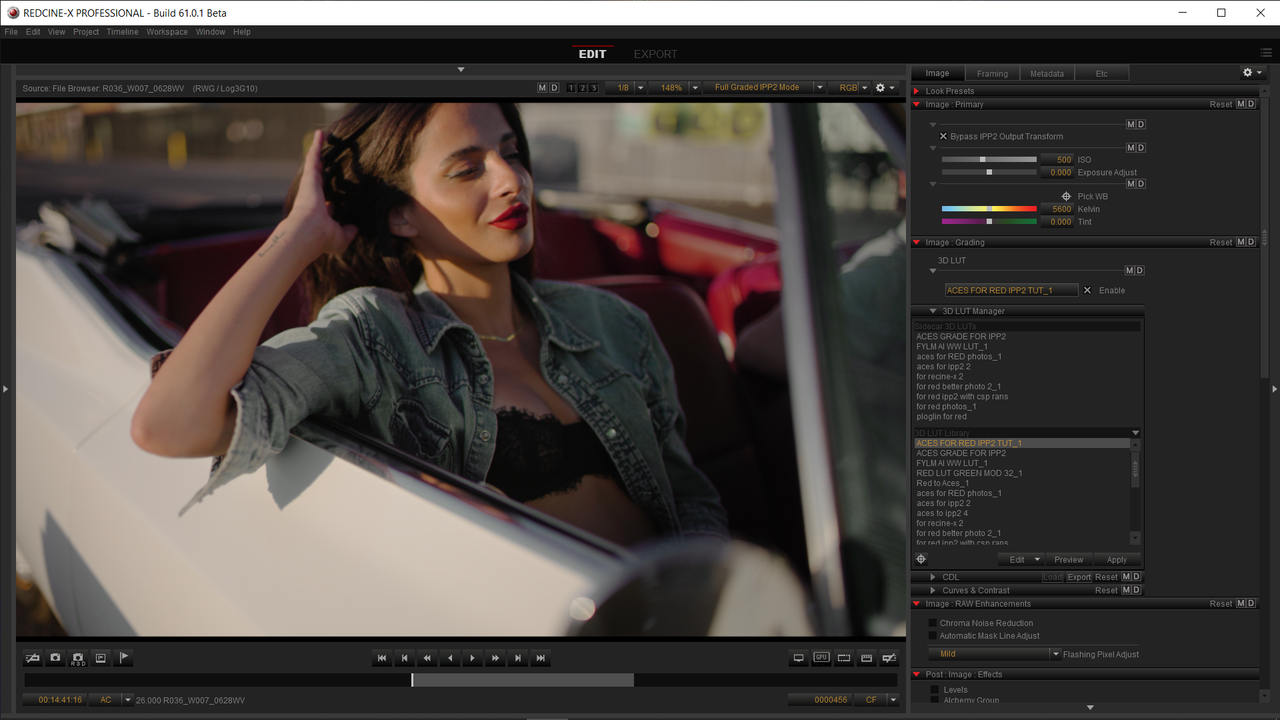
I'll be using REDCINE-X to represent a RED Camera in this Examples.


RED IPP2 to RED IPP2 workflow-PART 1


1.png


2.png


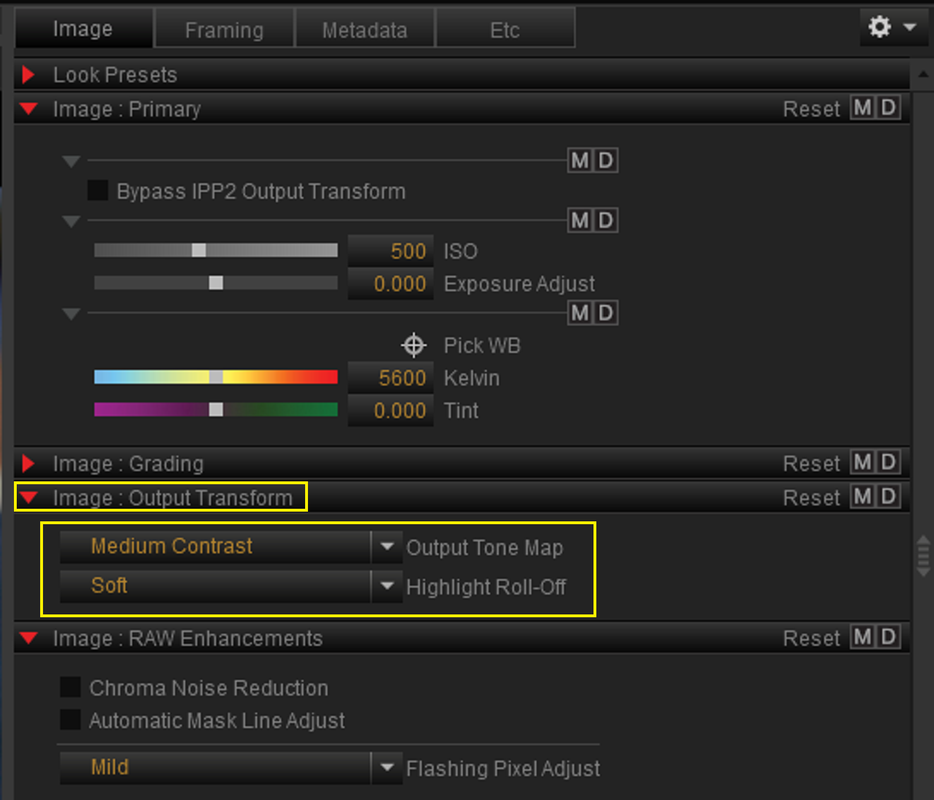
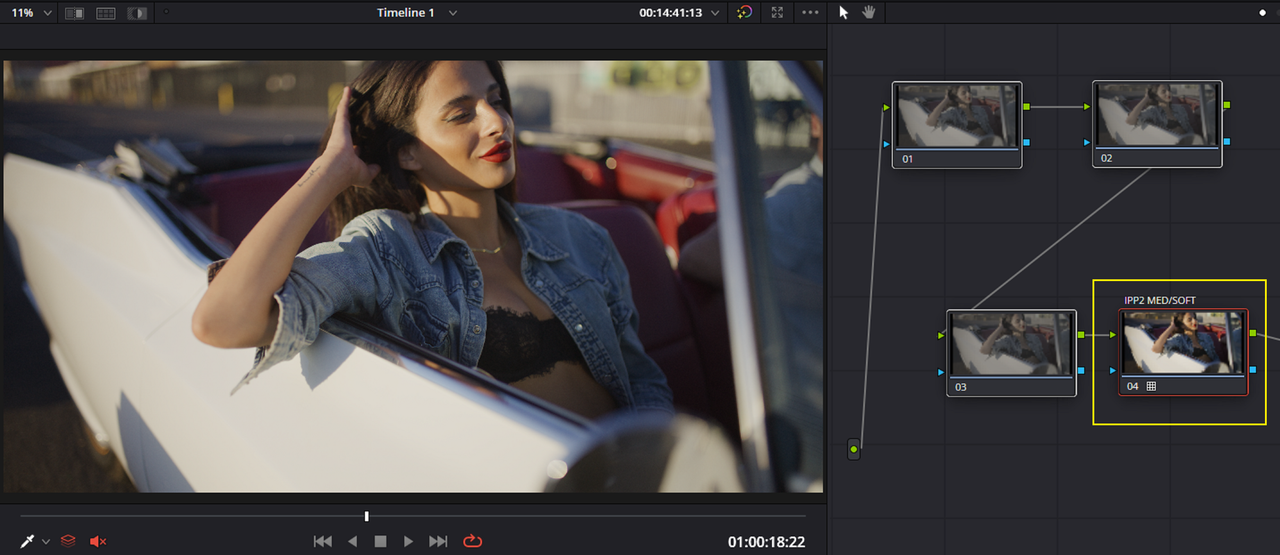
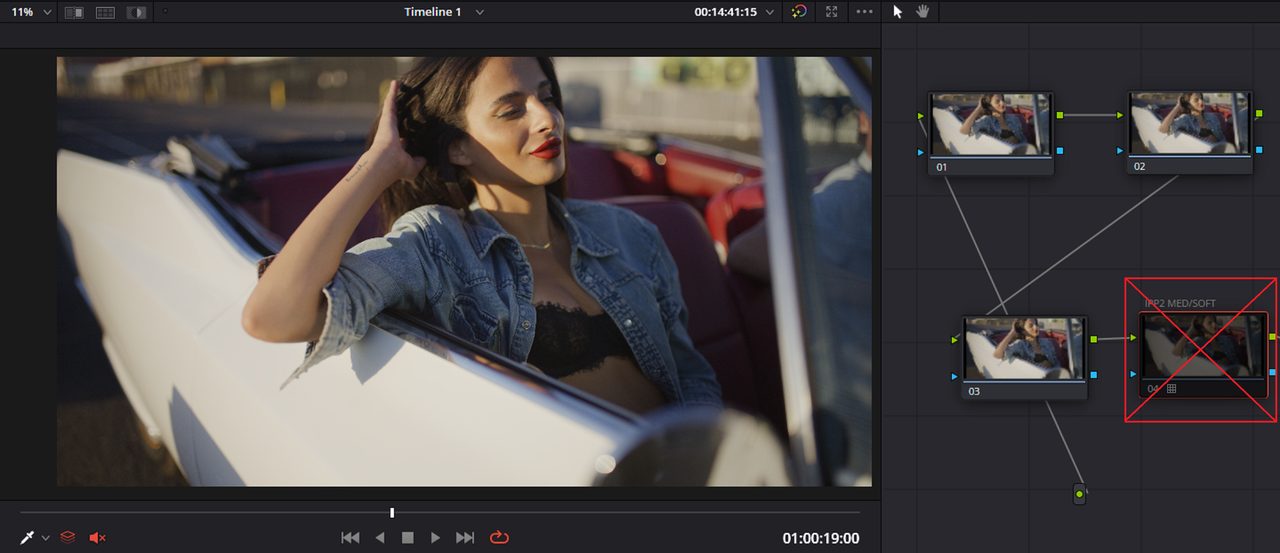
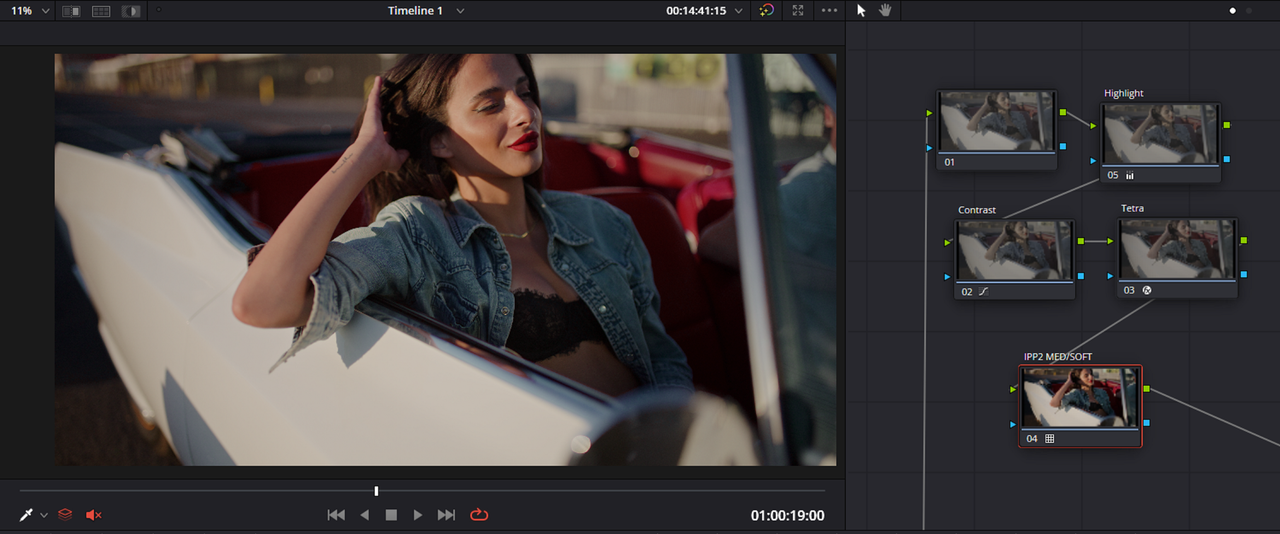
RED IPP2 Node Based and Project Based Workflows with Same IPP2 Transform Medium/Soft used as in REDCINE-X.


You could include a Creative RWG/LOG3G10 Lut along with whatever Chosen IPP2 Output Transform you wanted and shoot with that. Then a DIT would probably make CDL corrections that were according to the DP or Director and pass those CDLs along to the Colorist to add to the Post Production Grade for further color grading..


3.png


4.png


5.png


6.png


7.jpg


With a Grade

8.png

9.jpg
 
RED IPP2 to ACES workflow no Pre-production prep-PART 2


1.png


2.png


In ACES workflow either Node Based or Project Based


12.png


13.png


14.png


15.png


16.png


17.png


Now however you would be starting from a Look with different Tonality and Color Rendition that neither the DP, Director and DIT had started out with or agreed to in Production nor what the DIT had made CDL correction for. So now it's up to the Colorist to make it resemble the look that was established in Production which will be very hard if not impossible to achieve.


Shot with RED IPP2 Medium/ Soft and or Additional Creative Lut

7.jpg


With Standard ACEScct Transformational settings for RWG/LOG3G10 to Aces to REC709 workflow


ACES-1-1-3.jpg


Although It's easy enough to correct the image, You would be starting from a point that was not originally agreed upon in the Production Stage.


R036-W007-0628-WV-0000457.jpg
 
RED IPP2 to ACES workflow Better Pre-production prep-PART 3

If you developed a Lut that could Replicate an ACES workflow that would include the IDT( Input Display Transform) , the RRT( Reference Rendering Transform) and ODT( Output Display Transform) and which also included the the correct Transform from a Specific Scene-Referred Color Space to the desired Output Display, that would the correct way to go .


Below are two links From Aces Central and Light Illusion that can do a better job than I can on this matter.


ACES Central
LUT's that emulate the ACES workflow - Discussions - Using ACES / Cameras/On-Set - Community - ACESCentral

Light Illusion
ColourSpace | ACES Manual (lightillusion.com)


But basically the purpose of the RED IPP2 Transform is to Transform an REDWideGamutRGB/ LOG3G10 Image to a Desired Output Display. That requires a Lut or other tool that can take a REDWideGamutRGB/ LOG3G10 Input and transform that image to a different Output Color Space in this case REC709/BT1886 Gamma 2.4.

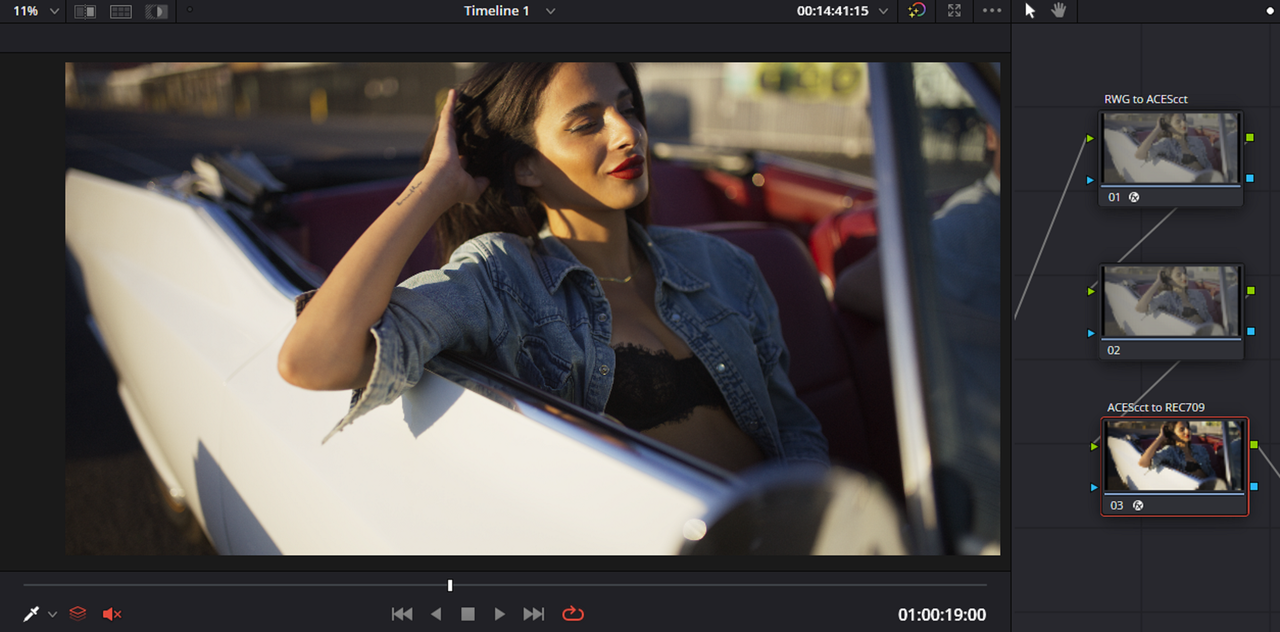
So If I use two ACES TRANSFORMs with one having as it's INPUT RWG/LOG3G10 and another which has as it's OUTPUT REC709/BT1886 it should have all of the components needed along with the required IDT,RRT and ODT to display an ACES workflow properly with a RWG/LOG3G10 Image.


You can also use a "LUT BOX" that would go between the Camera and Monitor with a Lut that you could monitor For an ACES Workflow.


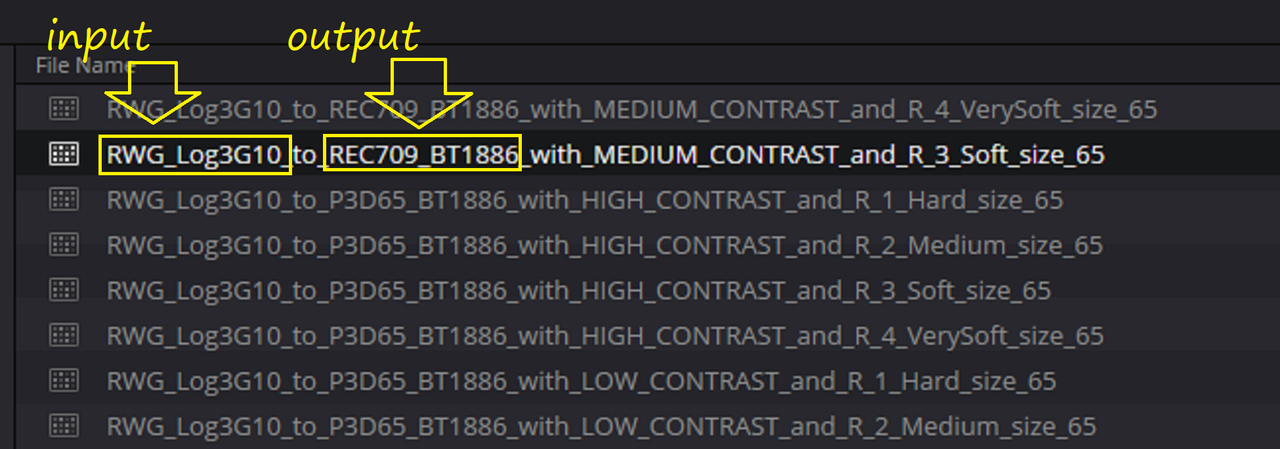
RED IPP2 Output Transform LUT

5.png


ACEScct ACES TRANSFORM Node Based Workflow

6.png


7.png


Now of course the Lut that would actually be used would be designed by a Color Scientist working on a film or a Talented Colorist whom would use a Lut Creation Program from maybe Light illusion or Lattice or some other High-End Lut creation program or it could be a Program that was designed from Scratch by the Color Scientist or Colorist. This Lut would go through vigorous testing, be 65 Cube sized or even larger and have a Bit Depth of 10 or 12 Bits.

I am none of the people above but I will show you a LUT that Roughly does what I described above.


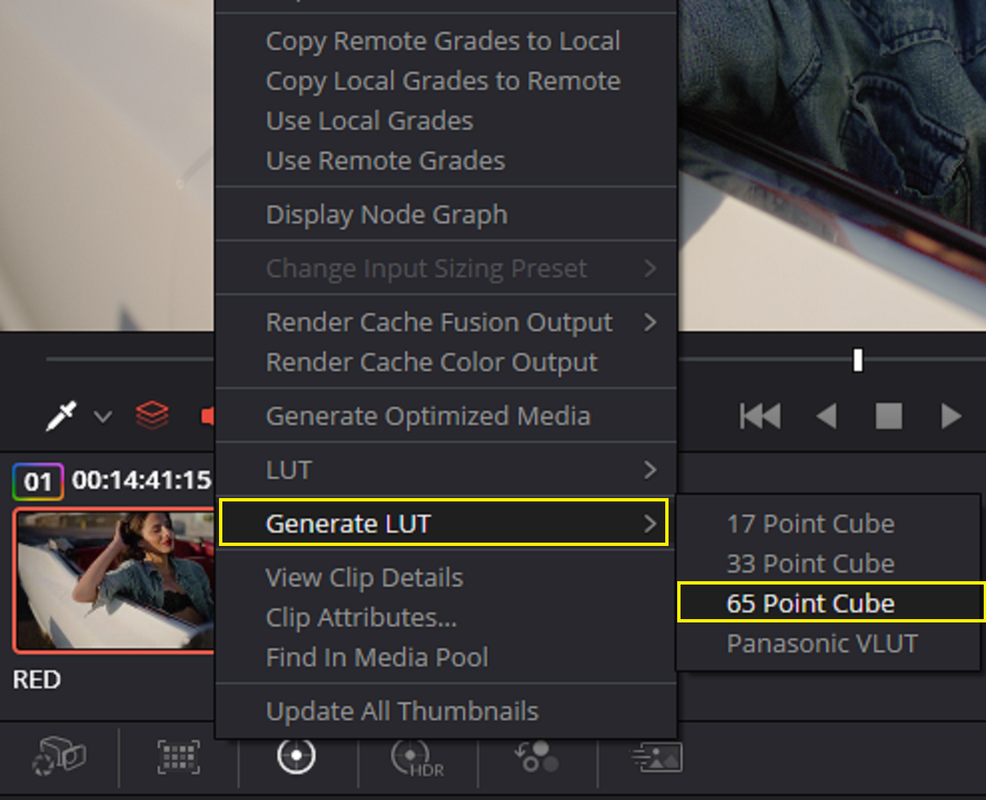
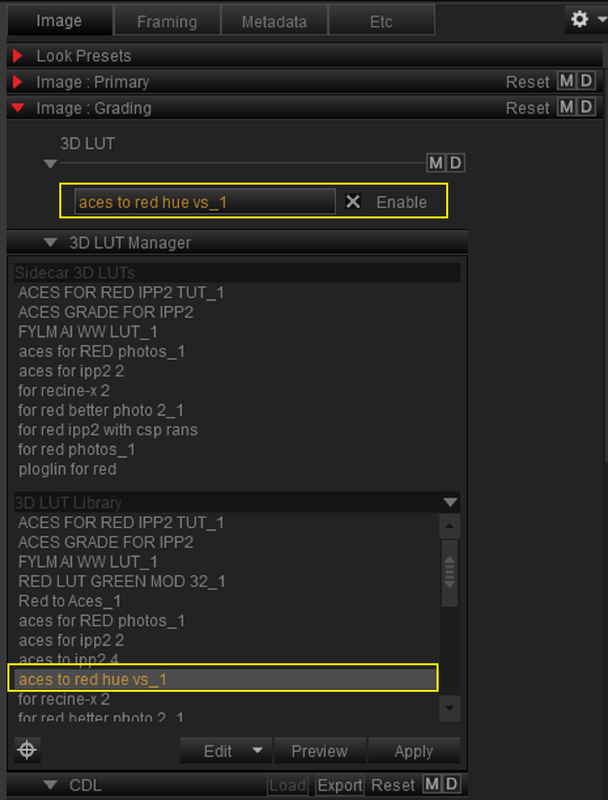
I save this entire grade which includes a RWG/LOG3G10 to REC709 transformation and which also includes an ACES IDT, RRT and ODT along with a Tone-mapping LMT that incorporate an entire ACES Workflow into a LUT. I "Generate a Lut" the Highest quality From Resolve which is 65 Cube Sized and 8-Bit.

1.png


1-2.png


2.png


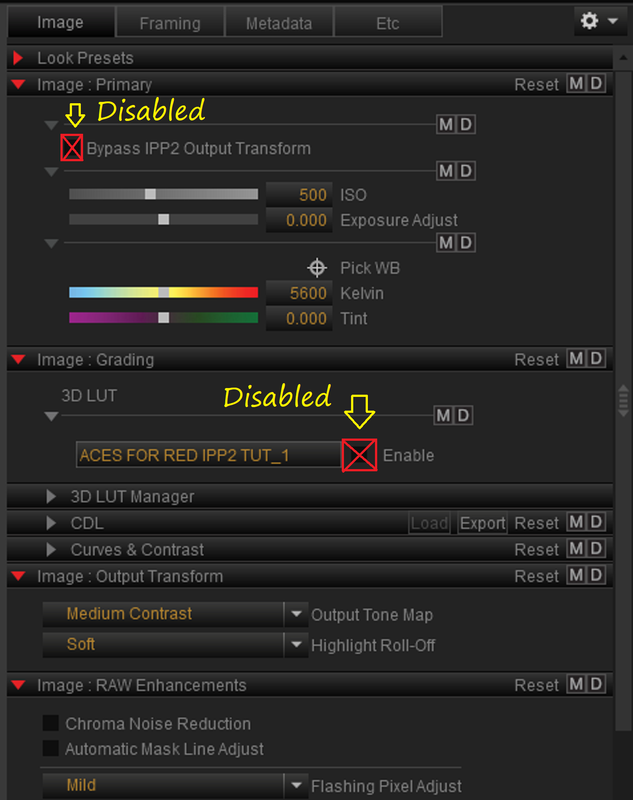
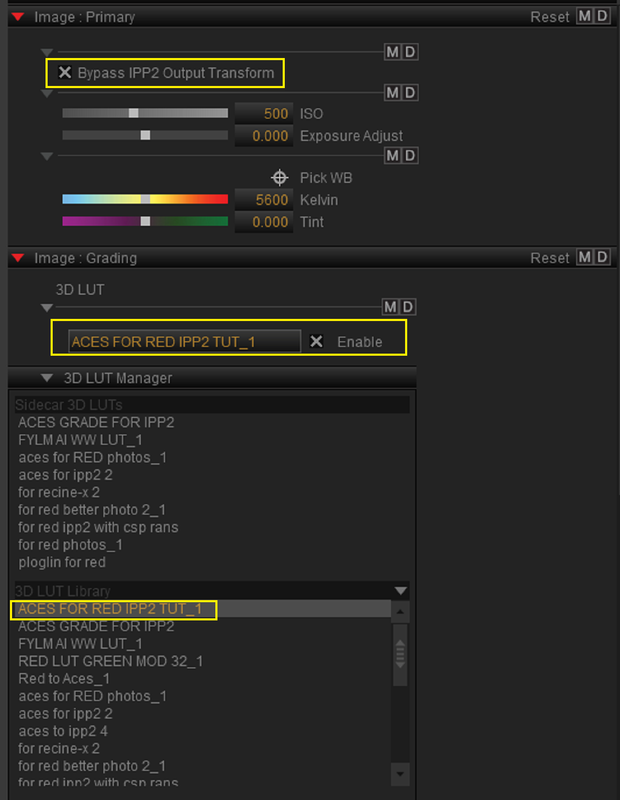
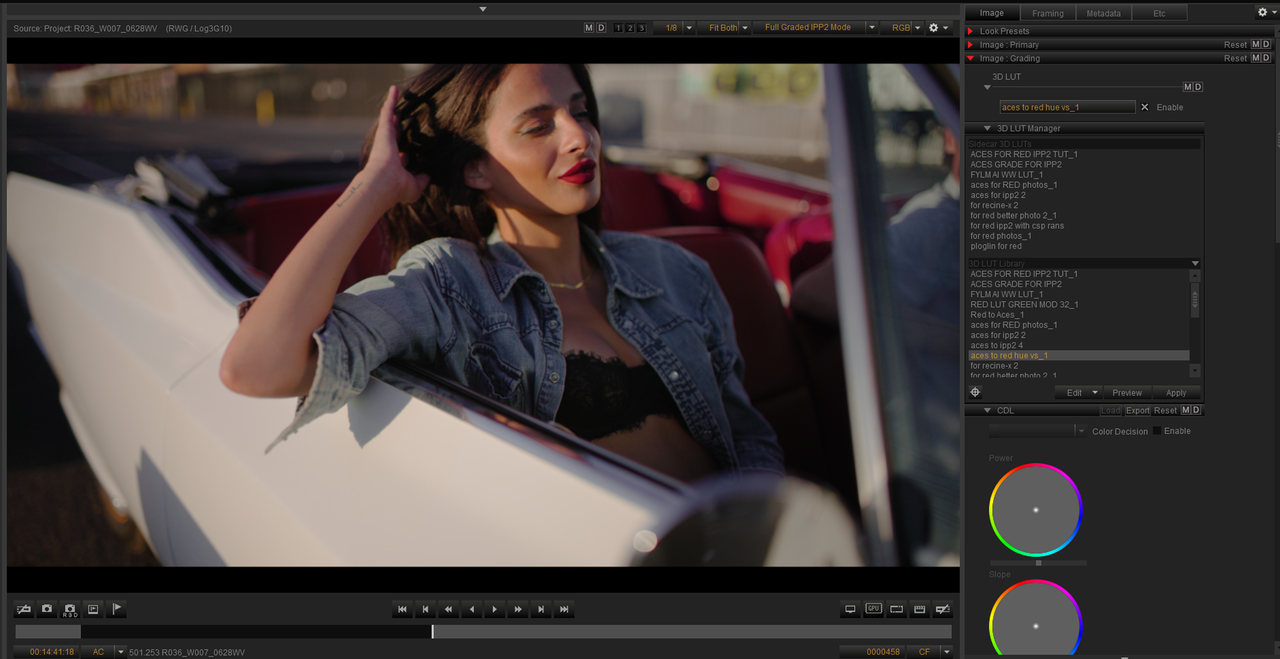
I "BYPASSed" the preset RED IPP2 Transform in REDCINE-X and Replace it with the LUT I made above which has all of the needed properties to display an ACES Workflow in a RWG/LOG3G10 compatible application. The Rendition is slightly off in the CYAN Jacket and a slightly more yellow skintone. However I can simply chalk that up to a difference in the translation between the color correcting Tools in Resolve and REDCINE-X. They are close but a much more accurate Lut would be designed than myself and Resovle are currently capable of. You would use this LUT to Shoot the project with the DIT would make necessary CDL corrections and he would send those CDL corrections to the Colorist who would further grade the image.

2a.png


Screenshot-9991.png


3.png


4.png


From RESOLVE


ACES-CORRECTED-1-1-4.jpg


From REDCINE-X

R036-W007-0628-WV-0000457.jpg
 
Last edited:
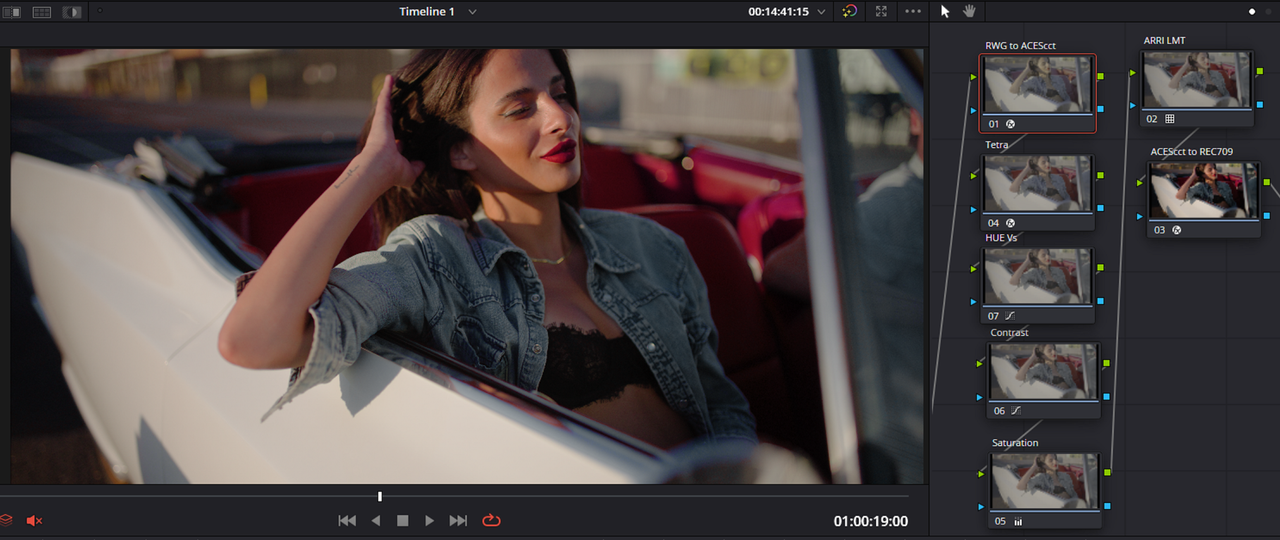
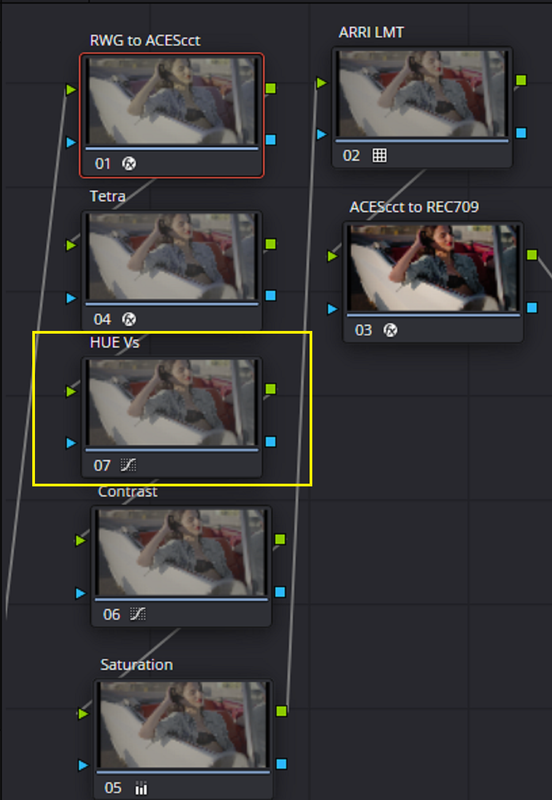
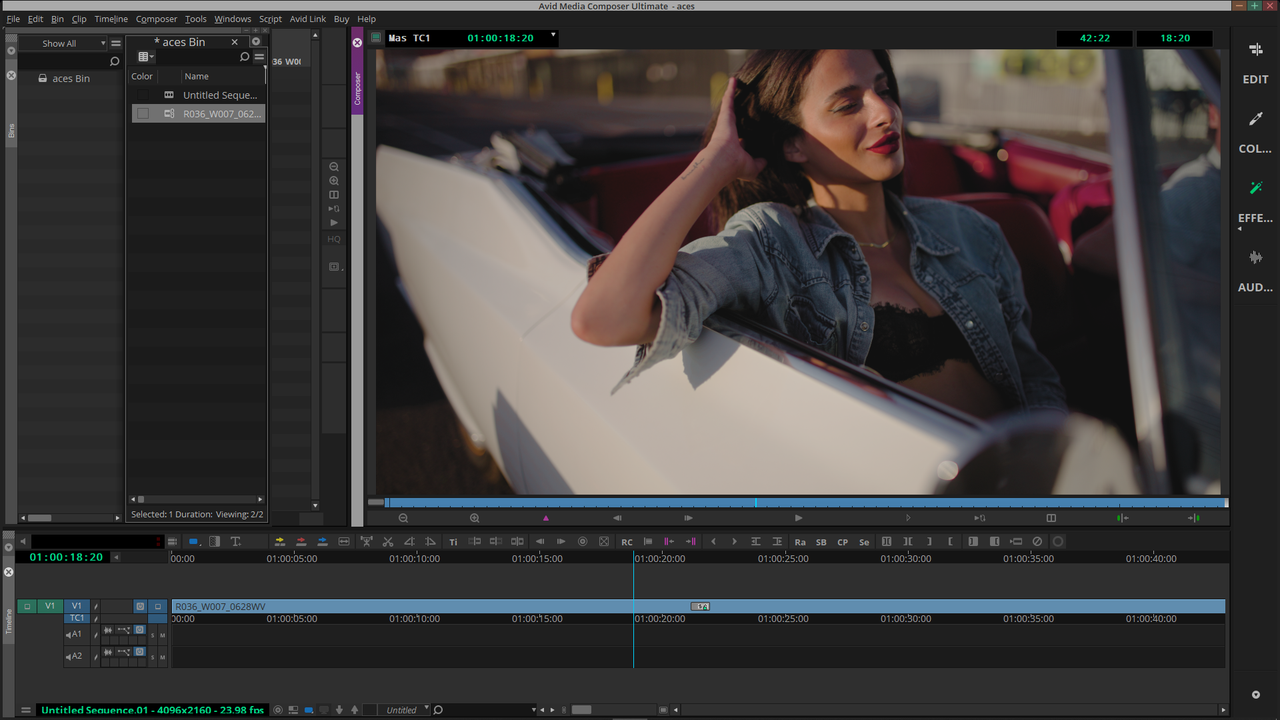
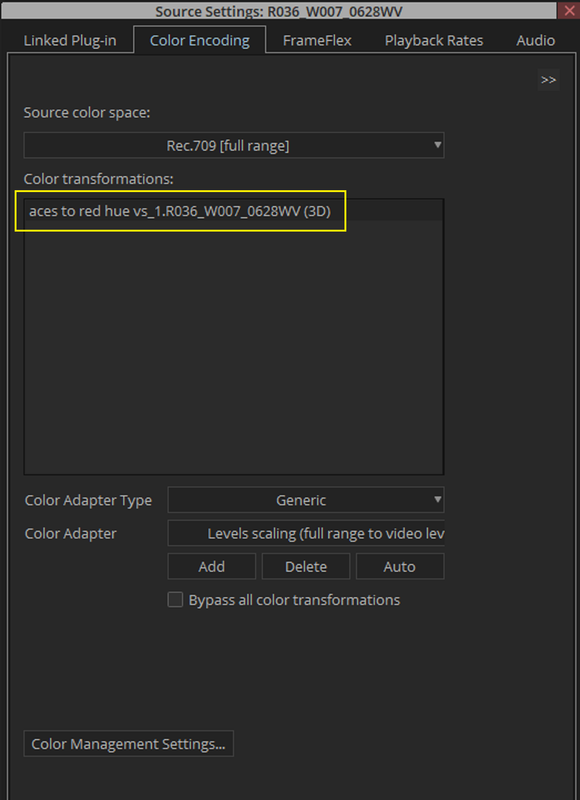
I did a redo of the grade in Resolve and made a new ACES workflow Lut in hopes that a different grading tool would yield a better translation in REDCINE-X. However, the Females Talent's Blue Jacket went from a more Cyan/Blue look in Resolve to a More Magenta look in Redcine-X. I also tried out the ACES Workflow Lut in Avid Media Composer Ultimate as well which I had to adjust the Contrast slightly. It also gave a slightly different rendition as well. I think a better Lut Creation Program would yield a more consistent look among multiple programs.


Resolve

Screenshot-9997.png

Screenshot-9997-2.png


Redcine-X

Screenshot-9998.png


Screenshot-9999.png


Avid Media Composer Ultimate

Screenshot-10000.png

Screenshot-10001.png


Screenshot-10002.png


Resolve

with-hue-vs-1-1-9.jpg


Redcine-X

with-hue-vs-fro-redcine-X.jpg


Avid Media Composer Ultimate

from-avid.jpg
 
RED IPP2 to ACES workflow no Pre-production prep-PART 2


1.png


2.png


In ACES workflow either Node Based or Project Based


12.png


13.png


14.png


15.png


16.png


17.png


Now however you would be starting from a Look with different Tonality and Color Rendition that neither the DP, Director and DIT had started out with or agreed to in Production nor what the DIT had made CDL correction for. So now it's up to the Colorist to make it resemble the look that was established in Production which will be very hard if not impossible to achieve.


Shot with RED IPP2 Medium/ Soft and or Additional Creative Lut

7.jpg


With Standard ACEScct Transformational settings for RWG/LOG3G10 to Aces to REC709 workflow


ACES-1-1-3.jpg


Although It's easy enough to correct the image, You would be starting from a point that was not originally agreed upon in the Production Stage.


R036-W007-0628-WV-0000457.jpg
James Kersley-Cregeen, Production Technologist, Netflix, just made the exact same point about the importance of establishing the look in ACES (and in HDR) prior to post:

“I have one anecdote coming from another colorist who said they spent, it was a two-day HDR grade and then they had half a day for the SDR Dolby Vision trim pass. The first day of the grade - it was the first time anybody had seen anything in HDR, first of all, which is fairly normal, but also it was the first time they’d seen it using ACES as the color pipeline, and it had more saturation, more contrast than what they were expecting. They said it was too contrasty, too much saturation. And because they’d been looking at flat, log images in an edit suite for a year. So then they spent the first day at the grade taking all the contrast and saturation out. They then came in on the second day to review what they’d done the day before and went ‘it’s a bit flat, so let’s pull all the contrast and saturation back in’. And they basically ended up two days later having spent thousands of pounds to get back to where they started. None of that time was creative, none of that time was improving the product, none of that time was enhancing the look and feel of the show.”

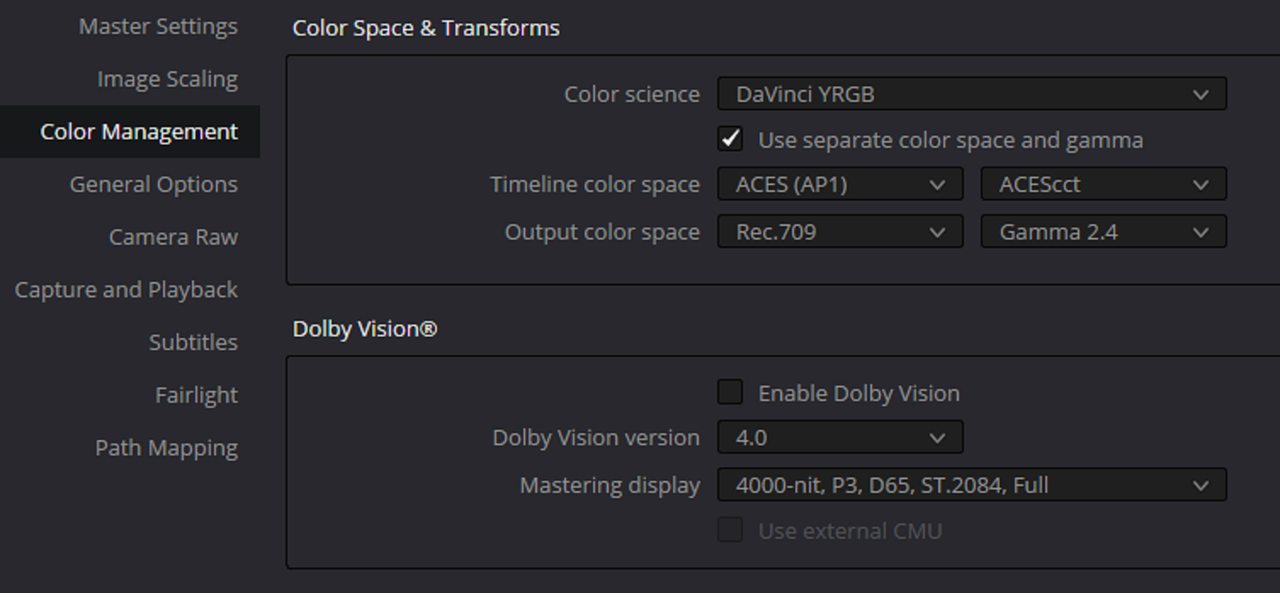
 
Jon Yeah I saw something similar in this Video Below.it might be from the same person.

 
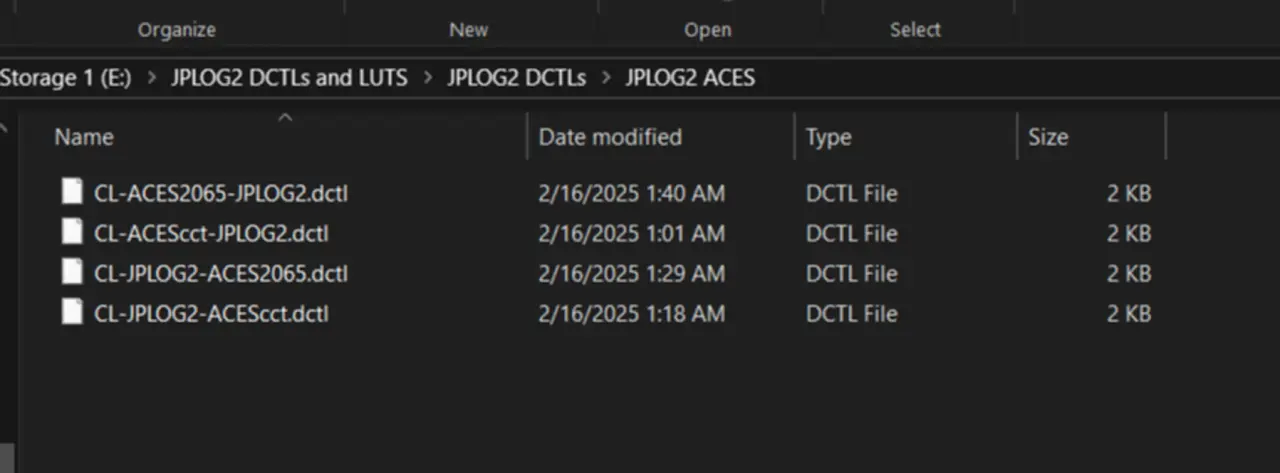
I'm trying out JPLOG2 in my ACES WORKFLOW designed by JOSH PINES and used with COLOURLAB Ai.

 
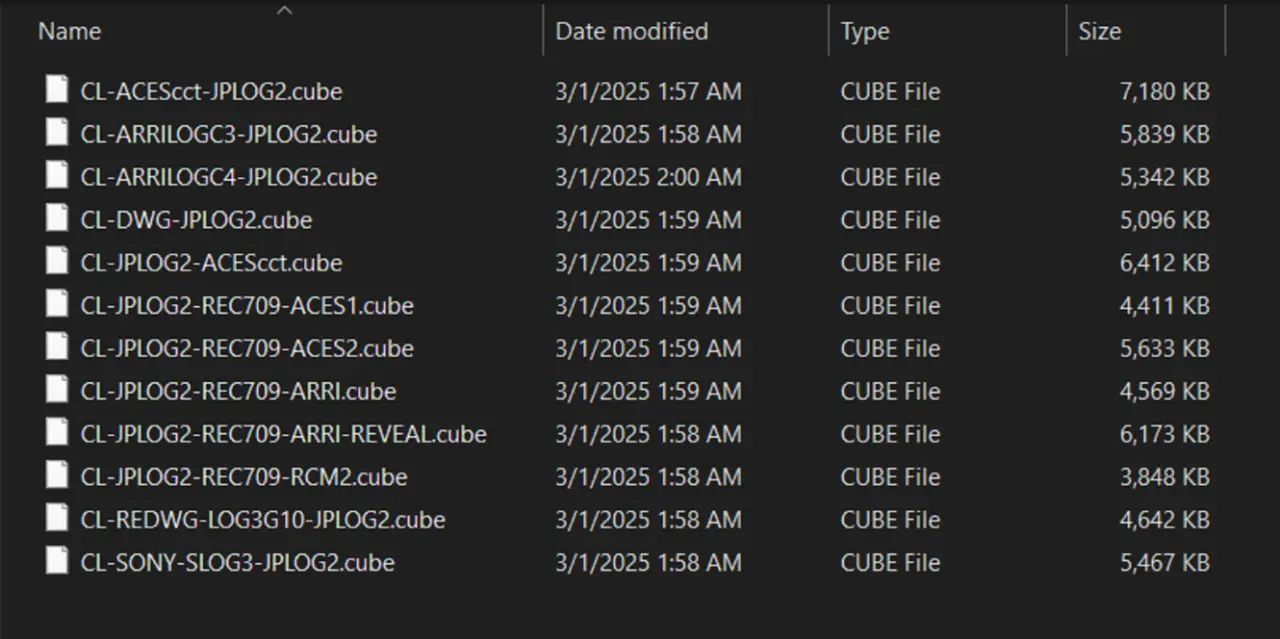
Jon if you are interested in the ACES to JPLOG2, JPLOG2 to ACES and ACES 2065-1 to JPLOG2 , JPLOG2 to ACES 2065-1 DCTLs let me know. I also have the equivalent LUTS But I prefer the DCTLs .


Screenshot-21555.webp


Screenshot-21554.webp
 
An ACES project can easily incorporate the IPP2 LUTs for R3D footage to bring it into ACEScct for grading, same as you would do for Arri, Sony, etc. Always a good idea to use camera specific LUTs that have been tuned by the camera manufacturers.

Really the main benefit of ACES is interoperability between multiple people, shops, software, etc. Most common being a clean linear VFX roundtrip.
 
Why would I use an IPP2 LUT to bring an IPP2 Image into ACES when I can use an ACES TRANSFORM OFX or ACES COLOR MANAGED WORKFLOW to do the same thing?
 
Back
Top