Welcome to our community

Be a part of something great, join today!

  • Hey all, just changed over the backend after 15 years I figured time to give it a bit of an update, its probably gonna be a bit weird for most of you and i am sure there is a few bugs to work out but it should kinda work the same as before... hopefully :)

Color Space, and able to change it after offloading clip.

Russ Fill

Well-known member
Joined
Oct 4, 2007
Messages
1,892
Reaction score
36
Points
48
Location
World wide working
Just a quick question here.
Ive been working on a project for quite a while now and the post people asked "Why does Russ change to REC 709 every now and then?" I have to fallow up more on this with our post department but I checked the files in post on their server and you can see several clips from that card all shot in the same time window and every now and then there is a Rec 709 clip. Is this something that can be changed back to RedFilmgama or any other out put... I see in the pull down menu in the clip with the meta data that color space in indeed Rec 709 but all the others are REDWideGamutRGB...
What gives???anyone want to jump in and explain if they, the Posties can simply change this back to REDWIDEGAMUTRGB? Or is this now burned in?

Also just did a test changing the internal color spacing from all the above and didn't see any of the clips change from REDWideGamutRGB to Rec 2020 or 709 or anything other than REDWideGamutRGB.
Using the latest Beta build on the camera they are talking about but I cant figure that anything I could do in the field would cause the camera to so drastically change. OR is there???
Tried with the App to see if some how I could change the spacing if I just shoved the app live in my pocket but to have it on several clips changing back and forth from Rec 709 on one clip and then next is RWGRGB... Seems almost impossible for that to happen.

Well anyone else experience this issue with their V Raptor??/
Kind of thinking that some newbe in post was looking or grading a bit in RCX and some how changed the col.or spacing... hard to believe... that even could happen.

Just to re ask... Does anyone know if you can change the clip back to RedWideGamutRGB from the REC 709?
 
Russ,

You could use an Inverse Transform from Rec709 to RWG/LOG3G10. I don't know how much info from not using RWG/LOG3G10 in the first place will have been loss but you can do it.
 
Last edited:
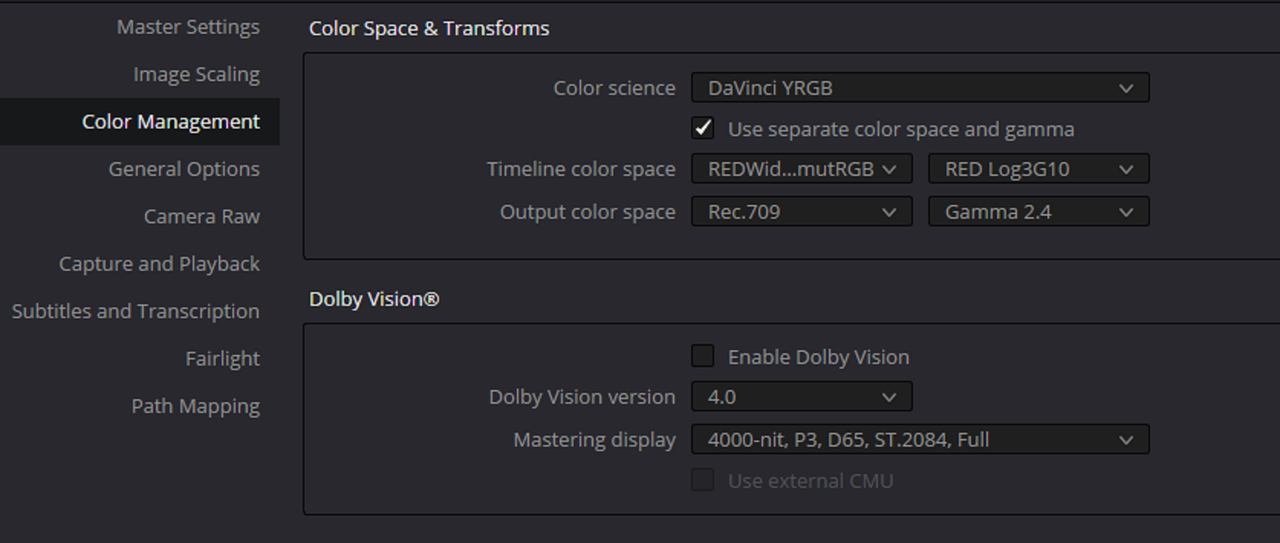
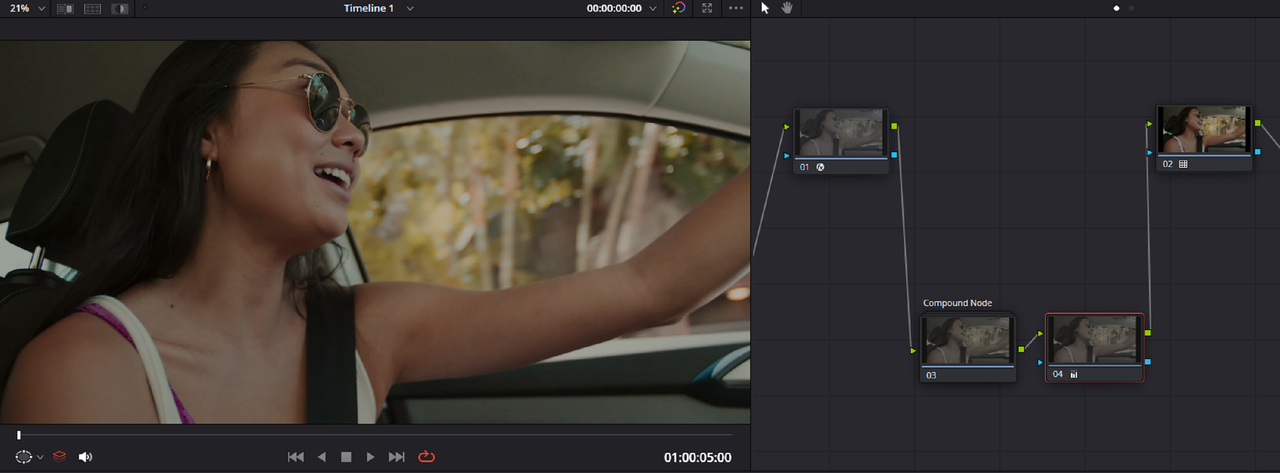
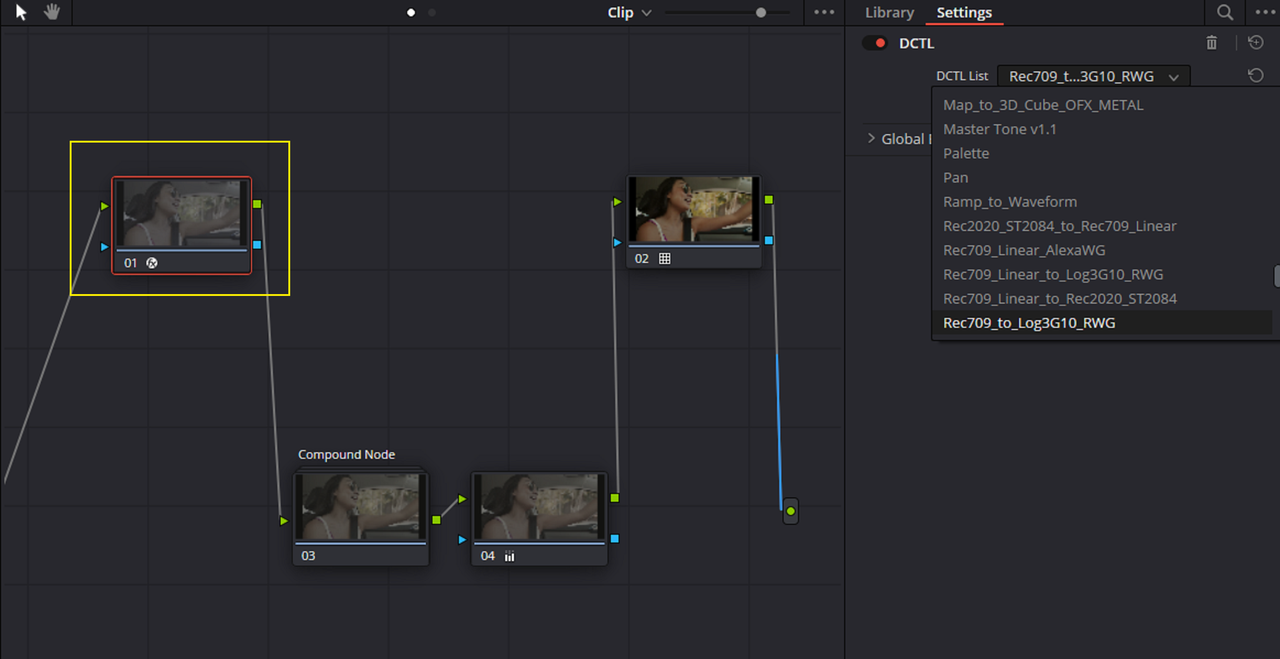
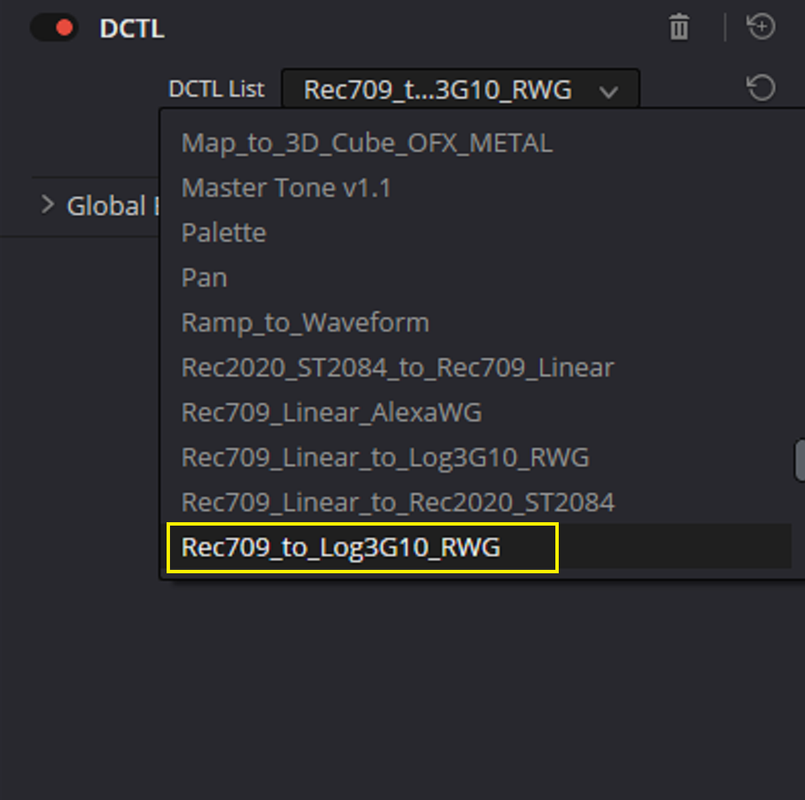
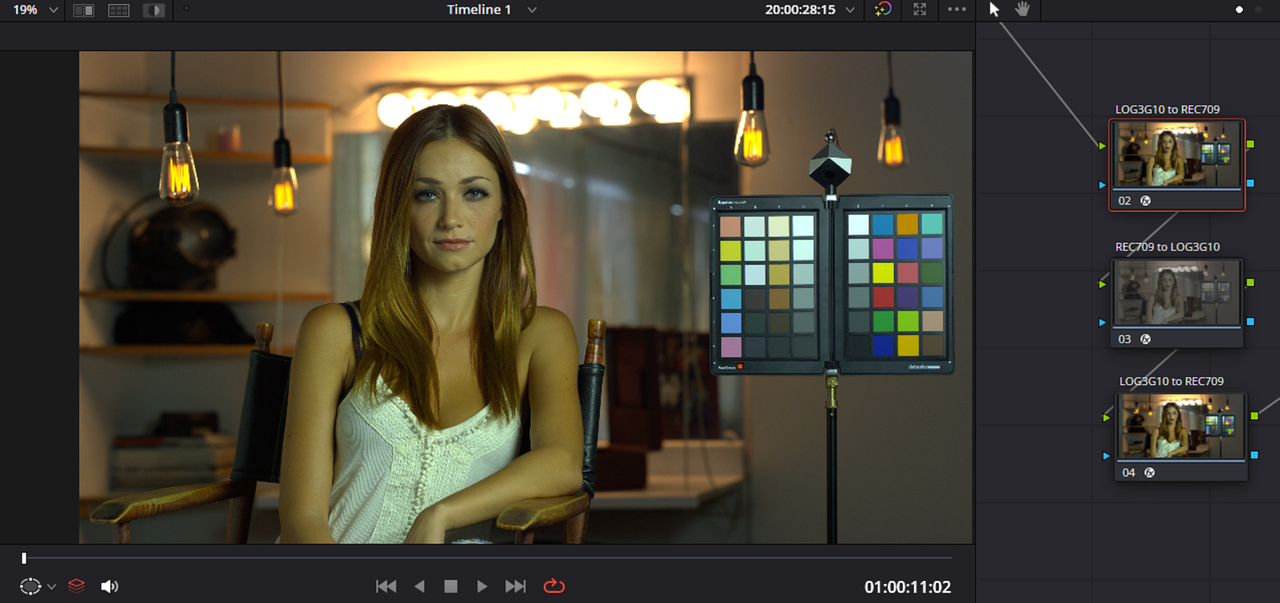
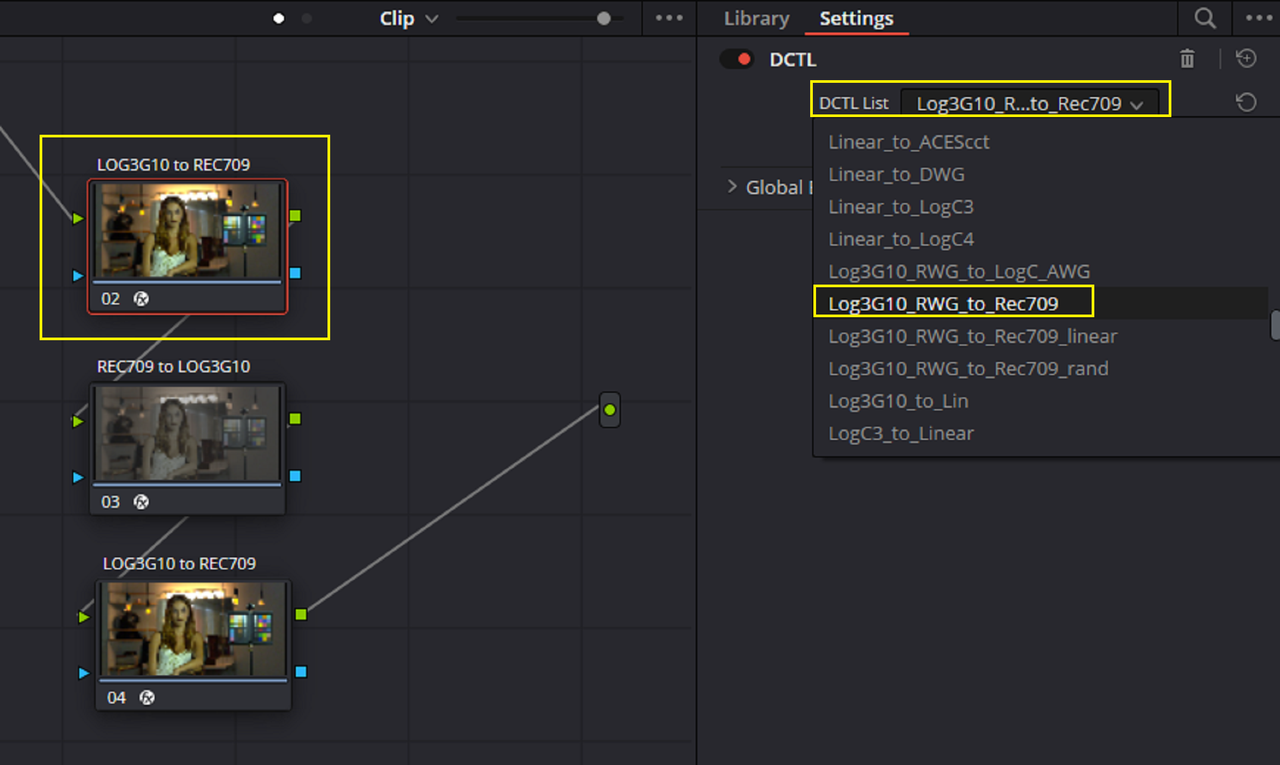
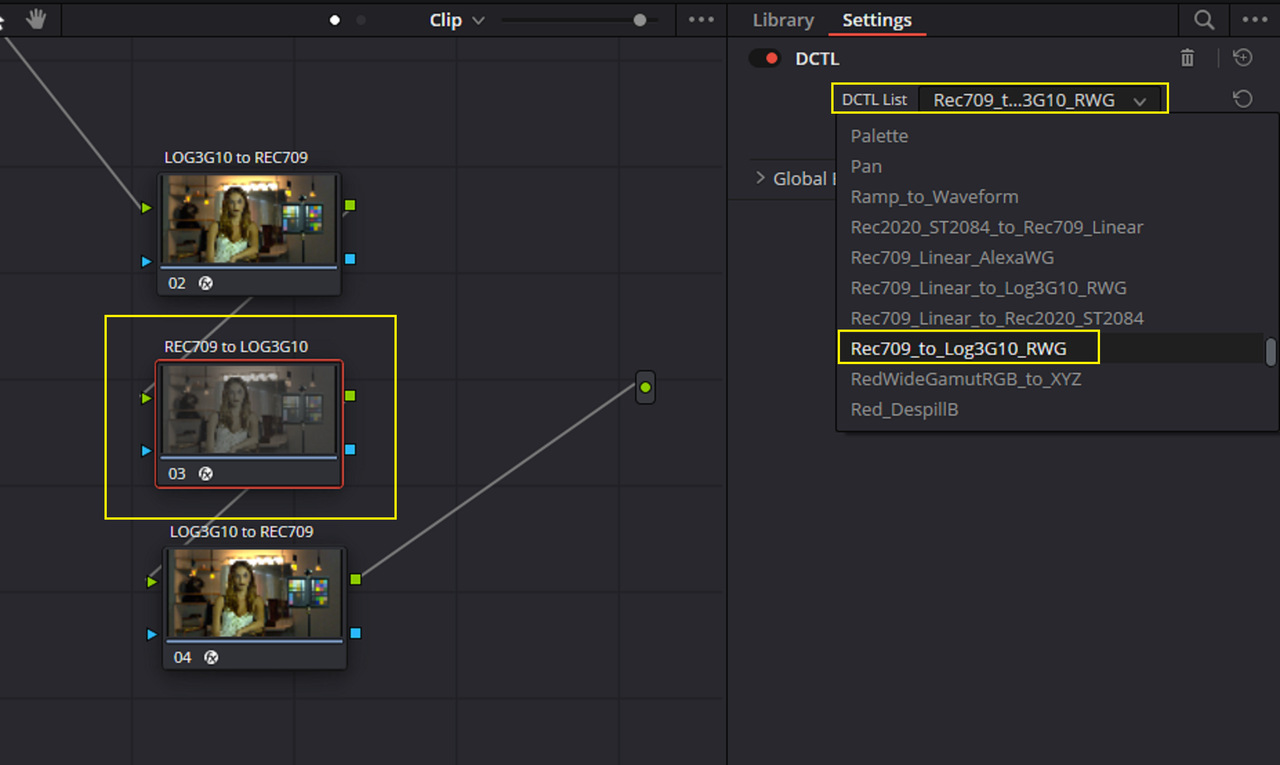
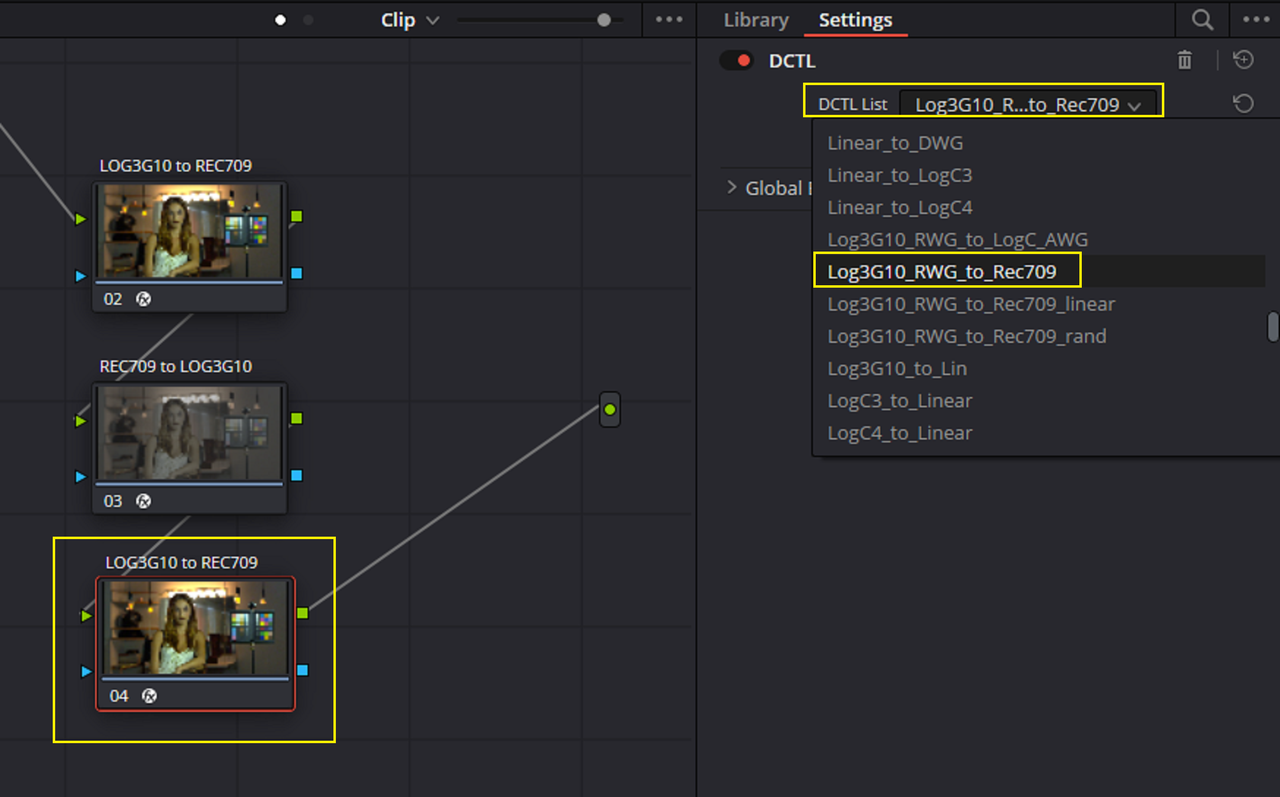
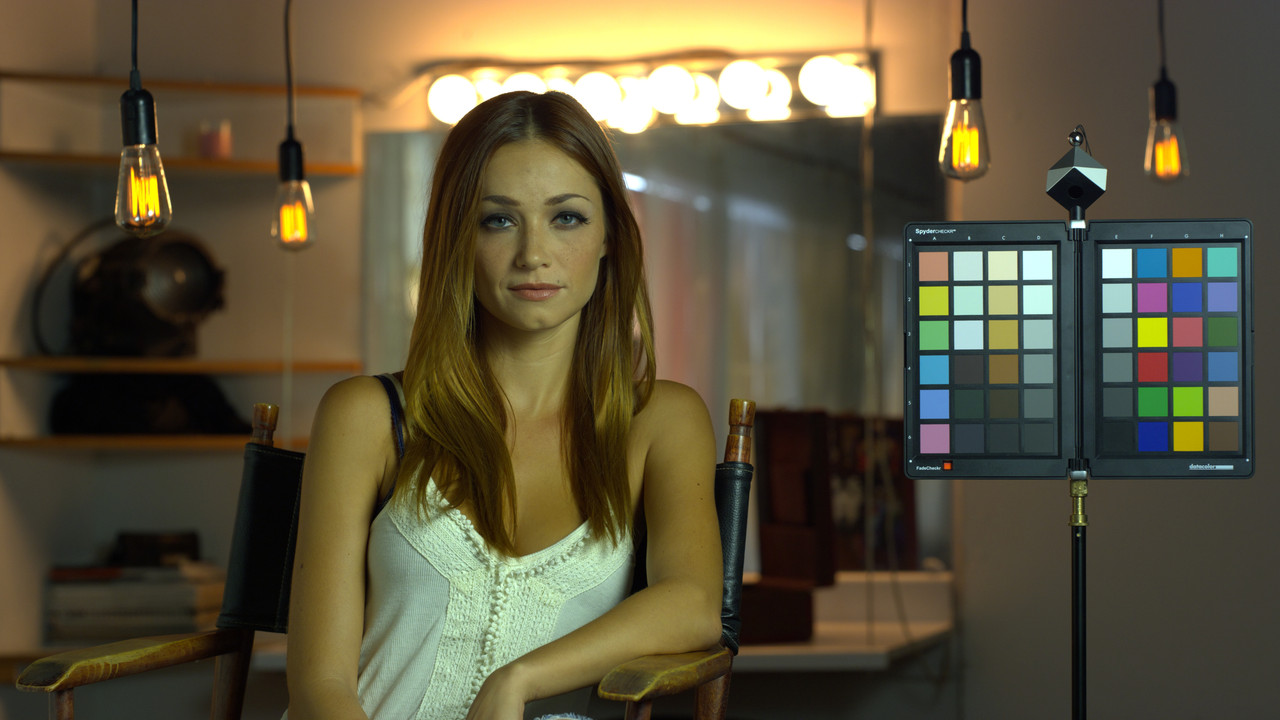
Here is a screengrab from a Video I posted in another thread that has already been exported as a REC709 image as an example. After using a DCTL I have which uses an Inverse Transform from REC709 to RWG/LOG3G10 I could use an IPP2 OUTPUT Transform. How much information will you lose from it not being in RWG/LOG3G10 in the first place, I don't really know.


Screenshot-10318.png


Screenshot-10330.png


Screenshot-10328.png


2.png


Screenshot-10329.png


Screenshot-10285-1-2-6.jpg
 
the Posties can simply change this back to REDWIDEGAMUTRGB? Or is this now burned in?

Yes, with RAW it's just another piece of metadata and can be changed anytime later, no data or color is lost even when it was set to 709 (for whatever magic reason).
 
Thank you Rand.
I’ll be meeting with the post folks today to go over which clips are not RedWideGamut and try to get to the bottom of this.
I’ll keep posting if I discover anything new.
 
Thank you Rand.
I’ll be meeting with the post folks today to go over which clips are not RedWideGamut and try to get to the bottom of this.
I’ll keep posting if I discover anything new.

You're Welcome Russ! Here is a suggested workflow if the Clips have a REC709 "BAKED IN" Color Space.


Here is a Link to the REC709 to LOG3G10/RWG Inverse DCTL below


SENDGB LINK
SendGB | Send Large Files | Free file transfer


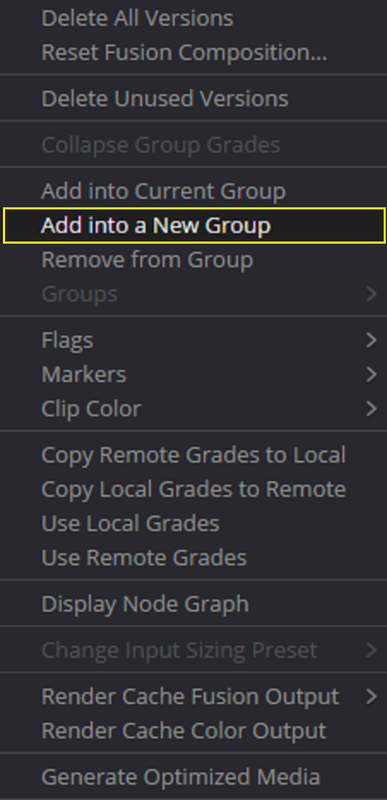
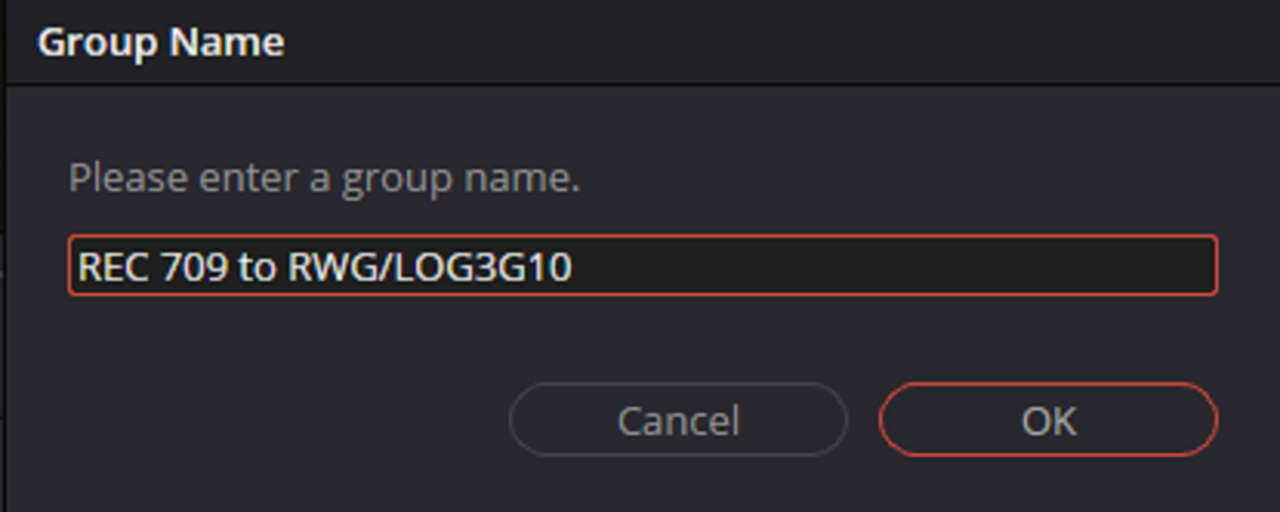
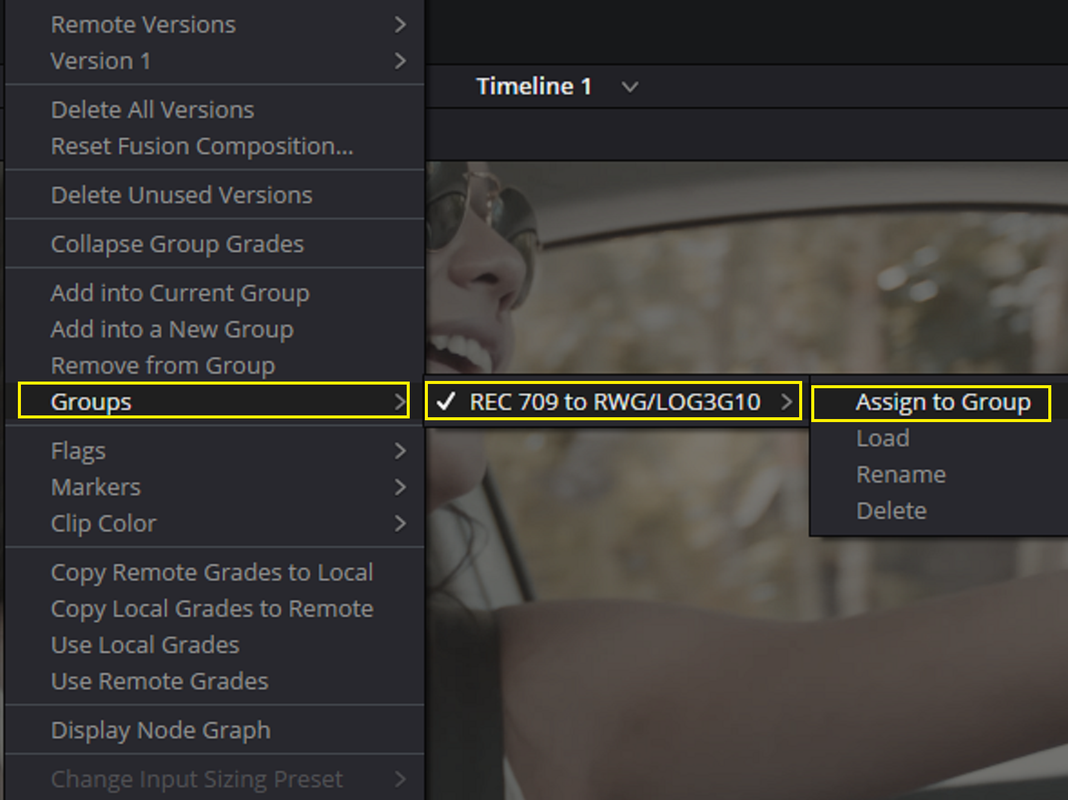
I would put all the Clips in both RWG/LOG3G10 and REC709 on the Timeline. Then Right-Click on one of the REC709 Representative Cilps and "ADD INTO A NEW GROUP". Now assign all of the REC709 RED.r3d files into that group.

Screenshot-10318.png


1.png


2.png


Screenshot-10338.png


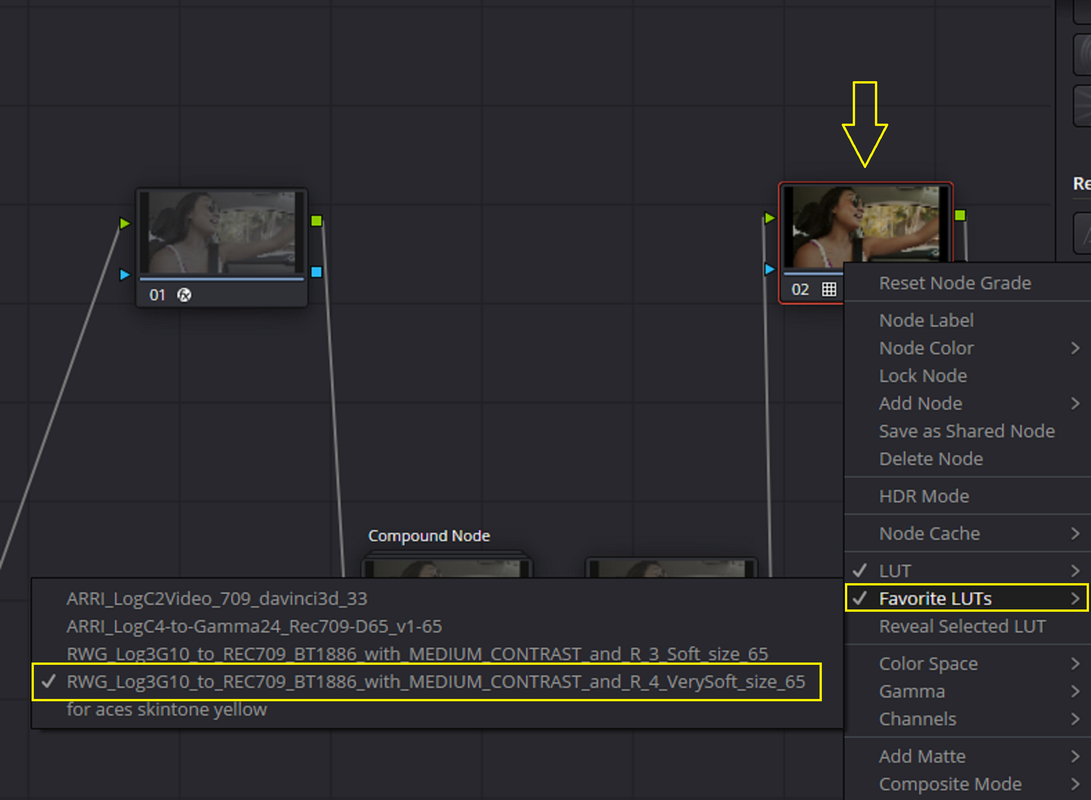
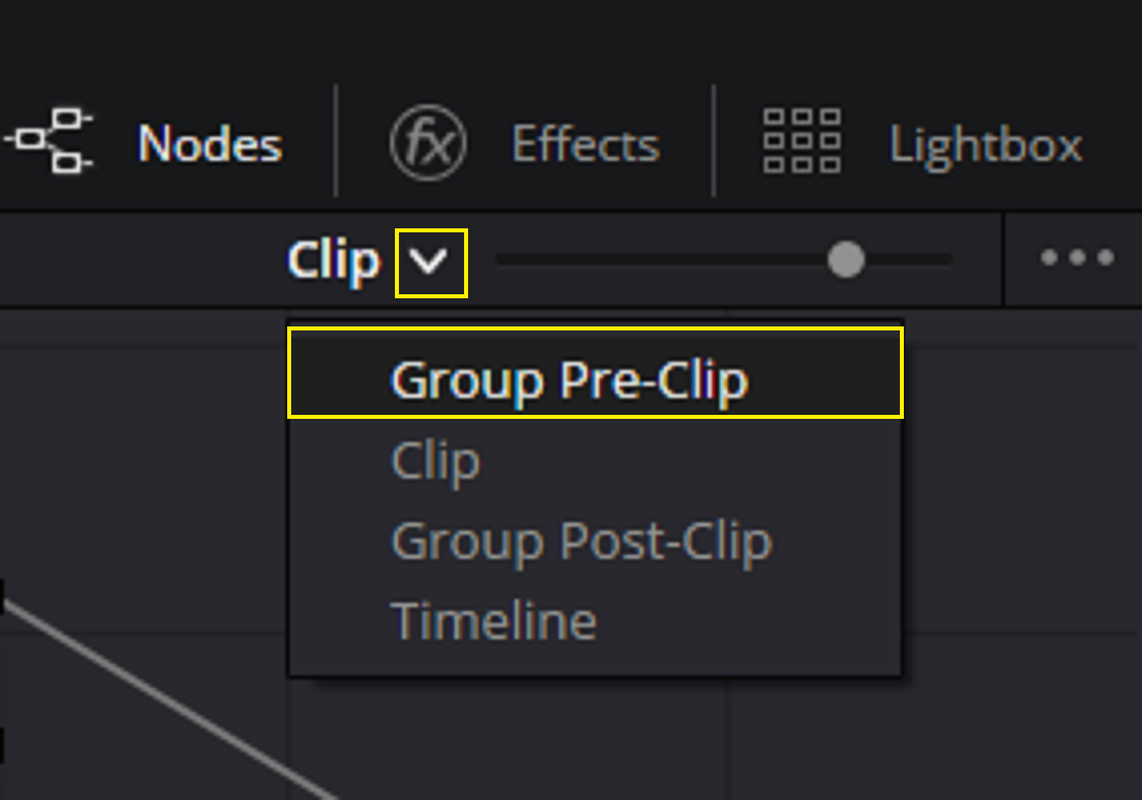
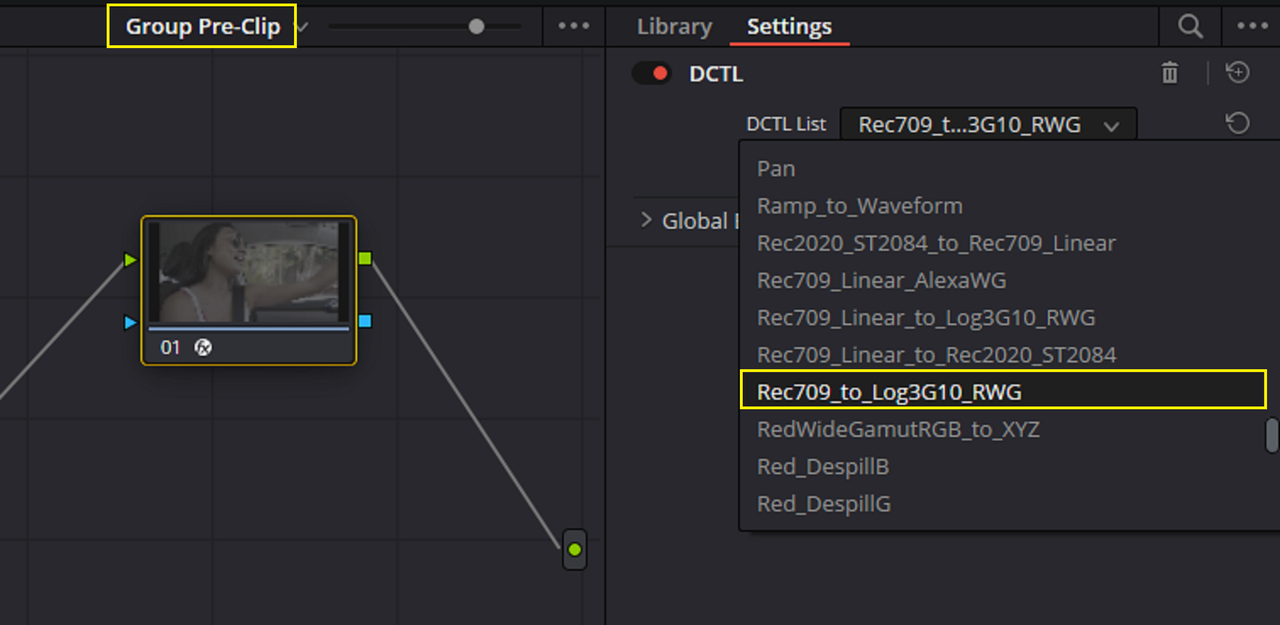
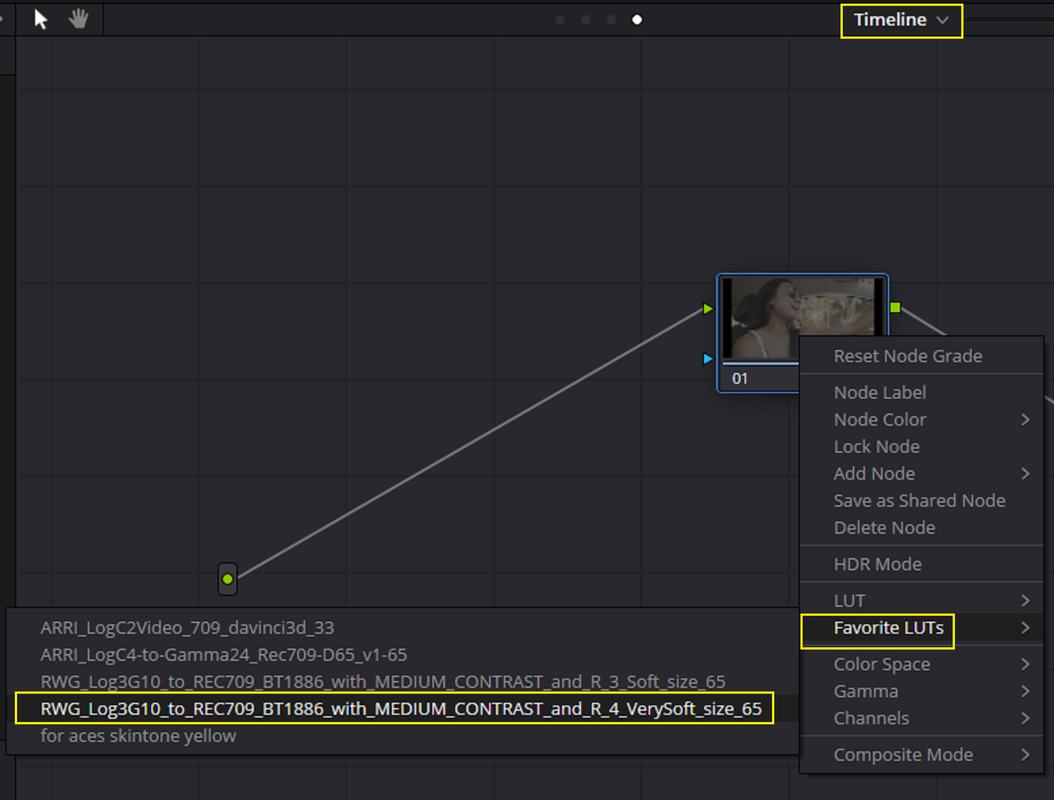
Next, Go to "GROUP PRE-CLIP" and add the Inverse Transform from REC709 to RWG/LOG3G10 to that node so that all of the REC709 Clips will be back in the RWG/LOG3G10 Color Space again, however it might not be exactly the same as if it was shot in RWG/LOG3G10.


3.png


4.png


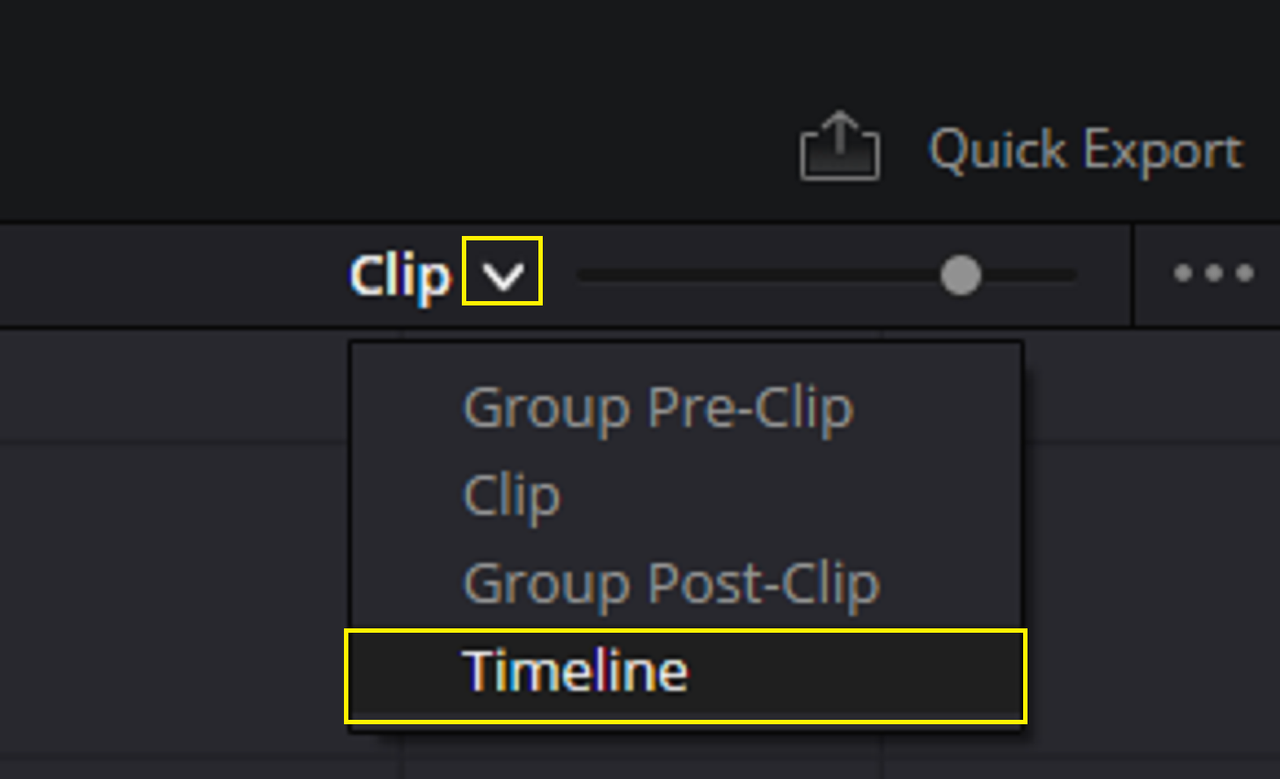
Finally, Go to "TIMELINE" and add a Node and place whatever IPP2 Output Transform you want to use and it will apply to the Transformed REC709 to RWG/LOG3G10 clips and the RWG/LOG3G10 clips as well.


5.png


6.png
 
Last edited:
A first note. If your clips are not REDCODE RAW (meaning if they are your Color Space and Gamma are Metadata and you're fine) and if they are ProRes with Rec.709 "baked in". Yes, you lost color information. Depending on the gamma provided, you'll want to invert that exact curve and hopefully it's not a super destructive one. RED's transforms are designed not to be. In terms of the Color Space itself being baked in, depending your shot it may have an impact or not. But you are what we refer to as being in triage mode and hopefully you'll be fine.

But yeah, REDCODE RAW, no matter the Metadata choses Color Space, Gamma, or even LUT, you always have access to the RAW data.
 
I just used the DCTL I link to above in a test to check its accuracy, and I didn't like the results. So hold off on using it. I think Graeme might have a much better inverse transform solution anyway.


Rand
 
The Inverse DCTL above was designed to work as a set with another DCTL I have . Which are the exact inverse of each other and not adequate as an Inverse of an IPP2 Output Transform.

The
"LOG3G10_RWG_TO_REC709" DCTL was meant to work along with the "REC709_TO_LOG3G10_RWG" DCTL.

However neither has the Following components of the IPP2 Output Transform Luts. So The image can't accurately replicate the Inverse of the IPP2 Output Transforms used with the RED cameras.


1) Output Tone-Mapping
2) Highlight Roll-Off
3) Out Of Gamut Control Component
4) Highlight Retention Algorithms


1.png


2.png


3.png


Screenshot-10356.png


W001-C005-1014-V3-001-R3-D-1-2-2.jpg
 
The Inverse DCTL above was designed to work as a set with another DCTL I have . Which are the exact inverse of each other and not adequate as an Inverse of an IPP2 Output Transform.
I think it would be possible to invert it without a DCTL or a LUT, simply by using a Resolve CST node and going from Rec709 back out to RWG/Log3G10. I think once it's crammed into Rec709, that is a destructive process and you will lose something in the translation. Is it catastrophic? No, but I'd yell at whoever processed the dailies that way and make them redo it (if possible).
 
I think it would be possible to invert it without a DCTL or a LUT, simply by using a Resolve CST node and going from Rec709 back out to RWG/Log3G10. I think once it's crammed into Rec709, that is a destructive process and you will lose something in the translation. Is it catastrophic? No, but I'd yell at whoever processed the dailies that way and make them redo it (if possible).

It's better to invert RED's gamma curve, whatever was used. The CST gammas have nothing to do with any manufacturers Output Transforms. Or even Color Space even, though in practice the conversion from R709 to anything else works generally well.

Resolves CST can get you "close-ish", but at worst, "weirdish" depending on what's fed into it.

Again, all of this is if this was recorded in ProRes. In REDCODE RAW this is a non-issue.
 
Ok thank you all for input and it seems we all have learned quite a bit about Color space now... some more than others...
I know I have learned more than Id like to have to at this point.
Here is the update to what I found out today when going over the files on the server...
By the way we are using Scratch as the post system were dealing with here... not sure what Scratch build but probably not a very old firmware if not up to date...
The issue seems to be camera based because when the files from the card are off loaded they go to 2 completely separate servers so the issue could not have or extremely unlikely that someone went in to view the files and some how changed the Color spacing on these. Because only one of the servers has the ability to have others... AKA FOLKS LIKE ME DoP have access to view any of the material. And the post editor working with my files has stated that they were as they were when opened or added to the project bin...

So basically our post person just used the pull down in Scratch for color spacing and changed it back to RedWideGamutRGB/Log3g10.
Ive include a couple screen grabs to help show how strange a issue it is with the randomness of the changing of clips on the same card changing back and forth.....

(Maybe Open App in AC pocket) but after checking how we would have had to do that with how we have the App camera operation page setup... It would take a very specific butt touch to the page with the color space and the magical touch of only Rec 709 and with out touching another choice of Rec 2020 or DCI-P3 and then click Done and back and forth only clicking Rec 709 and RedWideGamut.RGB seems pretty much like wining the lotto about 50 time in a row.. So the other option is someone changed it but that seems very unlikely with 2 separate copies off loading to 2 separate server systems with limited access. Which brings me to the possibility of the camera glitching on occasion when we stop and restart a clip while working on location .. Even that seems pretty unbelievable.

I have saved a log and I am using the lates Beta version on this particular camera and all others are on release versions so maybe some super lotto random bugs???????

Ill start a inquire with RED on this tomorrow with the log file and maybe we can convince someone with the authority to clear us to send of a clip or 2 to see if there is anything there.


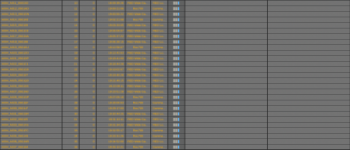
In the attached frame grabs you can see the clips of the fire with the Rec 709 pretty obviously next to the RedWideGamut. And there is a frame grab of the page from the Scratch bin showing how random the change is even on as I said same cards shot only seconds or min apart. Let me apologize for the super low res of the images below. Ill work on getting a better copy posted but there were a airdrop of an airdrop then uploaded and we all see the results.

Screen Shot 2023-05-30 at 4.25.14 PM.PNG

Screen Shot 2023-05-30 at 4.24.39 PM.PNG
 
FWIW the R3D files are never modified post recording for a good reason. But REDCINE-X and other 3rd party apps can create a .RMD sidecar file with modified metadata like a different ISO, White balance or Color Space…
so if you access a server’s file with Redcine-x, change the color space value of a clip then it can be saved in that side ar file and read as is in other apps.

so I suggest you look into the files’s RDC (red digital clip) folder and see if the clips with Rec709 have a .RMD (red meta data) file alongside the R3Ds. If so you can delete them and get back to the in camera / as shot setting.
 
I think it would be possible to invert it without a DCTL or a LUT, simply by using a Resolve CST node and going from Rec709 back out to RWG/Log3G10. I think once it's crammed into Rec709, that is a destructive process and you will lose something in the translation. Is it catastrophic? No, but I'd yell at whoever processed the dailies that way and make them redo it (if possible).

Thanks Marc for the suggestions. Yeah I initially tried the Color Space Transform and I got it close when I used the " Luminance Mapping" to try to account for the " Highlight Roll- Off" of the Ipp2 Transform. And I tried " Saturation Compression" to try to account for the "Out Of Gamut" component of the Ipp2 Output Transform. However as Phil stated you need to use the exact opposite of the IPP2 Output Transform used for it to work as it should.
 
Last edited:
It's better to invert RED's gamma curve, whatever was used. The CST gammas have nothing to do with any manufacturers Output Transforms. Or even Color Space even, though in practice the conversion from R709 to anything else works generally well.

Resolves CST can get you "close-ish", but at worst, "weirdish" depending on what's fed into it.

Again, all of this is if this was recorded in ProRes. In REDCODE RAW this is a non-issue.

Yeah I remember Graeme maybe stating something to the affect that he had an Inverse transform or two for the Ipp2 Output Transform some time ago in another thread, or atleast that's how I interpreted it.
 
Ok thank you all for input and it seems we all have learned quite a bit about Color space now... some more than others...
I know I have learned more than Id like to have to at this point.
Here is the update to what I found out today when going over the files on the server...
By the way we are using Scratch as the post system were dealing with here... not sure what Scratch build but probably not a very old firmware if not up to date...
The issue seems to be camera based because when the files from the card are off loaded they go to 2 completely separate servers so the issue could not have or extremely unlikely that someone went in to view the files and some how changed the Color spacing on these. Because only one of the servers has the ability to have others... AKA FOLKS LIKE ME DoP have access to view any of the material. And the post editor working with my files has stated that they were as they were when opened or added to the project bin...

So basically our post person just used the pull down in Scratch for color spacing and changed it back to RedWideGamutRGB/Log3g10.
Ive include a couple screen grabs to help show how strange a issue it is with the randomness of the changing of clips on the same card changing back and forth.....

(Maybe Open App in AC pocket) but after checking how we would have had to do that with how we have the App camera operation page setup... It would take a very specific butt touch to the page with the color space and the magical touch of only Rec 709 and with out touching another choice of Rec 2020 or DCI-P3 and then click Done and back and forth only clicking Rec 709 and RedWideGamut.RGB seems pretty much like wining the lotto about 50 time in a row.. So the other option is someone changed it but that seems very unlikely with 2 separate copies off loading to 2 separate server systems with limited access. Which brings me to the possibility of the camera glitching on occasion when we stop and restart a clip while working on location .. Even that seems pretty unbelievable.

I have saved a log and I am using the lates Beta version on this particular camera and all others are on release versions so maybe some super lotto random bugs???????

Ill start a inquire with RED on this tomorrow with the log file and maybe we can convince someone with the authority to clear us to send of a clip or 2 to see if there is anything there.


In the attached frame grabs you can see the clips of the fire with the Rec 709 pretty obviously next to the RedWideGamut. And there is a frame grab of the page from the Scratch bin showing how random the change is even on as I said same cards shot only seconds or min apart. Let me apologize for the super low res of the images below. Ill work on getting a better copy posted but there were a airdrop of an airdrop then uploaded and we all see the results.


Russ,

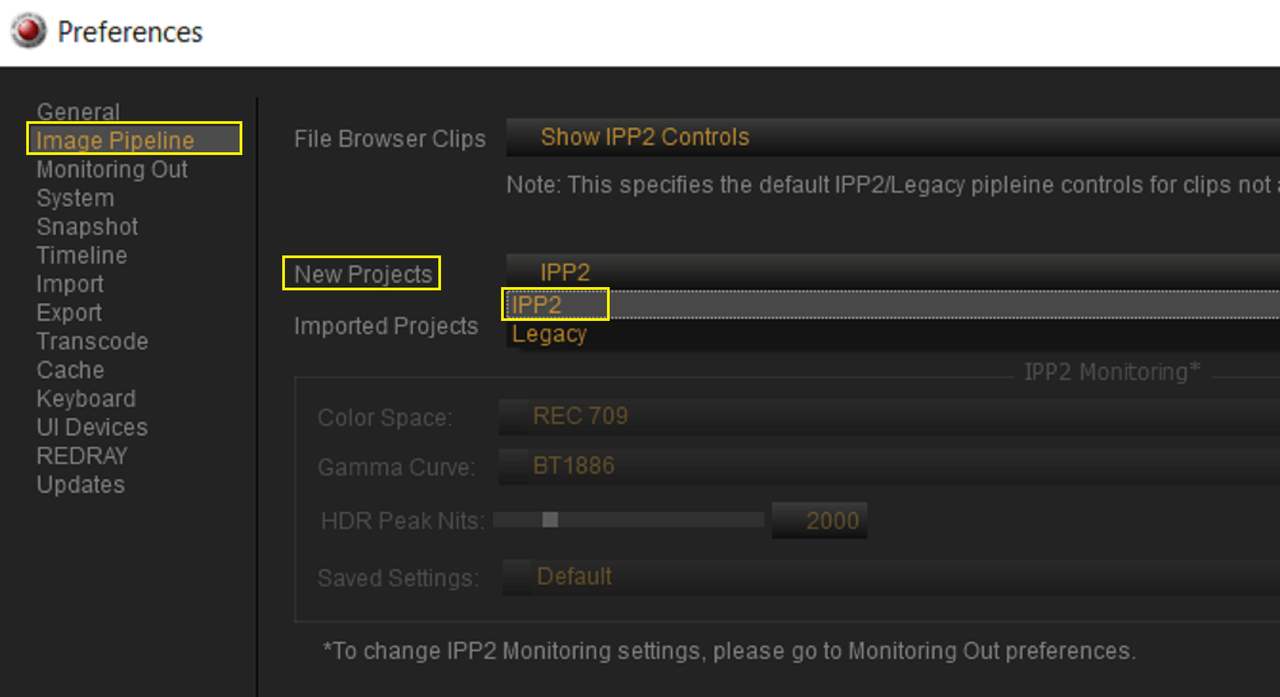
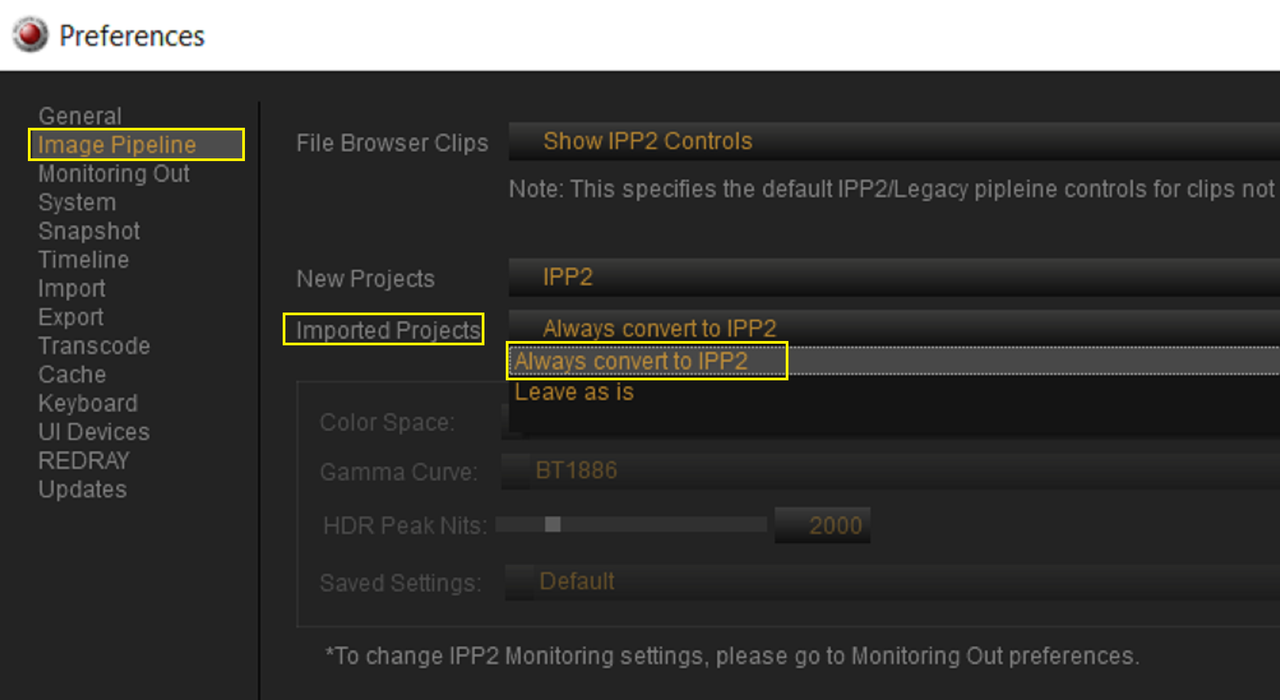
It sounds like something really weird transpired with some of the files on the card. I initial thought someone might have used REDCINE-X in "Legacy" Mode but from reading your post that seems unlikely as well. I hope you can once and for all get to the bottom of what happened so that it doesn't happen again.
 
FWIW the R3D files are never modified post recording for a good reason. But REDCINE-X and other 3rd party apps can create a .RMD sidecar file with modified metadata like a different ISO, White balance or Color Space…
so if you access a server’s file with Redcine-x, change the color space value of a clip then it can be saved in that side ar file and read as is in other apps.

so I suggest you look into the files’s RDC (red digital clip) folder and see if the clips with Rec709 have a .RMD (red meta data) file alongside the R3Ds. If so you can delete them and get back to the in camera / as shot setting.

Thanks Mikael for this info, this will be really helpful for potentially solving future problems.
 
:cupcake:
FWIW the R3D files are never modified post recording for a good reason. But REDCINE-X and other 3rd party apps can create a .RMD sidecar file with modified metadata like a different ISO, White balance or Color Space…
so if you access a server’s file with Redcine-x, change the color space value of a clip then it can be saved in that side ar file and read as is in other apps.

so I suggest you look into the files’s RDC (red digital clip) folder and see if the clips with Rec709 have a .RMD (red meta data) file alongside the R3Ds. If so you can delete them and get back to the in camera / as shot setting.


Thank you Mikael and Rand you bring up a very interesting point that sparked my mind in remembering that some of our computers in post I find have very old versions of RedCine X. I am always updating everyone’s computer as I sit and use it at times to view or check some thing and find that it’s a outdated version.
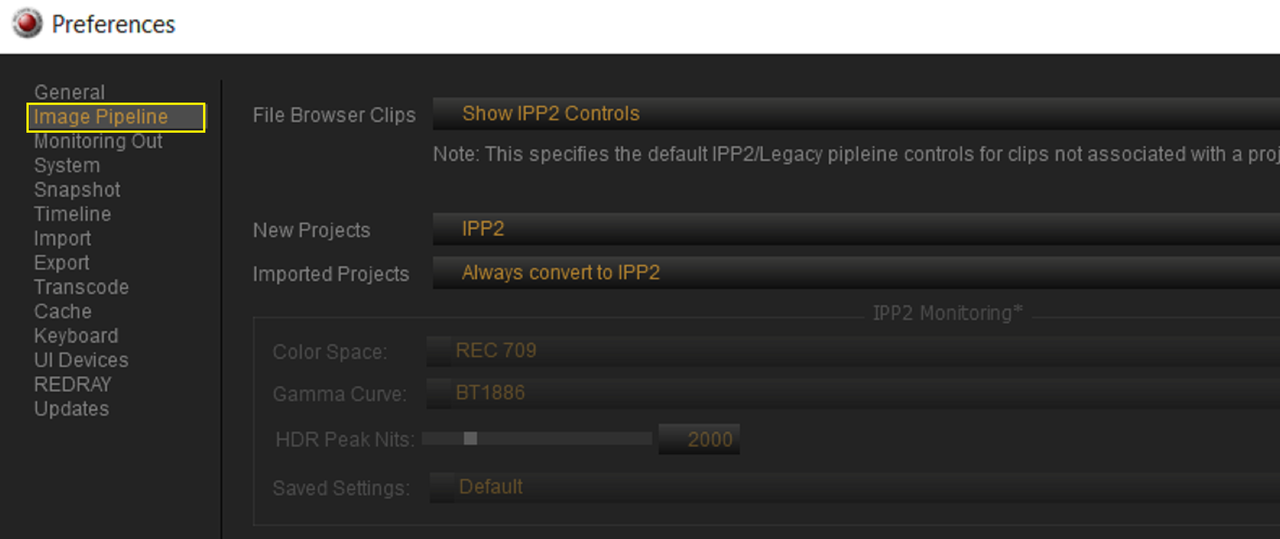
I doubt that is what’s going on here, but will look in to see if any of them that were used with my files are on a legacy setting.
 
:cupcake:


Thank you Mikael and Rand you bring up a very interesting point that sparked my mind in remembering that some of our computers in post I find have very old versions of RedCine X. I am always updating everyone’s computer as I sit and use it at times to view or check some thing and find that it’s a outdated version.
I doubt that is what’s going on here, but will look in to see if any of them that were used with my files are on a legacy setting.

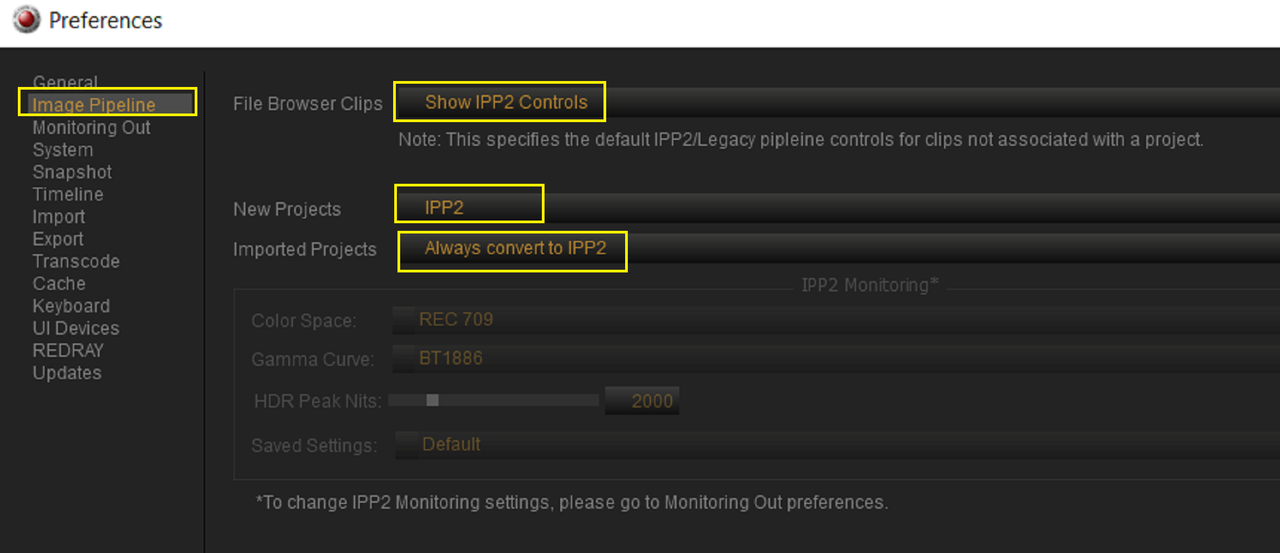
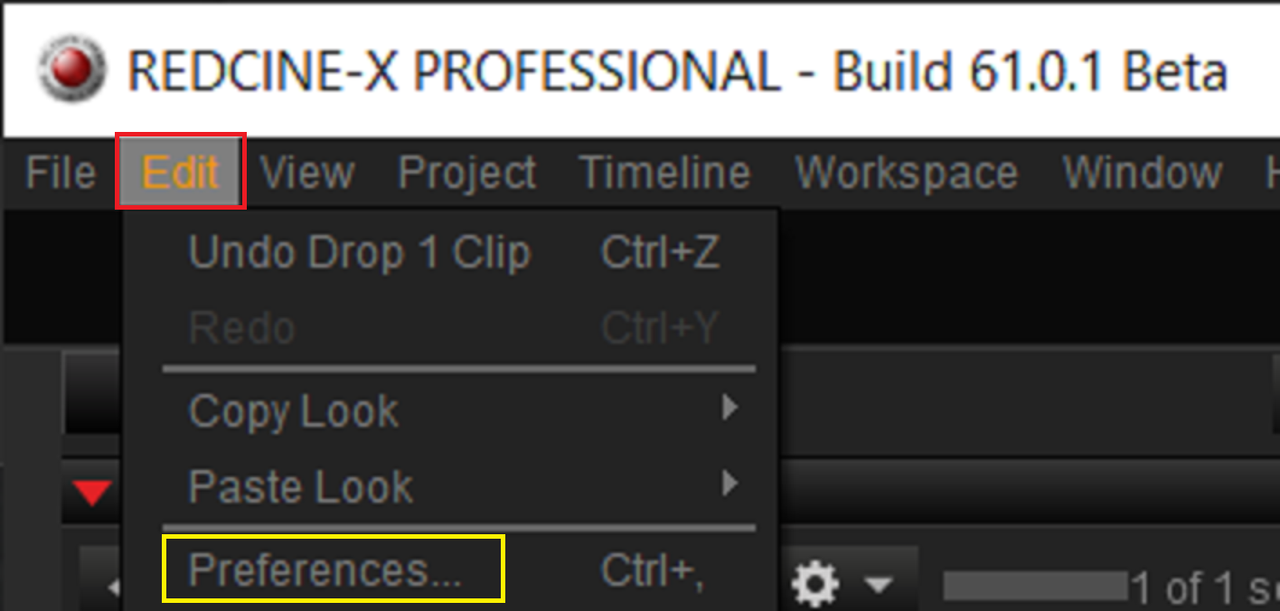
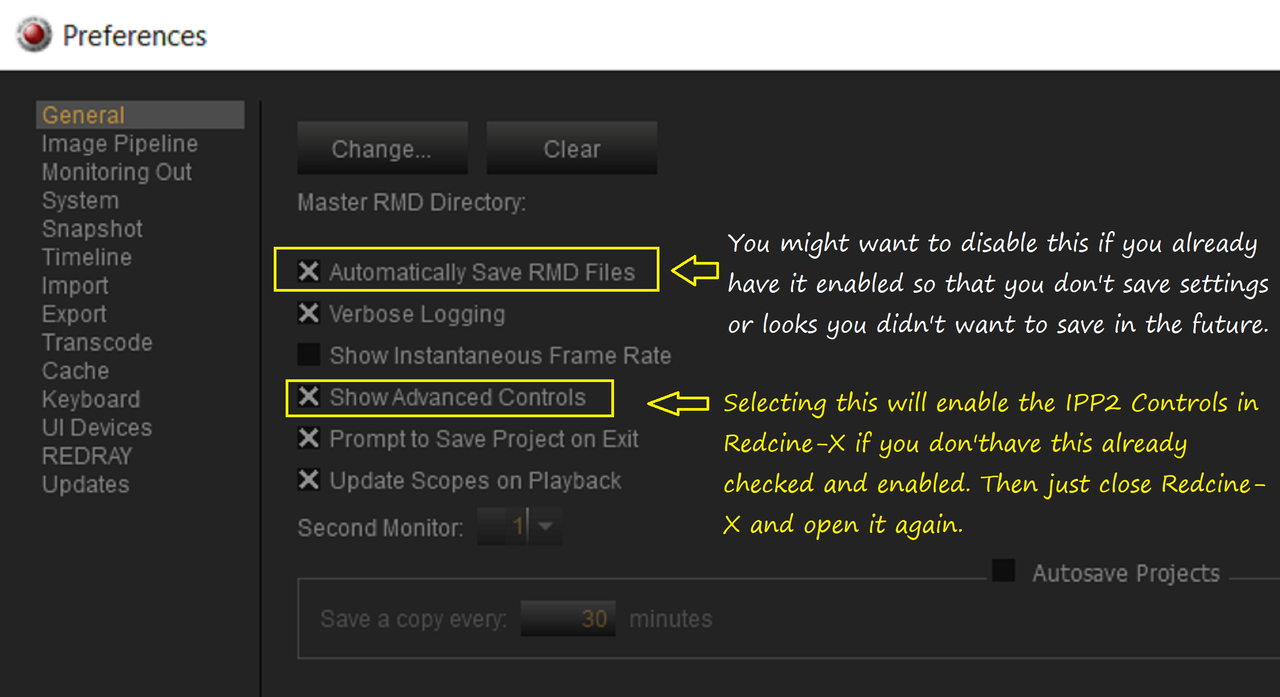
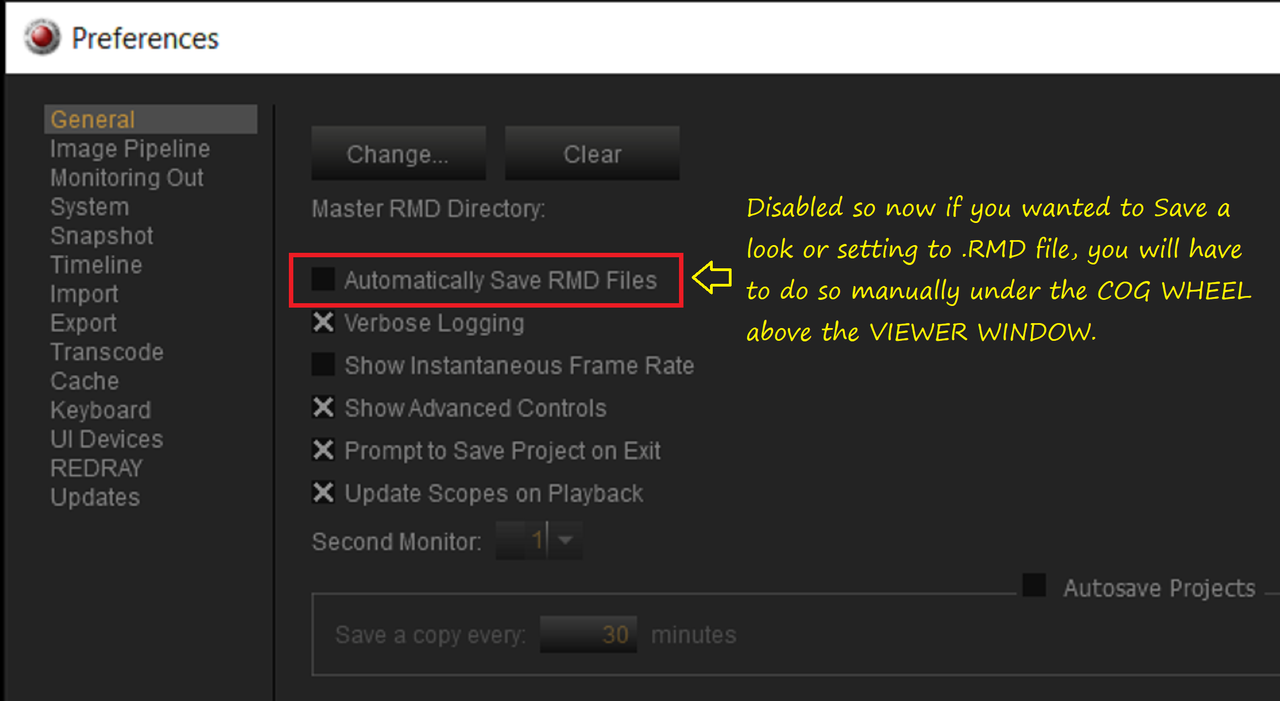
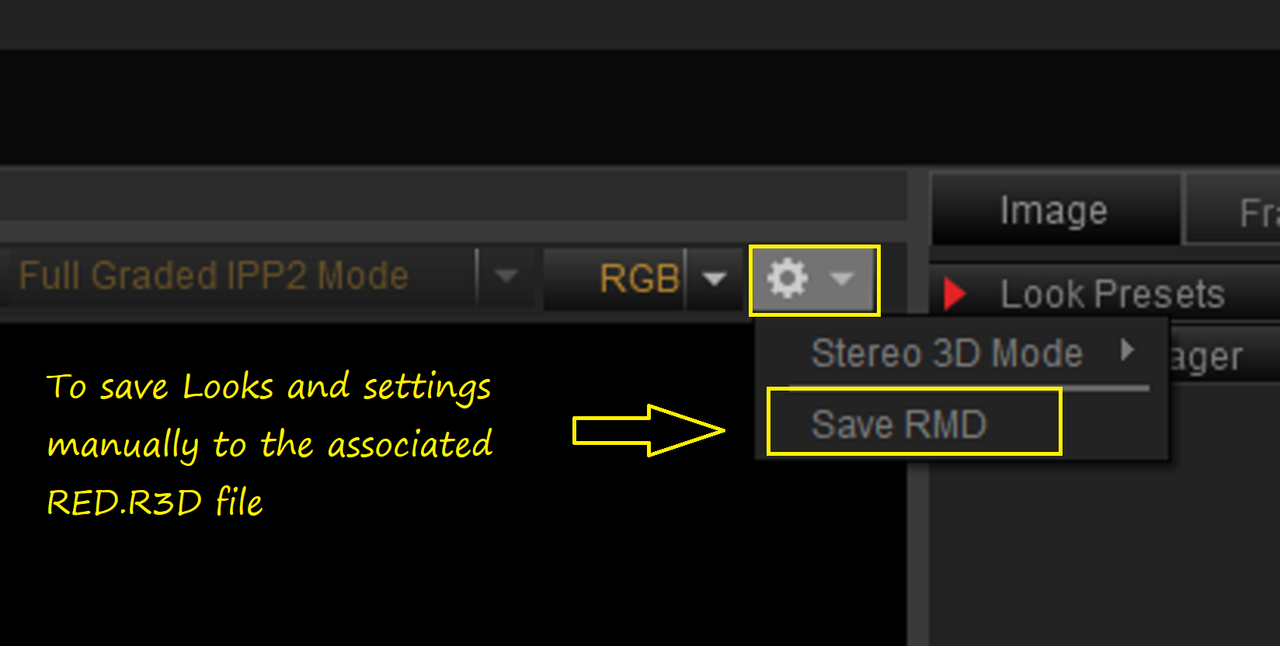
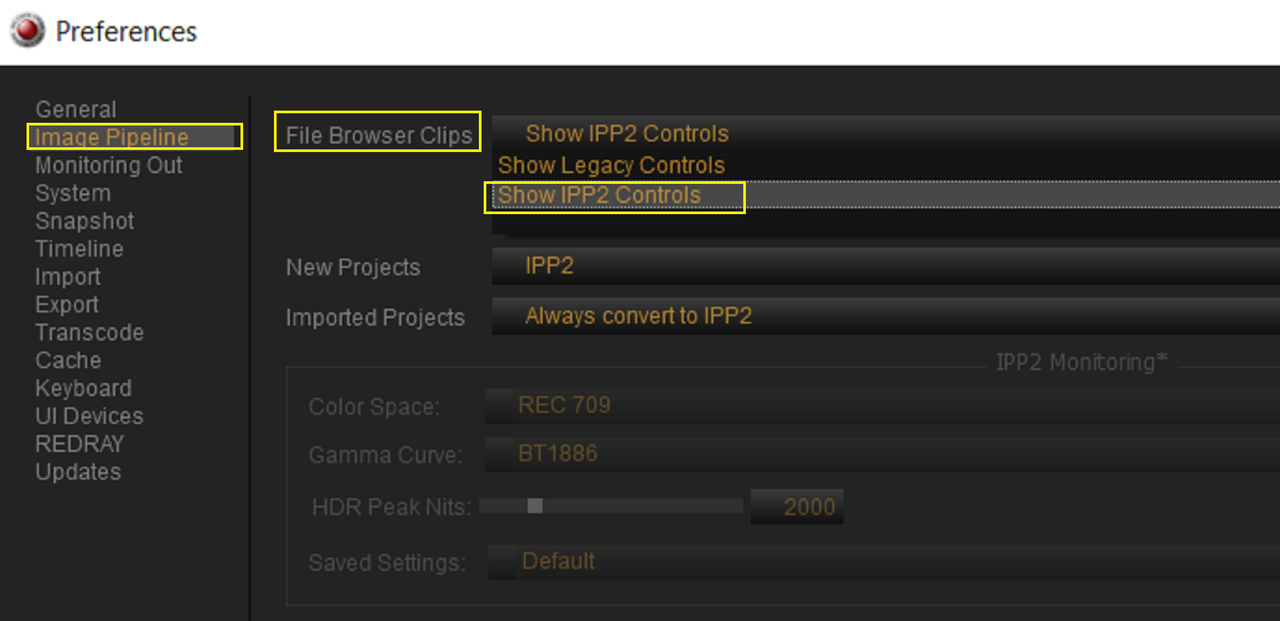
Yeah Russ, check these settings in REDCINE-X. Hopefully something as simple as this was the problem and not something wrong with your camera or firmware.

1.png


2.png

2a.png

2b.png

4.png

5.png

6.png

7.png
 
Back
Top