Datsenko Alexey
Well-known member
Hello, guys!
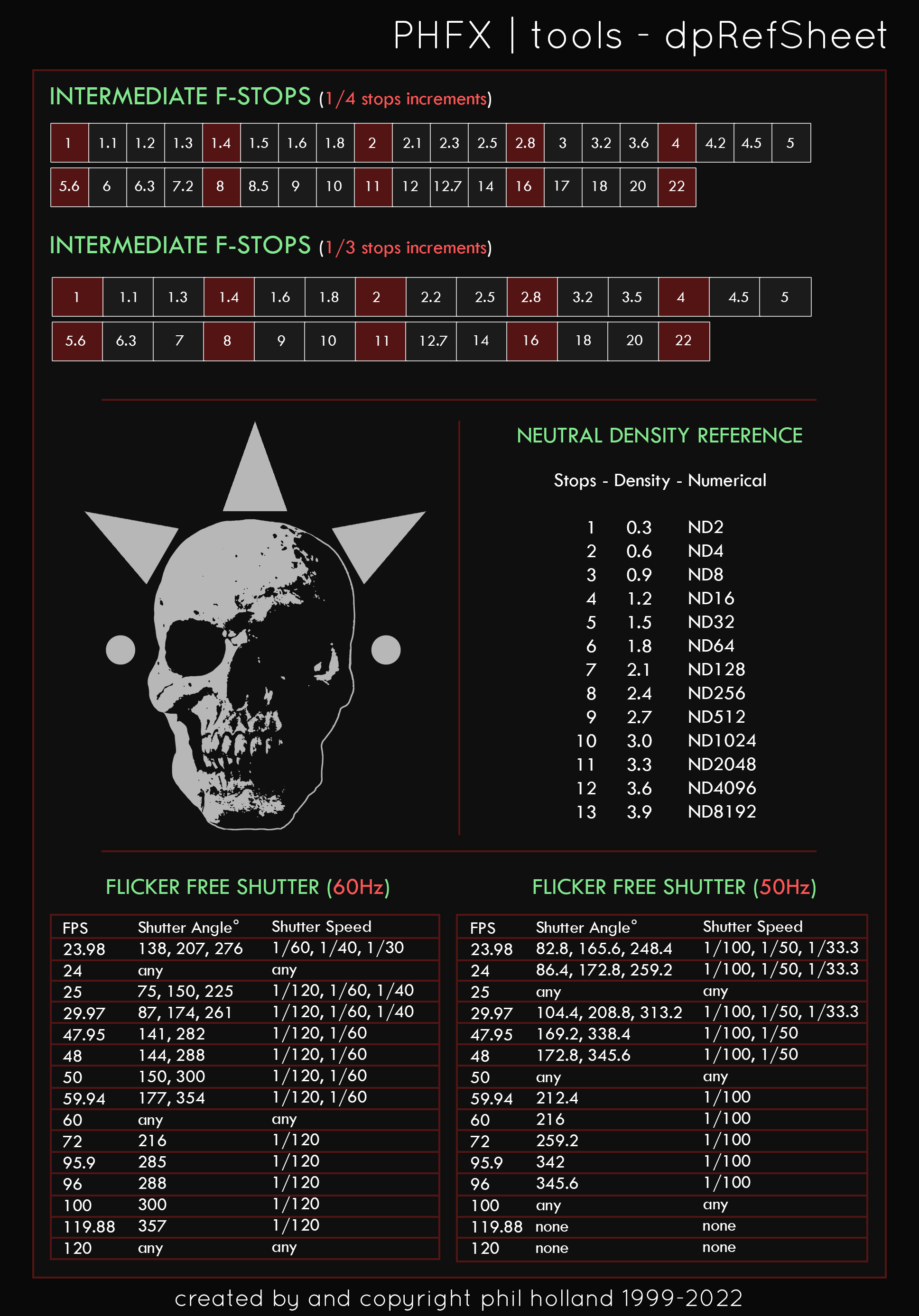
Could you tell me please how often do you meet flicker effect on big fps, 100 fps, 240, fps, 300 fps and how do you fix that?
When I shoot in the interior almost evey time I see flecker on 100,120, 300 fps?
Local lighting is turned off.
Working only with Kino flo, Arri 2000, Arri 1000 and sometime Filmgear (chinese analog kinoflo).
Every lighting brand is flicker free but in practice we see flicker effect every time on big fps.
Theoretically we know that the frequency of lighting id 50Hz and we need to get shutter multiple to 50Hz i.e. 1/50 sec, 1/100, 1/200, 1/500 etc.
But in practice it not works.
We set 120 fps and 1/240 shutter and see flicker, we set 100 fps and 1/200 and see flicker, we set 200 fps and 1/400 and see flicker, we set 300 fpd and 1/600 and see flicker.
Yes when we set 100 fps and 1/100 the flicker is much less but for 100 fps we need 1/200 shutter.
So how do you fix that?
Or may be problem is that Kino flo and Arri not really flicker free indeed?
Thank you in advance
Could you tell me please how often do you meet flicker effect on big fps, 100 fps, 240, fps, 300 fps and how do you fix that?
When I shoot in the interior almost evey time I see flecker on 100,120, 300 fps?
Local lighting is turned off.
Working only with Kino flo, Arri 2000, Arri 1000 and sometime Filmgear (chinese analog kinoflo).
Every lighting brand is flicker free but in practice we see flicker effect every time on big fps.
Theoretically we know that the frequency of lighting id 50Hz and we need to get shutter multiple to 50Hz i.e. 1/50 sec, 1/100, 1/200, 1/500 etc.
But in practice it not works.
We set 120 fps and 1/240 shutter and see flicker, we set 100 fps and 1/200 and see flicker, we set 200 fps and 1/400 and see flicker, we set 300 fpd and 1/600 and see flicker.
Yes when we set 100 fps and 1/100 the flicker is much less but for 100 fps we need 1/200 shutter.
So how do you fix that?
Or may be problem is that Kino flo and Arri not really flicker free indeed?
Thank you in advance