Welcome to our community

Be a part of something great, join today!

  • Hey all, just changed over the backend after 15 years I figured time to give it a bit of an update, its probably gonna be a bit weird for most of you and i am sure there is a few bugs to work out but it should kinda work the same as before... hopefully :)

What is your favorite workflow for keeping all DR available on MX?

Gunleik Groven

REDuser Sponsor
Joined
Dec 28, 2006
Messages
13,465
Reaction score
5
Points
38
Location
Norway
Website
quine.no
So, I've been digging into the MX a fair bit this autumn and really dig the camera, but I see that based on the on-set preview it is fairly easily to throw away a lot of DR.

How do you guys relate to this?
What would you wish to see in the on-set preview?

Cheers!

Gunleik
 
Last edited:
Expose To The Right on the histogram, but don't overexpose and RAW channels. Then you've got maximum quality and if you've got enough variance between lights and darks, maximum latitude as well with the least amount of possible noise in the shadows:

A012_C015_0724S7.0000874as.jpg


HTH

Paul
 
That's fine, but not really what I am asking about.

@ 320 ISO/daylight there's exactly no headroom in the top.
The sensor is less noisy than M, so the advice is to shoot at 800.
That gives 1.4'ish stop of highlight headroom, but to reclaim that, you'll have to go back to 320 (and maybe 250 or lower for tungsten) before grading.

Currently the DR of the sensor is far wider than what we see on set, both in the lowlights and in the highlights.
You can easilly throw away 2-5 stops if you are not prepared to hold on to your latitude, and that is often not a very good plan.
So how do you avoid that?

I have some hunches, really - but I am just curious as to how you guys handle this.
 
Last edited:
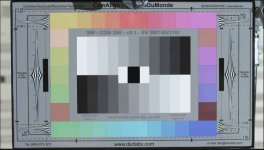
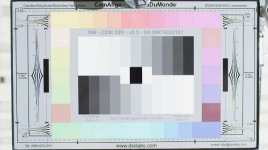
Here's a illustration as to what may happen with the highlight latitude if you shoot 800 and develop at 800 with redgamma, to illustrate some of the highlight-issues I want to discuss.

If you aren't leaning a bit on that extra headroom, you could as well be shooting at 320, only catch is that you'll probably give up on the lowlightperformance the way the monitorpath is currently calibrated...

First is (as exposed) at 320 ISO
Second is developed at 800. Both with redgamma.
 

Attachments

  • @iso320_redgamma.jpg
    @iso320_redgamma.jpg
    21.9 KB · Views: 0
  • @iso800_redgamma.jpg
    @iso800_redgamma.jpg
    24.4 KB · Views: 0
Last edited:
When I'm shooting, I will usually set the ISO to around 1000, even in bright daylight. Then I use the Exposure setting (black and white with the Ev symbol) to make sure that I'm not clipping AT ALL. Seriously. Unless I'm looking directly into the sun. This usually requires me to underexpose the subject by a couple of stops, but since I'm previewing at 1000 ISO, I can still see them and judge focus. I just make sure that nothing I want to see later is in purple.
Then in REDCINE, I will change the gamma from Redcolor to sRGB since it is flatter. I will lower the ISO until I get the detail back that I want, usually around 500 or 640 ISO. Then I use curves to add in contrast or raise mids or whatever.
I would LOVE it if I could turn the ISO up to 1000 and the monitor would still retain the detail in the highlights that I know are in the RAW image. At the very least (and this has been discussed with Graeme in other threads), I want to monitor in Redcolor, but have the zebras (or the red clipping overlay) reflect the RAW image.
 
You could Almost (but not fully) only slap on a redlogFilm gamma on anything up to 3200 ISO.... That wouldn't be a good way for offlines, though...

And the way you describe it, you throw out at least a stop of total potential...
 
I have been on a mostly natural light show for the past 4 weeks. we have been shooting 800 outside and 640 under tungsten. 1600 for fire lit scenes.

anyways, what i jhave been doing for preping dailies and one lights, is grading from the REDLOGFILM gamma. it does a good job of giving you everything you want and showing you what is there. sometimes i lower the outside stuff to 500 and grade fomr there, but still in the log curve.

REDGAMMA does not do a good job of keeping 12+ stops in a 10 bit window. My dp is a film guy, so it was a little tough to teach him the exposure properties, but 3 weeks in now, and he gets it. the histogram versus stoplights/goalposts still confuse him though. I would love the option for a raw histogram, but still be in a lookspace.

I also sometime put a curve on the camera helping him expose one way or the other depending on the scene. making sure he knows what i know, that there is a lot there that you can't see on a 8bit REDLCD or EVF

matt
 
I have been on a mostly natural light show for the past 4 weeks. we have been shooting 800 outside and 640 under tungsten. 1600 for fire lit scenes.

anyways, what i have been doing for preping dailies and one lights, is grading from the REDLOGFILM gamma. it does a good job of giving you everything you want and showing you what is there. sometimes i lower the outside stuff to 500 and grade fomr there, but still in the log curve.

REDGAMMA does not do a good job of keeping 12+ stops in a 10 bit window. My dp is a film guy, so it was a little tough to teach him the exposure properties, but 3 weeks in now, and he gets it. the histogram versus stoplights/goalposts still confuse him though. I would love the option for a raw histogram, but still be in a lookspace.

I also sometime put a curve on the camera helping him expose one way or the other depending on the scene. making sure he knows what i know, that there is a lot there that you can't see on a 8bit REDLCD or EVF

matt


You'll actually need more protection (ie higher iso) to have a similar protection under tungsten to the one you have under daylight @800, because the red channel can be slightly compressed/clamped in the ballancing.
But I follow your thinking.
 
Last edited:
If you expose for 800 and process at 800 you don't give up anything. If you expose for 320 and process at 800, you are over exposing. Redgamma has nothing to do with that.


Dusty

If you expose at 800 and develop at 800 you don't give up anything you see on set, but you give up 1,4 stops of highlight sensor DR and you cannot do anything with that down the line, if you develop with redlgamma...

Your camera will "blow" more easilly, and all you have gained is more weight from ND's. Dynamically you'd been better off shooting 320...

The point of the illustration is to show off how much you compress the highlights at 800. I am all for shooting 800, though...

BTW the 8-bit 422 thingy has nothing to do with this, the calibration of the monitor-path has a lot to do with it, though...

... and I agree if some thinks this discussion is a bit academical... It is just interesting when one sets up signal workflows.

Sanjin has shown off a way when he exports a lot of TIFFs, I find that approach less than practical even though he gets the full DR out that way.
 
I think a potential problem with RedColor is that it stretches out Luma values around an ISo too far to make them go between 0-100 IRE at a given setting - it is taking too narrow a band of input raw sensor values to map to 0-100 in the output. In other words, in some situations it is pushing more contrast throughout the image than would be ideal for the particular shot, whereas perhaps you want that range to be distributed differently, like say 80% of the output range allotted to what was 75-100 in the linear sensor data, and just 20% for the bottom. For this the new film gamma is very useful.

I would love to see a new "RedColor Wide Range Gamma" that would be in between the film gamma and Redcolor, using a slightly wider span of dark to light as found in the RAW data to map out to 0-100 in the output, but still using Flut and giving a more usable image up-front that has less far to go in the grade.
 
Now we're talking... -:)

This would be a better monitorpath, and I am more than willing to bite. I would add that I'd love the redlogFilm to ba a bit less compressed in the highlights so that I actually could use 800 under tungsten and all the way up there, now I have to push back even with RLF and compensate with a curve in the bottom. This gets worse under tungsten.

I think it would be better with a RLF-like startingpoint even for a REC 709 monitoring. (that is RLF + curve being base for the other gammas)

BUT.
This is the issue.
I am curious about the solution you guys implement.

At first I got very provoked by Sanjins "HDR" examples, but I can see how he thinks... -:)
He gets "more" DR than what's visible when shooting. I can do that, too, but simpler and we both need to do it.

I guess there are others here that have ways to protecting the image all the way to online with the current gamma-settings and tools, without going to 16-bit LInear-light TIFFS @ 320/160 ISO

G
 
Last edited:
Maybe we should break this into two?

Highlights and Lowlights?

I see info being thrown out at both ends of the scale a lot...
 
It works, but you are content with less dynamics than the sensor records. Where I work, I need to get the full dynamic off the sensor because with the X stops the MX offers, many feel they have nothing to give away.

What we see on set is substantially less than what the sensor is capable of delivering.

BTW, I am not implying that there's anything wrong with your approach. What works works.

But you essentially get a very nice video-cam working that way. Which in itself is incredibly cool...
 
And...

It is not like you get "more" in the bottom by giving up the top (like you do with developing @ 800 with redgamma.

A sensors DR is fixed independently of ISO and WB settings and are decided by the chip itselfs sensibility + the AD processing + in-cam bit depth. You don't change sensibility by changing ISO.

AND Graeme is right in claiming that the redgamma is "full"... in the bottom.

You can degain the ISO ridicolusily and still dig out lowlight detail with a curve, using redgamma... As long as you stay in raw...
 
Exposing at 800 for exterior high contrast shots, and 400 for interiror low light conditions always worked perfect for me. With 800 never overexpose, with 400 save the shadows.
The simpler, the better.

I do the same. When I have a window in the picture that could over expose I shoot 800 or 1000, but 90% of the time in interiors I shoot 400 to "protect" or to have less noise in the low lights "gaining" DR in the low light.

I think the esposure issue / "iso" setting is based on what do you want to protect?

protect low light -> expose to 400
protect high light -> exposte to 800 and above.

Patrick

PS: I never understood why the over exposed white gets PINK when in post the "iso" is set to 200 and below...
 
Back
Top