Alexis Hanawalt
Well-known member
- Joined
- Mar 13, 2007
- Messages
- 713
- Reaction score
- 0
- Points
- 0
- Location
- Los Angeles, CA
- Website
- www.bolstercamera.com
I finally just picked up a Red Focus to go with my RPP set and I'm curious if my experience is similar to anybody else's...
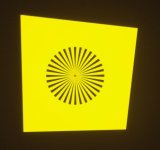
I'm using a 17" panasonic monitor (720p) to check my image. I get to a point adjusting back focus where I can turn the screw a full 360 degrees without any perceptible change in the image I'm seeing on my monitor - the tiniest ends of the lines in the center just go from one sort of "crunchy" digital to another. Nothing that would tell me what point in that 360 degree turn is the sharpest.
At first I thought this was just a large comforting "margin of error" - but then I tested each of my lenses and at 5', they all came in at exactly 5' .5"... so I used one of the lenses to re-adjust backfocus and then put the Red Focus back on and found myself still within that margin of error - and turning a half turn one way or the other, was unable to discern any difference on my monitor.
Is a 1920x1080 monitor critical for using the Red Focus tool? The fact that I'm punching in and viewing pixel for pixel should make that irrelevant, right?
Any words of wisdom from people who've used this tool?
I'm using a 17" panasonic monitor (720p) to check my image. I get to a point adjusting back focus where I can turn the screw a full 360 degrees without any perceptible change in the image I'm seeing on my monitor - the tiniest ends of the lines in the center just go from one sort of "crunchy" digital to another. Nothing that would tell me what point in that 360 degree turn is the sharpest.
At first I thought this was just a large comforting "margin of error" - but then I tested each of my lenses and at 5', they all came in at exactly 5' .5"... so I used one of the lenses to re-adjust backfocus and then put the Red Focus back on and found myself still within that margin of error - and turning a half turn one way or the other, was unable to discern any difference on my monitor.
Is a 1920x1080 monitor critical for using the Red Focus tool? The fact that I'm punching in and viewing pixel for pixel should make that irrelevant, right?
Any words of wisdom from people who've used this tool?