Welcome to our community

Be a part of something great, join today!

  • Hey all, just changed over the backend after 15 years I figured time to give it a bit of an update, its probably gonna be a bit weird for most of you and i am sure there is a few bugs to work out but it should kinda work the same as before... hopefully :)

Trouble keying raw .r3d footage in AE

Joined
Jan 16, 2013
Messages
9
Reaction score
0
Points
0
Location
Seattle, WA
Haven't been able to find a good answer for this, so apologies if this topic has been covered somewhere already.

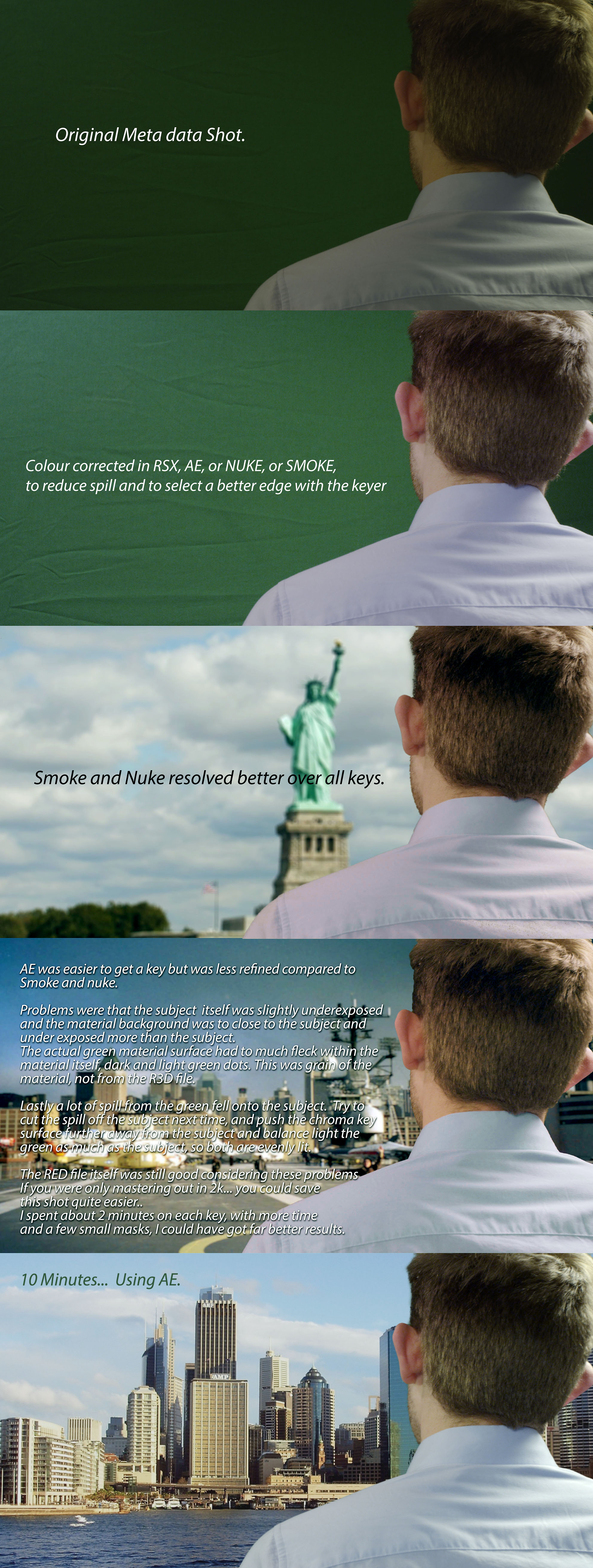
I recently tried keying some green screen footage in AE (using Keylight 1.2), and noticed a lot of grain after pulling the key. Can't seem to get it where it needs to be by adjusting Clip Black/Clip White/Screen Gain/etc., and can not figure out why it looks so bad.

First off, I realize that this isn't an ideal shot... green screen is a little dark on the right side, subject is close to the screen, etc. However, I've been able to pull a good key from footage much worse than this before (lower res footage from a 5D or t2i).

https://mega.co.nz/#!vkwzhZ4S!YT2fK2Z_HVmx7h0L9mKEjiFkI_ICTAoW_4VsmIX7qYY

Above is the r3d snapshot... let me know if you have any advice. :D Thanks in advance!
 
What I always do is have two comps:

comp_1 - i read in the r3d and have that comp sized at 1080p and do nuthing else but some basic grade

comp_2 - i bring in comp_1 as a layer and do the keying in comp_2.

With AE 6 this precaches comp1 and everything goes much faster and cleaner (and completely removes all digital grain so the key software doesn't have any problems).
 
Push what you can from your R3D: higher iso (1280), denoise, full debayer.

Your shot is really bad to work with.

Pat

PS interesting point PatrickFaith
 
@PatrickFaith- Thanks for the suggestion... I'll have to give that a try.

@Patrick Tresch- Like I said, I realize it's an awful shot to work with. Still though, I've pulled better keys from 5D footage with even worse lighting... just concerned with how much grain remains in the subject's hair after keying this Red footage.
 
little too much spill correction...purple shirt...:)

only tip I have is just run intermediate result out of keylight...final can often introduce some weird artifacting....
 
Haven't been able to find a good answer for this, so apologies if this topic has been covered somewhere already.

I recently tried keying some green screen footage in AE (using Keylight 1.2), and noticed a lot of grain after pulling the key. Can't seem to get it where it needs to be by adjusting Clip Black/Clip White/Screen Gain/etc., and can not figure out why it looks so bad.

First off, I realize that this isn't an ideal shot... green screen is a little dark on the right side, subject is close to the screen, etc. However, I've been able to pull a good key from footage much worse than this before (lower res footage from a 5D or t2i).

https://mega.co.nz/#!vkwzhZ4S!YT2fK2Z_HVmx7h0L9mKEjiFkI_ICTAoW_4VsmIX7qYY

Above is the r3d snapshot... let me know if you have any advice. :D Thanks in advance!

Ive had far worse Keys come my way over the years... Don't worry to much about it, as the RAW file will save you when you slip up from time to time. :)

PS.. Always better to do a bad key from the 5k file, once done, then reduce down to 2k... :)
ooh... and don't think spill cant reach around and hit hair... as hair is highly reflective... Could be someones shirt, or grass or a relector bouncing some green from the chroma key back into the head... so many ways to poison a shot with Green. I had know problem reducing the green specks in the hair, through a basic grade before I started keying .

Have fun, hope this helps out :) Have a great day.

oh and lucky you were shooting RED RAW, imagine this shot as a colour baked h264 or a PRORES, you wouldn't have been so lucky.

bad_key_saved.jpg
 
final result on keylight will introduce more grain...and other aftifacts
its best to do the spill suppression separately
you can see the grain in this image with final results on the left shoulder

http://www.flickr.com/photos/94488495@N03/8601089855/in/photostream


AE keylight...no color correction...no spill suppression...not the greatest key
but I didnt even play with the raw metadata...this is plain old keylight on the exact file with no mods (the right side neckline is a nightmare)

http://www.flickr.com/photos/94488495@N03/8602189684/in/photostream
 
final result on keylight will introduce more grain...and other aftifacts
its best to do the spill suppression separately
you can see the grain in this image with final results on the left shoulder

e73QmF


AE keylight...no color correction...no spill suppression
e79tif

I didn't use a spill supressor... Actually.. I didn't use anything silly, this is a basic grade cleanup in RCX, and a basic key using Keylight. Simple stuff.
Im only playing with this in the background on my laptop... as Im just waiting for a RENDER out of smoke on a real job. This little quick test is just keeping me from being bored :)
 
final results in keylight introduces spill supression as well
 
I guess it's tungsten lights that's been used. There is no big issue with your footage but to make it better next time try to use 5600 balanced light and also hit your greenscreen with filtered green light. As it is now it's barley more green color in your greenscreen than it is red... So you are basically keying on a starved blue channel... As the blue channel is the most noisy of the three you are getting poor results. Your exposure is very low and your histogram shows that your image is good at about 3200 iso. Such high iso's gives poor keys so try 4 times the amount of light next time and your key will be atleast be 4 times better.

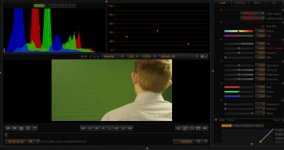
As you see on the screen dump you are yellow and your color values for the green screen is almost the same for red and green.

Also the guys hair color goes right in the same color as your light that hit's the screen, so green light for the screen and his hair would come out in high detail.
 

Attachments

  • PastedGraphic-1.jpg
    PastedGraphic-1.jpg
    18.2 KB · Views: 0
@Mark Tola- Wow, thank you so much! I really appreciate that thorough breakdown. So, in general, is it better to color correct .r3d footage first, then key? (i.e. precomp original footage, color correct within comp, then use Keylight on the precomp?)

@Alexander Thomson- Haha thanks! How'd you know? :D
 
@Mark Tola- Wow, thank you so much! I really appreciate that thorough breakdown. So, in general, is it better to color correct .r3d footage first, then key? (i.e. precomp original footage, color correct within comp, then use Keylight on the precomp?)

@Alexander Thomson- Haha thanks! How'd you know? :D

:iagree: and say the best workflow would be to do a grade on the r3d before applying a chromakey on it.

Haha funnily enough, when I saw Sailor Moon & Pokemon Snap, I was curious why your name was Zimm, and a quick look of the credits showed that you've got two Davids on your team--I don't know if it's your preference to go by Zimm, or if that's what you guys chose to differentiate yourselves on youtube and avoid confusion (both are very very good reasons), but that stood out to me, cause i'm used to using a nickname. Given that there are a LOT of Alex's in the world, I end up being called "Thomson" on about 90% of all projects that I shoot. So it all kind of fell into place. Zimmermann, shooting on an Epic, chromakeying for a VFX shot for an awesome youtube reboot. It has to be you! hahaha.

On top of that, I have a knack for finding fellow youtubers around here. Niko from Corridor Digital pops up from time to time and it takes all the restraint I have to not burst out "I LOVE DUBSTEP GUNS" in the middle of a thread! I love the way you guys are doing your channel, it's like the perfect recipe for mega success! I've been pulling a group of filmmakers together to start a youtube channel about something but I haven't quite figured out what the hook is going to be yet... Seeing you guys create this awesome channel and come out the gate with over 600,000 views and 20K subs in just a couple of weeks is incredibly inspiring. :thumbsup:
 
@Björn Benckert- Thanks for your input! Everything about that shot was less than ideal, which is why we ended up reshooting anyway. Haha. Still, good stuff to know for dealing with bad footage in the future!
@Alexander Thomson- I'll continue this conversation in a message!

Thanks again to everyone who chimed in. What a great community! :thumbsup:

- David Z.
 
Hey David! You should also check out a noise reduction plug-in called Neat Video...it does a wonderful job cleaning up noise and leaving real detail alone. It really saved some recent underexposed Red green screen stuff I had to key.
 
Hey Gabe! Fancy seeing you here haha. I've heard many great things about Neat Video, but haven't checked it out yet... seems like a decent price for a powerful plug-in!
 
Back
Top