Welcome to our community

Be a part of something great, join today!

  • Hey all, just changed over the backend after 15 years I figured time to give it a bit of an update, its probably gonna be a bit weird for most of you and i am sure there is a few bugs to work out but it should kinda work the same as before... hopefully :)

Thread Davinci Resolve 17

*QUICK TIP* Connect Dropbox, Vimeo, & Frame.io to Davinci Resolve 17.4

By We Are Film


*QUICK TIP* Open MULTIPLE TIMELINES in Davinci Resolve 17.4 | Timeline View Options


By We Are Film


*QUICK TIP* How to Enable Collaboration Mode in Davinci Resolve Studio 17.4


By We Are Film


​Hello, I have just downloaded the new version of resolve (17) on my new Macbookpro M1pro and I notice that there is no longer the choice of the color space output in the color managment.
We have to go through the application of L.U.T. Release. (see my screenshot)

It is I who cannot find this option or is it no longer available in this new version?

Sorry, I suck, I can not put a good quality image since the forum is modernized...

Thank you so much !
 

Attachments

  • Capture d’écran 2021-12-05 à 12.31.52.png
    Capture d’écran 2021-12-05 à 12.31.52.png
    61.4 KB · Views: 0
  • photo113253.png
    photo113253.png
    61.4 KB · Views: 0
Last edited:
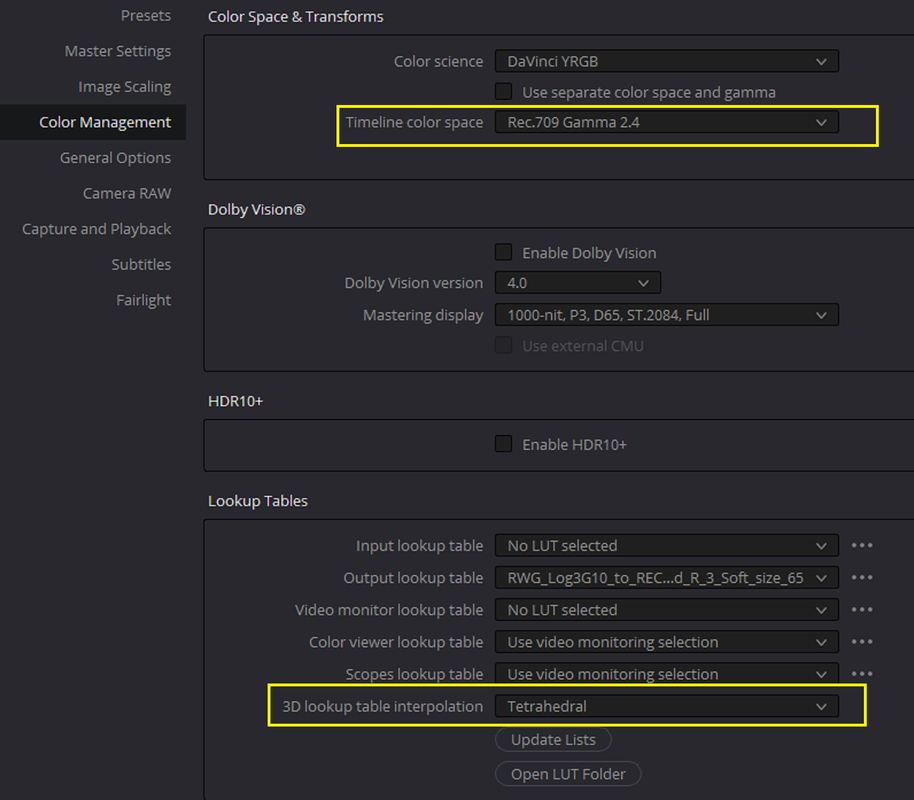
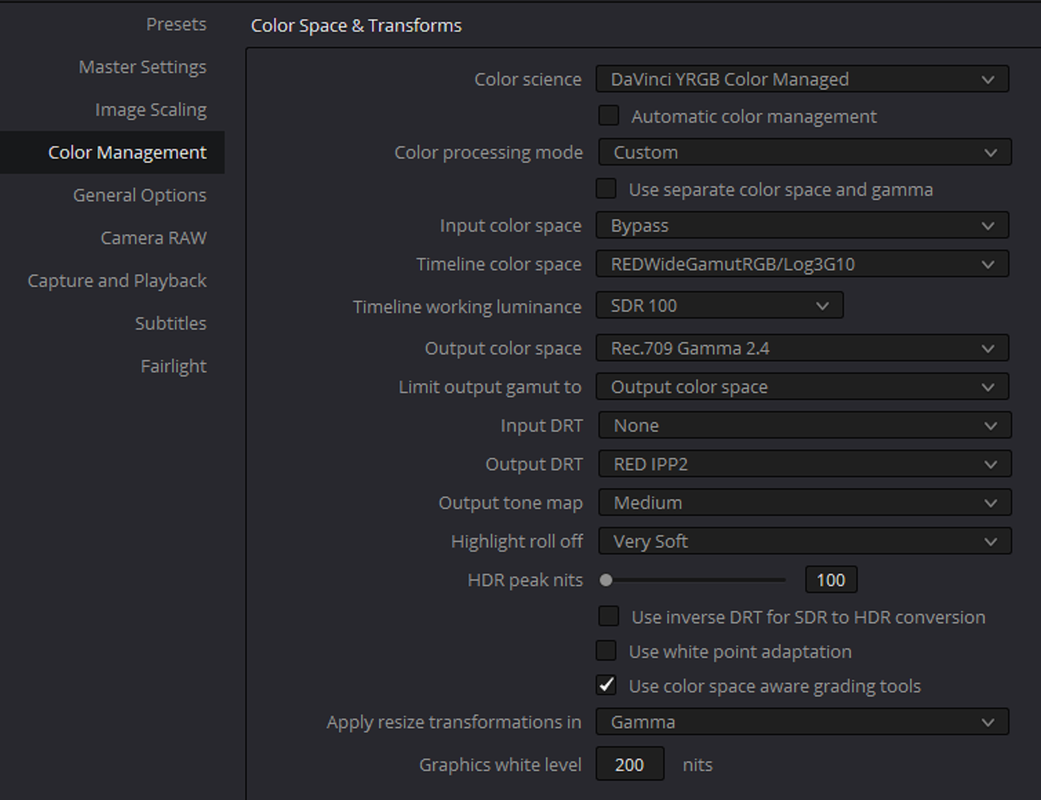
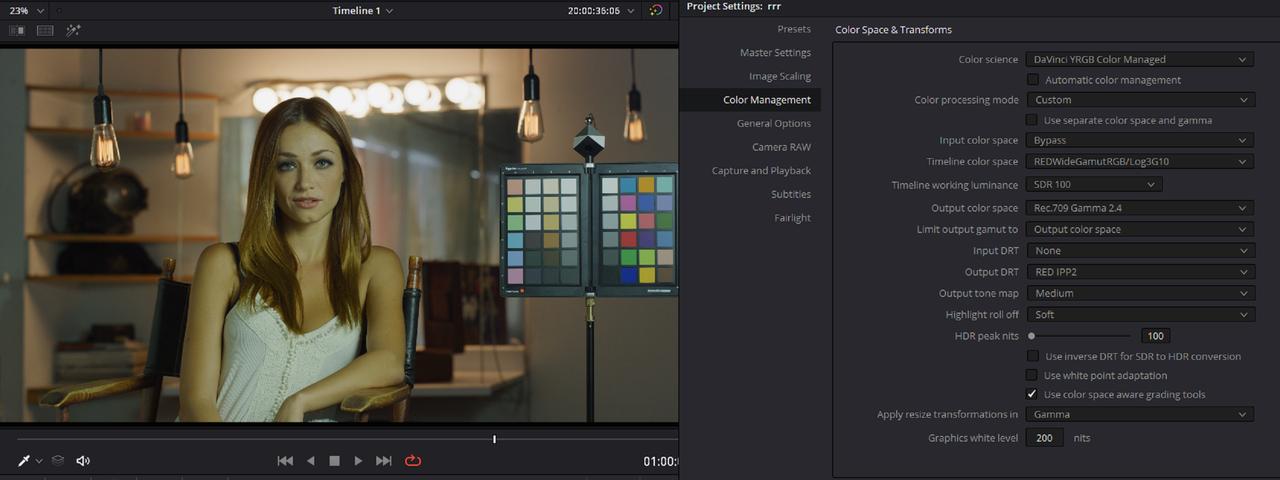
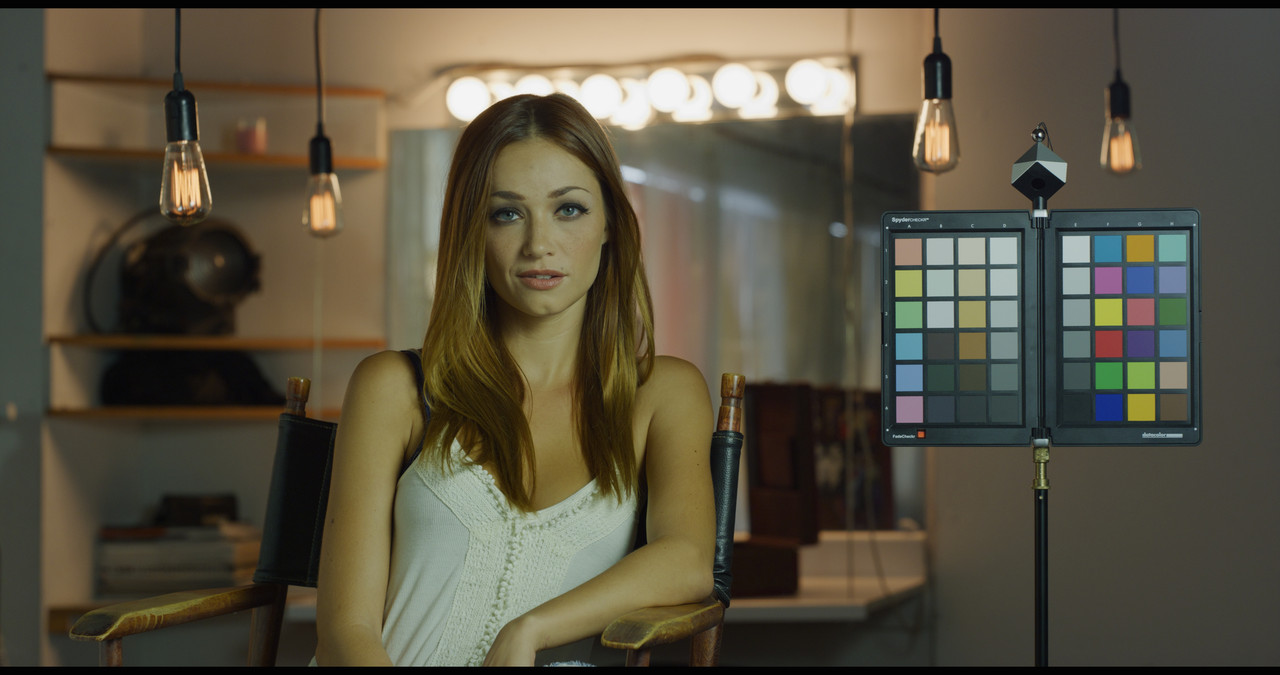
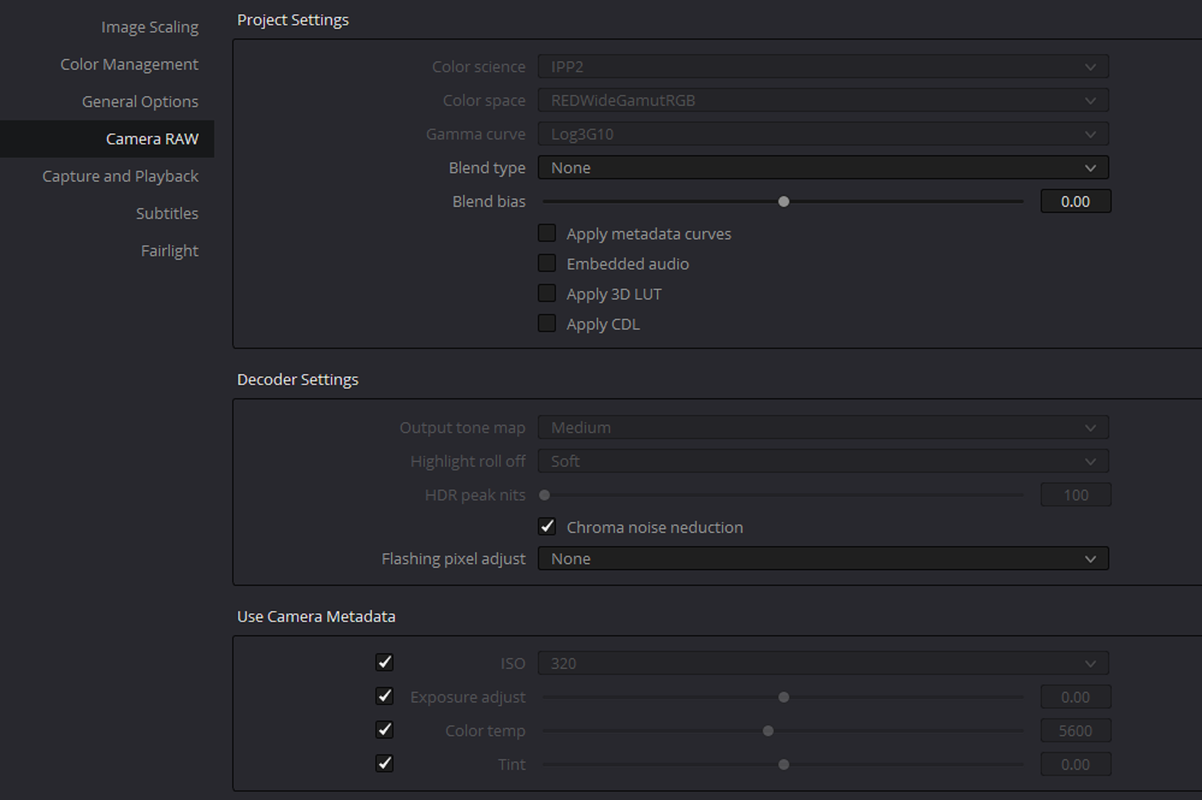
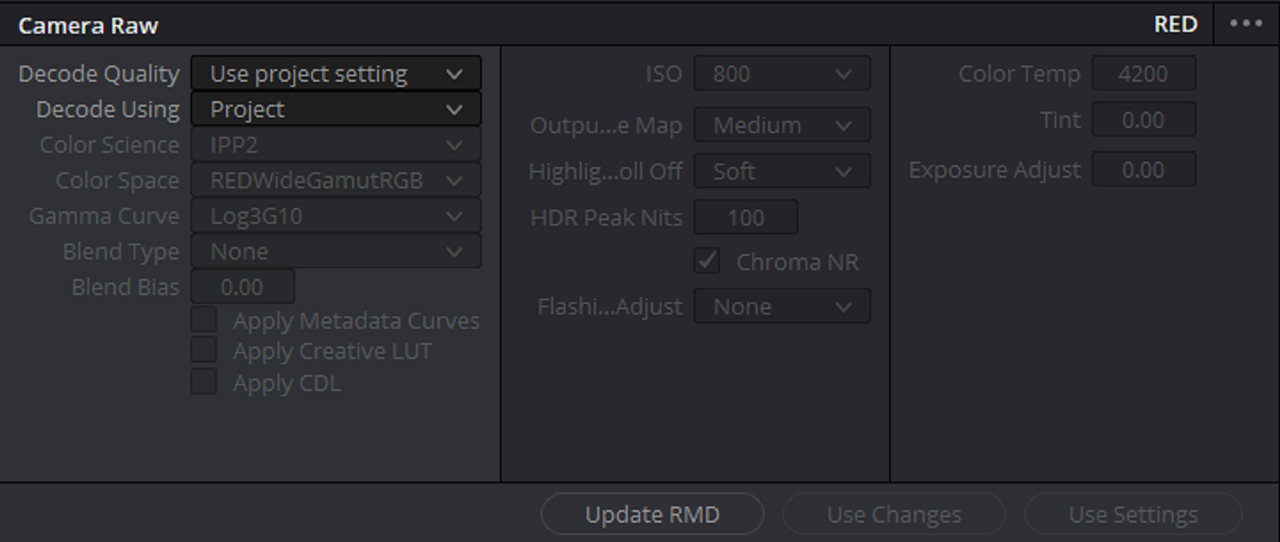
I think what you are trying to do is bring in Red R3D Files into Resolve already transformed. Here are the two ways I can think of to do that. Your method above was just reverting it back to RWG/LOG3G10 still needing an IPP2 OUTPUT TRANSFORM LUT to be applied at the end of your node tree.

Screenshot-3388.png


Screenshot-3389.png


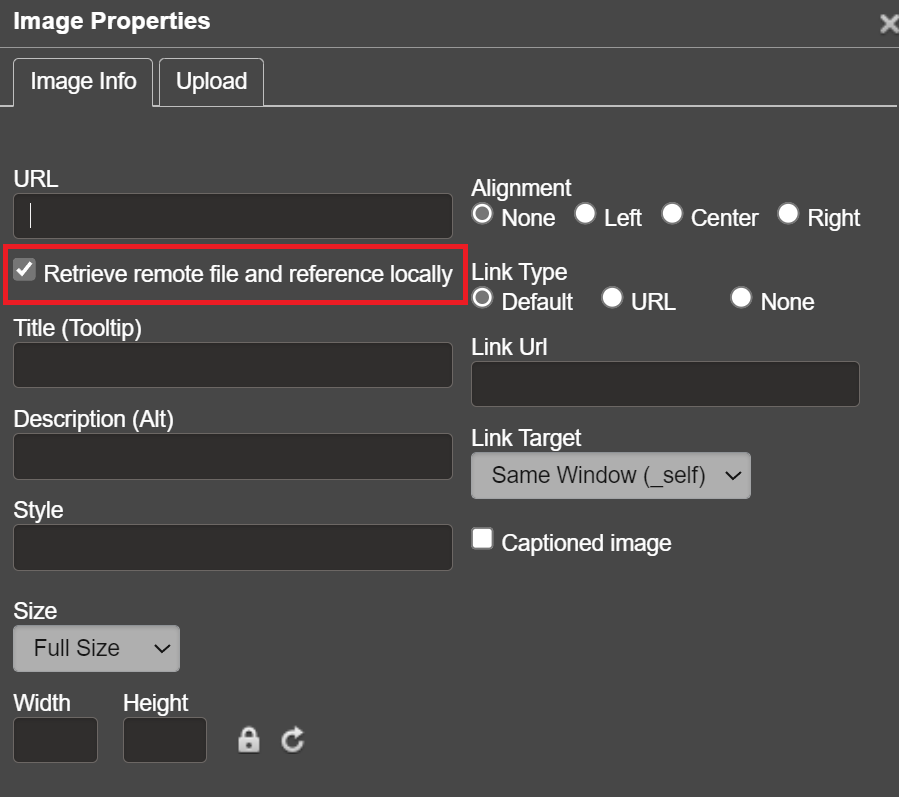
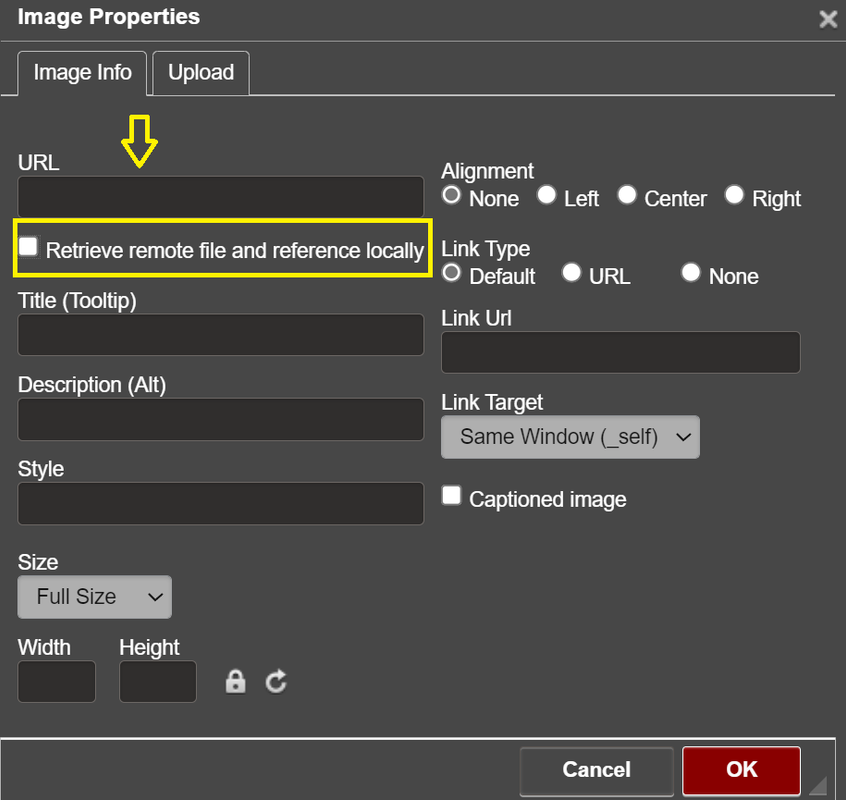
To post a full size image on this site now, UNCHECK this box and paste your link with that box UNCHECKED.

Screenshot-3390.png

Screenshot-3391.png
 
Last edited:
Hi Rand - I am struggling with this also. I tried your second method but colors seem washed out and do not look like same image in RedCine x nor in FCP. I have changed raw settings to RED, but on color page it still shows camera raw decode as ARRI, but greyed out. I am not sure what I am doing wrong, but something must be amiss.
 
JON,

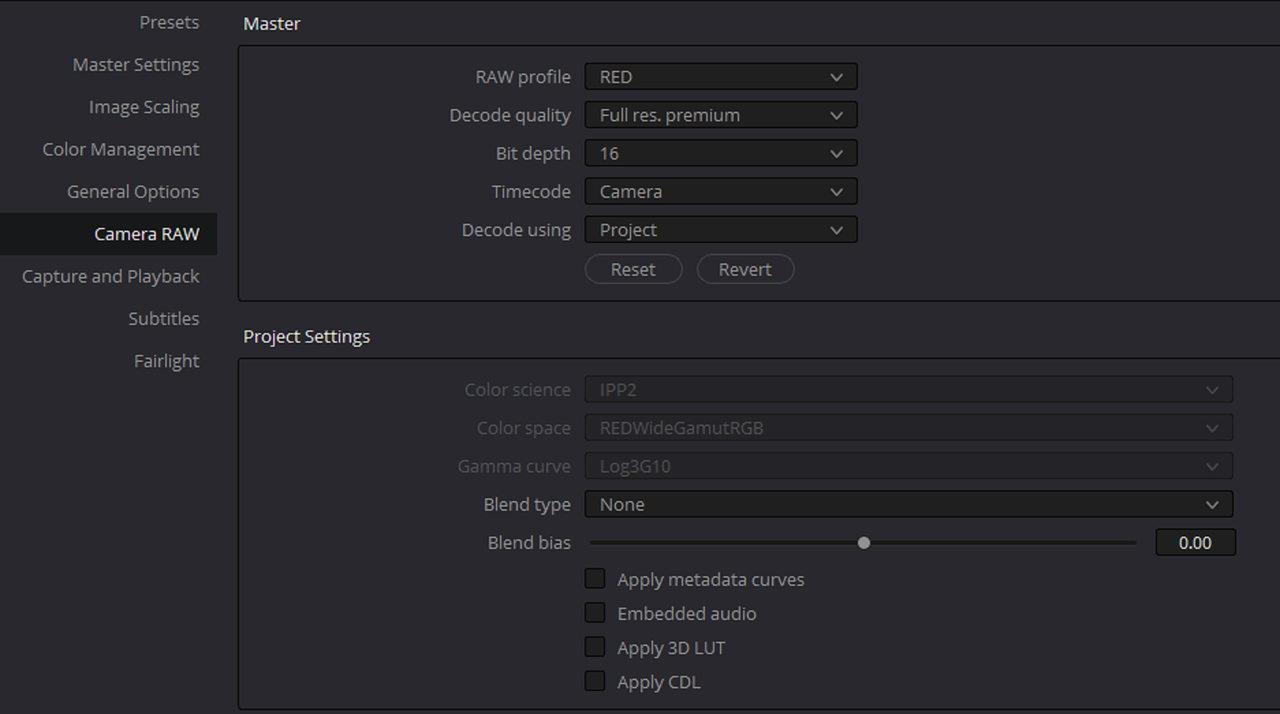
could you show me your COLOR MANAGEMMENT SETTINGS , RED RAW and CAMERA RAW settings?

Screenshot-3392.png


aeay-1-1-1.jpg


Screenshot-3389.png


Screenshot-3396.png


Screenshot-3394.png


Screenshot-3395.png


Screenshot-3393.png
 
Last edited:
exactly the same as you are showing, but when I go to the tab COLOR it reverts to decode quality "use project settings" and decode using "ARRI default". I dont remember this in previous versions
 
Jon,

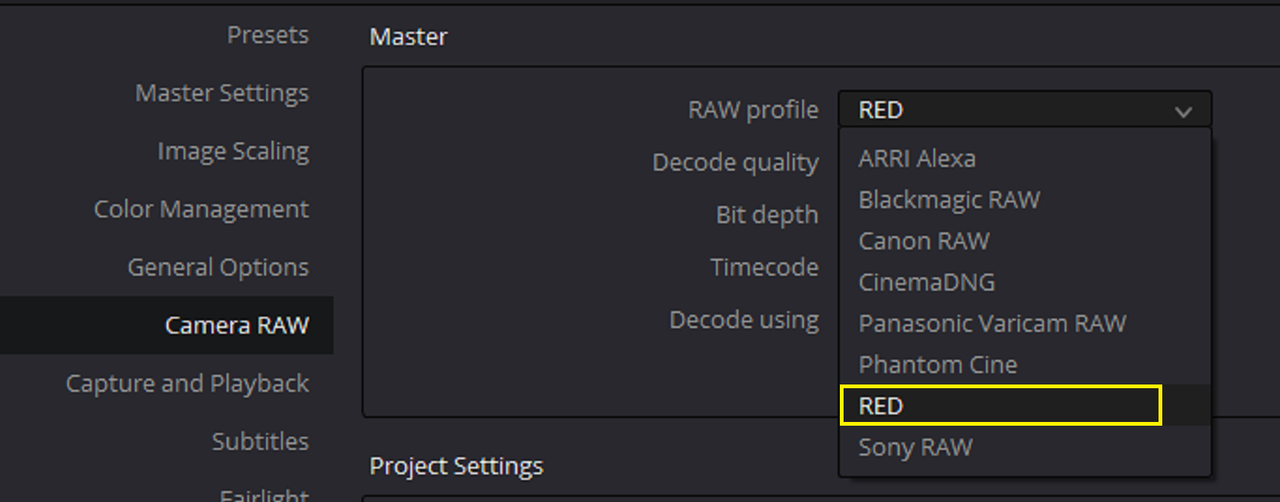
"ARRI" will always be displayed first. I think you are mistakenly believing that that is saying that it's using an ARRI workflow but it's just the first in the list of RAW PROFILES. You will always have to select RED from the drop-down menu to see the RED RAW settings. Once you check that your RED RAW settings are correct, they will always be there for that specific Project.
 
Did some research, yes it is working correctly with your settings. Apparently picking "color managed" makes the raw options greyed out at the bottom of the color page, but not applied. Looking further it seems that the white balance is interpreted slightly differently in Resolve than in FCP (or RedCine X) by about 70 degrees to white balance, that is my 5600 color needs to be 5530 and a touch of green + to get it white balanced correctly and to match other NLE. However, once done, I think the images look their very best on Resolve, much better than FCP so I am going to stick with it. Thanks for your help!
 
You're Welcome Jon, let me know if I can assist you any further.
 
Thanks for your help thompson, i managed to set up correctly thanks to you.
(And thank you for the explanation of the sizes of the attached photos)
Raphaël
 
How to Record VOICEOVER in DaVinci Resolve 17 | RECORD Directly into DaVinci Resolve 17


By
Jason Yadlovski


ADR (Automated Dialog Replacement) in DaVinci Resolve 17 | How to Use ADR in DaVinci Resolve

By
Jason Yadlovski

 
How To Grade Skin Smooth - Pro Colourist shows step by step.

By

Darren Mostyn


My Best Gadget for XMAS 2021

By

Darren Mostyn

 
Increase MICROPHONE GAIN Signal (volume) for Recording in DaVinci Resolve 17 using PATH SETTINGS

BY Jason Yadlovski


Replicate Images, Videos & MORE without Fusion | DaVinci Resolve 17 Effects | QUICK TIP TUESDAY!

By

Jason Yadlovski


CONTROL Your Track DESTINATION with Precision in DaVinci Resolve

By

Creative Video Tips

 
Vibrant colors WITHOUT oversaturation in DaVinci Resolve

by
Learn Color Grading


Back
Top