Welcome to our community

Be a part of something great, join today!

  • Hey all, just changed over the backend after 15 years I figured time to give it a bit of an update, its probably gonna be a bit weird for most of you and i am sure there is a few bugs to work out but it should kinda work the same as before... hopefully :)

Thread Davinci Resolve 17

Thanks Jake, I didn't know any of the info you provided above!
 
Resolve 17 - New Fusion Features


By
VFXstudy


Thanks Rand, that helps a bit (still grappling with what's non-DV-compliant HDR).

Also, a quick note, there is no such thing as "grading for 300 nits". SDR grading is always done to 100 nits regardless of what monitor is capable of displaying, period.

That's what made me ask; SDR is always 100nits, but is there an equivalent value for HDR?
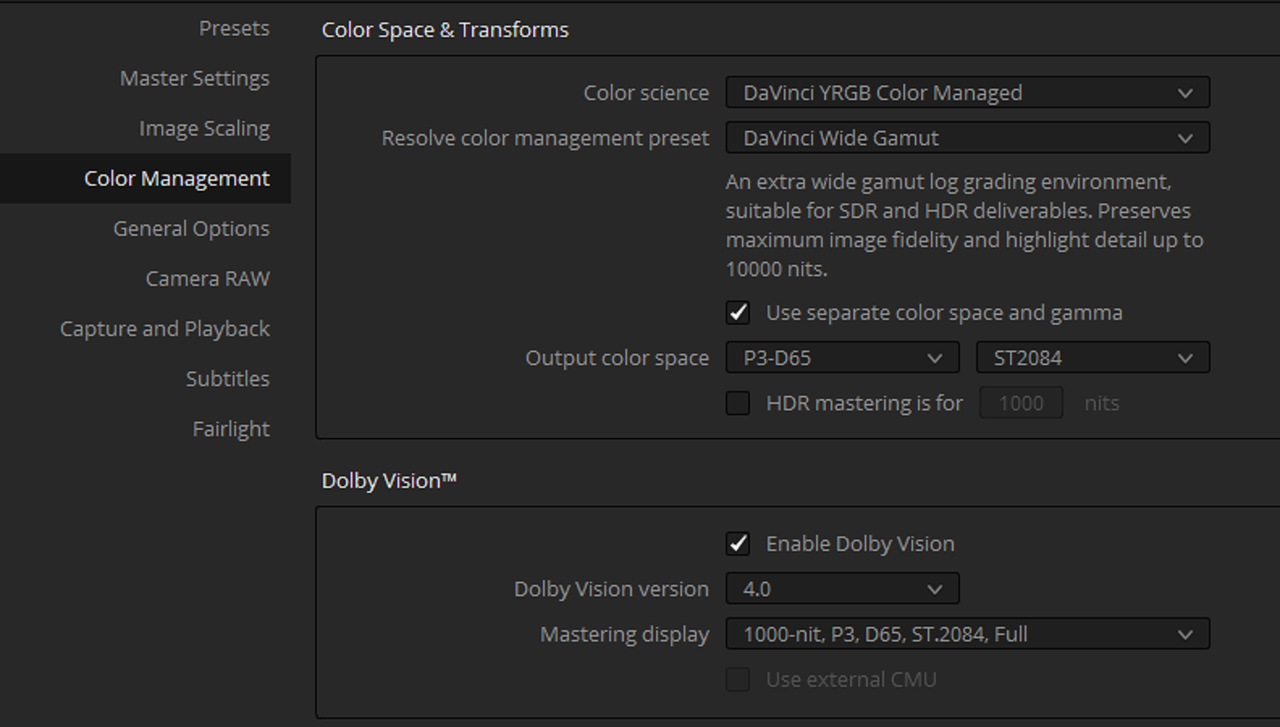
 
Mike,


You have HLG. HDR10 and HDR10+(Samsung)


Brief Explanation of these three


HLG

Backwards compatibility with older SDR TV's but not as good as DV.


HDR10

Most all HDR TV's support HDR10. Requires no License fees to use like you have with Dolby Vision, However, you can't really modify Metadata for individual clips to optimize each for the best results like over-exposed and under-exposed clips, it's one size fits all


HDR10+

Mainly by Samsung and not widely supported. No license fees to use. Unlike HDR10, HDR10+ allows for metadata modification per clip.
 
RESOLVE 17 - First Impressions & Cool New Features in DaVinci Resolve 17 Beta


By
Casey Faris


Cool Spider Web...What Does It Do Again? DaVinci Resolve 17


By Learn Color Grading


Davinci Wide Gamut HDR workflow


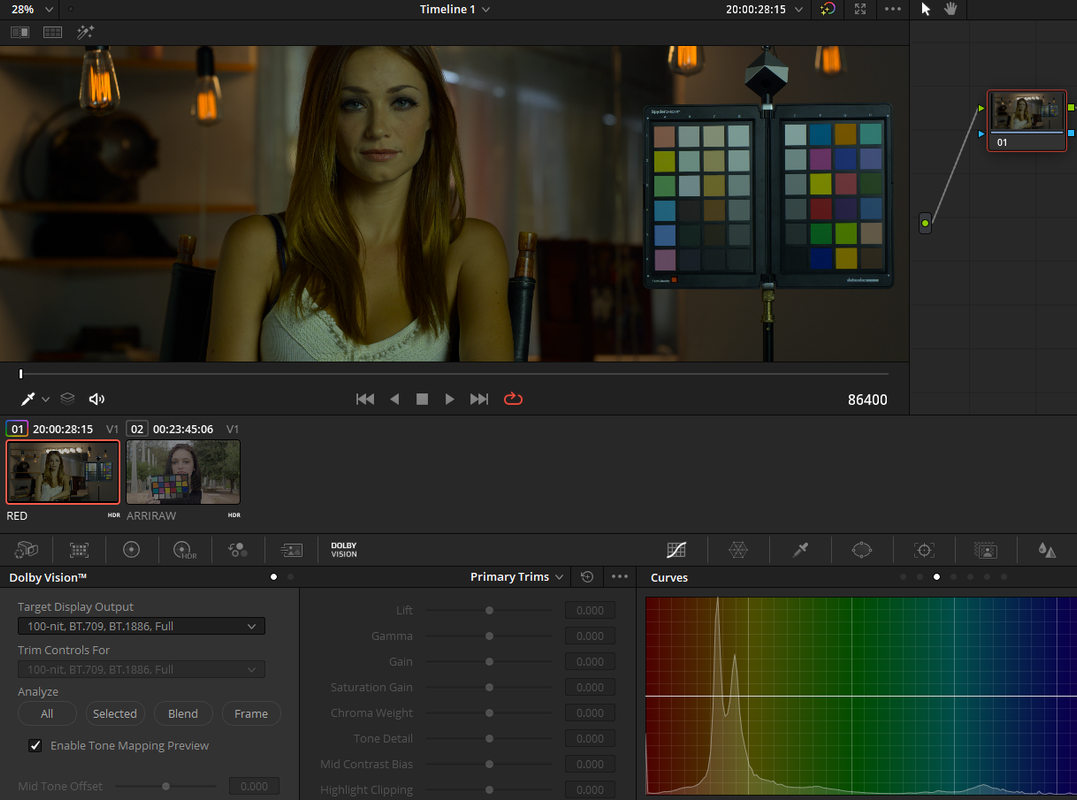
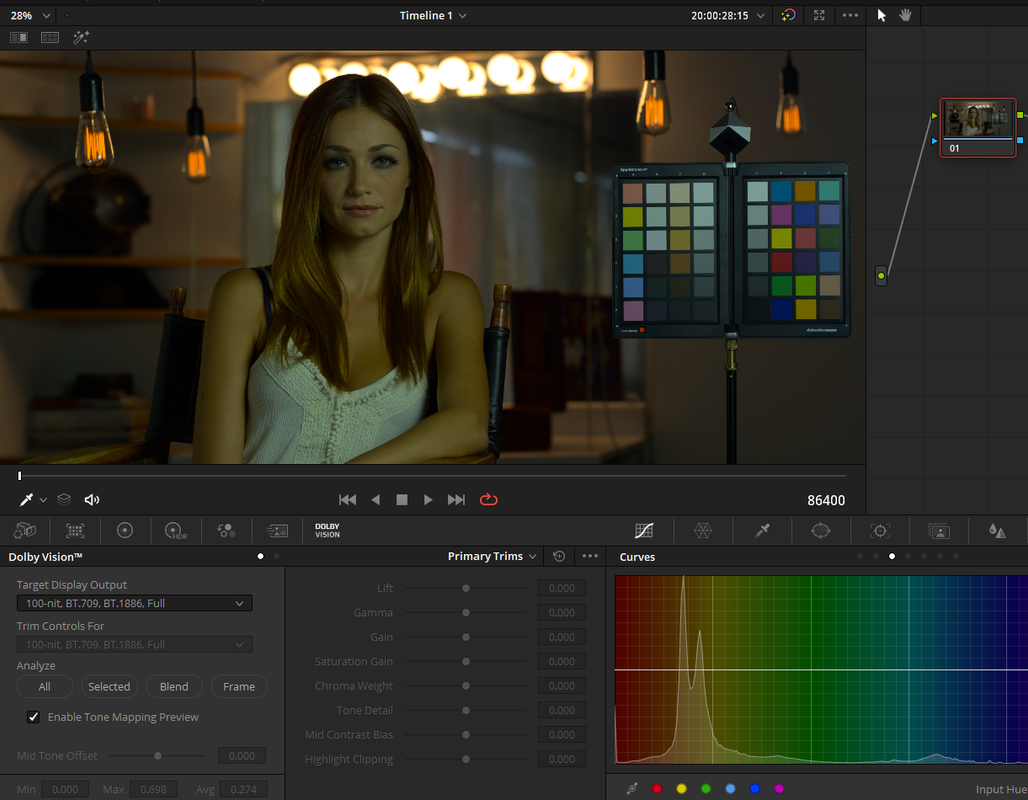
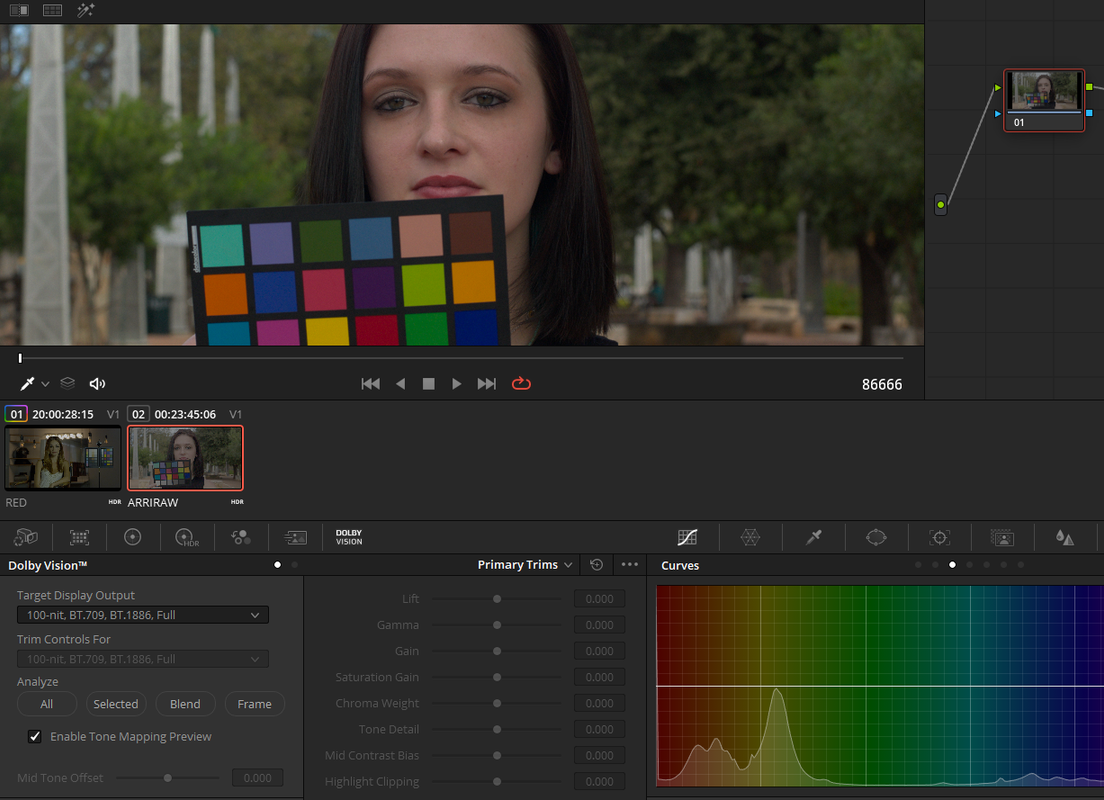
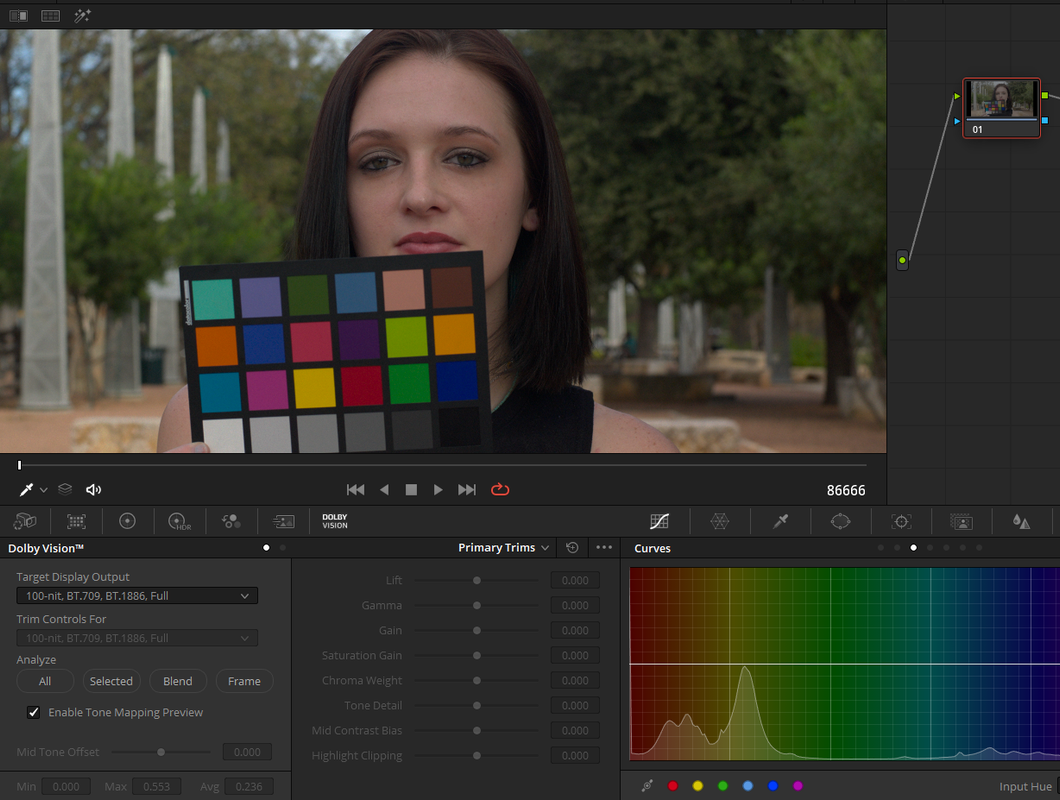
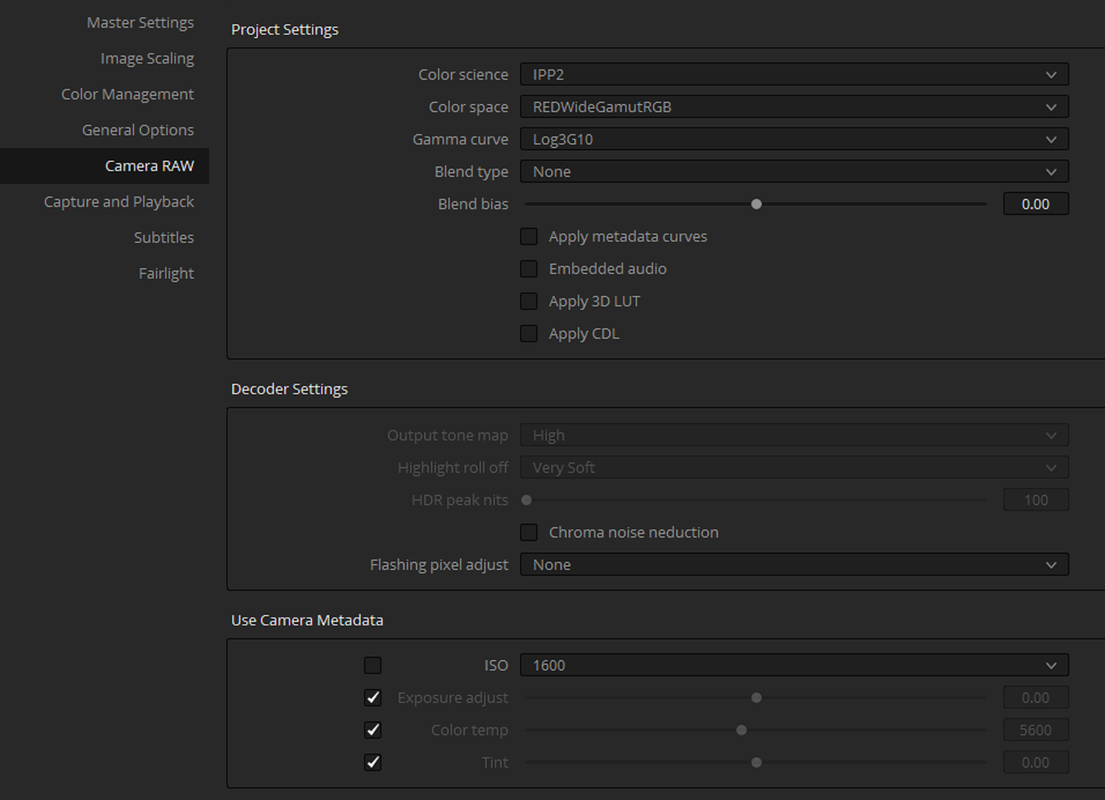
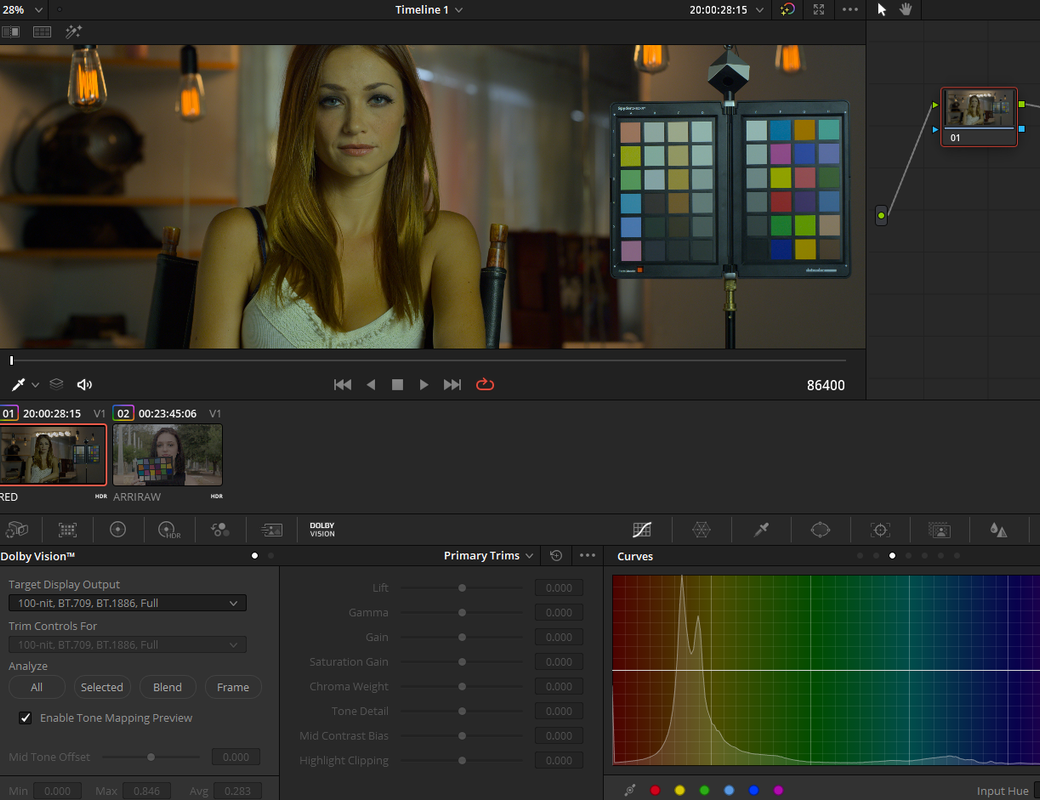
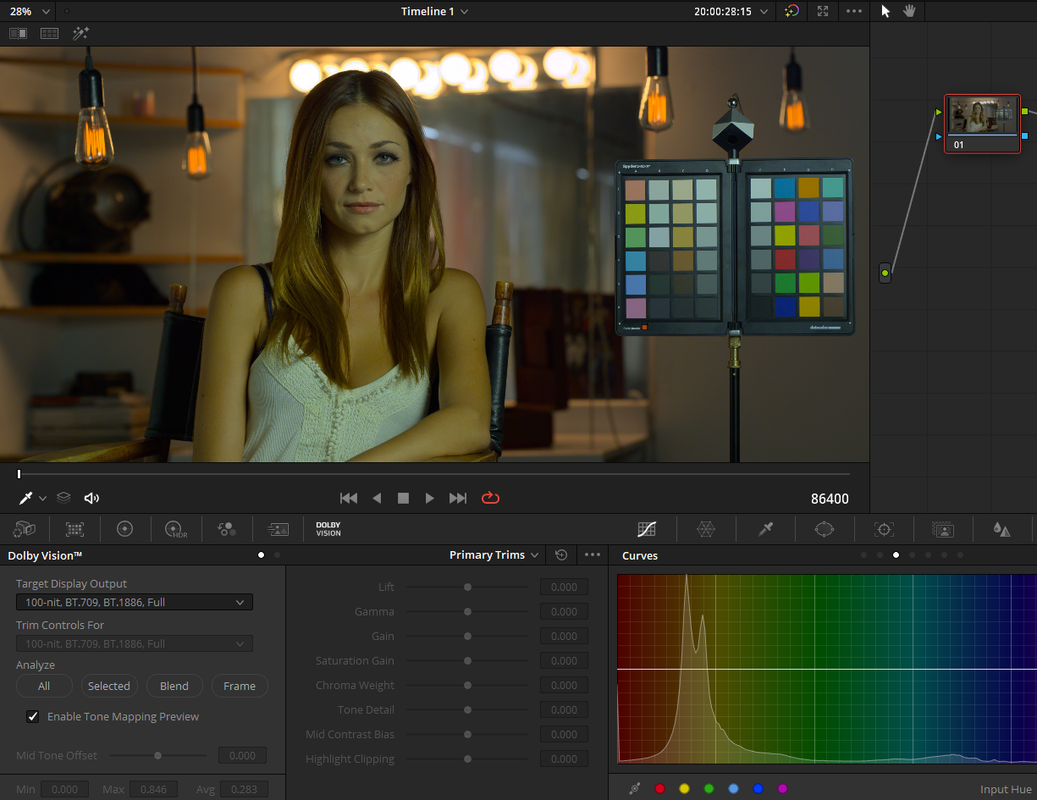
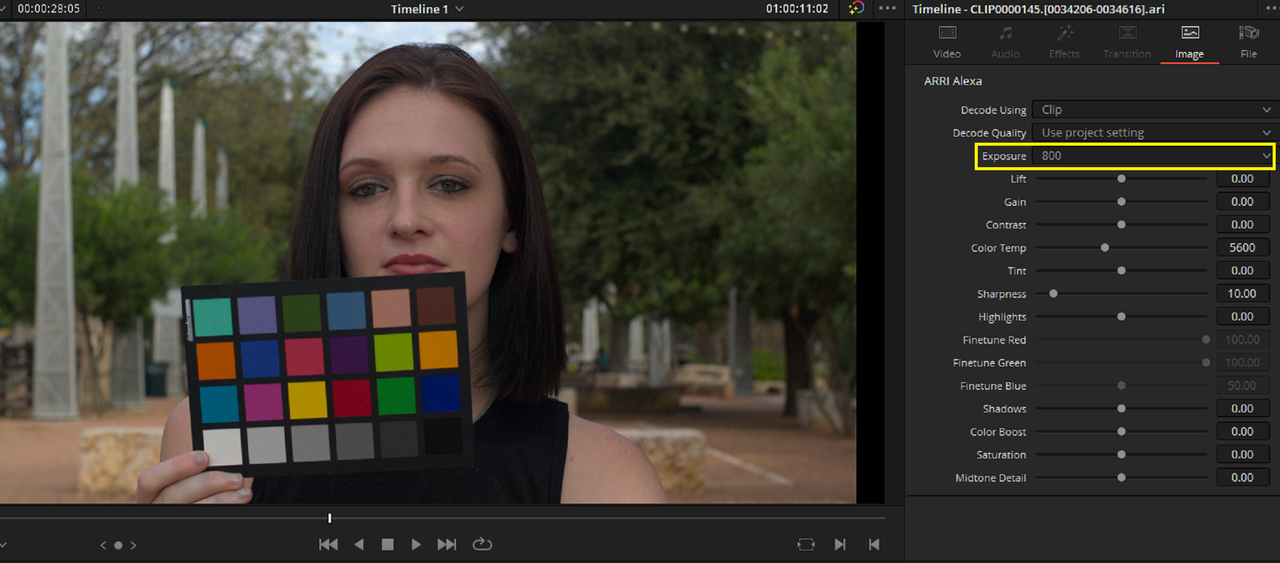
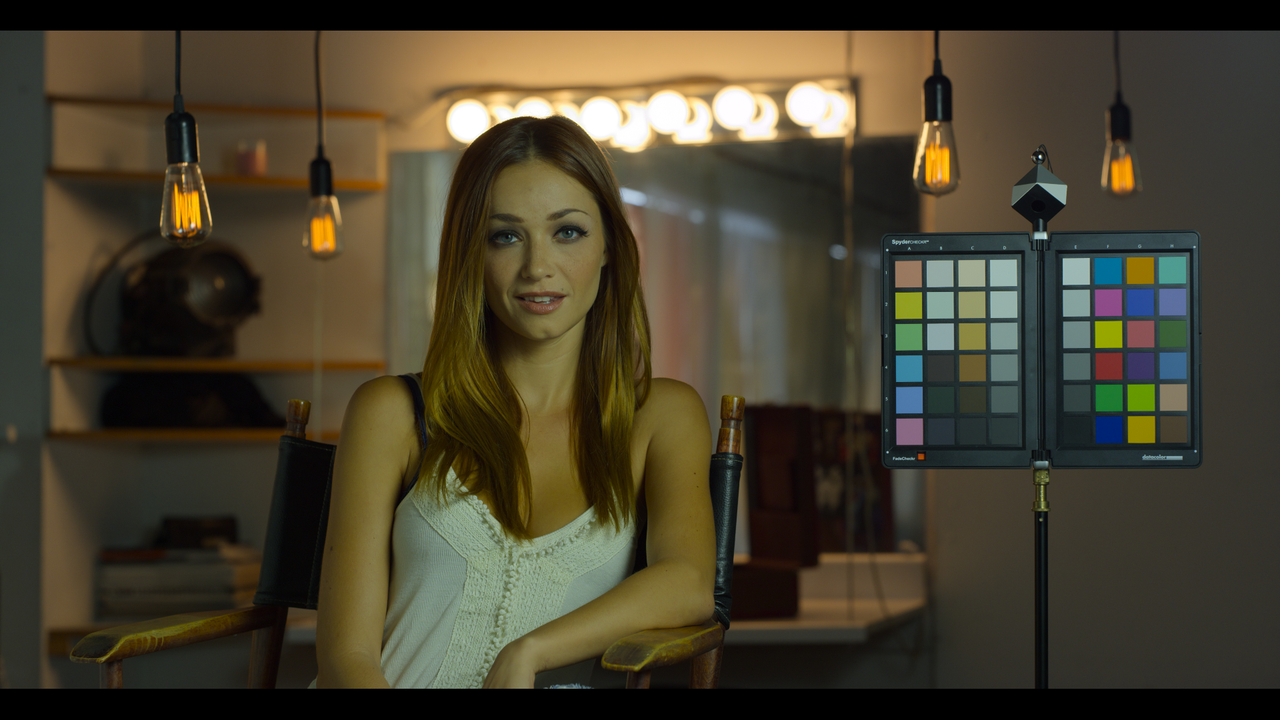
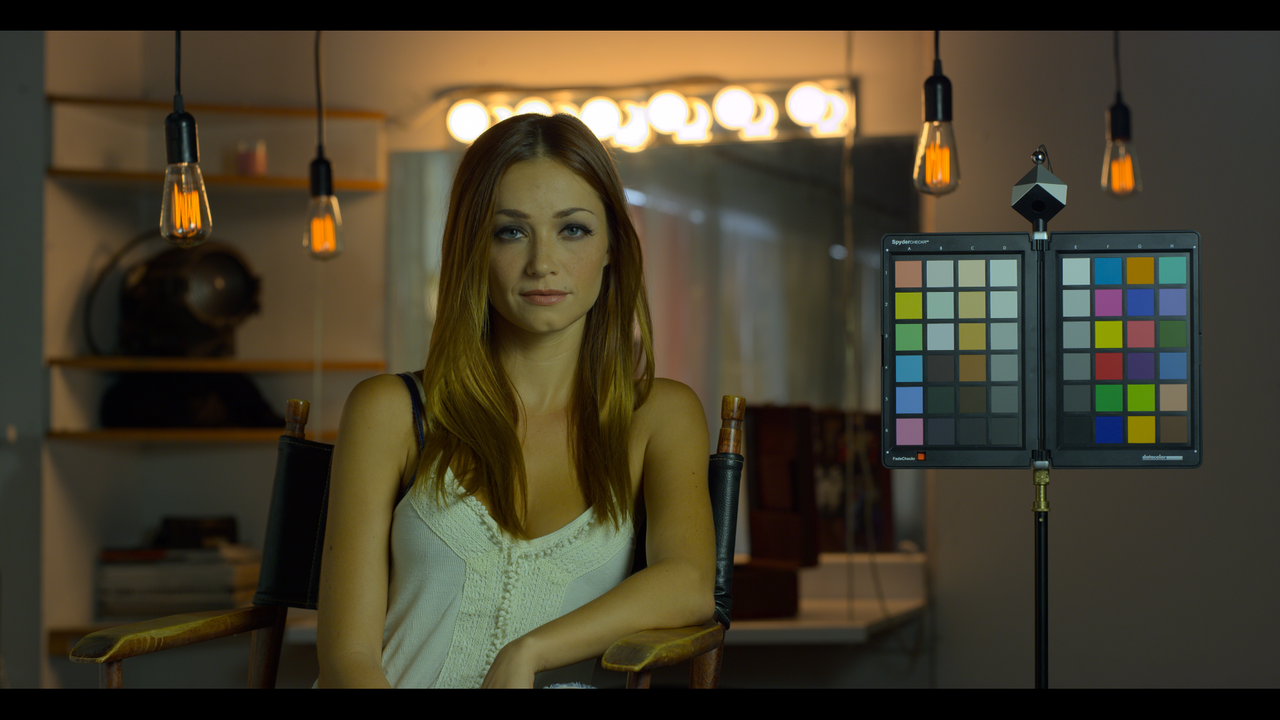
I noticed when using both Red footage in the RWG/LOG3G10 format and ARRIRAW that the ARRIRAW footage looks correct Tone-Mapped to 100nits BT709.BT1886 Full and the Red footage doesn't


Screenshot-397.png


Red

Screenshot-401.png


Screenshot-399.png


ARRI

Screenshot-402.png


Screenshot-403.png
 
UPDATE


When I increased the ISO to 1600 and ran a Auto Analysis in Dolby Vision again it looked normal. The ARRIRAW footage has a 800 ISO in its METADATA so it wasn't high so why does the Red Footage which also had an ISO of 800 look so much darker.


Screenshot-408.png


Screenshot-406.png


Screenshot-407.png


Screenshot-405.png


Here is the ACESHDR tone-mapped Fullscreen Screengrab at 800ISO vs the Davinci Wide Gamut with a 1600ISO modification. I still prefer ACES.


ACES

Screenshot-395.png


Davinci Wide Gamut

Screenshot-409.png
 
Last edited:
That's probably because those test shots were done with ISOCal1, which was almost exactly 1 stop darker than metered ISO800. It got fixed with DSMC2 Unified/ISOCal2, but was a little late given that users have complained about it since MX. Makes sense that DR17 would go with ISOCal2, as it's the new normal (and you can only have one "ISO800" setting), but if what your showing is accurate, footage shot before 2017~2018 or pre-DSMC2 (which never got the recalibration for some reason), will have to bump it to ISO1600 to get everything to fall in line accordingly.

Of course, there's no reason for someone in post to know about that, but better to figure it out in post than if cam-dept/dop didn't know about it on set/metered for "ISO800", as you'd end up hard clipping highlights a stop earlier than necessary (and HL Lattitude was already less than the competitions)... But I digress.
 
Last edited:
Mike,

I had the same thought about the recalibration as well. But since the image I used has gone through the latest iteration of IPP2 in Redcine-X, that should already be incorporated into the sample image. I just thought Blackmagic Design already would have taken that into account with all of their experience with Red's SDKs so I was thinking it had to be something else.
 
Last edited:
Mike,

I had the same thought about the recalibration as well. I just thought Blackmagic Design already would have taken that into account with all of their experience with Red's SDKs so I was thinking it had to be something else.

Yeah, there is an ISOcal flag in the metadata I think, so I'm sure they could have, but they probably had bigger fish to fry... Or maybe BMD thought it was handled on RED's end automatically via the SDK or something? Who knows?

(And yeah, I presumed you knew, but for anyone else reading along for the first time or searching "why DR17 displays DSMC1 footage wrong with DWG?" it's easier having the reason in the thread, even if it redundant to the rest of us.)
 
Mike,

Thanks for bringing it up. I think not everybody spends as much time in these threads as we do rather that's good or bad.
 
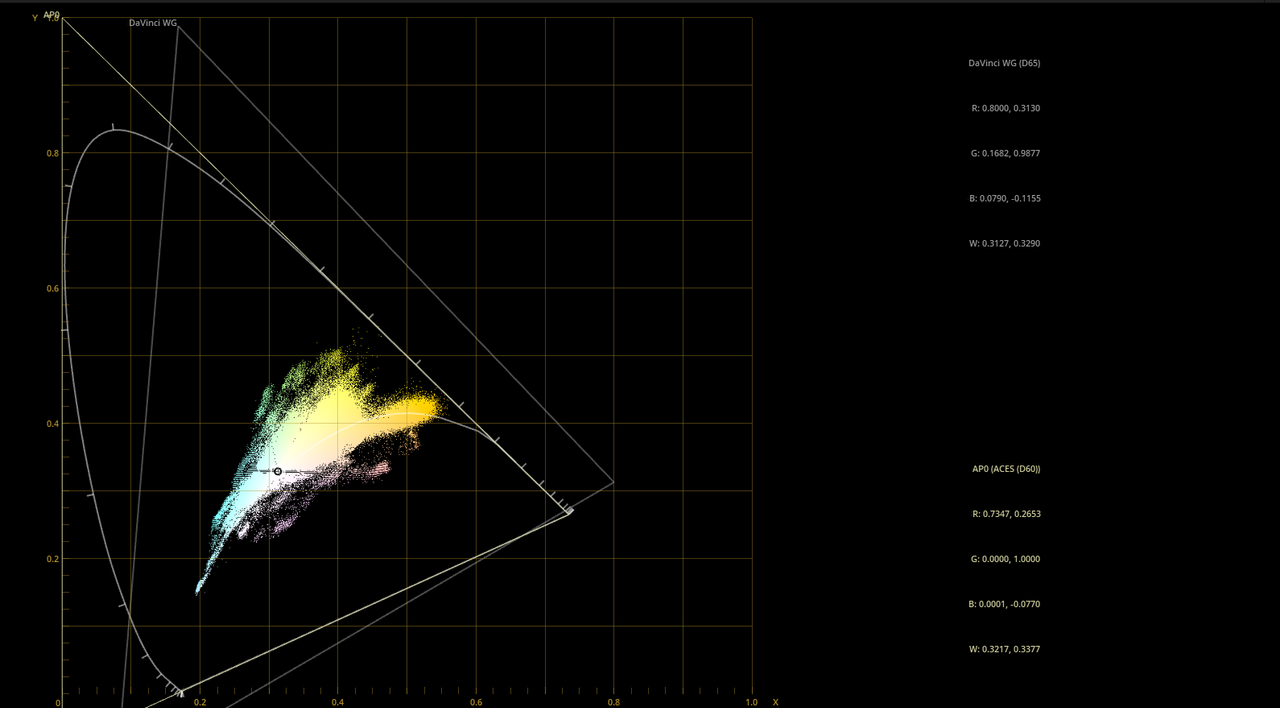
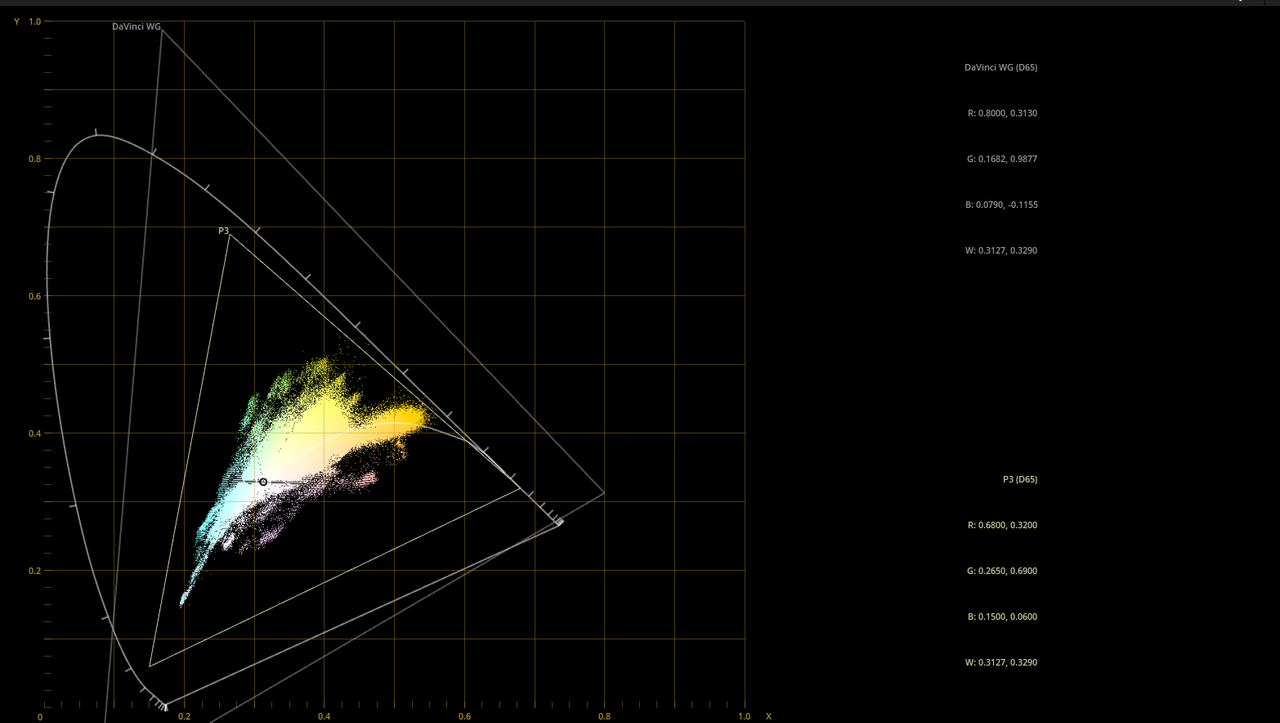
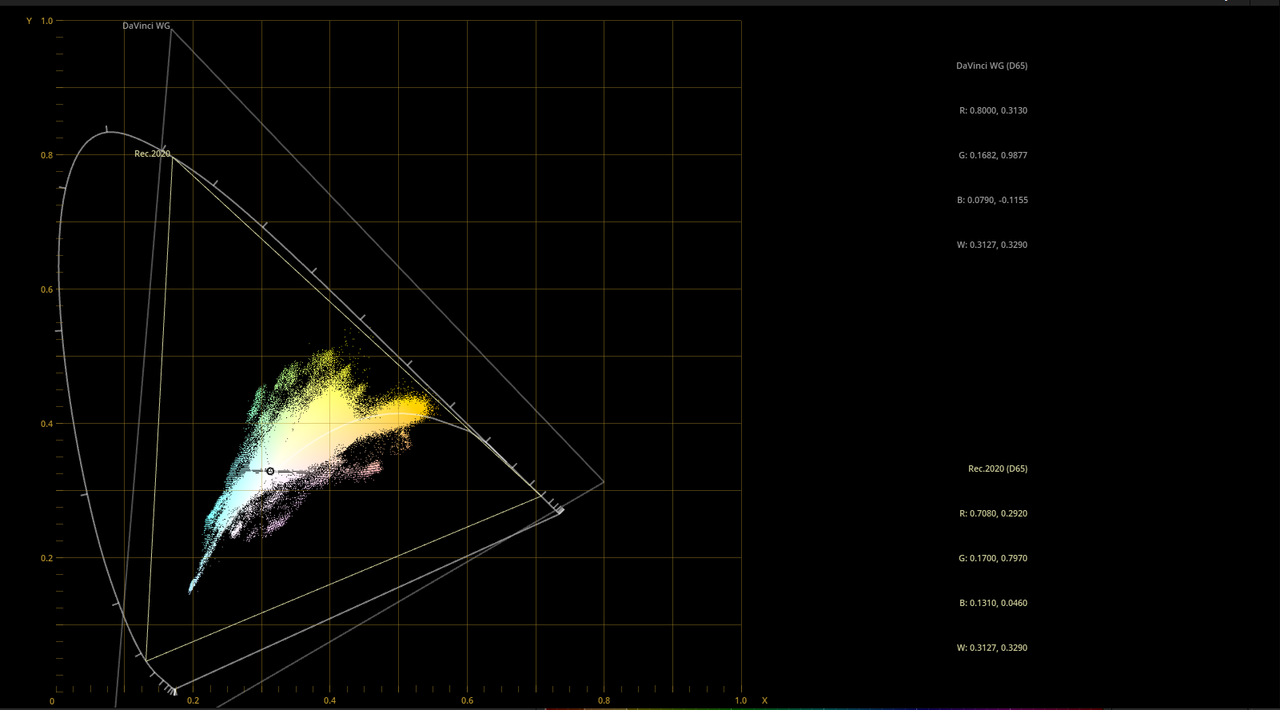
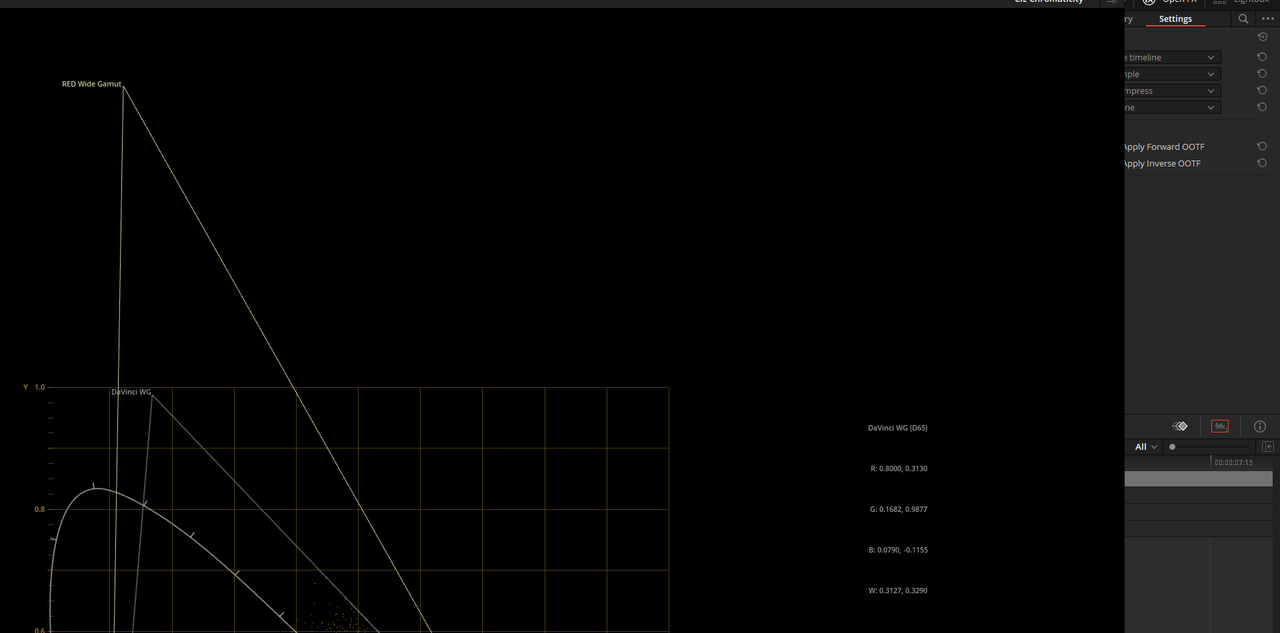
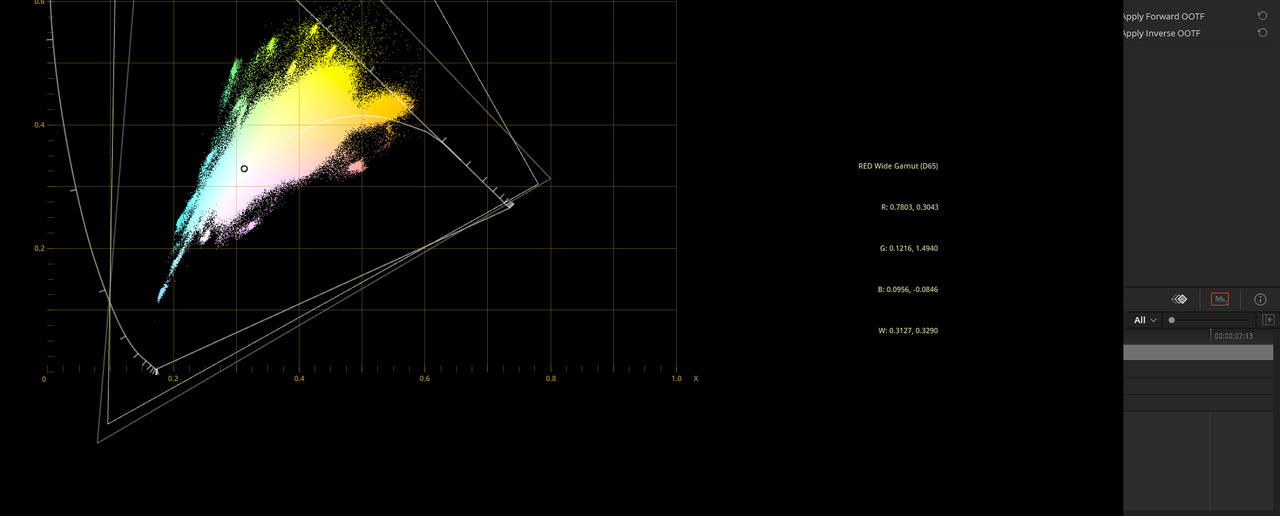
Here's How Davinci Wide Gamut compares to some other Large Gamuts

Sorry I couldn't fit the whole image into the graphs

Davinci Wide Gamut vs RWG/LOG3G10

RWG/LOG3G10 has a more exaggerated Green area of the Red, Green and Blue triangle than Davinci Wide Gamut does

Screenshot-377.png

Screenshot-378.png


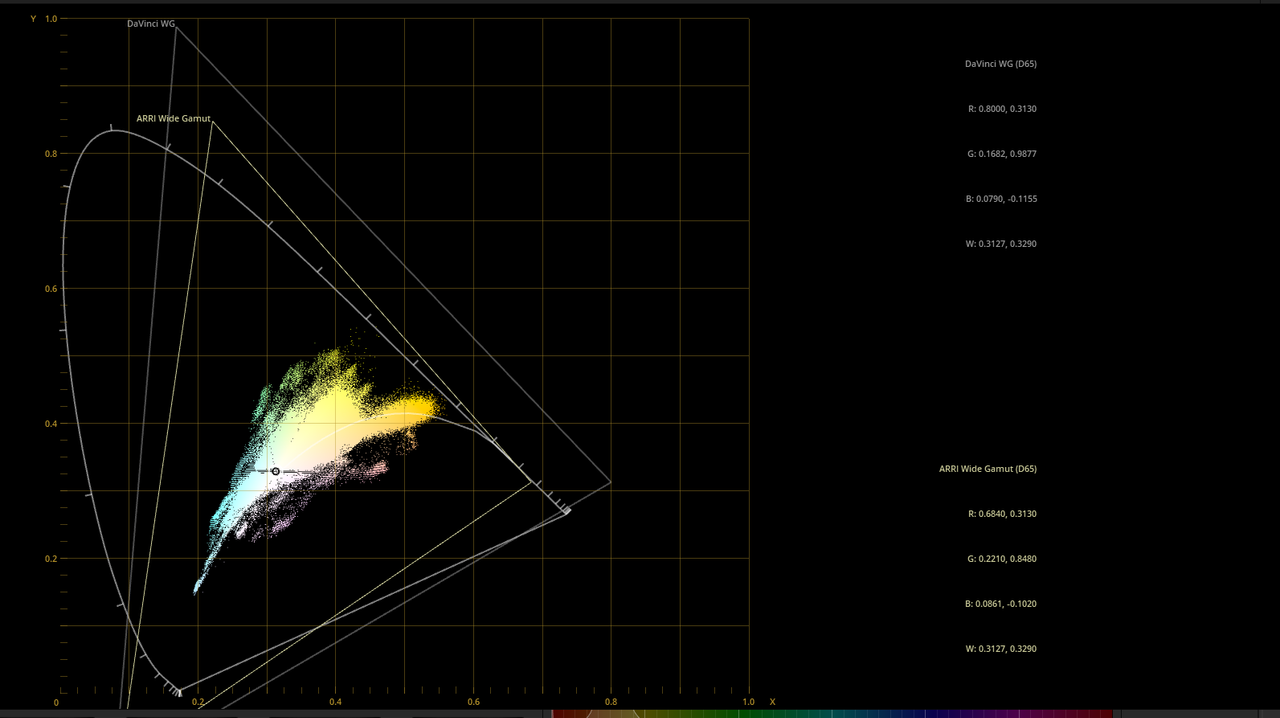
Davinci Wide Gamut vs ARRI Wide Gamut

ARRI-WG.png


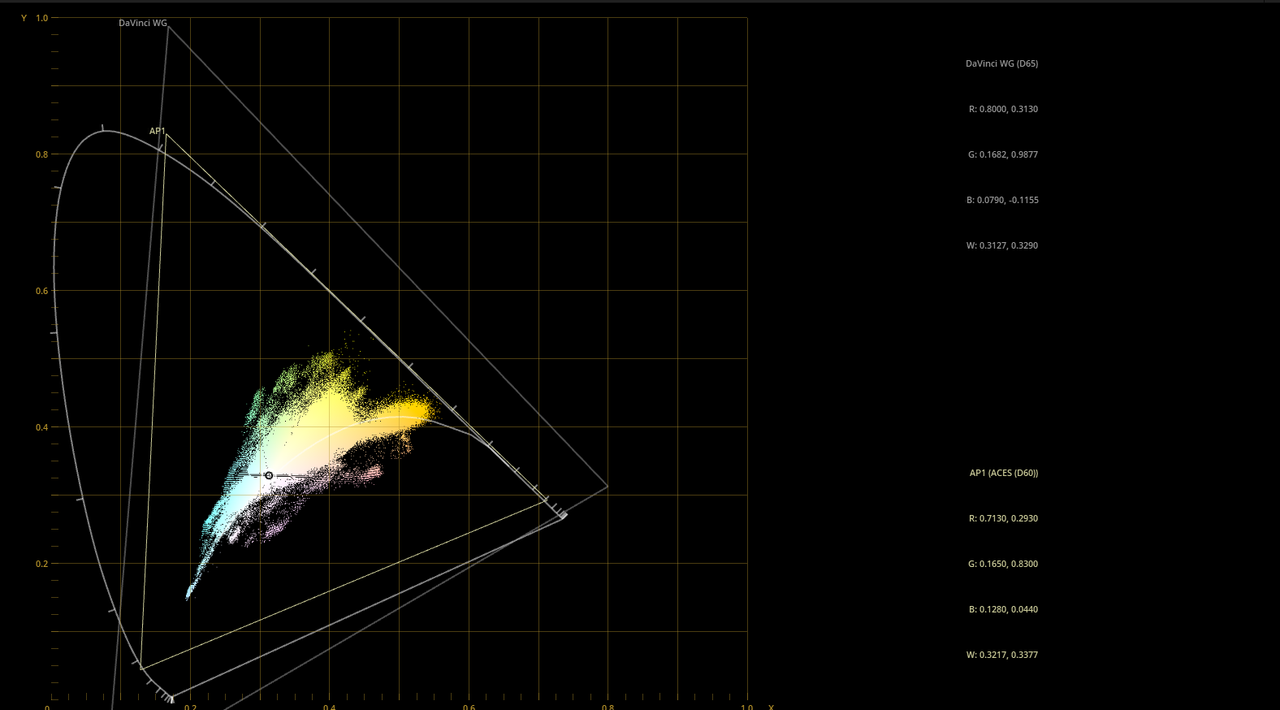
Davinci Wide Gamut vs ACES AP1

Davinci Wide Gamut is larger than the Aces AP1 "grading" space

ACES-AP1.png


Davinci Wide Gamut vs ACES AP0

ACES APO covers the full range of Human Vision, Davinci Wide Gamut doesn't.

ACES-APO.png


Davinci Wide Gamut vs P3

Slightly smaller than the rest

p3.png


Davinci Wide Gamut vs REC2020

Also Slightly smaller than the rest

rec-2020.png
 
Last edited:
Audio DYNAMICS in DaVinci Resolve 17 Fairlight Tutorial | Compression | Gate | Expander | Limiter


By Jason Yadlovski


Davinci Resolve 17 Magic Mask vs Roto Brush 2


By JSFILMZ


DaVinci Resolve 17 FAIRLIGHT Updates! | New Audio Features


By Jason Yadlovski


Back
Top