Welcome to our community

Be a part of something great, join today!

  • Hey all, just changed over the backend after 15 years I figured time to give it a bit of an update, its probably gonna be a bit weird for most of you and i am sure there is a few bugs to work out but it should kinda work the same as before... hopefully :)

"Tattoo" project notes...

A ProRes version would be pretty large so Jarred is working on an acceptable compromise. Whatever he finalizes... prepare to download.

Jim

Jim i really hope you guys consider to post a ProRes 1080P version of the FIlm ...so we can really see finally a true example of epic image ...otherwise we are stuck with Vimeo clips or super super super short R3D ....

thanks


g
 
While it's an interesting read, I fail to see the big revelation, that everyone is so excited. Using Log images with linearized viewing LUT is a standard operating procedure since, like, forever. Baking in "Log to Rec-709" LUT for video deliverables is pretty standard as well. Here is a 2009 FilmMaster demo, clearly demonstrating the advantage of working with Log encoded image. It can be seen even, when the old RedLog was used, but obviously FilmLog works even better. Look at around 4:00 minute mark.
http://www.youtube.com/user/151Wardour?blend=7&ob=5#p/u/9/WrqIaloKbDo
 
Jim, I'm happy to learn that you have finally chosen to make a short to showcase your cameras' possibilities. It's, in my opinion, the best way... It's so better than test charts ;-) It was a small idea I suggested years ago. Here's another small idea : on the red.com website, it would be great if you could showcase worldwide indy projects : a lot of those indy projects have seen the light thanks to your camera and the 'Shot on Red' section of this website buries them a little bit.

Keep up the good work !
 
REDlogFilm puts the highlight pretty low already so they are both visible and easy to grade up as well as providing lots of headroom.

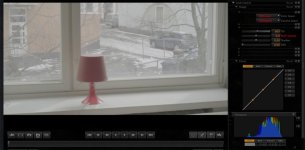
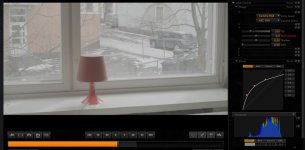
Sure - but my point is that very similar results can be obtained in pretty much any of the other color spaces with some ISO and curve adjustments (see the attachments). What i'm trying to accomplish is to make sure that people won't fall for the false assumption that choosing one of the other color spaces always results to loss of highlight information - it doesn't, as long as you compensate with the other settings.
 

Attachments

  • Red_Gamma_vs_Curves_RedLogFilm.jpg
    Red_Gamma_vs_Curves_RedLogFilm.jpg
    47.4 KB · Views: 0
  • Red_Gamma_vs_Curves_Rec709.jpg
    Red_Gamma_vs_Curves_Rec709.jpg
    48.4 KB · Views: 0
Michael Cioni has posted about the "Tattoo" project from his perspective. Nice reading.

Jim

http://michaelcioni.tumblr.com/

One thing Michael left out of his narrative was that the cinematography in Tattoo was designed to showcase Epic's capabilities: details key to the narrative buried in deep shadow, scenes lit with multiple practicals (of different colors and color temperatures), overlapping areas of different colored light. All of which are significant issues for the color timer, independent of workflow and schedule.

Michael hit this one out of the park.
 
How long is the movie ?
if it is 5min long a 1080p 24fps 2ch ProRes Proxy will be 1.6GB, LT will be 3.5GB
Not bad
You can use something like hotfile.com to post it.

And It would be grate to have still R3D's for people to experiment with.
 
I really think that since RED produced it and has the rights for it,
you guys could make it like the Open Source Filmhttp://en.wikipedia.org/wiki/Open_source_film projects and distribute all associate files

With detailed making of's and behind the scenes from pre to post especially the post process.
I really think this would be very beneficial to the red program and adoption by non believers ;)
and the community will be very appreciative of it
 
Thank you come Again
 
Thanks for the BTS info on the "Tattoo" film - it always helps to have thing broken down by the workflow guru - looking forward to seeing the online version, since I missed it at the booth....too busy chatting up the RED team and playing with all the goodies.
 
A ProRes version would be pretty large so Jarred is working on an acceptable compromise. Whatever he finalizes... prepare to download.

Jim

i know i know ...but we (at least I ) really want to see a true example of Epic clean image etc.....with no excuse of H264 compression etc...) Maybe ProRes LT Than (something around 5GB...)?
I am sure guys you have plenty of space on your server and will be up to us decide which one download .... I saw Tatoo at NAB and looks Fantastic !! but i want to be able to show to my friends DP , and keep it for my self as reference on my color grading calibrated suite ... to have a base reference of what epic can do ... please understand that everytime H264 are posted ...does not really prove that much (at least for a colorist to have to judge a camera ...)
thanks

g
 
This is a great question, Trevor.
...a de-log curve is really just a contrast adjustment prior to a grade. So long as it doesn't clip, it won't hurt anything. The LUT you do want to avoid is the film LUT, which is perfect for working with Cineon scans, but risky when working with R3Ds.

In most cases, when working with a LUT on log encoded material, the LUT is added at the end of the processing chain, so you're actually grading prior to the LUT. This gives you all of the information in the original image to play with and requires less extreme settings in the color corrector, which in turn leads to fewer color issues (in particular, things like low light magenta contamination and/or greenish yellows in highlights) because you're not pushing the colors around so hard. To achieve proper contrast using the grading system directly on log material often requires crushing blacks, clipping whites, or both, as well as either curve manipulation or gamma crushing. All of these techniques can and do lead to things like noise and other unwanted artifacts. That's one very good reason to grade through a LUT for log based material. Of course, as Michael mentions, that should in the case of Red material be a 1D Cineon to Video Gamma LUT, not a 3D film targeted one.
 
In most cases, when working with a LUT on log encoded material, the LUT is added at the end of the processing chain, so you're actually grading prior to the LUT. This gives you all of the information in the original image to play with and requires less extreme settings in the color corrector, which in turn leads to fewer color issues (in particular, things like low light magenta contamination and/or greenish yellows in highlights) because you're not pushing the colors around so hard. To achieve proper contrast using the grading system directly on log material often requires crushing blacks, clipping whites, or both, as well as either curve manipulation or gamma crushing. All of these techniques can and do lead to things like noise and other unwanted artifacts. That's one very good reason to grade through a LUT for log based material. Of course, as Michael mentions, that should in the case of Red material be a 1D Cineon to Video Gamma LUT, not a 3D film targeted one.
Just a quick note for Resolve users, that would like to take advantage of this technique. In order to effectively grade Log encoded material, your system needs to be able to apply, so called, Log or Film style grading, which, unfortunately, Resolve lacks. But do not despair, there is still time, before Resolve 8 comes out:-)
 
Just a quick note for Resolve users, that would like to take advantage of this technique. In order to effectively grade Log encoded material, your system needs to be able to apply, so called, Log or Film style grading, which, unfortunately, Resolve lacks. But do not despair, there is still time, before Resolve 8 comes out:-)

While this is technically true, if you're not working with film original, it's a very effective approach even if you're using "telecine style" lift, gamma, and gain controls. If that weren't the case, Resolve wouldn't be used for DI work. As it stands, it is used for DI work, including some very high profile titles, as it's the house system at Company 3, among others.
 
Just a quick note for Resolve users, that would like to take advantage of this technique. In order to effectively grade Log encoded material, your system needs to be able to apply, so called, Log or Film style grading, which, unfortunately, Resolve lacks. But do not despair, there is still time, before Resolve 8 comes out:-)

Couldn't you just insert an external box between the output of Resolve and your projector? Or is there more to it than that...
 
Couldn't you just insert an external box between the output of Resolve and your projector? Or is there more to it than that...

Jake is talking about color controls that are designed and scaled to work properly in Cineon log space, usually represented by exposure and contrast, complemented by shadow, mid tone, and highlight controls, as opposed to lift, gain, and gamma that are scaled to video space. These alternate controls are available on a number of higher end systems, including Baselight, Lustre, and Pablo, but are not included in the current version of Resolve.
 
Sure - but my point is that very similar results can be obtained in pretty much any of the other color spaces with some ISO and curve adjustments (see the attachments). What i'm trying to accomplish is to make sure that people won't fall for the false assumption that choosing one of the other color spaces always results to loss of highlight information - it doesn't, as long as you compensate with the other settings.

Sure, it is possible, but just setting REDcolor2 & REDlogFilm, leaving the curve at default, and the ISO at 800 as it was likely shot is a whole lot faster and easier.
 
Just a quick note for Resolve users, that would like to take advantage of this technique. In order to effectively grade Log encoded material, your system needs to be able to apply, so called, Log or Film style grading, which, unfortunately, Resolve lacks. But do not despair, there is still time, before Resolve 8 comes out:-)

Hey Jake, what do you think is a better approach in Resolve, between starting with REDlogFilm and doing some serious L/G/G to increase contrast from there manually or with an auto balance to start, versus starting with REDcolor2?
 
In most cases, when working with a LUT on log encoded material, the LUT is added at the end of the processing chain, so you're actually grading prior to the LUT. This gives you all of the information in the original image to play with and requires less extreme settings in the color corrector, which in turn leads to fewer color issues (in particular, things like low light magenta contamination and/or greenish yellows in highlights) because you're not pushing the colors around so hard. To achieve proper contrast using the grading system directly on log material often requires crushing blacks, clipping whites, or both, as well as either curve manipulation or gamma crushing. All of these techniques can and do lead to things like noise and other unwanted artifacts. That's one very good reason to grade through a LUT for log based material. Of course, as Michael mentions, that should in the case of Red material be a 1D Cineon to Video Gamma LUT, not a 3D film targeted one.

Good advice.

Graeme
 
Hey Jake, what do you think is a better approach in Resolve, between starting with REDlogFilm and doing some serious L/G/G to increase contrast from there manually or with an auto balance to start, versus starting with REDcolor2?

I'm not Jake, but I'll take a stab at that one. Recent experience with both Epic and MX footage has shown me that using RedlogFilm with a LUT implementation as I've already described yields a better greyscale interpretation than the Redgamma2 curve, although it takes a bit of manipulation while Redgamma2 looks pretty good as is. So I guess what I'm saying is that Redgamma2 is quite good for on set and dailies use, but for more precise and flexible final grading, the RedlogFilm approach is superior.

You didn't ask, but I (and most of my colleagues in Los Angeles facilities) also tend to use Redcolor rather than Redcolor2 in final grading because Redcolor2 is a bit too desaturated for most of our taste, and it's always less destructive (i.e., less noise-inducing) to desaturate than it is to increase saturation while color grading.
 
...You didn't ask, but I (and most of my colleagues in Los Angeles facilities) also tend to use Redcolor rather than Redcolor2 in final grading because Redcolor2 is a bit too desaturated for most of our taste, and it's always less destructive (i.e., less noise-inducing) to desaturate than it is to increase saturation while color grading.

Interesting...does this apply across to all systems/programs ?...that it is less destructive to desaturate than to increase saturation...
 
Back
Top