Welcome to our community

Be a part of something great, join today!

  • Hey all, just changed over the backend after 15 years I figured time to give it a bit of an update, its probably gonna be a bit weird for most of you and i am sure there is a few bugs to work out but it should kinda work the same as before... hopefully :)

"Tattoo" project notes...

"8. Kelvin and Tint are maintained. For this film, all other meta-data fields are “zeroed” out and the curve of REDLogFilm is applied during import"

Regarding Jim's concerns about incorrect handling of R3Ds during the process, resulting in lost Dynamic Range, I think that this should be default settings for a DPX transcode from Redcine X.
Possibly even MANDATORY settings.
 
Great. Thanks for sharing the story. Really enjoyed watching Tatoo at NAB, twice....

It is 9 min long
 
Jake said it perfectly. And there are some good threads out there that discuss this further, but here is the gist:
At some point in your pipeline files will need to be encoded in to RGB. Some do it early, some do it late, but all do it. So long as you know *how* to create your RGB instead of leave it up to chance, your images will not suffer.
Li works mainly with Pablos, which can utilize both the RAM workflow and the DPX workflow. Files can be soft-mounted in a Pablo timeline as actual R3Ds. This way you can change ISO settings, kelvin, tint, flut, etc. from your conformed timeline. The Rocket does the debayer to RGB for you, or you can set CPU debayer with 1/2, 1/4, 1/8 if you don't have a Rocket. But unlike a GPU system, when you actually create a "grade" on the images, the Pablo writes the grade to it's own drives as RGB files (10, 12 or 16 bit lin or log respectively). This is where the debayer gets committed to RGB.
On Tattoo, we used our typical process of metadata management to which we globally ignore certain fields of the RMD, while maintaining others. This combination allowed us to conform directly to RGB files (Rocket assisted) without chasing metadata and still maintain all the data we need in the R3D. If we needed to resample from the source R3D with a different metadata value, we can simply use the R3D for that moment, then go back to RGB (DPX).
m
 
My head spins...

My head spins...

Michael, at some point when you get a free weekend, maybe you could write a book explaining all this? :bigear:
 
Michael, at some point when you get a free weekend, maybe you could write a book explaining all this? :bigear:

+1 ... I'd pay for that.

Anthony
 
Michael, at some point when you get a free weekend, maybe you could write a book explaining all this? :bigear:

I gave up LONG ago trying to figure out what Michael, Deanan, Graeme, et al were talking about. I don't see how they do it. Just keeping up with the current version of RCX is becoming a "chore". :smile5:

Holding onto the tail of the Dragon...

Oh, thanks Michael, talk with you soon.
 
Michael - curious to why you work with the RedLogFilm curve when you're working with a gamma-encoded system. Do you apply a basic "de-log" curve in the Pablo as a starting point? What's the advantage?

Thanks for the informative post. Great stuff!
 
OLD and NEW Curves

OLD and NEW Curves

Michael - curious to why you work with the RedLogFilm curve when you're working with a gamma-encoded system. Do you apply a basic "de-log" curve in the Pablo as a starting point? What's the advantage?

This is a great question, Trevor.
The REDLogFilm curve is only there for delivering the full range of data from the R3D debayer. Its name does not insinuate that you work in log space, rather you use the REDLogFilm curve to deliver the files best into a gamma-corrected working space. For people that choose to work with RGB files at the beginning of a DI, REDLogFilm delivers the colorist all the benefits of RAW whilst working in RGB.
If you look back into the short, but rapid evolution of RED, you'll notice that the gamma curves have changed and improved fairly often. This is how you can take original RED footage and get more data out of old files using new curves (try doing that with old video!) This is largely due to the monumental work of Graeme Nattress, who has improved the gamma curve - largely for optimal use in RGB. While working with this workflow, you do not need to apply a "de-log" curve in DI, though some may choose to do so. That won't be harmful to images, since a de-log curve is really just a contrast adjustment prior to a grade. So long as it doesn't clip, it won't hurt anything. The LUT you do want to avoid is the film LUT, which is perfect for working with Cineon scans, but risky when working with R3Ds.
Make sense?
Try it: Here is an example you can test on your own:
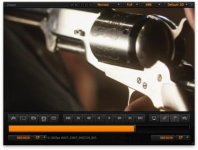
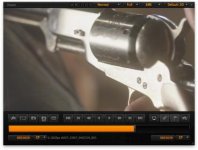
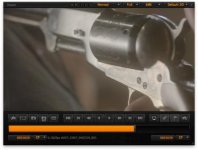
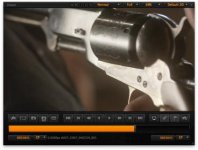
I have attached 4 stills from the TATTOO film. They are all the same image, but they cycle through different color space and gamma space options. If you want to experiment (only experiment) with OLD settings, simply go to the RC-X PREFERENCES and enable "ADVANCED SETTINGS" in the GENERAL menu. This will introduce older curves from previous tools such as REDCine, REDAlert and REDRushes.

The first is from REDSpace / REDLog. This is a massive improvement over REDSpace / REDSpace, but notice there is still some clipping in the shiny part of the gun.

The second still is of REDSpace / REDSpace. Notice how the contrast clips the highlights. I've seen this happen with both film LUTs and with projects that used REDSpace as their "starting point." Poor choice.

The third is from the more recent curve of REDColor2 / REDLogFilm. Notice how this brings everything back from the gun - a near perfect RGB sample of the R3D RAW.

The forth is among the best for starting a one-light in dailies, REDColor2 / REDGamma2. Notice how this retains the highlight protection, but adds a more pleasant contrast to the image.

Working out the pros and cons of Graeme's curves will help yield the best results for every part of the process. Try it for yourself on your own footage - even old footage - and you'll see how powerful REDLogFilm is on R3Ds destined for ProRes, DPX or other codecs of choice.
m
 

Attachments

  • REDSpaceREDSpace.jpg
    REDSpaceREDSpace.jpg
    16.5 KB · Views: 0
  • REDSpaceREDLog.jpg
    REDSpaceREDLog.jpg
    15.7 KB · Views: 0
  • REDColor2REDLogFilm.jpg
    REDColor2REDLogFilm.jpg
    15 KB · Views: 0
  • REDColorREDGamma.jpg
    REDColorREDGamma.jpg
    15.9 KB · Views: 0
This is a great question, Trevor.

That is just an incredible answer Michael. I know you love this stuff, and I just want to say on behalf of everyone how much we appreciate you simplifying RAW workflow for everyone. Your generous contributions
to the democratization of post in our industry is commendable and sincerely appreciated. If we all adopt the same workflows, RED will expand further and deeper into the marketplace because all of our images will look the best they can be.

Lightiron is doing some really Smart stuff and we are all really lucky to have access to this workflow for gorgeous RAW images.

Thanks again for sharing your process Michael.
 
Notice how the contrast clips the highlights.

Here's an alternative approach: If the highlights clip, regardless of the color space, they can be brought back by lowering the ISO (assuming the clipping didn't happen in-camera). I recall that with ISO 250 one never gets clipped highs, ISO 320 is on the verge (Talking about Red One naturally here). If the image gets too dark this way, the overall brightness can be compensated using FLUT or the curves...
 
I wouldn't call this an alternate approach but rather a side note. And what you suggest only applies BEFORE you export to an RBG space.

Jim

Here's an alternative approach: If the highlights clip, regardless of the color space, they can be brought back by lowering the ISO (assuming the clipping didn't happen in-camera). I recall that with ISO 250 one never gets clipped highs, ISO 320 is on the verge (Talking about Red One naturally here). If the image gets too dark this way, the overall brightness can be compensated using FLUT or the curves...
 
I wouldn't call this an alternate approach but rather a side note. And what you suggest only applies BEFORE you export to an RBG space.

Jim

Let's call it a side note then - but i don't get the point of this applying only before exporting to RGB, because the same goes for choosing a different color space: that too only applies before exporting to RGB. Both serve as ways to accomplish a similar thing, an RGB export that makes use of all the dynamic range of the original.
 
Let's call it a side note then - but i don't get the point of this applying only before exporting to RGB, because the same goes for choosing a different color space: that too only applies before exporting to RGB. Both serve as ways to accomplish a similar thing, an RGB export that makes use of all the dynamic range of the original.

REDlogFilm puts the highlight pretty low already so they are both visible and easy to grade up as well as providing lots of headroom.
 
It's an interesting approach, and I like it. I'm familiar with all of the ins & outs of the various curves & colour spaces, but I was curious as to why you'd encode with RedlogFilm when working in video/gamma encoded space. Basically the benefit is that you have a flat look that retains the maximum amount of detail for an actual grade, vs. Redgamma which gives a nice curve for dailies.

I hadn't seen that approach before - most houses up here in Vancouver use a log/print LUT method and do a correction grade for video. It's a good shift I think to grade in P3 or Rec.709 since this is fast becoming the primary medium.
 
Jim i really hope you guys consider to post a ProRes 1080P version of the FIlm ...so we can really see finally a true example of epic image ...otherwise we are stuck with Vimeo clips or super super super short R3D ....

thanks


g
 
Back
Top