Welcome to our community

Be a part of something great, join today!

  • Hey all, just changed over the backend after 15 years I figured time to give it a bit of an update, its probably gonna be a bit weird for most of you and i am sure there is a few bugs to work out but it should kinda work the same as before... hopefully :)

Stranger Things 3

I'm going to go out on a limb here and say that those stuck pixels are actually a result of streaming and/or consumer hardware.
There are way too many steps between filming and final stream delivery for there to be a definitive answer on stuck pixels.

Nope, they are stuck pixels, trust me, I've handled shooting and post for too long to mistake this for anything else. Even my friend, who isn't at all used to spotting issues with footage started to see these things after I pointed one of them out. There's even a moving one on a post-stabilized shot, which is a dead give-away that the pixel comes from the actual camera and not anything within post.
 
I think the main reason some people won't see it is because they watch the 1080p standard version or through a lower quality stream. I've watched it in its UHD HDR stream at the highest quality. You can't see them on a browser-based player since it doesn't stream that quality. Lower resolution means that the source has been downsampled and downsampling means you pack pixels losing eventual stuck pixels in the process. But I'm not sure why these haven't disappeared after the 8K to 4K downsample. It might be due to it being shot with a crop-in standard, in order to reframe or stabilize shots. In that case, we have a lower resolution count downsampled to the UHD master, which means that stuck pixels have a higher probability of being seen after it.

These are annoyingly visible and ruin many dark scenes, especially when they appear right on top of someone's face or center of attention. I've compiled a list from the last episode, but since they are so frequent I just stopped at around 40 minutes. Just fire up a high quality UHD stream on your large 4K TV and you'll see them.

Episode 8
00:53 - Right side of frame

01:04 - Camera stabilized or reframed white pixel close to center and down left (moving because of reframe/stabilize)

01:12 - Right side middle, close to edge

01:24 - right side middle

01:34 - right side middle

This whole scene has at least one camera with this problem. Most notable at the right side mid-line.
Pixel moves at reframes and stabilizations. This camera used in the beginning is ver frequently used throughout the episode with the most notable pixel at the right side close to the mid-line.

Same camera used in the scene after the main credit scene. Right side pixel stuck at some shots (one shot of will for example.

07:50 - Dustin, Steve, Erica and Robin gets into the car - Close over Steve as he jumps in.

09:11 - Shot of Jim with Eleven - Same camera as in the beginning, right side mid-line

10:15 - Walk n talk through corridor - Middle-down around Jim’s arm - Two pixels stuck close to each other. Same camera used in the following shot with the kids getting into the car. Stuck pixel at the same place.

10:55 - Shot of Nancy and Jonathan in the car - Same camera as in the beginning, stuck pixel right side mid-line (on top of Nancy’s hair).

11:02 - Same camera as 10:55 used for the Shot backseat of Lucas, Will and Mike - Pixel on Mike’s hair.
Same camera used for all shots shot from the left side of the car - The camera shooting from the right side to the left does not feature these pixels, which means it’s a two camera setup at least with one camera faulty. All wide shots of the car outside and the shots when they check out the engine uses the camera without stuck pixels.

13:15 - Locked wideshot after Jim shot the guards - Right side of the image, mid-line inside the red truck thingy.

16:32 - Same camera as the beginning - right side mid-line on the right side of the russian soldier (close-up)

17:12 - Same camera as in the beginning - Steel doors opening - right side mid-line
This camera used for a few more shots in this scene

19:00 - Push in on Mike after they pushed the car over - Up right over his head there’s a stuck one.
Same on the next shot when they jump down, same camera used, visible all throughout that tracking shot ending on Mike turning his head to see what Max is looking at.

21:18 - Shot of Joyce - same camera as in the beginning - right side mid-line between the banister rails.
Reverse shot on Jim - On the red side of the trick - right side mid-line.
Same camera seems to be used for most shots in the scene.

22:30 - Same scene as the previous one, very obvious stuck pixel on right side of Jim (same as before) against the black behind him.

25:26 - VFX tracking shot from the Mind Flayer throwing the radio - it crashes onto the floor - tracking from it to behind the car where Will, Jonathan, Nancy and Lucas is hiding - shot ending on Will’s face - VERY OBVIOUS Pixels on Will's face in this shot, moving around due to reframings

28:12 - Track in on Murray coming up through the vent - Same camera as in the beginning - Right side mid-line.

30:14 - Mike, Max and Eleven running out the door - Pixel up-right over their heads.

30:33 - Jim and Joyce runs into a russian guard - Shot of Jim and Joyce - Two pixels down form the middle. Same camera for the shot in between Jim and Joyce, showing the guard ”Did Mikhail send for you?”

30:55 - Jim and Joyce walks through the red octagon corridor - Same as before, two pixels down from the middle.

31:03 - Jim and Joyce - Jim tries to enter the code - Right off and close to the keypad

34:35 - Never ending story-sequence - Suzie turns the radio knob - Same camera as in the beginning - Right side mid-line

34:53 - Extreme close-up on Suzie - Right side mid-line.

35:25 - Slow tracking shot close-up of Suzie - down left on her hair close to her pink ribbon (neck).

36:48 - Close up on Suzie - Right side mid-line

37:49 - Mike, Max and Eleven comes out and discovers Billy, they go inside again - Up to the right over their heads.

37:53 - Same for this, inside through the orange lit alleyway when Max runs back to close the gate.


I see a lot of people on the defense, trying to defend the show and its cast and crew but this has nothing to do with the quality of the show, its cinematography or anything like that. This is a QC error, these should have been removed in post or more importantly, shouldn't be visible on the camera. I'm wondering if the DIT reported this issue? Since it would be very easy to spot when reviewing daily shots.

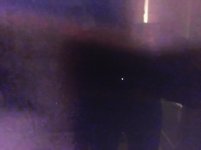
I've attached a photo taken close to the screen showing one of the bastards.
 

Attachments

  • stuckpixel.jpg
    stuckpixel.jpg
    124 KB · Views: 1
Christoffer, send the producers of ST or netflix your list maybe you can get a job in their QC department. :)
 
You're right Christoffer, just finished watching it in 4K, it's really weird how no one noticed them during any stage of production or QC.

On another note after the pixel hunting I also found a stuck pixel on my TV, I was actually impressed there is only one :)
 
Last edited:
Very likely they did not watch it on a 4k screen when doing the post but only on dolby 2k screens. thats quite common. Even if all work is done in 4k not too many in the post process playback in full res. But yes, the compositors and such should notice.
 
Very likely they did not watch it on a 4k screen when doing the post but only on dolby 2k screens. thats quite common. Even if all work is done in 4k not too many in the post process playback in full res. But yes, the compositors and such should notice.

That show is finished in Dolby Vision, likely viewed on a 4K Sony X300 monitor, at least during color grading. Beyond that, QC is always done at native resolution as well.
 
Not to hi-jack the dead pixel issue, can someone educate me on the tracking/steadicam shots. Man are they FLAWLESS. Is that gimbal or just a really really good Steadicam op with or without Trinity or other hybrid gimbal/steadi gear moving through the scenes with PERFECT horizon. Would love to know. Thanks!
 
That show is finished in Dolby Vision, likely viewed on a 4K Sony X300 monitor, at least during color grading. Beyond that, QC is always done at native resolution as well.

Yes, you are right. But must be some strange explination why they left those dead pixels in there normally QC have even automatic features to detect such things.
 
Not to hi-jack the dead pixel issue, can someone educate me on the tracking/steadicam shots. Man are they FLAWLESS. Is that gimbal or just a really really good Steadicam op with or without Trinity or other hybrid gimbal/steadi gear moving through the scenes with PERFECT horizon. Would love to know. Thanks!

Seconding this
 
Could be Steadicam with the Wave or a Trinity..

I was thinking this too, but wanted confirmation. I have a Ronin 2 and a traditional Steadicam rig. Looking at adding the Betz Wave1 to my Steadi rig. If they used that on this show, I am TOTALLY SOLD on it then!

Anyone know for sure?
 
I have a Ronin 2 and a traditional Steadicam rig. Looking at adding the Betz Wave1 to my Steadi rig. If they used that on this show, I am TOTALLY SOLD on it then!

Bob Gorelick was the A cam/steadicam operator on this show.

It has A LOT more to do with him being a highly experienced and amazing camera operator than what brand of gear he's using....
 
Bob Gorelick was the A cam/steadicam operator on this show.

It has A LOT more to do with him being a highly experienced and amazing camera operator than what brand of gear he's using....

This and some room in post because of the 8k capture.
 
Back on the stuck pixel thing... I don’t think that’s what we’re seeing. I didn’t notice them watching through, even though I’m watching on a 4K projector and a pretty big screen — like 12ft wide. Plenty of compression artifacts and film effects/ grunge added to the show.

To me it looks like some of the grunge treatment is digitized film effect and some is digitally recreated film/dirt. Given that most of the acquisition was 8K and 6K for season 3 (as far as I’m aware) and the amount of other processing done, the couple hot pixels I went back and looked for seem more like digital hot point artifacts. I don’t know if they went unnoticed in post or not or were intentionally left or not. I’m not so sure they were present in the original camera footage. Almost betting they are not there as they would be larger than a single stuck/hot pixel. Or if they were there, then the original footage was sharpened and edge-enhanced and potentially grunge-processed prior to final down-scale and 4K mastering and that seems unlikely.

I’ve seen the same thing on other shows before using digitally added film/dirt effects and it’s like the digital approximation of a piece of lens or gate dust. Meh...

Either way, I think these bright pixels should not be there and should have been eliminated in a QC pass. And yet I didn’t notice them since I was too busy just watching and enjoying the show.
 
Eperienced and skillful Stedicam and other camera operators are worth their weight in gold. Also a good DP would frame a shot in a way the post folks can use that in more than one scene and audience cannot say that was a repeat. In 8k you have more freedom in framing if your end result is projected towards 4k delivery. Sometimes I do this with my less than stellar camera operators knowing that I could allow a scene to be stabilized and/or punched in if need be. In other words, I'd frame a scene a bit wider than asked by the director to have an escape route if shit hits the fan.
 
Back
Top