Welcome to our community

Be a part of something great, join today!

  • Hey all, just changed over the backend after 15 years I figured time to give it a bit of an update, its probably gonna be a bit weird for most of you and i am sure there is a few bugs to work out but it should kinda work the same as before... hopefully :)

Sound Devices PIX 240 ProRes/DNxHD Video Recorder with EPIC

thanks for the info. yeah i think in the mean time i might suggest running our cords different just so the dp/director get accurate framing. we have 2 field monitors going but they are getting the camera feed, not the pix240 feed and im worried the 6 percent crop factor might screw up their framing if i dont present this to them. thanks
 
We're onset right now and have been getting a green jittery playback on the Scarlet with the Pix 240 . No problems with the Epic . Any ideas?

Playback on PIX recorded files is green and jittery or on the Scarlet?

How are you connecting the PIX and the Scarlet?

What firmware are you running on the PIX?
 
The problem is not in the Pix or Samourai. We wait for a firmware update to slve this problem. The last update (3) doesn't do it.


Olivier


Sorry, but that is not true. The problem is with the Pix. This problem is activated in the Pix by a glitchy SDI signal output by the Epic and Scarlet during boot up and during zoom/expanded focus.

Solution: Sound Devices is working on a fix so that the Pix can handle this glitchy signal without going into a corrupted record mode as it does now.

Workaround: Boot the camera first. If you are going to use zoom, disconnect or boot down the Pix first. After you have focus and have unzoomed back to regular output, boot up or reconnect Pix. It works fine for me just disconnecting and reconnecting the SDI cable.

Always do a test record and check for good playback before you start shooting. Follow the above workaround and you should be good to go.

I still check playback very time I can. Also, if you forget to disconnect the Pix during zoom just reboot the pix on a non zoomed picture.
 
PLEASE fix this

PLEASE fix this

When I first read about the PIX240 I proclaimed it a dream come true. Sound Devices build quality, ProRes or DNxHD, top quality hero audio, TC generator/reader, enough metadata for match back, auto roll trigger, under $3K.

I really hope the engineers at SD can get this sussed out quickly, it would be a shame if such a terrific piece of gear couldn't play nice with Epic/Scarlet :-(

Cheers - #19
 
I did a test with the Pix240 for a TV show I'm doing, and broadcast engineering rejected it. We recorded to DNX HD 720 59.94 (Camera settings were 4kHD 29.97, and we recorded out of the SDI port at 1080). Here was their response:

the PIX240 does not produce a clean enough conversion for their broadcast chain. Network bases their conversion standards on the Alchemist....and the PIX240 is not hitting the mark.

We are already moving on to other options, but does anyone have some insight here? What's "dirty" about the Pix's conversions? Thanks.
 
Likely the windowing of the HDSDI signal out of Epic and Scarlet cameras. Full raster HD requires a resize of 8%. The next frmware upgrade is expected to address this issue.
 
I did a test with the Pix240 for a TV show I'm doing, and broadcast engineering rejected it. We recorded to DNX HD 720 59.94 (Camera settings were 4kHD 29.97, and we recorded out of the SDI port at 1080). Here was their response:


We are already moving on to other options, but does anyone have some insight here? What's "dirty" about the Pix's conversions? Thanks.

Yes, we would definitely be interested in more information about the testing done and what standards the PIX files do not meet.

Did you do a test with any other cameras? As Scott pointed out it could be a combination of the RED output and the PIX, and not simply the PIX DNxHD conversion.

Also, do you know what version Firmware the PIX was running?

Thanks!
 
When I first read about the PIX240 I proclaimed it a dream come true. Sound Devices build quality, ProRes or DNxHD, top quality hero audio, TC generator/reader, enough metadata for match back, auto roll trigger, under $3K.

I really hope the engineers at SD can get this sussed out quickly, it would be a shame if such a terrific piece of gear couldn't play nice with Epic/Scarlet :-(

Cheers - #19

A fix for the issue where EPIC/SCARLET boot up causes PIX instability is currently being tested and will be in the next firmware update. No other cameras have this effect on PIX.
I have spoken with RED engineering about their zoom feature causing the EPIC SDI out to drop out briefly. They are already aware that this is something they need to address for clients who want to work with external recorders.

Paul Isaacs
Technical Development Manager
Sound Devices
 
Yes, we would definitely be interested in more information about the testing done and what standards the PIX files do not meet.

Did you do a test with any other cameras? As Scott pointed out it could be a combination of the RED output and the PIX, and not simply the PIX DNxHD conversion.

Also, do you know what version Firmware the PIX was running?

Thanks!

It was running the newest firmware. We recorded this last week at Abel in Los Angles. Here's a follow up email that explains a bit more in-depth:

The 5% resize applied to the Pix240 test image was in no way an issue or concern. The accepted broadcast tolerance for a resized image is a maximum of 20%. The 5% was a non issue.

On the Pix240 the "conversion" is not a technical frame rate conversion issue because you recorded 720P, 59.94. The conversion issue is the recorded image quality itself....synonymous to an illegal frame rate conversion from 23.98 or 29.97 to 59.94.... or a format conversion that did not go through an Alchemist, rather a cheaper conversion box.

Very specifically network Engineering saw unacceptable Motion Artifacts in the Pix240 image quality. The box itself did not produce a clean enough image. Specifically when the female subject in the Test spoke or moved her hands/arms there were unacceptable motion artifacts visible to network that network said would be highly amplified with any camera movement, or zooms, or animated interview subjects movements, and thus denied.

Does any of this sound like user error? I had an Abel rep walk with me the whole time. I'll see if I can upload the test file.
 
It was running the newest firmware. We recorded this last week at Abel in Los Angles. Here's a follow up email that explains a bit more in-depth:


Does any of this sound like user error? I had an Abel rep walk with me the whole time. I'll see if I can upload the test file.

Hmmm, interesting. Which camera were you testing with? Epic?

Was it purely based on visual examination?
 
Hmmm, interesting. Which camera were you testing with? Epic?

Was it purely based on visual examination?

It was a Scarlet, using the newest firmware for that too. It sounded like they had some sort of scopes and hardware they used, in addition to a visual examination. But I'm mostly in the dark on the specifics of that. I'll upload the DNXHD file and PM you a link if you'd like to check it out, Matt. It's 1.35GBs so it will be a couple hours before it's up.
 
It was a Scarlet, using the newest firmware for that too. It sounded like they had some sort of scopes and hardware they used, in addition to a visual examination. But I'm mostly in the dark on the specifics of that. I'll upload the DNXHD file and PM you a link if you'd like to check it out, Matt. It's 1.35GBs so it will be a couple hours before it's up.

Ben,

I would appreciate getting a copy of the file and any more specifics of the testing done.

We haven't seen a Scarlet yet, so I don't know if there would be anything specific to that camera that wouldn't apply to testing done with tbe Epic and Red One.
 
Great to see the back-and-forth with Sound Devices folks on these issues!
look forward to hearing the outcome...

Stu Aull
S-X #00199
Pix240

Alaska
 
Hi Mark,

Getting one in today to test for possibly using on upcoming aerials shoot.

I think there's a Rec start/stop flag sent via HD-SDI when you actually button on and off, so to record frame rate converted playback you may have to manually start / stop the 240. It's possible to set the 240 to trigger based off timecode though and if you're sending it TOD absolute TC from EPIC playback, the 240 may create a new clip every time that TOD TC jumps.

That would be a nice way to create frame rate converted HD dailies ( with big letterbox if you're shooting 2:1 ) without a full DIT setup in the jungle! Especially with REDGamma/REDColor3 looking great out of the box now.
 
Josh,

We recently used the Pix 240 with our Stab C Gyro on an aerial shoot.
It worked great, it was -22C outside for the Epic, Inside the helicopter it was warm and cosy.
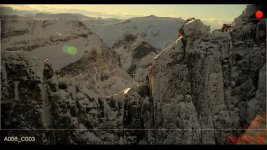
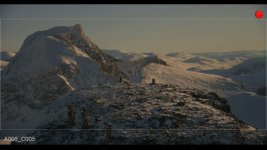
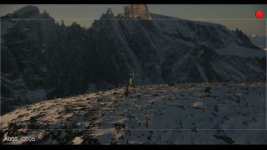
The 240 trigger recording as soon as the Epic starts and you have the info on the screen as shown on the pictures below.
Worked great for us, we can easily play back the takes for the Director inside the Helicopter.
All Meta data from Epic is also on the Pro res files

blue skies
 

Attachments

  • Trollveggen_Winter_1.jpg
    Trollveggen_Winter_1.jpg
    48.6 KB · Views: 0
  • Trollveggen_Winter_3.jpg
    Trollveggen_Winter_3.jpg
    33.4 KB · Views: 0
  • Trollveggen_Winter_4.jpg
    Trollveggen_Winter_4.jpg
    33.2 KB · Views: 0
Ben,

I would appreciate getting a copy of the file and any more specifics of the testing done.

We haven't seen a Scarlet yet, so I don't know if there would be anything specific to that camera that wouldn't apply to testing done with tbe Epic and Red One.

Sent off a file to the guys at Sound Devices, and they're working with me to see what the issue is. Right now it looks like it might have been an issue with how the post house outputted the file to D5 tape, or an incorrect setting on the Red. Not sure yet, but appreciate them working to find out what's going on.
 
Back
Top