Welcome to our community

Be a part of something great, join today!

  • Hey all, just changed over the backend after 15 years I figured time to give it a bit of an update, its probably gonna be a bit weird for most of you and i am sure there is a few bugs to work out but it should kinda work the same as before... hopefully :)

Some MONSTRO mixed lowlight impressions .....

Rand 3D LUT Creator is the absolute jam. Thank you so much for introducing me to this amazing tool. Making fine tune adjustments to skin in Resolve was always such a hassle. The different curves windows in Resolve are just too small to make very fine adjustments and the color always seems to break so quickly without spending so much time tweaking the qualifiers. I just wish this was somehow part of Resolve. I have this strange feeling that Resolve 15 will bring more tools like this to the mix. fingers crossed!
 
Anton,

You're welcome man!! I like you love to grade footage, but I felt Resolve was beginning to restrict me also. Resolve does so many more things that 3Dlut creator just can't Like the Key I pulled on the other page and then some. But 3DLut creator allows you to work with colors and skin tones in a way resolve "Currently" can't. Also hoping for much better IPP2 support and many great updated capabilities in a Resolve, maybe 15, release at NAB.
 
Sci-fi Scene.

"Greetings Humans......your time has come to an end!!"

Sci-_Fi_better_3_2.1.62.jpg


RAND .... unstoppable :thumbup1:
 
Just a little late night stupidity on my part. Your image has a very naturalistic feel to it.

Love those late night stupidity ;-)

Generally I am about to get the most naturalistic feel out of it, when it comes to skin tones....... you can "break" the image later anyway.... ;-)
 
You devised a great scene. One with little contrast, with little color and with limited color seperation. You had to think carefully about how to approach grading it.
 
You devised a great scene. One with little contrast, with little color and with limited color seperation. You had to think carefully about how to approach grading it.

You are right, looks like a simple, normal shot in the first place. And I am wondering if the skin tone OLPF helped with that low contrast, low color scene and that type of skin tone...
 
No More Aliens for now back to a more "Naturalistic" Rendition. This time with dark eyes.

Dark_eyed_girl2.jpg
 
Last edited:
Thanks for the files Tobi.

Here are some all-in-one contrast and saturation variations, with what I thought was a 'breakfast cereal ad' kind of look -


Thanks too Rand for the heads up on that '3D Lut Creator' program, I might be able to do something with that.
 
Les,

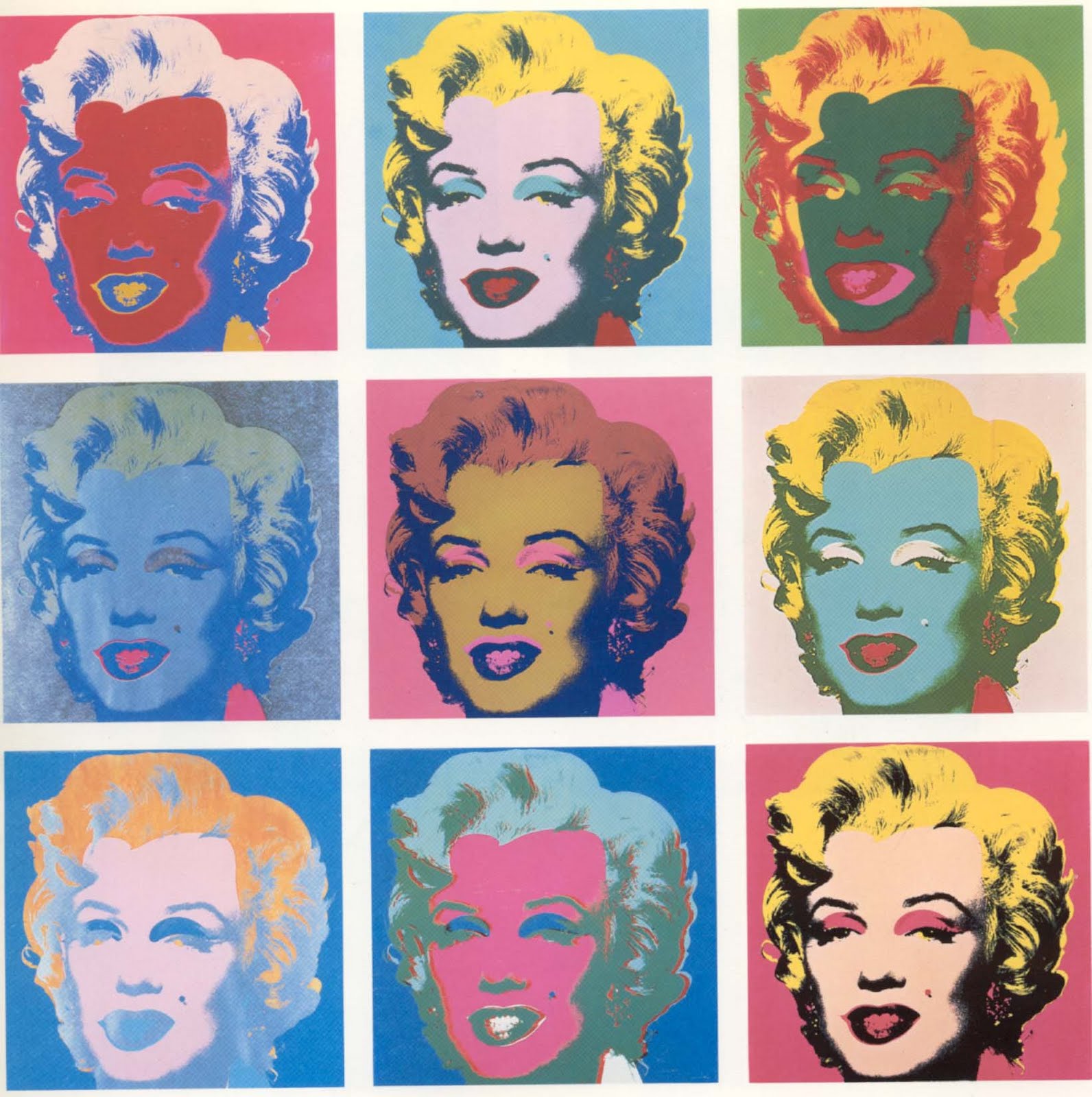
I was thinking more like 'Andy Warhol's" "Soup Cans" and his "Marilyn Monroe"


warhol+soup.jpg


Andy+Warhol,++Marilyn.jpg


One thing to be aware of, sometimes an "Anti-Virus" Program will detect it as a virus and "quarantine" it. After I first tried to install the Pro Version for the first time, $250, my anti-virus program, McAfee, quarantined it at the initial first startup , W....T......F!!!!!. So What is suggested by the makers of "3DLut Creator" Software, is to add the ."exe" file before initially running the program to your Anti-virius's "White List", which basically tells the anti-virus software that its "ok".
 
Last edited:
lol I was wondering what visual reference you'd come up with Rand.

Thanks for the '3DLut Creator' installation tips. Might be handy for that software to have it's own thread in the RED Workflow/Other Workflow section too.


Meanwhile, here's a basic Resolve anamorphic-ratio crop of the previous picture -


Higher res version - https://imageshack.com/a/img922/9452/fTS20g.jpg

I'm really liking the Monstro colour flexibility and resolution.

Thanks again Tobi for the beautiful test file.
 
Last edited:
lol I was wondering what visual reference you'd come up with Rand.

Thanks for the '3DLut Creator' installation tips. Might be handy for that software to have it's own thread in the RED Workflow/Other Workflow section too.


Meanwhile, here's a basic Resolve anamorphic-ratio crop of the previous picture -


Higher res version - https://imageshack.com/a/img922/9452/fTS20g.jpg

I'm really liking the Monstro colour flexibility and resolution.

Thanks again Tobi for the beautiful test file.

Ha.Ha.Ha.Ha

Les, That would be a great Idea! Hope you don't mind one more reference. Your example reminds me of the 70's "Anti establishment" films like "Easy Rider" or "Billy Jack""


Last edited:
Well there you go, I was actually aiming for an outdoor day-lit kind of frame there.

And, I am a big fan of certain 70's/80's film looks.
 
Enjoying how you guys have fun and develop those files......

Going to shot some anamorphic stuff with the MONSTRO next week in kind of tricky light conditions, will check to post some more work for you soon ;-)

Cheers so far,

Best

Tobi
 
Tobi,

I enjoyed working with your files, Thanks! And I thank you in advance for the anamorphic footage you will shooting next week!
 
Thanks Rand, try to do my best.....

Meanwhile some totally crazy mind-blowing candles in the wind .. :-))))


WOW Monstro is very clean.
 
Looks fantastic. Seems like you could use 6400 with Neat Video. Neat Video is quite a bit better than Resolves Noise Reduction.
/Andreas
 
Back
Top