Welcome to our community

Be a part of something great, join today!

  • Hey all, just changed over the backend after 15 years I figured time to give it a bit of an update, its probably gonna be a bit weird for most of you and i am sure there is a few bugs to work out but it should kinda work the same as before... hopefully :)

Shooting black and white with the scarlet

Harry Ayiotis

Member
Joined
Jul 25, 2013
Messages
17
Reaction score
0
Points
0
Hello,

Has anyone shot a black and white project with the scarlet? And if so, how did it turn out? What was your workflow?

Thank you!
 
I have. The important thing that many don't think about when it comes to black and white is color correction. Desaturating and pushing the contrast will never give me satisfactory results. You may be able to find a LUT that you like, but I will always throw it in Resolve and play with hue shifts on each channel (with a desaturated node later in the tree) to get a satisfactory look. That is just me though. You will want to adjust your workflow to meet your requirements.
 
Here's a link on Vimeo to an all B&W short I shot on my Scarlet. We just turned the saturation all the way down on the camera to monitor on set.
I wasn't really involved in the post so I don't have all the details. It was finished all in FCPX.
 
I tried altering some footage by shifting the hues and this is what I came up with:

#1 This is the original shot
#2 This is the original shot + desaturation and contrast
#3 This is the shot after altering hues + desaturation
#4 This is the shot after altering hues with saturation at 1 to show how the colors were altered

Cool test. I did it all in RCX. I would imagine resolve would open up a world of B&W corrections, but I wanted to keep this under 10min. I definitely prefer the look of hue shifting. It looks more filmic to me. Just adding desaturation looks digital and flat IMO.
 

Attachments

  • Screen Shot 2014-01-14 at 10.09.15 AM.jpg
    Screen Shot 2014-01-14 at 10.09.15 AM.jpg
    16.3 KB · Views: 0
  • Screen Shot 2014-01-14 at 10.07.58 AM.jpg
    Screen Shot 2014-01-14 at 10.07.58 AM.jpg
    14.2 KB · Views: 0
  • Screen Shot 2014-01-14 at 10.07.18 AM.jpg
    Screen Shot 2014-01-14 at 10.07.18 AM.jpg
    16.1 KB · Views: 0
  • Screen Shot 2014-01-14 at 10.07.06 AM.jpg
    Screen Shot 2014-01-14 at 10.07.06 AM.jpg
    18.9 KB · Views: 0
Shot this with scarlet and red pro primes

 
I have. The important thing that many don't think about when it comes to black and white is color correction. Desaturating and pushing the contrast will never give me satisfactory results. You may be able to find a LUT that you like, but I will always throw it in Resolve and play with hue shifts on each channel (with a desaturated node later in the tree) to get a satisfactory look. That is just me though. You will want to adjust your workflow to meet your requirements.

I strongly recommend Film Convert. And also I love the black and white images from the Scarlet, usually it's best if you know it when you shoot it i.e. cranking up the contrast and removing all the desaturating it in camera.
 
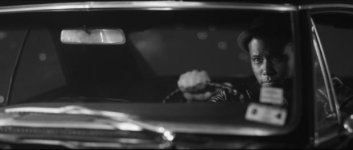
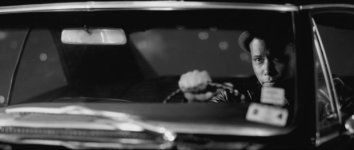
Some Scarlet-X black and white tones -


Black and white photography/cinematography is a pretty big subject...wish I knew enough about it to be able to give advice.

Check out this thread though, from someone who's mastered the old black and white studio look, if that's the kind of B&W you're interested in, or just to see what can be done - http://www.reduser.net/forum/showthread.php?108567-Going-VERY-old-school!-Black-and-white-high-key-with-nets-fun-stuff


Edit- I do agree though with what's been said about having to get in there and tweak/tune the tones after desaturating.
 
Last edited:
This looks great Ben! What was your process in getting such a rich range?

Thanks Drew. I shot with a 3-stop soft edge grad filter so everything was exposed well in between the goal posts then in Recine-X in the 'curve settings' I adjusted the range sliders for shadows, darks and midtones so the shadows was a smaller range so I could get deep blacks with bringing everything else down too much - likewise I did the same for the midsto dial in the ranges I wanted lifted or brought down (top slider of each section). Saturation down in the post controls.
 
Back
Top