Welcome to our community

Be a part of something great, join today!

  • Hey all, just changed over the backend after 15 years I figured time to give it a bit of an update, its probably gonna be a bit weird for most of you and i am sure there is a few bugs to work out but it should kinda work the same as before... hopefully :)

Selection Mode/Tool Keyboard Remapping?

Steve Delahoyde

Well-known member
Joined
Feb 15, 2010
Messages
50
Reaction score
0
Points
6
Location
Chicago, IL
I apologize for this being perhaps the most basic question ever, but I've searched high and low and can't seem to find an answer. The short story is that I'm a long time Premiere user but thinking of trying out making the switch to Resolve after the disaster that is the newest version of PP. That said, I'm great with remapping most of the keys that I'm used to. The one trick is trying to switch the Selection Mode/Tool (getting the cursor back, essentially) from P to V, which is keyboard shortcut in Premiere. I've looked all over remapping the keys, but nothing I try seems to work. Any suggestions?
 
I apologize for this being perhaps the most basic question ever, but I've searched high and low and can't seem to find an answer. The short story is that I'm a long time Premiere user but thinking of trying out making the switch to Resolve after the disaster that is the newest version of PP. That said, I'm great with remapping most of the keys that I'm used to. The one trick is trying to switch the Selection Mode/Tool (getting the cursor back, essentially) from P to V, which is keyboard shortcut in Premiere. I've looked all over remapping the keys, but nothing I try seems to work. Any suggestions?

It's A
 
Steve,


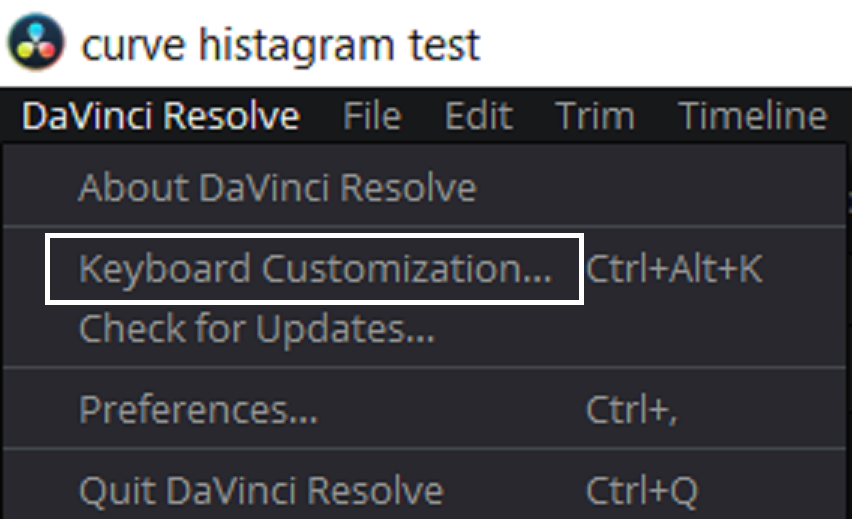
In The Upper Left-hand Corner in Resolve under "Davinci Resolve" select "Keyboard Customization"


Screenshot-389.png


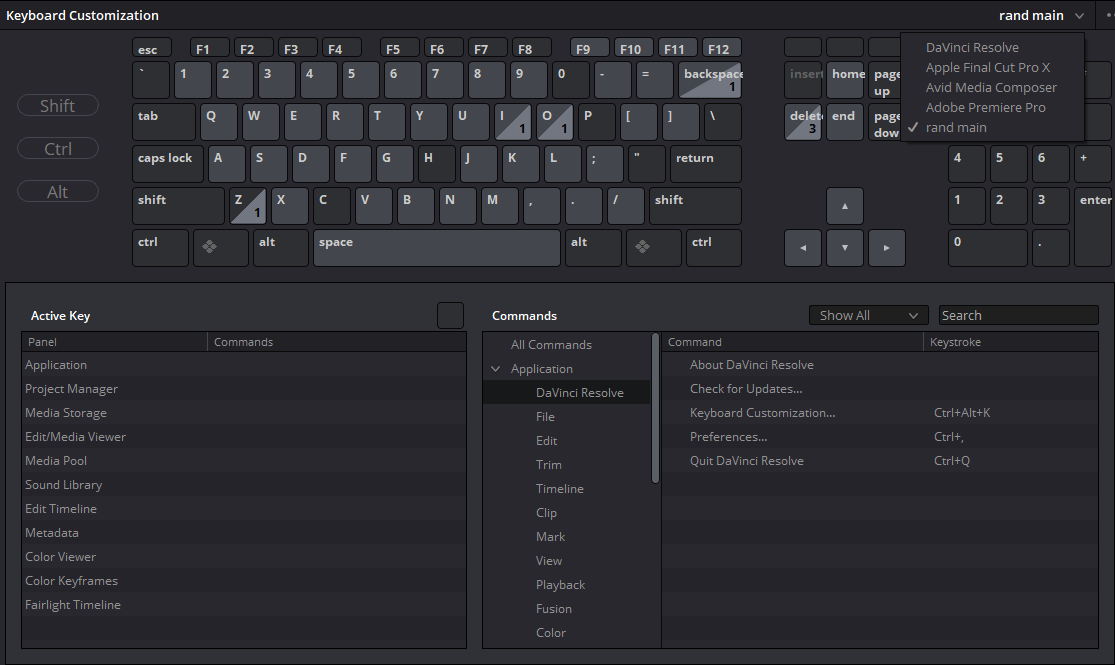
You should see this panel


Screenshot-390-2.png


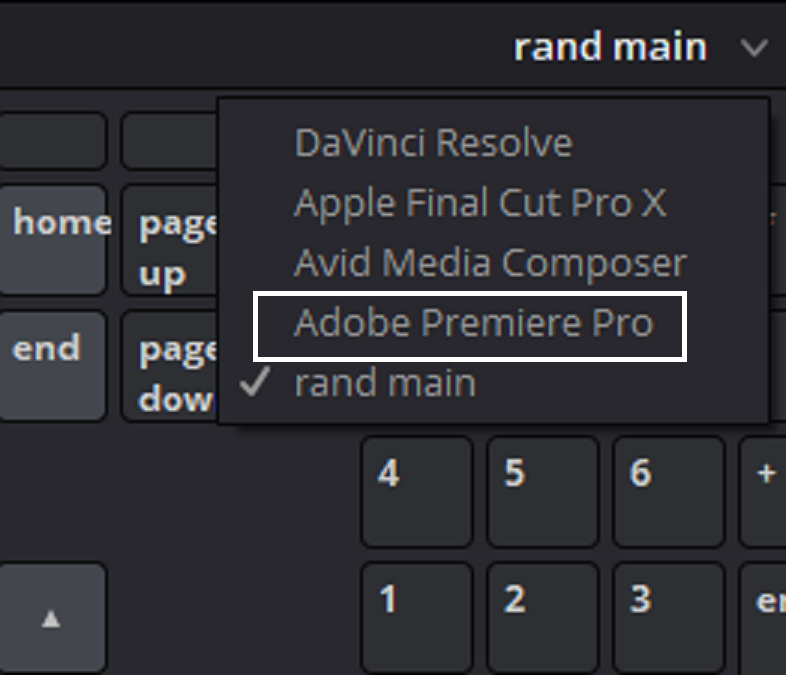
Now in the upper Right-Hand corner of this window, you will see a few "default" keyboard layouts that you can choose from which keyboard layout you might be more familiar with. I don't know exactly how well those layouts imitate those actual program layouts, so you might want to check them out.


Screenshot-390-3.png


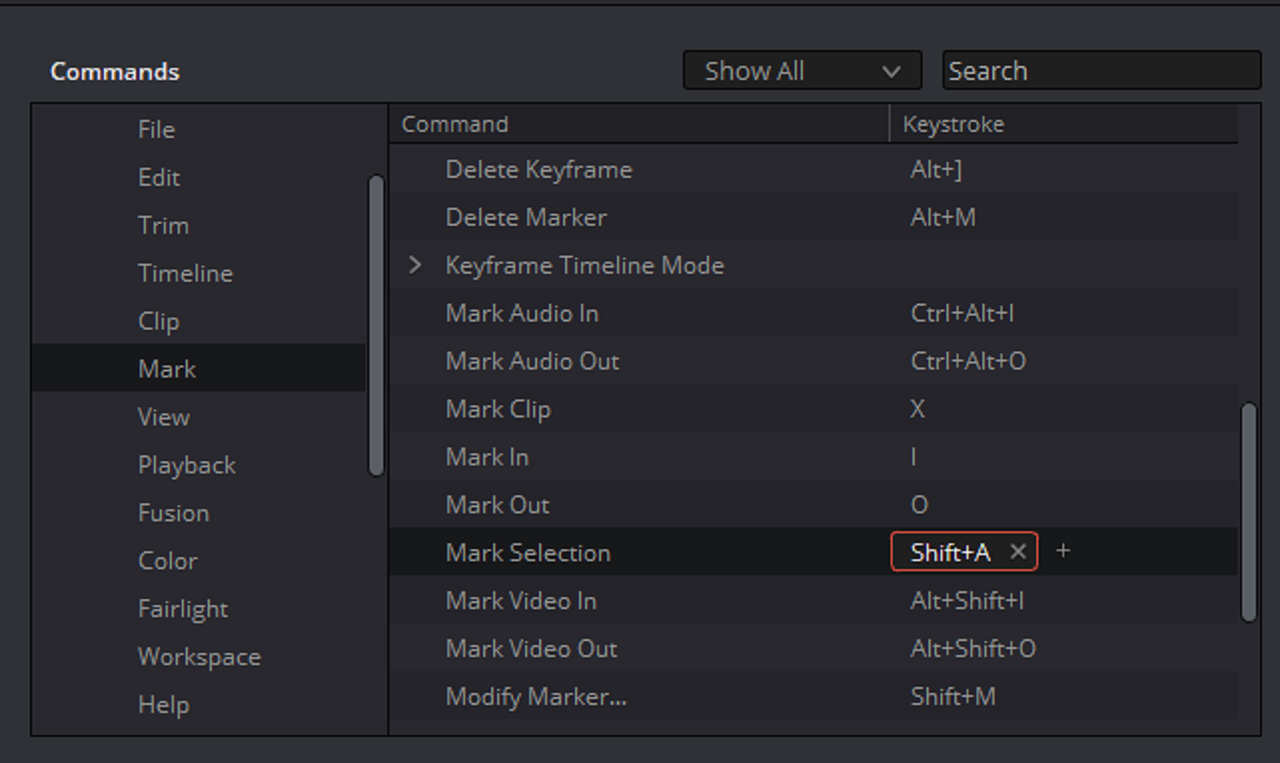
You can choose one of the layouts or just the "Davinci Resolve" layout and then go to the "Commands" area of the "Keyboard Customization" panel. Next, choose the specific area's default keyboard function mapping you want to change by clicking under the "Keystroke" heading and change it. then save the whole new keyboard re-mapping by whatever name you want.


Screenshot-392.png
 
Hey, thanks for the quick reply! I had gotten in there already and changed all of the other keys I needed (for instance, I like the razor tool being "R"), it's just that Selection Mode that doesn't seem to want to change from "P" to anything else. That feels locked in place by Resolve for some reason. Unless there's something else I'm just not seeing.
 
Oh, never mind, there it is, found it! In the keyboard config, it's called "Normal Edit Mode" and not "Selection Mode" (no idea why, since that's what they call it when you hover over the pointer icon). Once I found that, it changed to whatever I wanted to, no problem.
 
Back
Top