Nick Shaw
Well-known member
It's in testing now with the a new driver.
Does this new driver also address PSF issues?

Follow along with the video below to see how to install our site as a web app on your home screen.

Note: this_feature_currently_requires_accessing_site_using_safari
It's in testing now with the a new driver.
Does this new driver also address PSF issues?
Yes.

Will REDCINE-X export to PRORES 442?
what is the best codec for woking on the footage I am a MAC user...
Also what codec is the footage projected professionally and how do I get it to that codec, sorry probably a bunch of newb questions...
We have an early 2008 MacPro and have used all the slots: (1) graphics card; (2) RedRocket; (3) Fibre channel card; (4) RAID card.
This means we are currently running RedRocket in an 8x slot, and under the old RocketCine (build 661) it works fine. However, Build 96 and beyond don't appear to allow RedRocket to work from the 8x slot. Is this correct--perhaps I've missed something??
It would be fantastic to be able to access the the latest build...
Thanks in advance for any thoughts.
James
I think you mean ProRes422--YES. It also exports to all the ProRes versions (including the higher 4444).
It's really up to you: how fast is your system? How much memory do you have? How much storage do your have? What is your deliverable? Is your editing workflow to offline or online? How big is your project?
Having said that, a lot of people use ProRes422HQ, or 4444, and are very happy with the results. But it does really depend on what you are doing: for example, are you making a feature film or a short clip for the web?
H264 can be fine/great, depending on the settings. Unfortunately there are a lot of variables and it's difficult to provide single-word answers to your questions...It might be worth your while getting Noah's book; or at least reading the Apple FCP white paper on red workflow. This article is a bit dated now but might be a start for you: http://provideocoalition.com/index.php/apple/story/3_ways_to_get_red_footage_into_final_cut_pro/
All the best with it Perry,
James
Thank you so much james... it is greatly appreciated...one more question if you dont mind, lol where is the export settings for 422 or 4444 when I go to export the footage all I can find id video, H.264, some DVC crap and then apple intermediate codec but I am not finding 4444 or 422... am I exporting wrong or do I need to download something else or what... thanks again

Do you have FCP installed? I don't think that ProRes is available without it.
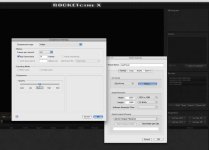
So I have downloaded the QT Codec and I still dont have it under compression settings this is what I have and I was taking about exporting out of REDCINE-X Build 104....
sorry it is hard to see all that is their in the way of Apple codecs is intermediate

BUT, if i click on the rocket to HIGHLIGHT it, i try to setup my screen, but nothing happens. UNLESS---i am supposed to have a dedicated screen hooked to the output of the rocket.