Welcome to our community

Be a part of something great, join today!

  • Hey all, just changed over the backend after 15 years I figured time to give it a bit of an update, its probably gonna be a bit weird for most of you and i am sure there is a few bugs to work out but it should kinda work the same as before... hopefully :)

ROCKETCINE-X Bugs, Comments, Help...

Status
Not open for further replies.
ok, spoke to soon. PsF is not working correctly.

Deanan it appears like the original problem I emailed you about with the jaggies is back. Is this something that is addressed in this new driver you wrote about? and if so when will it be available?

Here is a side by side I took of the monitor with my phone, but the issue is clear. The problem presents itself in both REDCINE-X and ROCKET-CINE

The problem does pass through to the recorded tape as well.

jaggies.jpg
 
Will REDCINE-X export to PRORES 442? what is the best codec for woking on the footage I am a MAC user... Also what codec is the footage projected professionally and how do I get it to that codec, sorry probably a bunch of newb questions...
 
Last edited:
Will REDCINE-X export to PRORES 442?

I think you mean ProRes422--YES. It also exports to all the ProRes versions (including the higher 4444).

what is the best codec for woking on the footage I am a MAC user...

It's really up to you: how fast is your system? How much memory do you have? How much storage do your have? What is your deliverable? Is your editing workflow to offline or online? How big is your project?

Having said that, a lot of people use ProRes422HQ, or 4444, and are very happy with the results. But it does really depend on what you are doing: for example, are you making a feature film or a short clip for the web?

Also what codec is the footage projected professionally and how do I get it to that codec, sorry probably a bunch of newb questions...

H264 can be fine/great, depending on the settings. Unfortunately there are a lot of variables and it's difficult to provide single-word answers to your questions...It might be worth your while getting Noah's book; or at least reading the Apple FCP white paper on red workflow. This article is a bit dated now but might be a start for you: http://provideocoalition.com/index.php/apple/story/3_ways_to_get_red_footage_into_final_cut_pro/

All the best with it Perry,

James
 
8x and 16x slot issues for Red Rocket and RocketCine-X

8x and 16x slot issues for Red Rocket and RocketCine-X

We have an early 2008 MacPro and have used all the slots: (1) graphics card; (2) RedRocket; (3) Fibre channel card; (4) RAID card.

This means we are currently running RedRocket in an 8x slot, and under the old RocketCine (build 661) it works fine. However, Build 96 and beyond don't appear to allow RedRocket to work from the 8x slot. Is this correct--perhaps I've missed something??

It would be fantastic to be able to access the the latest build...

Thanks in advance for any thoughts.

James
 
We have an early 2008 MacPro and have used all the slots: (1) graphics card; (2) RedRocket; (3) Fibre channel card; (4) RAID card.

This means we are currently running RedRocket in an 8x slot, and under the old RocketCine (build 661) it works fine. However, Build 96 and beyond don't appear to allow RedRocket to work from the 8x slot. Is this correct--perhaps I've missed something??

It would be fantastic to be able to access the the latest build...

Thanks in advance for any thoughts.

James

It'll work fine in any slot but will warn you if it's not getting x8 data throughput. (Side note: the slot needs to be x16 physical (not electrical) so the card has enough power)
 
I think you mean ProRes422--YES. It also exports to all the ProRes versions (including the higher 4444).


It's really up to you: how fast is your system? How much memory do you have? How much storage do your have? What is your deliverable? Is your editing workflow to offline or online? How big is your project?

Having said that, a lot of people use ProRes422HQ, or 4444, and are very happy with the results. But it does really depend on what you are doing: for example, are you making a feature film or a short clip for the web?


H264 can be fine/great, depending on the settings. Unfortunately there are a lot of variables and it's difficult to provide single-word answers to your questions...It might be worth your while getting Noah's book; or at least reading the Apple FCP white paper on red workflow. This article is a bit dated now but might be a start for you: http://provideocoalition.com/index.php/apple/story/3_ways_to_get_red_footage_into_final_cut_pro/

All the best with it Perry,

James

Thank you so much james... it is greatly appreciated...one more question if you dont mind, lol where is the export settings for 422 or 4444 when I go to export the footage all I can find id video, H.264, some DVC crap and then apple intermediate codec but I am not finding 4444 or 422... am I exporting wrong or do I need to download something else or what... thanks again
 
Thank you so much james... it is greatly appreciated...one more question if you dont mind, lol where is the export settings for 422 or 4444 when I go to export the footage all I can find id video, H.264, some DVC crap and then apple intermediate codec but I am not finding 4444 or 422... am I exporting wrong or do I need to download something else or what... thanks again

Pleased to help Perry--many traps for young players!

Make sure you have downloaded the Redcode QT codec available on http://www.red.com/support.

Open RocketCine-X (see the pic attached). In the Render window (towards the bottom right of your screen) click on the "+" button. A new window opens titled "Select Exporter". In the section titled "File Format" click on the button that says "DPX" and a drop down menu appears--select Quicktime. Then click on the button to the right titled "Setup...". Another window appears (titled "Compression Settings"). Click on the button "video" (next to "Compression Type"). Scroll up to the top of the list and you should find Apple ProRes, and all the variations of it (4444; 422 HQ; standard; LT and Proxy).

I habitually use ProRes422 HQ, but if you have the storage space you may prefer to go to 4444. Both of these codecs are broadcast quality (in the general sense--such a statement is likely to attract a lot of controversy, but I'm just speaking generally!)--even ProRes standard produces beautiful images for DVD and web (in fact LT would be sufficient for a lot of applications, depending on how severely you intend to colour grade your footage.)

Oh! One last thought Perry: I presume you are aware that RocketCine-X requires a RedRocket card (http://www.red.com/store/100-0012) to have been installed in your computer (if you don't have one, and you intend to be working with a lot of Red footage, GET ONE!)! If you don't have a RedRocket, use RedCine-X instead (http://www.red.com/support).

Best of luck!
 

Attachments

  • RedRocket1.jpg
    RedRocket1.jpg
    64.4 KB · Views: 0
Thanks a lot james I am trying to take this all in... I understand all of the tech with the exceptions to a few things and a lot of people on this site refuse to answer newb questions even though they are not coming from some 15 year old who is just learning about cams... lol I have been around the bend but there is just a few things I dont understand... thanks for taking the time out of you day to help it is greatly appreciated...
 
So I have downloaded the QT Codec and I still dont have it under compression settings this is what I have and I was taking about exporting out of REDCINE-X Build 104....
1zbewic.png

sorry it is hard to see all that is their in the way of Apple codecs is intermediate
 
Do you have FCP installed? I don't think that ProRes is available without it.
 
Do you have FCP installed? I don't think that ProRes is available without it.

That must be it I have FCP 3 on my MB Pro but no that iMac I am going to try downloading REDCINE-X on the laptop then get back to you lol
 
So I have downloaded the QT Codec and I still dont have it under compression settings this is what I have and I was taking about exporting out of REDCINE-X Build 104....
sorry it is hard to see all that is their in the way of Apple codecs is intermediate

The downloadable version is only the playback version I believe.
 
Hey thanks Deanan and everyone else for your help it is working now... I tried it on my FCP 3 Mac yesterday and all of the codecs anyone could ask for are their... thanks again... can't wait for my S35 and all that sexy footage...
 
First-time setup using Rocketcine-x

First-time setup using Rocketcine-x

My first go at Rocketcine-x:
Questions to the redusers:
1. should i bother using rocketcine-x if it is not going to be futher supported?
2. While opening it up and trying to ENABLE my rocket card---i have NO luck.

*I can open any of my footage in rocketcine-x and play it and get frame grabs etc...., BUT, if i click on the rocket to HIGHLIGHT it, i try to setup my screen, but nothing happens. UNLESS---i am supposed to have a dedicated screen hooked to the output of the rocket.
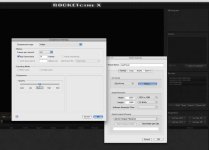
In Redcine-x, i don't have to have a dedictated screen hooked into my rocket card output. I thought i could use Rocketcine-x with my rocket card and utilize the acceleration portion of the card only....but does not seem to play back footage in 1/2 or full without a lot of stuttering. I have to set it to 1/4 or 1/8th.

PS: I'm using Version 1740

Am i missing something?
Thanks
 
BUT, if i click on the rocket to HIGHLIGHT it, i try to setup my screen, but nothing happens. UNLESS---i am supposed to have a dedicated screen hooked to the output of the rocket.

Correct. That is what clicking on the Rocket icon does, turn on external video.
 
Just Got the Rocket card and its a joy to use.

I am playing with some old footage and I can not get the Detail sliders or Debayer buttons to work or the DRX slider to work in 104, I could with 96.

RR is in X16 slot 3
Intel mac 2.8 dual Quad 32GB ram
ATI 3870 card
 
Status
Not open for further replies.
Back
Top