Welcome to our community

Be a part of something great, join today!

  • Hey all, just changed over the backend after 15 years I figured time to give it a bit of an update, its probably gonna be a bit weird for most of you and i am sure there is a few bugs to work out but it should kinda work the same as before... hopefully :)

Resolve color problem

Joe Cage

Well-known member
Joined
Jul 9, 2016
Messages
330
Reaction score
1
Points
18
Hello,

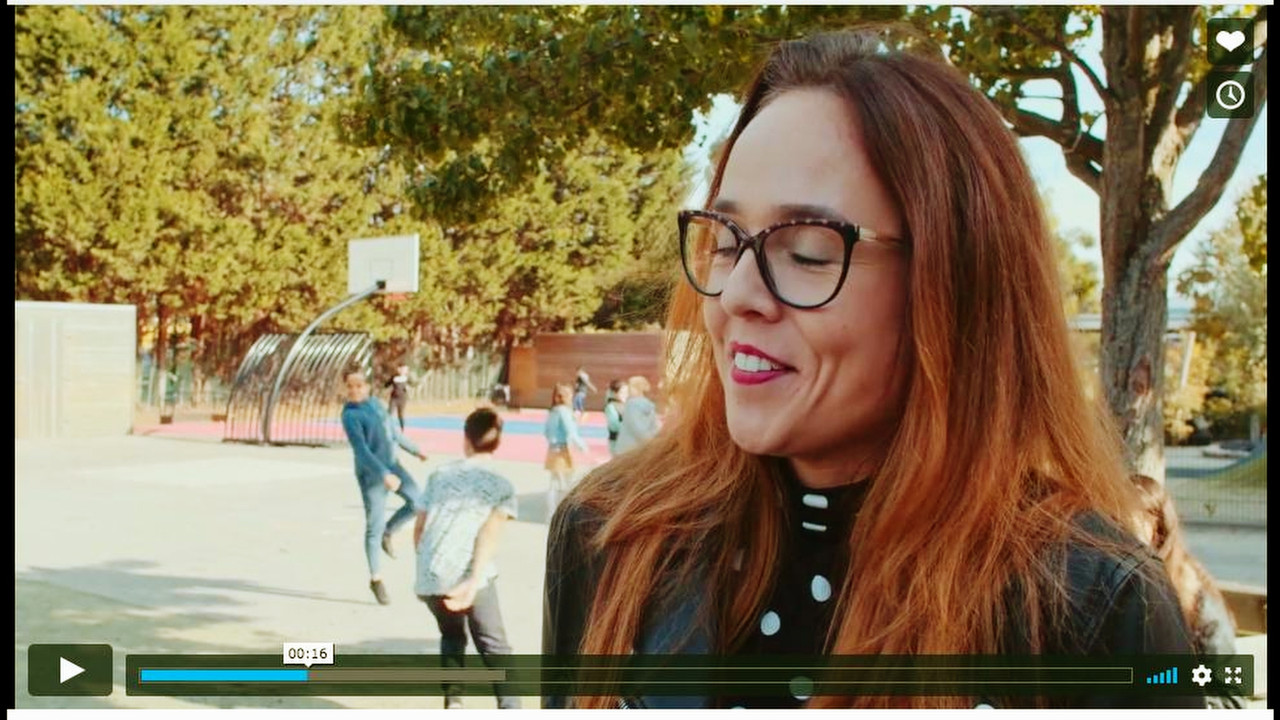
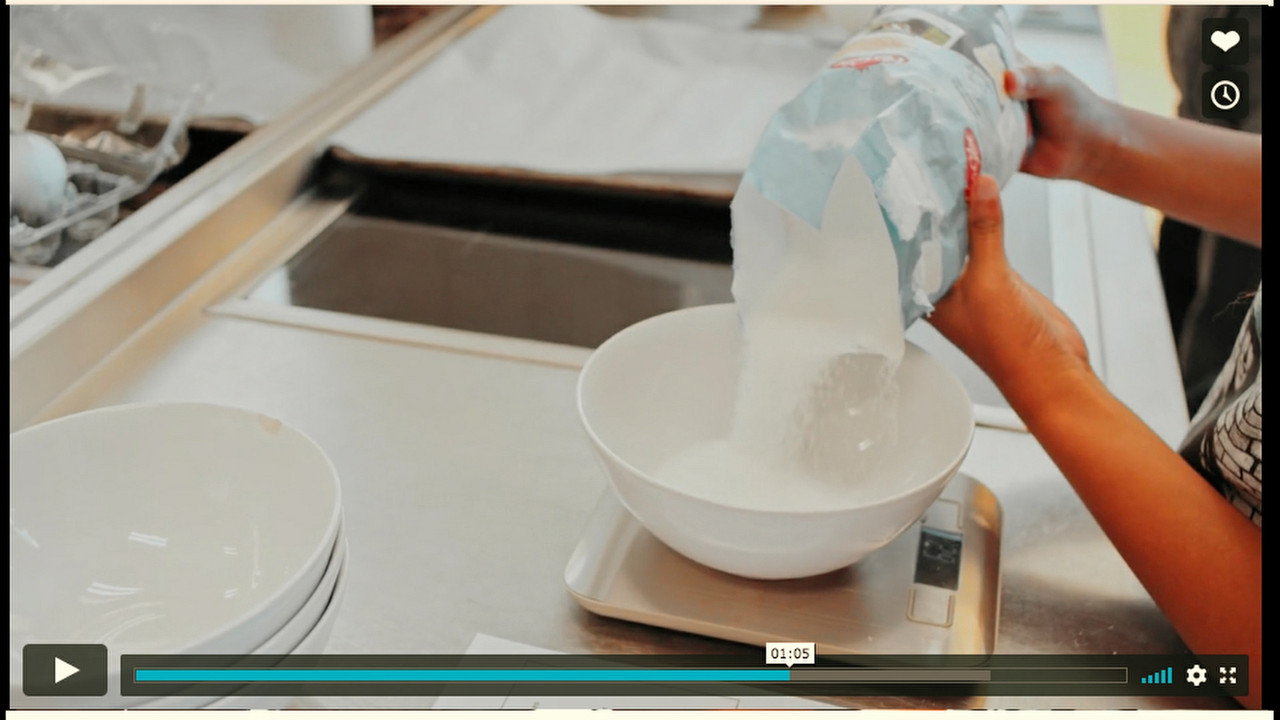
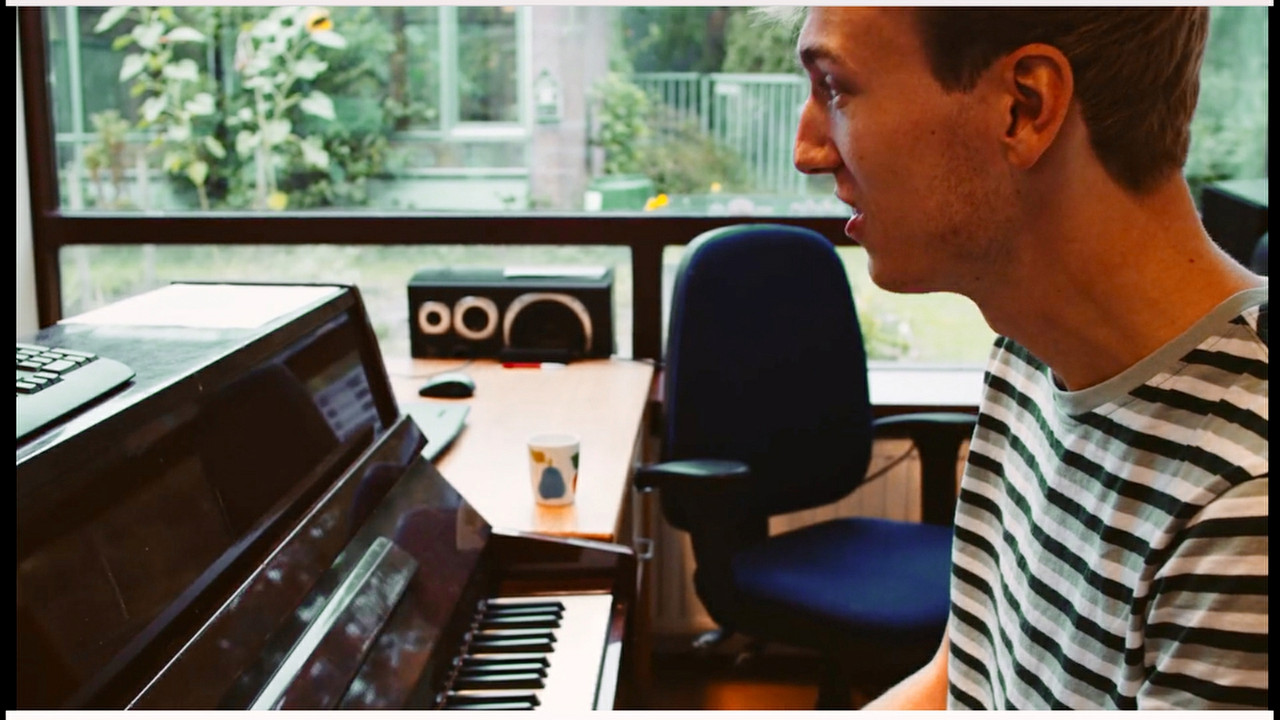
I have received some pregraded material and the client is not happy with the colors. But I have a hard time fixing theses colors. Blacks are not black and whites are not white. I need some help how to fix these. In resolve. Anybody?

Thanks a lot!


imgur.com/a/Dx4PQYs
imgur.com/a/oLr1zWa
imgur.com/a/aal30Gg
 
Last edited:
If you're using Resolve, go into the LOG wheels, counter balance the shadows back to neutral (looks like pushing toward warm on the imgur example). Mess with the "low range" and "high range" numbers until the color is only affecting the blacks and deep shadows.
I'm not sure if there's much you could do to bring back the blown highlights.
 
Joe,


Do you have the original files?That would help alot.It does kinda look like Z-Cam footage with one of those weird ass Log to Rec709 colored tranform Luts of theirs applied. It seems to have a "Blue" bias in the mids/upper mids.
 
Last edited:
Joe,

Here's my take on correcting the three images above, but the original files would be much more appreciated.


It was basically, balancing , as Aaron mentioned above, balancing the "Reds" out of the blacks and Mids out of the guy at the Piano's Skin. And balancing the "Blues" out of the blacks and mids on both the lady at the playground scene and the women pouring sugar in bowl at the counter scene.

Untitled5-1-1-3.jpg


Untitled8-1-3-1-2.jpg


Untitled7-1-2-1.jpg
 
Last edited:
I have received some pregraded material and the client is not happy with the colors. But I have a hard time fixing theses colors. Blacks are not black and whites are not white. I need some help how to fix these. In resolve. Anybody?
Call me crazy, I'd hire a colorist.

Black balance and white balance are among the most basic chores a colorist does every day. The Vectorscope is the best tool to help with pinpoint accuracy, as is a well-calibrated display. But there's several challenges:

1) if there's mixed lighting (varying simultaneous color temperature), then white will never truly be white, blacks could well be off, and skintones may be contaminated.

2) creatively, deliberately adding a color to blacks and/or whites may be what the scene needs if the story dictates it. Pure white and pure black may not be appropriate.

3) I generally tend to try to start with a very well-balanced image very early in the signal chain, right at the Raw level if possible. Start there, get everything "normal," and work your way through the node tree. If the image is really screwed-up early on, you can't really get it back to normal with additional processing: it'll have a weird "unnatural" look, even if it's technically right on the scopes.

4) damaged material, like badly-underexposed or overexposed shots, or shots with "baked-in" color, could be difficult to tame because they're so "stepped-on" prior to color-correction.

5) in some cases, carefully desaturing blacks-only or whites-only can yield a cleaner picture. But there are always risks at affecting the parts of the picture you don't want to change. I generally do this only as a last resort, and I try to do it surgically so the picture stays looking colorful where it needs to be "normal".
 
The first thing to do with any H.264 footage is transcode it to a 10 bit 4:2:2 DI format, Prores, DNXHD/HR, or Cineform. It won't help recover clipped highlights, but it will give you much more refined control over your grade and a better quality master for export. You can do this in Resolve. If you are on a Mac, Prores is the obvious choice. I use a PC and have made it standard practice to transcode all original footage regardless of source to Cineform DI's and 24bit/48kHz PCM audio. It avoids a lot of potential issues with editing, grading, and finishing mixed formats or in the case of H.264 a codec that was never designed for anything but streaming delivery.
 
The first thing to do with any H.264 footage is transcode it to a 10 bit 4:2:2 DI format, Prores, DNXHD/HR, or Cineform. It won't help recover clipped highlights, but it will give you much more refined control over your grade and a better quality master for export. You can do this in Resolve. If you are on a Mac, Prores is the obvious choice. I use a PC and have made it standard practice to transcode all original footage regardless of source to Cineform DI's and 24bit/48kHz PCM audio. It avoids a lot of potential issues with editing, grading, and finishing mixed formats or in the case of H.264 a codec that was never designed for anything but streaming delivery.

If the original footage is h264 8bit, does it make any difference if you transcode to 10bit prior to cc? you will not get more information out of it, and -up until now anyway- it is my understanding that it's the project settings that will do the difference, what colour space/bit depth you work on.
 
If the original footage is h264 8bit, does it make any difference if you transcode to 10bit prior to cc? you will not get more information out of it, and -up until now anyway- it is my understanding that it's the project settings that will do the difference, what colour space/bit depth you work on.

Resolve is doing all its calculations in 32-bit float operations so putting the 8 bit into a 10 bit container sounds like wasted disk space to me.
 
Resolve is doing all its calculations in 32-bit float operations so putting the 8 bit into a 10 bit container sounds like wasted disk space to me.
That is kind of true, but there are advantages to taking Long-GOP H.264 material and converting it to even 8-bit ProRes or DNxHD, provided it's at a decent compression rate. We routinely take any kind of DJI / Drone / iPhone / surveillance stuff and automatically convert it to 10-bit ProRes 422 prior to the session, just because the system runs faster and isn't struggling to decompress the H.264 file. Going to 10-bit doesn't magically give it more grayscale or color range, but the rest helps.

My joke is "Hate Dot 264 Is Bad for Post," but there are exceptions, like certain kinds of HEVC. But most of those nasty little toy cameras can be rough to work with for a lot of reasons, most of which is due to the extreme compression rates (not necessarily the camera optics or design). I don't have a problem with decent small cameras with good lenses that can record to good 10-bit codecs.
 
Back
Top