
Navigation
Install the app
How to install the app on iOS
Follow along with the video below to see how to install our site as a web app on your home screen.

Note: this_feature_currently_requires_accessing_site_using_safari
More options
Welcome to our community
Be a part of something great, join today!
You are using an out of date browser. It may not display this or other websites correctly.
You should upgrade or use an alternative browser.
You should upgrade or use an alternative browser.
Redlogfilm to Redgamma2 in resolve
- Thread starter PIerreb
- Start date

rand thompson
Well-known member
- Joined
- Aug 9, 2011
- Messages
- 18,999
- Reaction score
- 622
- Points
- 113
Pierreb,
Why not RG3 or RG4 which the Red Lut Kit supports?
Why not RG3 or RG4 which the Red Lut Kit supports?
Marc Wielage
Well-known member
You mean from R3D's? RedLogFilm is part of the Raw playback menu in the Config settings. You can also override the project settings and do it from the Raw panel on the Color page. It's not a LUT per se, it's color science that's built into the program.
- Thread starter
- #4
not in redgamma3 or 4 becaus ethe dop shot in redgamma2
The problem comes from workflow with vfx. we work in redlogfilm so, i need to transform back the vfx shots in redgamma2.
in the meantime i found that https://github.com/videovillage/RED-Conversion-LUTs
the result is almost good but i can see a slightly difference between the original redgamma2 from RED and this one. Plus, when i apply the lut in Resolve, the lut puts a litmit to the low level light, but when i apply the redgamma2 in the raw settings (on original footage) there is no limitation in the low level.
I wonder if there is bad luts out which could make more damage than advantages.
The problem comes from workflow with vfx. we work in redlogfilm so, i need to transform back the vfx shots in redgamma2.
in the meantime i found that https://github.com/videovillage/RED-Conversion-LUTs
the result is almost good but i can see a slightly difference between the original redgamma2 from RED and this one. Plus, when i apply the lut in Resolve, the lut puts a litmit to the low level light, but when i apply the redgamma2 in the raw settings (on original footage) there is no limitation in the low level.
I wonder if there is bad luts out which could make more damage than advantages.
rand thompson
Well-known member
- Joined
- Aug 9, 2011
- Messages
- 18,999
- Reaction score
- 622
- Points
- 113
Plerreb,
Maybe try "LutCalc". I haven't used it in a long time but maybe you can build a Lut of your own with it.
Go to "Run LUTCalc" at the top of the page I used the "LUTCalc Online" method
https://cameramanben.github.io/LUTCalc/
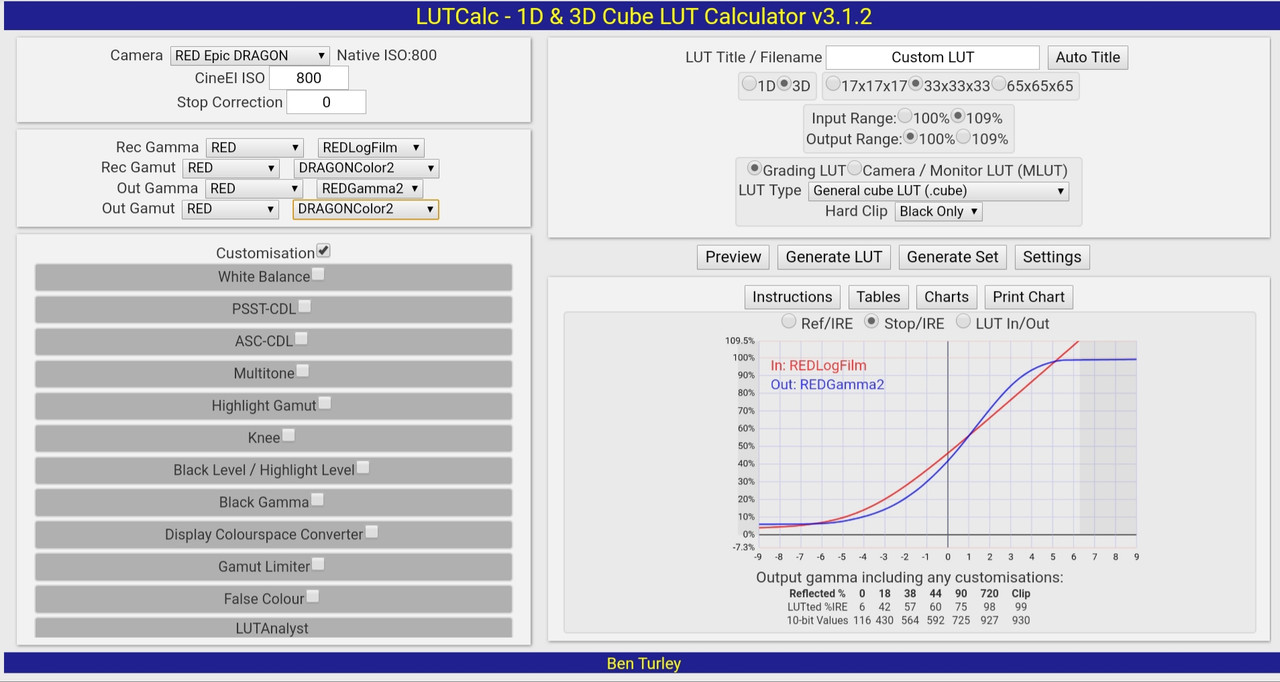
You might want to create a "1D" Lut since its the Gamma you want to change as with the "Red Lut Kit" Luts
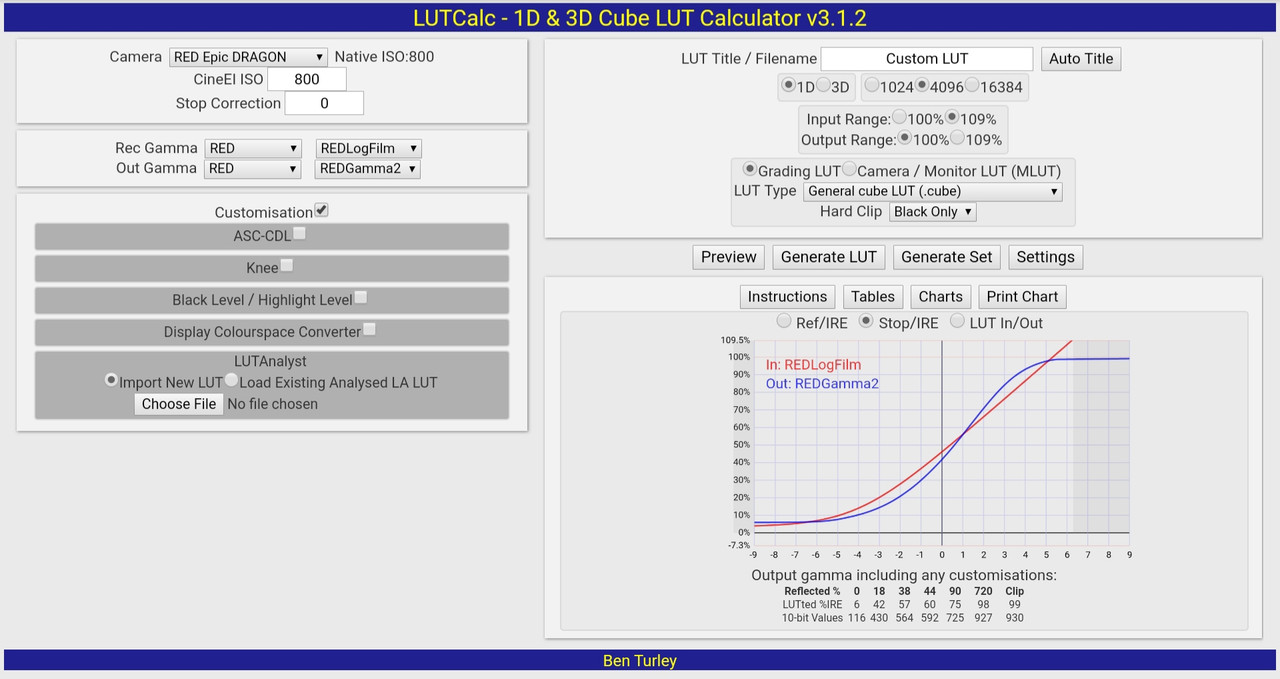
Maybe try "LutCalc". I haven't used it in a long time but maybe you can build a Lut of your own with it.
Go to "Run LUTCalc" at the top of the page I used the "LUTCalc Online" method
https://cameramanben.github.io/LUTCalc/
You might want to create a "1D" Lut since its the Gamma you want to change as with the "Red Lut Kit" Luts
Last edited:
rand thompson
Well-known member
- Joined
- Aug 9, 2011
- Messages
- 18,999
- Reaction score
- 622
- Points
- 113
Pierreb,
Here is a Redlogfilm to Redgamma2 1D Lut I made with LUTCalc using the default settings.
1D Lut "Pierre_RLF_to_RG2.cube"
https://www.dropbox.com/s/4f9qjxhr50jizln/Pierre_RLF_to_RG2.cube?dl=0
Original image in "Legacy" Workflow in Redcine-X
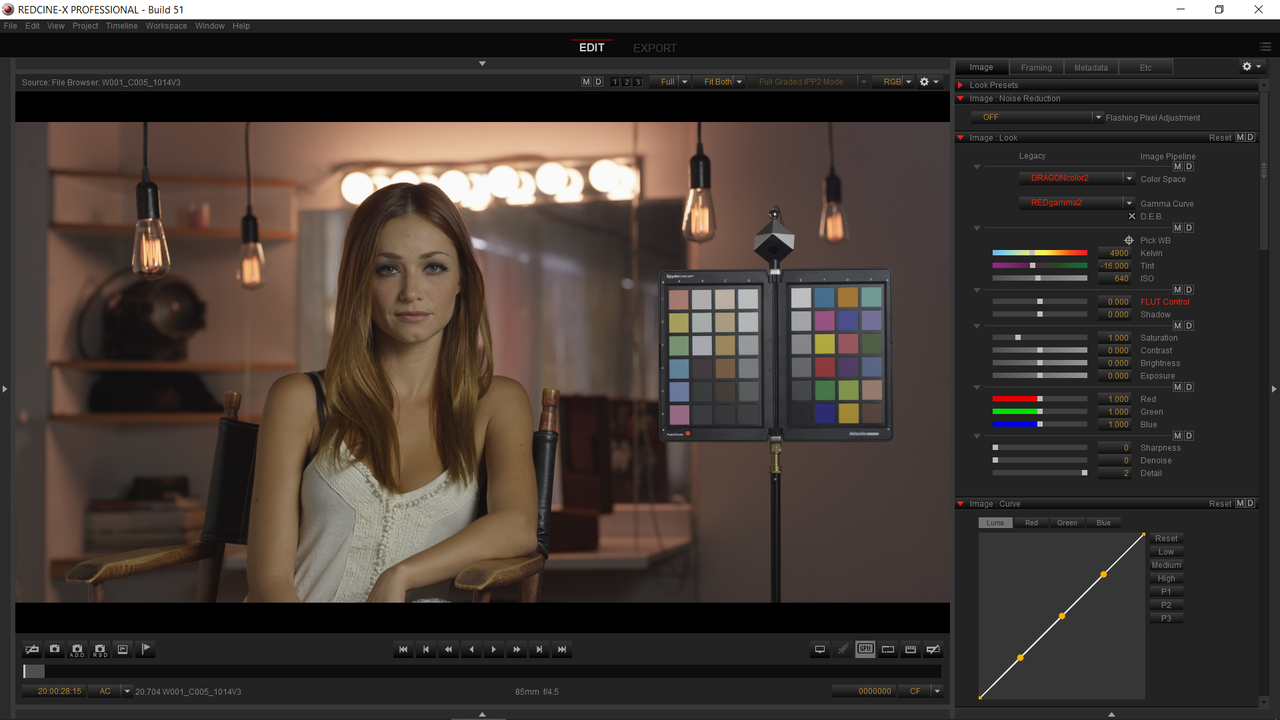
Image with RLF to RG2 1D Lut applied to Dragoncolor2/ RLF image in Resolve
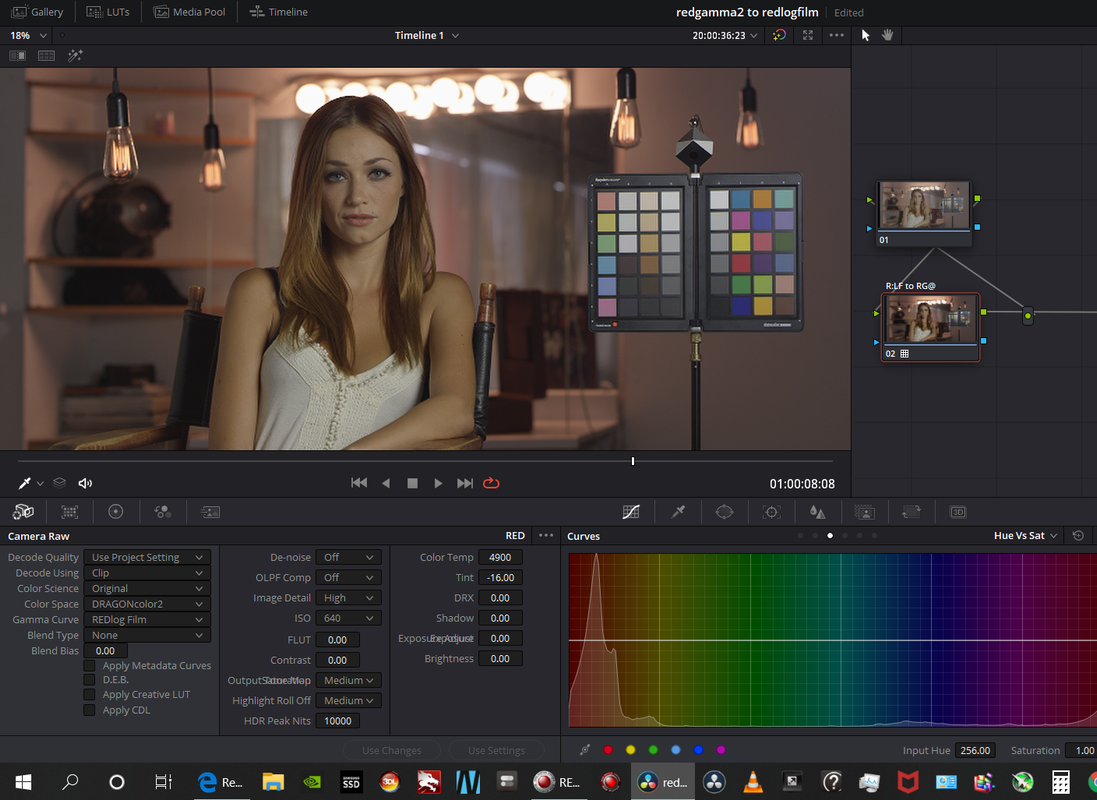
Or Just change it from RedLogfilm to Redgamma2 in the "Camera Raw"Tab
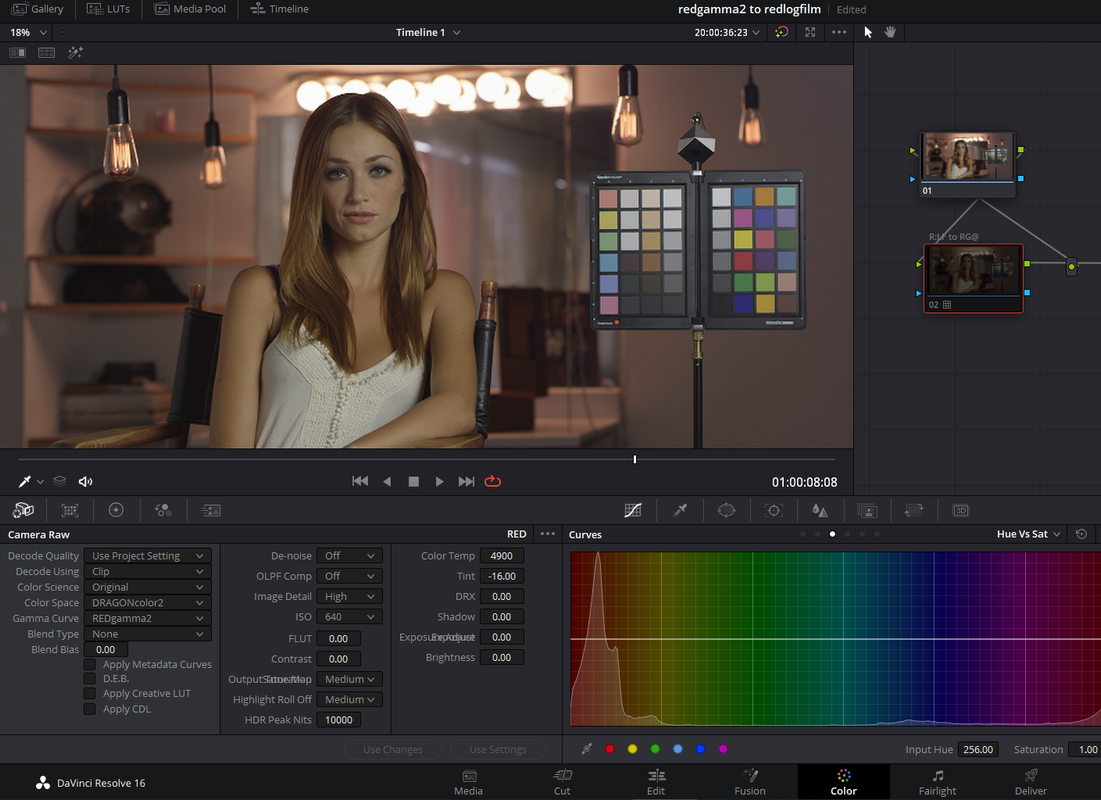
Redcine-X dragoncolor2/RG2
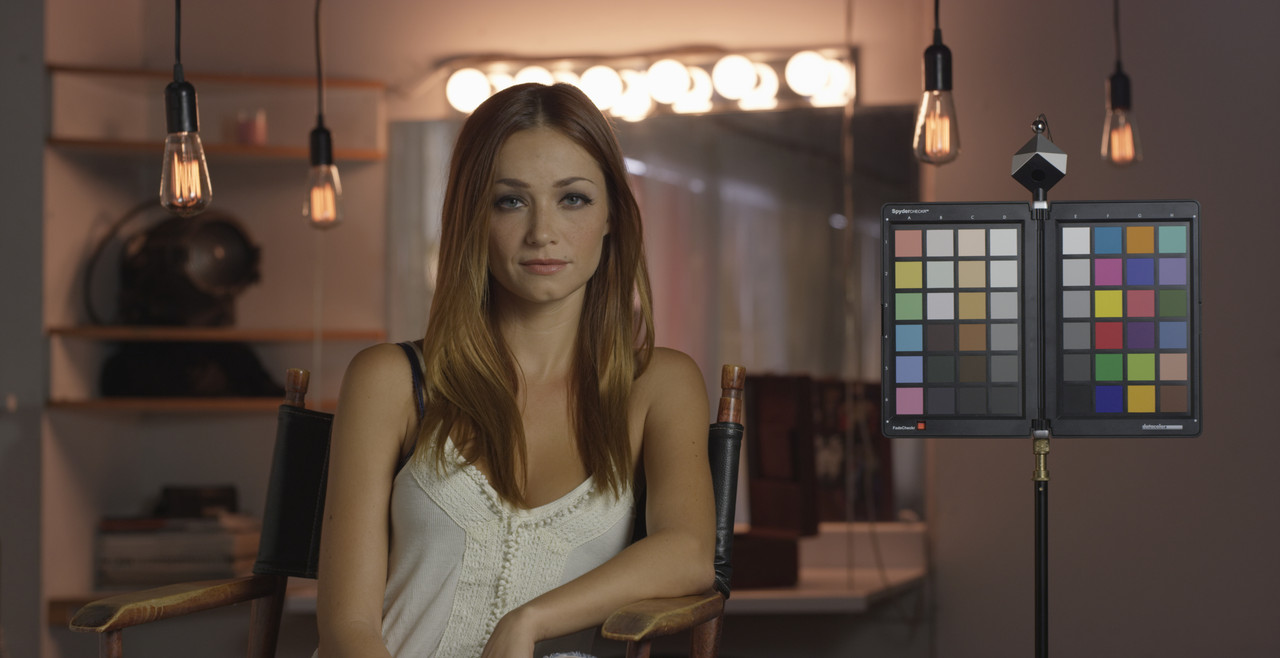
Resolve Dragoncolor2/RLF with 1D Lut "Pierre_RLF_to_RG2.cube" applied
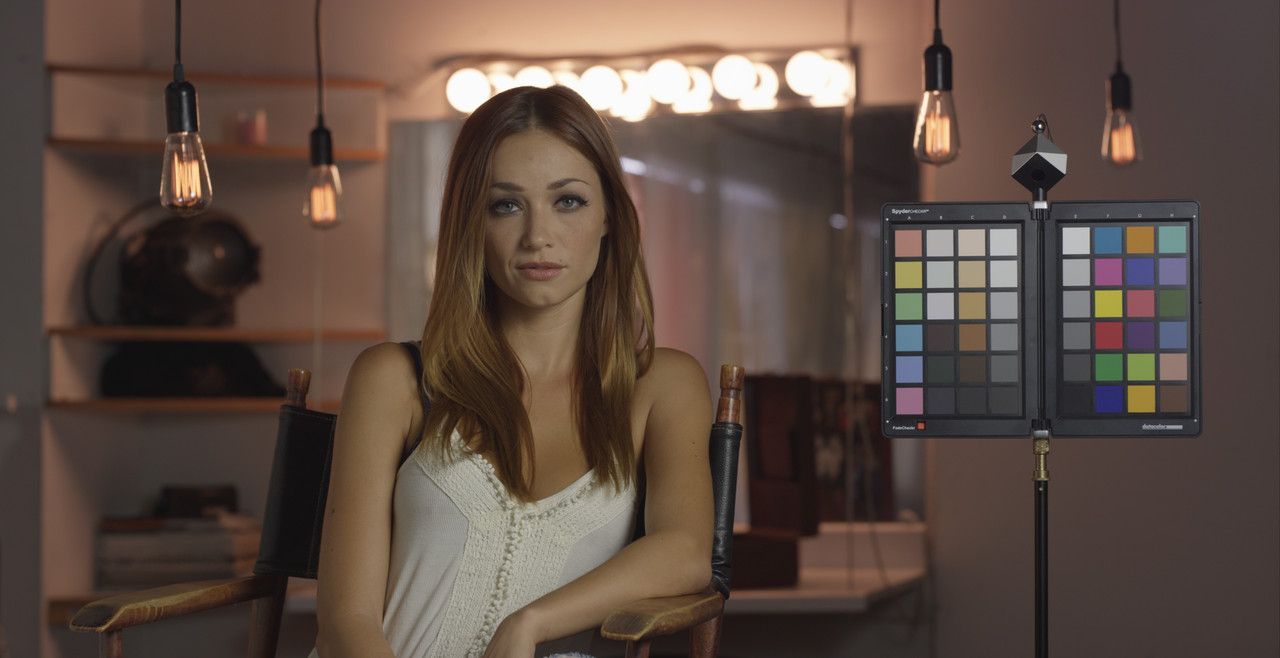
Change from RedLogfilm to Redgamma2 in the "Camera Raw"Tab
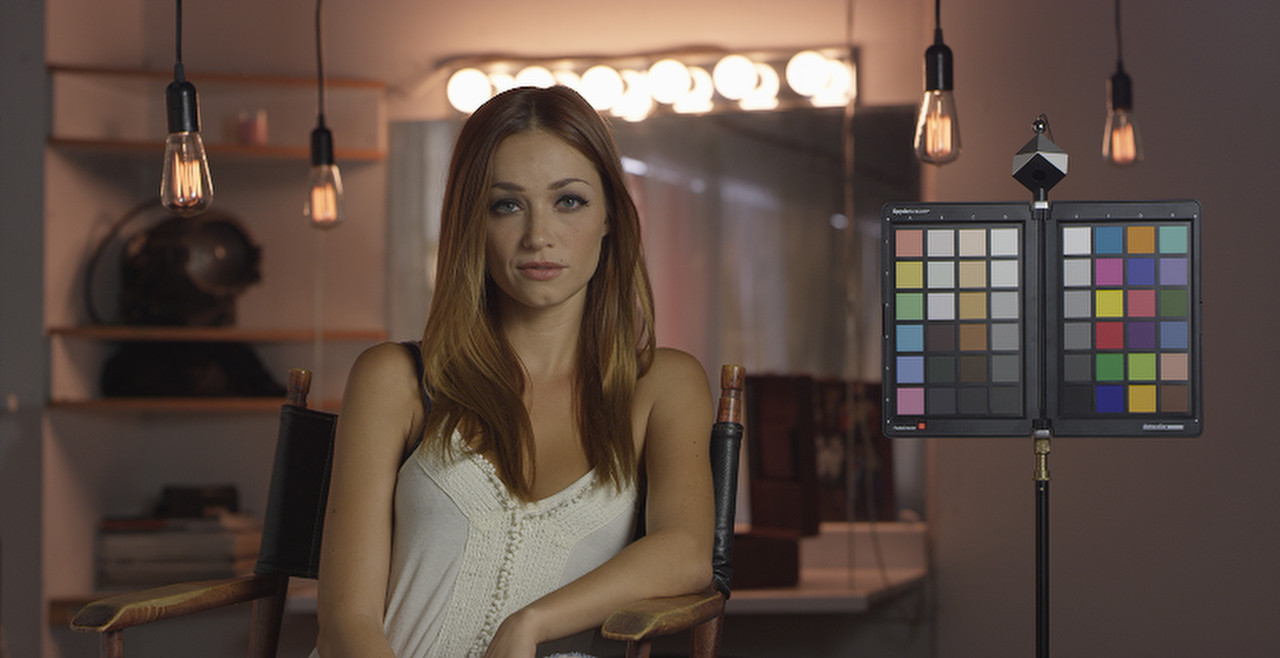
Here is a Redlogfilm to Redgamma2 1D Lut I made with LUTCalc using the default settings.
1D Lut "Pierre_RLF_to_RG2.cube"
https://www.dropbox.com/s/4f9qjxhr50jizln/Pierre_RLF_to_RG2.cube?dl=0
Original image in "Legacy" Workflow in Redcine-X
Image with RLF to RG2 1D Lut applied to Dragoncolor2/ RLF image in Resolve
Or Just change it from RedLogfilm to Redgamma2 in the "Camera Raw"Tab
Redcine-X dragoncolor2/RG2
Resolve Dragoncolor2/RLF with 1D Lut "Pierre_RLF_to_RG2.cube" applied
Change from RedLogfilm to Redgamma2 in the "Camera Raw"Tab
Last edited:
- Thread starter
- #7
thanks a lot Rand, that's really great.
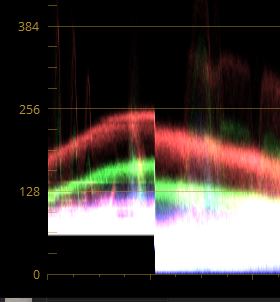
but i got a problem, when i apply the lut, the blacks are limited, i can't drop them lower than a certain limit.
not sure if it's clear, so here is a screenshot
on the right the original raw footage in Redgamma2, we can see that i can drop the blacks to 0
on the left, the DPX from VFX with LUT applied. I can't drop the blacks lower than we can see on the picture.
That's normal ?
thank you again
Pierre
ps: on the dpx footage i don't have access anymore to the 'camera raw' settings as we lost those metadata in the renderings
but i got a problem, when i apply the lut, the blacks are limited, i can't drop them lower than a certain limit.
not sure if it's clear, so here is a screenshot
on the right the original raw footage in Redgamma2, we can see that i can drop the blacks to 0
on the left, the DPX from VFX with LUT applied. I can't drop the blacks lower than we can see on the picture.
That's normal ?
thank you again
Pierre
ps: on the dpx footage i don't have access anymore to the 'camera raw' settings as we lost those metadata in the renderings
rand thompson
Well-known member
- Joined
- Aug 9, 2011
- Messages
- 18,999
- Reaction score
- 622
- Points
- 113
PierreB,
Here's a rather long tutorial on using an .iLUT(LUT format designed by Iridas for Speedgrade NX and is still in use for Adobe Speedgrade. The iLUT format uses math scripting, rather than a list of values, to control color corrections)
Part 1
In LutCalc again use these settings instead of the ones for 1D lut above.
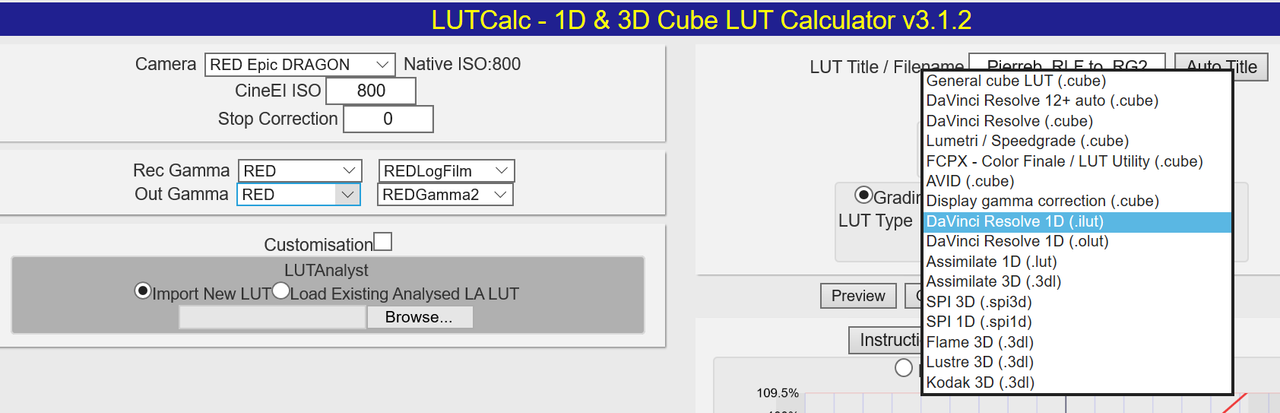
here it is here
https://www.dropbox.com/s/j2plazj2554qz3a/Pierreb_RLF_to_RG2.ilut?dl=0
I created a Dragoncolor2/Redlogfilm image in "Legacy" Mode in Redcine-X to export a .R3D Frame from to import into Resolve.
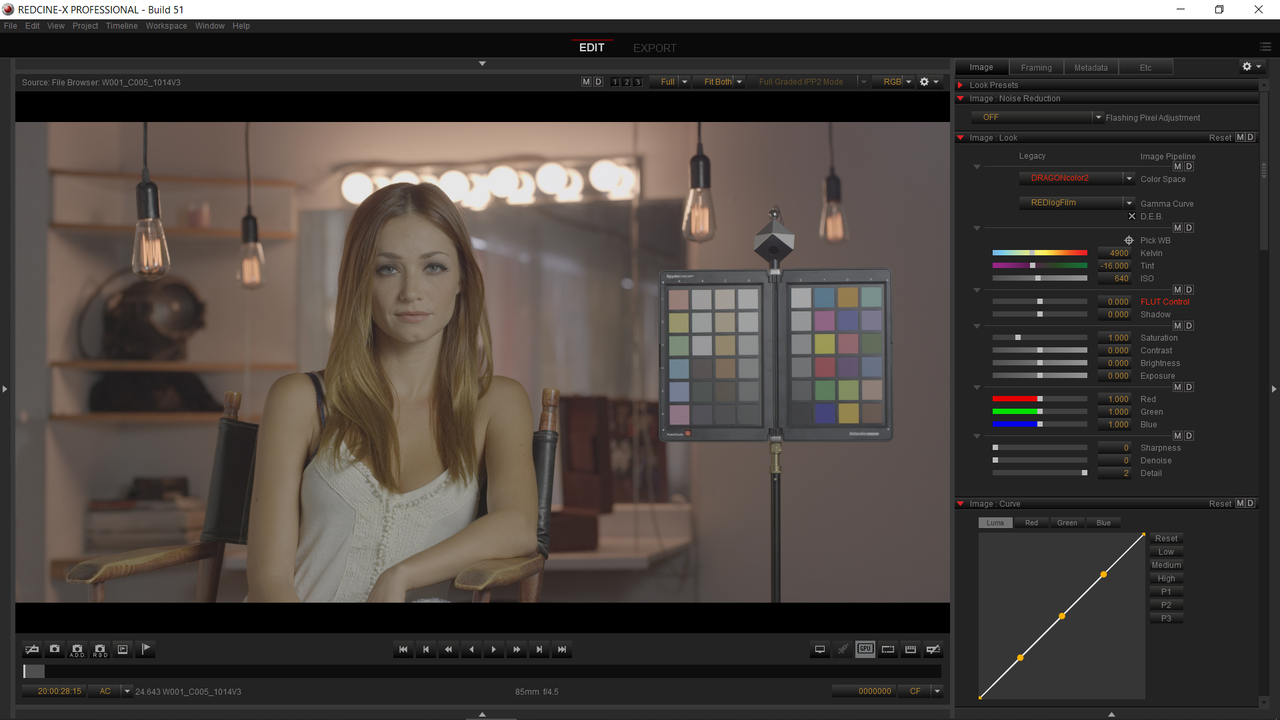
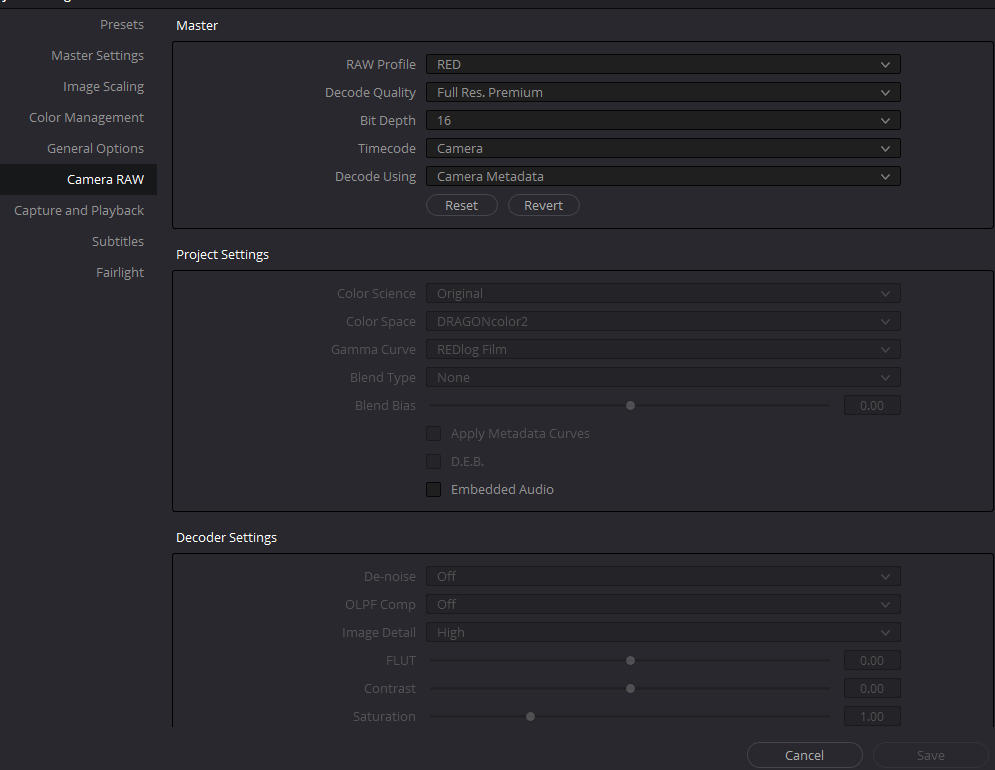
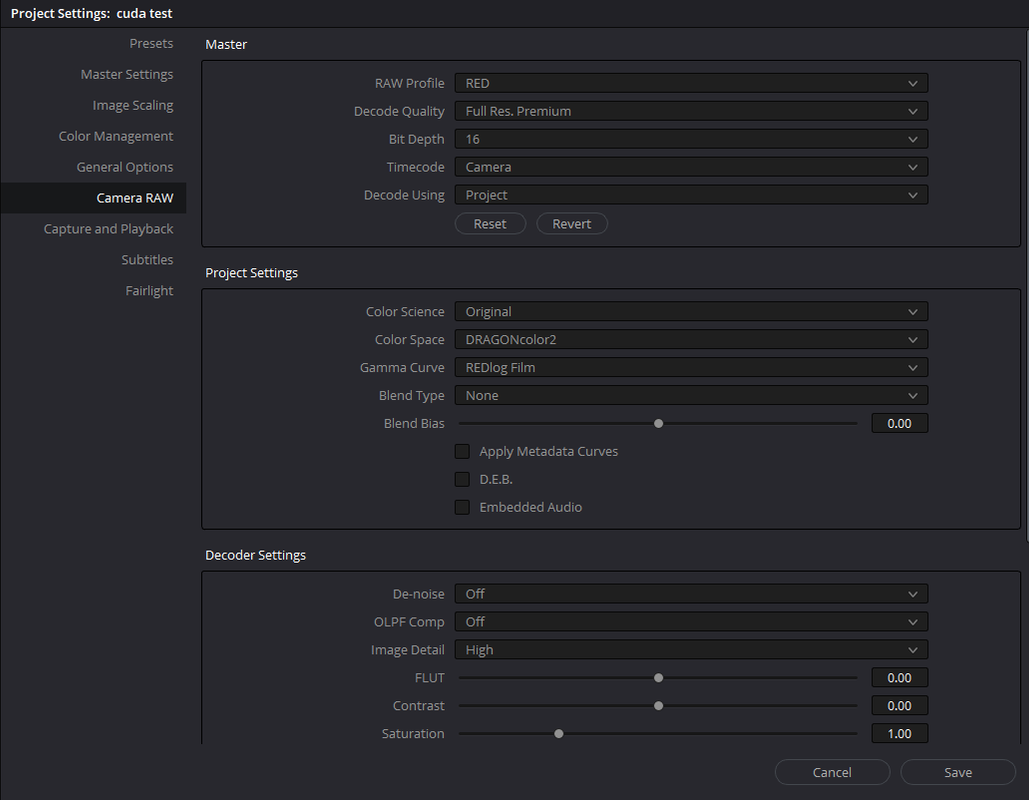
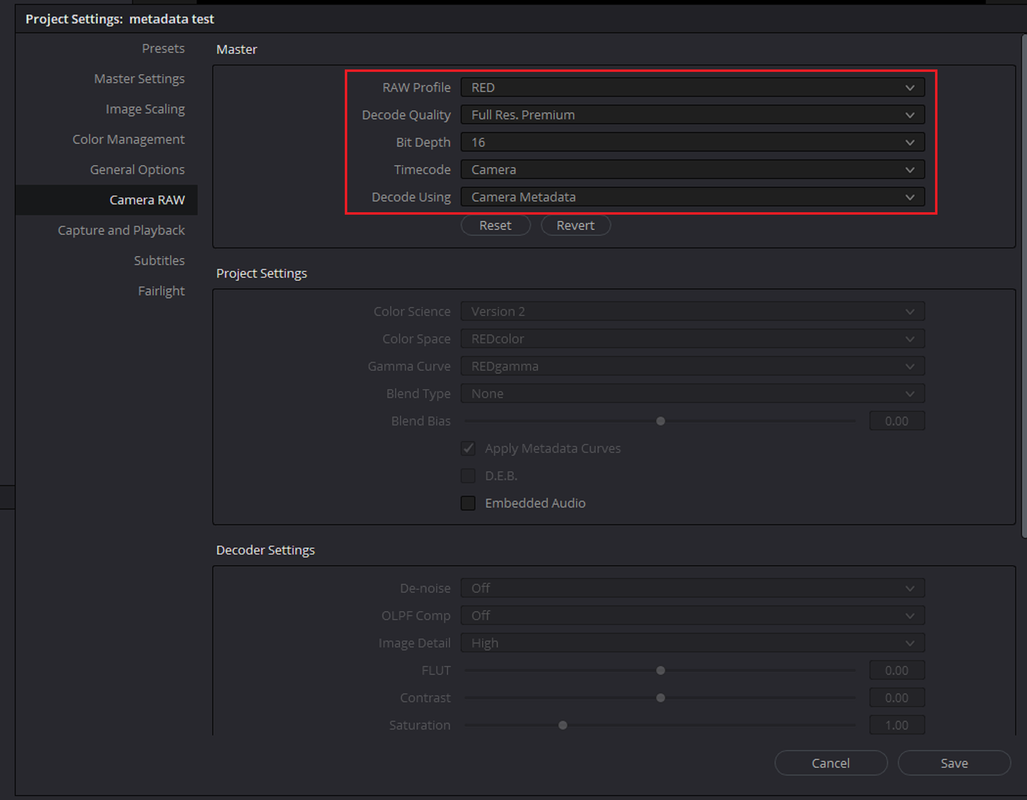
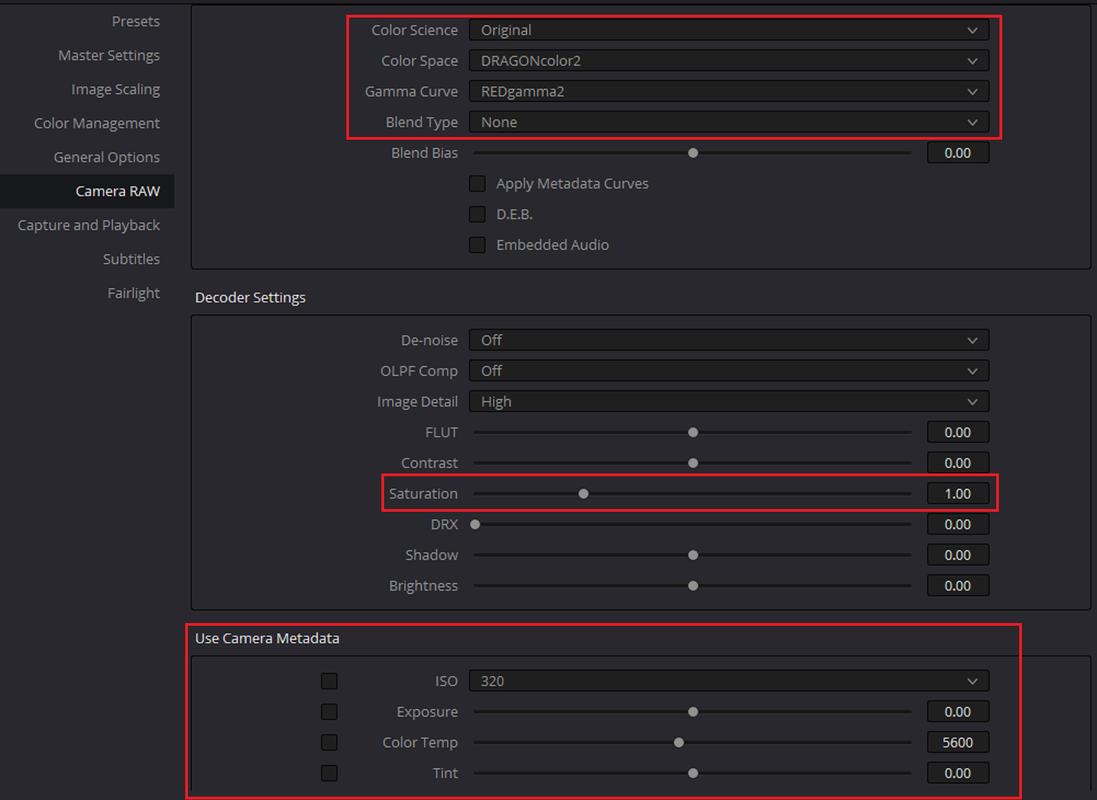
In the Camera Raw settings in the Project settings use the settings in the first screenshot if you know that all of your .R3D files are already Dragoncolor2(Or whatever Gamut)/ Redlogfilm. Use the settings in the second screenshot if you are not sure that all of your .R3D files are Dragoncolor2(Or whatever Gamut)/ Redlogfilm.
Here's a rather long tutorial on using an .iLUT(LUT format designed by Iridas for Speedgrade NX and is still in use for Adobe Speedgrade. The iLUT format uses math scripting, rather than a list of values, to control color corrections)
Part 1
In LutCalc again use these settings instead of the ones for 1D lut above.
here it is here
https://www.dropbox.com/s/j2plazj2554qz3a/Pierreb_RLF_to_RG2.ilut?dl=0
I created a Dragoncolor2/Redlogfilm image in "Legacy" Mode in Redcine-X to export a .R3D Frame from to import into Resolve.
In the Camera Raw settings in the Project settings use the settings in the first screenshot if you know that all of your .R3D files are already Dragoncolor2(Or whatever Gamut)/ Redlogfilm. Use the settings in the second screenshot if you are not sure that all of your .R3D files are Dragoncolor2(Or whatever Gamut)/ Redlogfilm.
Last edited:
rand thompson
Well-known member
- Joined
- Aug 9, 2011
- Messages
- 18,999
- Reaction score
- 622
- Points
- 113
Part 2
I had to breakup "Part 2" into two parts so now there's a "Part 3"
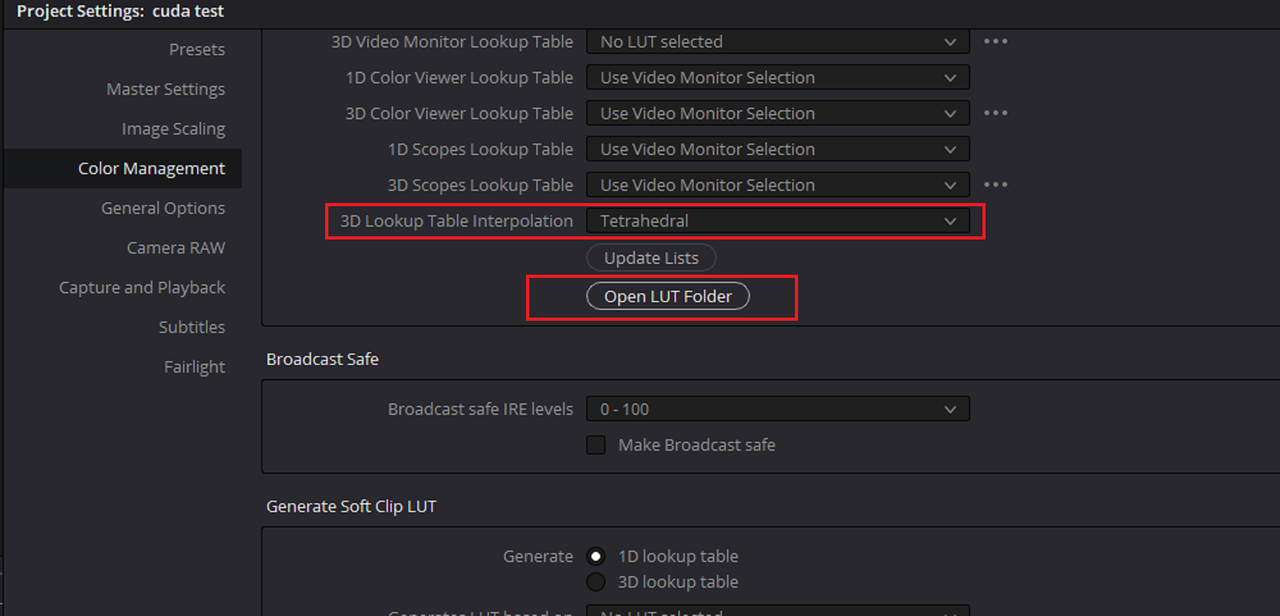
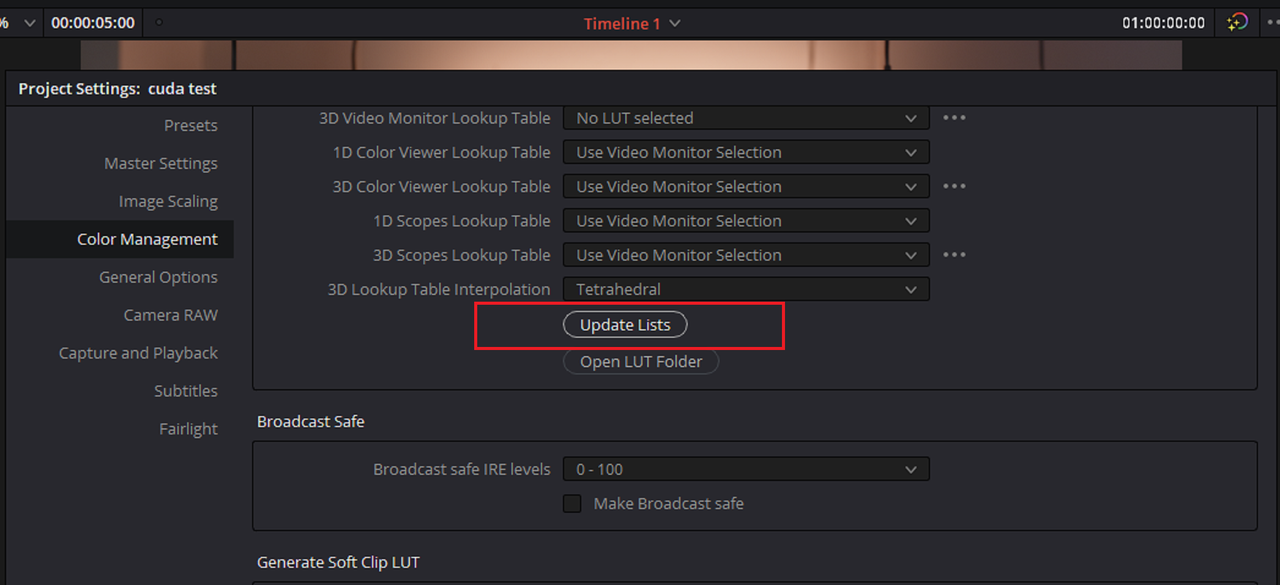
Next, In the the "Color Management" Project Settings change the "3D Lookup Table Interpolation" to "Tetrahedral"( for best quality from Luts). Then click the "Open Lut Folder" button
Now Copy and paste the "PierreB_RLF_to_RG2.ilut" into this folder
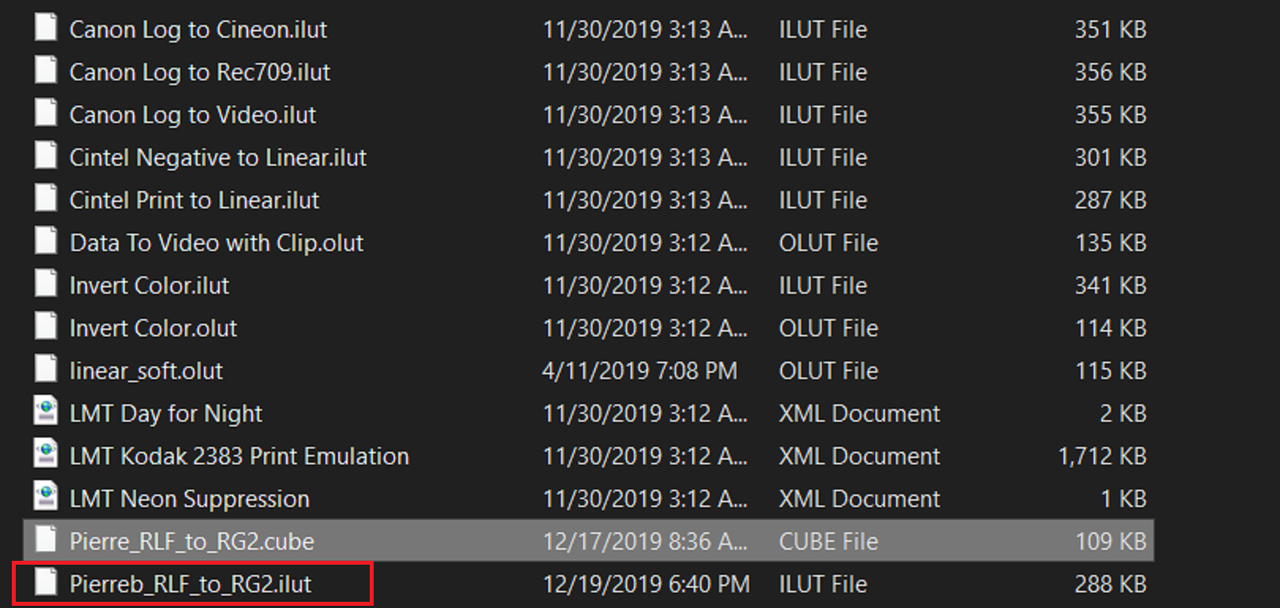
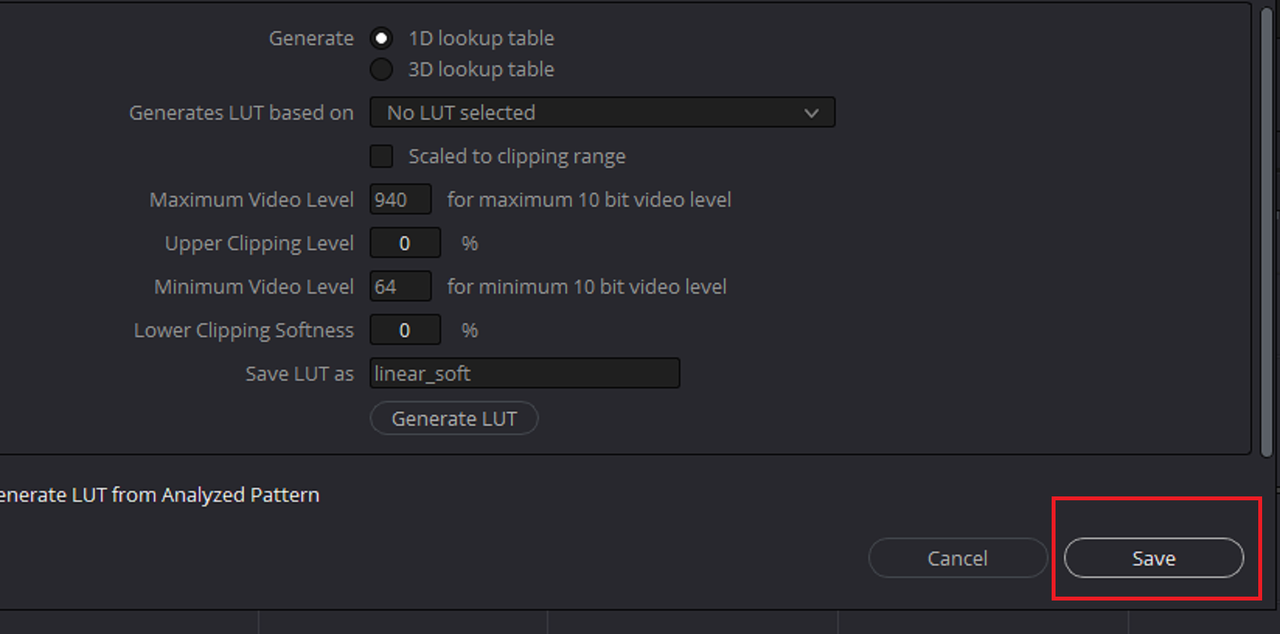
Once you have placed it here, exist out and click the "Update List" button. This will cause your computer to freeze up for a little while but you will know that its finished when you see the "Save" button light back up.
Part 3 Next!!……...
I had to breakup "Part 2" into two parts so now there's a "Part 3"
Next, In the the "Color Management" Project Settings change the "3D Lookup Table Interpolation" to "Tetrahedral"( for best quality from Luts). Then click the "Open Lut Folder" button
Now Copy and paste the "PierreB_RLF_to_RG2.ilut" into this folder
Once you have placed it here, exist out and click the "Update List" button. This will cause your computer to freeze up for a little while but you will know that its finished when you see the "Save" button light back up.
Part 3 Next!!……...
Last edited:
- Thread starter
- #10

rand thompson
Well-known member
- Joined
- Aug 9, 2011
- Messages
- 18,999
- Reaction score
- 622
- Points
- 113
Part 3 Final!
Pierre,
You're welcome man!!
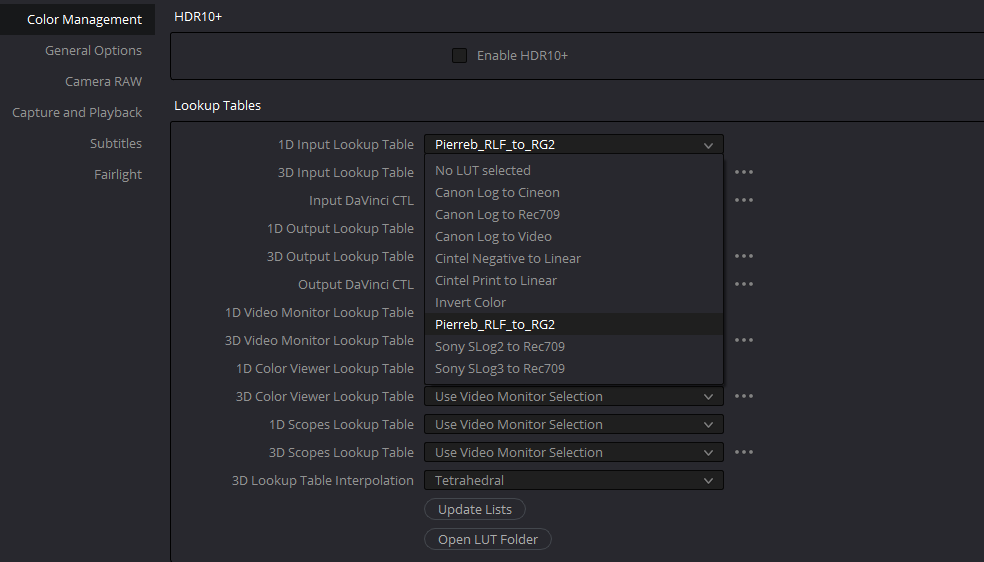
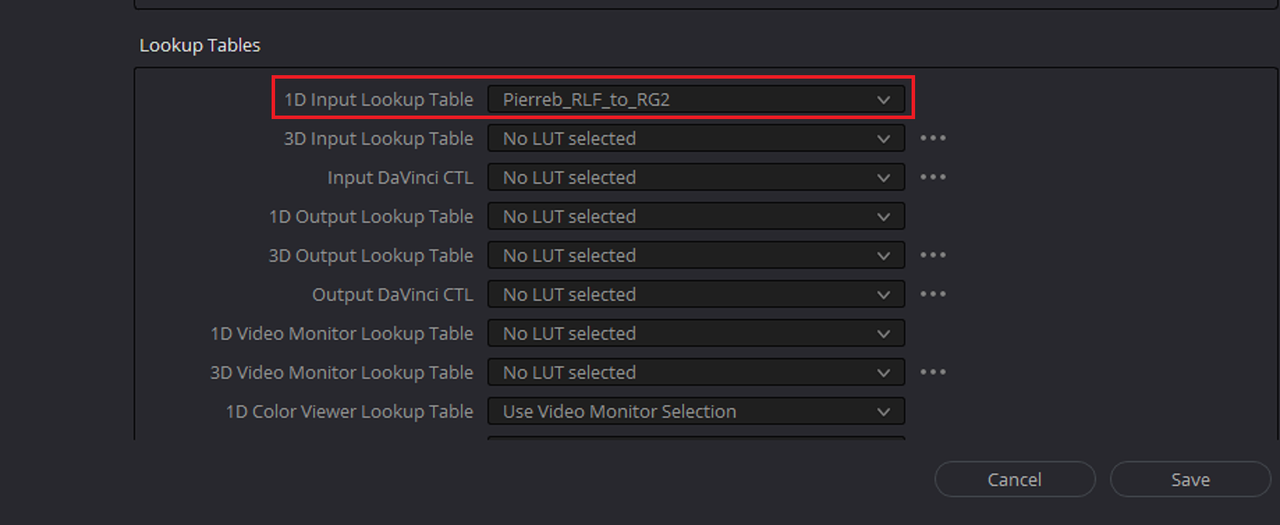
The last part was just to select the Pierreb_RLF_to_RG2 lut in the "1D Input Lookup Table" dropdown to use it. This will transform all of your .R3Ds with a "Redlogfilm" Gamma to a "Redgamma2" Gamma at import into your project.
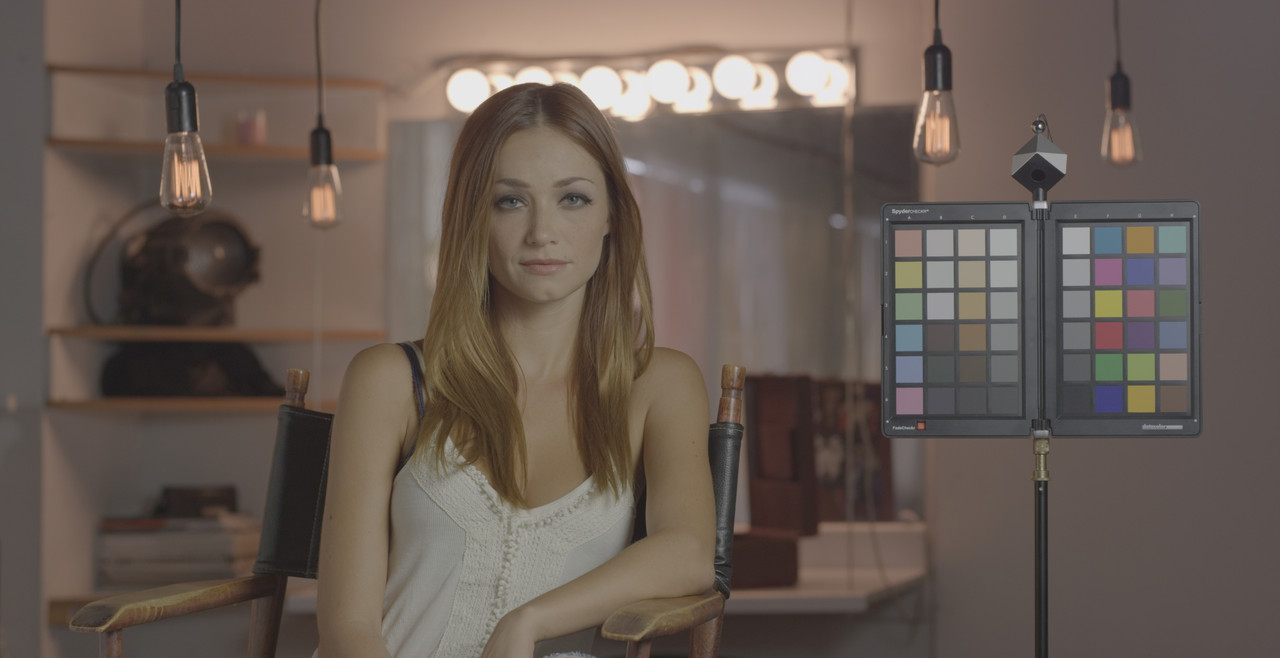
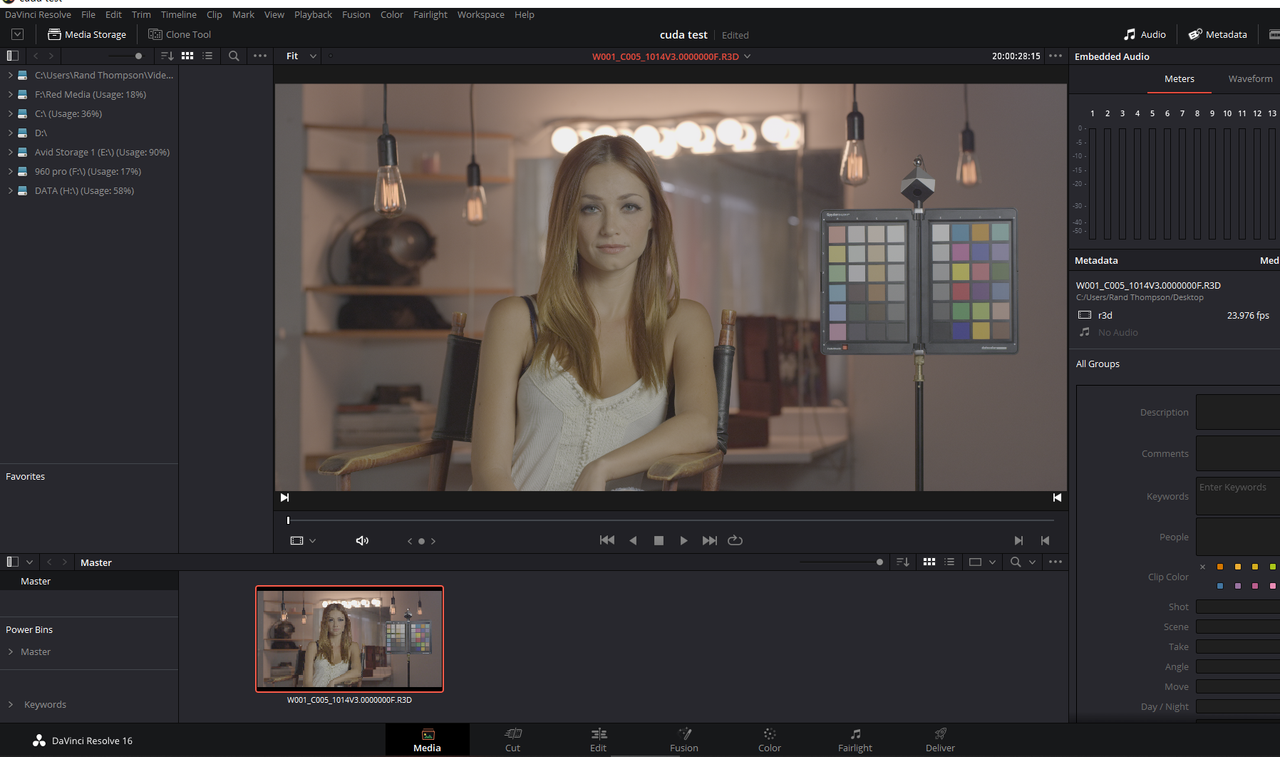
Original Dragoncolor2/Redlogfilm image
Dragoncolor2/Redlogfilm image after the Pierreb_RLF_to_RG2 lut was selected in the "1D Input Lookup Table" and the image was re-imported back into the project again
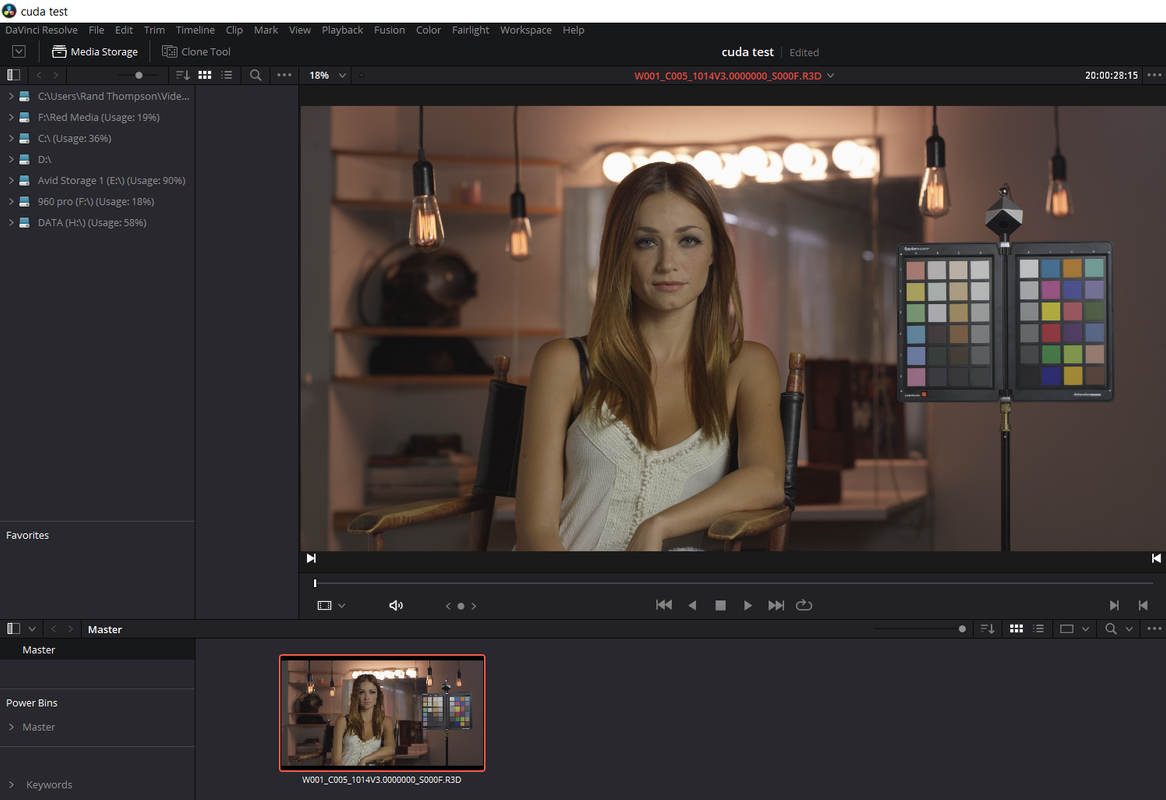
Original Dragoncolor2/Redlogfilm image
Dragoncolor2/Redgamma2 image From Redcine-X
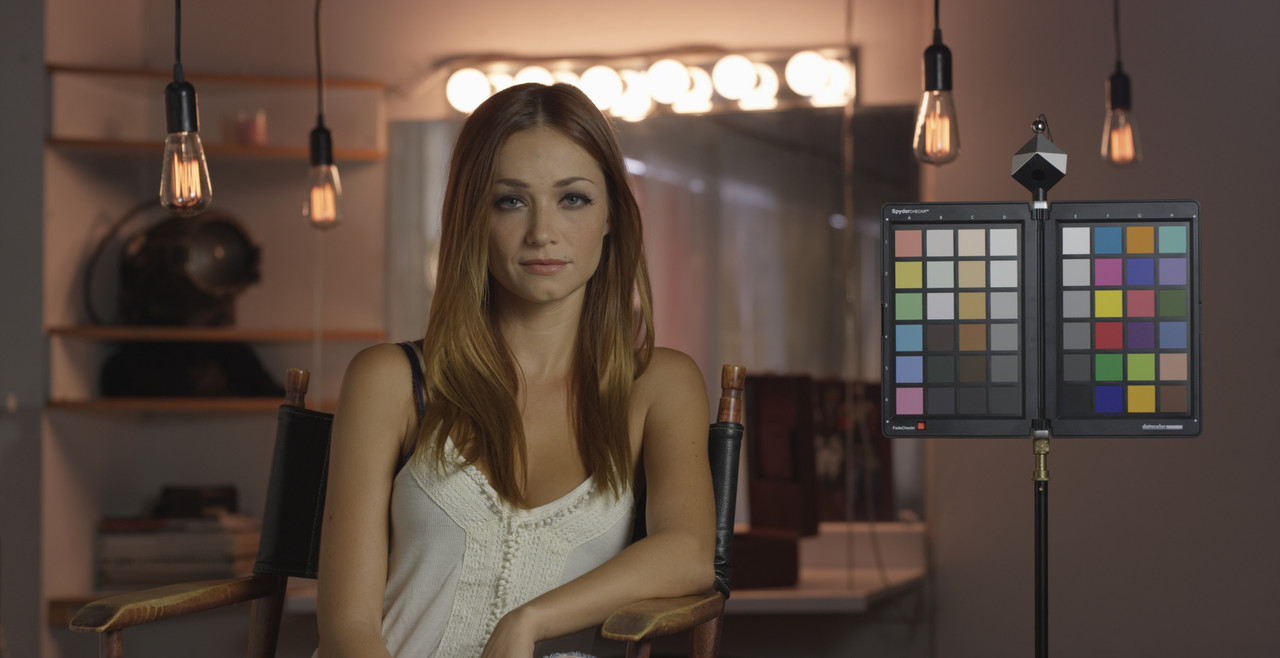
Dragoncolor2/Redlogfilm image in Resolve with "PierreB_RLF_to_RG2" 1D .ilut in "1D input Lookup Table" applied
Pierre,
You're welcome man!!
The last part was just to select the Pierreb_RLF_to_RG2 lut in the "1D Input Lookup Table" dropdown to use it. This will transform all of your .R3Ds with a "Redlogfilm" Gamma to a "Redgamma2" Gamma at import into your project.
Original Dragoncolor2/Redlogfilm image
Dragoncolor2/Redlogfilm image after the Pierreb_RLF_to_RG2 lut was selected in the "1D Input Lookup Table" and the image was re-imported back into the project again
Original Dragoncolor2/Redlogfilm image
Dragoncolor2/Redgamma2 image From Redcine-X
Dragoncolor2/Redlogfilm image in Resolve with "PierreB_RLF_to_RG2" 1D .ilut in "1D input Lookup Table" applied
Last edited:
rand thompson
Well-known member
- Joined
- Aug 9, 2011
- Messages
- 18,999
- Reaction score
- 622
- Points
- 113
BTW,
The images below used a 800 iso whereas the clips above used a 640 iso
Here are Davinci Resolve 1D .iluts For RLF to RG2 , RLF to RG3, and RLF to RG4 to be used the same way as the "Pierreb_RLF_to_RG2.ilut" 1D lut was used above.
Ilut
Pierreb_RLF_to_RG2.ilut
https://www.dropbox.com/s/j2plazj2554qz3a/Pierreb_RLF_to_RG2.ilut?dl=0
Pierreb_RLF_to_RG3.ilut
https://www.dropbox.com/s/doizfvz8u429pf7/Pierreb_RLF_to_RG3.ilut?dl=0
Pierreb_RLF_to_RG4.ilut
https://www.dropbox.com/s/0c3dye8c010rjx7/Pierreb_RLF_to_RG4.ilut?dl=0
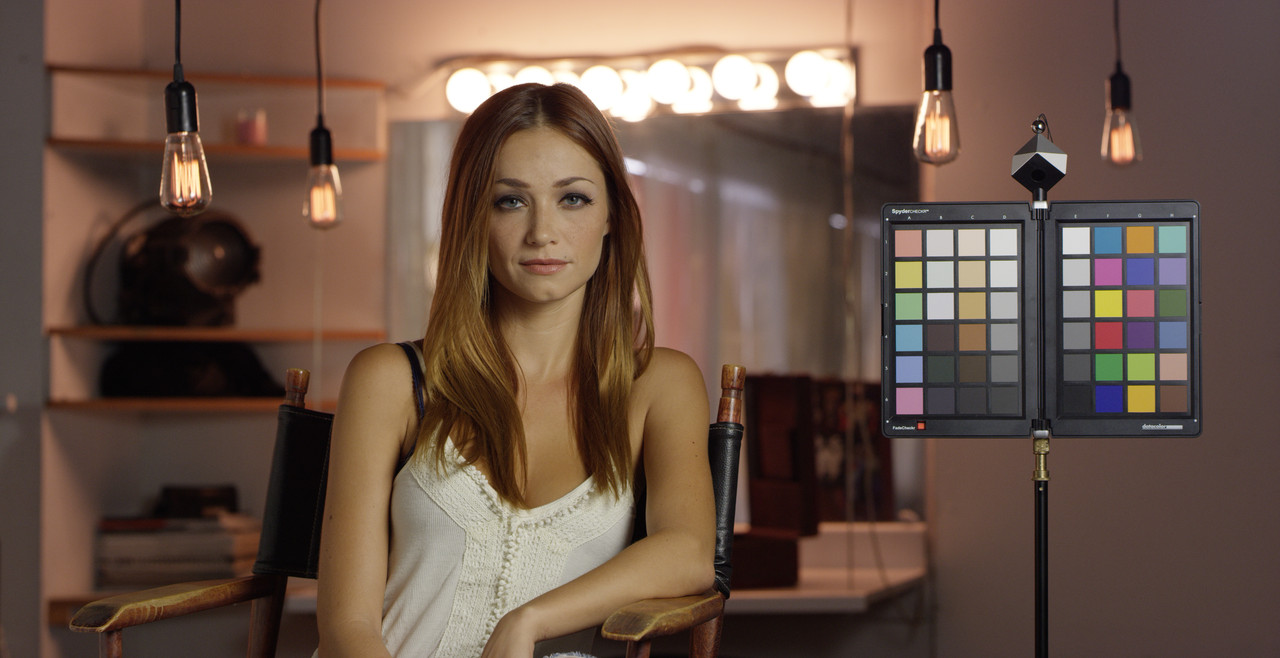
Original Dragoncolor2/Redlogfilm image
Dragoncolor2/Redgamma3 image From Redcine-X
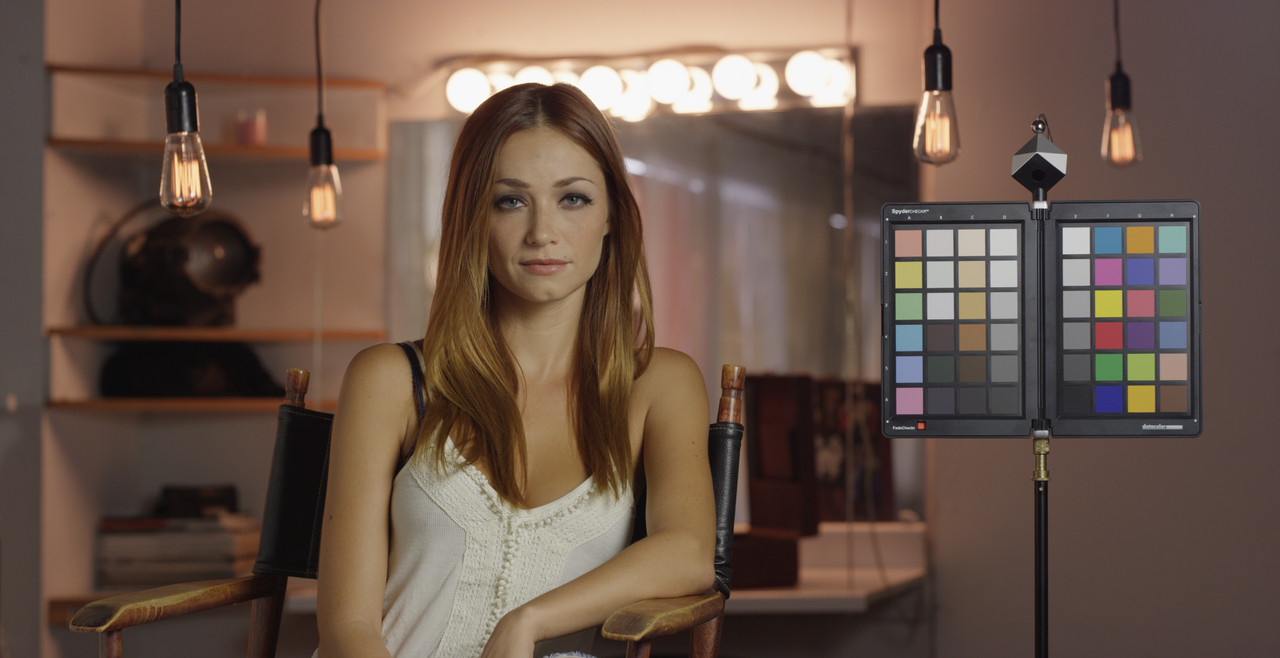
Dragoncolor2/Redlogfilm image in Resolve with "PierreB_RLF_to_RG3" 1D .ilut in "1D input Lookup Table" applied
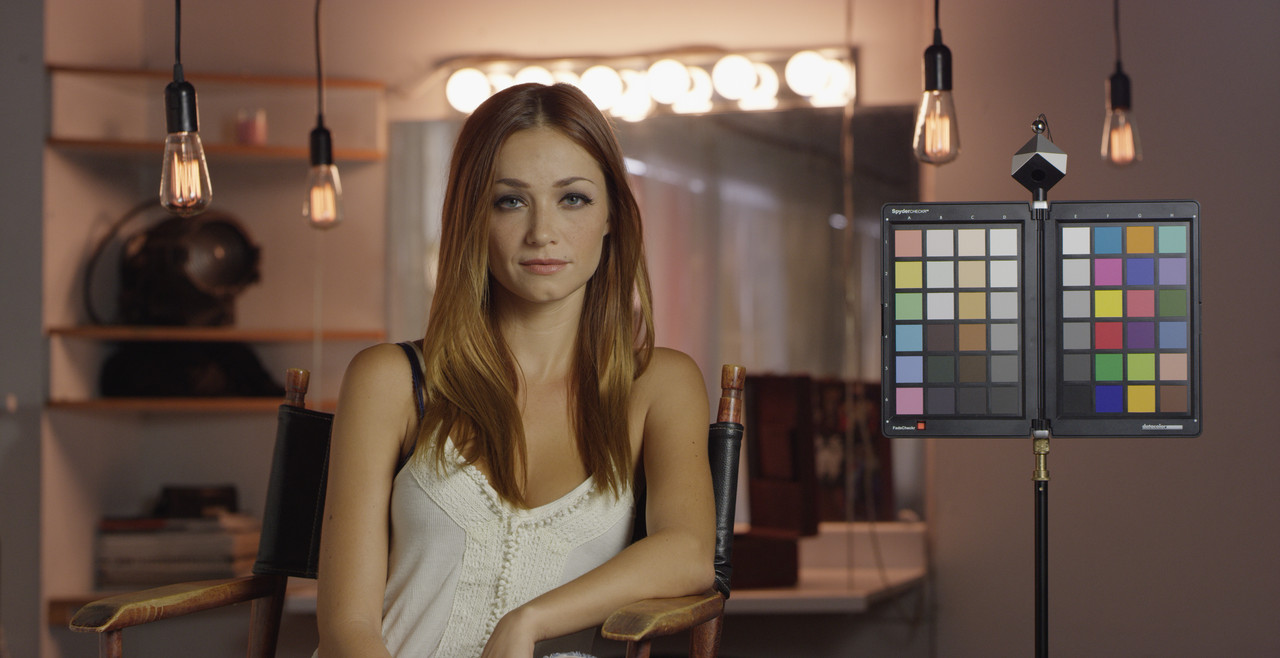
Dragoncolor2/Redgamma4 image From Redcine-X
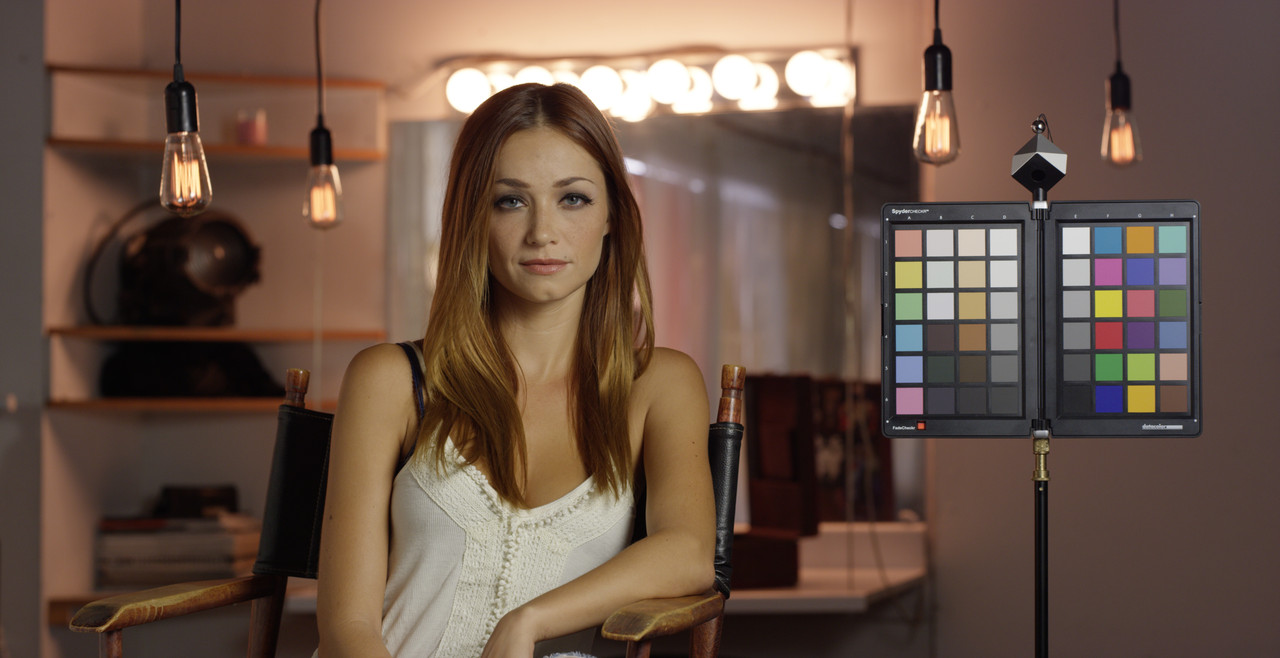
Dragoncolor2/Redlogfilm image in Resolve with "PierreB_RLF_to_RG4" 1D .ilut in "1D input Lookup Table" applied
The images below used a 800 iso whereas the clips above used a 640 iso
Here are Davinci Resolve 1D .iluts For RLF to RG2 , RLF to RG3, and RLF to RG4 to be used the same way as the "Pierreb_RLF_to_RG2.ilut" 1D lut was used above.
Ilut
Pierreb_RLF_to_RG2.ilut
https://www.dropbox.com/s/j2plazj2554qz3a/Pierreb_RLF_to_RG2.ilut?dl=0
Pierreb_RLF_to_RG3.ilut
https://www.dropbox.com/s/doizfvz8u429pf7/Pierreb_RLF_to_RG3.ilut?dl=0
Pierreb_RLF_to_RG4.ilut
https://www.dropbox.com/s/0c3dye8c010rjx7/Pierreb_RLF_to_RG4.ilut?dl=0
Original Dragoncolor2/Redlogfilm image
Dragoncolor2/Redgamma3 image From Redcine-X
Dragoncolor2/Redlogfilm image in Resolve with "PierreB_RLF_to_RG3" 1D .ilut in "1D input Lookup Table" applied
Dragoncolor2/Redgamma4 image From Redcine-X
Dragoncolor2/Redlogfilm image in Resolve with "PierreB_RLF_to_RG4" 1D .ilut in "1D input Lookup Table" applied
Last edited:
rand thompson
Well-known member
- Joined
- Aug 9, 2011
- Messages
- 18,999
- Reaction score
- 622
- Points
- 113
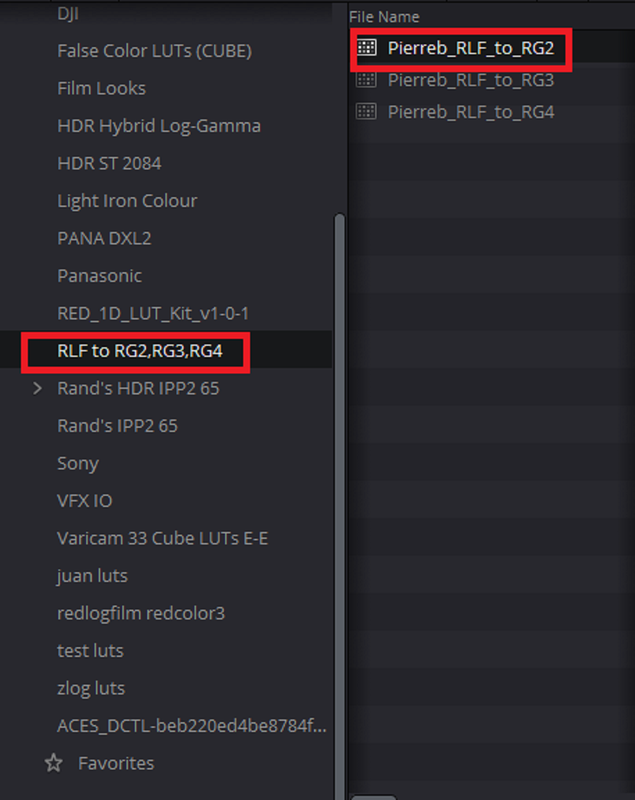
Here's some Cubes to apply to nodes in node trees of individual clips with Redlogfilm Gamma. Iluts won't show up in the "Luts" tab on the "Color" page to apply to nodes.
Pierreb_RLF_to_RG2.cube
https://www.dropbox.com/s/5gooyrhcy8ouhfj/Pierreb_RLF_to_RG2.cube?dl=0
Pierreb_RLF_to_RG3.cube
https://www.dropbox.com/s/mk0mjv4j6qvgqt7/Pierreb_RLF_to_RG3.cube?dl=0
Pierreb_RLF_to_RG4.cube
https://www.dropbox.com/s/vfaje5oskgktt3t/Pierreb_RLF_to_RG4.cube?dl=0
1) You can also use the .Cube(3D luts) as input comversion Luts as you did with the Iluts.
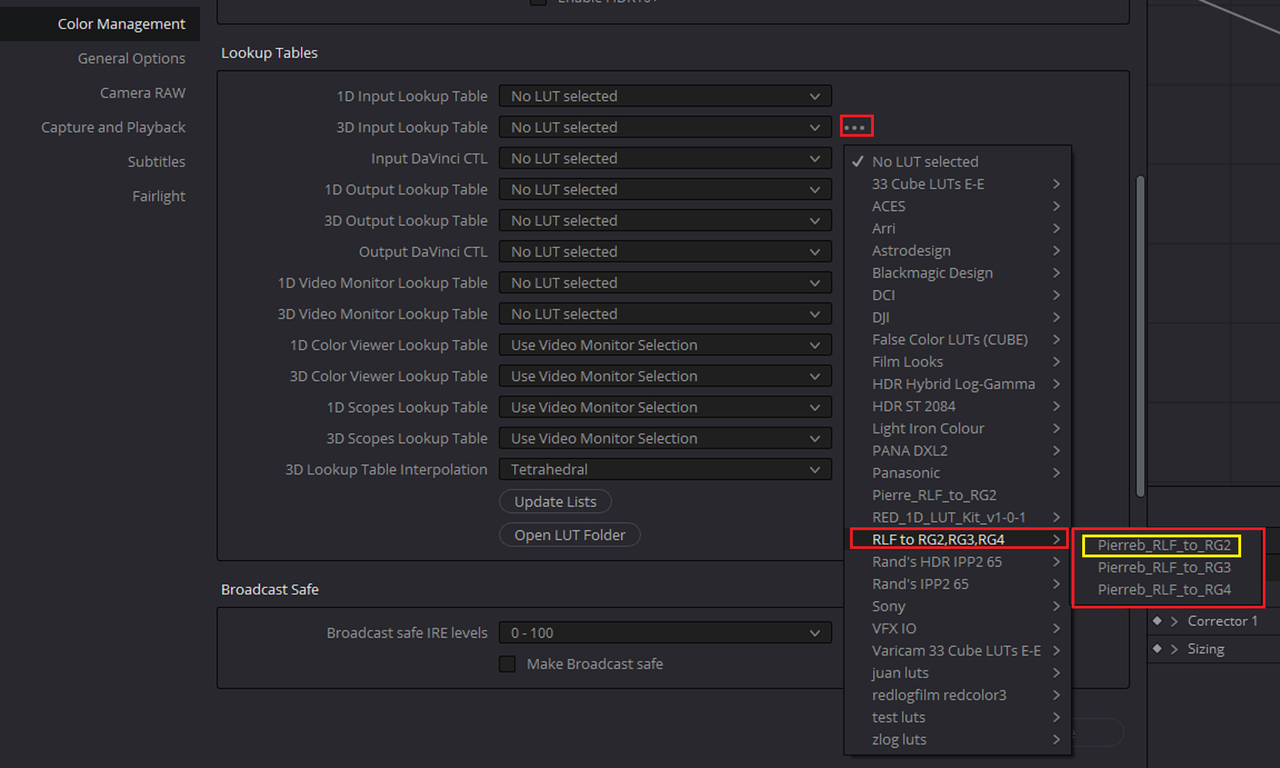
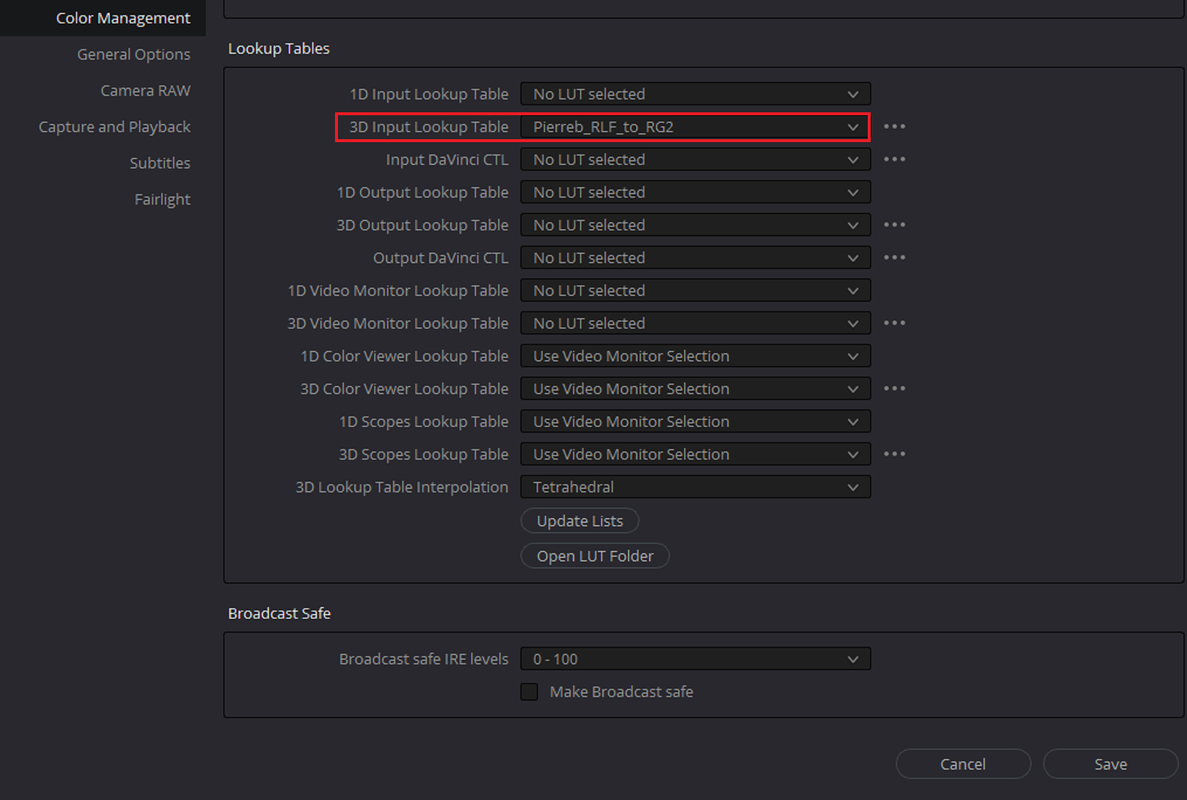
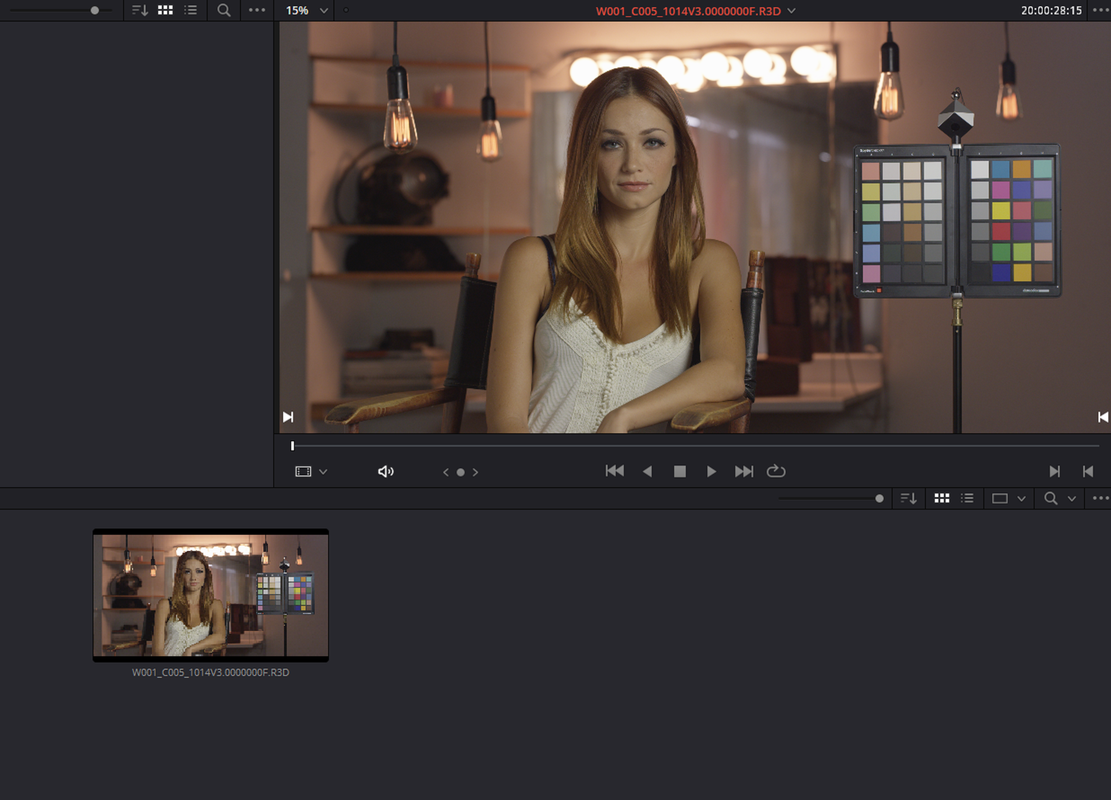
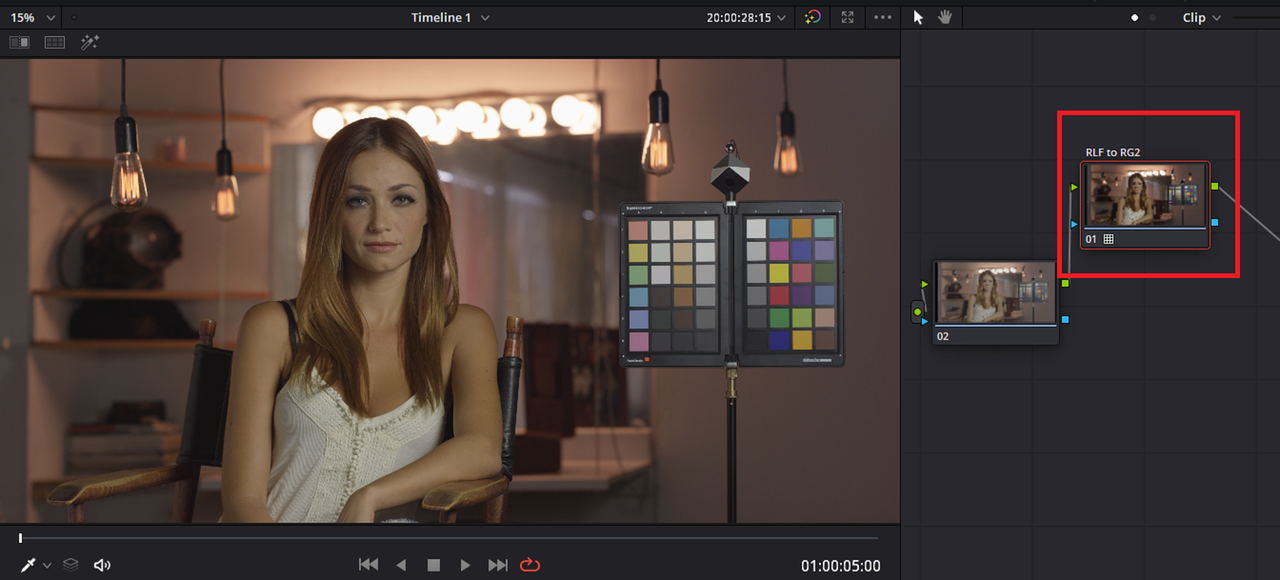
2)You can use the different RLF to RG2, RG3, RG4 luts on Nodes on different .R3d files with "Redlogflim" gammas in your Node trees.
Pierreb_RLF_to_RG2.cube
https://www.dropbox.com/s/5gooyrhcy8ouhfj/Pierreb_RLF_to_RG2.cube?dl=0
Pierreb_RLF_to_RG3.cube
https://www.dropbox.com/s/mk0mjv4j6qvgqt7/Pierreb_RLF_to_RG3.cube?dl=0
Pierreb_RLF_to_RG4.cube
https://www.dropbox.com/s/vfaje5oskgktt3t/Pierreb_RLF_to_RG4.cube?dl=0
1) You can also use the .Cube(3D luts) as input comversion Luts as you did with the Iluts.
2)You can use the different RLF to RG2, RG3, RG4 luts on Nodes on different .R3d files with "Redlogflim" gammas in your Node trees.
Last edited:
rand thompson
Well-known member
- Joined
- Aug 9, 2011
- Messages
- 18,999
- Reaction score
- 622
- Points
- 113
I know some of you are still wondering why use these RLF to RG2,RG3, RG4 ilut or .Cubes at all when I can simply change it in the Project Settings > Camera Raw > Raw Profile > Red. Well, upon further analysis I have two words for you "Camera" "Metadata".
Part 1
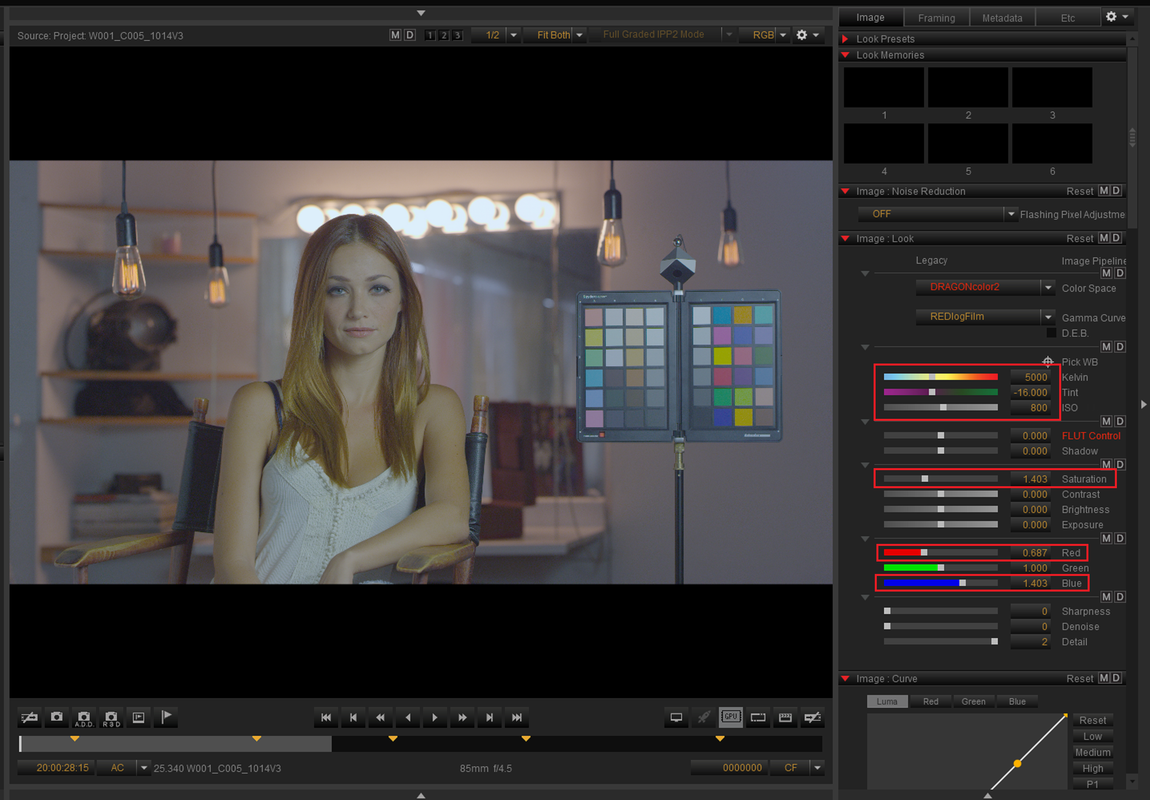
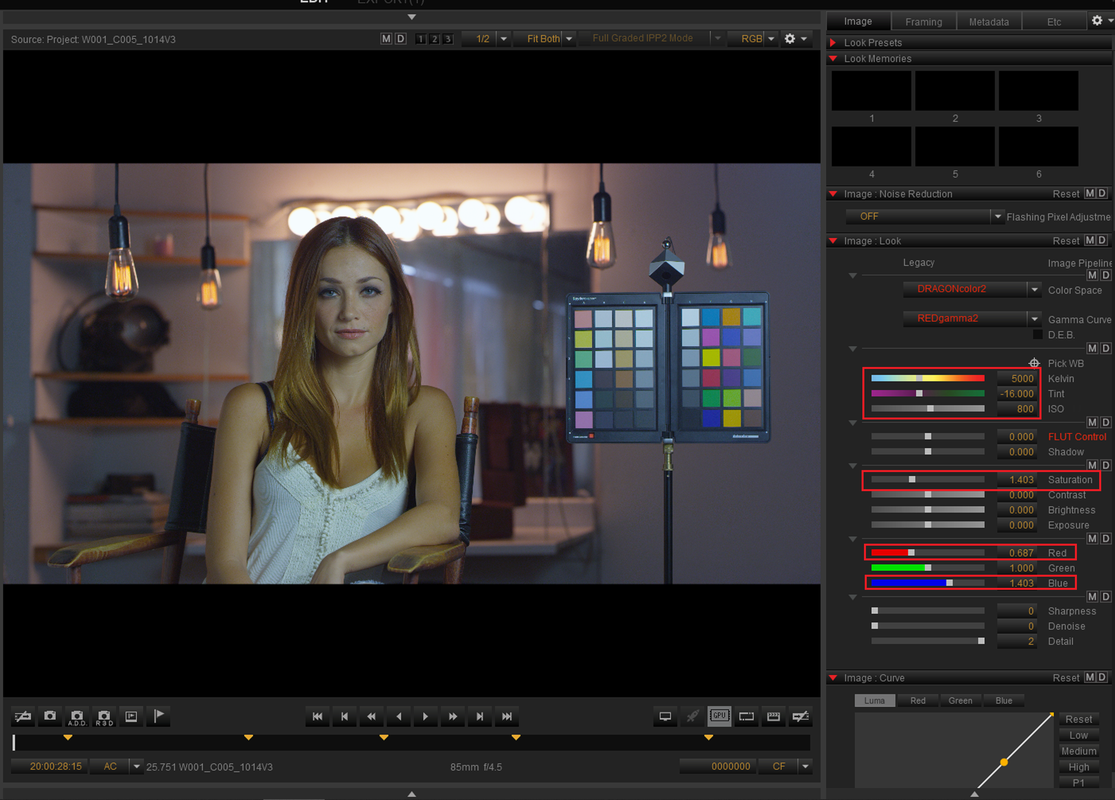
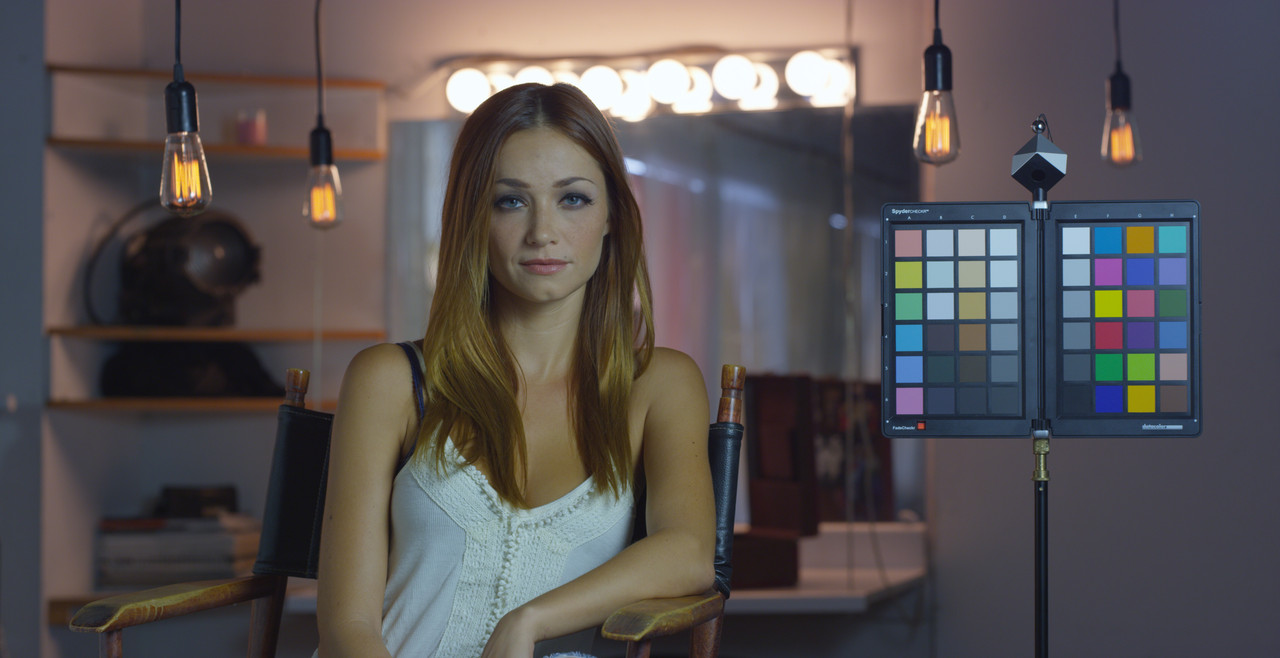
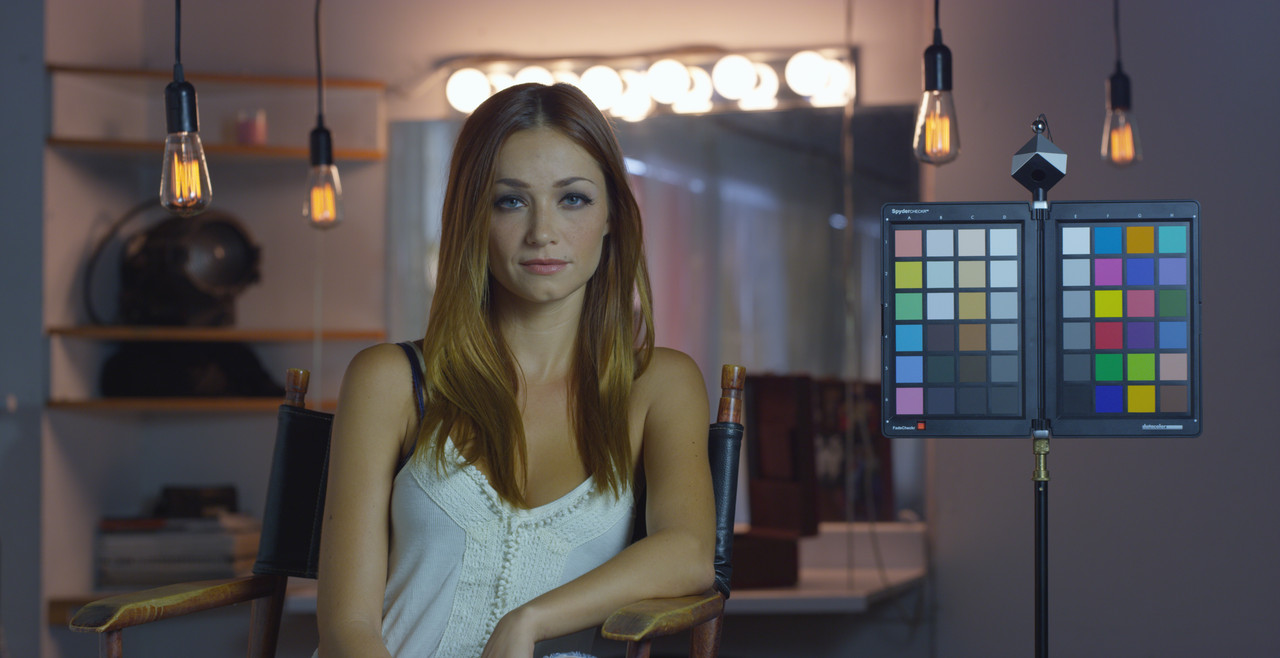
Here is a grade that I made in Redcine-X that will simulate both a "In-Camera" grade and a "Redcine-X" grade.
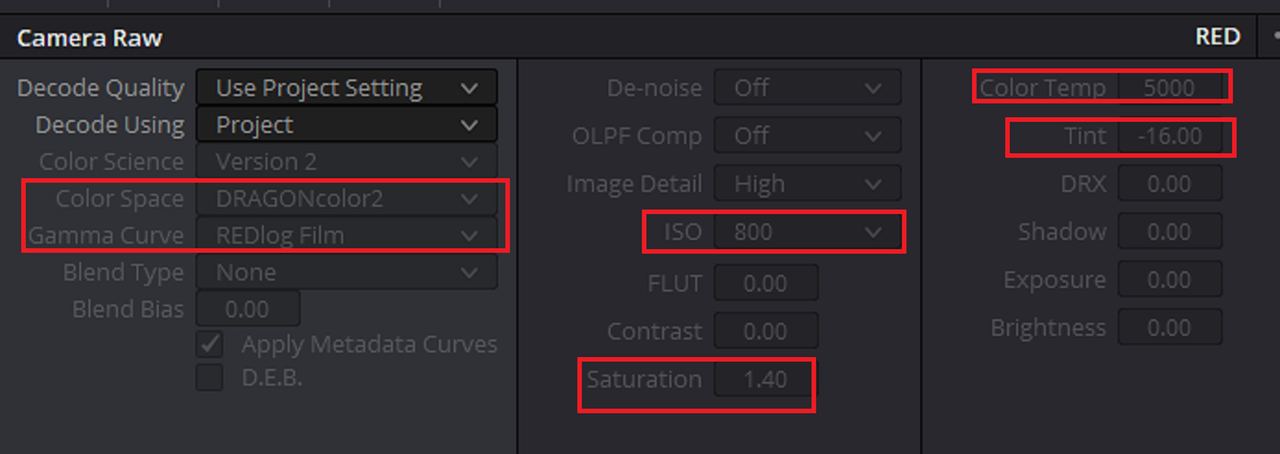
It uses a 5000 Kelvin, -16.00 tint, 800 iso, Saturation 1.40, 0.687 Red Correction and 1.403 Blue Correction. Here it is in Both Dragoncolor2/ Redlogfilm and Dragoncolor2/RG2
In Resolve, I am going to use the "Camera Metadata" setting in "Decode Using". You can use the "iluts" or "Cubes" as either a default 1D or 3D input lut or the "Cubes" in a Node tree and get the exact same results below.
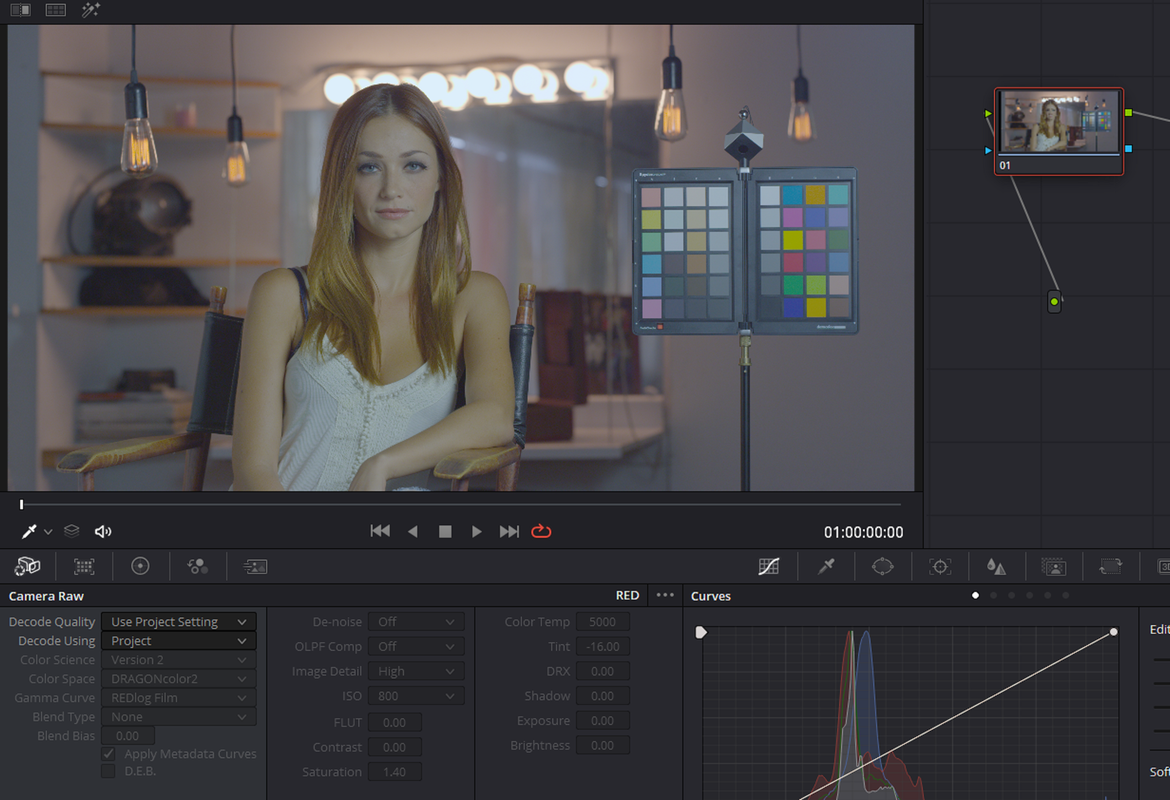
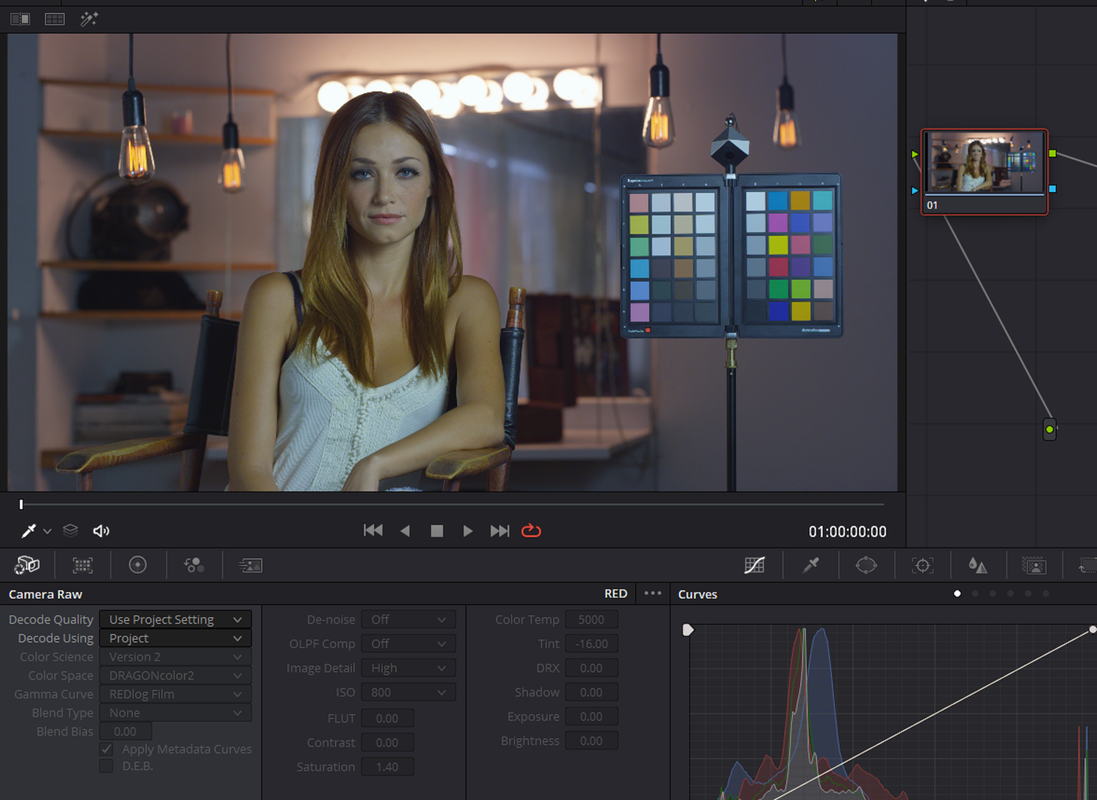
It looks like it Honoured all of the corrections from Redcine-X when either the .iluts or .Cubes were used.
Redcine-X
Resolve
Part 2 The Project settings Surprise........
Part 1
Here is a grade that I made in Redcine-X that will simulate both a "In-Camera" grade and a "Redcine-X" grade.
It uses a 5000 Kelvin, -16.00 tint, 800 iso, Saturation 1.40, 0.687 Red Correction and 1.403 Blue Correction. Here it is in Both Dragoncolor2/ Redlogfilm and Dragoncolor2/RG2
In Resolve, I am going to use the "Camera Metadata" setting in "Decode Using". You can use the "iluts" or "Cubes" as either a default 1D or 3D input lut or the "Cubes" in a Node tree and get the exact same results below.
It looks like it Honoured all of the corrections from Redcine-X when either the .iluts or .Cubes were used.
Redcine-X
Resolve
Part 2 The Project settings Surprise........
Last edited:
rand thompson
Well-known member
- Joined
- Aug 9, 2011
- Messages
- 18,999
- Reaction score
- 622
- Points
- 113
Part 2 The Project settings Surprise
In this part I will use the same Dragoncolor2/ RLF .R3d frame from Redcine-X with the same 5000 Kelvin, -16.00 tint, 800 iso, Saturation 1.40, 0.687 Red Correction and 1.403 Blue Correction.
However, this time I will be using the "Project" Setting instead of the " Camera Metadata" setting in the "Decode Using" pulldown. Notice I didn't tell resolve to bring in the ISO, Exposure, Color Temp or Tint by "Checking" the box next to them in "Use Camera Metadata". This tells resolve Not to honour those settings from Redcine-X or from "In-camera" settings from your camera, look at the results.
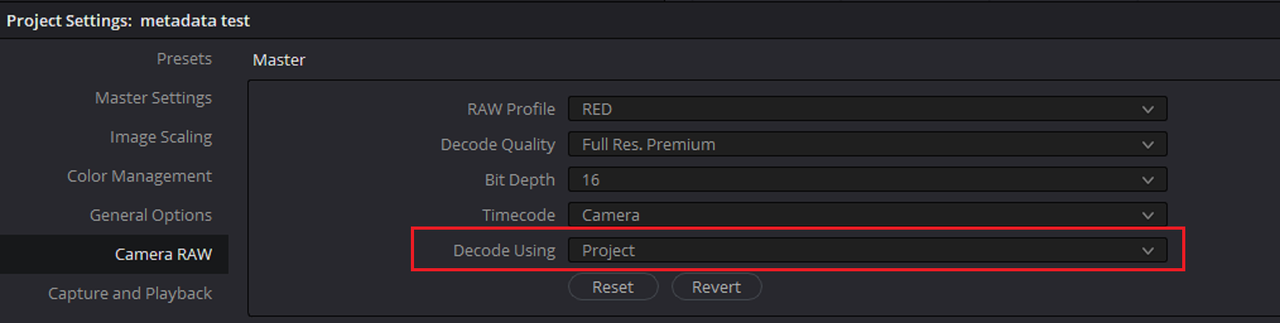
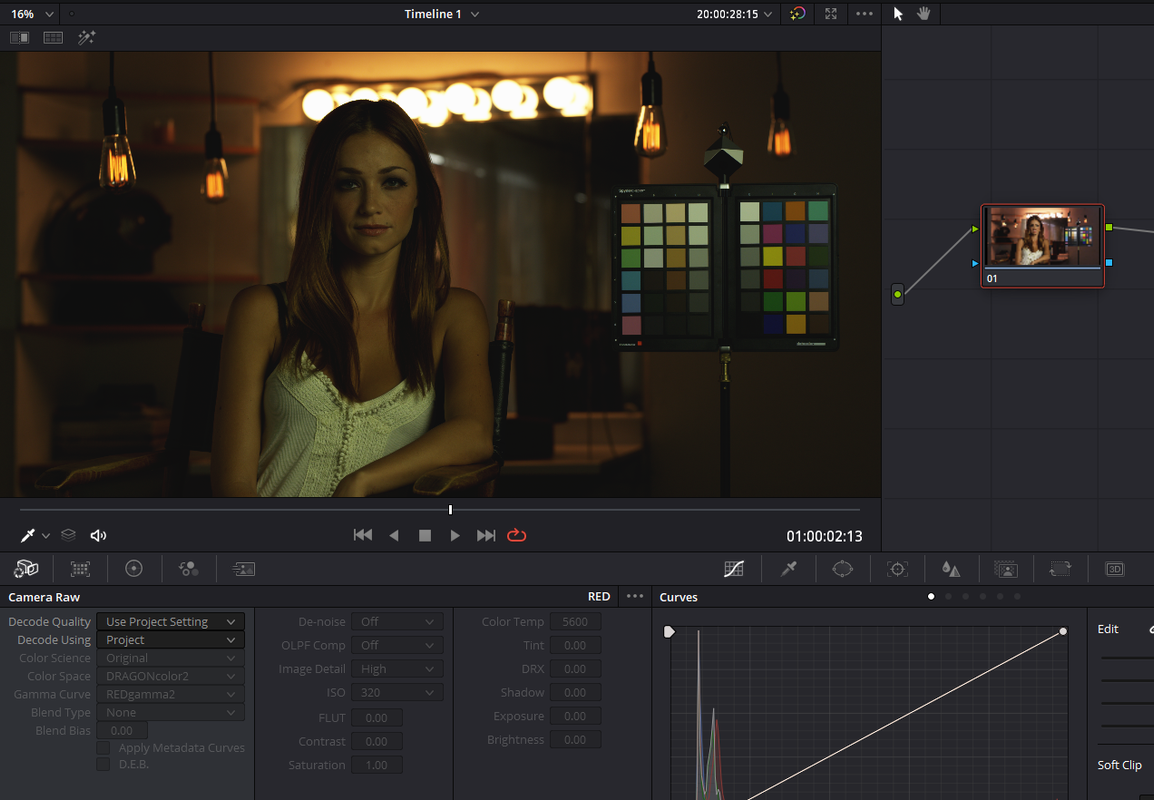
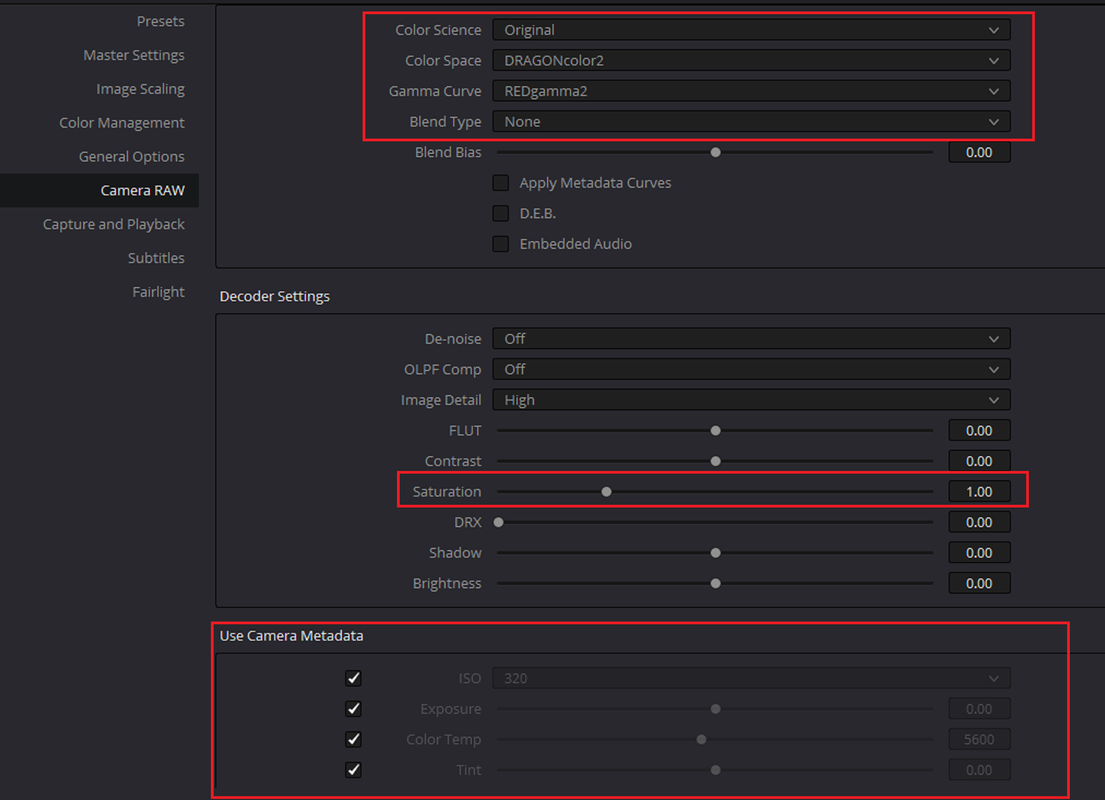
Even when I tell resolve to honour the ISO, Exposure, Color Temp and Tint by "Checking" the boxes next to them in "Use Camera Metadata", neither the 5000 Kelvin, -16.00 tint, 800 ISO nor the Saturation 1.40, 0.687 Red Correction and 1.403 Blue Correction are honoured.
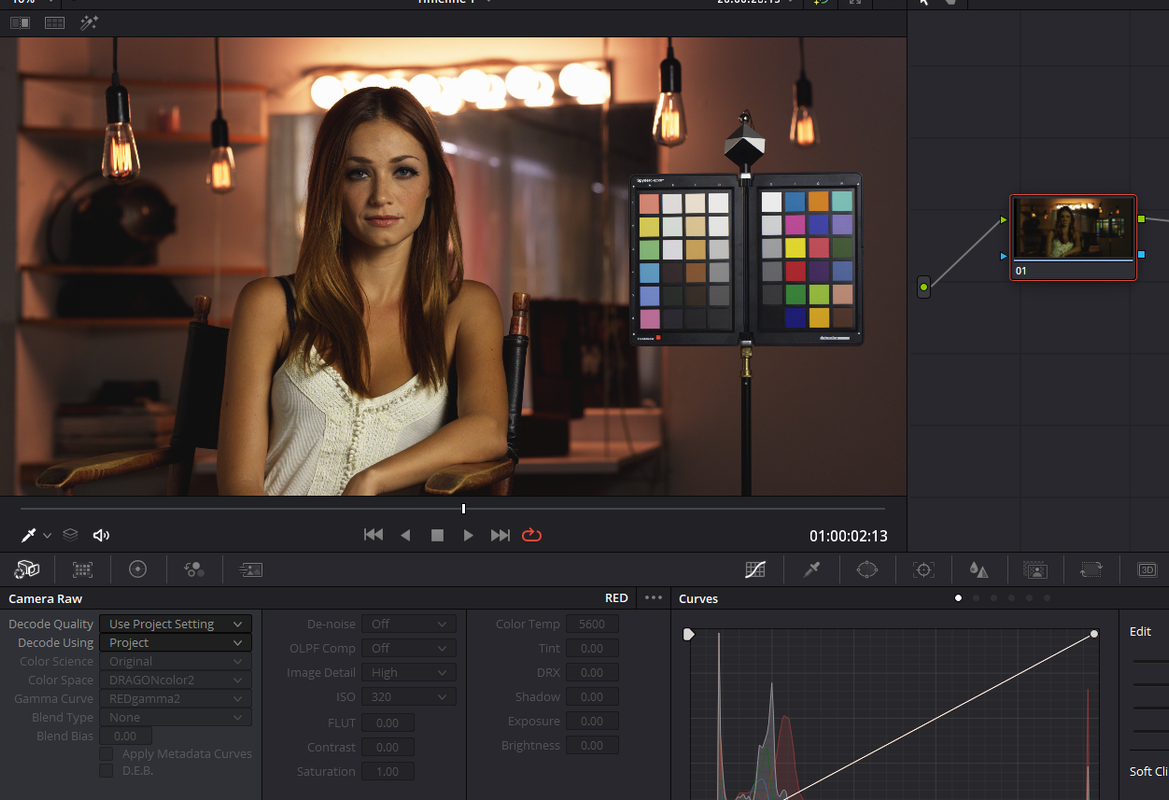
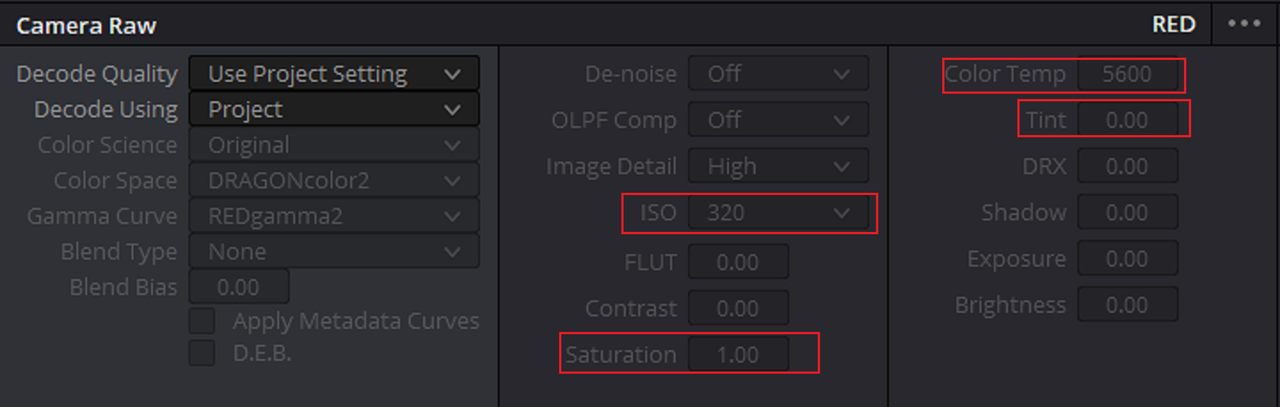
From Redcine-X
Resolve not honouring ISO, Exposure, Color Temp and Tint
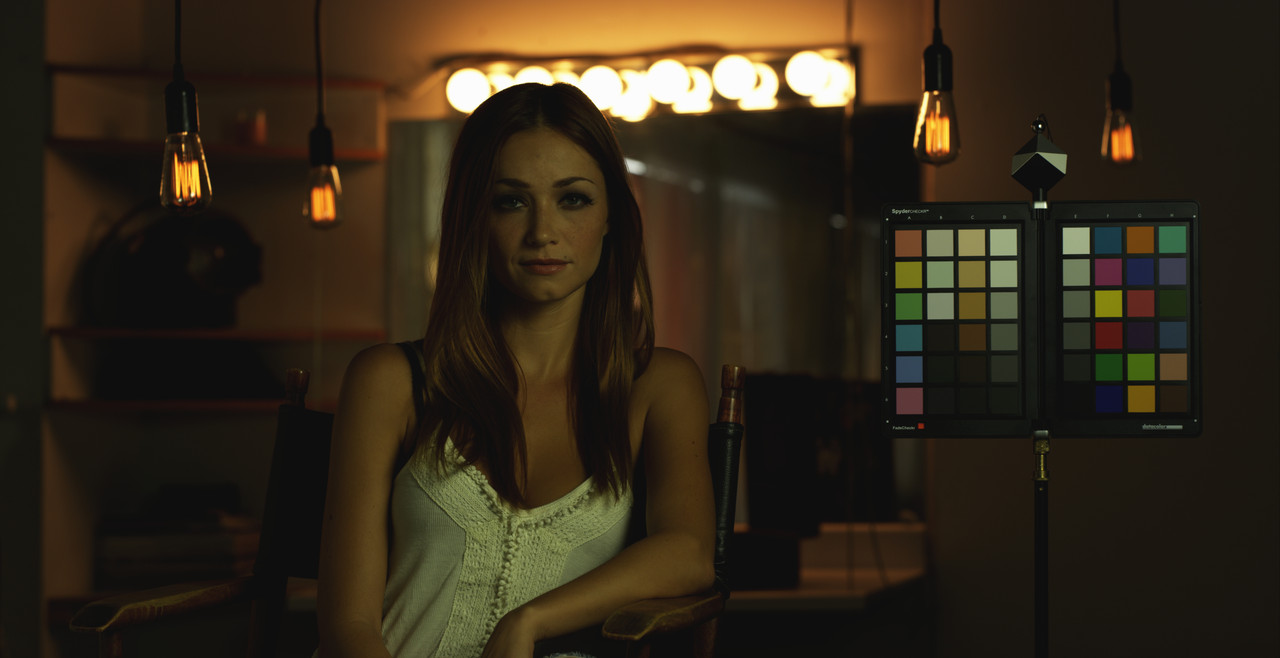
Resolve honouring ISO, Exposure, Color Temp and Tint
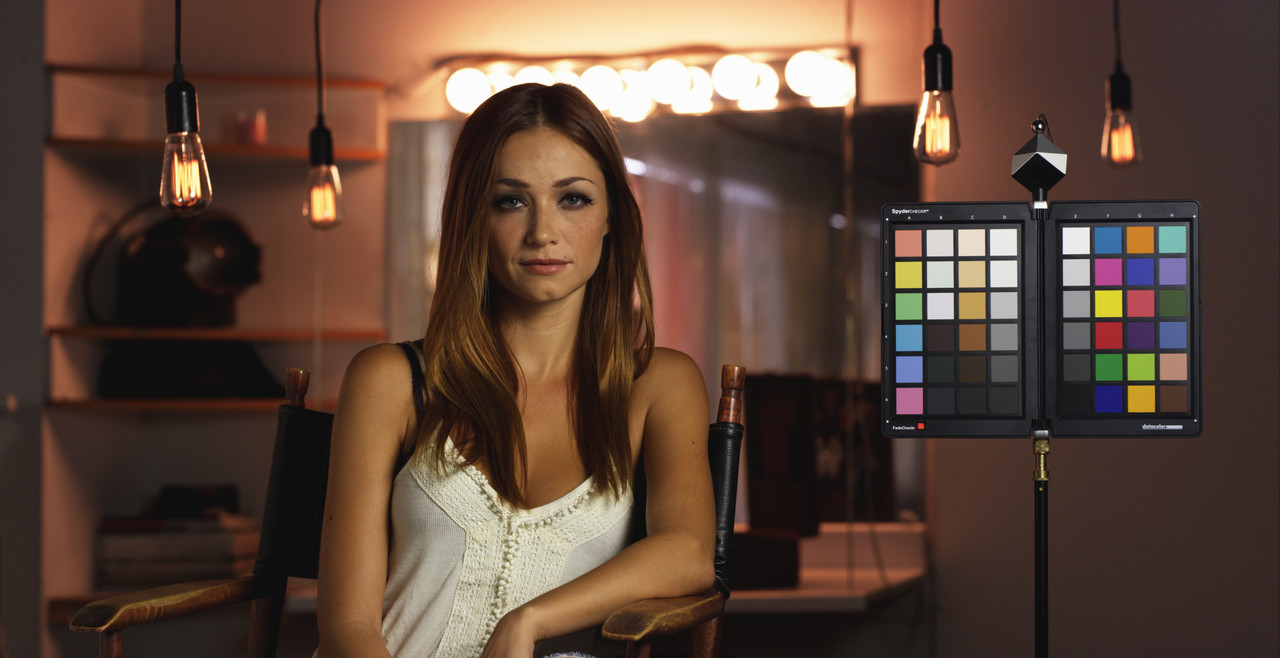
In this part I will use the same Dragoncolor2/ RLF .R3d frame from Redcine-X with the same 5000 Kelvin, -16.00 tint, 800 iso, Saturation 1.40, 0.687 Red Correction and 1.403 Blue Correction.
However, this time I will be using the "Project" Setting instead of the " Camera Metadata" setting in the "Decode Using" pulldown. Notice I didn't tell resolve to bring in the ISO, Exposure, Color Temp or Tint by "Checking" the box next to them in "Use Camera Metadata". This tells resolve Not to honour those settings from Redcine-X or from "In-camera" settings from your camera, look at the results.
Even when I tell resolve to honour the ISO, Exposure, Color Temp and Tint by "Checking" the boxes next to them in "Use Camera Metadata", neither the 5000 Kelvin, -16.00 tint, 800 ISO nor the Saturation 1.40, 0.687 Red Correction and 1.403 Blue Correction are honoured.
From Redcine-X
Resolve not honouring ISO, Exposure, Color Temp and Tint
Resolve honouring ISO, Exposure, Color Temp and Tint
Last edited:
- Thread starter
- #16
rand thompson
Well-known member
- Joined
- Aug 9, 2011
- Messages
- 18,999
- Reaction score
- 622
- Points
- 113
Pierreb,
No problem man! I'm glad everything worked out. Happy New Year to you as well!
No problem man! I'm glad everything worked out. Happy New Year to you as well!