Welcome to our community

Be a part of something great, join today!

  • Hey all, just changed over the backend after 15 years I figured time to give it a bit of an update, its probably gonna be a bit weird for most of you and i am sure there is a few bugs to work out but it should kinda work the same as before... hopefully :)

Redcine-x export debayer settings

Per ARgentine

Member
Joined
Jun 9, 2010
Messages
7
Reaction score
0
Points
0
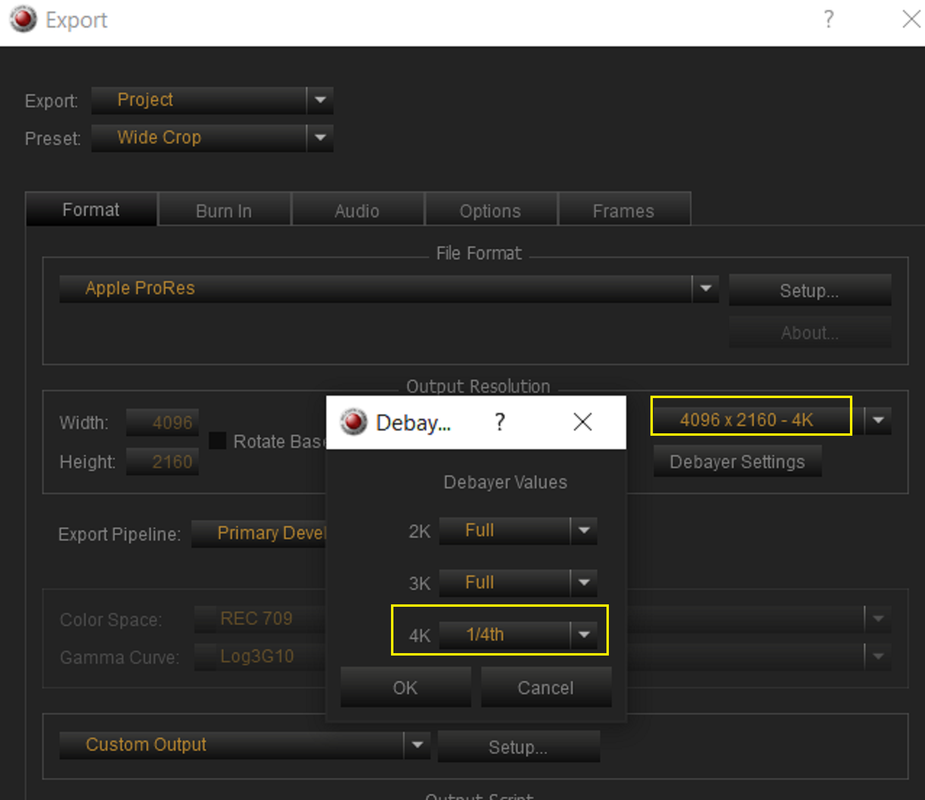
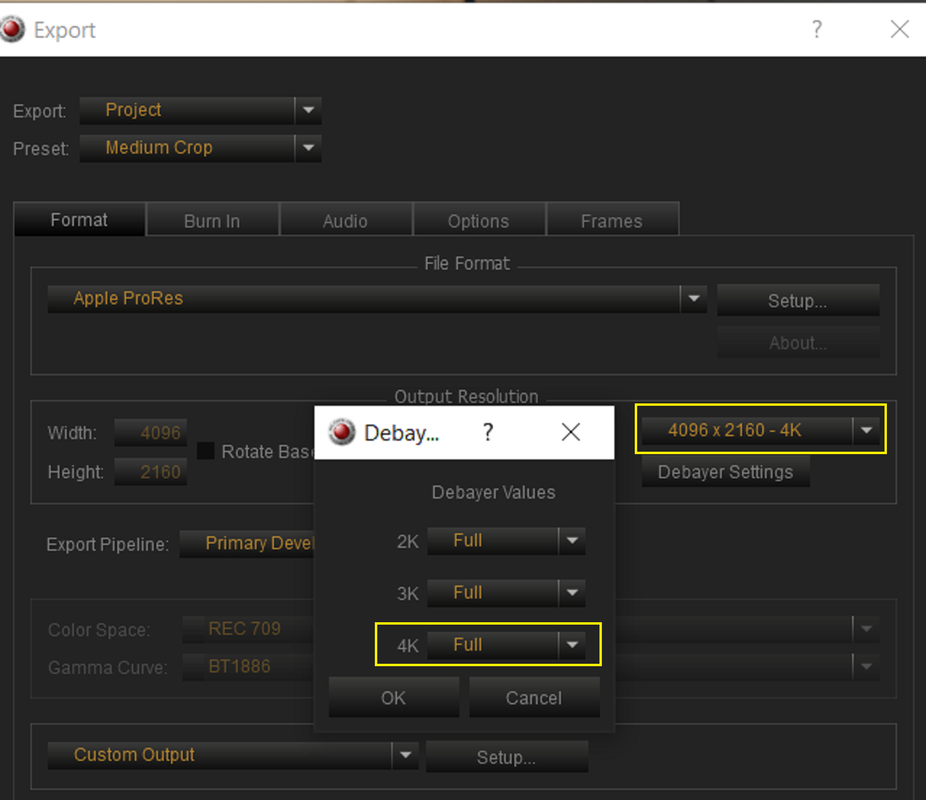
Under the export debayer settings, you can select the debayer for 2K, 3K, 4K. What is this referring to? The output resolution? There is no mention of it in the redcine manual.
 
Per ARgentine ,

I don't know if this the appropriate Techie explanation, But when you use what RED considers to be one of these typical default resolutions for Transcoded output files you can choose the quality of the RED R3D debayer you want to decoded those transcoder files from.

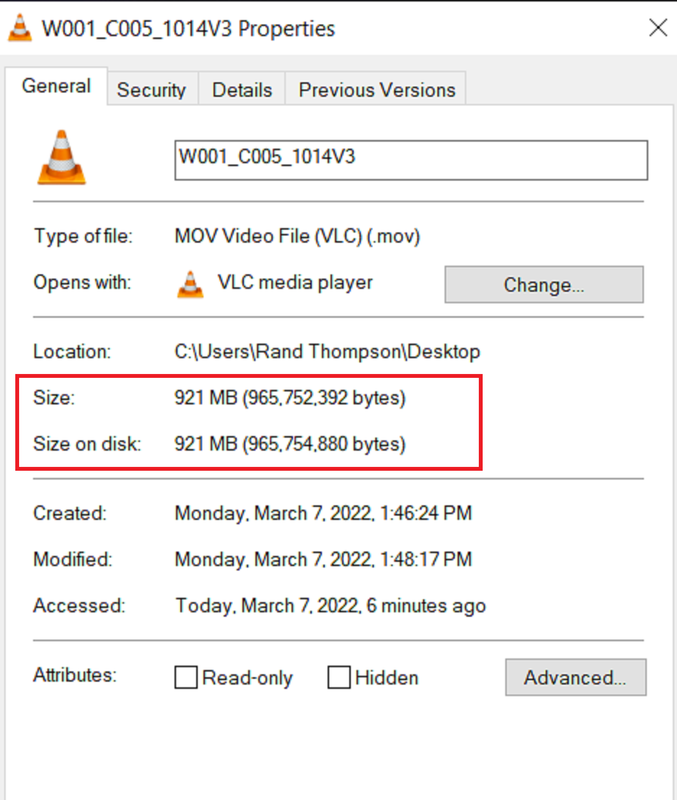
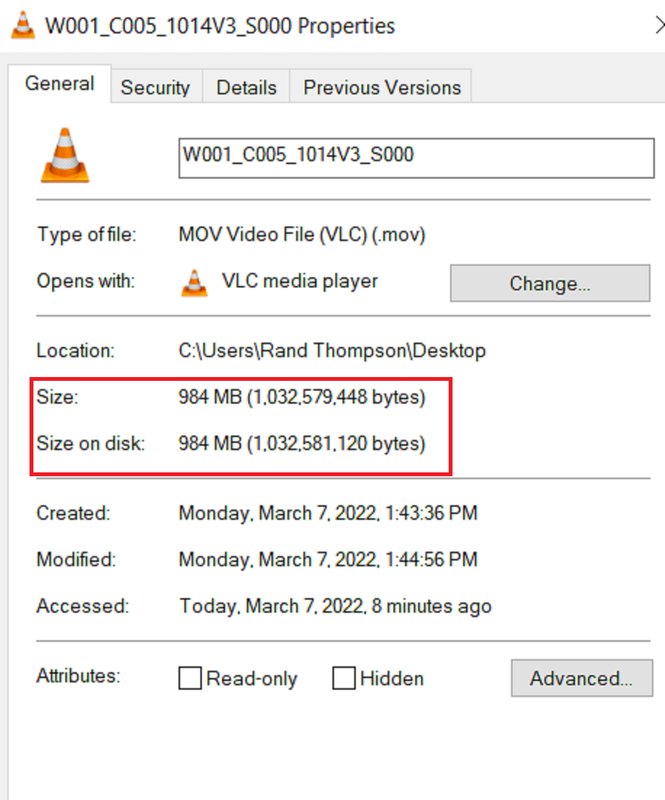
Here are two transcoded DCI 4k ProRes 4444 files from different 4K debayer settings and their file sizes.

Screenshot-3993.png


Screenshot-3999.png


Screenshot-3996.png


Screenshot-3998.png
 
This was/is primarily to increase the speed of dailies and proxies being generated. This also works in several other software programs.

Each subsequent division lowers the resolution, but in tandem with scaling down, you can render out significantly faster as it's not using every single pixel essentially.

You can do a test render for a 2K output using Full, 1/2, and 1/4 to see the speed increases.

I only recommend Full for anything considered a final or workable mezzanine export. And honestly even dailies I render out at full, but that's more my specific choice.
 
Back
Top