Welcome to our community

Be a part of something great, join today!

  • Hey all, just changed over the backend after 15 years I figured time to give it a bit of an update, its probably gonna be a bit weird for most of you and i am sure there is a few bugs to work out but it should kinda work the same as before... hopefully :)

RedCine-X constantly crashing when opening clips

Tim Hupfauer

New member
Joined
Jan 18, 2019
Messages
3
Reaction score
0
Points
0
Always when i'm opening RedCine-X and try to open a clip it just crashes/closes the application.

Only happens since the actual release 51.47074.

I'm on Windows 10. Anybody noticed this issue?

Thanks!
 
Tim,


What graphics card do you have installed in your computer? And what was the resolution of the clip you were trying to open?
 
GPU: GeForce GTX 770, driver up to date
Windows 10 Version 1809 (Build 17763.737)

Dragon 6K and also Helium 8K footage.
 
Tim


Nvidia Drivers
https://www.geforce.com/drivers

So the Nvidia Geforce GTX driver you have is Version 436.02 as of August 20 2019?

And I believe the most current version of Windows 10 was 1903 which I think initially had some audio problems, but I believe they were fixed. I know 1809 was all that was required for this version of Redcine-X


Also , does your system meet these requirements for Redcine-X Version 51.0.47074?


REDCINE-X Professional RELEASE CANDIDATE Build V51.0.47074 – Windows (64-Bit) Build

SYSTEM REQUIREMENTS

64-bit Windows Vista to Windows 10 (version 1809)
1GB hard drive space
8GB RAM (recommended)
2GB GPU Video RAM (when using GPU acceleration)
Windows 4GB GPU Video RAM (when using GPU R3D decompression)
 
Last edited:
Tim,


if nothing else works, you might want to send a "Log Report" to Red so they can see what is going on.


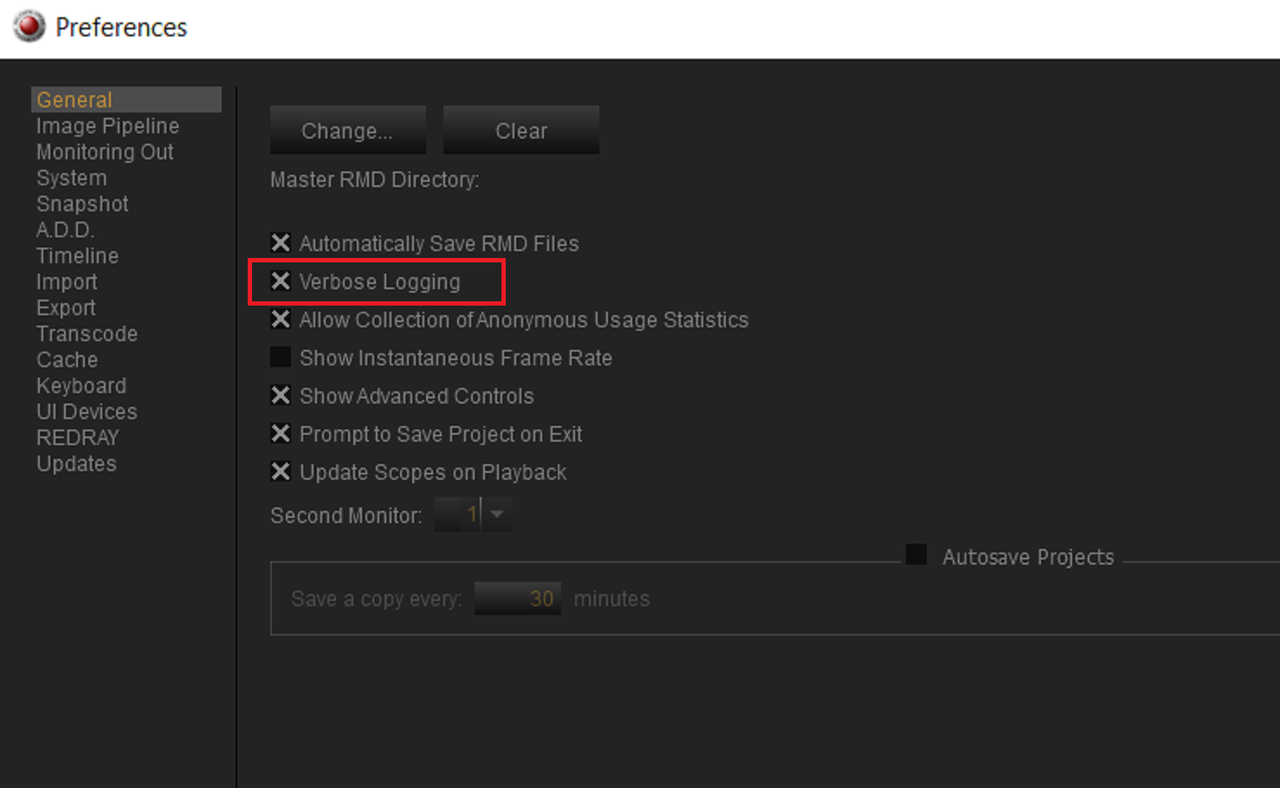
1) Enable "Verbose Logging". This, According to the "Redcine-X Pro Operations Manual"

"Adds more information to log files. Only select Verbose Logging if you need extensive log files for Support. Enabling Verbose Logging may slow down your computer performance. "


Screenshot-465.png


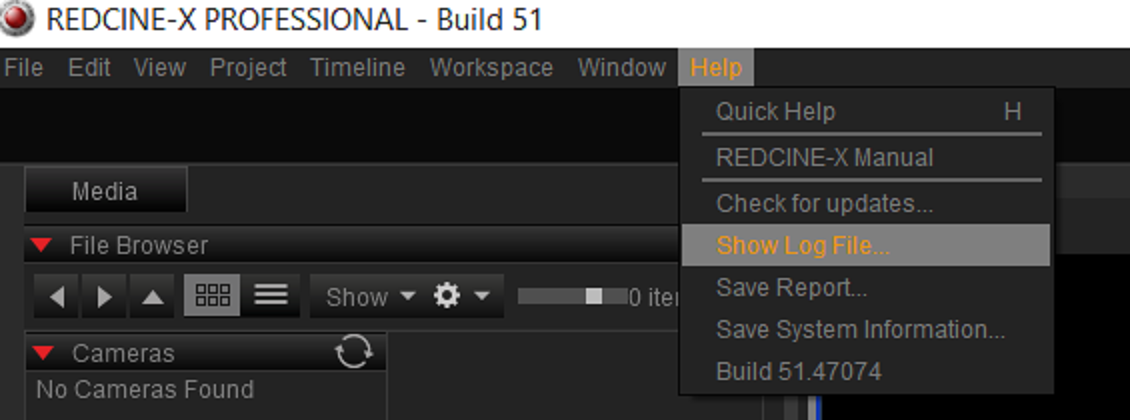
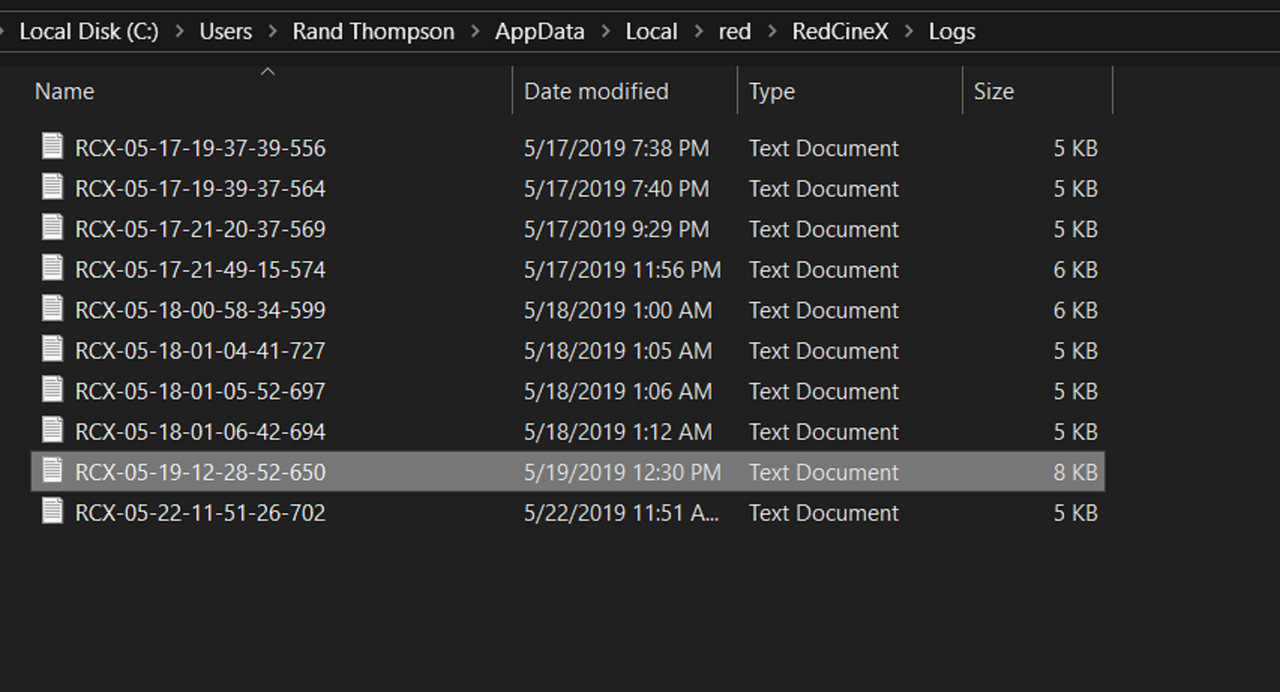
2) Go to the "Help" Tab and "Show Log File..". This will show a list of the most recent Log files that have been created. Copy the last one, in my case was 5/22/2019, which I don't have selected in this screengrab


Screenshot-466.png


Screenshot-467.png


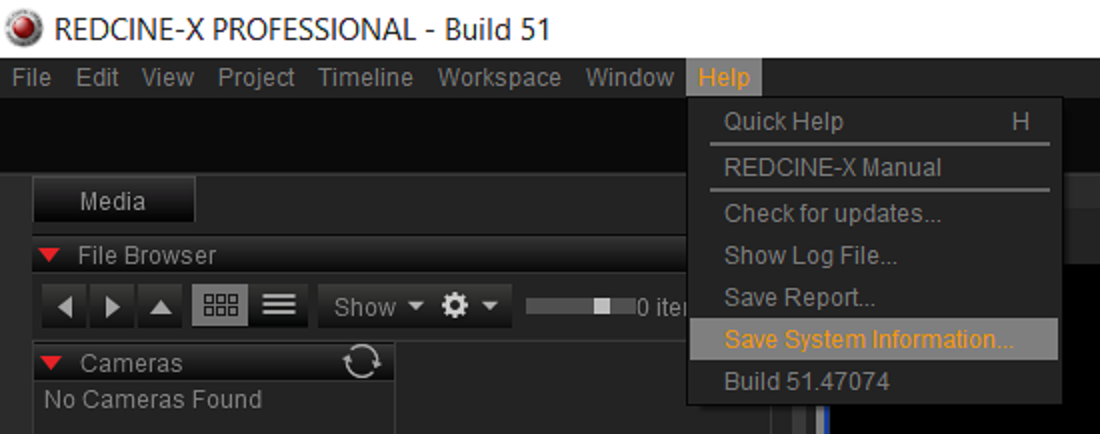
3) Send a Zip file of your System. Go to the "Help" Tab and "Show System Information.." and save it somewhere .


Screenshot-469.png


Screenshot-470.png


You can also, After you enable "Verbose Logging", manually "Save Report" after the incident happens or just whenever. Go to the "Help" Tab and "Save Report"

Screenshot-471.png
 
GPU: GeForce GTX 770, driver up to date
Windows 10 Version 1809 (Build 17763.737)

Dragon 6K and also Helium 8K footage.

Hi Tim, I have no idea why you are crashing, but that GPU is pretty on the low side of things to be able to accomplish much. And since RCX relies heavily on the GPU I'd suggest at a minimum go to a GPU with 4GB of RAM. I would truthfully really suggest 8GB. Maybe grab a used 1080, if you want to go hog wild go for the newer RTX stuff.

All of my systems use Nvidia GPUs and I don't have any of the issues you're experiencing, I personally think that will help. Particularly with the 6K and 8K material.
 
Thanks Phil, i'm aware that the specs are pretty low-end, but it never used to be a problem to load 6K/8K clips before (despite the bad playback), so i'm wondering ...
 
Same troubles here, RED Cine-X crashing all the time, RED PLAYER APP works fine - even Rocket_X decoding works as intended. Is anyone even care about RED CINE X anymore? Feels like no actual support being provided...
 
OK here an easy explanation - RCX 51 still RELEASE CANDIDATE once I roll back into RCX50 (current PRO official release) everything becomes normal - Rocket X works 6/8 K files playback/decode real time no problem at all. Guess further complains about RCX51 wont make any sense until we got official release. Easy as that.
 
OK here an easy explanation - RCX 51 still RELEASE CANDIDATE once I roll back into RCX50 (current PRO official release) everything becomes normal - Rocket X works 6/8 K files playback/decode real time no problem at all. Guess further complains about RCX51 wont make any sense until we got official release. Easy as that.

That is a typo on the web page, it is the release version.
 
Same troubles here, RED Cine-X crashing all the time, RED PLAYER APP works fine - even Rocket_X decoding works as intended. Is anyone even care about RED CINE X anymore? Feels like no actual support being provided...

Can you submit a support ticket with the log files? Not currently aware of any crashes.
 
Back
Top