Welcome to our community

Be a part of something great, join today!

  • Hey all, just changed over the backend after 15 years I figured time to give it a bit of an update, its probably gonna be a bit weird for most of you and i am sure there is a few bugs to work out but it should kinda work the same as before... hopefully :)

REDCINE-X Build 487...

There is a responsibility to stay current when you own RED. That means camera firmware and software (REDcine-X).

Jim

Reminds me of one of my favorite bumper stickers, "Either lead, follow or get out of the way".
 
How about adding an automatic function that prompts you to approve an automatic "Send error report to Red" when crashes occur? Some software has this now, including many Microsoft titles.

This would allow RCX users to avoid having to go through log files and email them to Deanan, etc. Then every single crash on every machine possible will be logged and sent to Red.
 
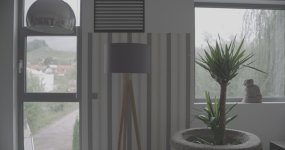
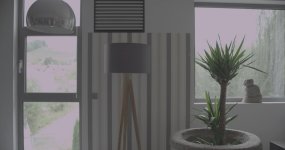
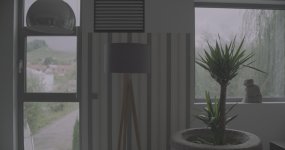
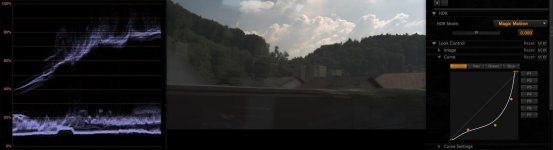
very quick test with hdr and new redcine

disabled, blend, motion ... no curve on the redlogfilm raw, just 1:1 and hit the buttons. we will test movements soon.

room / wall was 2,8, outside 16
 

Attachments

  • motion.jpg
    motion.jpg
    74.2 KB · Views: 0
  • disabled.jpg
    disabled.jpg
    72.2 KB · Views: 0
  • blend.jpg
    blend.jpg
    65.4 KB · Views: 0
Thanks Red team! Very helpful...and I love the leadership in Jim's comment. Rare attention to detail...reminds me of the old Lexus motto -relentless pursuit of perfection.
 
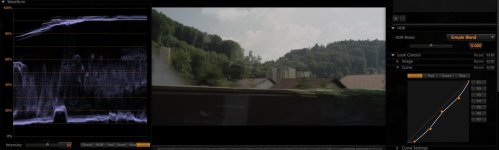
Here is a quick hdr test.

The raw r3d is here (anamorphic):

hrdtest.png
 
The player window still doesn't reflect changes to settings (or even new clips being opened!!! I didn't notice that before) until you click on it.

This bug has been there since at least 416, man.

Now, all new for 487, now instead of no update at all, I get a split screen / screen tearing effect showing me bits and pieces of the old setting and the new setting!
 
How about adding an automatic function that prompts you to approve an automatic "Send error report to Red" when crashes occur? Some software has this now, including many Microsoft titles.

This would allow RCX users to avoid having to go through log files and email them to Deanan, etc. Then every single crash on every machine possible will be logged and sent to Red.

Yes, this would be great to do, we just need to find the time ;)
 
The player window still doesn't reflect changes to settings (or even new clips being opened!!! I didn't notice that before) until you click on it.

This bug has been there since at least 416, man.

Now, all new for 487, now instead of no update at all, I get a split screen / screen tearing effect showing me bits and pieces of the old setting and the new setting!

Which OS & version are you on? We change settings all the time here without any problems. Do you have Rocket enabled / disabled?
 
Sorry, but where is sRGB in Color Space menu?
Strange but it seems that some old version REDCINE-X updated with new EPIC features!? :)
 
Can anyone from RED confirm if Build 487 works on OSX Lion?

It worked on the OS X Lion beta, as does Rocket. We've not tested it on the official Lion release that came out today yet.
 
Today's Lion is the same as the GM released to developers a couple weeks ago.
 
Should work then, but as always, test before you depend on it in a real production environment!
 
Sorry if I missed but the :

Trim function allowing HDRx clip Trim

was not mentionned in the update list.

Great feature BTW!!!

Magic Motion is also impressive :

- Adds the extra DR in the highlights
- diminish in cases the motion jitter due to higher shutter speed.
- diminish the noise, sometimes found in the "Simple Blend" setting.

Simple blend
magic_motion_Blend.jpg


Magic motion
magic_motion2.jpg


Pat
 

Attachments

  • magic_motion_Blend.jpg
    magic_motion_Blend.jpg
    57.8 KB · Views: 0
  • magic_motion2.jpg
    magic_motion2.jpg
    47.1 KB · Views: 0
It worked on the OS X Lion beta, as does Rocket. We've not tested it on the official Lion release that came out today yet.

Thanks Rob. Not got Lion yet as I've got other stuff I need fixes for before upgrading. So by that time I'm sure everything will be working fine!
 
No issues on Lion so far here, but it's early days.

Nice job guys!

Mike
 
Back
Top