Welcome to our community

Be a part of something great, join today!

  • Hey all, just changed over the backend after 15 years I figured time to give it a bit of an update, its probably gonna be a bit weird for most of you and i am sure there is a few bugs to work out but it should kinda work the same as before... hopefully :)

Red Scarlet-W IPP2 (Noob)

Keith Rice

Member
Joined
May 20, 2018
Messages
21
Reaction score
0
Points
0
Location
Philadelphia
Hi,

i've upgraded my Scarlet-W to the latest firmware but I don't have the option for IPP2. I only have access to Legacy. What am I missing?
 
Keith --

Scarlet-W does not support IPP2 internally, but you will have access to it in post.
 
But you can set your Color Space and Gamma Curves to "LOG3G10" and REDWIDEGAMMUT" in-camera. It's basically the same base as IPP2, you just don't get the "Highlight Rolloff" and "Contrast" options.
 
Yeah as stated above. Can't do it in camera. But you can change all of those settings in post. So just make sure you get your exposure right.

The in camera color space/gamma are essentially just an in camera lut for monitoring. Although it would be nice to see it because IPP2 does some amazing things with retaining highlight detail that is otherwise lost.
 
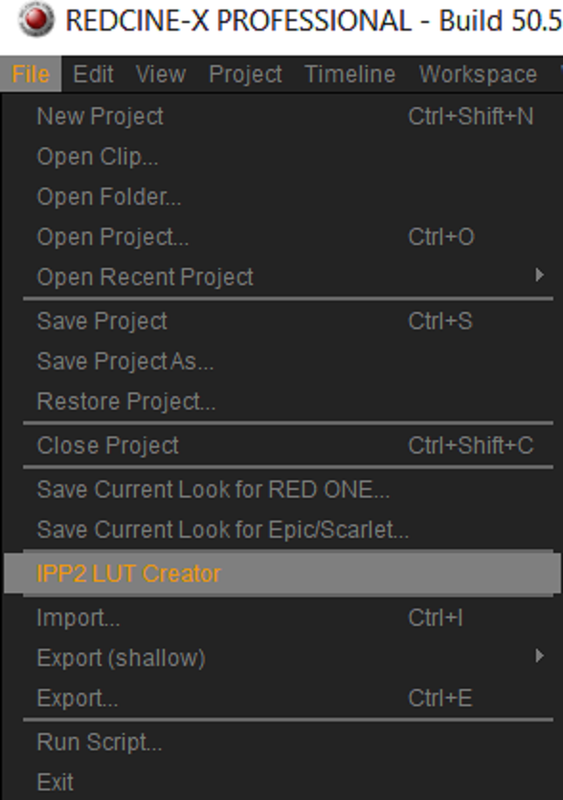
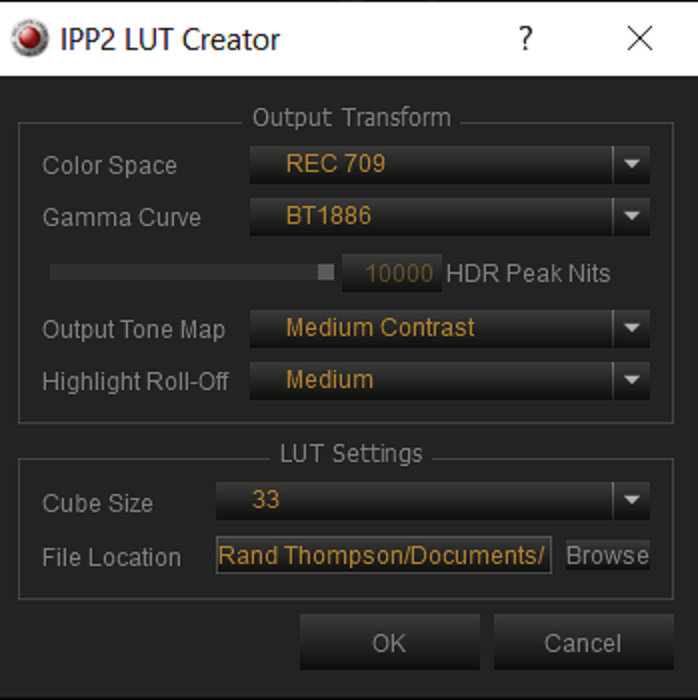
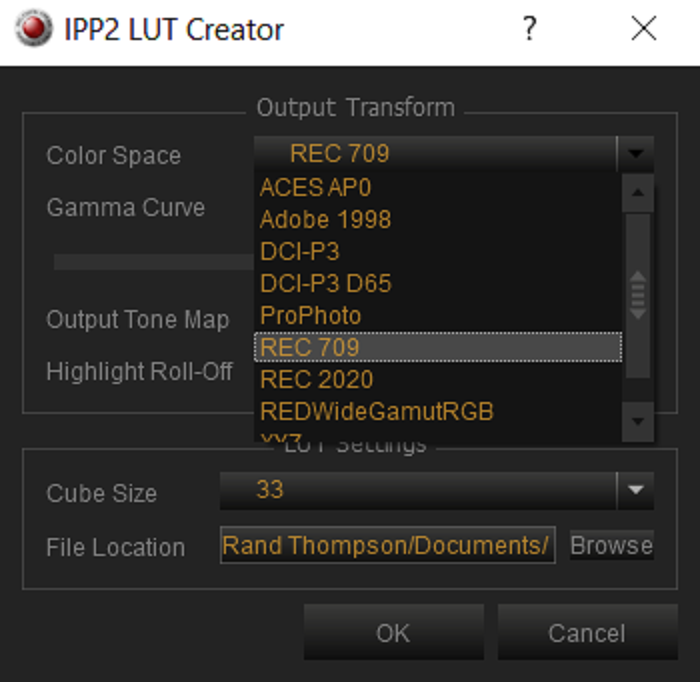
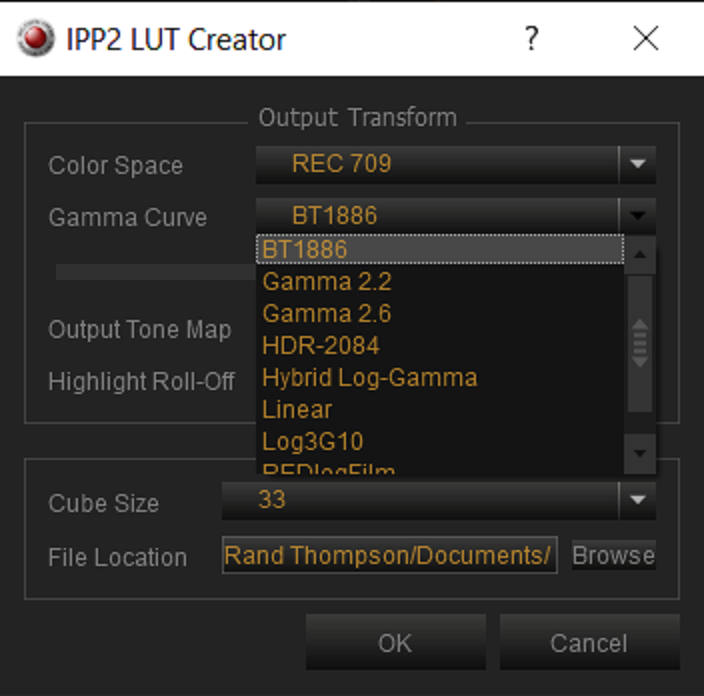
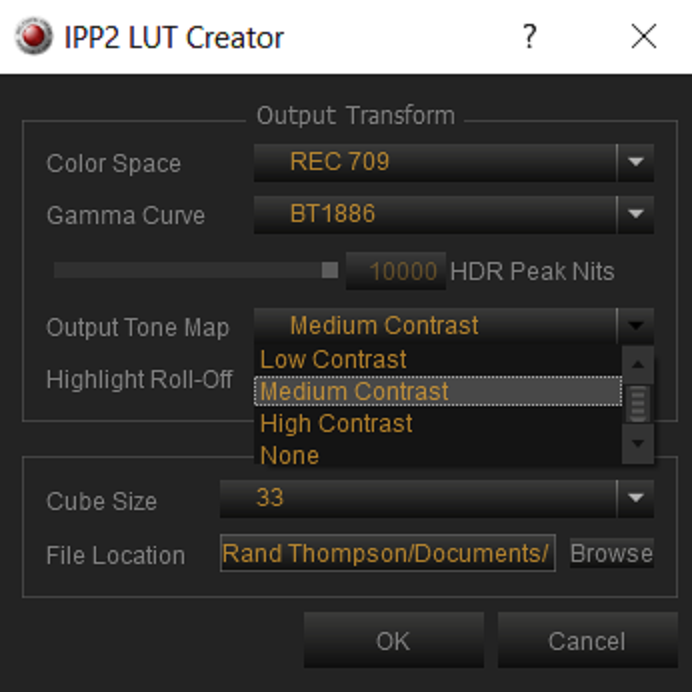
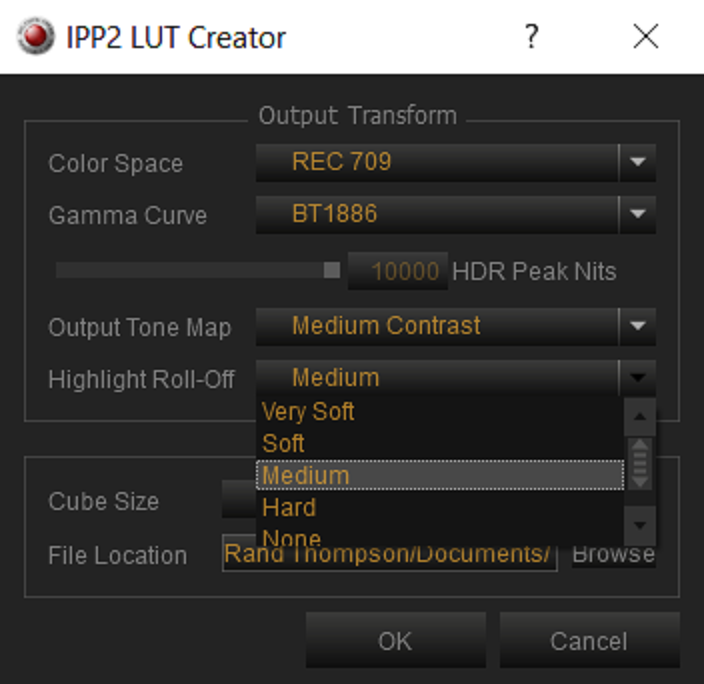
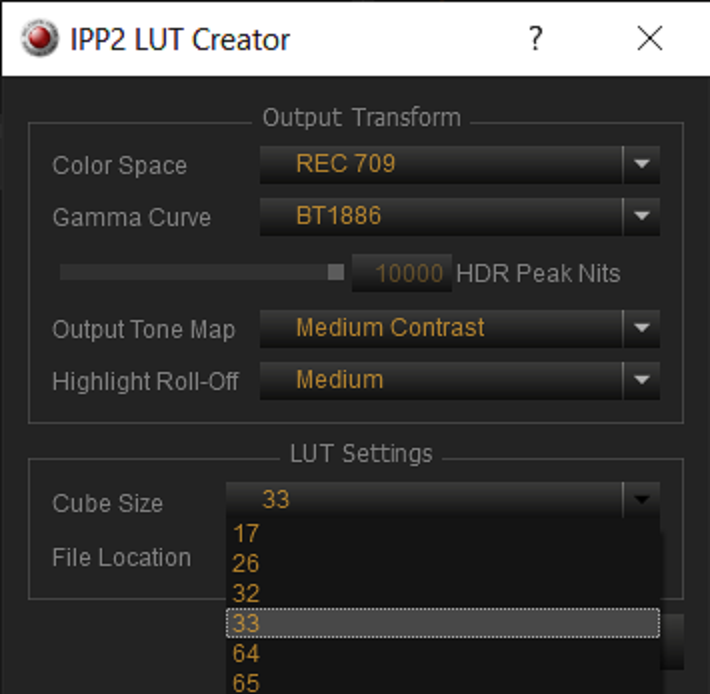
You can also create all the LUT options in RED Cine X and import them into the camera

Medium Contrast / Medium Highlight Roll Off etc

But you can set your Color Space and Gamma Curves to "LOG3G10" and REDWIDEGAMMUT" in-camera. It's basically the same base as IPP2, you just don't get the "Highlight Rolloff" and "Contrast" options.
 
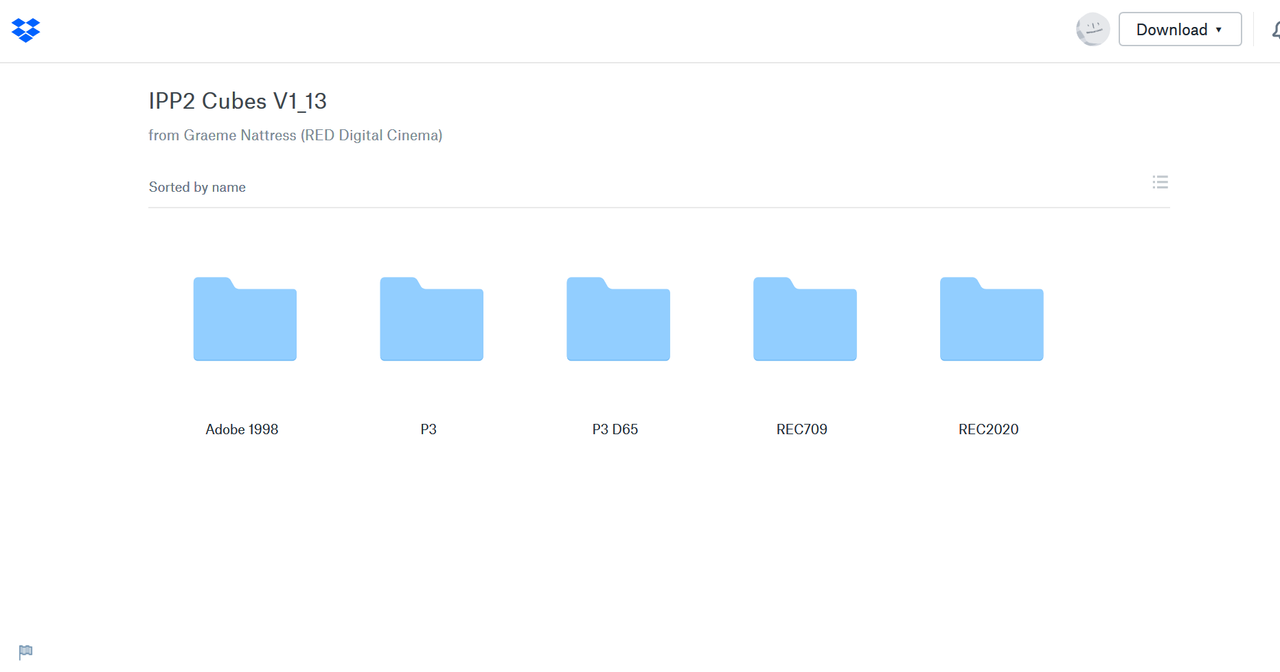
or Use Graeme's more complete collection.

https://www.dropbox.com/sh/7meziyar4vmps1s/AADxJILYDZYF9fbEOSPuTx_Oa?dl=0

Screenshot-703.png
 
As Josh Stated above, They can be made in Redcine-X


Screenshot-855.png


Screenshot-856.png


Screenshot-857.png


Screenshot-858.png


Screenshot-859.png


Screenshot-860.png


Screenshot-861.png
 
Back
Top