Welcome to our community

Be a part of something great, join today!

  • Hey all, just changed over the backend after 15 years I figured time to give it a bit of an update, its probably gonna be a bit weird for most of you and i am sure there is a few bugs to work out but it should kinda work the same as before... hopefully :)

RED One-MX Greenscreen Keying Problem on Hair

The best compositor with best GS footage will never able to pull a key against black that will not look artificial and full of artifacts. Keys must be tackled differently according to the BG. There is no such thing as the perfect key, only makeshifts that work well in the particular situation.

Hans

Daniel, to elaborate a bit further:

A black BG is a non-organic plate that must always look alien to an organic piece of picture like an attractive lady with curly hair. In a sci-fi film you will never find a pure black background but a BG that mimics e.g. outer space with dots (stars) light effects etc... that will make a composition look much more natural. Sure, the quality of the matte is important, but even more important is often the colour correction that is done to match foreground and background. This is not an easy task. Lastly, you will add a natural defocus for the background and noise (grain) to meet the structure of the foreground. In the end a final grading layer of the composition will melt the two layers even more to a convincing picture that no one questions.

The matte itself is here often the least important part. I've seen in well executed productions bad mattes (due to near to impossible key-pulling tasks) that hardly cought any attention because all of the rest was done very well, including acting.

As long as I can create a convincing composition leveraging all available tools such as pulling a key, rotoscoping, de-spilling, colour matching, de-focus, grain management, etc... I have good footage to work with. In my experience Red delivers very good footage for VFX work. Nothing is artifact-free of course but we have to deal with that. No key is perfect but compositions can.

Hans
 
What was the other image shot on?

I'm wondering if your bumping your head on rc36 compression.
 
I pulled this key on black in literally 15 seconds. I can put every shade of white to black behind it and it composites perfectly.

Q96zY.jpg

Good Work.

But this lady has back lit hair. Very different case. Also i would like to see the right upper part of her head closer to evaluate the differences rightfully.

----

I also think that your original picture has some motion blur in the hair of question. MB is the biggest enemy of GS work.


Hans
 
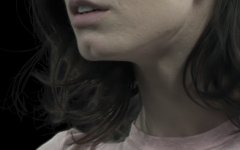
I very much appreciate the comments so far. However, many of you are saying you don't see a problem with the original footage, and I don't understand how that can be. Are you right clicking and viewing the examples at full res? The edges on that key are clearly not very good around the hair under her chin. The red and blue channels clearly have a weird ringing-like artifact around the hair strands. Look especially at the ringing artifact on her chin in the Blue Channel. I am the person who pulled the key, and I've been doing greenscreen for 10 years, and never had this problem except where edge enhancement was involved.

I agree it could be some weird CA or vignetting issue, but I wanted another set of eyes to indeed confirm or deny that suspicion. I disagree that this key would be acceptable against a dark background. To anyone looking at the R3D, the artifacts will not manifest themselves until you raise the default saturation to 1.7 or so, but the keying software is indeed seeing it, and having a problem with it. I've tried keying it with Keylight, Primatte, and Ultimatte, to the same result each time. Again, any extra advise would be greatly appreciated.

To fully reveal the problem, I have included a 1:1 crop of the footage, and how the key looks up close.

R6QTY.png

You can do a better integration, less sharp, with your matte. I can get this from your jpg, not r3d...
 

Attachments

  • test jose2.jpg
    test jose2.jpg
    44.6 KB · Views: 0
Did a key in shake using key light 2.2, doesn't seem to have the problem your having. very clean. Did do a quick grade on it in redcinex first. also exported full res, might give a bit more to work with depending on the res you are trying to key.
 
Back
Top