Welcome to our community

Be a part of something great, join today!

  • Hey all, just changed over the backend after 15 years I figured time to give it a bit of an update, its probably gonna be a bit weird for most of you and i am sure there is a few bugs to work out but it should kinda work the same as before... hopefully :)

Red Komodo Footage/ Review portal

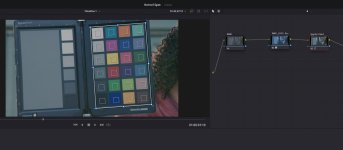
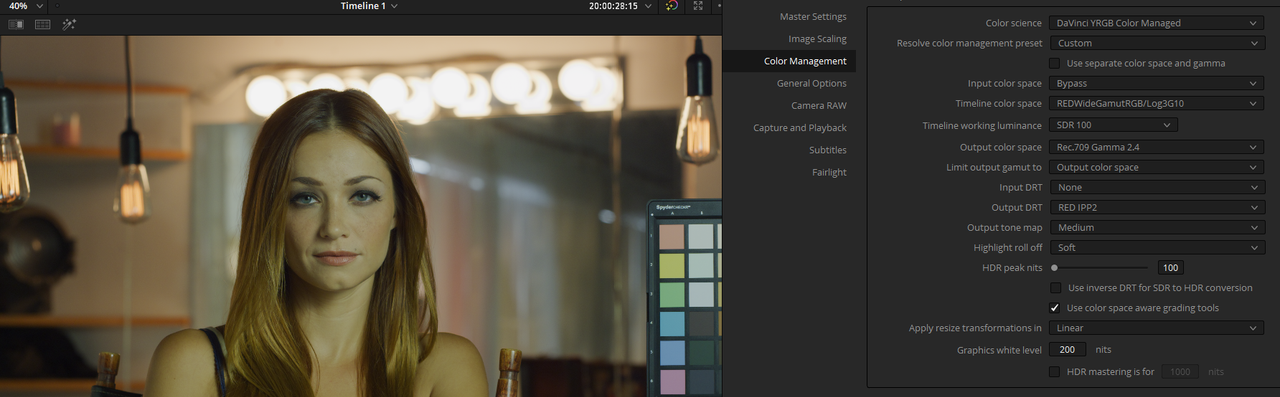
Did you take use of the chart in post with Resolve? I have that same chart but I am not sure where to use it in the whole node chain in Resolve. Trying to calibrate my shot using that always seems to make it worse, I know I am using it wrong. I do know how to bring it up in resolve and align it to the color squares and pick the chart I am using. But it is important I guess where it is placed in the node chain..
 
Lars,

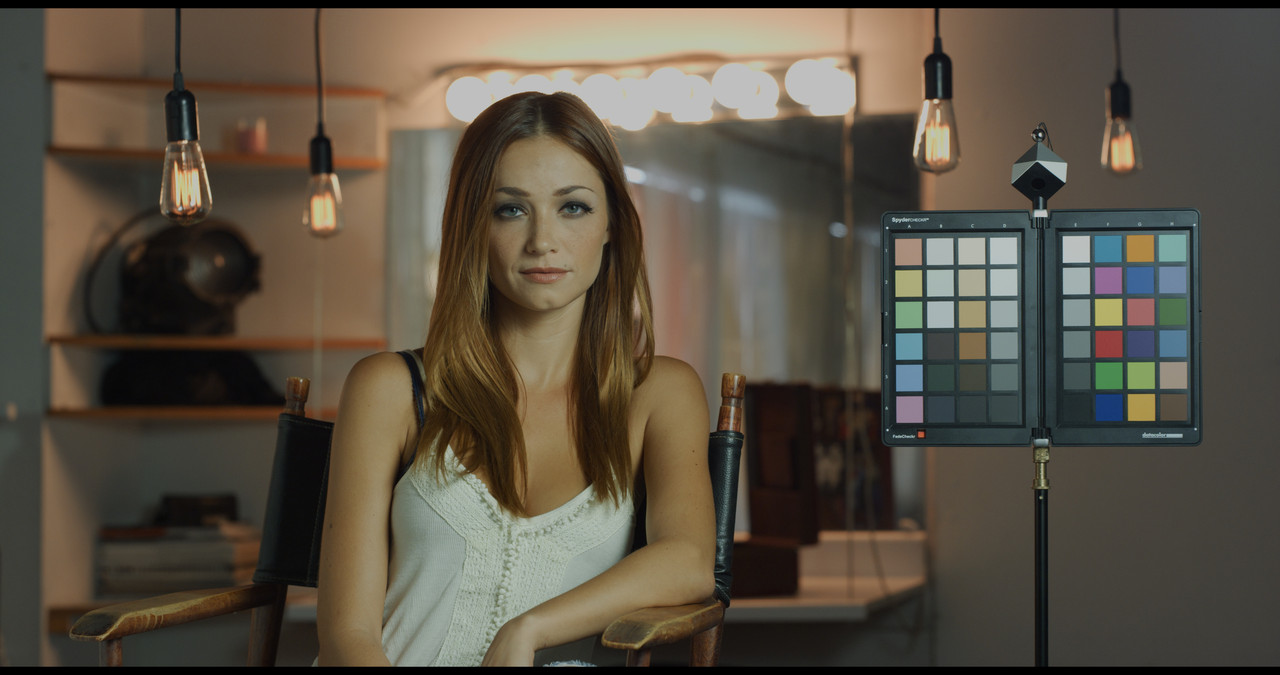
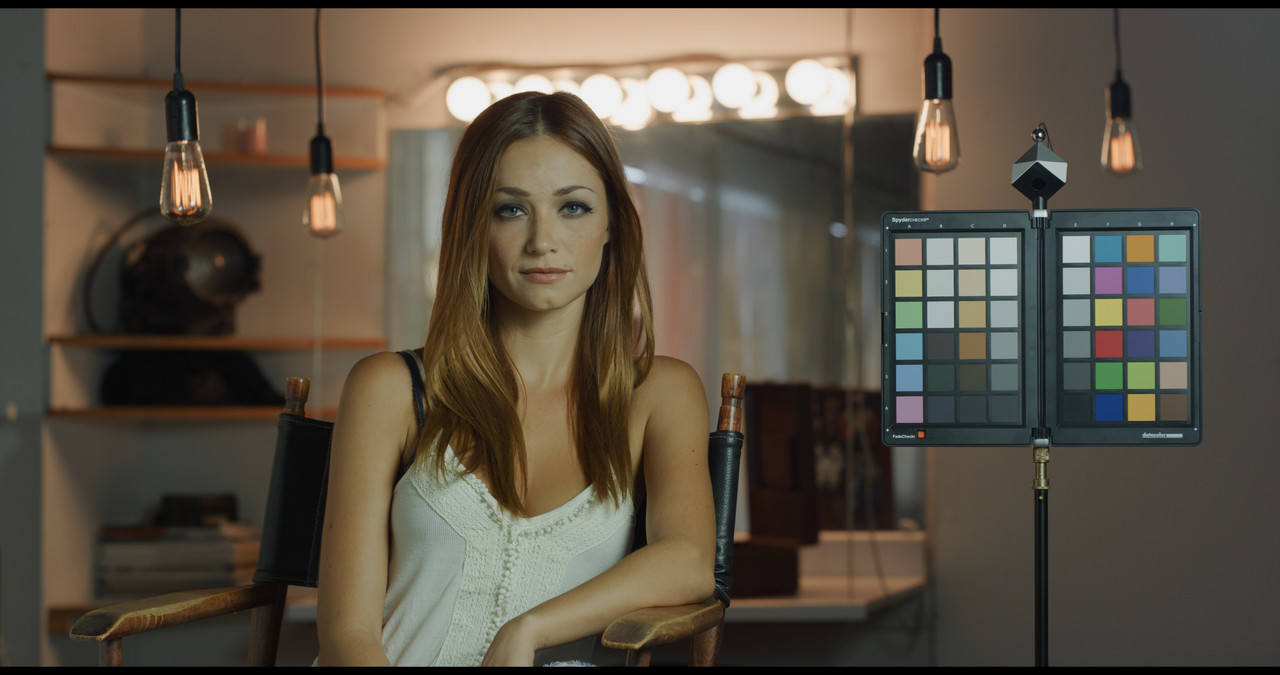
The chart was included by Phil Holland in this sample Red footage from the red website. Like you I bought and used the chart once or twice and never used it again. I think it's in a box somewhere in my attic. I really just prefer to use the Video Scopes in Resolve to correct images. There's a tab in Resolve that allows you to align the chart with a Grid in Resolve for which ever Color Chart you have but I haven't used that in years.
 
Life in the Balance


By T. Miller Films


A RED Komodo test shoot at 6K HQ with SLR Magic APO MicroPrime 25, 32, 50, 80.
 
I have aligned it and used it. But I am not sure where it the correct place (node). These 3 nodes I have the RAW, then convert to a Rec 709 using one of the 3D LUTs Red provides for the RWG_Log3G10 to Rec 709. Then after that apply the Spyder Color Chart? Or put in after the RAW node in this case and have it try and convert it from there, which seems wrong. But using it after the the RWG_Log3G10 LUT would be counter intuitive I would think from doing all the color grading before you convert to the RWG_Log3G10 to 709. It would just try and balance your image at the end, after your grade. It almost seems useless, unless I am using it wrong? Perhaps this is only to be used on Cameras that shoot a flat profile to bring it back for grading since that is already in a 709 space?
 

Attachments

  • spyder.jpg
    spyder.jpg
    56.7 KB · Views: 0
Lars,


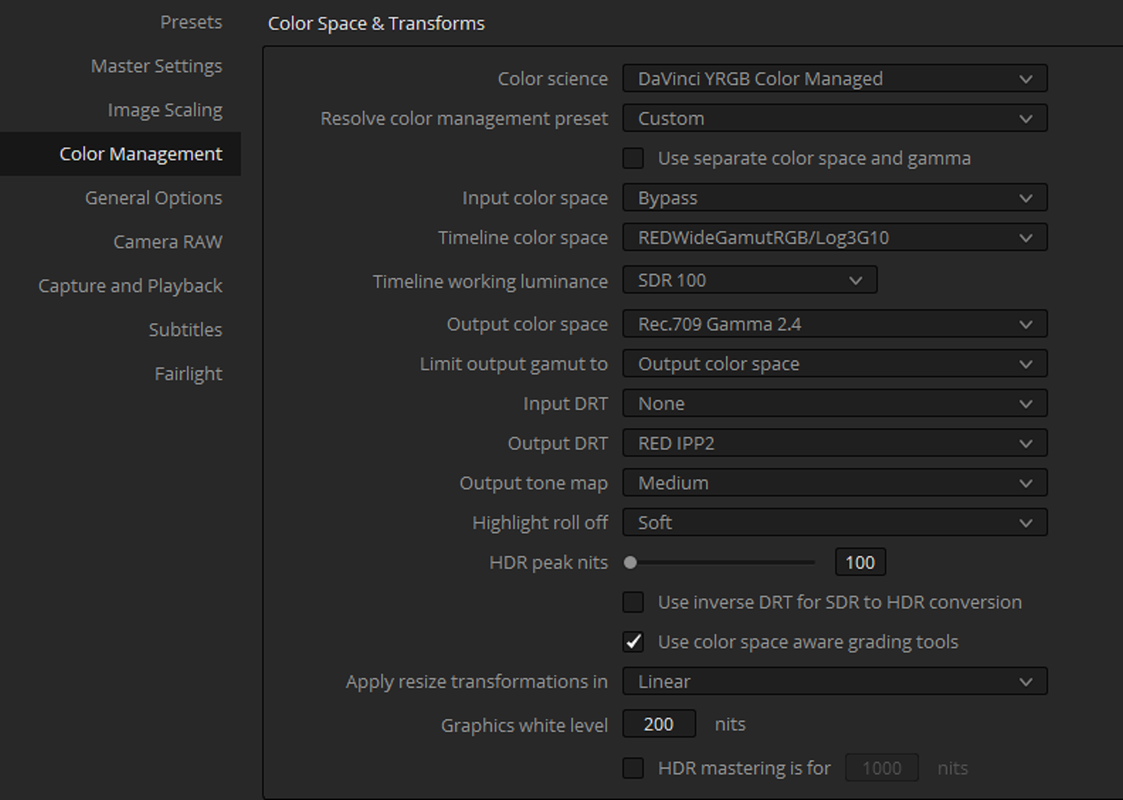
Use an IPP2 Color Managed Workflow instead of an IPP2 Output Transform Lut based workflow if you are going to use a Colorchecker in your workflow. Then it won't matter in which node you use the Grid in, but preferably before you start making color corrections.

Screenshot-1079.png
 
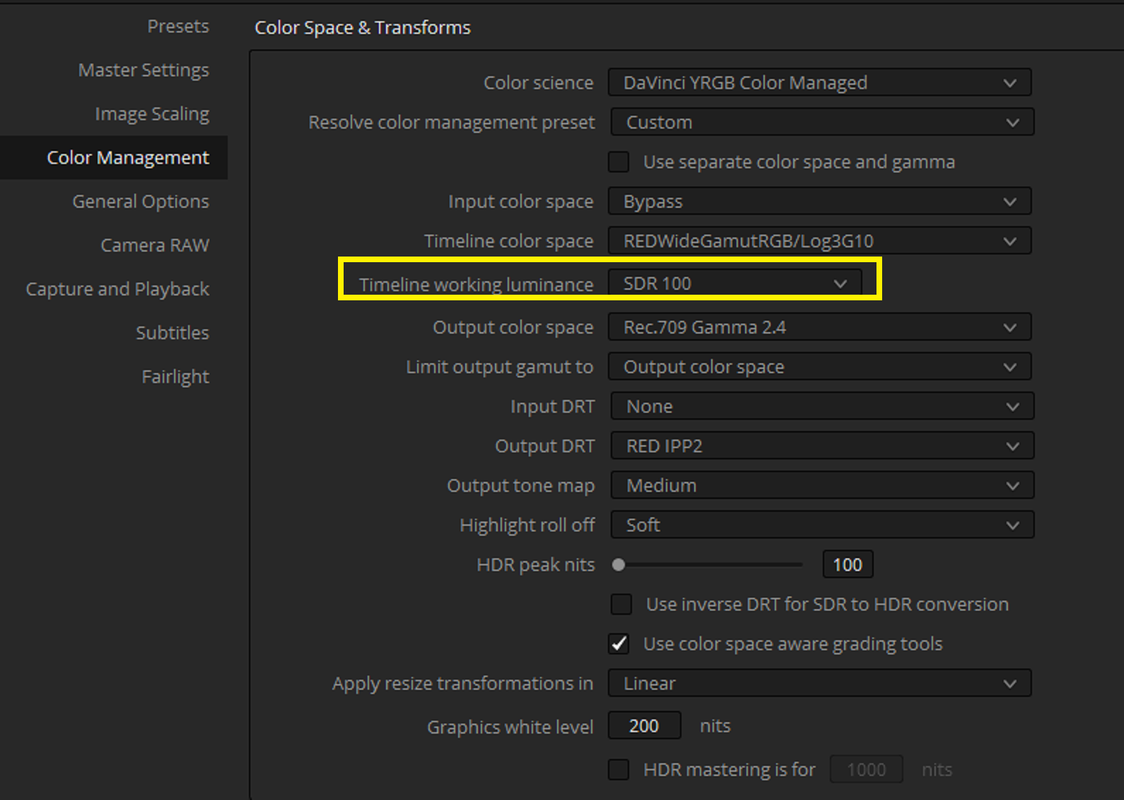
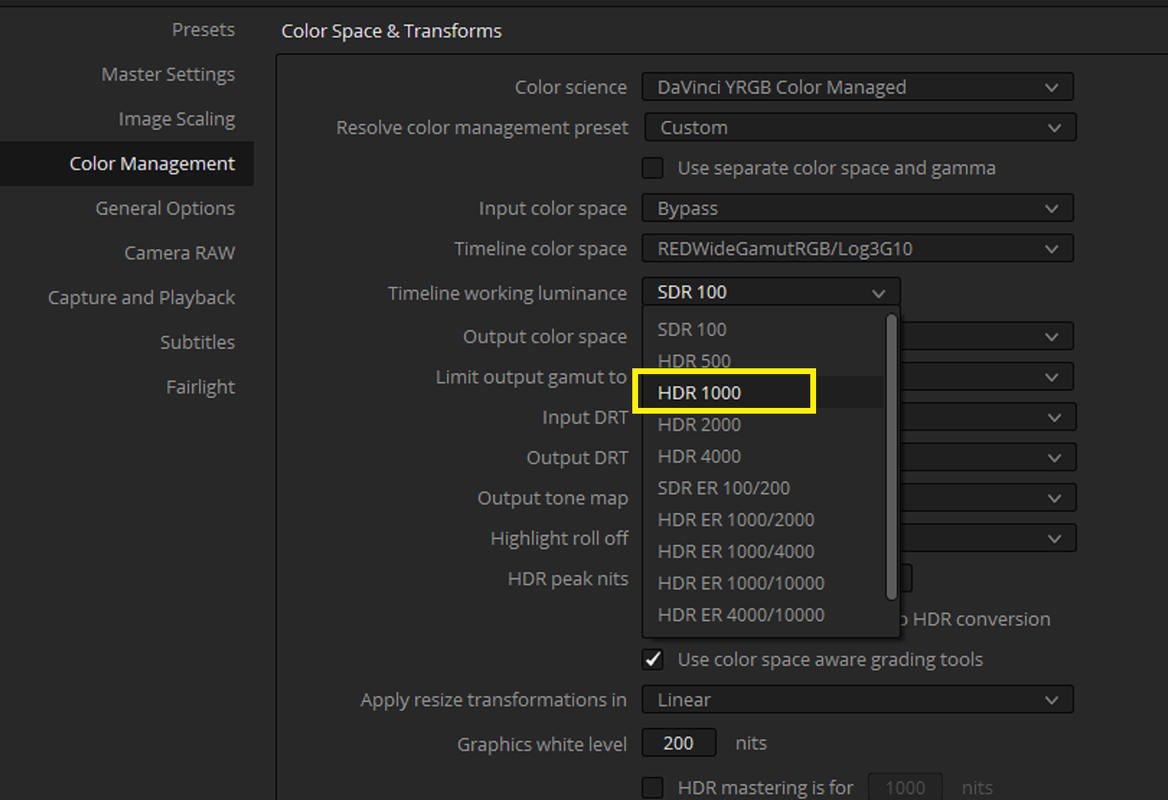
I just updated to Davinci Resolve 17.1, and now the "Timeline Working Luminance" for SDR is fucked!!


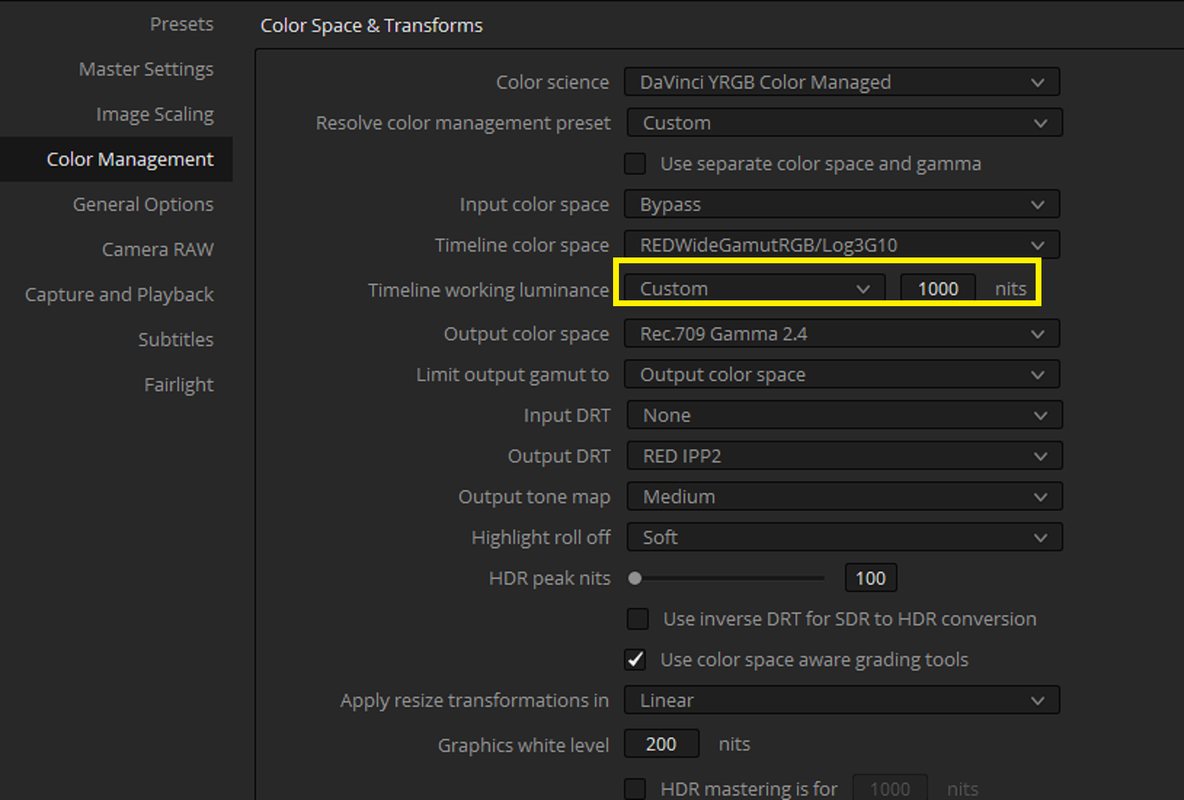
Now selecting "SDR 100" for "Timeline Working Luminance" for a "REC 709" project for some images completely fucks the Highlight Tone Mapping. You have to use "HDR 1000" or "Custom" "1000" Nits to get the same looking Highlight Tone Mapping as you use to get for "SDR 100" for a REC709 image. Blackmagic Please fix this!!!


Screenshot-1101.png


with-Sdr-1-1-5.jpg


Screenshot-1098.png


Screenshot-1100.png


with-hdr-custom-1000-1-1-4.jpg
 
Like Sand


By Sam Roden


Shot on the RED Komodo 6k
 
Lower Grand


By Sven D.


Testing the RED Komodo global shutter and autofocus.
 
I went back to Davinci Resolve version 17.0, now SDR 100 for "Timeline Working Luminance" is working fine again.


Screenshot-1103.png
 
Teaser for Horror Feature Film shot on RED Komodo - SHADOWMARSH


By
Justin Phillip


Komodo 6K - Canon 24-105 F4 MKII - Canon VND EF-RF


By
FilmBandit


Wirelessly offload files from RED Komodo!


By
Spritz Cam


Red Komodo 6K | Firmware 1.5.0 Update With 6k R3D Anamorphic

The actual camera demonstration of the new Features in update 1.5 starts at around the 4:44 minute mark

By Joe Elementz


Chasing Cars with an FPV Drone & Red Komodo


By Matt Beardsley


See the finished reel from this shoot here:


"I'm loving the Red Komodo cinema camera on the Catalyst Machineworks Money Shot Mini FPV drone – such a perfect combo...."
 
Mark,

Made that much better by a Global Shutter.
 
Back
Top