Welcome to our community

Be a part of something great, join today!

  • Hey all, just changed over the backend after 15 years I figured time to give it a bit of an update, its probably gonna be a bit weird for most of you and i am sure there is a few bugs to work out but it should kinda work the same as before... hopefully :)

R3D workflow for FCPX in 2019

Dipanka Sarma

Active member
Joined
Oct 23, 2019
Messages
30
Reaction score
1
Points
8
I'm new to Red - looked at a lot of tutorials, read everything I could find on IPP2 workflow. Very impressed with the footage once I make a base correction on Redcine X Pro. However not impressed if I import directly to FCPX and use the "Modify Red RAW Settings" - that seems very limited. Perhaps I'm doing something wrong.

Experienced FCPX users - could you kindly share what is your preferred workflow for Red footage? I know it will depend on your goals - but what would you do if you wanted the highest quality and had lots of time?

Many thanks in advance for helping out a novice Red user!
 
Dipanka,


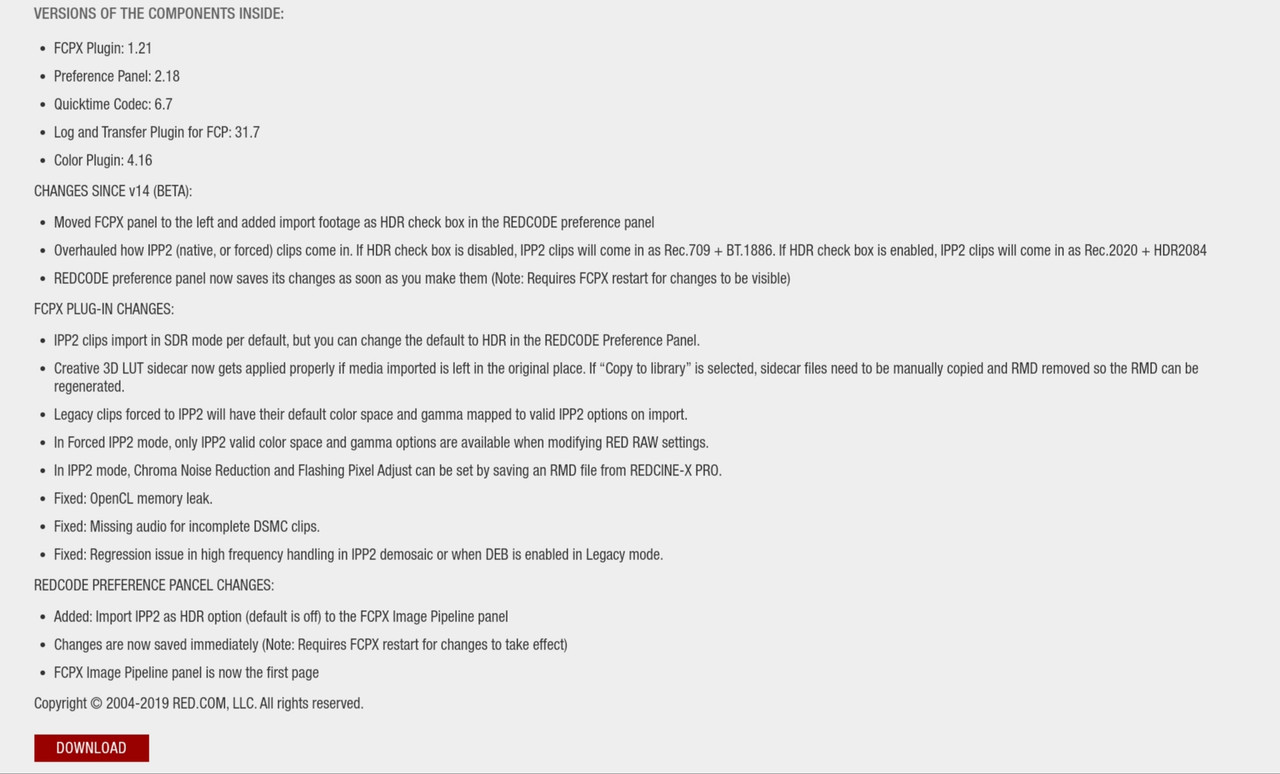
You should probably download and install the "RED Apple Workflow Installer" Version 14.0.0

https://www.red.com/download/red-apple-workflow-installer

20191105-101549.jpg
 
Thanks Rand. I already have. I'm using the "Modify Red RAW Settings" in FCPX but find it limited compared to Redcine X Pro. All software is updated to the latest version.

Perhaps not a lot of Red users use FCPX. The workflow options for R3D files in FCPX are not very clear to me from all that I have read and watched so far. May I ask what is your workflow if you use Red footage on FCPX?
 
Dipanka,


Unfortunately, I went from Avid Media Composer to Davinci Resolve. I tried both Adobe Premiere and Final Cut Pro 7 years back, but never really liked them as much as Media Composer or Resolve.
 
If you're looking into dial in a lot of options on the source R3D files, that settings dialog in FCP is pretty much all you're going to get. Here's what I do:

- Set it to RedWideGamutRGB / Log3G10, adjust white balance if necessary
- Apply Primers EQX LUT for the sensor (in my case, Gemini)
- Add color wheels and curves as needed

I've been very happy with the results, never felt like I was missing something that I couldn't access without RCX ... with the notable exception being HDR-X settings. If you want to work with any HDR-X footage, you have to export ProRes from RCX. FCP will only read one track (the A track, I think).

You could also use the LUTs that RED provides for handling Log3G10 with various rolloff curves, those are also quite nice. Be advised that it's best to apply the LUT as an effect at the top (first in the chain), rather than in the "Camera LUT" settings on the file itself. FCP has a habit of randomly losing the ability to apply this camera LUT (the option just disappears), so it's more reliable to apply it as your first effect.

As for maintaining the highest quality, be sure to check the render settings for your sequence (ugh, "project" in FCPX parlance) to use an appropriate codec, like ProRes 4444 XQ or whatever.
 
Hey Dipanka,

I've worked with RedOneMX, Red Epic MX and Helium DSMC2 all in FCPX for editing and color. I'd be happy to answer any questions you have. One of the first things is that you can apply your IPP2 and Creative LUTs in a custom FX stack like this one. (See attached)

Working with Red Raw in FCPX is very fast and easy. I think you'll really enjoy it.

***Something to be aware of with FCPX 10.4.7 and Red Apple Workflow Installer/Plugin:

Making changes in RCX after .r3ds are in use in at the same time in FCPX (external media workflow) breaks the FCPX library’s internal alias .rmd file with the existing version of the Apple Workflow Plugin. Hard. A user has to go inside the FCPX library package and delete the FCPX generated .RMD alias to regain control on certain sliders, such as saturation and FLUT. I suspect FLUT is a target because that has since been rolled into "Exposure Adjust", for IPP2. Not sure on why Saturation breaks. (I have reported this to the appropriate Apple folks, just not sure if there was any movement from RED’s end.)

Cheers,
Dusty
 

Attachments

  • Screen Shot 2019-10-01 at 9.24.35 AM.jpg
    Screen Shot 2019-10-01 at 9.24.35 AM.jpg
    7.3 KB · Views: 0
  • Screen Shot 2019-10-01 at 2.24.52 PM.jpg
    Screen Shot 2019-10-01 at 2.24.52 PM.jpg
    90.1 KB · Views: 0
Dusty, so you are pasting the custom lut with desired contrast/rolloff on every single clip in your timeline?
 
Many thanks Alan, that's very helpful. I didn't mention that I just got a Red Raven, one of the last new ones in the market. It doesn't have IPP2 in camera, but I can choose RedWideGamutRGB / Log3G10 to shoot with.

Sounds like if I can find a LUT for the 4.5K DSMC2 Raven sensor, I should be okay to edit directly in FCPX. That will save me a step, thanks again.
 
Dusty, so you are pasting the custom lut with desired contrast/rolloff on every single clip in your timeline?

I prefer to add the IPP2 LUT this way, as I sometimes/often change the contrast/Roll-off between my clips, plus I color in FCPX. However, you can also mass select your R3D clips in FCPX's Browser and universally apply the IPP2 LUT via the Inspector. (Inspector [while in Extended View] > Info Tab > Camera LUT) Then you wouldn't need that in your effects stack. BUT if you are doing any color work in FCPX, you'd want to use the first method with the effects stack so that the output transform is at the end.
 
Last edited:
"Working with Red Raw in FCPX is very fast and easy. I think you'll really enjoy it" -
That's super reassuring Dusty, I was getting nervous about having to move to another platform if FCPX didnt work so well!
Let me give it a shot tonight, and I may get back to you with more questions, thank you so much for the offer.
 
I prefer to add the IPP2 LUT this way, as I sometimes/often change the contrast/Roll-off between my clips. However, you can also mass select your R3D clips in FCPX's Browser and universally apply the IPP2 LUT via the Inspector. (Inspector [while in Extended View] > Info Tab > Camera LUT) Then you wouldn't need that in your effects stack. Both methods are end of chain applications for the IPP2 LUTs.

That's helpful. I wasn't sure if the camera lut is in the last position.. Thanks!
 
No problem Dipanka- see my quick reply to Daniel on page 1 for an alternate method for applying the IPP2 LUTs using the Inspector. :)

You can download them from here:

https://www.red.com/download/ipp2-output-presets

Note- and I may be wrong here, but I don't think Raven supports IPP2 preview in camera, but you can use the IPP2 workflow in post.
 
Last edited:
Red definitely needs to update their FCPX plug-in to support all the available IPP2 adjustments.
 
Here's a tut from a year ago with final cut pro x 10.4 if it helps.


By Imagination Upgraded


However, you can also mass select your R3D clips in FCPX's Browser and universally apply the IPP2 LUT via the Inspector. (Inspector [while in Extended View] > Info Tab > Camera LUT) Then you wouldn't need that in your effects stack. Both methods are end of chain applications for the IPP2 LUTs.

Perhaps I'm misunderstanding your methodology, but using the Camera LUT option in the inspector applies the LUT before any other effects, at the beginning of the chain. It's the same as putting it at the top of the effects stack. Putting the LUT at the bottom of the effects stack applies it last, which is not how these LUTs are intended to be used. Am I misunderstanding something?
 
Hey Alan- yes you are correct. I didn't clarify that well, at all. I went back and cleaned that up to be clearer, too.

The first method, the one I use with the first attachments and the one below, is really a solid way to go if you are coloring in FCPX. Thus the IPP2 LUT at the end of the chain, or the bottom of the effects stack. I use a custom made stack so I can quick apply it, as I know I always want to add some minimal sharpening, Color Wheels, Color Curves Hue/Sat Curve and such down to the transform LUT.

The second method, via the Inspector, would only be just to attach the out put transform in mass, to the clips. That would be EoC only if you weren't adding anything else to the clips in FCPX. Otherwise, yes, it applies it in a different order than the way I use in the first method. It would be first and thus, not acting as an output transform. Good catch, I should have explained that better.

Best,
Dusty
 

Attachments

  • Screen Shot 2019-11-05 at 9.39.17 PM.jpg
    Screen Shot 2019-11-05 at 9.39.17 PM.jpg
    101.2 KB · Views: 0
Last edited:
That's helpful. I wasn't sure if the camera lut is in the last position.. Thanks!


Hey Daniel, it isn't if you are adding effects in FCPX. I went back and fixed that, as Alan pointed out I wasn't being clear on it. If you are using effects, the first stack method is the way to go, with the Custom LUT/IPP2 LUT at the bottom, ergo the end. Cheers.
 
I use a custom made stack so I can quick apply it, as I know I always want to add some minimal sharpening, Color Wheels, Color Curves Hue/Sat Curve and such down to the transform LUT.

This sounds very handy, but I can't find any info on how to do it. The most I know how to do is assign a default effect, which can then be applied with a shortcut. Can you enlighten me?
 
Back
Top