Welcome to our community

Be a part of something great, join today!

  • Hey all, just changed over the backend after 15 years I figured time to give it a bit of an update, its probably gonna be a bit weird for most of you and i am sure there is a few bugs to work out but it should kinda work the same as before... hopefully :)

R3D that don't works on premiere pro

Jean baptiste

Well-known member
Joined
Mar 26, 2016
Messages
92
Reaction score
0
Points
0
Hi
we just shooted some video with red dragon, we picked up the R3D and try to open them on after effect.
problem is it's impossible to open them, I have error message.
I have tried with old R3D I have and it perfectly works.
Do you know what's the problem ?
second question, we tried to convert them in quicktime file with redcine X but the result is really crap.
We work on windows, someone can share his best settings please ?
thanks a lot
 
What version of Premiere Pro are you using?

Also, are we talking Epic Dragon or Weapon Dragon?
 
hi
thanks for fast answer, this is premiere pro CS6,
last time we shooted with red epic and we didn't had this problem. This time, this is red epic dragon ( old epic that has been upgraded to dragon) and it's impossible to import the R3D into premiere
we really need help because we have important shooting tomorow
thanks
 
hi ok noted so what's the solution?
put the files into red cine x and convert the R3D in avi or others ?
can you share your setting with us ? because I can import the R3D into red cine X and then work on the grading, but when I tried to export the files, I have shitty result ( very bad video quality) or error message

thnaks
 
With the latest Red cine x you should be able to export to a Pro-res file and select the version of pro-res you need.
When I started to finally work with Dragon footage I just bit the bullet and paid for the one app version of Adobe creative cloud (Premiere Pro CC) it's like $20 a month but makes your life a lot easier.

Your other option is to edit and color in Davinci Resolve (free version will limit you to 3840 x 2160 output files).
 
The benefits of upgrading from CS6 to CC go way beyond Red support also.

Adobe is having its issues with Premiere lately, but the iterative model of CC works so much better in the fast paced world of digital cinema cameras than the old CS model.
 
The benefits of upgrading from CS6 to CC go way beyond Red support also.

Adobe is having its issues with Premiere lately, but the iterative model of CC works so much better in the fast paced world of digital cinema cameras than the old CS model.

Adobe have made tremendous strides with CC in the past two years. It used to be that nearly every day it made me want to pluck out my eyes with my bare hands. Now the problems are less frequent, and when it does give me trouble, I'm willing to use a fork.
 
Adobe have made tremendous strides with CC in the past two years. It used to be that nearly every day it made me want to pluck out my eyes with my bare hands. Now the problems are less frequent, and when it does give me trouble, I'm willing to use a fork.

Michael, congrats, that´s my favorite post for a long time :-)
 
transcode to proress for mac or some mxf dnxhd for windows from redcinex - if your computer is weak render out proxies.
or
edit and color your r3d native in davinci ... its free with limitations ... but not as advanced for editing as premiere ... and exports go faaaaaast !
or
get the cloud ... payed ... with free build in limitations ...
 
hi
is there someone that can send me a screen shot of his export setting with cine x ?
it will help a lot
thanks ;)
 
transcode to proress for mac or some mxf dnxhd for windows from redcinex - if your computer is weak render out proxies.
or
edit and color your r3d native in davinci ... its free with limitations ... but not as advanced for editing as premiere ... and exports go faaaaaast !
or
get the cloud ... payed ... with free build in limitations ...


hi
mxf dnxhd seems to work fine thanks a lot for your help!!!!!!
 
transcode to proress for mac or some mxf dnxhd for windows from redcinex - if your computer is weak render out proxies. or edit and color your r3d native in davinci ... its free with limitations ... but not as advanced for editing as premiere ... and exports go faaaaaast ! or get the cloud ... payed ... with free build in limitations ...
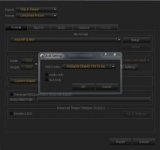
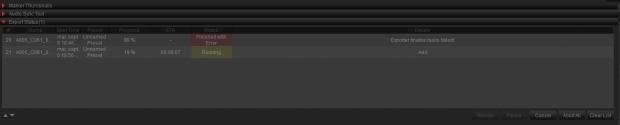
it's finaly more complicated than expected :( I have tried this with other video and it crashed, here is my setting, I really need to find a fast solution to this problem because I am in a hurry and I don'(t want to upgrade to CS6 for the moment, I have no time for this
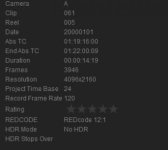
is there someone that can share a solution that 100% works for export with cine x pro because it make me crazy

thansk a lot
here is my settings :
 

Attachments

  • problem 424.jpg
    problem 424.jpg
    8.2 KB · Views: 0
  • problem 423.jpg
    problem 423.jpg
    8.6 KB · Views: 0
  • problem222.jpg
    problem222.jpg
    6.3 KB · Views: 0
Last edited:
Back
Top