Welcome to our community

Be a part of something great, join today!

  • Hey all, just changed over the backend after 15 years I figured time to give it a bit of an update, its probably gonna be a bit weird for most of you and i am sure there is a few bugs to work out but it should kinda work the same as before... hopefully :)

R1MX vs Scarlet-X: Same sensor, different image?

Nick_Brown

Well-known member
Joined
Jun 30, 2012
Messages
80
Reaction score
16
Points
8
Location
Portland, OR
I've owned a Red One MX (with Canon EF mount and SSD module) for a couple of years now, and I love the image I get from it. However, it's not an easy camera to work with in 2023 so when I saw a great deal on a Scarlet-X, I jumped on it. After reading this thread, my thinking was that if I could get a comparable image from the Scarlet that it would be a no-brainer to make the switch. But after looking at the clips side by side, I'm having some doubts -- and they aren't in favor of the newer camera.

My (perhaps naive) expectation was that if I matched the camera settings (5600K, no tint adjustment; 9:1 compression on the R1, 6:1 on the Scarlet), same lighting (5600K source), black balance (after warming up for 15mins), used the same lens, and made sure that all settings matched in Resolve, that the two R3D files would look almost the same. But they don't. At all. And the Red One actually looks quite a bit better to my eye.

Another little thing that I noticed is that even though the Scarlet in 4K should have more resolution, it actually just looks like the image has been stretched vertically (in-camera, I did not do this in post!).

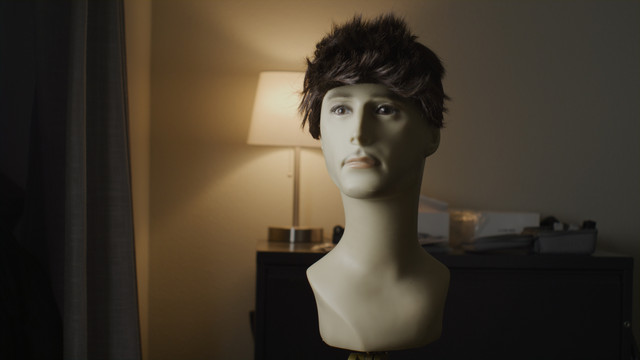
I'm attaching two stills exported from Resolve. I'm sure with a little color work, I could get the cameras to match. But my Red One MX is consistently a really nice image without even having to do that. What am I missing here?
 

Attachments

  • Red One MX.jpg
    Red One MX.jpg
    64.3 KB · Views: 11
  • Red Scarlet-X.jpg
    Red Scarlet-X.jpg
    64.2 KB · Views: 11
Last edited:
Playing with the tint, color temp, and saturation levels, I can get the Scarlet to match the R1MX. But only if I change all three parameters.
 
The Dragon sensor was available as an upgrade to the Scarlet-X, but the unmodified Scarlet-X was released with a Mysterium-X sensor just like the Red One MX.
 
Looking at the pictures and going by the labels, it seems the RED One frame was shot using the RED FF 1.90:1 AR and the Scarlet-X frame was shot HD 16:9 (1.78:1), then both were put in a HD 16:9 (1.78:1) AR timeline, which would account for the 'stretching' of the image.

That could also make the RED One image being down-scaled and letterboxed to fit look a little different by a few percent than the Scarlet-X frame.

Beyond personal preferences for the aesthetics of one or the other, I think most of the difference between the RED One and Scarlet-X images would simply come down to the different hardware and in-camera signal processing, even if they did technically share the same kind of sensor.

There was a similar thing when the Dragon sensors got put in the DSMC2 bodies and the new hardware enabled a marginal improvement to the performance of the same sensor.

I can't remember the details, but apart from the different R3D compression implementation, there might have also been a different OLPF in the DSMC1 cameras compared to the one in the RED One.

Also might have been some 'color-science' advancements/adjustments that were applied to the DSMC1 cameras but not the RED One, as was definitely the case later on.

I don't think there's an actual setting or anything you can switch on or off to make the Scarlet-X image look exactly like the RED One.

But at the same time, I think by the time you tweak the colours a bit in post you'd be hard pressed to see any real difference between them. Which is kind of what you have to do when matching any of the different RED cameras (and sometimes even when matching the same model of camera but shooting them differently).
 
Looking at the pictures and going by the labels, it seems the RED One frame was shot using the RED FF 1.90:1 AR and the Scarlet-X frame was shot HD 16:9 (1.78:1), then both were put in a HD 16:9 (1.78:1) AR timeline, which would account for the 'stretching' of the image.

That could also make the RED One image being down-scaled and letterboxed to fit look a little different by a few percent than the Scarlet-X frame.

Thanks for the thoughtful response. I wanted to double check this and see if the frame was being stretched/distorted somehow. The R1MX resolution was 4096x2160 and the Scarlet-X resolution was 4096x2304. The sequence that was automatically generated by Resolve was 1920x1080 (probably because I am running the demo version of FilmBox). When I changed the settings to DCI 4K (4096x2160), I told it not to stretch the images to fit the frame but rather to leave them at their native size. I see a slightly different field of view, but no noticeable stretching.

I also auto white-balanced both cameras with a sheet of paper and got them looking almost identical to one another. The Scarlet is slightly less contrasty and has some magenta in the shadows that the R1MX does not, but they are close enough. And the noise characteristics look nearly identical between the cameras, which was a concern of mine.

Bottom line: use auto white balance!
 
Only guessing, but there could be some tone-mapping and IR differences between the two camera's that might make the shadows and contrast look a bit different.

Auto white-balancing is a handy way to make some initial tint and WB adjustments to match the cameras before adjusting both to taste.

Glad you're seeing better results.
 
I need to track down a color chart but in the absence of one, auto WB with a white card, desaturating the image slightly, applying a curve to the saturation/shadows, and a slight offset towards green gets these images to match pretty closely.


I still like the image from the Red One MX (last image) more though.
 
I think there is a difference in bitrate between red one and scarlet x, no? As in Scarlet having a higher bitrate / less noise in lowlevels.
 
Yes, there is a difference in the settings between the shots. The Scarlet is 6:1 while the R1MX is 9:1. For a true apples to apple comparison, I need to match them. But even with their current compression differences, the noise level is remarkably comparable when I zoom to 800%.
 
Short of a non-existent under-the-hood transform between them, I think you've got them matching closely enough to use in a multi-cam setup without noticing what was shot exactly on what.

If you're using different lenses on each camera and shooting them at different angles (and therefore dealing with slightly different lighting and compositions), then tweaking images from both cameras to get a cohesive overall look, there's even less chance one camera will stand out from the other in the final mix.

Maybe one other thing to test out is the back-focus on each of the cameras, under some circumstances that could be a potentially visible point of difference between the cameras, even when using the same lens.
 
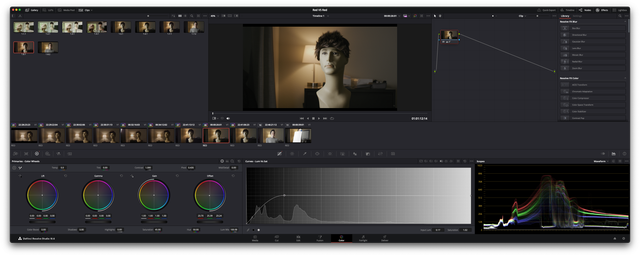
I shot a cheapo color chart with both cameras using the same lens. I matched all camera settings and used a bicolor fixture to light the chart. I pointed both cameras at a white piece of paper held in front of the same light and used auto WB, ensuring that there was no clipping. I captured the chart at 5600K, 4000K, and 3200K. I imported everything into Resolve and overlaid the two cameras with the corresponding color balance using a venetian blinds configuration. The colors between the cameras drift more and more the further away from 5600K I got. I am attaching the two 5600K captures overlaid on top of each other.

Using the vectorscope, I attempted to create a simple corrector node to get the two charts to look as similar as possible. I ultimately had to go into the hue vs hue and hue vs saturation curves to get them to (mostly) match. I created a LUT and applied it to some real-world footage (with a 5600K key). It actually got the color pretty close but the overall contrast is still off. Here is the LUT in case anyone wants to try it out.

Resolve is definitely not one of my strong areas. If I uploaded the six red raw clips, would anyone else like to take a crack at it?
 

Attachments

  • Screenshot 2023-10-26 at 4.25.29 PM.jpg
    Screenshot 2023-10-26 at 4.25.29 PM.jpg
    63.2 KB · Views: 1
Looking at the clips in Resolve, the R1MX clips are using REDcolor3/REDgamma3 and the Scarlet-MX clips are using REDcolor4/REDgamma4.

If you make them all the same REDcolor/REDgamma in the Color/Camera RAW section of Resolve, most or all of your contrast differences will disappear along with some of the slight colour differences.

However, something else I noticed in those particular shots of the colour chart is that there's a slight but visible difference in the distance and angle between the chart and the two different camera's, giving a slightly different reading of the chart and contributing to making the R1MX images look a little brighter and less contrasty overall than the Scarlet-MX clips.

Using the skin-tone of your hand as a reference, I adjusted the clips in Resolve using a single node to make them match, taking the above into consideration.

After changing to IPP2 and REDWideGamutRGB/LOG3G10, the only parameters I adjusted were the 'Color Temp', 'Tint' and 'Exposure Adjust' in the RAW tab, along with the 'Contrast', 'Gamma' and 'Saturation' in the Color/Primaries section of Resolve.


Here are the clips in motion, with the same grades and showing the actual skin tone I based the overall look off -

https://youtu.be/68dErwrE71w?si=KCMh1hlZaqttdgkL

With more time and effort, the camera's and clips could have been matched more closely.

Edit - Adding some more info about the 'grading' process used here. Not as a recommendation, just to clarify what was done.

The adjustments I made using the parameters mentioned above (RAW and Color Primary adjustments), were measured almost entirely by using the 'Waveform' scope in Resolve, looking at the part of the waveform generated by the white part of the colour chart, where the individual Red/Green/Blue levels and overall exposure level could be seen.

Because I have no idea what the colours on that particular chart are supposed to look like, I just eye-balled the overall colour/white-point based on the skin-tone of the hand, then adjusted all the clips, using the Temp/Tint/Saturation etc, controls, so the RGB 'Waveforms' matched as closely as I could get them, even if they weren't lined up to their perfect ideal.

I could also still see on the Vectorscope that most of the hues and colours were off-target, but left them as is, otherwise it would have required using the more specific hue correctors to line things up.

So, in terms of matching there are still more or less subtle differences between the camera's and clips, but they're probably less noticeable than the differences in colour you'd get using even the same camera in a real-world scenario where the lighting and look of the subject-matter can change shot-by-shot.

Noting too that while there's nothing wrong with capturing images using off-normal colour-temp lighting, I think it is around that default 5600K mark that the colours are most accurate and balanced, and the further you get from that, the harder it is to bring them back to 'normal' or to avoid introducing noise or other odd-looking colour effects while leaving them off-normal. I think that can even be seen a little bit in the last two clips of this test, especially in motion, where the lighting went to its most extreme.
 
Last edited:
Les Hillis Very interesting and thanks for sharing your findings. I checked and you are indeed correct that using the legacy color science and applying either REDcolor3/REDgamma3 or 4 to both cameras gets a much closer match. Somehow, the R1MX actually becomes the camera with the magenta shadows while the Scarlet looks much more true to life. Switching over to IPP2 causes the cameras to yield pretty different results. I'm going to play around with this a little bit more but the bottom line is that these cameras aren't as inconsistent as I'd thought.
 
No worries.

I think the camera's do capture a very similar image.

If it were me, I'd focus on adjusting the images from each individual camera to match that 'true to life' target, rather than each other. Ideally that would get them looking the same anyway, and if not, then other steps could still be taken to make them look more similar to each other.

It might not be essential for getting good results, but I think an IPP2 / REDWideGamutRGB / LOG3G10 workflow would be preferable if taking that approach, as it provides the most accurate interpretation of the RAW data the sensors are capturing and allows the most flexibility when it comes to making adjustments to achieve that 'true to life' look, even if it initially emphasizes the differences between shots.

Anyway, thanks for providing the real world test examples, it's been interesting checking out that MX footage.
 
Back
Top