Welcome to our community

Be a part of something great, join today!

  • Hey all, just changed over the backend after 15 years I figured time to give it a bit of an update, its probably gonna be a bit weird for most of you and i am sure there is a few bugs to work out but it should kinda work the same as before... hopefully :)

Pro Res V. R3D file sizes in dual record on Weapon

Curt Pair

Well-known member
Joined
Nov 26, 2011
Messages
707
Reaction score
0
Points
0
Location
Phoenix, AZ
Website
www.picturethisproductions.net
I've been receiving emails and phone calls asking if I wouldn't mind sharing the file size comparisons of ProRes files (in all formats) to the original R3D files when recording with Weapon. Here's what I've come up with:
  • Apple Pro Res 2K (2048x1052) 4444 XQ is 72.63% of the original 6K FF R3D file
  • Apple Pro Res 2K (2048x1052) 4444 is 48.71% of the original 6K FF R3D file
  • Apple Pro Res 2K (2048x1052) 422 HQ is 33.25% of the original 6K FF R3D file
  • Apple Pro Res 2K (2048x1052) 422 is 21.96% of the original 6K FF R3D file
  • Apple Pro Res 2K (2048x1052) 422 LT is 17.91% of the original 6K FF R3D file

I hope this helps when planning your shoots using R3D and Pro Res recording.
 
Great info, thanks Curt. You and Phil need to get together and make a neat chart ;-)
 
How would it work? you have the prores as proxies lets say in PREMIERE CC timeline. Then you are ready to swap to the originals. How would that happen? Since Weapon creates those Prores instantly next to the original, how do you swap in Premiere CC 2015 ?
 
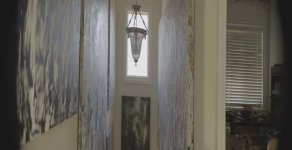
For me with redcode at 7:1. I get a 3x file reduction size between 6k FF and 2k4444. (i.e. r3d is 1420 MB and mov is 484.2 MB). I think redcode 7:1 is a fair redcode number since it's used frequently in production. This was btw a shot in a stair way with mixed light (full dark to blown out lights) with paintings to the side.
[someone was asking what a master prime anamorphic looked full frame, i attached the shot i did the ratio from]
 

Attachments

  • W002_C005_0205ER.0000123.jpg
    W002_C005_0205ER.0000123.jpg
    39.2 KB · Views: 0
Last edited:
Patrick, have you tried to compare the direct in camera ProRes 4444 to a comparable ProRes 4444 generated by RedCineX from the R3D?

Is the ProRes generated in cam cleaner? What's your thought?

I know you're an advocate of ProRes only in some productions so I'm curios to know what do you think.

Thanks!
 
Patrick, have you tried to compare the direct in camera ProRes 4444 to a comparable ProRes 4444 generated by RedCineX from the R3D?

Is the ProRes generated in cam cleaner? What's your thought?

I know you're an advocate of ProRes only in some productions so I'm curios to know what do you think.

Thanks!
Well I like the in 2k prores, I haven't done the in camera lut ... but my gut feel is I'd want to do the in camera LUT if I was going to do the in camera prores. I btw don't like the in camera 4k prores, as you can tell the r3d just compresses real nice, so the 4k prores has very nominal size difference and isn't even 444. So if I need 4k I think it's worth the extra time to go R3D, R3D is just so prestine/fast/small it's hard to beat when your above 2k(thus for people that are magnum not woven, I wouldn't be too bummed for not having 4k prores). For those that do anamorphic prores, the in camera prores btw isn't capturing the anamorphic bits for some reason, it will desqueeze correctly to square pixels but doesn't appear to support the prores rectangular pixels. I do think this is very early days for prores in camera, I am not on the beta build, so I think it's hard to make decisions one way or another for a few months (i.e. I bet there will be huge differences between the weapon now and 3 months from now).
 
Last edited:
Back
Top